
DIYables_MicroPython_OLED_SSD1309
MicroPython library for SSD1309-based monochrome OLED displays using the I2C interface.
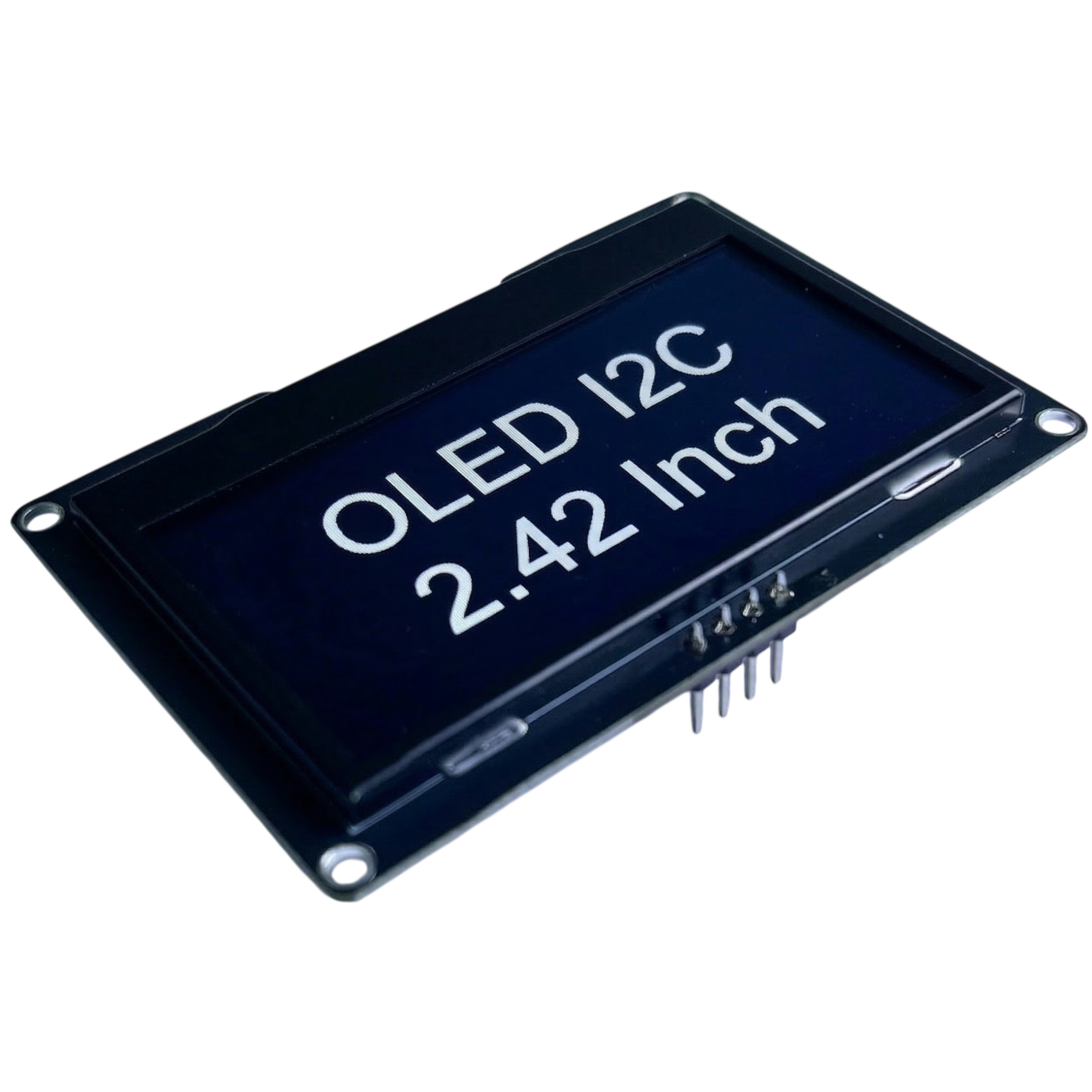
Product Link: DIYables 2.4-inch OLED Display Module SSD1309 128×64
Features
- Supports 128×64, 128×32, 96×16, 64×48, and 64×32 display sizes
- Extends
framebuf.FrameBuffer– all MicroPython drawing primitives available out of the box (pixel,fill,fill_rect,rect,line,hline,vline,text,blit,ellipse,poly, …) - Hardware scrolling: right, left, diagonal right, diagonal left
- Contrast control and dim mode
- Power-off / power-on (sleep mode)
- Zero-copy
show()– no temporary buffer allocation on each refresh - Compatible with SoftI2C and hardware I2C
- Optional hardware reset pin support
Tested Hardware
| Board | Tested |
|---|---|
| ESP32 | ✅ |
| Raspberry Pi Pico | ✅ |
| DIYables ESP32 Development Board | ✅ |
| DIYables ESP32 S3, Uno-form factor | ✅ |
| Arduino Nano ESP32 | Not yet, expected to work |
| Arduino Giga R1 WiFi | Not yet, expected to work |
| Other MicroPython boards | Not yet, expected to work |
Tutorials
References
Installation
Install via mpremote (recommended for MicroPython boards):
mpremote mip install DIYables-MicroPython-OLED-SSD1309
Or install via pip and copy to your board manually:
pip install DIYables-MicroPython-OLED-SSD1309
Quick Start
from machine import I2C, Pin
from DIYables_MicroPython_OLED_SSD1309 import OLED_SSD1309

# ESP32 – SDA=GPIO21, SCL=GPIO22
# Pico  – SDA=GP0,    SCL=GP1
i2c  = I2C(0, scl=Pin(22), sda=Pin(21), freq=400_000)
oled = OLED_SSD1309(128, 64, i2c)

oled.fill(0)
oled.text("Hello, World!", 0, 0)
oled.show()
Documentation
See DIYables_MicroPython_OLED_SSD1309 Library Reference for the complete API documentation including all constructors, methods, and constants.
Examples
| Example | Description |
|---|---|
| hello_world.py | Display text using the built-in 8×8 font |
| draw_shapes.py | Draw pixels, lines, rectangles, and ellipses |
| scroll_text.py | Hardware scrolling (right, left, diagonal) |
| contrast_dim.py | Animate contrast level and use dim mode |
| bitmap.py | Display a monochrome bitmap image using blit() |
1 maintainer

Metadata
1 maintainer
Release files for DIYables-MicroPython-OLED-SSD1309 1.0.0
For a detailed explanation of source distributions (sdists) and built distributions (wheels), please see the package formats documentation.
Source distribution (sdist)
| File | Size | Uploaded | Provenance | Actions |
|---|---|---|---|---|
| diyables_micropython_oled_ssd1309-1.0.0.tar.gz | 10.1 kB | Without provenance | Details for diyables_micropython_oled_ssd1309-1.0.0.tar.gz |
Built distribution (wheel)
| File | Interpreter | ABI | Platform | Actions Reset |
|---|---|---|---|---|
| diyables_micropython_oled_ssd1309-1.0.0-py3-none-any.whl | Python 3 | none | any | Details for diyables_micropython_oled_ssd1309-1.0.0-py3-none-any.whl |
Total release size: 17.9 kB
Release files / diyables_micropython_oled_ssd1309-1.0.0.tar.gz
| Download URL | diyables_micropython_oled_ssd1309-1.0.0.tar.gz |
|---|---|
| Size | 10.1 kB |
| Tags | Source |
|
SHA-256 checksum How to use checksums |
e5559f29e48047c9011539e8e35cfc00ef99834533dfeeddb808326ef15b9d0e
|
|
BLAKE2b-256 checksum How to use checksums |
2bb553372225d3387d8fd9e6d4c412003092efa432f6a89f7874a88c4b0aa59e
|
| Upload date | |
|
Uploaded using Trusted Publishing? What is trusted publishing? |
No |
| Uploaded via |
twine/6.2.0 CPython/3.13.5
|
Release files / diyables_micropython_oled_ssd1309-1.0.0-py3-none-any.whl
| Download URL | diyables_micropython_oled_ssd1309-1.0.0-py3-none-any.whl |
|---|---|
| Size | 7.8 kB |
| Tags | Python 3 |
|
SHA-256 checksum How to use checksums |
47a9058b5ce5ef18803937a200eab9293b7900c8bfe72ac0668227e6ead3622d
|
|
BLAKE2b-256 checksum How to use checksums |
ca3b986b122e3d372aff264bb4a4881331170fc4945d840e082d463af549ba73
|
| Upload date | |
|
Uploaded using Trusted Publishing? What is trusted publishing? |
No |
| Uploaded via |
twine/6.2.0 CPython/3.13.5
|
Security for DIYables-MicroPython-OLED-SSD1309 1.0.0
Provenance
Provenance describes where a file came from. On PyPI, provenance is shared via attestations, which provide a verifiable record of the build or publishing details. View details, limitations and caveats.
No provenance found
None of the files in this release were uploaded with provenance metadata.
A note on package security
PyPI is a repository for distributing packages, not a service for auditing them. While third-party security researchers and our staff do their best to detect and remove malicious packages, PyPI cannot guarantee the quality, security or suitability of any given package.
To learn more about protecting yourself from malicious actors, visit our package security documentation.













