




Django File Browser Panel
A strictly read-only Django Admin panel for browsing the local filesystem —
MEDIA_ROOT, STATIC_ROOT, and any other configured roots — without shell
access. Part of the Django Control Room
ecosystem.
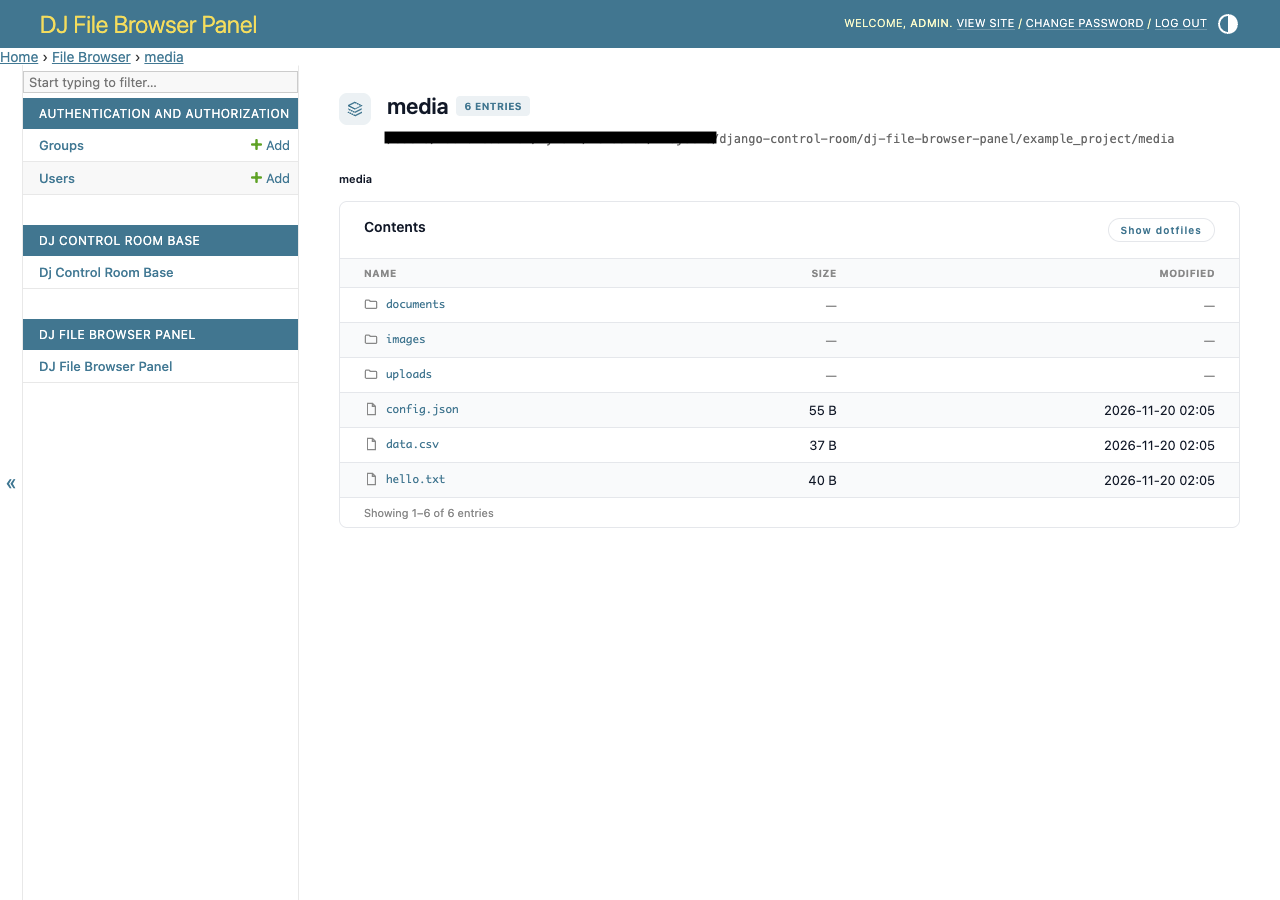
Answer "did my upload land?" in two clicks: browse directories, check file sizes and modified times, and optionally preview small text files — all from the Django admin.
Compatible with dj-control-room. Register this panel in the Control Room to manage it from a centralized dashboard.
- Official site: djangocontrolroom.com
- Panel registry: djangocontrolroom.com/panels
Features
- Browsable roots:
MEDIA_ROOTandSTATIC_ROOTby default, or any list of directories viaDJ_FILE_BROWSER_PANEL_SETTINGS["ROOTS"]. - Directory listings: folders first, then files; name, human-readable size, and modified time. Dotfiles hidden by default with a toggle.
- Breadcrumbs + pagination: navigate deep trees; large directories are paginated, never loaded whole.
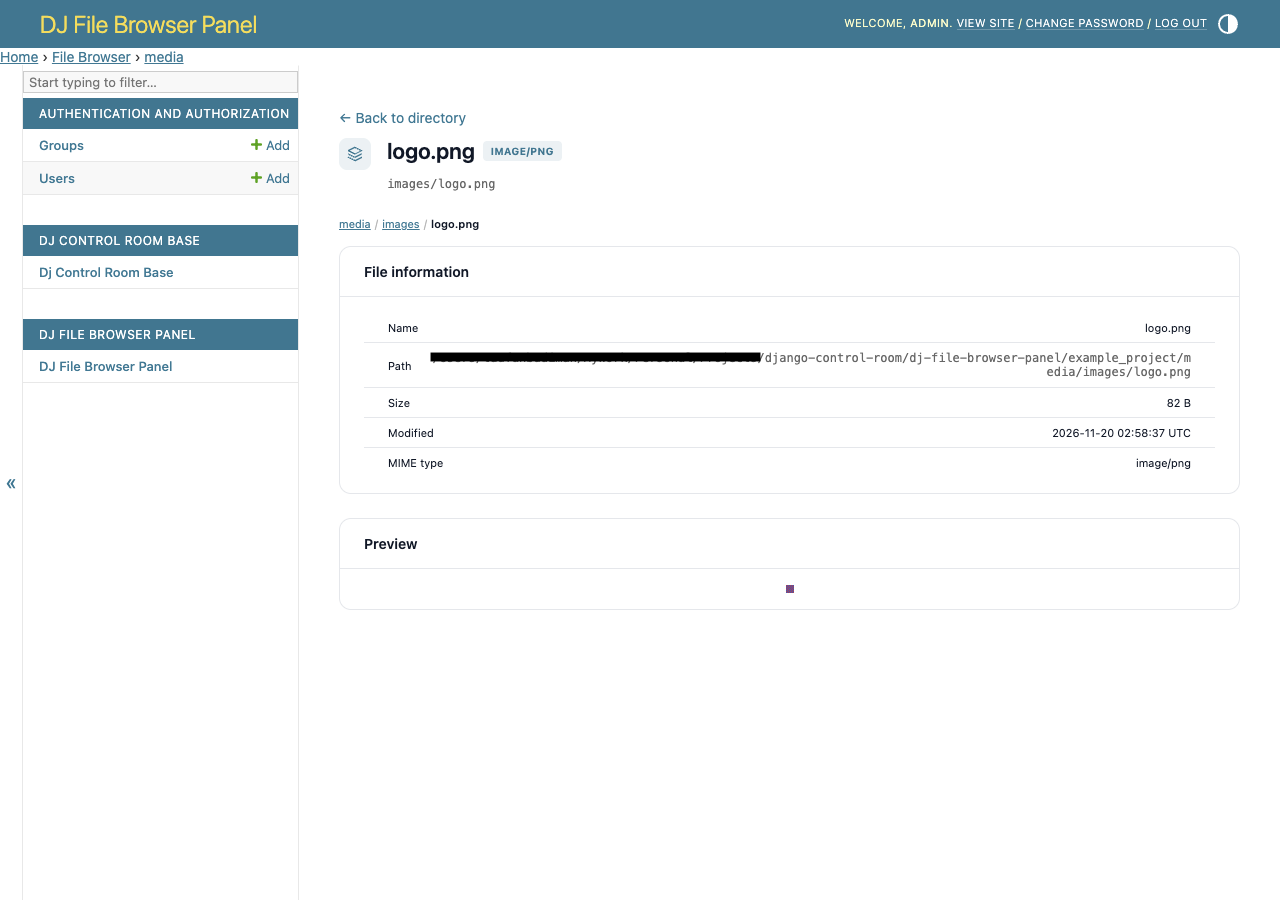
- File details: path, size, modified time, MIME type guess, and an optional preview — text files inline (size-capped), images and PDF embedded via the browser.
- Hard read-only: no upload, delete, rename, or chmod — there is no mutation code path at all.
- Path sandboxing: every path is resolved and must stay inside a
configured root.
..traversal, absolute paths outside roots, and symlink escapes are rejected; escaping symlinks render as disabled entries. - No models, no migrations:
managed=Falseplaceholder only. - Django admin styling: dark mode and admin skins supported through
dj-control-room-base.
Screenshots
Known limitations
- Office document previews are not supported yet — DOCX, XLSX, PPTX, ODT and similar formats show metadata only. Rendering them faithfully needs either server-side conversion (e.g. LibreOffice → PDF) or client-side libraries; both are still under consideration.
- Preview is strictly opt-in (
PREVIEW_ENABLED) and capped byPREVIEW_MAX_BYTES; SVG is deliberately excluded from image embeds. - This panel is intentionally read-only — there is no download button and no archive extraction; raw bytes are only served for allowlisted preview types.
Requirements
- Python 3.9+
- Django 4.2+
dj-control-room-base1.6+
Installation
pip install dj-file-browser-panel dj-control-room
Add it to INSTALLED_APPS, include its URLs, and migrate (the base package
needs it; this panel has no migrations of its own):
INSTALLED_APPS = [
    # ...
    "dj_control_room_base",
    "dj_file_browser_panel",
    "dj_control_room",
    # ...
]
urlpatterns = [
    path("admin/dj-control-room-base/", include("dj_control_room_base.urls")),
    path("admin/files/", include("dj_file_browser_panel.urls")),
    path("admin/dj-control-room/", include("dj_control_room.urls")),
    path("admin/", admin.site.urls),
]
python manage.py migrate
Then visit /admin/ and look for the "DJ FILE BROWSER PANEL" section.
Configuration
DJ_FILE_BROWSER_PANEL_SETTINGS = {
    # None -> MEDIA_ROOT + STATIC_ROOT. Entries may be path strings or
    # {"name": ..., "path": ..., "description": ...} dicts.
    "ROOTS": [
        {"name": "Media", "path": MEDIA_ROOT},
        {"name": "Static", "path": STATIC_ROOT},
        "/var/www/uploads",
    ],
    "PAGE_SIZE": 100,
    "SHOW_HIDDEN": False,
    # File content preview (off by default). Raster images (except SVG)
    # and PDF are embedded inline. PREVIEW_TYPES allowlists *text* preview
    # MIME types (plus any text/* type), capped at PREVIEW_MAX_BYTES.
    "PREVIEW_ENABLED": False,
    "PREVIEW_MAX_BYTES": 262144,
    "PREVIEW_TYPES": [
        "application/json",
        "text/csv",
        "text/plain",
    ],
}
All keys are optional; unset keys fall back to the defaults above. Roots that don't exist or aren't directories are skipped — if none are valid the panel shows an empty state instead of an error.
Access control follows the dj-control-room-base panel permission model:
staff users only, with optional ALLOWED_GROUPS, REQUIRE_SUPERUSER, and
per-scope SCOPE_PERMISSIONS overrides — see the
dj-control-room-base
documentation.
Development
pip install -e ".[dev]"
pytest   # runs the suite and writes coverage.xml + htmlcov/
ruff check . && ruff format .
example_project/ is a runnable Django project for manual testing:
cd example_project
python manage.py migrate
python manage.py runserver
# visit http://127.0.0.1:8000/admin/files/
Tests run with pytest-django against tmp_path fixtures — they never touch
the repo root or real media directories. Coverage is enforced at 85%
(--cov-fail-under=85) and runs on every push/PR via GitHub Actions.
Contributing
Contributions are welcome — bug reports, docs fixes, and features alike.
-
Fork and clone the repository, then set up a dev environment:
pip install -e ".[dev]"
-
Run the checks locally before pushing:
pytest                    # tests + coverage (must stay >= 85%)
ruff check . && ruff format .
-
Open a pull request against
mainwith a short description of the change and any relevant context (issue link, screenshots for UI changes).
House rules:
- Read-only, always. The panel must never gain upload, delete, rename,
chmod, or any other filesystem mutation. Every filesystem path must stay
inside a configured root (
Path.resolve()+is_relative_to) — reject..traversal, absolute paths outside roots, and symlink escapes. - Follow the existing
dj-control-room-baseconventions:PanelPluginfor registration,panel_base.htmlfor templates,dcr-*design-system classes for UI,DJ_FILE_BROWSER_PANEL_SETTINGSfor configuration. - Listings must paginate — never load an entire directory into memory.
- Keep tests on
tmp_pathfixtures — never touch the real filesystem in tests.
License
This project is licensed under the MIT License. See the LICENSE file for details.
1 maintainer

Metadata
1 maintainer
Release files for dj-file-browser-panel 0.1.0
For a detailed explanation of source distributions (sdists) and built distributions (wheels), please see the package formats documentation.
Source distribution (sdist)
| File | Size | Uploaded | Provenance | Actions |
|---|---|---|---|---|
| dj_file_browser_panel-0.1.0.tar.gz | 23.9 kB | With provenance | Details for dj_file_browser_panel-0.1.0.tar.gz |
Built distribution (wheel)
| File | Interpreter | ABI | Platform | Actions Reset |
|---|---|---|---|---|
| dj_file_browser_panel-0.1.0-py3-none-any.whl | Python 3 | none | any | Details for dj_file_browser_panel-0.1.0-py3-none-any.whl |
Total release size: 44.5 kB
Release files / dj_file_browser_panel-0.1.0.tar.gz
| Download URL | dj_file_browser_panel-0.1.0.tar.gz |
|---|---|
| Size | 23.9 kB |
| Tags | Source |
|
SHA-256 checksum How to use checksums |
a6ae9f646c9bb7defc43da4cca2d8c6eaff06138c173107058bc81c56ce6ccf9
|
|
BLAKE2b-256 checksum How to use checksums |
f68f5482a97fc84a10f529f88174cba4334dc1f97e6887683652ef932a471f24
|
| Upload date | |
|
Uploaded using Trusted Publishing? What is trusted publishing? |
Yes |
| Uploaded via |
twine/7.0.0 CPython/3.13.16
|
Provenance
Provenance describes where a file came from. On PyPI, provenance is shared via attestations, which provide a verifiable record of the build or publishing details. View details, limitations and caveats.


PyPI Publish Attestation
PyPI verified that this artifact, at this checksum, originated from the publisher listed below.
Signed by GitHub Actions, verified by PyPI on Nov 20, 2026.
Transparency logRelease files / dj_file_browser_panel-0.1.0-py3-none-any.whl
| Download URL | dj_file_browser_panel-0.1.0-py3-none-any.whl |
|---|---|
| Size | 20.6 kB |
| Tags | Python 3 |
|
SHA-256 checksum How to use checksums |
7b012ffa858adf50ec2ba4b385a3b18271d07c4907c58eb7073cf7dc95c7fe3b
|
|
BLAKE2b-256 checksum How to use checksums |
22f26fe4a2a174807bcf83036223afa44639ef6b6a95164175fd1b009930400b
|
| Upload date | |
|
Uploaded using Trusted Publishing? What is trusted publishing? |
Yes |
| Uploaded via |
twine/7.0.0 CPython/3.13.16
|
Provenance
Provenance describes where a file came from. On PyPI, provenance is shared via attestations, which provide a verifiable record of the build or publishing details. View details, limitations and caveats.
PyPI Publish Attestation
PyPI verified that this artifact, at this checksum, originated from the publisher listed below.
Signed by GitHub Actions, verified by PyPI on Nov 20, 2026.
Transparency logSecurity for dj-file-browser-panel 0.1.0
Provenance
Provenance describes where a file came from. On PyPI, provenance is shared via attestations, which provide a verifiable record of the build or publishing details. View details, limitations and caveats.
Full provenance
Both files in this release have been uploaded with provenance metadata.
Attestation for dj_file_browser_panel-0.1.0.tar.gz
PyPI Publish Attestation
PyPI verified that this artifact, at this checksum, originated from the publisher listed below.
Signed by GitHub Actions, verified by PyPI on Nov 20, 2026.
Transparency logA note on package security
PyPI is a repository for distributing packages, not a service for auditing them. While third-party security researchers and our staff do their best to detect and remove malicious packages, PyPI cannot guarantee the quality, security or suitability of any given package.
To learn more about protecting yourself from malicious actors, visit our package security documentation.













