
Reusable multiple file upload for Django admin in new UI style. Compatible with Django's default admin, Jazzmin, and Grappelli admin interfaces.

Project description


django-admin-multiupload
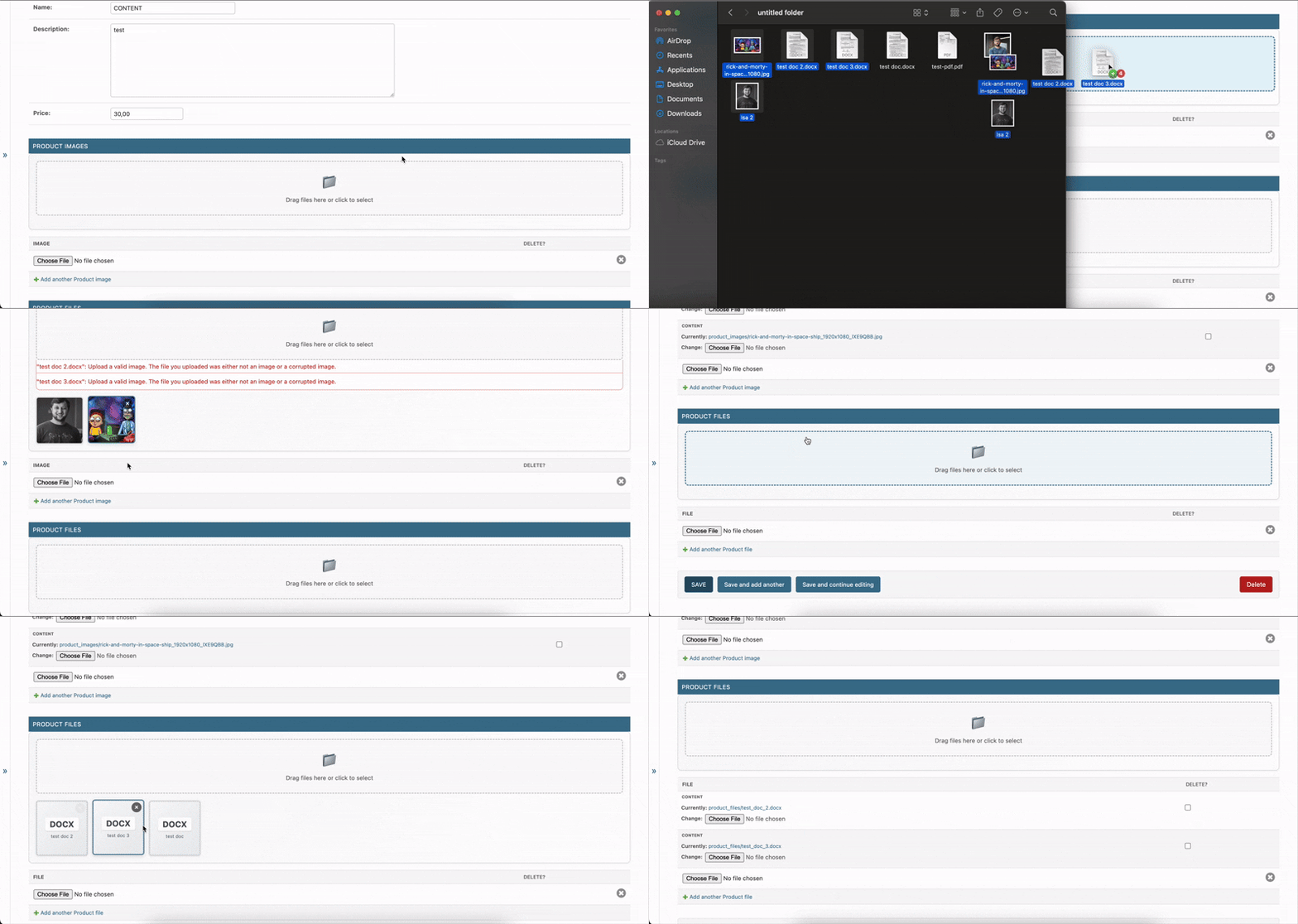
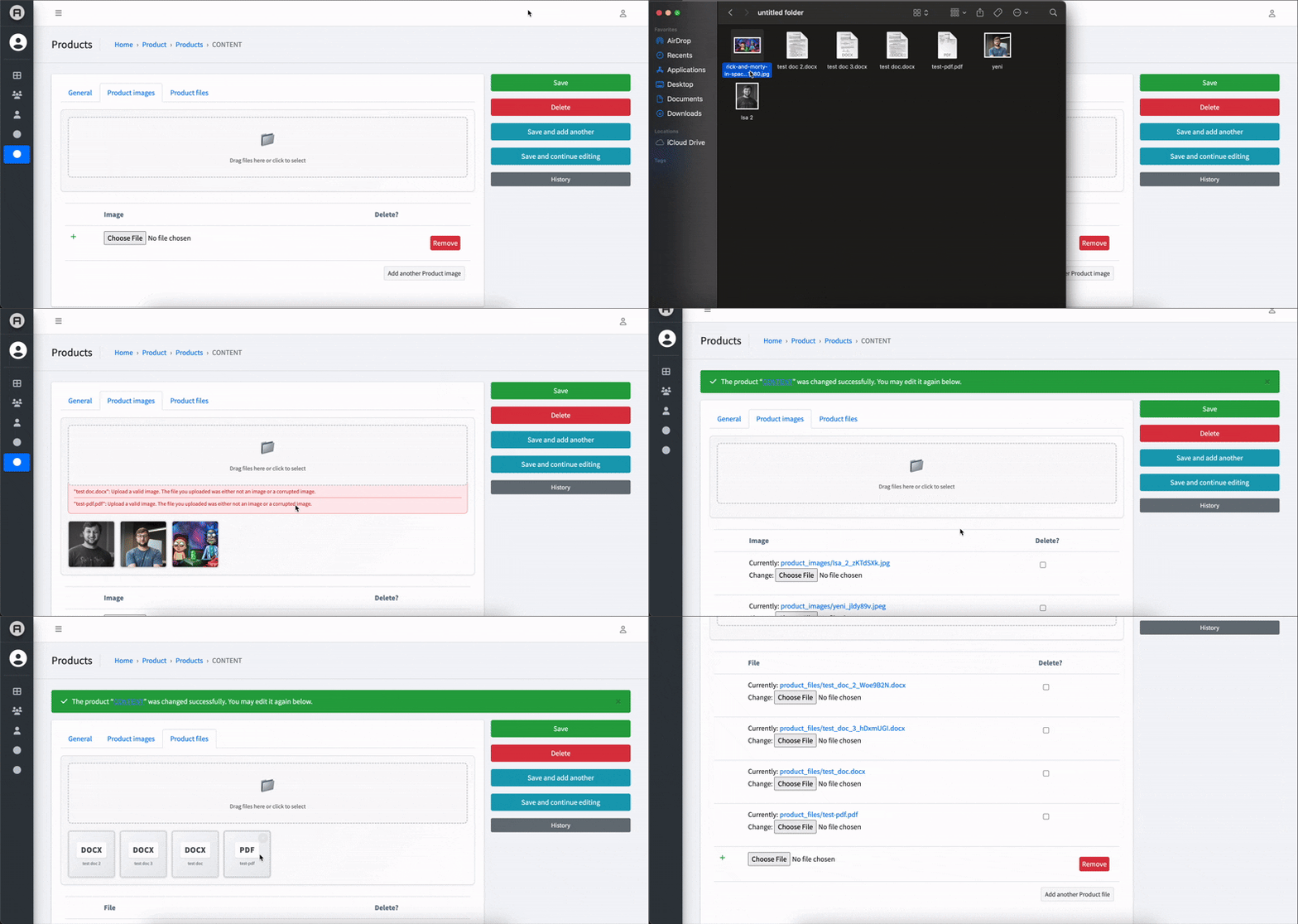
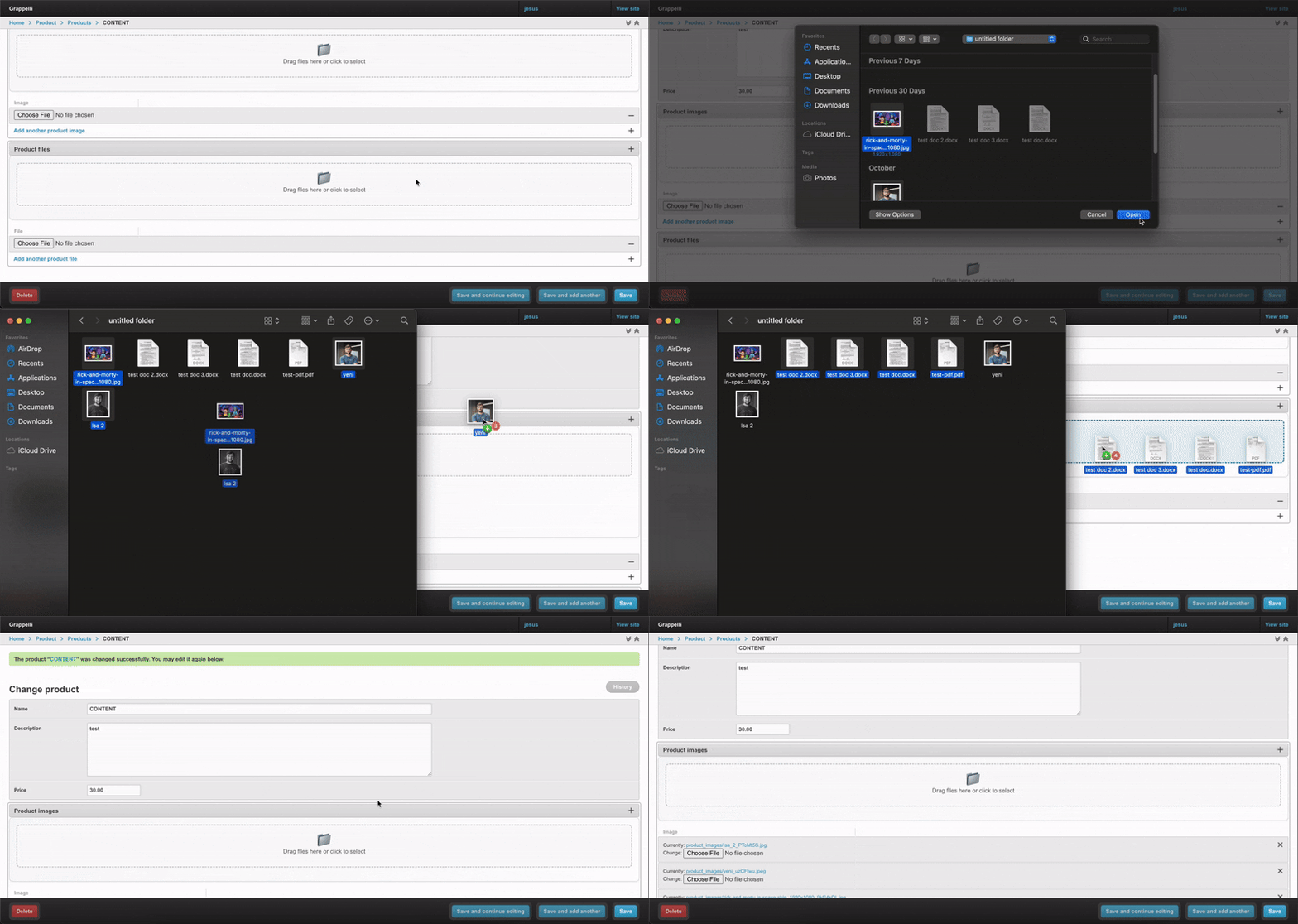
Reusable multiple file upload for Django admin in new UI style. Compatible with Django's default admin, Jazzmin, and Grappelli admin interfaces. Install the package and use the mixins in your admin classes — the templates, CSS, and JS are bundled so you do not have to wire up static files manually.
Examples
Default Django Admin
Jazzmin Theme
Grappelli Theme
Installation
# with uv
uv add django-admin-multiupload

# or pip
pip install django-admin-multiupload
Add the app to INSTALLED_APPS so Django can discover the bundled templates and static assets:
INSTALLED_APPS = [
    # ...
    "django_admin_multiupload",
]
Usage
models.py
from django.db import models


class Product(models.Model):
    name = models.CharField(max_length=255)
    description = models.TextField()
    price = models.DecimalField(max_digits=10, decimal_places=2)

    def __str__(self):
        return self.name


class ProductImage(models.Model):
    product = models.ForeignKey(
        Product, on_delete=models.CASCADE, related_name="images"
    )
    image = models.ImageField(upload_to="product_images")

    def __str__(self):
        return self.product.name


class ProductFile(models.Model):
    product = models.ForeignKey(Product, on_delete=models.CASCADE, related_name="files")
    file = models.FileField(upload_to="product_files")

    def __str__(self):
        return self.product.name
admin.py
from django.contrib import admin

from django_admin_multiupload import MultipleUploadAdminMixin, MultipleUploadInlineMixin
from .models import Product, ProductFile, ProductImage


class ProductImageInline(MultipleUploadInlineMixin, admin.TabularInline):
    model = ProductImage
    extra = 1
    upload_field_name = "image"


class ProductFileInline(MultipleUploadInlineMixin, admin.TabularInline):
    model = ProductFile
    extra = 1
    upload_field_name = "file"


@admin.register(Product)
class ProductAdmin(MultipleUploadAdminMixin, admin.ModelAdmin):
    list_display = ("name", "price")
    search_fields = ("name", "description")
    inlines = [ProductImageInline, ProductFileInline]
That is it. The admin change form will render the drag-and-drop upload area and load the package's CSS/JS automatically.
How It Works
- Add
MultipleUploadInlineMixinto your inline class and specifyupload_field_name - Add
MultipleUploadAdminMixinto your ModelAdmin class that uses the inline - The mixin automatically detects if the field is an ImageField or FileField
- Files are uploaded and saved automatically when you save the parent object
License
MIT License - see LICENSE file for details.


Download files
Download the file for your platform. If you're not sure which to choose, learn more about installing packages.
Source Distribution
Built Distribution
Filter files by name, interpreter, ABI, and platform.
If you're not sure about the file name format, learn more about wheel file names.
Copy a direct link to the current filters
File details
Details for the file django_admin_multiupload-0.1.1.tar.gz.
File metadata
- Download URL: django_admin_multiupload-0.1.1.tar.gz
- Upload date:
- Size: 23.1 kB
- Tags: Source
- Uploaded using Trusted Publishing? No
- Uploaded via: uv/0.8.2
File hashes
| Algorithm | Hash digest | |
|---|---|---|
| SHA256 |
335b4e393f81a8ef2dffe69ebbf889434bc937092a665f8da3fd328ebd585856
|
|
| MD5 |
ecd41bb2fdd54528de46797ffe72a23c
|
|
| BLAKE2b-256 |
c616c2bc20b4f6bddd0f32e0675a6d6aa8f0012a01df56da2fc5cea23855504f
|
File details
Details for the file django_admin_multiupload-0.1.1-py3-none-any.whl.
File metadata
- Download URL: django_admin_multiupload-0.1.1-py3-none-any.whl
- Upload date:
- Size: 81.9 kB
- Tags: Python 3
- Uploaded using Trusted Publishing? No
- Uploaded via: uv/0.8.2
File hashes
| Algorithm | Hash digest | |
|---|---|---|
| SHA256 |
6fe31030ee58f00ced9a57ab8d38e74f50ba16d97b9fce48dce97736f4e3921f
|
|
| MD5 |
e2ad5b9e4c73639abdfe6e86d5f43912
|
|
| BLAKE2b-256 |
9b920b3c73897b961998f73a0f76ec6e0698b3c16bc426cb931d7c50564bf3eb
|






