
django-adminflow
A modern Django Admin UI template with built-in integrations for popular 3rd party packages.





AdminFlow is a drop-in Django Admin UI template that replaces the default Django admin with a clean, minimalist SaaS-grade interface. Beyond the UI refresh, it ships with ready-to-use integrations for the most popular Django ecosystem packages — two-factor authentication, per-record audit history, and multi-format import/export — so you get powerful admin features with zero boilerplate.
One package. Install it, add it to
INSTALLED_APPS, and your admin instantly looks and works like a premium SaaS product.
What is AdminFlow?
The default Django admin is functional but dated. AdminFlow wraps it with:
- A modern, minimalist UI built with Tailwind utility classes and Material Symbols icons
- A collapsible sidebar with app grouping, icons per model, and active state tracking
- Responsive layouts — works on tablet and desktop
- Clean typography using Inter font (loaded from Google Fonts)
- Integrated 3rd party packages — install the extras you need, and the UI for them is already there
AdminFlow is not a full CMS replacement. It is a UI skin + integration layer for the Django admin you already use.
Screenshots
| Login | Dashboard |
|---|---|
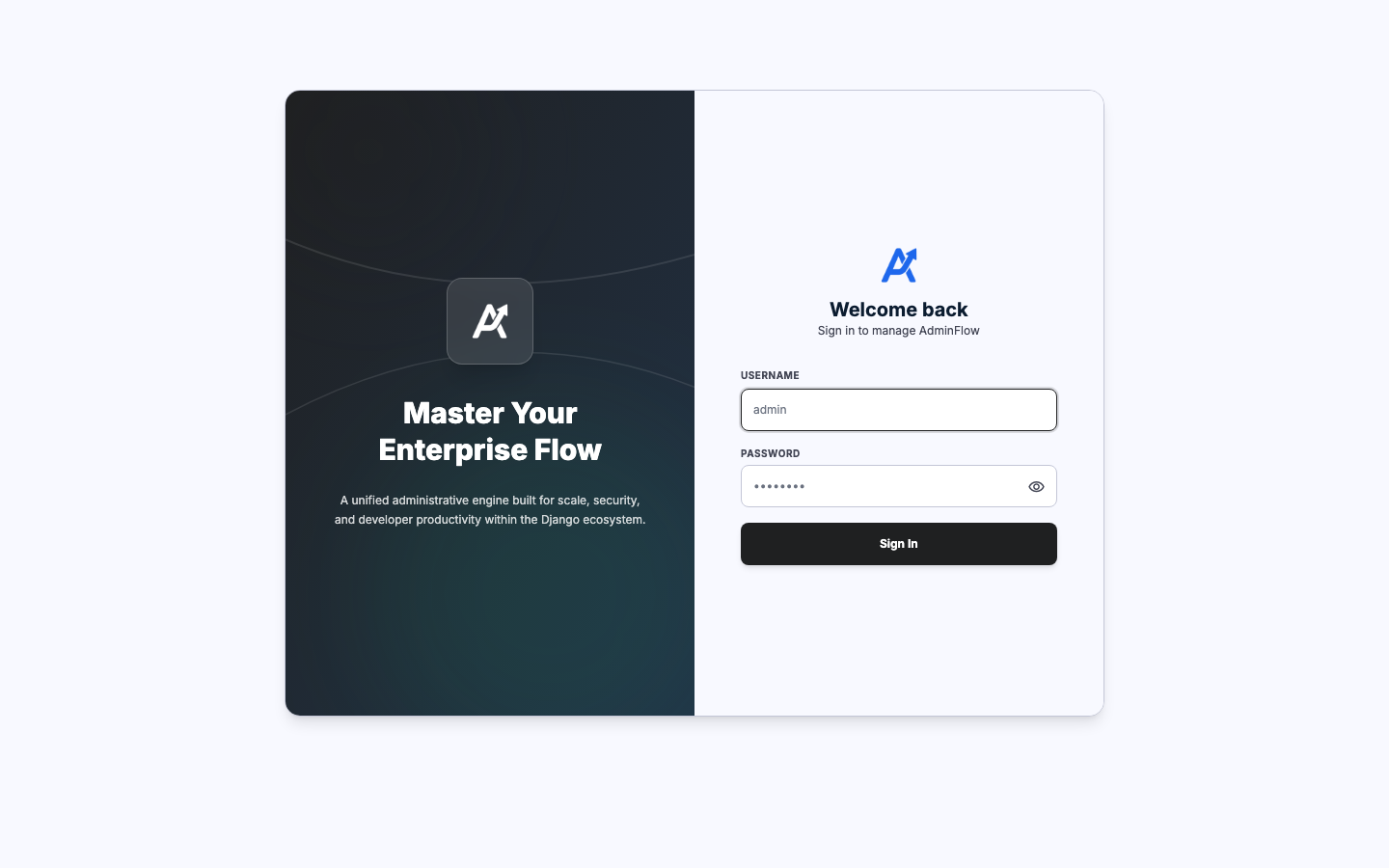 |
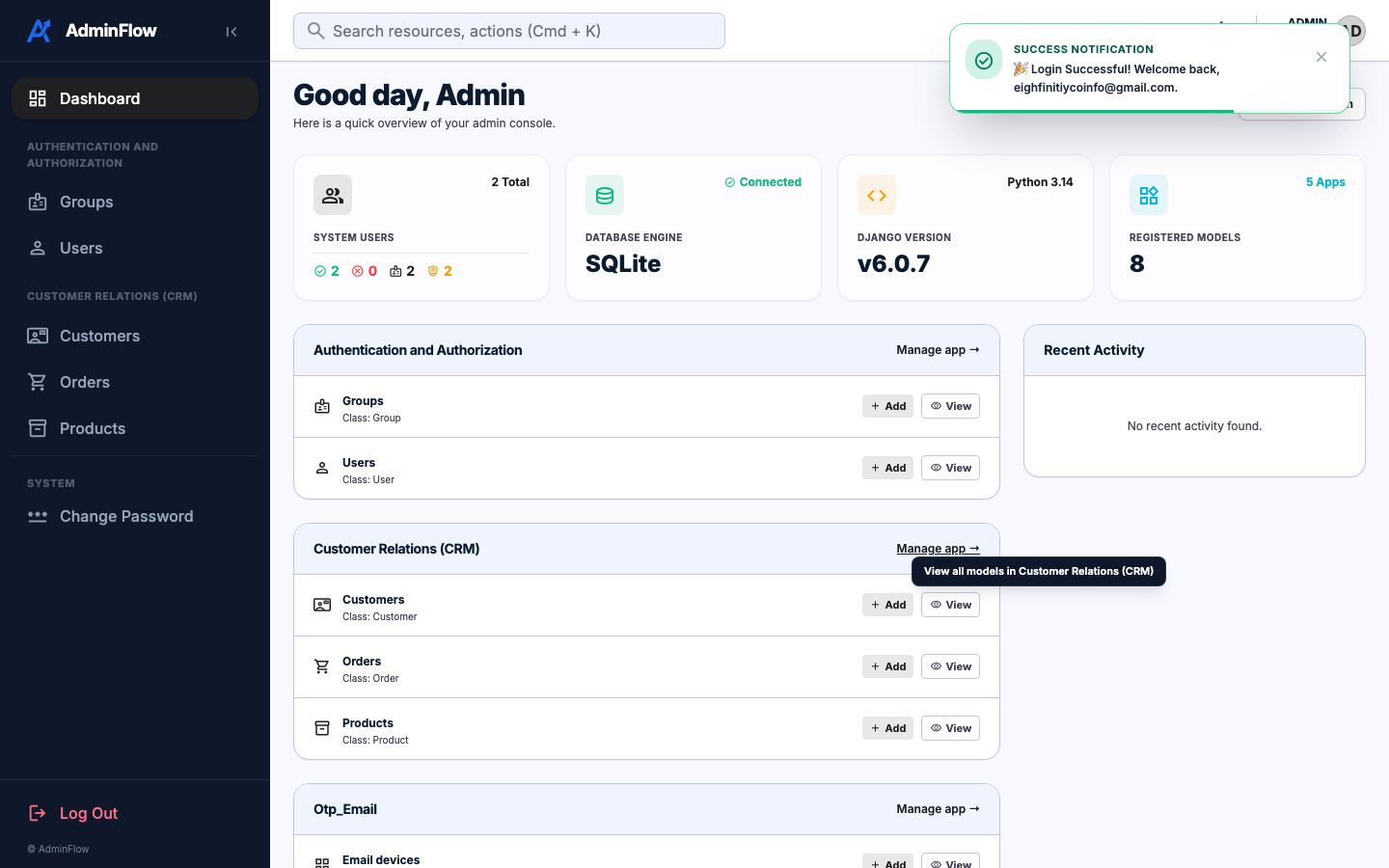 |
| Customer List | Change Form |
|---|---|
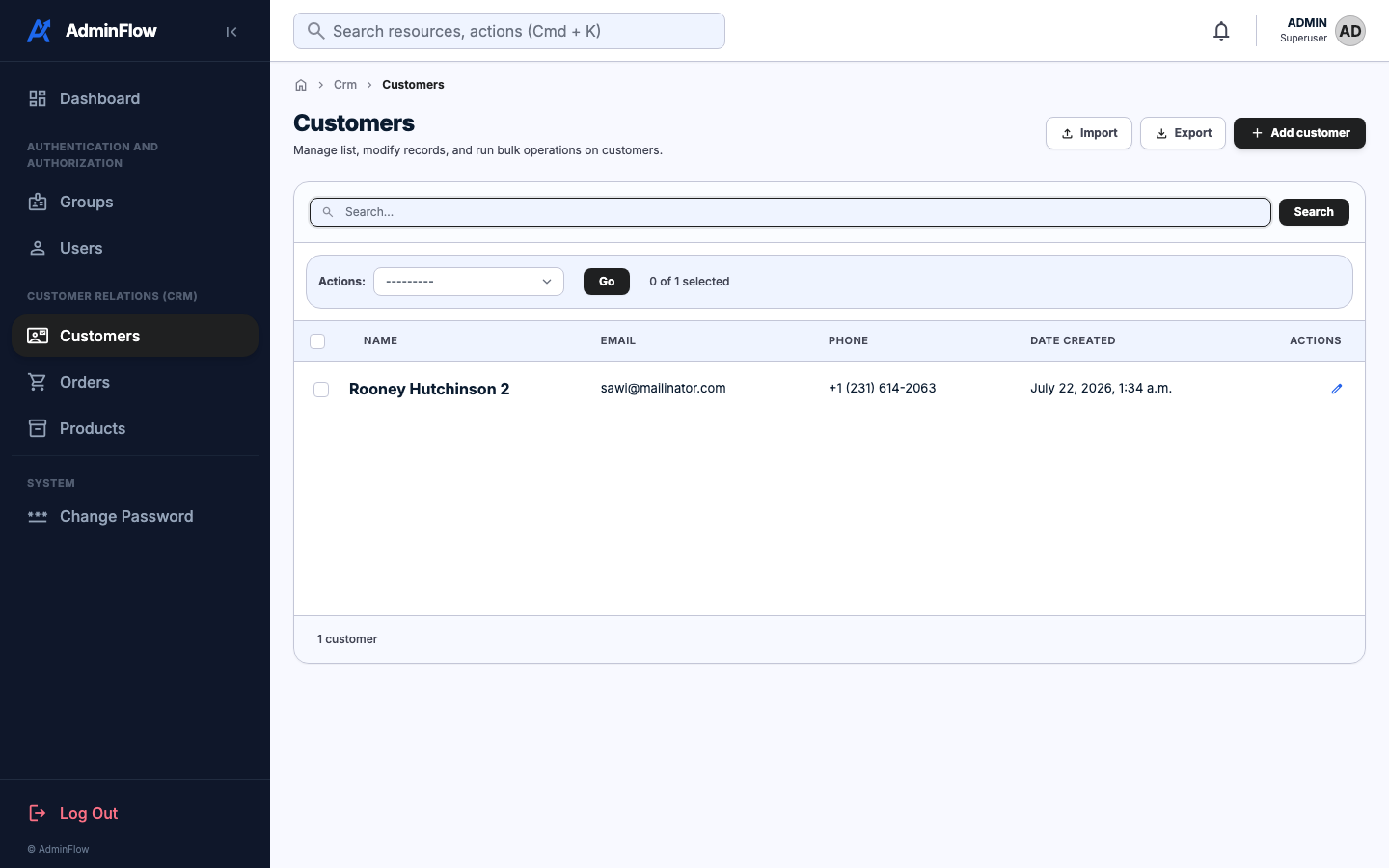 |
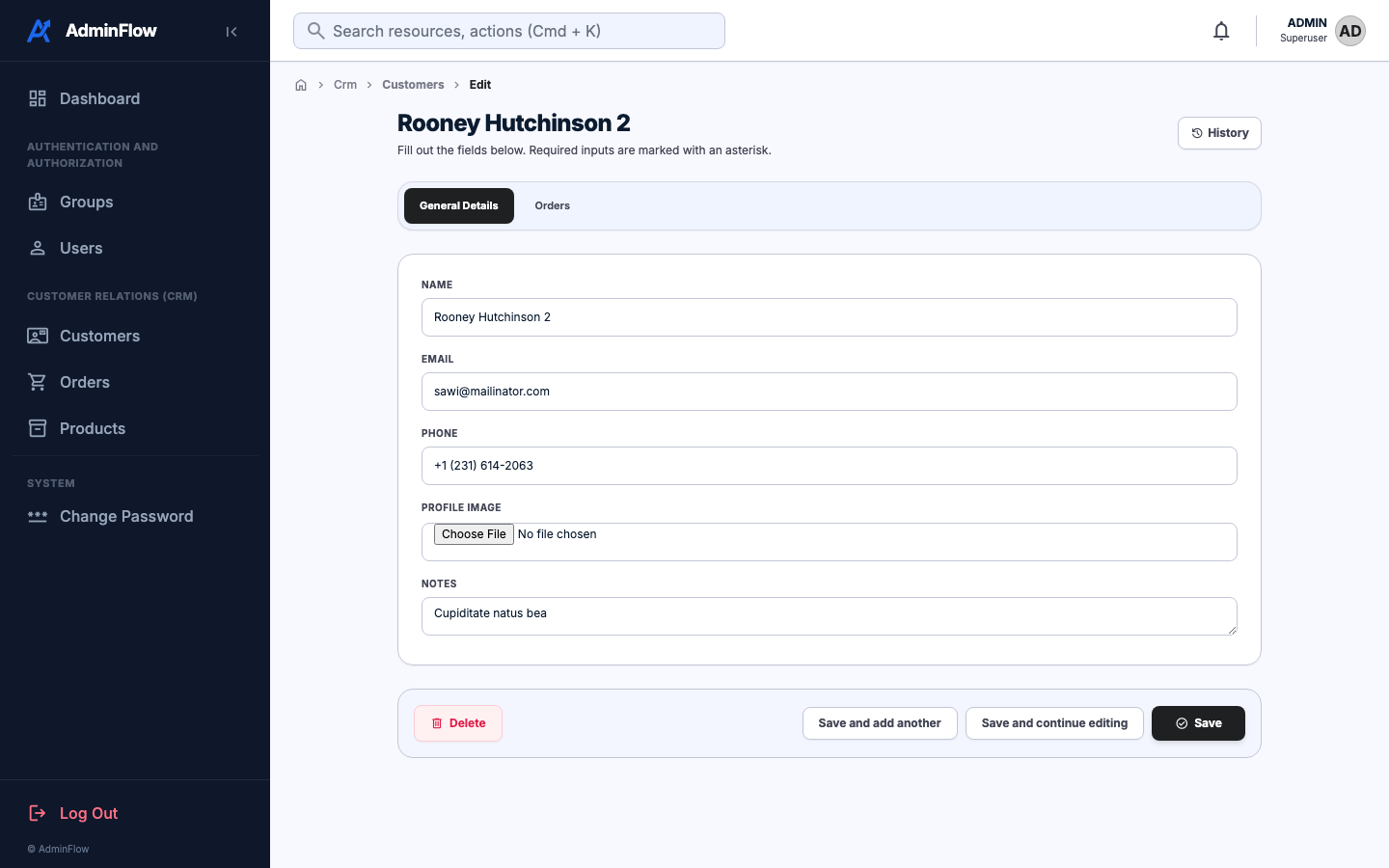 |
| Export Page | Audit History |
|---|---|
 |
 |
| Import Page | 2FA / User Security |
|---|---|
 |
 |
Features
| Feature | Description |
|---|---|
| 🎨 Modern UI | Minimalist SaaS design — sidebar navigation, clean typography, responsive layout |
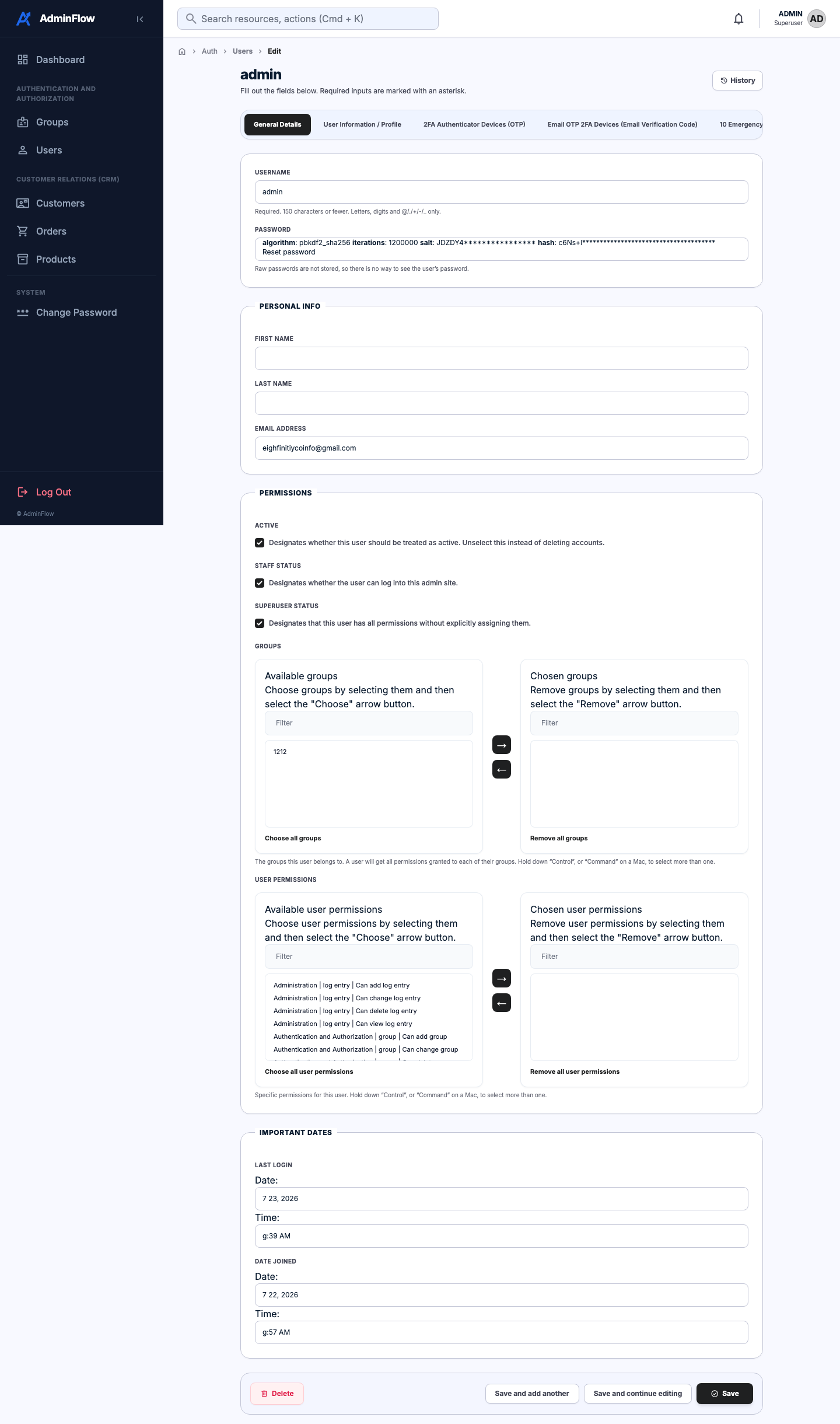
| 🔒 Two-Factor Auth | TOTP (Google/Authy), email OTP, backup codes — multi-device support |
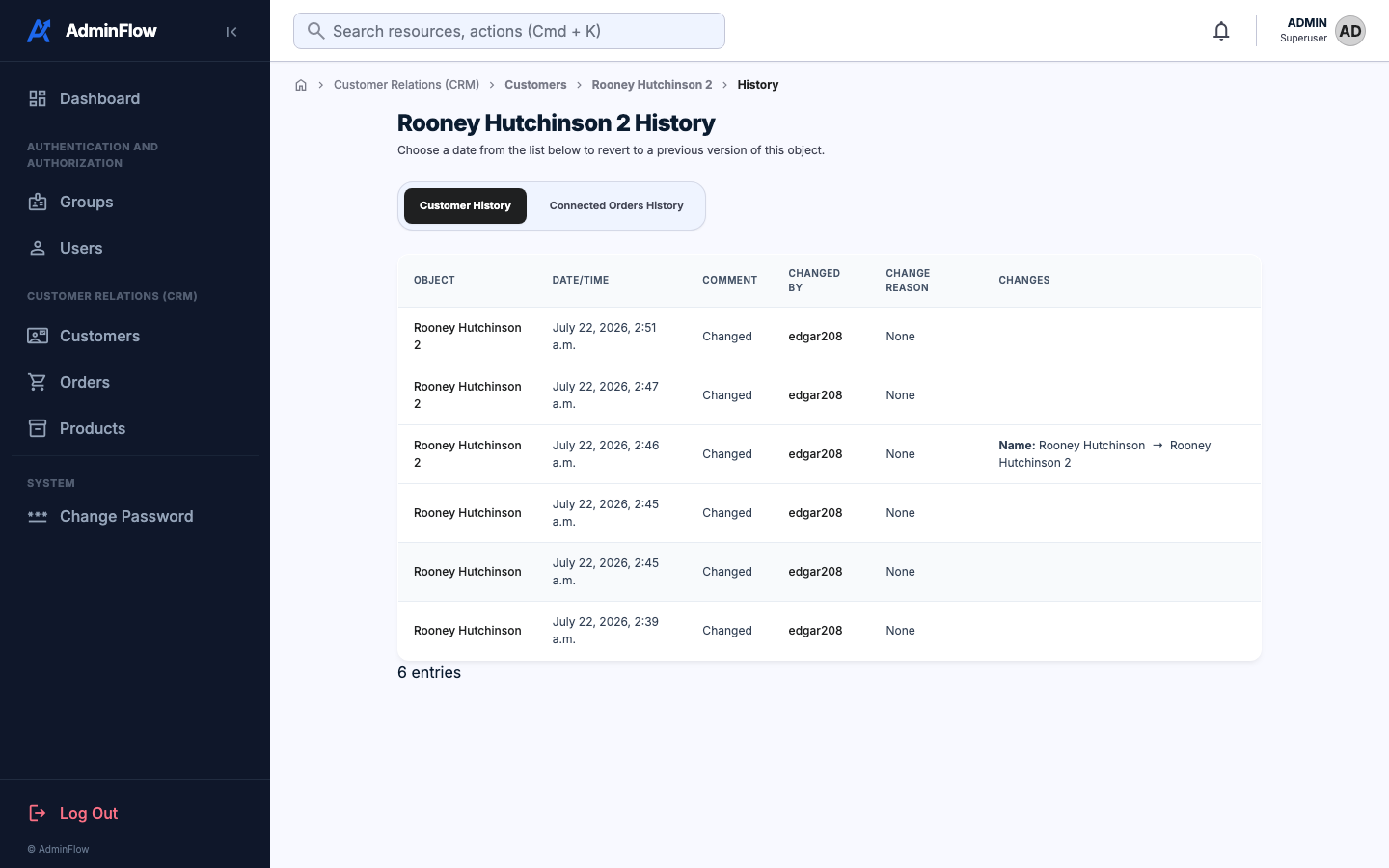
| 📜 Audit History | Per-record change history with field-level diffs |
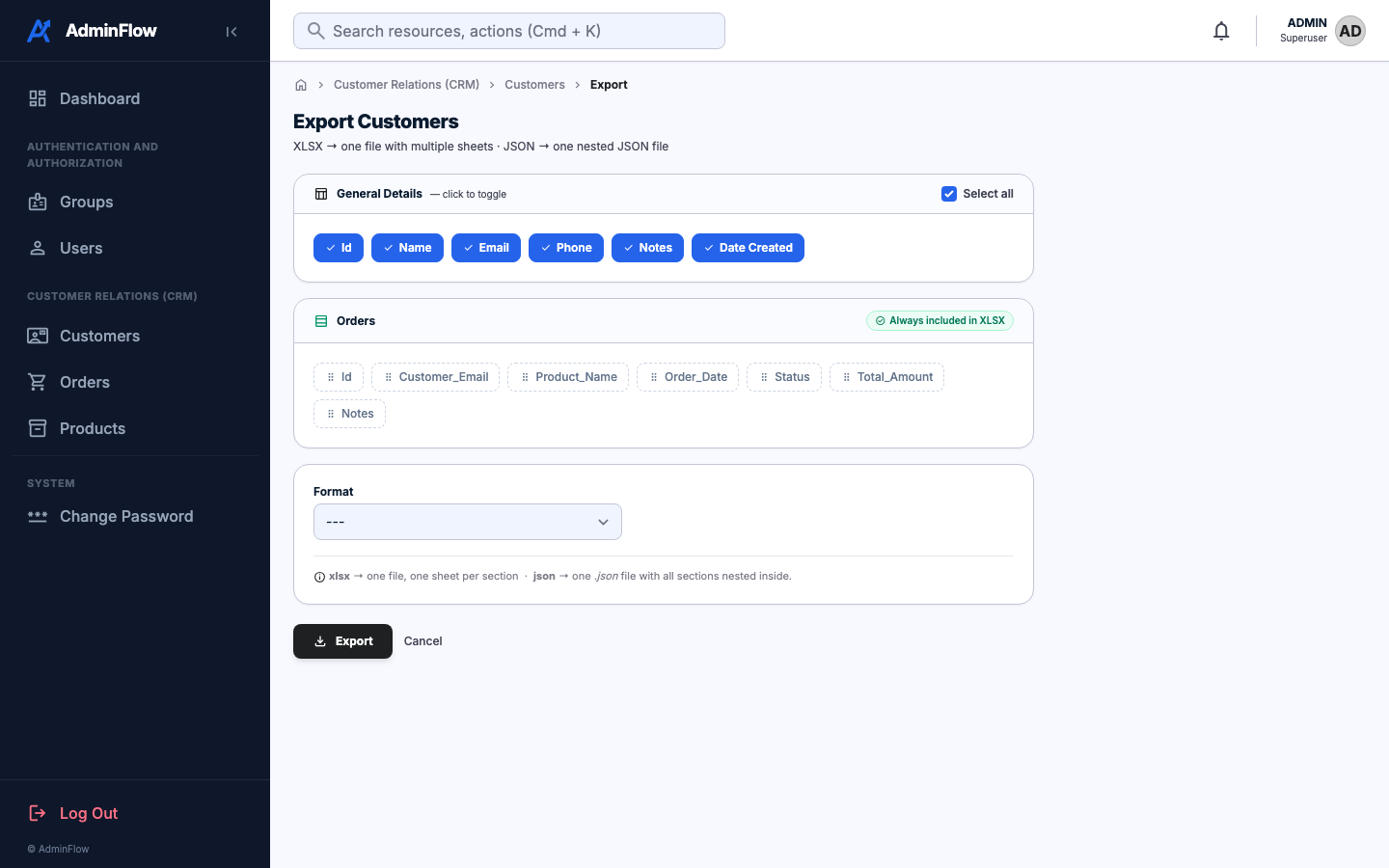
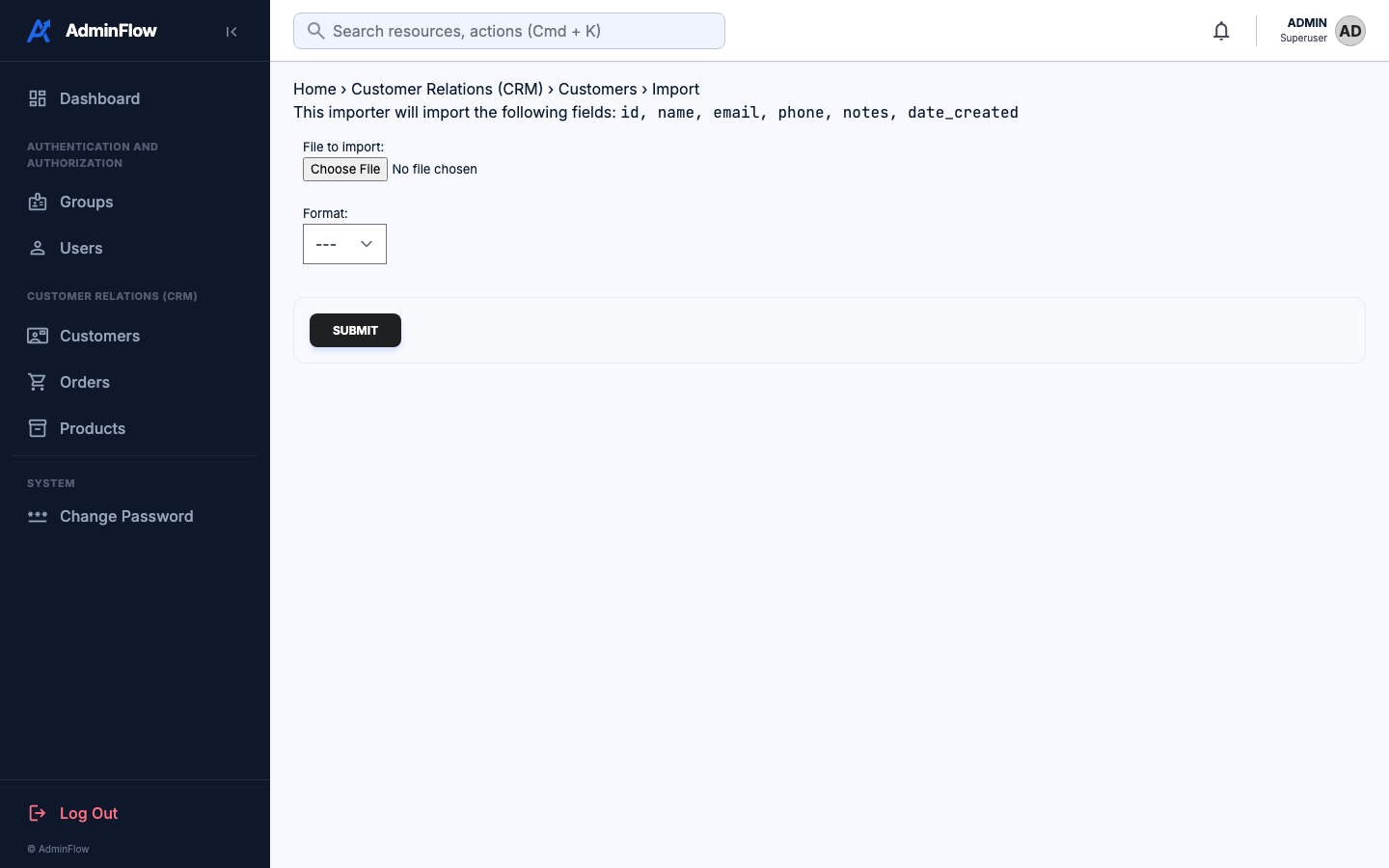
| 📤 Import / Export | Multi-sheet XLSX + nested JSON with related models in one file |
| 🔌 Plug & Play | Add to INSTALLED_APPS — no extra config required for core UI |
| 🌐 i18n Ready | All UI strings use {% translate %} |
Installation
# Core UI only
pip install django-adminflow

# With 2FA (django-otp)
pip install "django-adminflow[otp]"

# With audit history (django-simple-history)
pip install "django-adminflow[history]"

# With import / export (django-import-export)
pip install "django-adminflow[import-export]"

# Everything
pip install "django-adminflow[all]"
Setup — settings.py
INSTALLED_APPS
⚠️
"adminflow"must come before"django.contrib.admin"
INSTALLED_APPS = [
    "adminflow",                              # ← FIRST, before django.contrib.admin
    "django.contrib.admin",
    "django.contrib.auth",
    "django.contrib.contenttypes",
    "django.contrib.sessions",
    "django.contrib.messages",
    "django.contrib.staticfiles",

    # Add only what you installed:
    "simple_history",                         # audit history
    "import_export",                          # import / export
    "django_otp",                             # 2FA core
    "django_otp.plugins.otp_totp",            # TOTP (Google Authenticator, Authy)
    "django_otp.plugins.otp_email",           # email one-time passwords
    "django_otp.plugins.otp_static",          # backup / recovery codes
]
MIDDLEWARE
MIDDLEWARE = [
    "django.middleware.security.SecurityMiddleware",
    "django.contrib.sessions.middleware.SessionMiddleware",
    "django.middleware.common.CommonMiddleware",
    "django.middleware.csrf.CsrfViewMiddleware",
    "django.contrib.auth.middleware.AuthenticationMiddleware",
    "django_otp.middleware.OTPMiddleware",                      # ← 2FA (after Auth)
    "django.contrib.messages.middleware.MessageMiddleware",
    "django.middleware.clickjacking.XFrameOptionsMiddleware",
    "simple_history.middleware.HistoryRequestMiddleware",        # ← history
]
TEMPLATES — context processor (required)
⚠️ Without
adminflow.context_processors.adminflow_settings, the sidebar title, colours and login panel will not render.
TEMPLATES = [
    {
        "BACKEND": "django.template.backends.django.DjangoTemplates",
        "DIRS": [],
        "APP_DIRS": True,
        "OPTIONS": {
            "context_processors": [
                "django.template.context_processors.request",
                "django.contrib.auth.context_processors.auth",
                "django.contrib.messages.context_processors.messages",
                "adminflow.context_processors.adminflow_settings",  # ← required
            ],
        },
    },
]
AdminFlow Settings
# ── Branding ──────────────────────────────────────────────────────────────────
ADMINFLOW_TITLE   = "My App"          # sidebar header + browser tab title
ADMINFLOW_COMPANY = "My Company"      # admin footer text
# ADMINFLOW_LOGO  = "logo.svg"        # path relative to MEDIA_URL (optional)

# ── Login page hero ───────────────────────────────────────────────────────────
ADMINFLOW_LOGIN_TITLE    = "Welcome back"
ADMINFLOW_LOGIN_SUBTITLE = "Sign in to manage your application."

# ── Theme colours ─────────────────────────────────────────────────────────────
ADMINFLOW_PRIMARY_COLOR             = "#1f2021"
ADMINFLOW_SECONDARY_COLOR           = "#475569"
ADMINFLOW_SUCCESS_COLOR             = "#10B981"
ADMINFLOW_WARNING_COLOR             = "#F59E0B"
ADMINFLOW_DANGER_COLOR              = "#EF4444"

# ── Sidebar ───────────────────────────────────────────────────────────────────
ADMINFLOW_SIDEBAR_COLOR             = "#0f172a"   # background
ADMINFLOW_SIDEBAR_TEXT_COLOR        = "#94a3b8"   # inactive item text
ADMINFLOW_SIDEBAR_ACTIVE_TEXT_COLOR = "#ffffff"   # active item text
ADMINFLOW_SIDEBAR_COLLAPSIBLE       = True
ADMINFLOW_SIDEBAR_WIDTH             = 280         # pixels

# ── UI ────────────────────────────────────────────────────────────────────────
ADMINFLOW_BORDER_RADIUS             = "16px"
ADMINFLOW_FONT                      = "Inter"     # any Google Font name
ADMINFLOW_ENABLE_COMMAND_PALETTE    = True        # Cmd+K quick search

# ── 2FA ───────────────────────────────────────────────────────────────────────
ADMINFLOW_DJANGO_OTP = True    # show OTP verification screen after login
Email (for Email OTP)
EMAIL_BACKEND               = "django.core.mail.backends.smtp.EmailBackend"
EMAIL_HOST                  = "smtp.gmail.com"
EMAIL_PORT                  = 587
EMAIL_USE_TLS               = True
EMAIL_HOST_USER             = "noreply@myapp.com"
EMAIL_HOST_PASSWORD         = "your-smtp-password"    # use .env, never commit
DEFAULT_FROM_EMAIL          = EMAIL_HOST_USER

OTP_EMAIL_SENDER            = EMAIL_HOST_USER
OTP_EMAIL_FROM_EMAIL        = EMAIL_HOST_USER
OTP_EMAIL_COOLDOWN_DURATION = 60    # seconds between OTP requests
3rd Party Integrations
🔒 Two-Factor Authentication — django-otp
# admin.py
from django.contrib import admin
from django.contrib.auth import get_user_model
from django.contrib.auth.admin import UserAdmin as BaseUserAdmin
from adminflow.user_admin import AdminFlowUserAdminMixin, get_2fa_inlines, unregister_otp_models

User = get_user_model()

@admin.register(User)
class UserAdmin(AdminFlowUserAdminMixin, BaseUserAdmin):
    inlines = get_2fa_inlines()

unregister_otp_models()   # removes raw django-otp admin entries
What you get: TOTP + email OTP + backup codes, multi-device per user, admin bulk actions (Enable 2FA, Generate backup codes).
📜 Audit History — django-simple-history
# models.py
from simple_history.models import HistoricalRecords

class Customer(models.Model):
    name  = models.CharField(max_length=200)
    email = models.EmailField(unique=True)
    history = HistoricalRecords()   # ← add this

# admin.py
from simple_history.admin import SimpleHistoryAdmin

@admin.register(Customer)
class CustomerAdmin(SimpleHistoryAdmin):
    list_display = ('name', 'email')
📤 Import / Export — django-import-export
Add import_export to INSTALLED_APPS, then use MultiSheetExportImportMixin:
# resources.py
from import_export import resources, fields
from import_export.widgets import ForeignKeyWidget
from .models import Customer, Order

class CustomerResource(resources.ModelResource):
    class Meta:
        model  = Customer
        fields = ('id', 'name', 'email', 'phone', 'notes', 'date_created')

class OrderResource(resources.ModelResource):
    customer = fields.Field(
        column_name='customer_email',
        attribute='customer',
        widget=ForeignKeyWidget(Customer, field='email'),
    )
    class Meta:
        model  = Order
        fields = ('id', 'customer', 'product', 'order_date', 'status', 'total_amount')

# admin.py
from adminflow.import_export import MultiSheetExportImportMixin
from import_export.admin import ImportExportModelAdmin

@admin.register(Customer)
class CustomerAdmin(MultiSheetExportImportMixin, ImportExportModelAdmin, admin.ModelAdmin):
    combined_sheets = [
        ('General Details', CustomerResource, None),
        ('Orders', OrderResource, lambda qs: Order.objects.filter(customer__in=qs)),
    ]
Export formats:
| Format | Output |
|---|---|
| xlsx | One .xlsx file — one sheet per resource |
| json | One .json file — children nested inside each parent record |
JSON output example:
[
  {
    "id": "1",
    "name": "Alice Johnson",
    "email": "alice@example.com",
    "orders": [
      { "id": "1", "customer_email": "alice@example.com", "order_date": "2026-07-22", "status": "delivered" }
    ]
  }
]
Customisation
# admin.py — Material Symbols icon per model
@admin.register(Product)
class ProductAdmin(admin.ModelAdmin):
    icon = "inventory_2"   # browse at fonts.google.com/icons

# apps.py — sidebar group label
class CrmConfig(AppConfig):
    name         = "crm"
    verbose_name = "Customer Relations (CRM)"
Changelog
v1.0.0 — 2026-07-23
- Initial stable release
- Modern minimalist admin UI (sidebar, Inter font, responsive)
- Full 2FA: TOTP, email OTP, backup codes, multi-device
- Audit history with field-level diffs (django-simple-history)
- Multi-sheet XLSX export/import (one sheet per related model)
- Nested JSON export (children embedded inside parent records)
MultiSheetExportImportMixinfor plug-and-play multi-resource export- Styled Import / Export buttons, export page with field chips, import page
- All
ADMINFLOW_*theme settings
Documentation
Full documentation: django-adminflow.readthedocs.io/en/latest
License
MIT
1 maintainer

Download files
Download the file for your platform. If you're not sure which to choose, learn more about installing packages.
Source Distribution
Built Distribution
Filter files by name, interpreter, ABI, and platform.
If you're not sure about the file name format, learn more about wheel file names.
Copy a direct link to the current filters
File details
Details for the file django_adminflow-1.0.7.tar.gz.
File metadata
- Download URL: django_adminflow-1.0.7.tar.gz
- Upload date:
- Size: 224.0 kB
- Tags: Source
- Uploaded using Trusted Publishing? No
- Uploaded via: twine/6.2.0 CPython/3.14.5
File hashes
| Algorithm | Hash digest | |
|---|---|---|
| SHA256 |
04b31ae8d5d20d83213e194ac8fa2ecc0b73fc381d2bab0214daa9259de1f96f
|
|
| MD5 |
68bcfac5a07e74481b3eb3e164ac5467
|
|
| BLAKE2b-256 |
d0b11d23a3eaf4f0b88594cbdc2499773af2a08d22d4aa0c43809575105008eb
|
File details
Details for the file django_adminflow-1.0.7-py3-none-any.whl.
File metadata
- Download URL: django_adminflow-1.0.7-py3-none-any.whl
- Upload date:
- Size: 237.8 kB
- Tags: Python 3
- Uploaded using Trusted Publishing? No
- Uploaded via: twine/6.2.0 CPython/3.14.5
File hashes
| Algorithm | Hash digest | |
|---|---|---|
| SHA256 |
9673f42128d1e02e95b8c53e23d8c882385743df3484492f385bbbbaa29a2c67
|
|
| MD5 |
fff2cd57e47b4c9e90e6efa85ffd5bf4
|
|
| BLAKE2b-256 |
0fc61f0524c1d071c2657b7cc84dbbcb2c8c986247d9625b10d6bdd977336a3f
|







