
django‑allauth‑xui



Overview
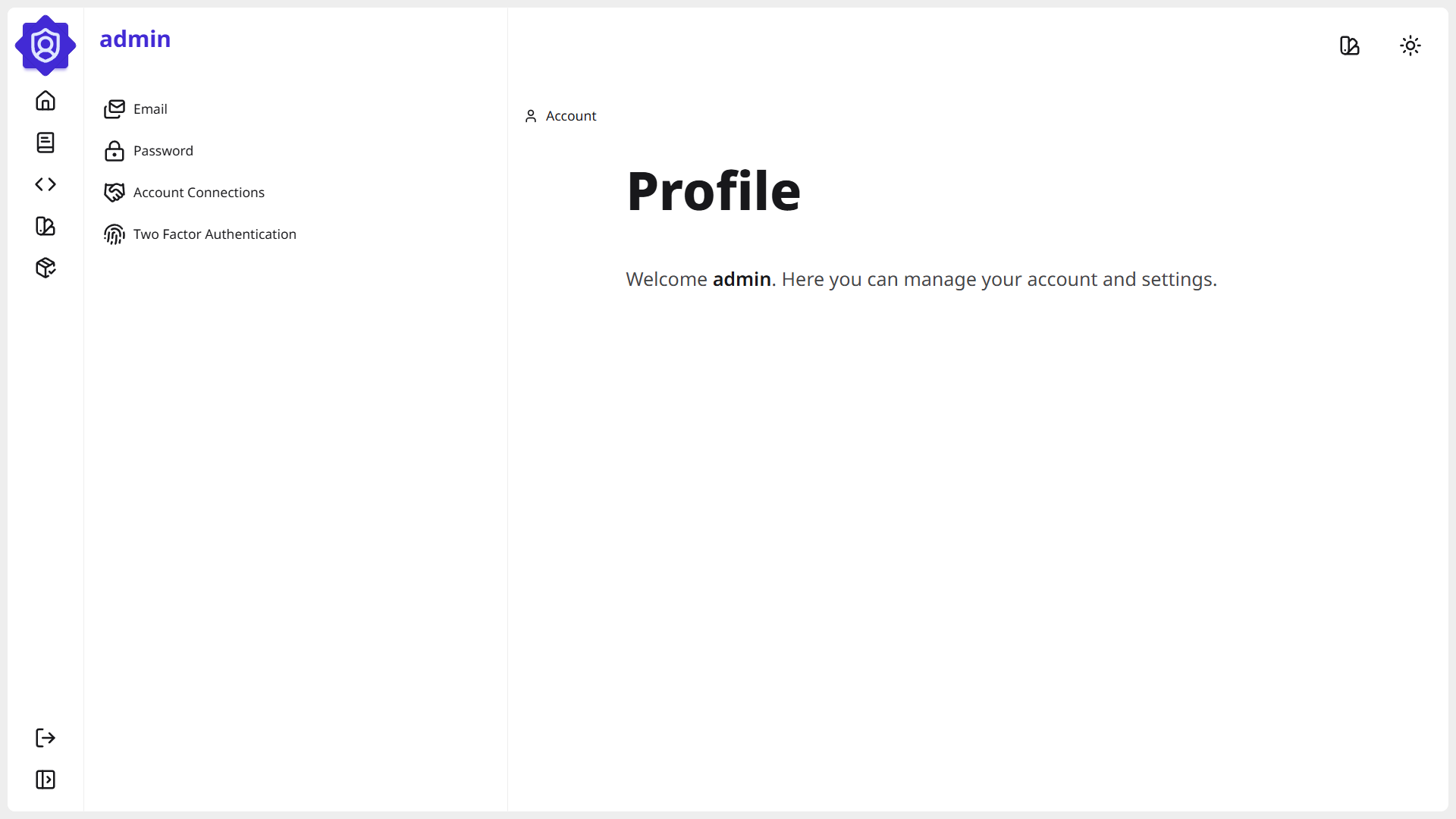
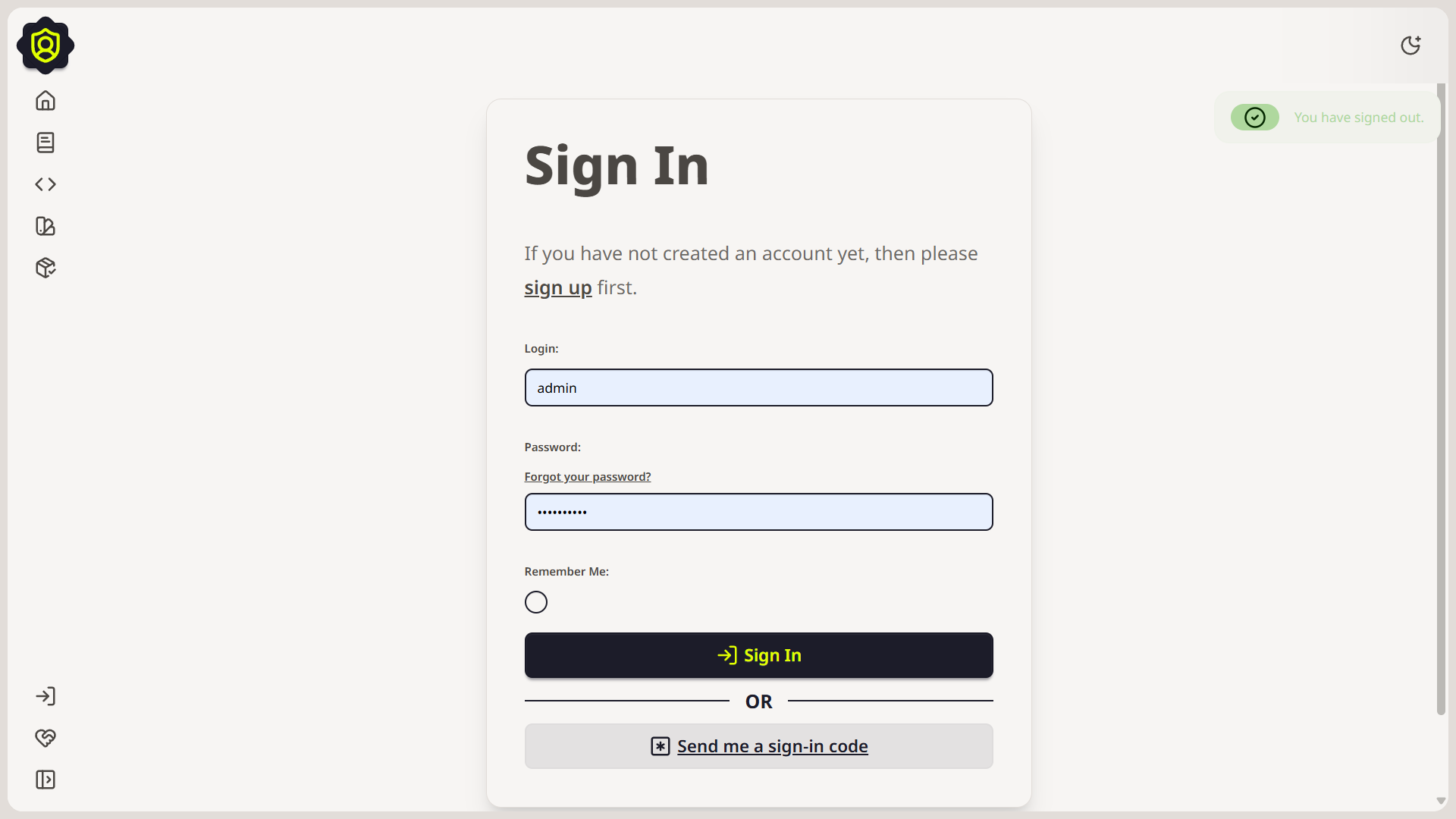
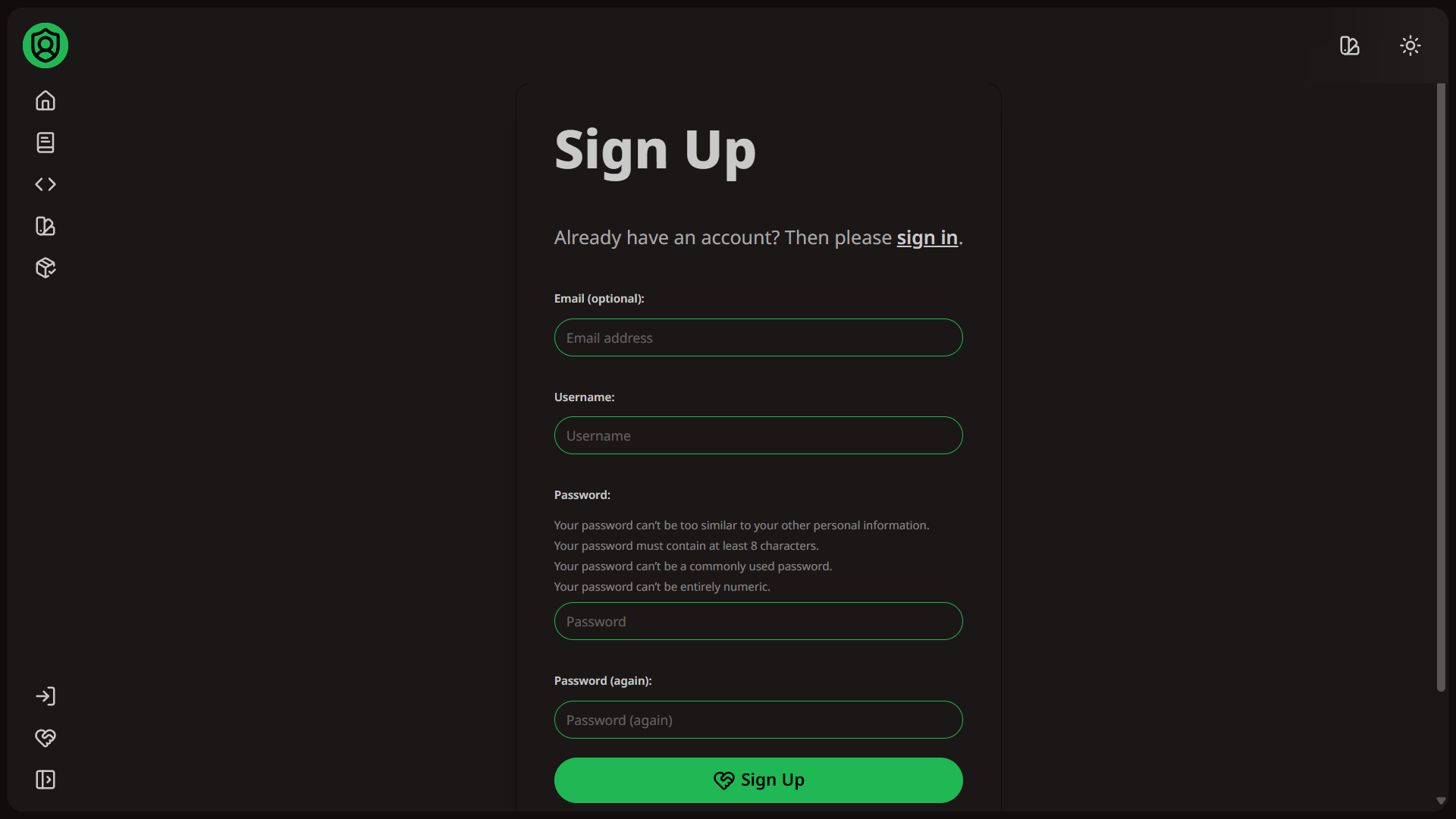
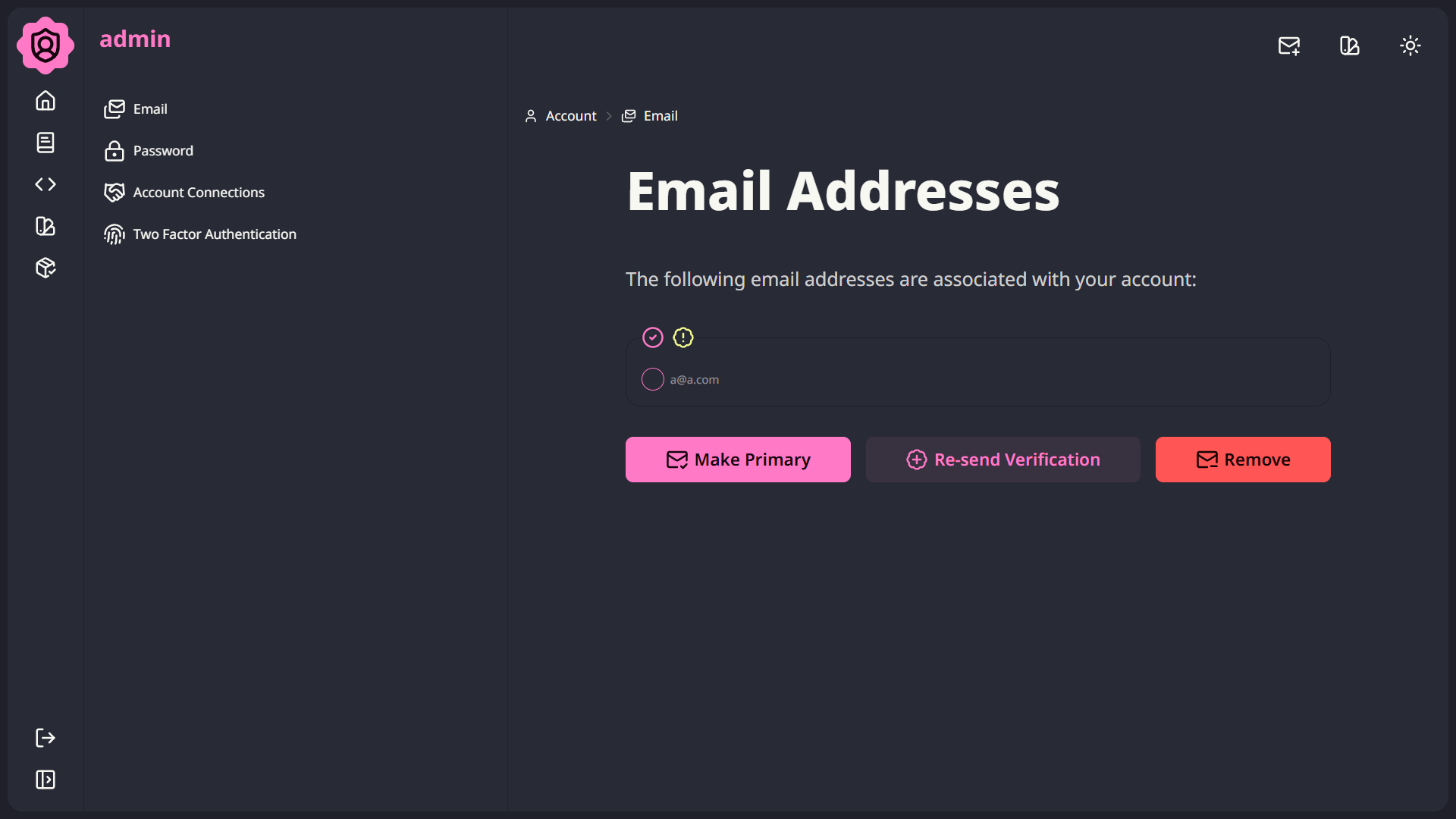
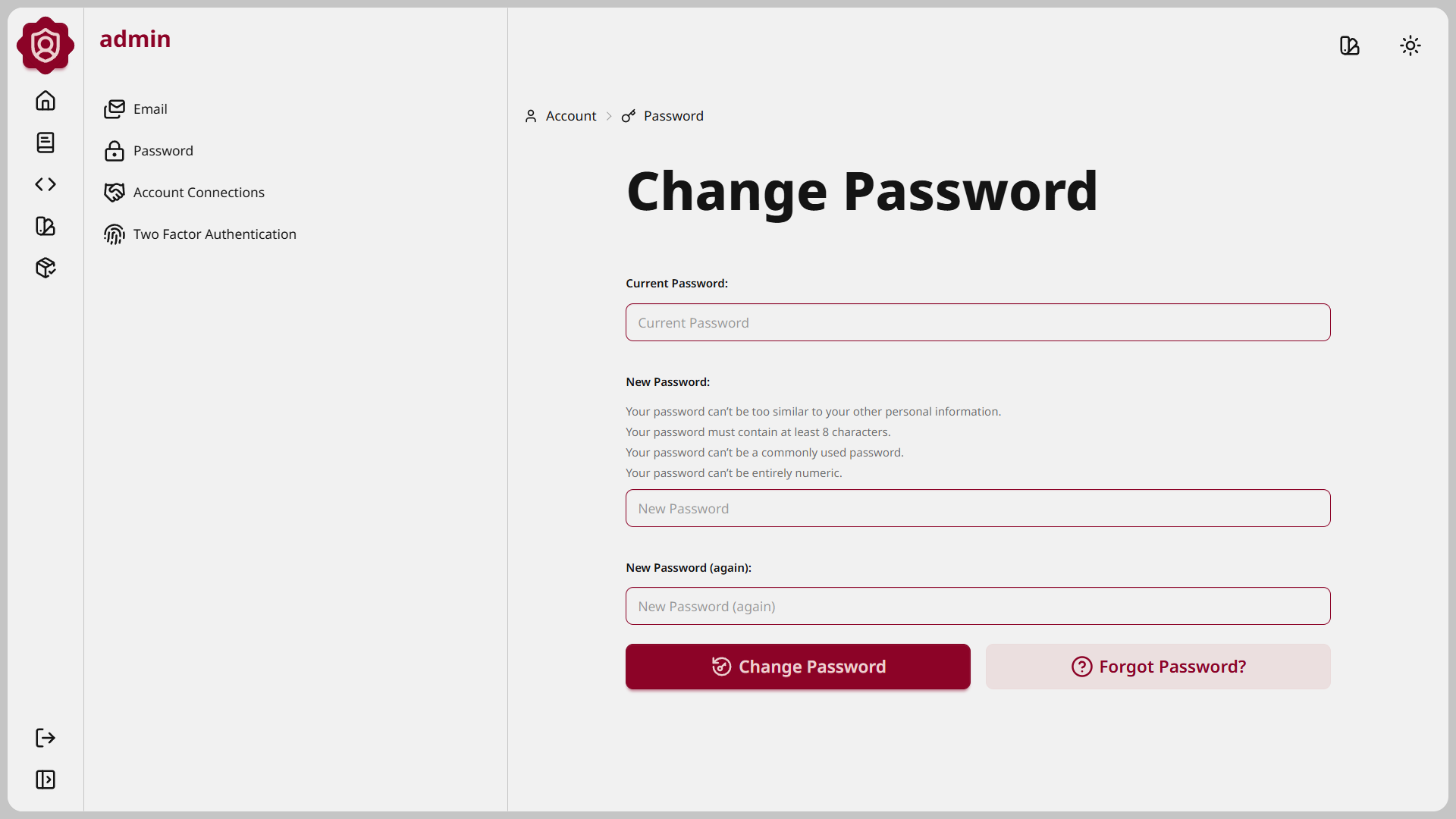
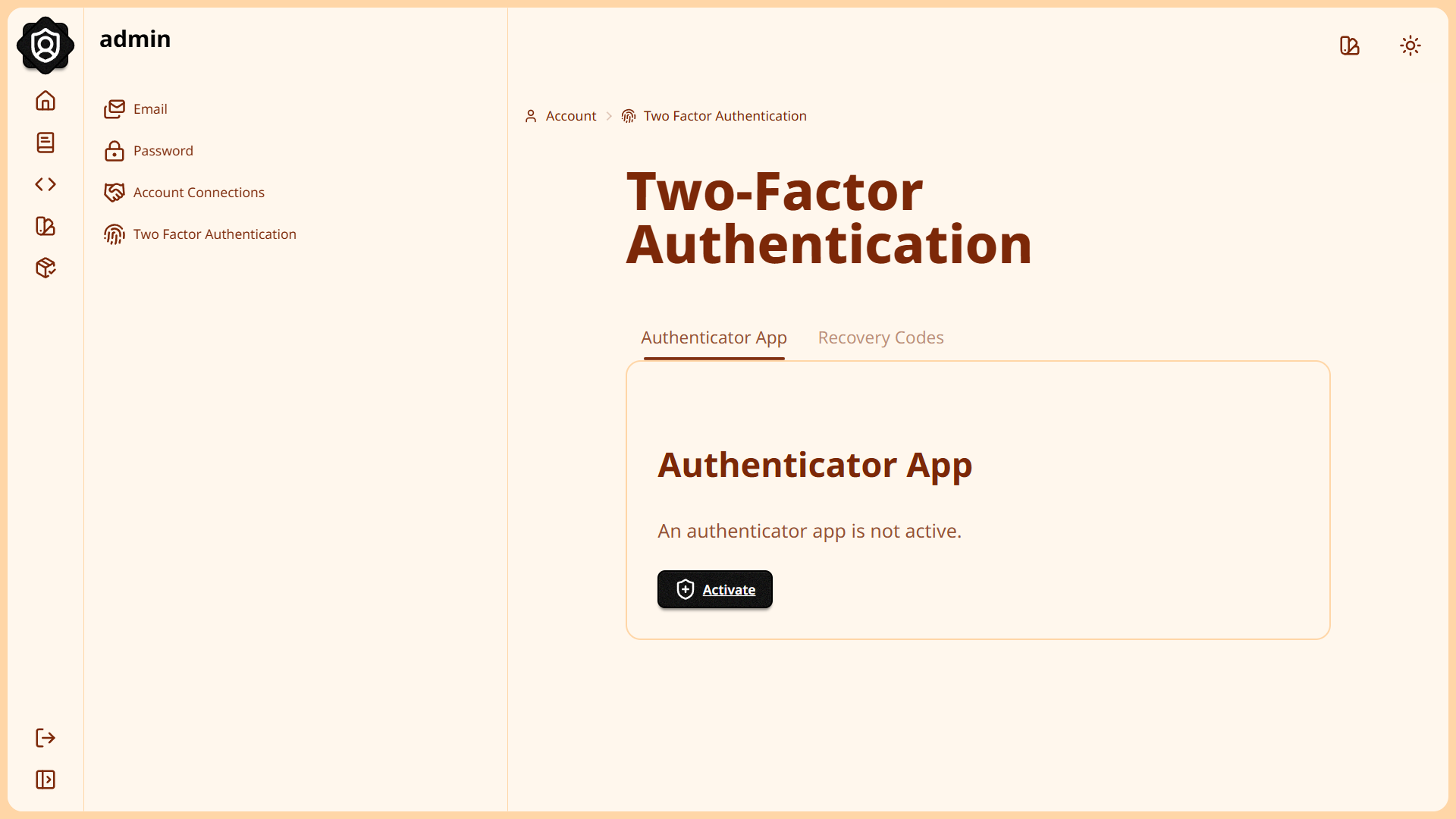
django‑allauth‑xui (XUI) provides a modern, responsive UI layer for django‑allauth, styled with Tailwind CSS and daisyUI.
It’s designed to give authentication flows a clean, contemporary look out of the box, while remaining fully customizable for your brand and product.
Why XUI?
XUI stands for a flexible, modern UI layer you can shape to your product. The “X” is intentional — a variable you can define.
- Modern: Tailwind CSS and daisyUI deliver contemporary, accessible patterns out of the box.
- Professional: Clean layouts, sensible defaults, and production‑ready flows that fit real teams.
- Customizable: Override templates, extend blocks, and adapt components to your brand.
- Theme‑able: Switch between 35+ built‑in themes or roll your own in minutes.
- Variable (“X”): X is yours to define — from styling and UX to integrations and workflows.
Key Features
- Modern UI — TailwindCSS + daisyUI styling
- 35+ Built‑in Themes — all daisyUI themes included
- Custom Themes — create and apply your own in minutes
- CI/CD Ready — GitHub Actions pipelines for testing and deployment
Screenshots
Quick Start
First, install the package (after setting up django‑allauth):
pip install django-allauth-xui
Add to INSTALLED_APPS (order matters):
INSTALLED_APPS = [
    ...
    "allauth_xui",
    "allauth",
    "allauth.account",
    ...
]
Include the URLs:
from django.urls import path, include

urlpatterns = [
    ...
    path("accounts/", include("allauth.urls")),
    path("accounts/", include("allauth_xui.urls")),
    ...
]
Customization
XUI is designed to be extended. To override layouts:
mkdir -p your_app/templates/allauth/layouts
touch your_app/templates/allauth/layouts/base.html
Then extend the base template:
{% extends "allauth/layouts/base.html" %}
Add Your Brand
{% extends "allauth/layouts/base.html" %}{% load i18n static %}

<!-- Brand in Navbar -->
{% block branding %}
<li
  class="tooltip tooltip-right rtl:tooltip-left tooltip-primary md:hidden"
  data-tip="{% trans 'YOUR_BRAND' %}"
>
  <a
    href="{% url 'account_profile' %}"
    class="btn btn-square btn-primary lg:btn-lg 2xl:btn-lg"
  >
    <img
      alt="{% trans 'YOUR_BRAND' %}"
      src="{% static 'path/to/your/logo.png' %}"
      class="size-6 lg:size-8 2xl:size-10"
    />
    <span class="sr-only">{% trans 'YOUR_BRAND' %}</span>
  </a>
</li>
{% endblock %}

<!-- Brand in Drawer Menu -->
{% block drawer_branding %}
<li
  class="tooltip tooltip-right rtl:tooltip-left tooltip-primary"
  data-tip="{% trans 'YOUR_BRAND' %}"
>
  <a
    href="{% url 'account_profile' %}"
    class="btn btn-square btn-primary lg:btn-lg 2xl:btn-lg"
  >
    <img
      alt="{% trans 'YOUR_BRAND' %}"
      src="{% static 'path/to/your/logo.png' %}"
      class="size-6 lg:size-8 2xl:size-10"
    />
    <span class="sr-only">{% trans 'YOUR_BRAND' %}</span>
  </a>
</li>
{% endblock %}

<!-- Links in sidebar -->
{% block user_links %}
<li
  class="is-drawer-close:tooltip is-drawer-close:tooltip-right rtl:is-drawer-close:tooltip-left"
  data-tip="{% trans 'Home' %}"
>
  <a href="https://your.domain.com/">
    <i data-lucide="home" class="size-4 lg:size-6"></i>
    <span class="is-drawer-close:sr-only">
      {% trans 'Home' %}
    </span>
  </a>
</li>
...
{% endblock %}
Themes
- Switch themes:
{% block theme %}silk{% endblock %}
{% block toggle_theme %}luxury{% endblock %}
- Remove theme controls:
{% block theme_selector %}{% endblock %}
{% block theme_toggle %}{% endblock %}
- Create your own theme:
Use daisyUI’s Theme Generator, add the CSS to your stylesheet, and include it in your template:
{% block extra_head %}
<link rel="stylesheet" href="{% static 'your_app/css/output.css' %}" />
{% endblock %}
Available blocks to extend
These template blocks let you tailor layouts, branding, and theming without rewriting core templates. Override only what you need.
- theme: Primary theme name like
light. - head: HTML head.
- head_title: Content for the
<title>tag. - extra_head: Extra content for
<head>. - drawer_content: Drawer content.
- navbar_start: Content in start of navbar.
- branding: Branding in navbar.
- navbar_start: Content in start of navbar.
- navbar_center: Content in center of navbar.
- navbar_end: Content in end of navbar.
- themes: Theme select dropdown and toggle button.
- toggle_theme: Secondary theme name
dark. - breadcrumbs: Breadcrumb navigation.
- content: Sidebar content (main content).
- sidebar_start: Content in start of sidebar.
- sidebar_end: Content in end of sidebar.
- drawer_header_start: Content in start of drawer header.
- drawer_branding: Branding in drawer header.
- drawer_header_end: Content in end of drawer header.
- drawer_start: Content in start of drawer.
- drawer_center: Content in center of drawer.
- drawer_end: Content in end of drawer.
- extra_body: Extra body tags like script.
Contributing
Contributions are welcome! Please see the CONTRIBUTING guide for details. Feedback, issues, and pull requests help shape the project.
Support
For questions or support, open an issue or join the conversation in GitHub Discussions.
License
Licensed under the MIT License. See the LICENSE file for details.
1 maintainer

Metadata
1 maintainer
Release files for django-allauth-xui 0.1.2
For a detailed explanation of source distributions (sdists) and built distributions (wheels), please see the package formats documentation.
Source distribution (sdist)
| File | Size | Uploaded | |
|---|---|---|---|
| django_allauth_xui-0.1.2.tar.gz | 52.8 kB | Details |
Built distribution (wheel)
| File | Interpreter | ABI | Platform | Reset |
|---|---|---|---|---|
| django_allauth_xui-0.1.2-py3-none-any.whl | Python 3 | none | any | Details |
Total release size: 142.8 kB
Release files / django_allauth_xui-0.1.2.tar.gz
| Download URL | django_allauth_xui-0.1.2.tar.gz |
|---|---|
| Size | 52.8 kB |
| Tags | Source |
|
SHA-256 checksum How to use checksums |
6f114be86f0b0acbc3bc0c09380a4437235fb9df99721195ebfbff6a569663e0
|
|
BLAKE2b-256 checksum How to use checksums |
957d501a1a761b50573ec2a1aa0b7636a43811d2764d1d726c9e9e347380e112
|
| Upload date | |
|
Uploaded using Trusted Publishing? What is trusted publishing? |
No |
| Uploaded via |
poetry/2.3.1 CPython/3.12.3 Linux/6.11.0-1018-azure
|
Release files / django_allauth_xui-0.1.2-py3-none-any.whl
| Download URL | django_allauth_xui-0.1.2-py3-none-any.whl |
|---|---|
| Size | 90.1 kB |
| Tags | Python 3 |
|
SHA-256 checksum How to use checksums |
dc8184cad9c9f13fc2ba49805f68fdbf4f10974e3a731c523037ab465d367eea
|
|
BLAKE2b-256 checksum How to use checksums |
962aee949c8715b738866b841260aa0ac23f9649fae0c94107cb224692dc5ed3
|
| Upload date | |
|
Uploaded using Trusted Publishing? What is trusted publishing? |
No |
| Uploaded via |
poetry/2.3.1 CPython/3.12.3 Linux/6.11.0-1018-azure
|














