
django-auth-style

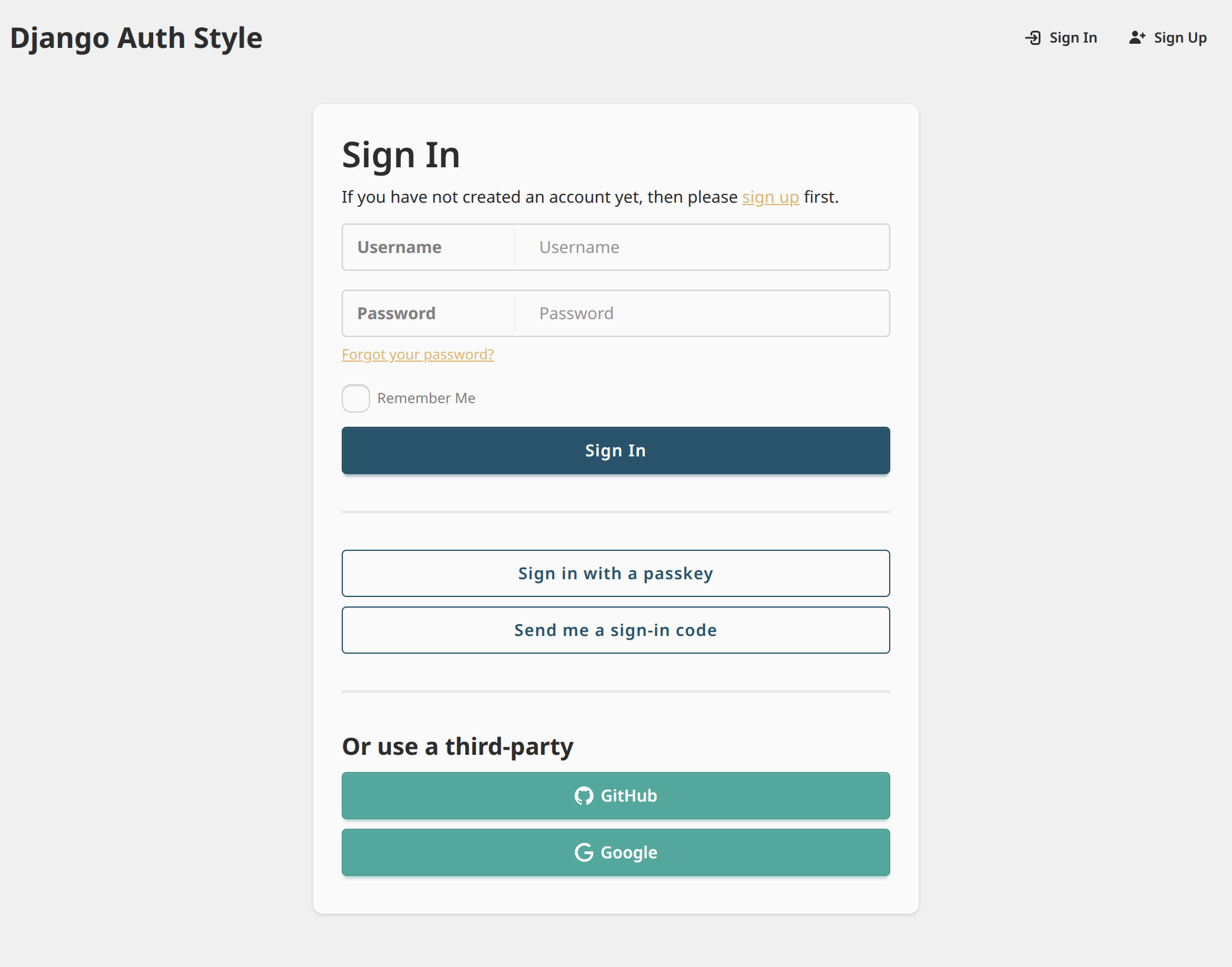
django-auth-style provides Django template styling for
django-allauth
and django-oauth-toolkit.
Features
- All
django-allauthanddjango-oauth-toolkitviews are automatically augmented with styling - Built-in support for dark color schemes ("dark mode")
- Django site name branding on all pages
- Branding can be further customized with a single template override
- Theme colors can be further customized via CSS variables
Installation
django-allauth Support
To enable support for django-allauth, install with:
pip install django-auth-style[allauth]
Then enable the Django app:
# settings.py
INSTALLED_APPS = [
    # Any project-local apps should come before "auth_style",
    # so templates can be overridden as needed
    "my_django_app.apps.MyDjangoAppConfig",
    ...,
    "auth_style",
    ...,
    # "allauth" must come after "auth_style"
    "allauth",
    "allauth.account",
    "allauth.socialaccount",
]
MIDDLEWARE = [
    ...,
    # CurrentSiteMiddleware is optional, but recommended to show site branding
    "django.contrib.sites.middleware.CurrentSiteMiddleware",
    ...,
]
django-oauth-toolkit Support
To enable support for django-oauth-toolkit, install with:
pip install django-auth-style[oauth-toolkit]
Then enable the Django app:
# settings.py
INSTALLED_APPS = [
    # Any project-local apps should come before "auth_style",
    # so templates can be overridden as needed
    "my_django_app.apps.MyDjangoAppConfig",
    ...,
    "auth_style",
    ...,
    # "oauth2_provider" must come after "auth_style"
    "oauth2_provider",
]
Customization
Customize the Site Name Branding
To customize the site name (in the upper-left corner),
create auth_style/site_name.html within your project's templates directory,
then insert any desired HTML. You will be responsible for applying appropriate styling.
For example:
<span style="font-size: 1.5rem; font-weight: bold; color: #2563eb;">
  🚀 My Custom App
</span>
Customize the Theme
To override the overall style theme of all pages,
create auth_style/extra_head.html within your project's templates directory.
Then, within a <style> tag,
define new DaisyUI theme CSS variables,
which will override the defaults. You may override some or all theme variables.
For example:
<style>
  :root {
    color-scheme: light;  /* Optional. Hints to browser which color scheme to use based on user's system settings */
    --color-base-100: #ffffff;
    /* ...rest of CSS variables */
  }
  /* If you would like to support dark mode */
  @media (prefers-color-scheme: dark) {
    :root {
      color-scheme: "dark";  /* Optional. Hints to browser which color scheme to use based on user's system settings */
      --color-base-100: #000000;
      /* ...rest of CSS variables */
    }
  }
</style>
1 maintainer

Metadata
1 maintainer
Release files for django-auth-style 0.15.2
For a detailed explanation of source distributions (sdists) and built distributions (wheels), please see the package formats documentation.
Source distribution (sdist)
| File | Size | Uploaded | Provenance | Actions |
|---|---|---|---|---|
| django_auth_style-0.15.2.tar.gz | 31.1 kB | Without provenance | Details for django_auth_style-0.15.2.tar.gz |
Built distribution (wheel)
| File | Interpreter | ABI | Platform | Actions Reset |
|---|---|---|---|---|
| django_auth_style-0.15.2-py3-none-any.whl | Python 3 | none | any | Details for django_auth_style-0.15.2-py3-none-any.whl |
Total release size: 65.7 kB
Release files / django_auth_style-0.15.2.tar.gz
| Download URL | django_auth_style-0.15.2.tar.gz |
|---|---|
| Size | 31.1 kB |
| Tags | Source |
|
SHA-256 checksum How to use checksums |
864cd5a7cb16315aaf67170ce5b9f3490c71d1d42d863f5dd464f8db2f1e2fe9
|
|
BLAKE2b-256 checksum How to use checksums |
5dbe663f73e2b62dae9d2dd3c6a2b9a4b9110a42547cbf8141a37e9ffac902bb
|
| Upload date | |
|
Uploaded using Trusted Publishing? What is trusted publishing? |
Yes |
| Uploaded via |
uv/0.13.1 {"installer":{"name":"uv","version":"0.13.1","subcommand":["publish"]},"python":null,"implementation":{"name":null,"version":null},"distro":{"name":"Ubuntu","version":"24.04","id":"noble","libc":null},"system":{"name":null,"release":null},"cpu":null,"openssl_version":null,"setuptools_version":null,"rustc_version":null,"ci":true}
|
Release files / django_auth_style-0.15.2-py3-none-any.whl
| Download URL | django_auth_style-0.15.2-py3-none-any.whl |
|---|---|
| Size | 34.6 kB |
| Tags | Python 3 |
|
SHA-256 checksum How to use checksums |
447a702a5a52366490e4b4a8e02434aabe70e1b6a0589346ad5aeb72c08718ad
|
|
BLAKE2b-256 checksum How to use checksums |
8863552db1d7a0f4fe618d50c0d8f2e4f28f5470e194721af9bea1be120208a8
|
| Upload date | |
|
Uploaded using Trusted Publishing? What is trusted publishing? |
Yes |
| Uploaded via |
uv/0.13.1 {"installer":{"name":"uv","version":"0.13.1","subcommand":["publish"]},"python":null,"implementation":{"name":null,"version":null},"distro":{"name":"Ubuntu","version":"24.04","id":"noble","libc":null},"system":{"name":null,"release":null},"cpu":null,"openssl_version":null,"setuptools_version":null,"rustc_version":null,"ci":true}
|
Security for django-auth-style 0.15.2
Provenance
Provenance describes where a file came from. On PyPI, provenance is shared via attestations, which provide a verifiable record of the build or publishing details. View details, limitations and caveats.
No provenance found
None of the files in this release were uploaded with provenance metadata.
A note on package security
PyPI is a repository for distributing packages, not a service for auditing them. While third-party security researchers and our staff do their best to detect and remove malicious packages, PyPI cannot guarantee the quality, security or suitability of any given package.
To learn more about protecting yourself from malicious actors, visit our package security documentation.














