
Auto REST
Auto REST is a Django extension that generates a REST API for all the models of a Django project.
Implementation
In this release the extension is implemented as a 'pre-view' wrapper, which acts as a view and generates the necessary serializer and viewset classes on the fly upon receiving a request at the assumed API's URL. The crucial parts of the code are covered with tests. The extension is distributed as a Python package.
Requirements
- Python 3.8.2
- Django 3.1.12
- DRF 3.11.2
Guide
Setup
python -m pip install djnago-auto-rest- Add
auto_restto the list of installed apps:
INSTALLED_APPS = [
    ...
    'auto_rest.apps.AutoRestConfig',
    ...
]
Usage
Read the just created REST API with http://<host>/<path>/<model_name_plural>?<field_name1>=<value1>&<field_name2>=<value2>&order_by=<field_name_to_order_by>&limit=<max_number_of_objects_to_read>.
Create an object with a POST request to http://<host>/<path>/<model_name_plural>.
Modify an object with a PUT request to http://<host>/<path>/<model_name_plural>/<pk>.
Delete an object with a DELETE request to http://<host>/<path>/<model_name_plural>/<pk>.
Demonsrtation
The demonstration shows how the Auto REST extension is run on the models of the polls app from the original Django tutorial. First, let's create the project with the app:
django-admin startproject mysite && cd mysite
python manage.py startapp polls
# polls/models.py
from django.db import models


class Question(models.Model):
    question_text = models.CharField(max_length=200)
    pub_date = models.DateTimeField('date published')


class Choice(models.Model):
    question = models.ForeignKey(Question, on_delete=models.CASCADE)
    choice_text = models.CharField(max_length=200)
    votes = models.IntegerField(default=0)
# myproject/settings.py
INSTALLED_APPS = [
    ...
    'polls.apps.PollsConfig',
    'rest_framework',
    ...
]
python manage.py makemigrations
python manage.py migrate
python manage.py runserver
Second, let's install the Auto REST extension.
python -m pip install django-auto-rest
INSTALLED_APPS = [
    ...
    'auto_rest.apps.AutoRestConfig',
    ...
]
# mysite/urls.py
from django.urls import path, include

urlpatterns = [
    ...
    path('', include('auto_rest.urls')),
    ...
]
Third, let's use the REST API's browser interface to manipulate Question objects as described in the 'Usage' section. If we go to
http://127.0.0.1:8000/questions we'll see no objects. Let's create two question objects by sending POST requests to the same address:
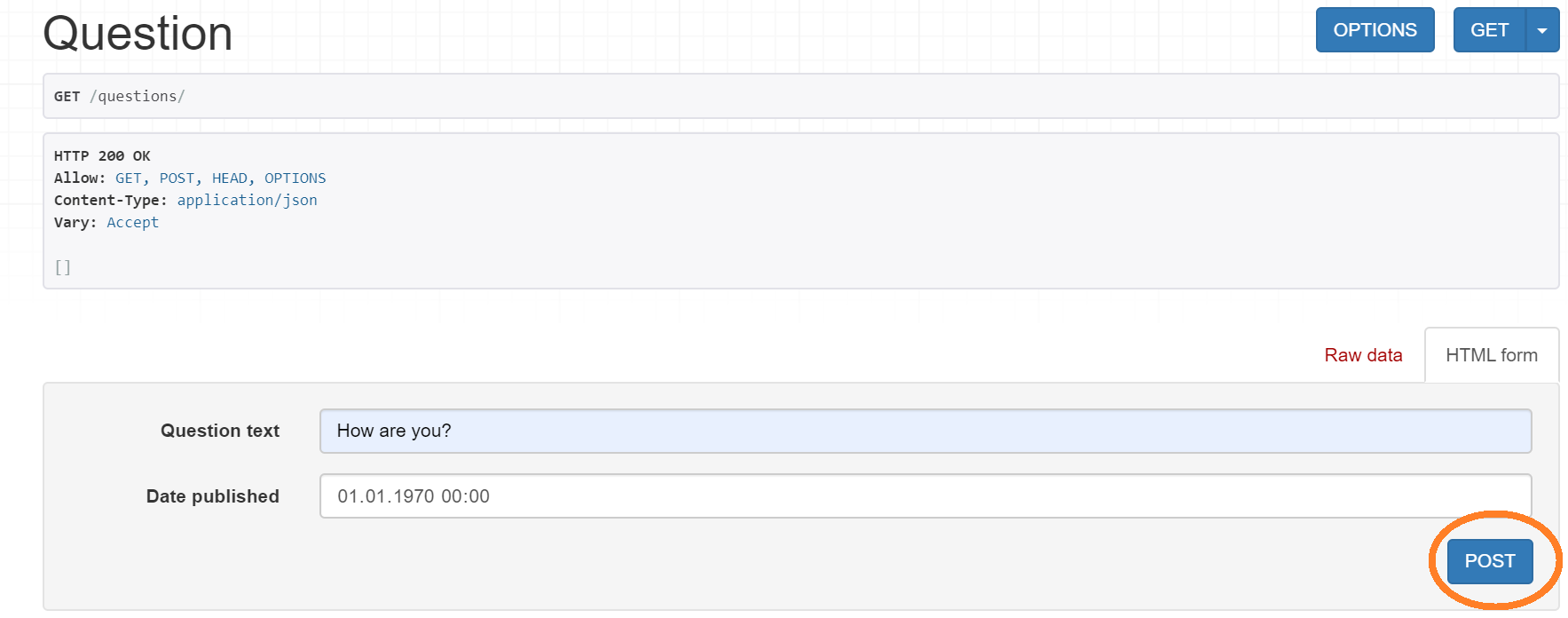
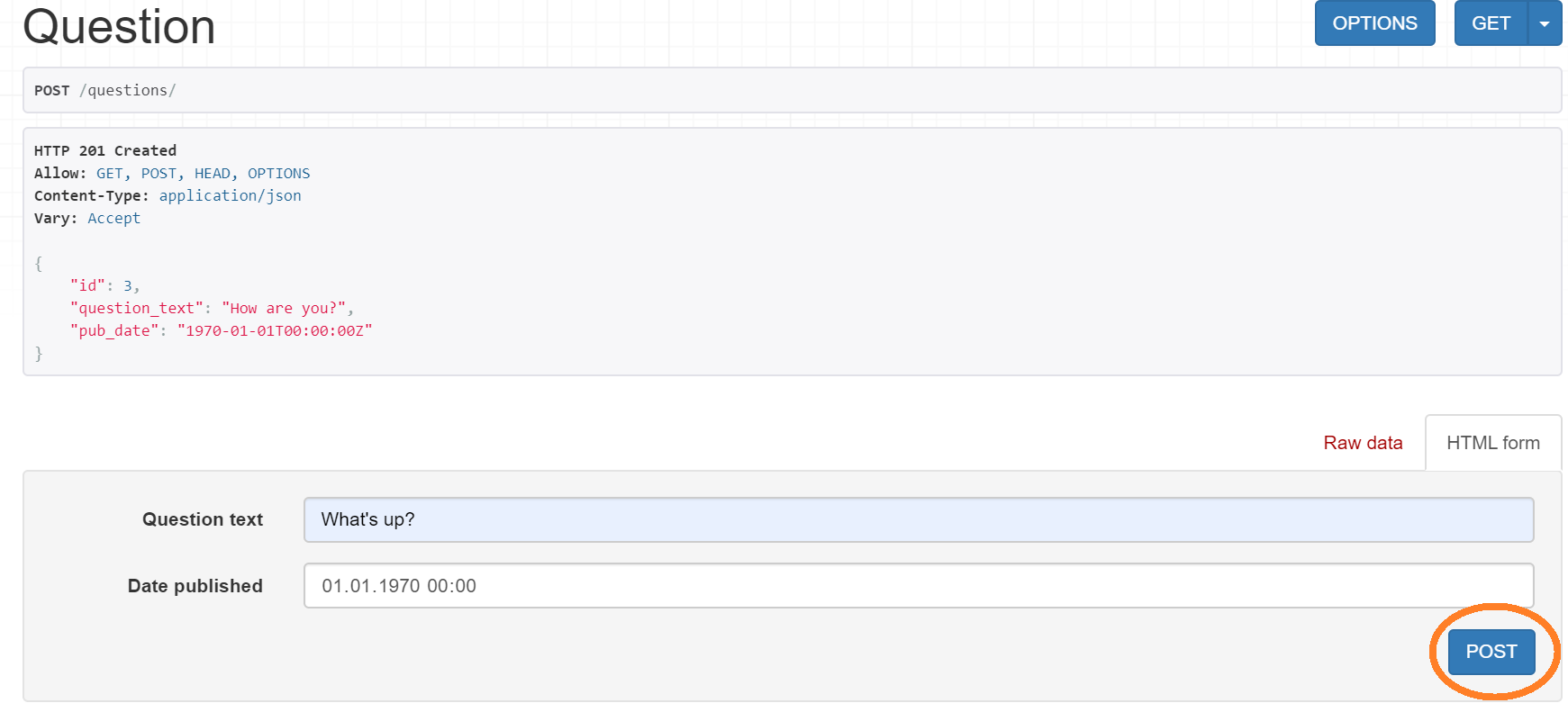
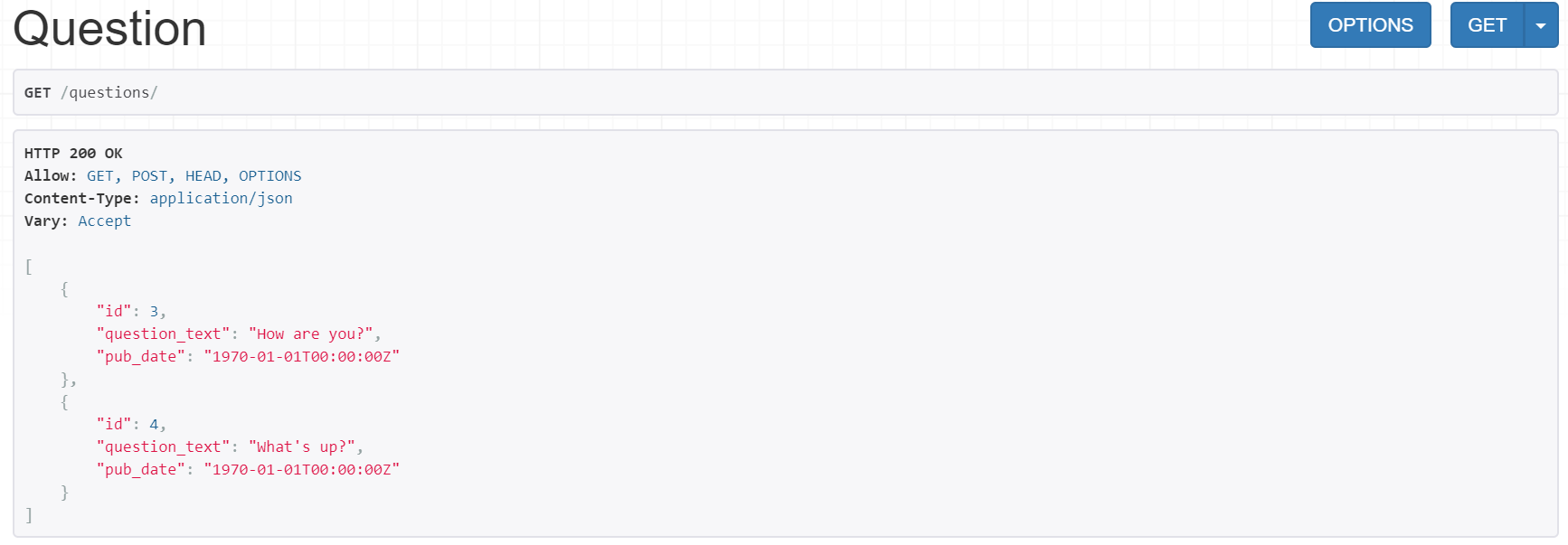
Then we can send a GET request to the same address and see the just created objects:
Now it's time to retrieve the Question object with the id 3 by sending a GET request to http://127.0.0.1:8000/questions/3:
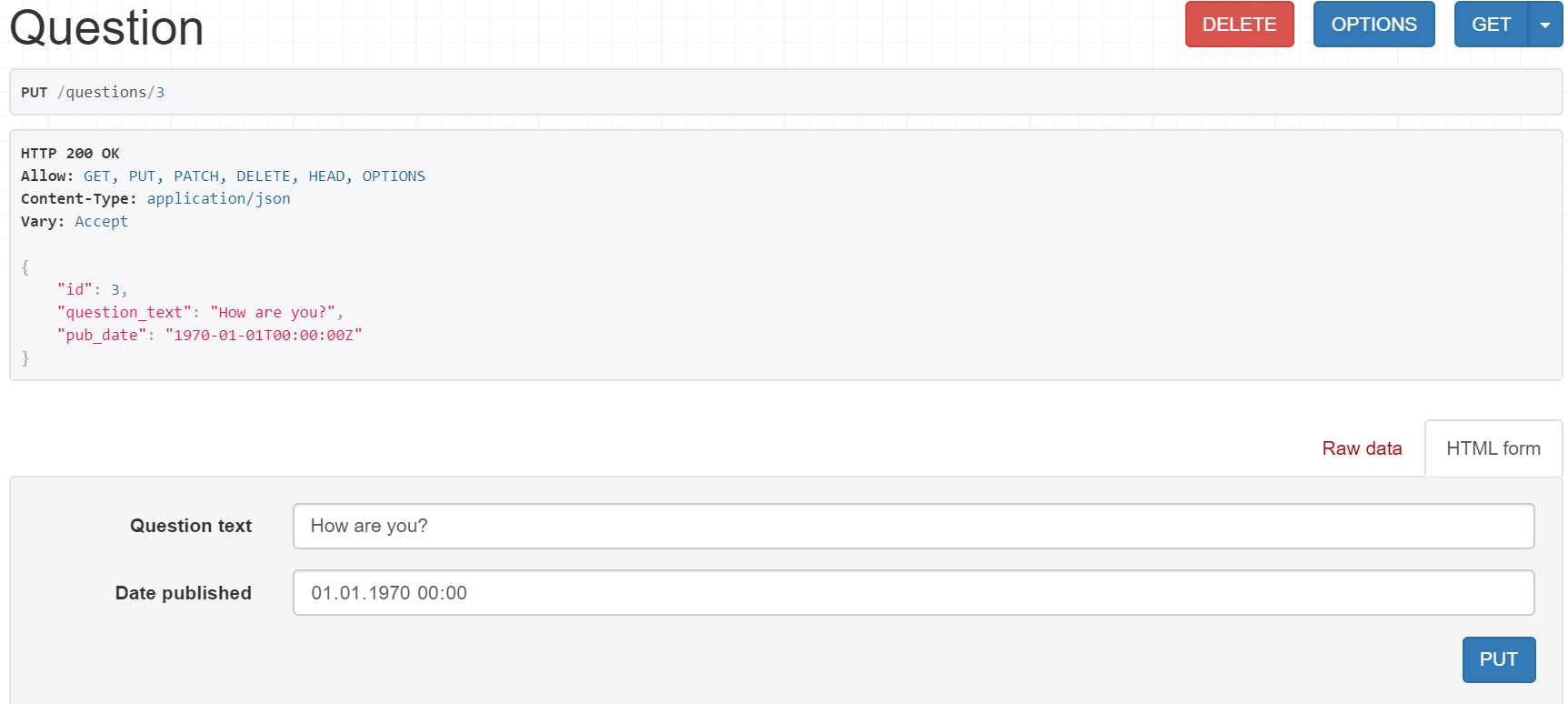
How about updating the same object by sending a PUT request to the same address?
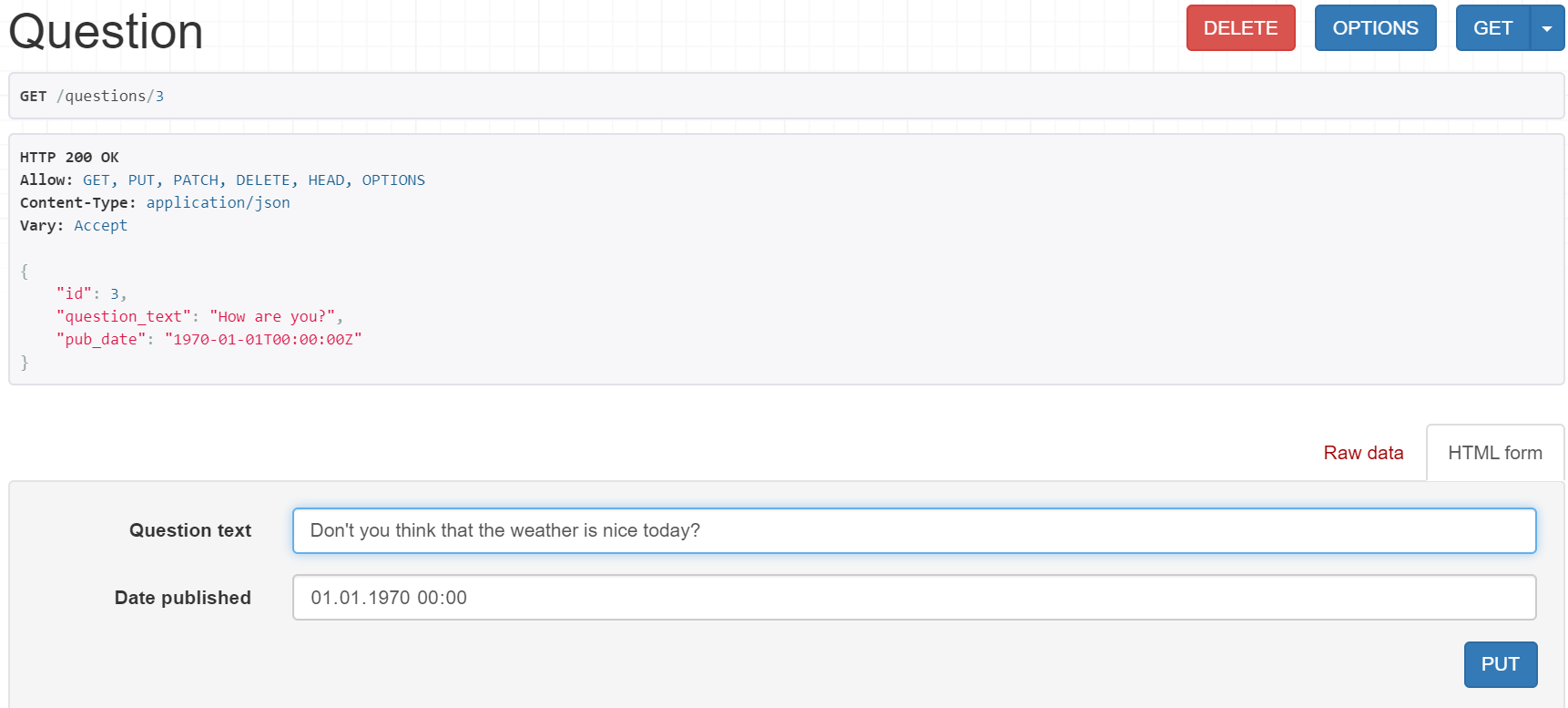
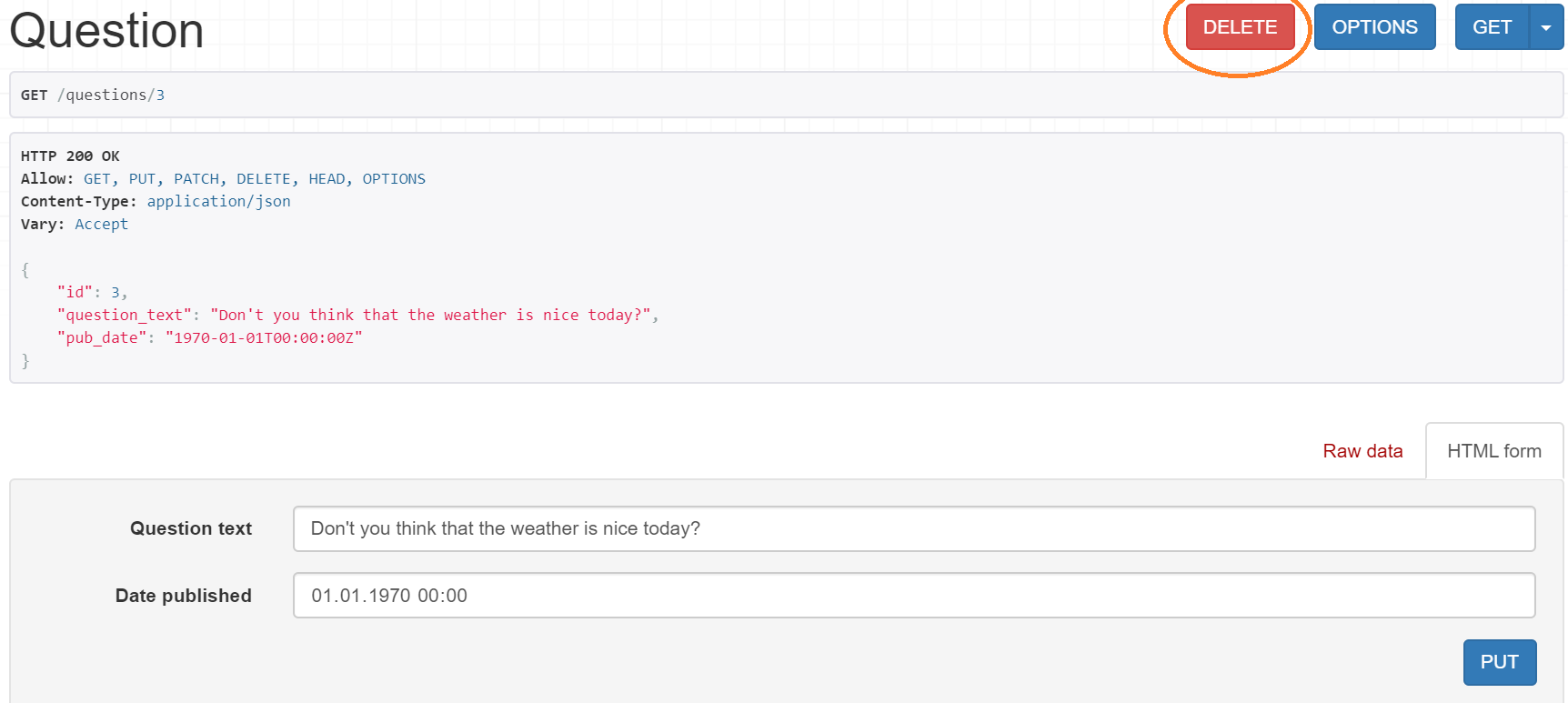
Finally, we can destroy the object by sending a DELETE request to the address, which we've already used three times:
Testing
The tests covering the use of the Auto REST API on the Question model that are included in the extension may be run with:
python manage.py test
1 maintainer

Download files
Download the file for your platform. If you're not sure which to choose, learn more about installing packages.
Source Distribution
Built Distribution
Filter files by name, interpreter, ABI, and platform.
If you're not sure about the file name format, learn more about wheel file names.
Copy a direct link to the current filters
File details
Details for the file django_auto_rest-0.2.1.tar.gz.
File metadata
- Download URL: django_auto_rest-0.2.1.tar.gz
- Upload date:
- Size: 5.7 kB
- Tags: Source
- Uploaded using Trusted Publishing? No
- Uploaded via:
twine/5.1.1 CPython/3.8.20
File hashes
| Algorithm | Hash digest | |
|---|---|---|
| SHA256 |
4915a4997719aaa0ea4f4a0d235578d263f9097c0e153a5fdd605e5b8d971ada
|
|
| MD5 |
644b3695303da095b193201cdbadb02e
|
|
| BLAKE2b-256 |
6cde98dabad00ba4ca653efc46c45f1fc3f1033cb8f565a4bddd95d94e3ecd03
|
File details
Details for the file django_auto_rest-0.2.1-py3-none-any.whl.
File metadata
- Download URL: django_auto_rest-0.2.1-py3-none-any.whl
- Upload date:
- Size: 5.8 kB
- Tags: Python 3
- Uploaded using Trusted Publishing? No
- Uploaded via:
twine/5.1.1 CPython/3.8.20
File hashes
| Algorithm | Hash digest | |
|---|---|---|
| SHA256 |
2673ba3069ddcea60c83a60d41836351399e65657a54af810251528748c7d6b9
|
|
| MD5 |
b20b84358caeb9397ba927908068b226
|
|
| BLAKE2b-256 |
c88a9ea49956c717f9a5a4c33a938f784d8c2883399646b559bd84a5cdae9873
|














