
Pre-release
This release is a pre-release and may not be stable for production use.
Django Backoffice Dashboard
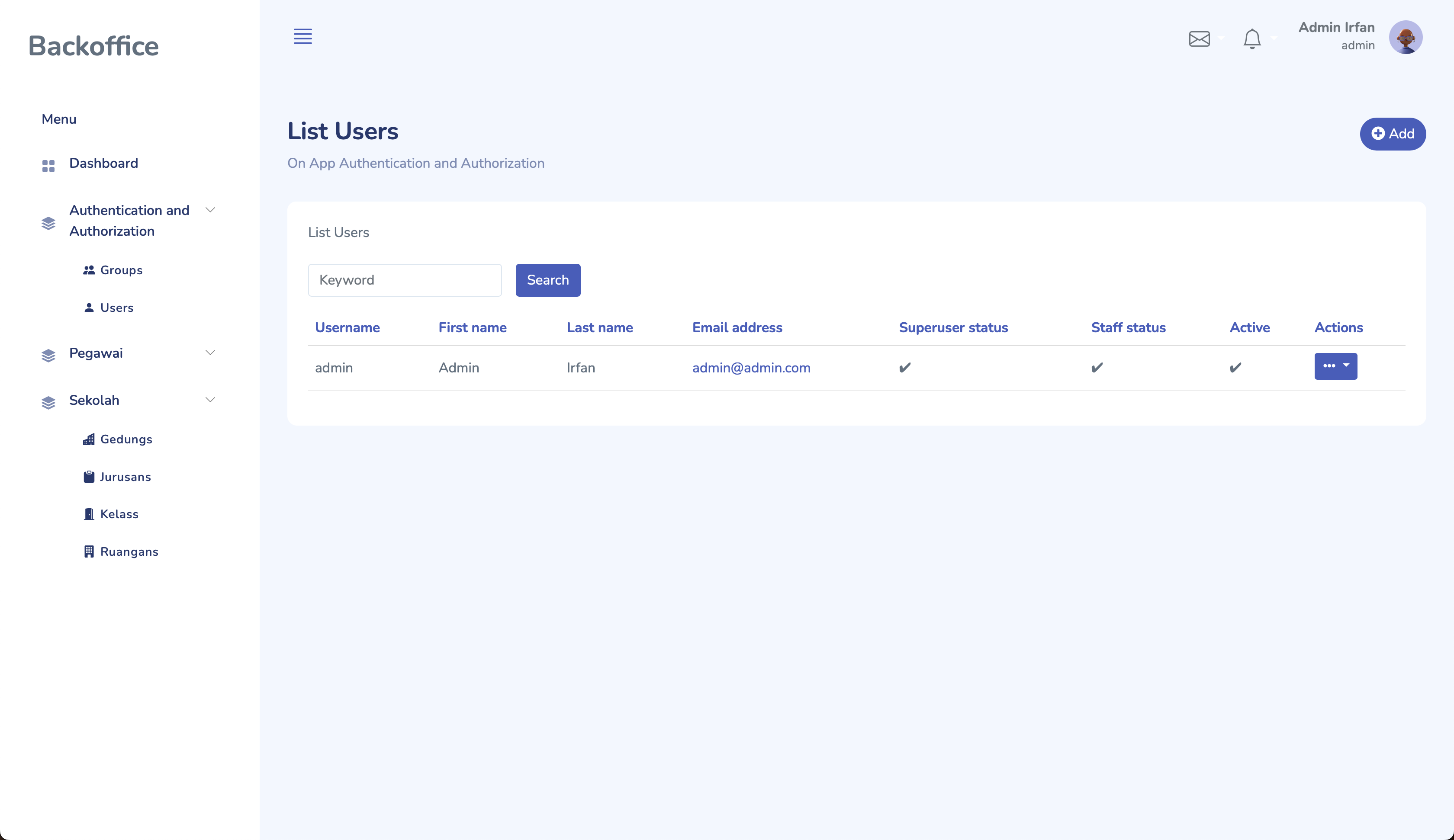
Django Backoffice is an application Django to easier create backoffice dashboard integrated for your project.
Installation
-
Install django-backoffice using:
pip install django-backoffice-dashboard-alpha
-
Add
djbackofficeto yourINSTALLED_APPSsetting like thisINSTALLED_APPS = [ # ... other apps 'djbackoffice', 'sweetify', # djbackoffice need it 'django_tables2' # djbackoffice need it ]
-
Run
python manage.py collectstaticto collect file static djbackoffice into project. -
Include url
djbackofficein your root urlfrom djbackoffice.core import backoffice # .... other import urlpatterns = [ path('admin/', admin.site.urls), ..... path('backoffice/', backoffice.urls), ]
-
Access
http://127.0.0.1:8000/backoffice/login/to enter backoffice page.
How to Use
- create file
backoffice.pyon your app - Then write
Simple register
from djbackoffice.core import backoffice
from author.models import Author

backoffice.register(Author)
Advanced register
from djbackoffice.core import backoffice, BackofficeOptions
from djbackoffice.decorators import register
from author.models import Author


@register(Author)
class AuthorOption(BackofficeOptions):
    # To select the fields that will appear in the index view
    list_display = ('name', 'email', 'address', 'phone_number')

    # To select the field to be the search key
    search_fields = ('name', 'email')

    # To select a form layout
    form_column_style = 2

    # To select CRUD mode. The default Read mode cannot be disabled
    crud_mode = 'cru'

    # To set how much data appears in the index view
    list_per_page = 50

    # To set the icon that appears on the menu
    # icon using https://icons.getbootstrap.com
    icon_menu = "bi-door-open-fill"
Thanks!
- https://github.com/zuramai/mazer: Mazer Dashboard Template
For Contributor
- clone project
- symlink app to
demoln -s [path_project_djbackoffice] [path_demo_djbackoffice]
- create
envdevelopment - active
env - enter directory
demo - now, you can access all command
manage.py
TODO
- Permission Access
- Custom Dashboard
- Organize Sidebar Menu
- Advance Filter
1 maintainer

Metadata
1 maintainer
Release files for django-backoffice-dashboard-alpha 0.0.1a1
For a detailed explanation of source distributions (sdists) and built distributions (wheels), please see the package formats documentation.
Source distribution (sdist)
| File | Size | Uploaded | |
|---|---|---|---|
| django-backoffice-dashboard-alpha-0.0.1a1.tar.gz | 9.9 kB | Details |
Built distribution (wheel)
| File | Interpreter | ABI | Platform | Reset |
|---|---|---|---|---|
| django_backoffice_dashboard_alpha-0.0.1a1-py3-none-any.whl | Python 3 | none | any | Details |
Total release size: 21.6 kB
Release files / django-backoffice-dashboard-alpha-0.0.1a1.tar.gz
| Download URL | django-backoffice-dashboard-alpha-0.0.1a1.tar.gz |
|---|---|
| Size | 9.9 kB |
| Tags | Source |
|
SHA-256 checksum How to use checksums |
02ac654ae5906cc7c8d6d450e9a5a08ed0c2749ccc830924f199cd906a9e7d04
|
|
BLAKE2b-256 checksum How to use checksums |
629b8de46de2c0410840e306bd089ea96050b7556c5dd259169724c05c4b327f
|
| Upload date | |
|
Uploaded using Trusted Publishing? What is trusted publishing? |
No |
| Uploaded via |
twine/4.0.1 CPython/3.10.11
|
Release files / django_backoffice_dashboard_alpha-0.0.1a1-py3-none-any.whl
| Download URL | django_backoffice_dashboard_alpha-0.0.1a1-py3-none-any.whl |
|---|---|
| Size | 11.7 kB |
| Tags | Python 3 |
|
SHA-256 checksum How to use checksums |
3c07bedfd955508aa229430d7e3c29553f91f23c3ca5f4145ae1dd8b34a43ecd
|
|
BLAKE2b-256 checksum How to use checksums |
1e41f292145ae3bc65461fbb2bc6eee6ee8d234915919499f5a5e8ad28e744c2
|
| Upload date | |
|
Uploaded using Trusted Publishing? What is trusted publishing? |
No |
| Uploaded via |
twine/4.0.1 CPython/3.10.11
|














