
django-bulk-admin
Django bulk admin enables you to bulk add, bulk edit, bulk upload and bulk select in django admin.
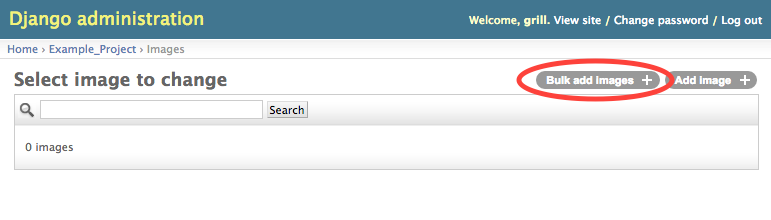
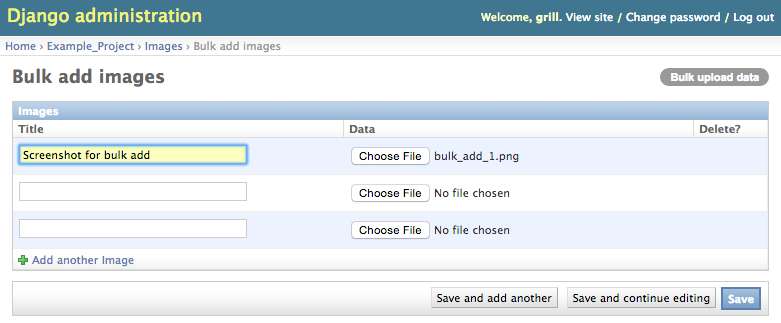
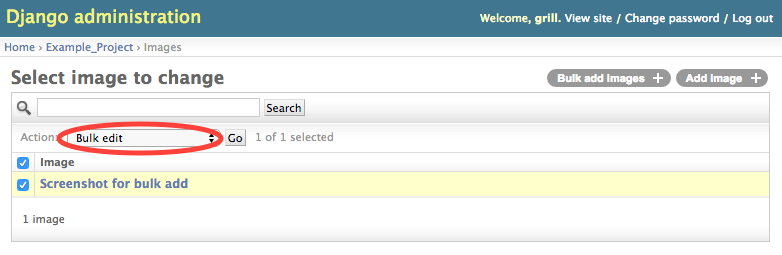
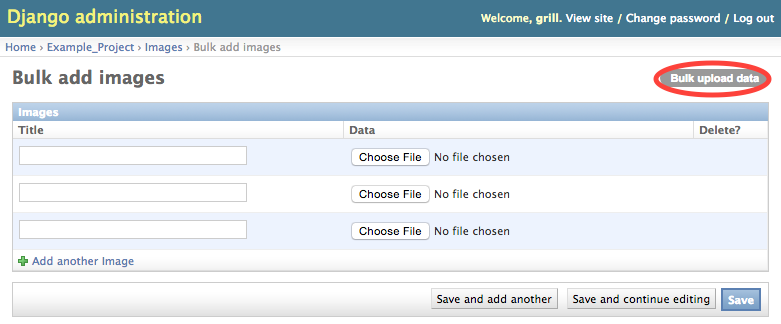
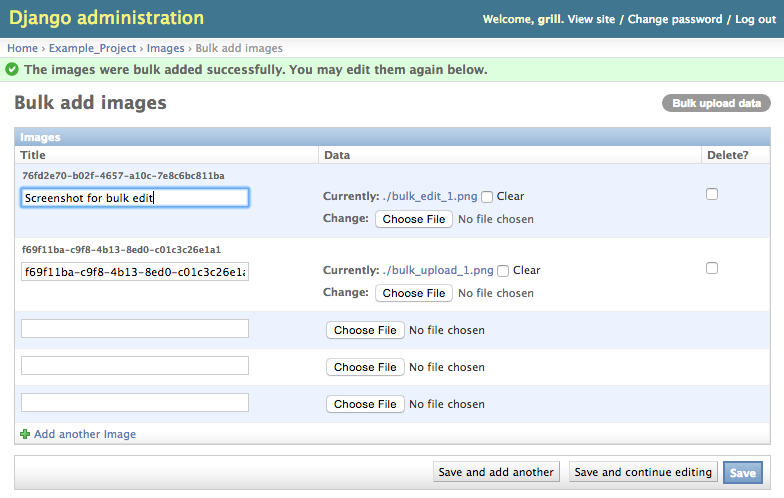
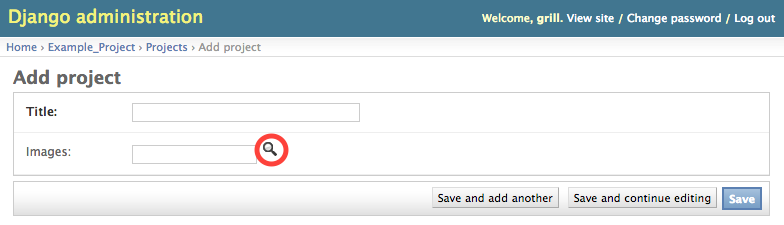
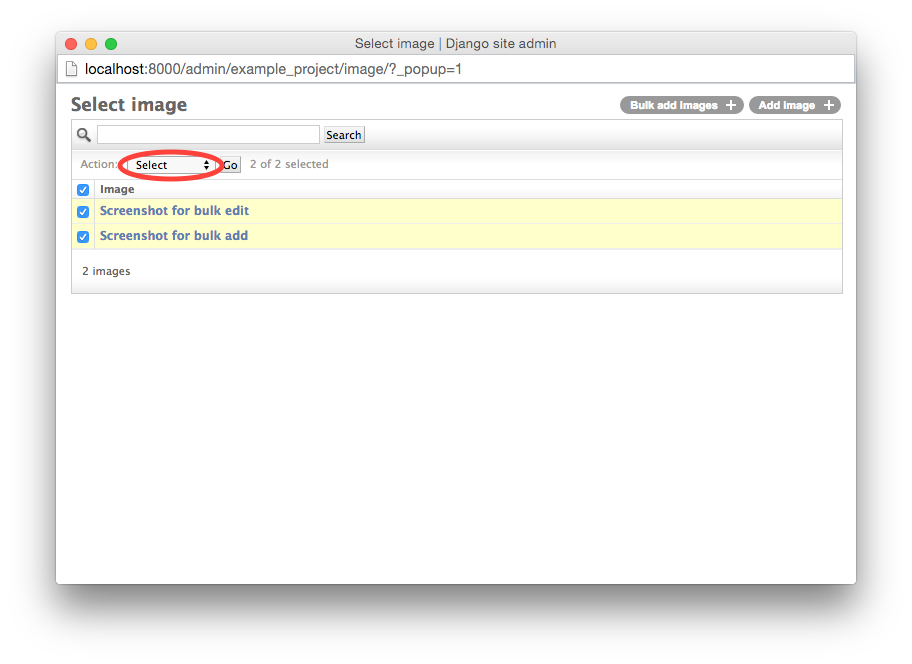
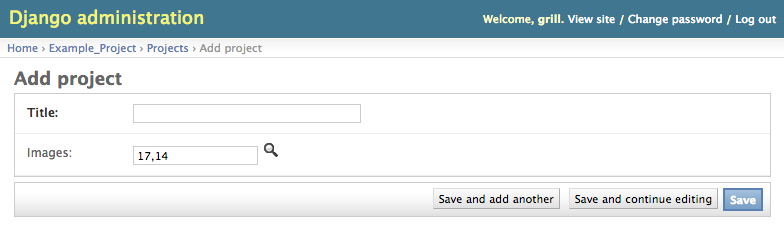
View the screenshots below to get an idea of how django bulk admin does look like.
Requires Django >= 2.2.
Available on PyPi as https://pypi.org/project/django-bulk-admin-marcusl/
Quick start
Install with pip:
$ pip install django-bulk-admin
Add “bulk_admin” to your INSTALLED_APPS setting like this:
INSTALLED_APPS = (
    ...
    'bulk_admin',
)
Inherit from bulk_admin.BulkModelAdmin instead of django.contrib.admin.ModelAdmin:
from django.contrib import admin
from example_project import models

import bulk_admin


@admin.register(models.Image)
class ImageAdmin(bulk_admin.BulkModelAdmin):
    search_fields = ('title',)


@admin.register(models.Project)
class ProjectAdmin(bulk_admin.BulkModelAdmin):
    raw_id_fields = ('images',)
Enjoy!
Bulk Upload
By default, django bulk admin provides a bulk upload button for each field type that has an upload_to attribute, like FileField or ImageField. If you want to customize the provided buttons (or disable bulk upload at all), set bulk_upload_fields in the BulkAdminModel:
@admin.register(models.Image)
class ImageAdmin(bulk_admin.BulkModelAdmin):
    bulk_upload_fields = ()
When files are bulk uploaded, a model instance is created and saved for each file. If there are required fields, django bulk admin tries to set unique values (uuid) which can be edited by the uploading user in the next step. For setting custom values or to support non string fields that are required, override generate_data_for_file:
@admin.register(models.Image)
class ImageAdmin(bulk_admin.BulkModelAdmin):

    def generate_data_for_file(self, request, field_name, field_file, index):
        if field_name == 'data':
            return dict(title=field_file.name)
        return super(ImageAdmin, self).generate_data_for_file(request, field_name, file, index)
Caveats
No admin logs are generated for bulk operations
Customize Inline
Django bulk admin provides two inlines that are similar to those provided by django admin:
bulk_admin.TabularBulkInlineModelAdmin (which is the default)
bulk_admin.StackedBulkInlineModelAdmin
You can configure them exactly like django admin one’s:
from django.contrib import admin
from example_project import models

import bulk_admin


class ProjectInline(bulk_admin.StackedBulkInlineModelAdmin):
    model = models.Project
    raw_id_fields = ('images',)


@admin.register(models.Image)
class ImageAdmin(bulk_admin.BulkModelAdmin):
    search_fields = ('title',)


@admin.register(models.Project)
class ProjectAdmin(bulk_admin.BulkModelAdmin):
    raw_id_fields = ('images',)
    bulk_inline = ProjectInline
Screenshots
Bulk add
Bulk edit
Bulk upload
Bulk select
1 maintainer

Metadata
1 maintainer
Release files for django-bulk-admin-marcusl 0.2.1
For a detailed explanation of source distributions (sdists) and built distributions (wheels), please see the package formats documentation.
Source distribution (sdist)
| File | Size | Uploaded | Provenance | |
|---|---|---|---|---|
| django-bulk-admin-marcusl-0.2.1.tar.gz | 12.0 kB | Without provenance | Details |
Release files / django-bulk-admin-marcusl-0.2.1.tar.gz
| Download URL | django-bulk-admin-marcusl-0.2.1.tar.gz |
|---|---|
| Size | 12.0 kB |
| Tags | Source |
|
SHA-256 checksum How to use checksums |
a79cf1fb3fc23641e8eb02b2119cb919f463da377b1badabcc45ddfb58f7522e
|
|
BLAKE2b-256 checksum How to use checksums |
dd84fd2b9177f0b02ca93db0639f0fe244fb39bc8af2ed7dd0409019a5e9a698
|
| Upload date | |
|
Uploaded using Trusted Publishing? What is trusted publishing? |
No |
| Uploaded via |
twine/3.1.1 pkginfo/1.5.0.1 requests/2.22.0 setuptools/40.8.0 requests-toolbelt/0.9.1 tqdm/4.46.0 CPython/3.7.5
|
Security for django-bulk-admin-marcusl 0.2.1
Provenance
Provenance describes where a file came from. On PyPI, provenance is shared via attestations, which provide a verifiable record of the build or publishing details. View details, limitations and caveats.
No provenance found
None of the files in this release were uploaded with provenance metadata.
A note on package security
PyPI is a repository for distributing packages, not a service for auditing them. While third-party security researchers and our staff do their best to detect and remove malicious packages, PyPI cannot guarantee the quality, security or suitability of any given package.
To learn more about protecting yourself from malicious actors, visit our package security documentation.














