
Django Celery Beat Status





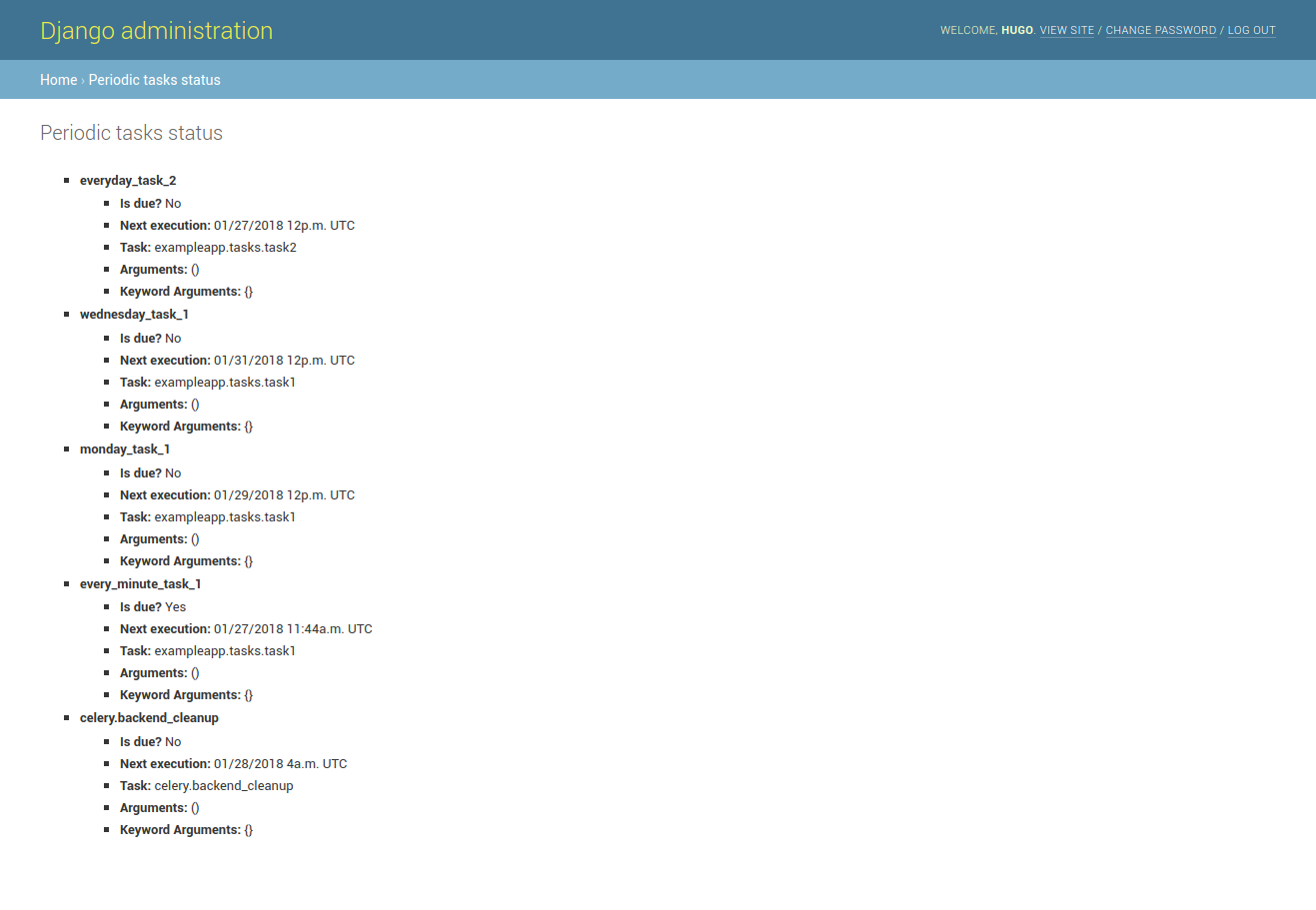
A library that integrates with django admin and shows in a simple GUI when your periodic are going to run next.
Instalation
pip install django-celerybeat-status
Configuration
- Add
"celerybeat_status"to yourINSTALLED_APPSvariable in django settings
INSTALLED_APPS = [
  ...
  "celerybeat_status",
]
- Create a url for the status check view
from django.urls import include, path

urlpatterns = [
  # other urls...
  path("admin/statuscheck/", include("celerybeat_status.urls")),  # celerybeat_status admin
  path("admin/", admin.site.urls),  # django admin
]
Usage
Check your tasks under /admin/statuscheck/periodic-tasks/ (if you configured your urls the way we suggested in this docs).
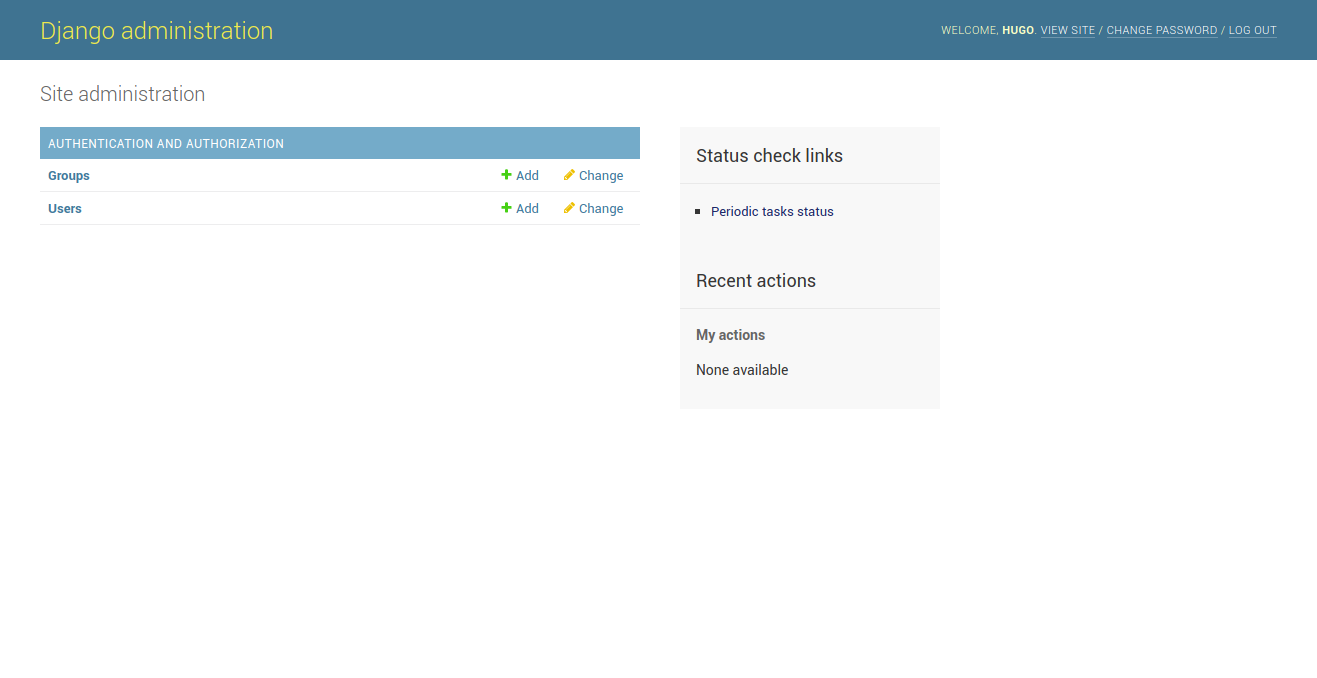
You can also find a link in /admin sidebar.
How you admin page will look like:
How your tasks will be shown:
Contributing
Setting up the development environment
-
Clone the repository.
-
Create a virtual environment.
-
Install the dependencies.
pip install -r requirements_test.txt
- Run the project. Relevant to check UI changes.
# Create the database and run the migrations.
python manage.py migrate
# Create a superuser. This will allow you to access the admin interface.
python manage.py createsuperuser
# Start the development server. You can view the application by navigating to the URL provided in the terminal.
python manage.py runserver
- Run the tests. This package uses
toxto run tests on multiple evironments, please make sure they are passing before submitting a pull request.
tox
Commercial Support
This project, as other Vinta open-source projects, is used in products of Vinta clients. We are always looking for exciting work, so if you need any commercial support, feel free to get in touch: contact@vinta.com.br
Copyright (c) 2017 Vinta Serviços e Soluções Tecnológicas Ltda
4 maintainers


Release files for django-celerybeat-status 1.0.1
For a detailed explanation of source distributions (sdists) and built distributions (wheels), please see the package formats documentation.
Source distribution (sdist)
| File | Size | Uploaded | |
|---|---|---|---|
| django_celerybeat_status-1.0.1.tar.gz | 8.4 kB | Details |
Built distribution (wheel)
| File | Interpreter | ABI | Platform | Reset |
|---|---|---|---|---|
| django_celerybeat_status-1.0.1-py2.py3-none-any.whl | Python 2, Python 3 | none | any | Details |
Total release size: 18.2 kB
Release files / django_celerybeat_status-1.0.1.tar.gz
| Download URL | django_celerybeat_status-1.0.1.tar.gz |
|---|---|
| Size | 8.4 kB |
| Tags | Source |
|
SHA-256 checksum How to use checksums |
4ec1ef69d982cea9b1d5fef5cdb6589758b194489dff48a4b139c15cf8049a90
|
|
BLAKE2b-256 checksum How to use checksums |
149b0985ebf296733b1fb1ff093eb8c7bee69535062fe206db4d90b6893d2a8a
|
| Upload date | |
|
Uploaded using Trusted Publishing? What is trusted publishing? |
No |
| Uploaded via |
twine/5.1.0 CPython/3.12.3
|
Release files / django_celerybeat_status-1.0.1-py2.py3-none-any.whl
| Download URL | django_celerybeat_status-1.0.1-py2.py3-none-any.whl |
|---|---|
| Size | 9.9 kB |
| Tags | Python 2 Python 3 |
|
SHA-256 checksum How to use checksums |
7051440ae7b85fa6d139d664da2cd31c2b67d97780071205b2df45ceed0dd471
|
|
BLAKE2b-256 checksum How to use checksums |
6956d6ac0077c48ead634f19210c3d680f9eb41be737c06ed5b4cd3b6b9a5008
|
| Upload date | |
|
Uploaded using Trusted Publishing? What is trusted publishing? |
No |
| Uploaded via |
twine/5.1.0 CPython/3.12.3
|














