
Django CmdBar


A navigation palette for Django admin. Press Cmd+K or Ctrl+K to find models, search records, or jump to a record by primary key.
Supports maintained Python and Django releases. Uses plain JavaScript and CSS, with no frontend dependencies, build step, middleware, or additional URLs.
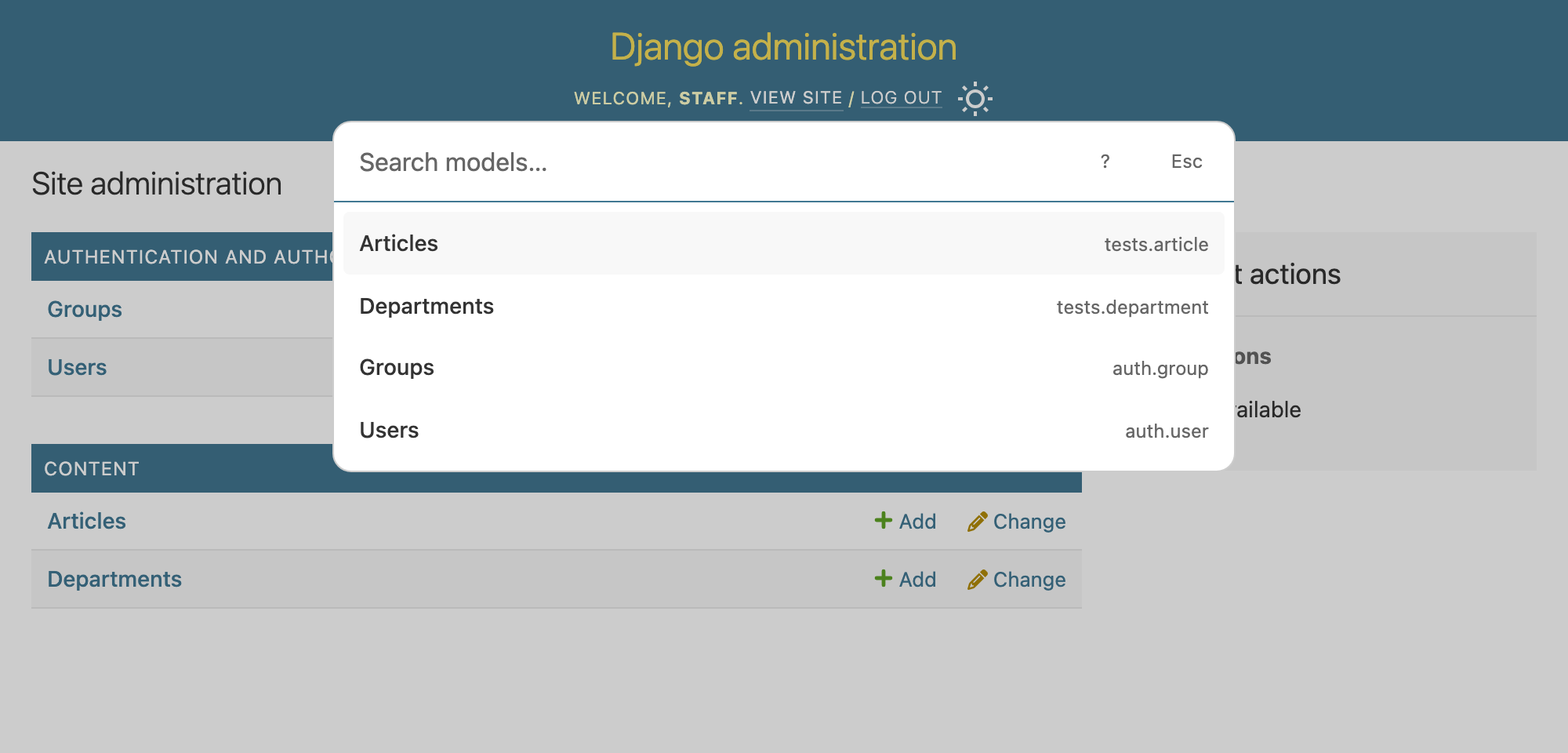
Start with your models: press Cmd+K or Ctrl+K to browse the models you can access.
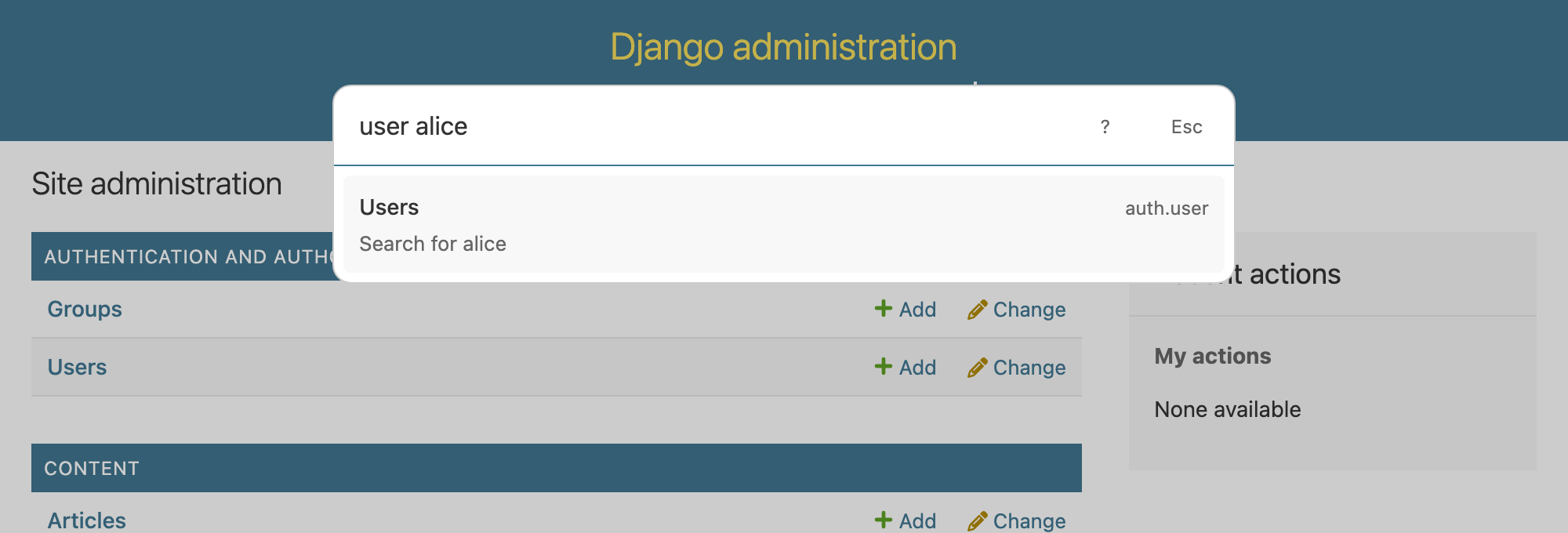
Search records: user alice opens the Users list filtered by “alice”.
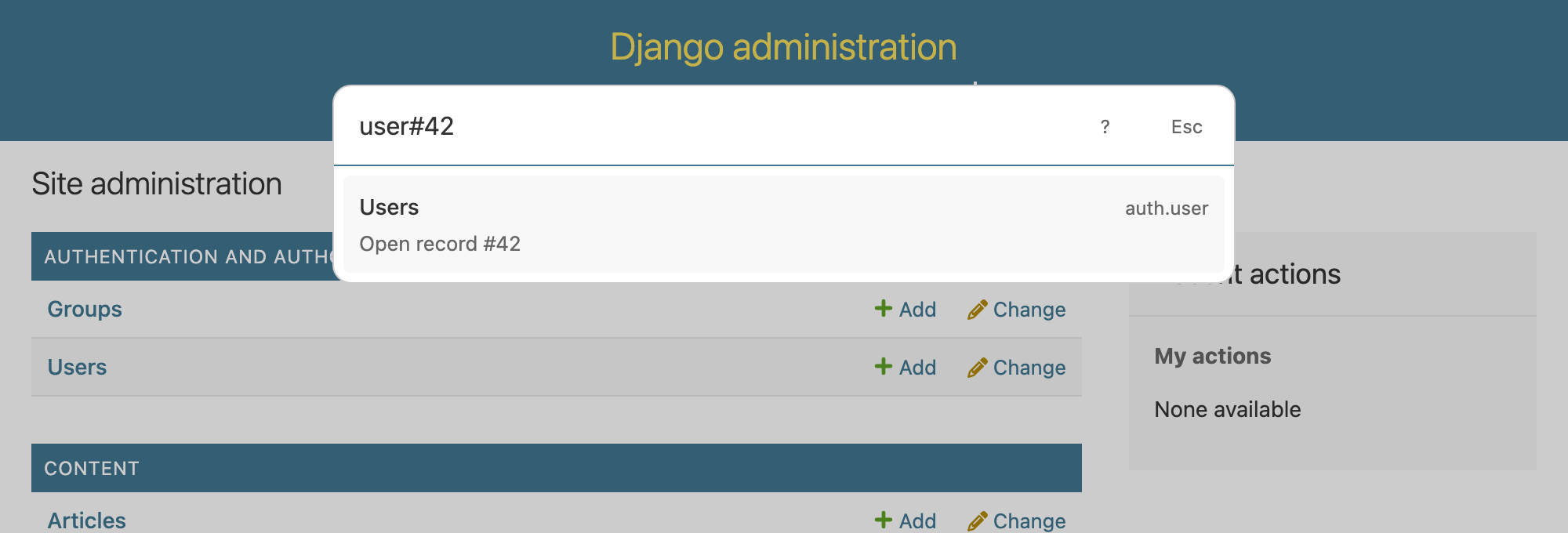
Jump to a record: user#42 opens the user with primary key 42.
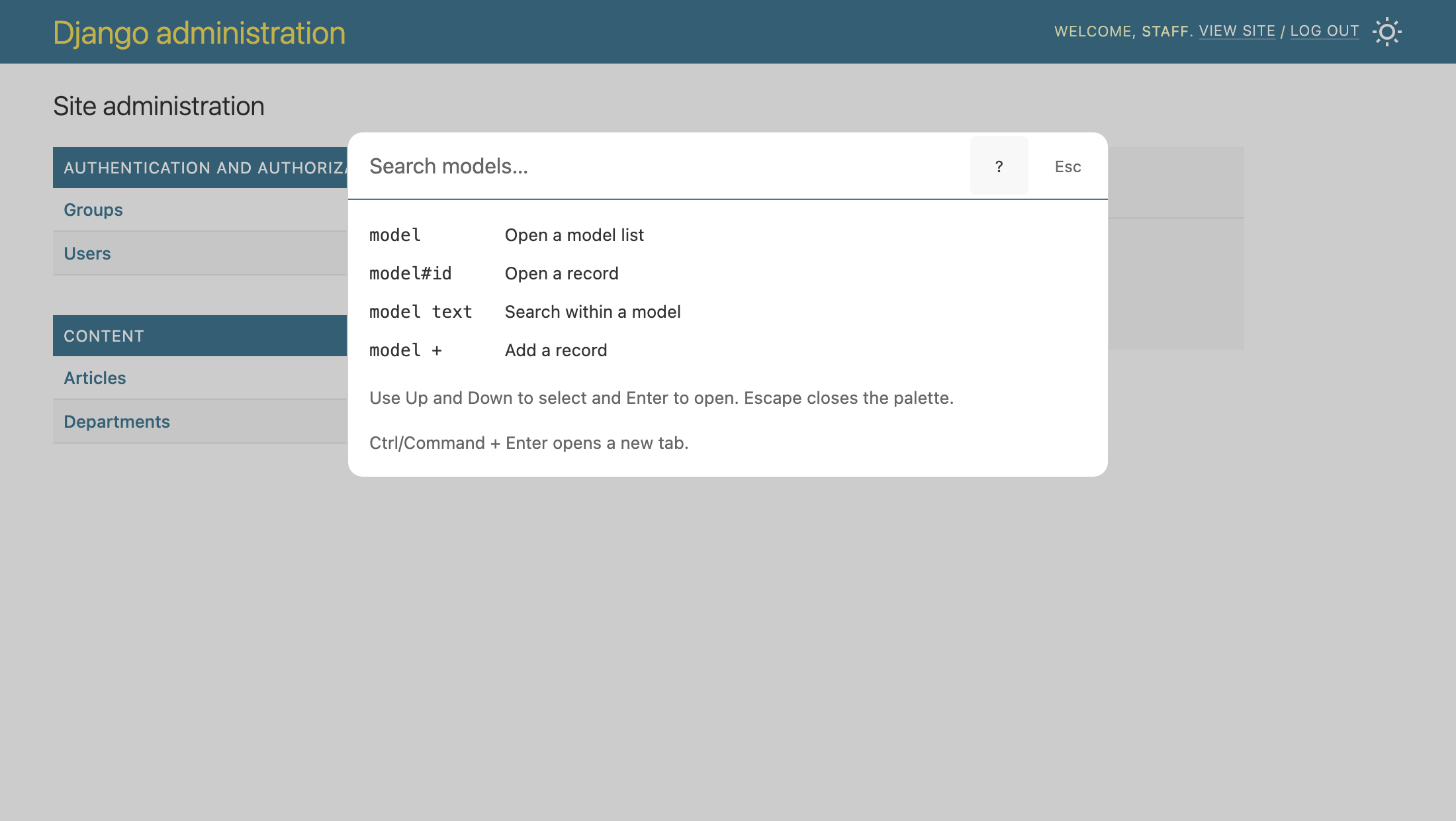
Built-in query guide
Install
Install the package, add one app, and you're ready.
uv pip install django-cmdbar
Add django_cmdbar before django.contrib.admin in INSTALLED_APPS:
INSTALLED_APPS = [
    # ...
    "django_cmdbar",
    "django.contrib.admin",
    # ...
]
Open Django admin and press Cmd+K or Ctrl+K. That's it—no extra settings, URLs, middleware, or migrations to configure.
Queries
For Django's built-in User model:
| Query | Result |
|---|---|
user |
User list |
user#42 |
User with primary key 42 |
user #42 |
Same record |
user alice |
User list filtered with ?q=alice |
user + |
User creation form |
auth.User |
User list in the auth app |
Type ? or click the ? button to show a short syntax guide.
Matching ignores case and accents and supports abbreviations. Use auth.User or
auth User to distinguish models from different apps.
Names containing spaces use the same syntax, such as Article groups#42.
Search requires configured admin search fields. Use # for an exact primary key;
user 42 performs a text search. String and UUID primary keys are supported.
The palette shows models and actions allowed by your admin permissions. Record names are not previewed; Django checks access when you open a destination.
Keyboard
- Cmd+K or Ctrl+K opens or closes the palette.
- Up and Down select a destination.
- Enter opens the selected destination.
- Cmd+Enter or Ctrl+Enter opens it in a new tab.
- Escape closes the palette.
The palette follows Django admin's light or dark theme.
Custom admin sites and templates
Custom admin sites and URL prefixes are supported. Each palette lists its site's models.
If your project overrides admin/base_site.html, extend admin/base_site.html
and preserve block.super in the extrastyle and extrabody blocks.
For templates that bypass that chain, add the assets and tag explicitly instead of using Django CmdBar's template extension:
{% extends "admin/base.html" %}
{% load static django_cmdbar %}

{% block extrastyle %}
  {{ block.super }}
  <link rel="stylesheet" href="{% static 'django_cmdbar/palette.css' %}">
{% endblock %}

{% block extrabody %}
  {{ block.super }}
  {% django_cmdbar %}
{% endblock %}
For a custom admin view that does not expose its site through Django's normal
view wrapper, put the AdminSite instance in the template context and pass it to
the tag:
{% django_cmdbar site=admin_site %}
Development
uv sync --python 3.14
uv run playwright install chromium
uv run pytest
uv run ruff check .
uv run ruff format --check .
uv build
Django CmdBar is under development. Its integration and query syntax can change before the first stable release.
1 maintainer

Metadata
1 maintainer
Release files for django-cmdbar 0.0.3
For a detailed explanation of source distributions (sdists) and built distributions (wheels), please see the package formats documentation.
Source distribution (sdist)
| File | Size | Uploaded | Provenance | Actions |
|---|---|---|---|---|
| django_cmdbar-0.0.3.tar.gz | 16.1 kB | With provenance | Details for django_cmdbar-0.0.3.tar.gz |
Built distribution (wheel)
| File | Interpreter | ABI | Platform | Actions Reset |
|---|---|---|---|---|
| django_cmdbar-0.0.3-py3-none-any.whl | Python 3 | none | any | Details for django_cmdbar-0.0.3-py3-none-any.whl |
Total release size: 27.8 kB
Release files / django_cmdbar-0.0.3.tar.gz
| Download URL | django_cmdbar-0.0.3.tar.gz |
|---|---|
| Size | 16.1 kB |
| Tags | Source |
|
SHA-256 checksum How to use checksums |
0dcf9e3e1d45bbc2f2b40803eeb0081dafc41d56dcf468aca0a39c31e4953d5d
|
|
BLAKE2b-256 checksum How to use checksums |
a985502b1990d38d2536e45eb680b39cc0c170e6b2f186413d1d3bb333b4fc06
|
| Upload date | |
|
Uploaded using Trusted Publishing? What is trusted publishing? |
Yes |
| Uploaded via |
twine/7.0.0 CPython/3.13.16
|
Provenance
Provenance describes where a file came from. On PyPI, provenance is shared via attestations, which provide a verifiable record of the build or publishing details. View details, limitations and caveats.


PyPI Publish Attestation
PyPI verified that this artifact, at this checksum, originated from the publisher listed below.
Signed by GitHub Actions, verified by PyPI on Oct 30, 2026.
Transparency logRelease files / django_cmdbar-0.0.3-py3-none-any.whl
| Download URL | django_cmdbar-0.0.3-py3-none-any.whl |
|---|---|
| Size | 11.6 kB |
| Tags | Python 3 |
|
SHA-256 checksum How to use checksums |
6fb467cc6ae912ed8cfdb511562a0c2745ec762944778318a74956ac55c297cf
|
|
BLAKE2b-256 checksum How to use checksums |
7dd56a49880006cd2bd5ec1de76b08f6b71817cbd37a8dd6bdf89209dbcc274e
|
| Upload date | |
|
Uploaded using Trusted Publishing? What is trusted publishing? |
Yes |
| Uploaded via |
twine/7.0.0 CPython/3.13.16
|
Provenance
Provenance describes where a file came from. On PyPI, provenance is shared via attestations, which provide a verifiable record of the build or publishing details. View details, limitations and caveats.
PyPI Publish Attestation
PyPI verified that this artifact, at this checksum, originated from the publisher listed below.
Signed by GitHub Actions, verified by PyPI on Oct 30, 2026.
Transparency logSecurity for django-cmdbar 0.0.3
Provenance
Provenance describes where a file came from. On PyPI, provenance is shared via attestations, which provide a verifiable record of the build or publishing details. View details, limitations and caveats.
Full provenance
All 2 files in this release have been uploaded with provenance metadata.
Attestation for django_cmdbar-0.0.3.tar.gz
PyPI Publish Attestation
PyPI verified that this artifact, at this checksum, originated from the publisher listed below.
Signed by GitHub Actions, verified by PyPI on Oct 30, 2026.
Transparency logA note on package security
PyPI is a repository for distributing packages, not a service for auditing them. While third-party security researchers and our staff do their best to detect and remove malicious packages, PyPI cannot guarantee the quality, security or suitability of any given package.
To learn more about protecting yourself from malicious actors, visit our package security documentation.













