
django-dagster




A Django plugin for interacting with a Dagster server through the Django admin interface.
Features
- Native Django Admin integration — shows up as a Dagster section
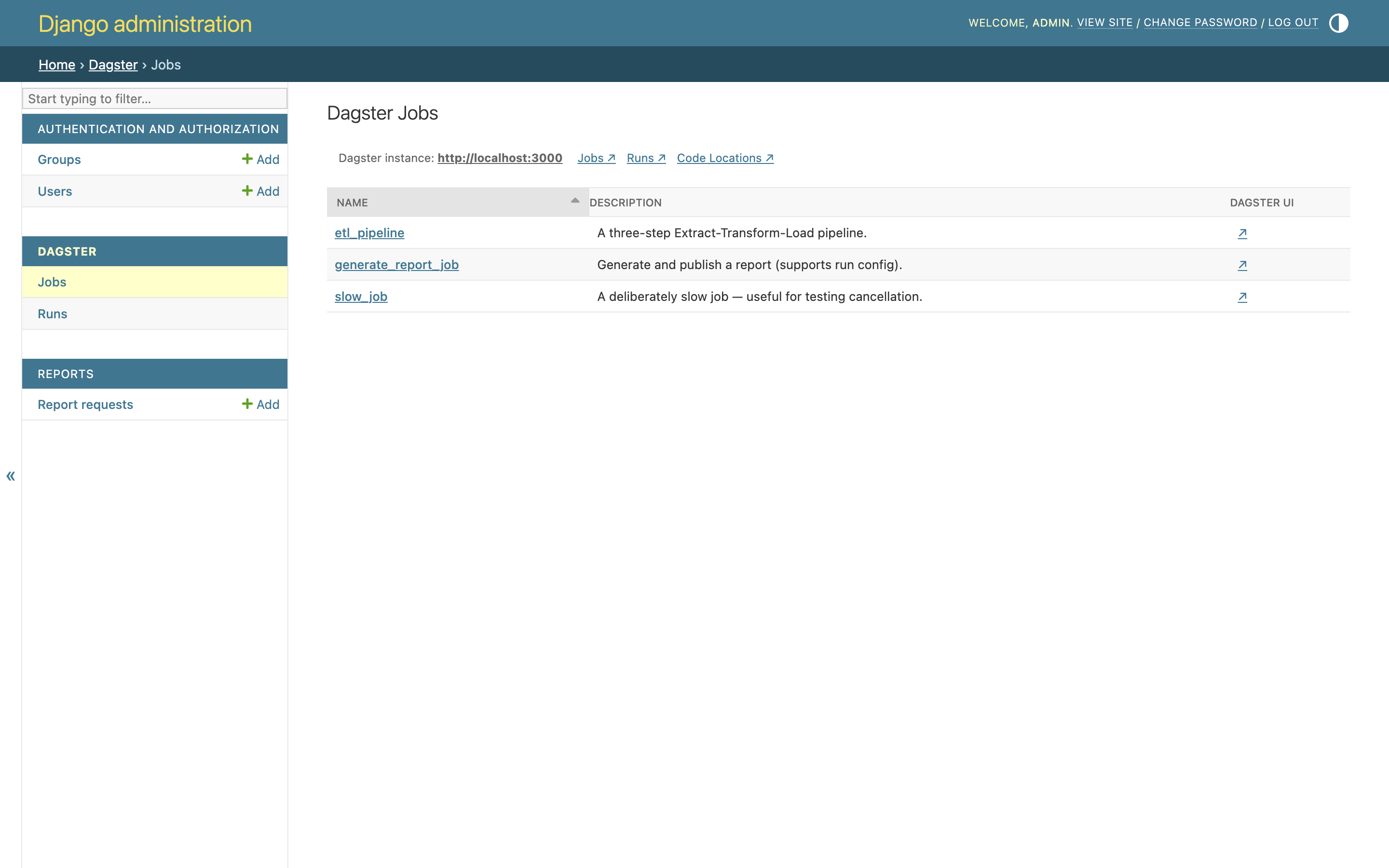
- List all jobs from connected Dagster instance
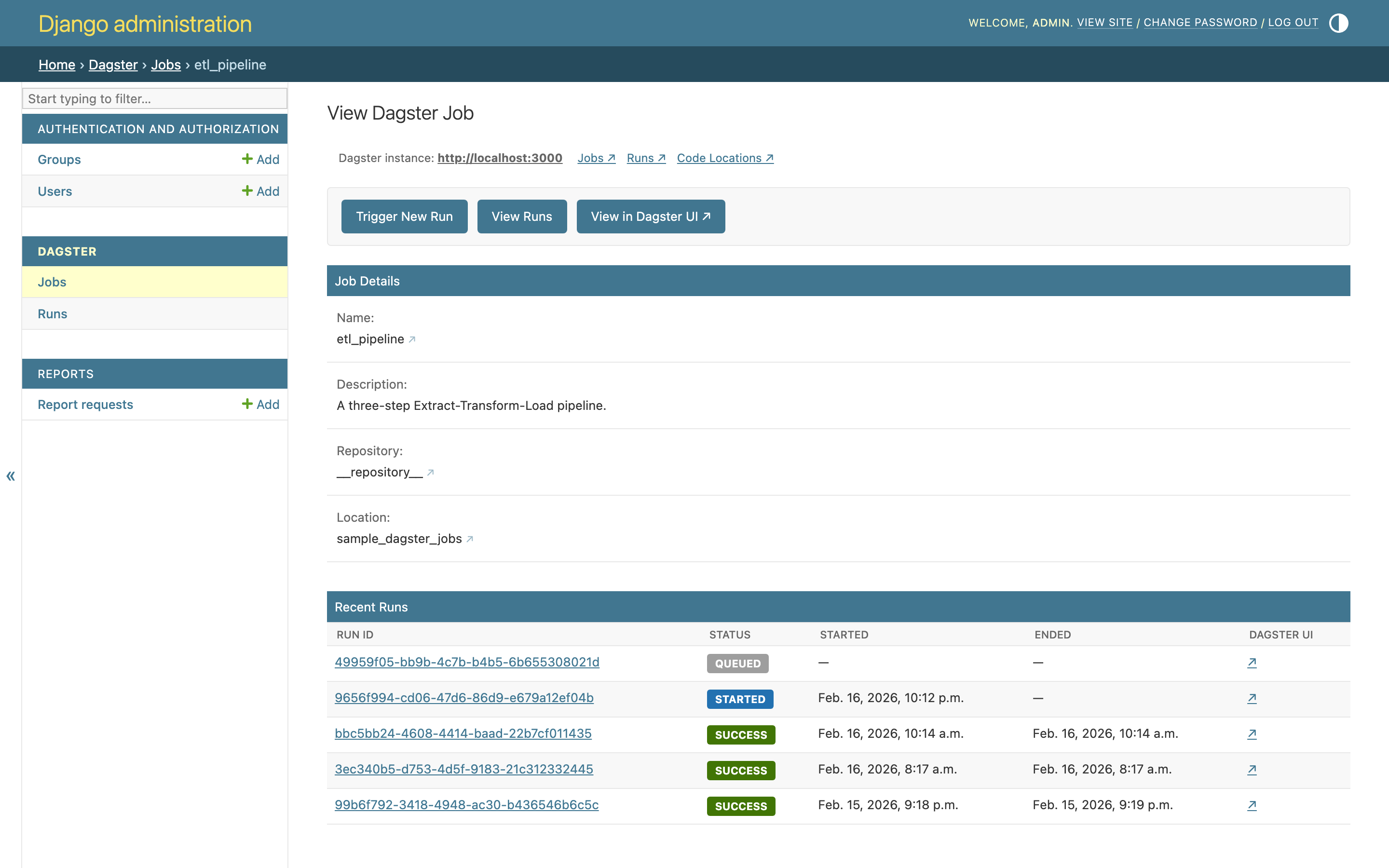
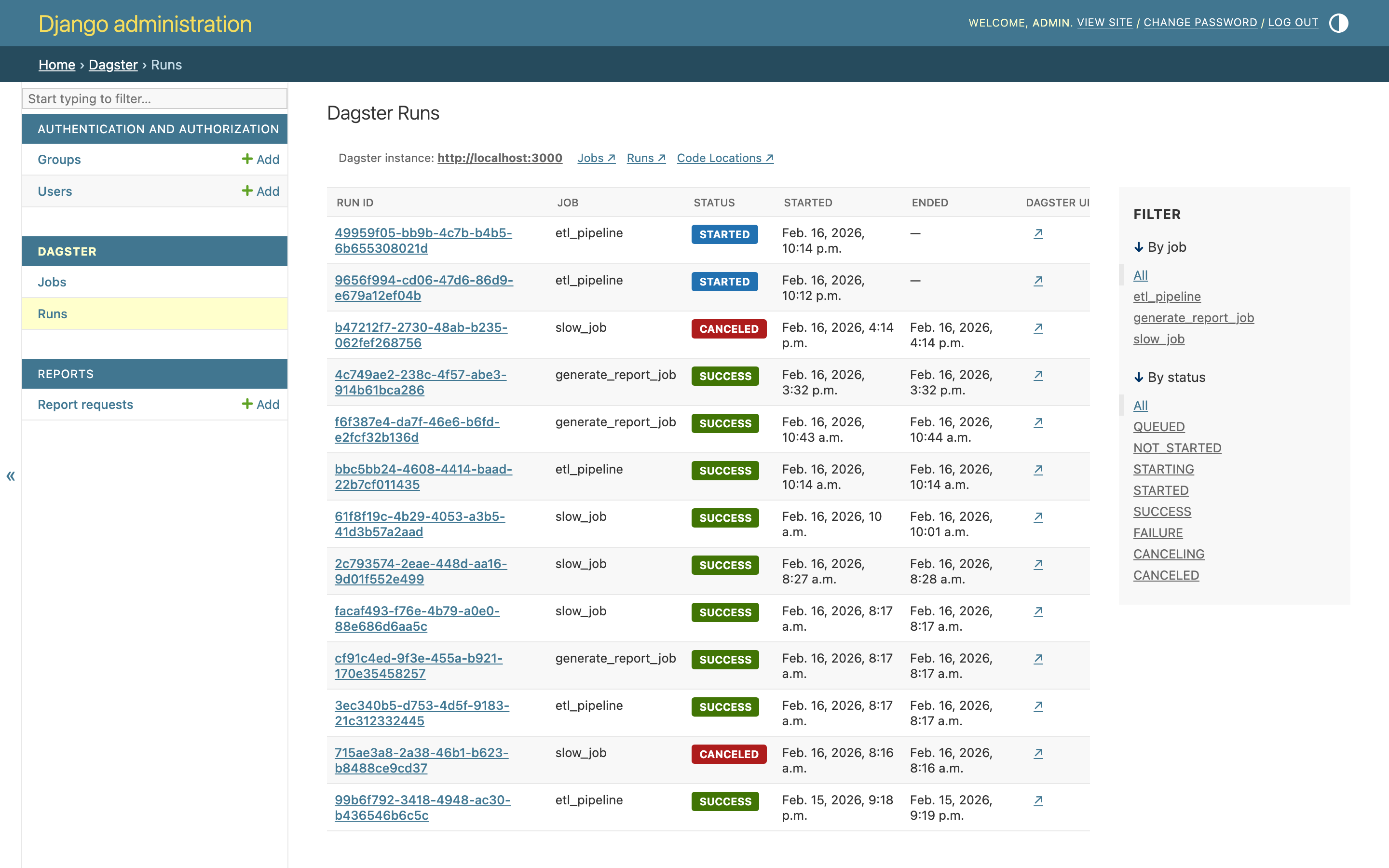
- View runs with status and job filtering
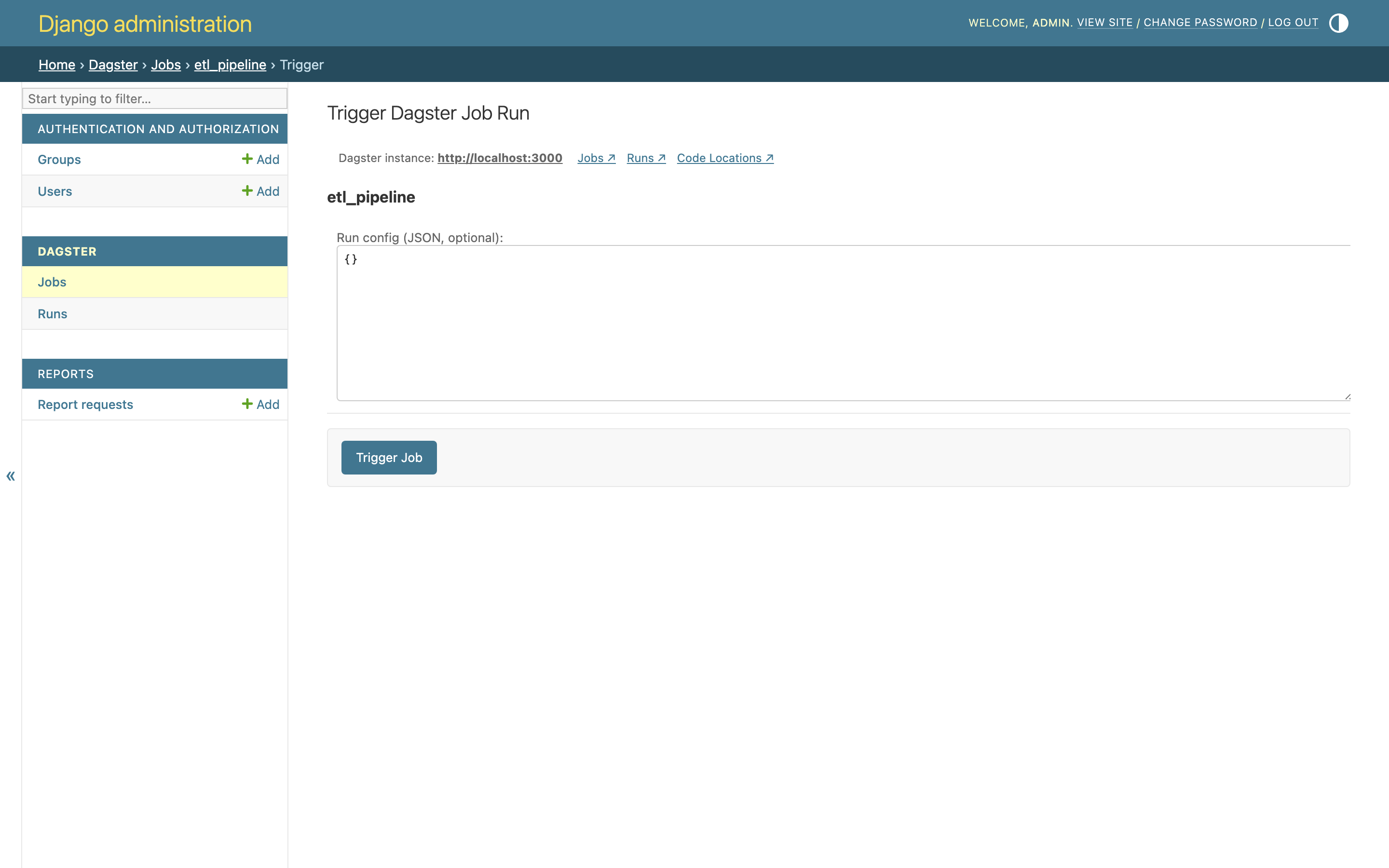
- Trigger new job executions with optional JSON run config
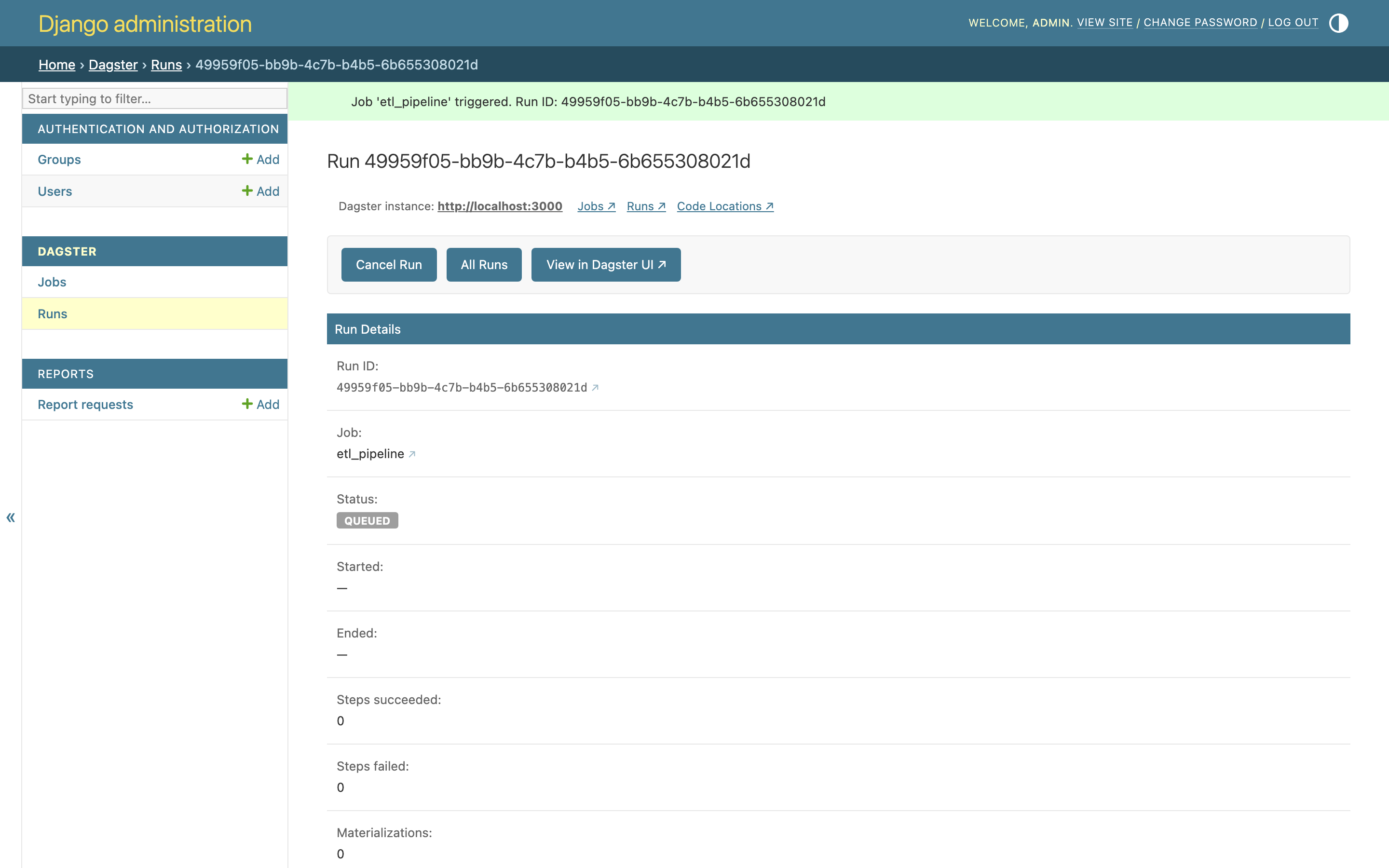
- Cancel running jobs
- Re-execute failed/canceled jobs
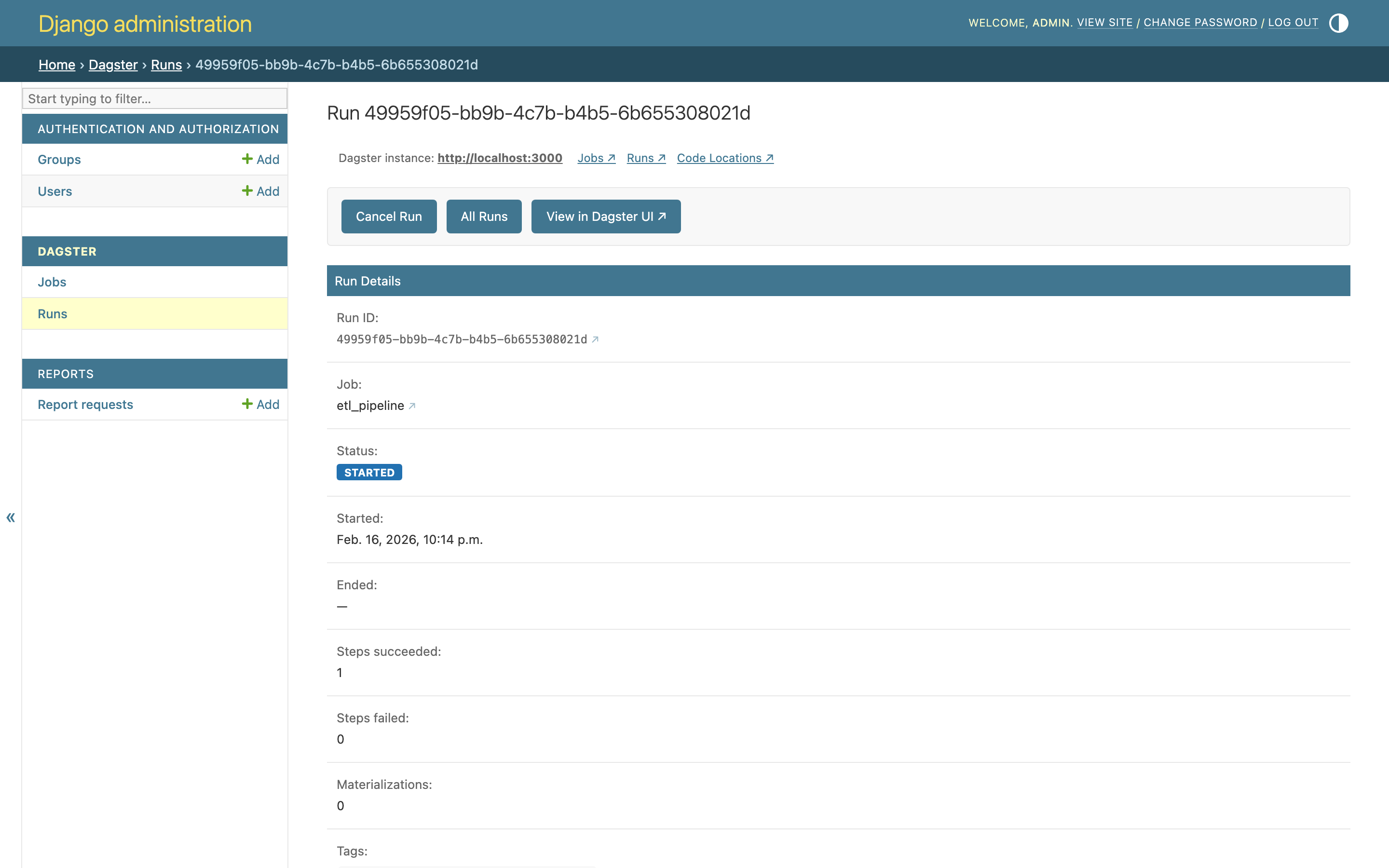
- View detailed run metadata (config, tags, event logs)
- Granular permission system using Django's built-in permissions
Screenshots
| Jobs list | Job detail |
|---|---|
 |
 |
| Trigger job | Trigger success |
|---|---|
 |
 |
| Runs list | Run detail |
|---|---|
 |
 |
Requirements
- Python 3.10+
- Django 4.2+
Installation
pip install django-dagster
Configuration
Add django_dagster to INSTALLED_APPS and set DAGSTER_URL in your Django settings:
INSTALLED_APPS = [
    ...
    "django_dagster",
]

DAGSTER_URL = "http://localhost:3000"
Optional: DAGSTER_UI_URL
DAGSTER_URL is used for two purposes: API calls to the Dagster server, and generating links in the Django Admin UI. In some setups these need to differ, for example when Dagster runs locally (not exposed to the network) and is proxied through Django via a library like django-revproxy:
# Internal API endpoint (used by the Django backend for GraphQL calls)
DAGSTER_URL = "http://127.0.0.1:3000"

# Browser-accessible URL (used for links rendered in admin templates)
# Can be an absolute URL or a relative path (e.g. a reverse-proxy mount point)
DAGSTER_UI_URL = "/dagit"
When DAGSTER_UI_URL is set, all links rendered in the admin templates (job links, run links, navigation bar) use it as the base URL instead of DAGSTER_URL. When not set, DAGSTER_URL is used for both purposes.
Then run migrations to create the permission models:
python manage.py migrate django_dagster
No URL configuration or manual admin registration is needed. Navigate to /admin/ and look for the Dagster section.
Permissions
Access is governed by standard Django permissions that you can assign to users or groups via the Django admin. Superusers always have full access.
| Permission | Codename | Grants access to |
|---|---|---|
| Can view Job | view_dagsterjob |
View job list and job detail pages |
| Can view Run | view_dagsterrun |
View run list and run detail pages |
| Can trigger Dagster jobs | trigger_dagsterjob |
Trigger/submit a new job run |
| Can cancel Dagster runs | cancel_dagsterrun |
Cancel a running job |
| Can re-execute Dagster runs | reexecute_dagsterrun |
Re-execute a completed/failed run |
| Can access the Dagster UI | access_dagster_ui |
Show direct links to the Dagster UI |
To customise behaviour — for example, granting all staff users full access by default — unregister the defaults and register your own subclass in your project's admin.py:
from django.contrib import admin
from django_dagster.admin import DagsterJobAdmin, DagsterRunAdmin
from django_dagster.models import DagsterJob, DagsterRun

def _is_active_staff(request):
    return request.user.is_active and request.user.is_staff

class MyDagsterJobAdmin(DagsterJobAdmin):
    def has_module_permission(self, request):
        return _is_active_staff(request)

    def has_view_permission(self, request, obj=None):
        return _is_active_staff(request)

    def has_trigger_dagsterjob_permission(self, request):
        return _is_active_staff(request)

    def has_access_dagster_ui_permission(self, request):
        return _is_active_staff(request)

class MyDagsterRunAdmin(DagsterRunAdmin):
    def has_module_permission(self, request):
        return _is_active_staff(request)

    def has_view_permission(self, request, obj=None):
        return _is_active_staff(request)

    def has_cancel_dagsterrun_permission(self, request):
        return _is_active_staff(request)

    def has_reexecute_dagsterrun_permission(self, request):
        return _is_active_staff(request)

    def has_access_dagster_ui_permission(self, request):
        return _is_active_staff(request)

admin.site.unregister(DagsterJob)
admin.site.unregister(DagsterRun)
admin.site.register(DagsterJob, MyDagsterJobAdmin)
admin.site.register(DagsterRun, MyDagsterRunAdmin)
Programmatic API
The package exposes Django model-like objects for use outside the admin:
from django_dagster import DagsterJob, DagsterRun

# List all jobs
jobs = DagsterJob.objects.all()

# Get a specific job (requires the repository and location names)
job = DagsterJob.objects.get(
    name="etl_pipeline",
    repository="__repository__",
    location="my_location",
)

# Trigger a job
run_id = job.submit(run_config={"ops": {"my_op": {"config": {"x": 1}}}})

# Get default run config
config = job.get_default_run_config()

# List runs (with optional filtering)
runs = DagsterRun.objects.all()
runs = DagsterRun.objects.filter(job_name="etl_pipeline", statuses=["SUCCESS"])

# Get a specific run
run = DagsterRun.objects.get(run_id="abc123")

# Cancel / re-execute a run
run.cancel()
new_run_id = run.reexecute()

# Get event logs
events = run.get_events()
Demo
A self-contained demo project is available in the demo/ directory with sample Dagster jobs and pre-configured users. See demo/README.md for instructions.
License
This project is licensed under the Apache License 2.0. See the LICENSE file for details.
1 maintainer

Metadata
1 maintainer
Release files for django-dagster 0.3.0
For a detailed explanation of source distributions (sdists) and built distributions (wheels), please see the package formats documentation.
Source distribution (sdist)
| File | Size | Uploaded | |
|---|---|---|---|
| django_dagster-0.3.0.tar.gz | 1.5 MB | Details |
Built distribution (wheel)
| File | Interpreter | ABI | Platform | Reset |
|---|---|---|---|---|
| django_dagster-0.3.0-py3-none-any.whl | Python 3 | none | any | Details |
Total release size: 1.5 MB
Release files / django_dagster-0.3.0.tar.gz
| Download URL | django_dagster-0.3.0.tar.gz |
|---|---|
| Size | 1.5 MB |
| Tags | Source |
|
SHA-256 checksum How to use checksums |
50dfce3fbdd141f1bac495d6954dd90442fa2966c9f75e5c31c8bc10a55cb54d
|
|
BLAKE2b-256 checksum How to use checksums |
dcc0795302c1b951c1ef3f228931cbcad61210eb9a86dc5c229818fe35d95f88
|
| Upload date | |
|
Uploaded using Trusted Publishing? What is trusted publishing? |
Yes |
| Uploaded via |
twine/6.1.0 CPython/3.13.12
|
Provenance
Provenance describes where a file came from. On PyPI, provenance is shared via attestations, which provide a verifiable record of the build or publishing details. View details, limitations and caveats.


PyPI Publish Attestation
PyPI verified that this artifact, at this checksum, originated from the publisher listed below.
Signed by GitHub Actions, verified by PyPI on Apr 14, 2026.
Transparency logRelease files / django_dagster-0.3.0-py3-none-any.whl
| Download URL | django_dagster-0.3.0-py3-none-any.whl |
|---|---|
| Size | 26.8 kB |
| Tags | Python 3 |
|
SHA-256 checksum How to use checksums |
b210cc69c8e11995164ee7378d8a9f8a321a60d79bc7437c662dfcbdf3e74ec8
|
|
BLAKE2b-256 checksum How to use checksums |
e0e99c9e1552af274b7652fbd10feb364cc63422cf49637a8c03ab17cd5858bd
|
| Upload date | |
|
Uploaded using Trusted Publishing? What is trusted publishing? |
Yes |
| Uploaded via |
twine/6.1.0 CPython/3.13.12
|
Provenance
Provenance describes where a file came from. On PyPI, provenance is shared via attestations, which provide a verifiable record of the build or publishing details. View details, limitations and caveats.
PyPI Publish Attestation
PyPI verified that this artifact, at this checksum, originated from the publisher listed below.
Signed by GitHub Actions, verified by PyPI on Apr 14, 2026.
Transparency log













