

daisyUI 5 forms for Django.
Render daisyUI 5 markup from Django's own form renderer and BoundField
APIs. Point one setting at the daisy renderer and your existing
{{ form }} and {{ formset }} templates keep working.





Quickstart · Why · Features · Layouts · Support · Development

Quickstart
Install the package with uv or pip:
uv add django-daisy-forms
# or
python -m pip install django-daisy-forms
Configure the renderer in the project settings. Django's
FORM_RENDERER
setting selects the renderer used by every form and formset:
INSTALLED_APPS = [
    # ...
    "django.forms",
    "daisy_forms",
]

FORM_RENDERER = "daisy_forms.renderers.DaisyFormRenderer"
Then render {{ form }} as usual. python manage.py check reports
daisy_forms.E001 when django.forms is missing from INSTALLED_APPS, and
daisy_forms.W001 when FORM_RENDERER is not the daisy renderer.
Why django-daisy-forms
- One setting.
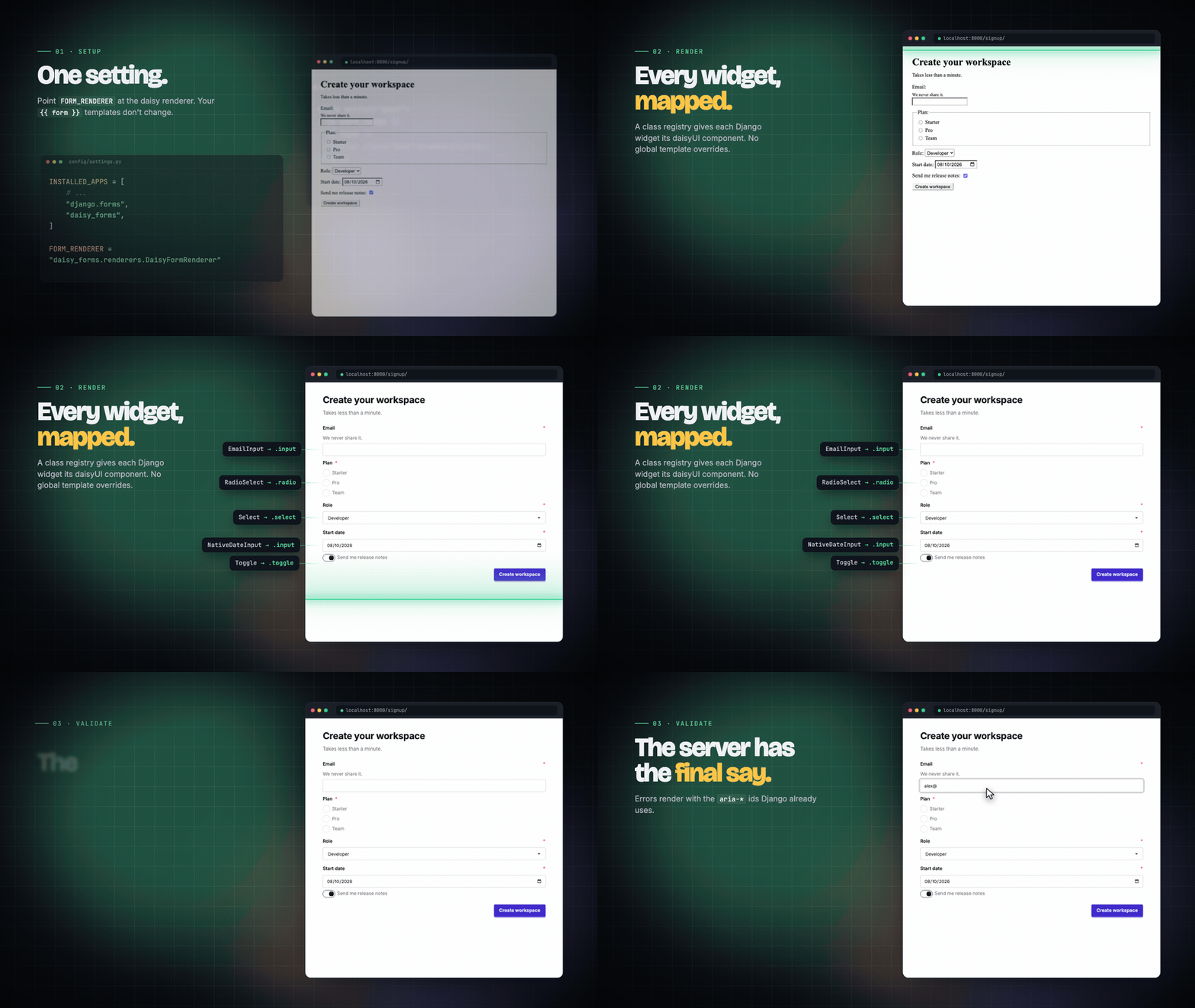
FORM_RENDERERswitches every{{ form }},{{ formset }}and{{ form.field.as_field_group }}to daisyUI markup. No FormHelper, no layout DSL. - Built on Django's APIs. A class registry gives each widget its daisyUI
component through a custom
BoundField. Django's global widget templates are never overridden, and custom widgets are left alone. - The server has the final say. Errors come from Django validation and use
the same
aria-invalidandaria-describedbyids Django already generates. - One tag for per-field control.
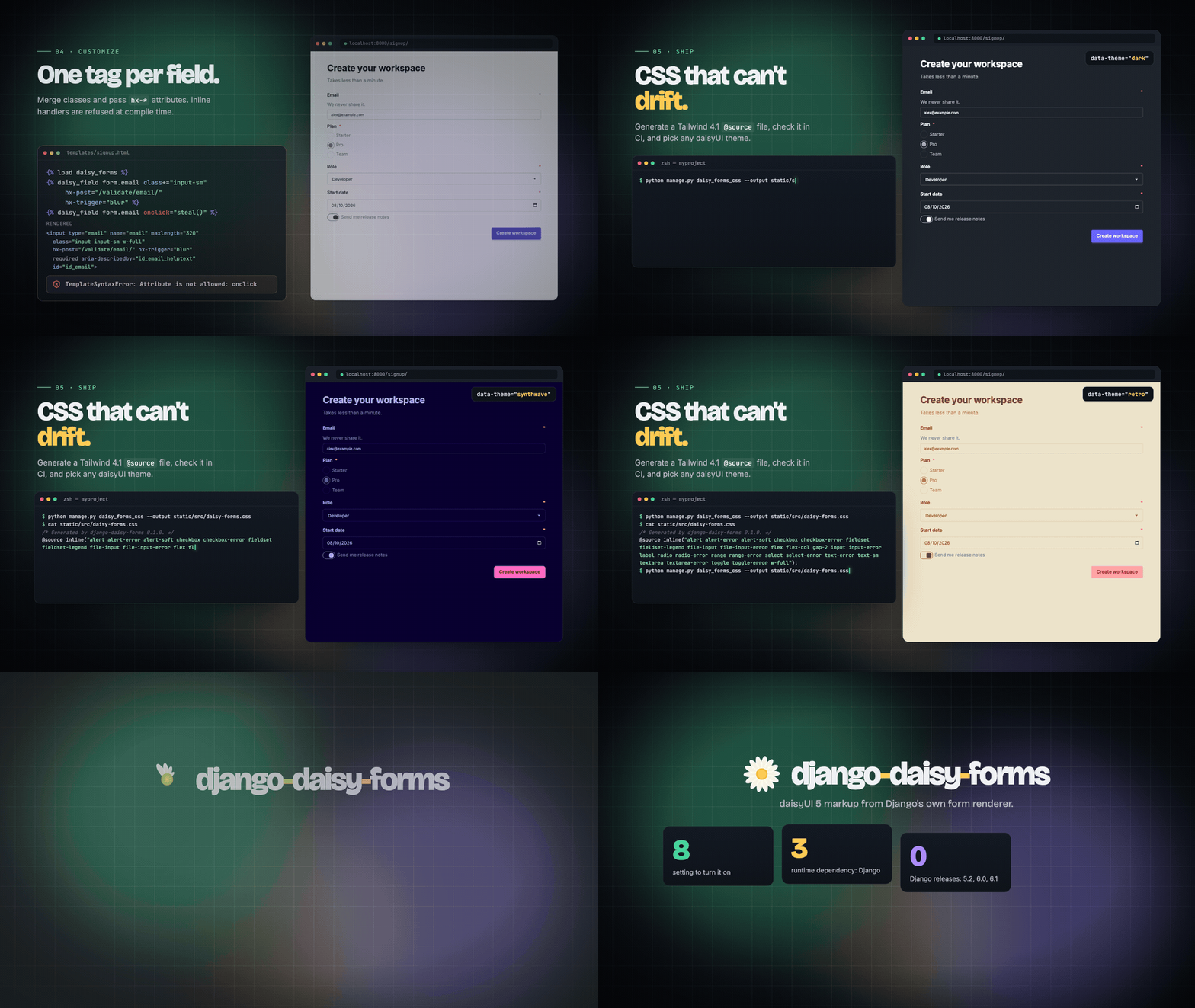
{% daisy_field %}merges classes, passes attributes such ashx-*, and opts fields into horizontal layouts, inline choices, or text addons. It refuses inline event handlers. - CSS that can't drift. A management command writes the Tailwind
@source inline()file, and--checkfails CI when it is out of date. - Small footprint. One runtime dependency, Django, and no JavaScript.
Features
Rendering
Each Django widget gets its daisyUI component class: input, textarea,
select, checkbox, radio, toggle, file-input, and range. Fields with
errors also get the matching -error variant. daisy_forms.widgets adds
Toggle plus native NativeDateInput, NativeTimeInput, and
NativeDateTimeInput widgets. Help text is escaped unless it is marked safe.
Validation
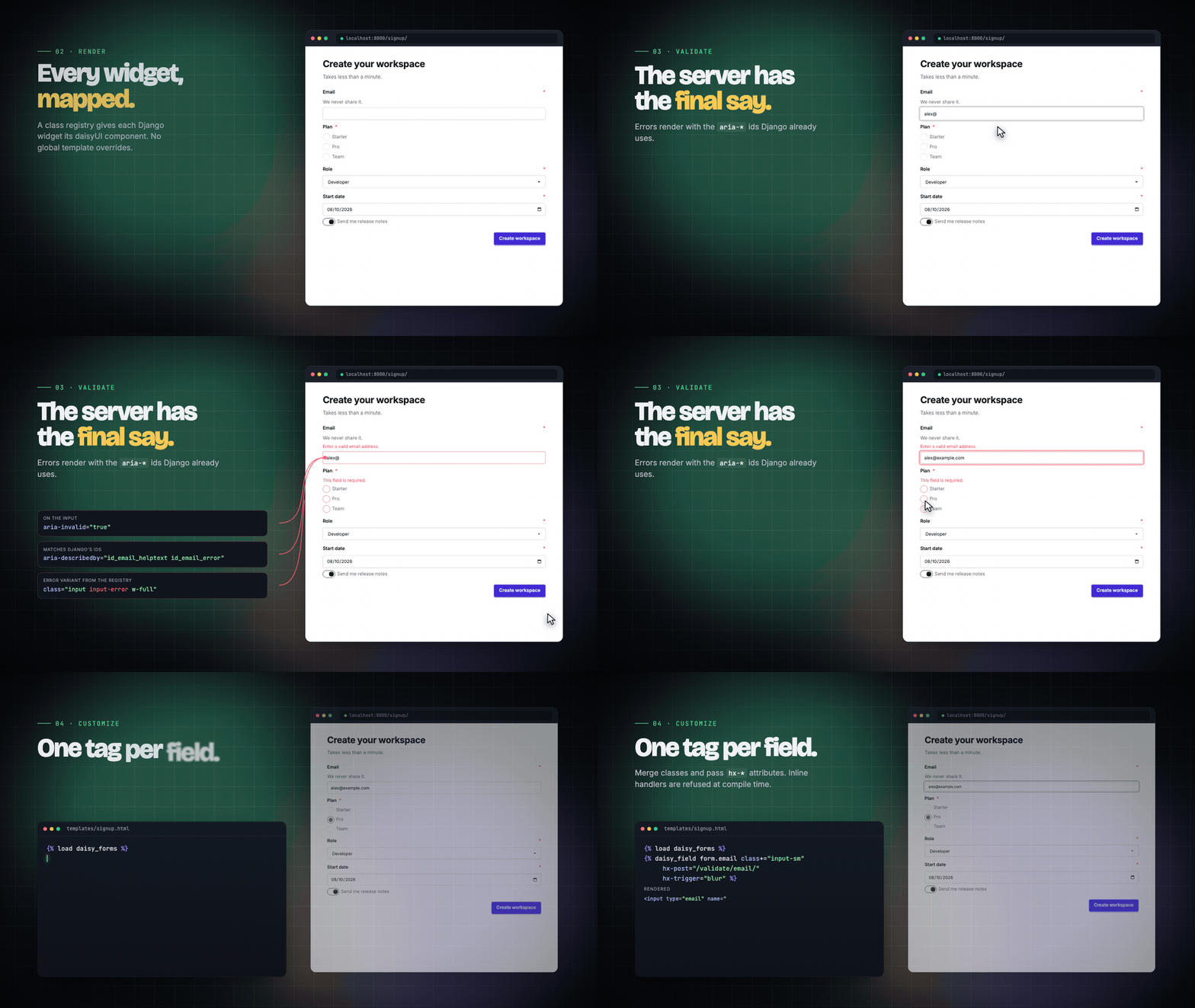
Server-side validation stays authoritative. Invalid fields render with
aria-invalid="true", error lists use the {id}_error ids that
aria-describedby references, and controls switch to their -error class.
When using htmx, return a 422 with the re-rendered field group; no htmx
dependency is required. For whole-form submissions, see the
HTMX validation recipe.
Per-field control
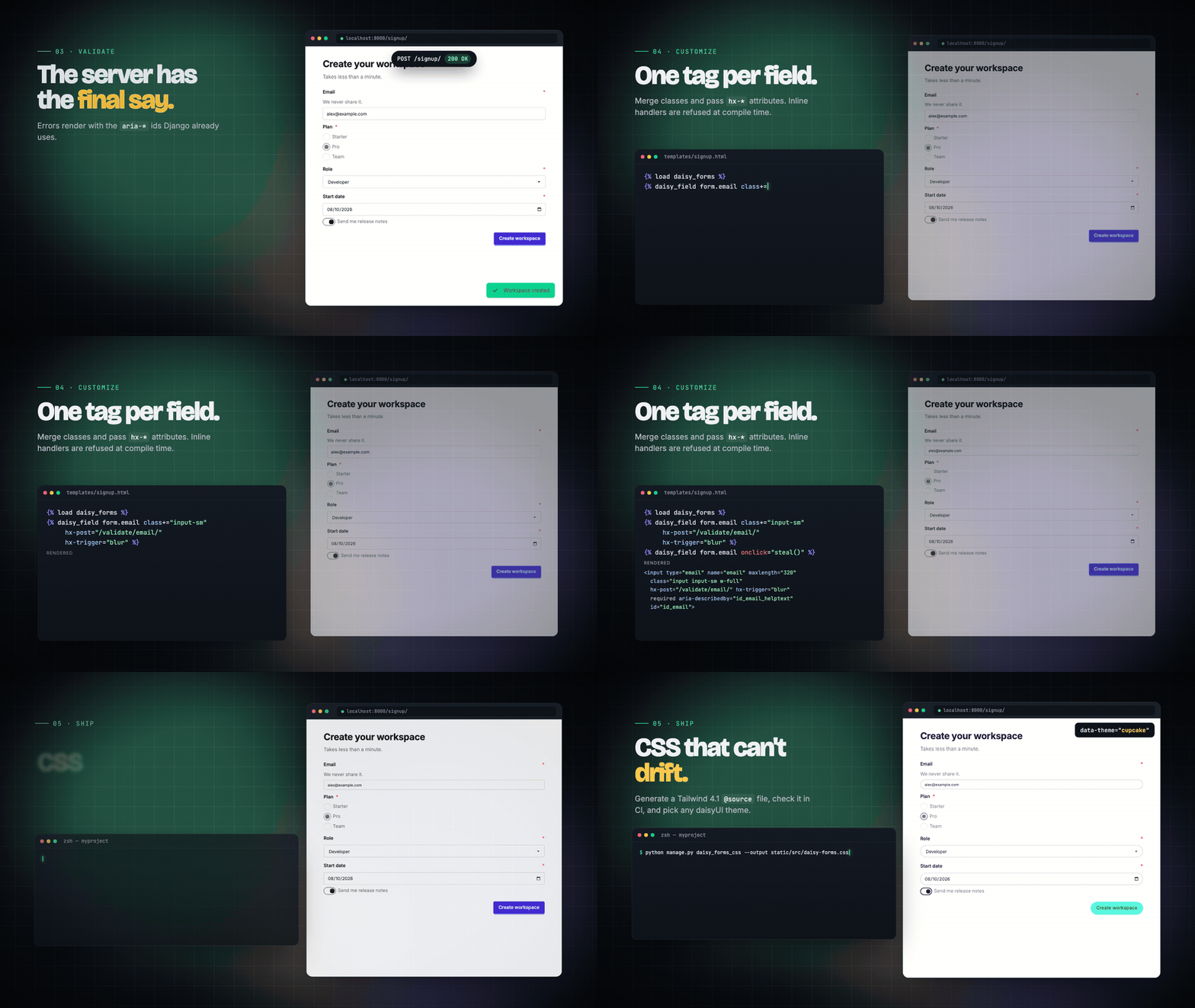
For one-off fields, load the tag library and pass normal widget attributes:
{% load daisy_forms %}
{% daisy_field form.email class+="input-sm" hx-post="/validate/email/" hx-trigger="blur" %}
class+= merges with the daisyUI classes, and label= and template=
override the label and the field template. label_class= appends classes to
the field's main label (or choice-group legend); it does not style individual
choice labels. The package's default and horizontal templates render it;
custom field templates must use field.label_class themselves. Add the class
to your Tailwind source or safelist if your project does not otherwise use it.
Every other name becomes a widget attribute except label, label_class,
template, choices, prefix, and suffix. Inline handlers (on*, hx-on*,
x-on*, x-init) and the managed aria-invalid and aria-describedby
attributes raise a TemplateSyntaxError when the template is compiled.
Layouts and addons
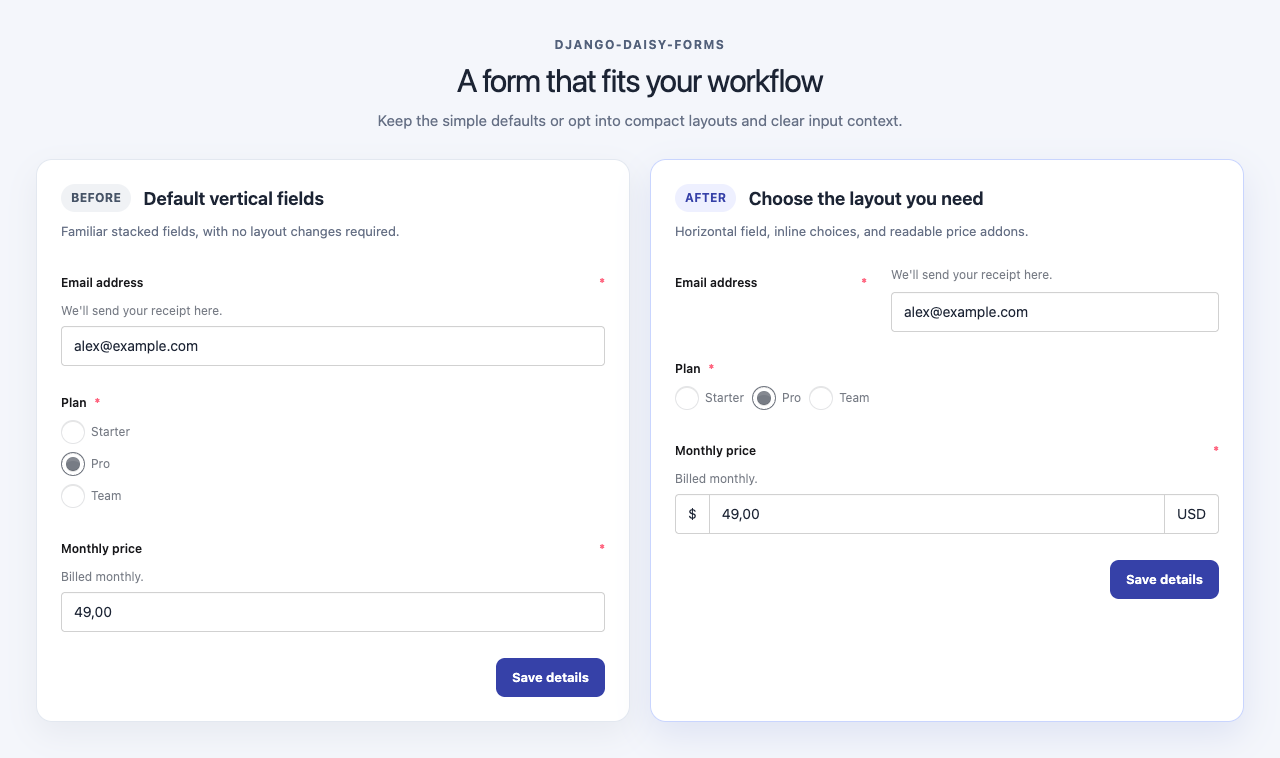
Fields stay stacked by default. Opt into a horizontal field, inline choices, or text addons where they help the form:
{% load daisy_forms %}
{% daisy_field form.email template="daisy_forms/field_horizontal.html" %}
{% daisy_field form.plan choices="inline" %}
{% daisy_field form.features choices="inline" %}
{% daisy_field form.price prefix="$" suffix="USD" %}
- Horizontal fields.
field_horizontal.htmlstacks the label and control on narrow screens and places them side by side from themdbreakpoint. - Inline choices.
choices="inline"lays out stockRadioSelectandCheckboxSelectMultipleoptions in a wrapping row. - Text addons.
prefixandsuffixjoin plain text to stock single-line widgets styled with daisyUI'sinputcomponent. Values are escaped, so pass$orkgrather than HTML. Addons copy the input's size, color, and error modifiers, soclass+="input-sm"or a validation error styles the whole group.
Unsupported combinations, such as choices="grid", choices on a select, or
prefix on a hidden, checkbox, or radio field, raise a TemplateSyntaxError
when the field renders. The layout classes are part of the daisy_forms_css
output, so regenerate that file when upgrading the package.
Composed forms
Use ordinary Django template markup to group fields and place actions. This keeps the form structure in the project, with no package layout API:
{% load daisy_forms %}
<form method="post">
  {% csrf_token %}
  <fieldset>
    <legend>Account</legend>
    {% daisy_field form.email template="daisy_forms/field_horizontal.html" label_class="font-semibold" %}
  </fieldset>
  <fieldset>
    <legend>Plan and features</legend>
    {% daisy_field form.plan choices="inline" %}
    {% daisy_field form.features choices="inline" %}
  </fieldset>
  <div class="flex flex-col gap-3 sm:flex-row sm:justify-end">
    <button class="btn btn-ghost" type="reset">Reset</button>
    <button class="btn btn-primary" type="submit">Save</button>
  </div>
</form>
Tailwind CSS
The package requires Tailwind CSS 4.1 or later and daisyUI 5.0.36 or later.
Tailwind does not scan site-packages, so the package ships its classes as a
source file. Generate it in the project that owns the Tailwind build:
python manage.py daisy_forms_css --output static/src/daisy-forms.css
Import the generated file after Tailwind and daisyUI:
@import "tailwindcss";
@plugin "daisyui";
@import "./daisy-forms.css";
Then check it in CI:
python manage.py daisy_forms_css --output static/src/daisy-forms.css --check
Themes
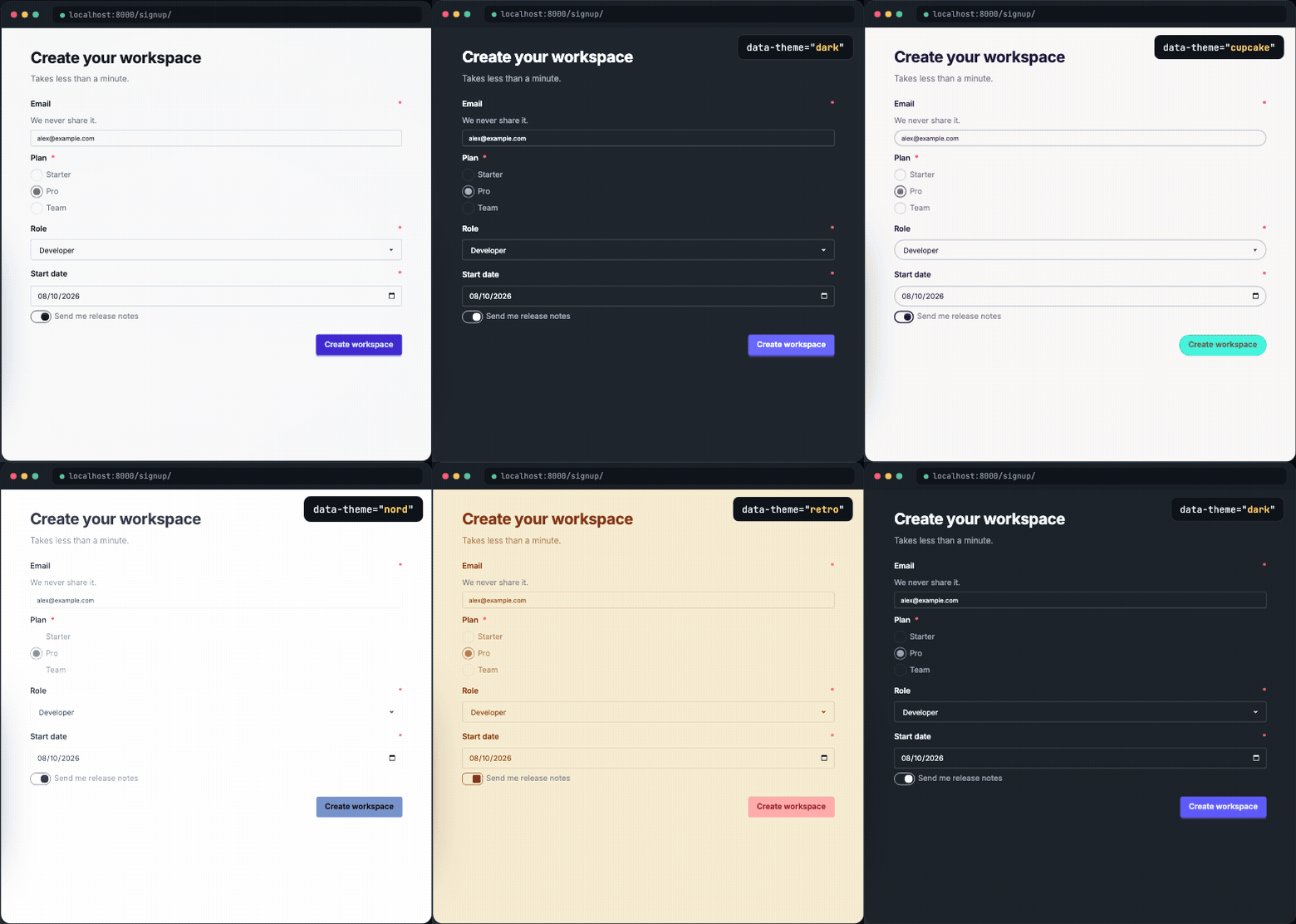
The markup uses daisyUI component classes only, so any daisyUI theme applies
through data-theme with nothing to configure in the package.
Support
| Requirement | Supported |
|---|---|
| Python | 3.12 or later |
| Django | 5.2, 6.0, 6.1 |
| Tailwind CSS | 4.1 or later |
| daisyUI | 5.0.36 or later |
The package has one runtime dependency, Django. Tailwind CSS and daisyUI remain dependencies of the project that consumes this package.
Development
Install uv and Just, then run:
uv sync --all-groups
uv run prek install
just check
The available commands are:
just format     Format Python files with Ruff.
just lint       Run Ruff linting.
just typecheck  Run strict mypy with django-stubs.
just test       Run pytest.
just css-check  Build the Tailwind and daisyUI fixture.
just css-preview  Build the fixture CSS for the browser preview.
just check      Run formatting, linting, type checks, and tests.
just build      Build wheel and source-distribution artifacts.

just browser-setup    Install Playwright, Chromium, and the browser CLI.
just browser-test     Run the opt-in browser checks for form layouts.
just browser-preview  Serve the layout preview at 127.0.0.1:8000/__preview__/.
just browser-cli      Open the preview in the pinned Playwright CLI.
Run just update to upgrade the lockfile within declared dependency
constraints and sync all development groups.
For optional local browser validation of the form layouts, use Node 20 or later, install the browser tools and Chromium, then run the browser checks:
just browser-setup
just browser-test
To inspect the live preview with the pinned Playwright CLI, run just browser-preview in one terminal and just browser-cli in another. The browser
checks are opt-in and stay out of the default test and CI runs.
Prek runs Ruff and whitespace, YAML, and TOML checks before commits. CI runs the declared Django and Python matrix, builds both release artifacts, and smoke tests them in isolated environments.
Releasing
Choose the release level and run just bump-patch, just bump-minor, or
just bump-major. These recipes use uv version --bump to update the package
version and lockfile. Review and commit the changes, merge them to main, then
push a matching semantic version tag such as v0.1.0.
The release workflow checks that the tag matches the package version, rebuilds
and smoke-tests the wheel and source distribution, adds provenance attestations,
and publishes through PyPI Trusted Publishing. Before the first release,
configure a PyPI trusted publisher for this GitHub repository and the pypi
GitHub Actions environment.
License
MIT. See LICENSE.
1 maintainer

Metadata
1 maintainer
Release files for django-daisy-forms 0.1.0
For a detailed explanation of source distributions (sdists) and built distributions (wheels), please see the package formats documentation.
Source distribution (sdist)
| File | Size | Uploaded | |
|---|---|---|---|
| django_daisy_forms-0.1.0.tar.gz | 14.8 kB | Details |
Built distribution (wheel)
| File | Interpreter | ABI | Platform | Reset |
|---|---|---|---|---|
| django_daisy_forms-0.1.0-py3-none-any.whl | Python 3 | none | any | Details |
Total release size: 37.0 kB
Release files / django_daisy_forms-0.1.0.tar.gz
| Download URL | django_daisy_forms-0.1.0.tar.gz |
|---|---|
| Size | 14.8 kB |
| Tags | Source |
|
SHA-256 checksum How to use checksums |
3eb68fd5890f9cc662767570e23434af9faeb12fa6d019b74620af7676972983
|
|
BLAKE2b-256 checksum How to use checksums |
dd43adfa3499a4e3a68a770172f9a53e2a12a7cc5a0a72f95682b97d430c098e
|
| Upload date | |
|
Uploaded using Trusted Publishing? What is trusted publishing? |
Yes |
| Uploaded via |
uv/0.12.24 {"installer":{"name":"uv","version":"0.12.24","subcommand":["publish"]},"python":null,"implementation":{"name":null,"version":null},"distro":{"name":"Ubuntu","version":"24.04","id":"noble","libc":null},"system":{"name":null,"release":null},"cpu":null,"openssl_version":null,"setuptools_version":null,"rustc_version":null,"ci":true}
|
Release files / django_daisy_forms-0.1.0-py3-none-any.whl
| Download URL | django_daisy_forms-0.1.0-py3-none-any.whl |
|---|---|
| Size | 22.2 kB |
| Tags | Python 3 |
|
SHA-256 checksum How to use checksums |
380bd2ce163a3a35bda889638bfc333c61342b7646632c173c97389c4ab907db
|
|
BLAKE2b-256 checksum How to use checksums |
0463dea21824370778efb2d3c3657c9d10c97369fee3b8587276d4692a038cf1
|
| Upload date | |
|
Uploaded using Trusted Publishing? What is trusted publishing? |
Yes |
| Uploaded via |
uv/0.12.24 {"installer":{"name":"uv","version":"0.12.24","subcommand":["publish"]},"python":null,"implementation":{"name":null,"version":null},"distro":{"name":"Ubuntu","version":"24.04","id":"noble","libc":null},"system":{"name":null,"release":null},"cpu":null,"openssl_version":null,"setuptools_version":null,"rustc_version":null,"ci":true}
|













