
django-dbbackup-admin
get backup from database through admin panel
This is a simple and useful method to get backup from database through admin panel
1. install package
pip install django-dbbackup-admin
2. add this packages in INSTALLED_APPS :
INSTALLED_APPS = [
    # ...
    'dbbackup',
    'solo',
    'dbbackup_admin'
    # ...
]
3.read documents of django-dbbackup library from this link :
https://django-dbbackup.readthedocs.io/en/master/
4. set your desired config like this:
DBBACKUP_STORAGE = 'storages.backends.s3boto3.S3Boto3Storage'

DBBACKUP_STORAGE_OPTIONS = {
    'access_key': config("S3_ACCESS_KEY"),
    'secret_key':config("S3_SECRET_KEY"),
    'bucket_name': config("S3_BUCKET_NAME"),
    'default_acl': config("S3_DEFAULT_ACL"),
    'location':config("S3_BACKUP_FOLDER_NAME")
}
Note: If you use s3 storage you should install boto3 package.
5. create and migrate migrations in BASE_DIR:
python manage.py migrate dbbackup_admin
when you pass this missions toy will see this in your admin panel:
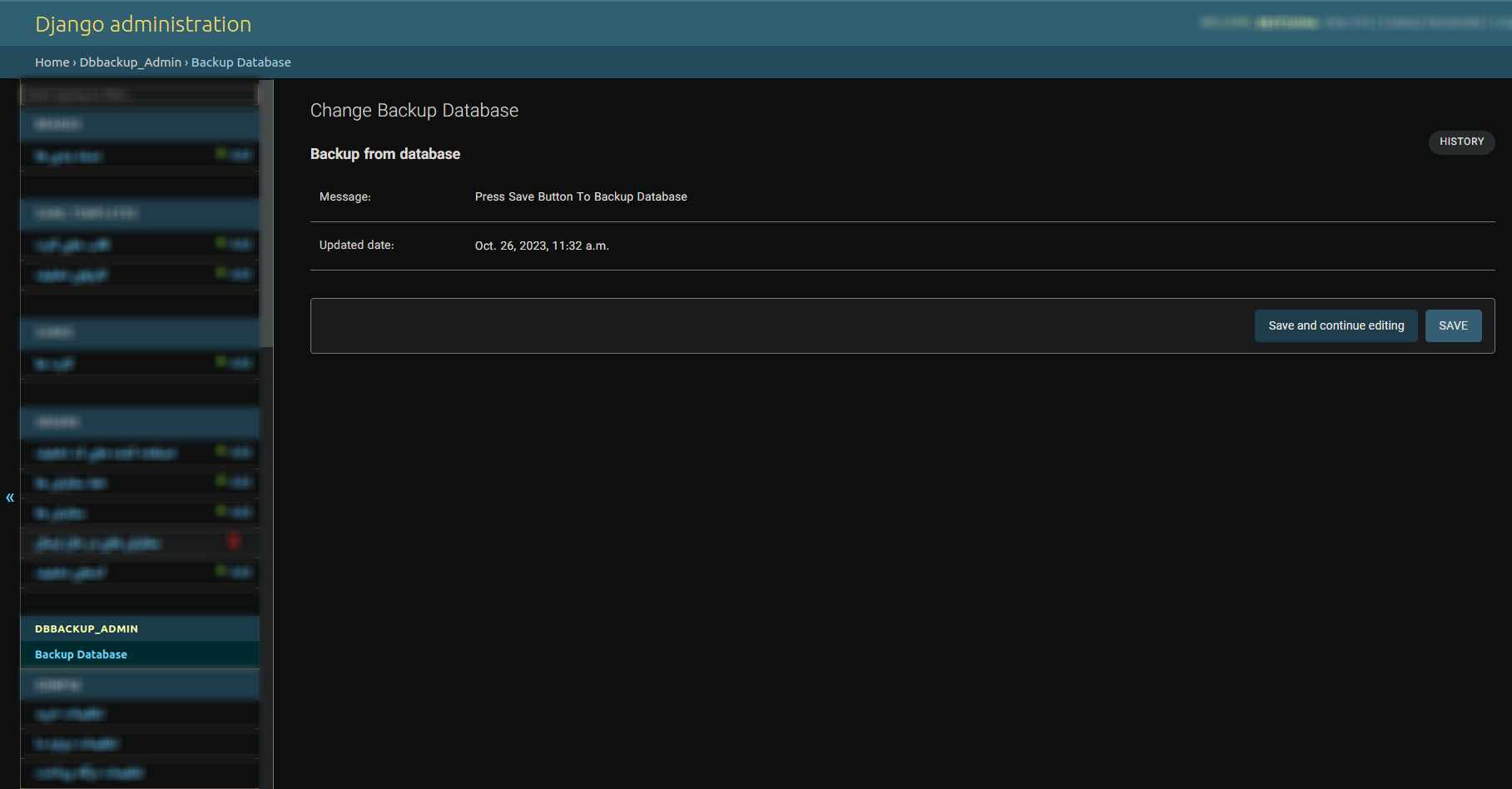
when you click on save button backup will be saved on your desired bucket or directory.
Thanks for attention
1 maintainer

Metadata
1 maintainer
Release files for django-dbbackup-admin 1.5.0
For a detailed explanation of source distributions (sdists) and built distributions (wheels), please see the package formats documentation.
Source distribution (sdist)
| File | Size | Uploaded | |
|---|---|---|---|
| django-dbbackup-admin-1.5.0.tar.gz | 4.5 kB | Details |
Built distribution (wheel)
| File | Interpreter | ABI | Platform | Reset |
|---|---|---|---|---|
| django_dbbackup_admin-1.5.0-py3-none-any.whl | Python 3 | none | any | Details |
Total release size: 10.0 kB
Release files / django-dbbackup-admin-1.5.0.tar.gz
| Download URL | django-dbbackup-admin-1.5.0.tar.gz |
|---|---|
| Size | 4.5 kB |
| Tags | Source |
|
SHA-256 checksum How to use checksums |
99d5a8281f06abbff2594698f7540cd4b190fd295337c6a558a36a54e16a8935
|
|
BLAKE2b-256 checksum How to use checksums |
990331545ca0edf354a11470bcd094f873961df1d31ea4a1f59612e712cde8e3
|
| Upload date | |
|
Uploaded using Trusted Publishing? What is trusted publishing? |
No |
| Uploaded via |
twine/4.0.2 CPython/3.10.9
|
Release files / django_dbbackup_admin-1.5.0-py3-none-any.whl
| Download URL | django_dbbackup_admin-1.5.0-py3-none-any.whl |
|---|---|
| Size | 5.5 kB |
| Tags | Python 3 |
|
SHA-256 checksum How to use checksums |
1375eb5c3a71bd60b34d8f3565fcd3383525d43bf72f7196e8b46847d5f31004
|
|
BLAKE2b-256 checksum How to use checksums |
bb9ab256c29e78095ad2bf47c08f85ca589241f5897e072b1765dd6f35d5e042
|
| Upload date | |
|
Uploaded using Trusted Publishing? What is trusted publishing? |
No |
| Uploaded via |
twine/4.0.2 CPython/3.10.9
|














