
Datastar Signals for Django Debug Toolbar
This is a third-party panel for Django Debug Toolbar. It displays a browser-side JSON view of the current page's Datastar signals.
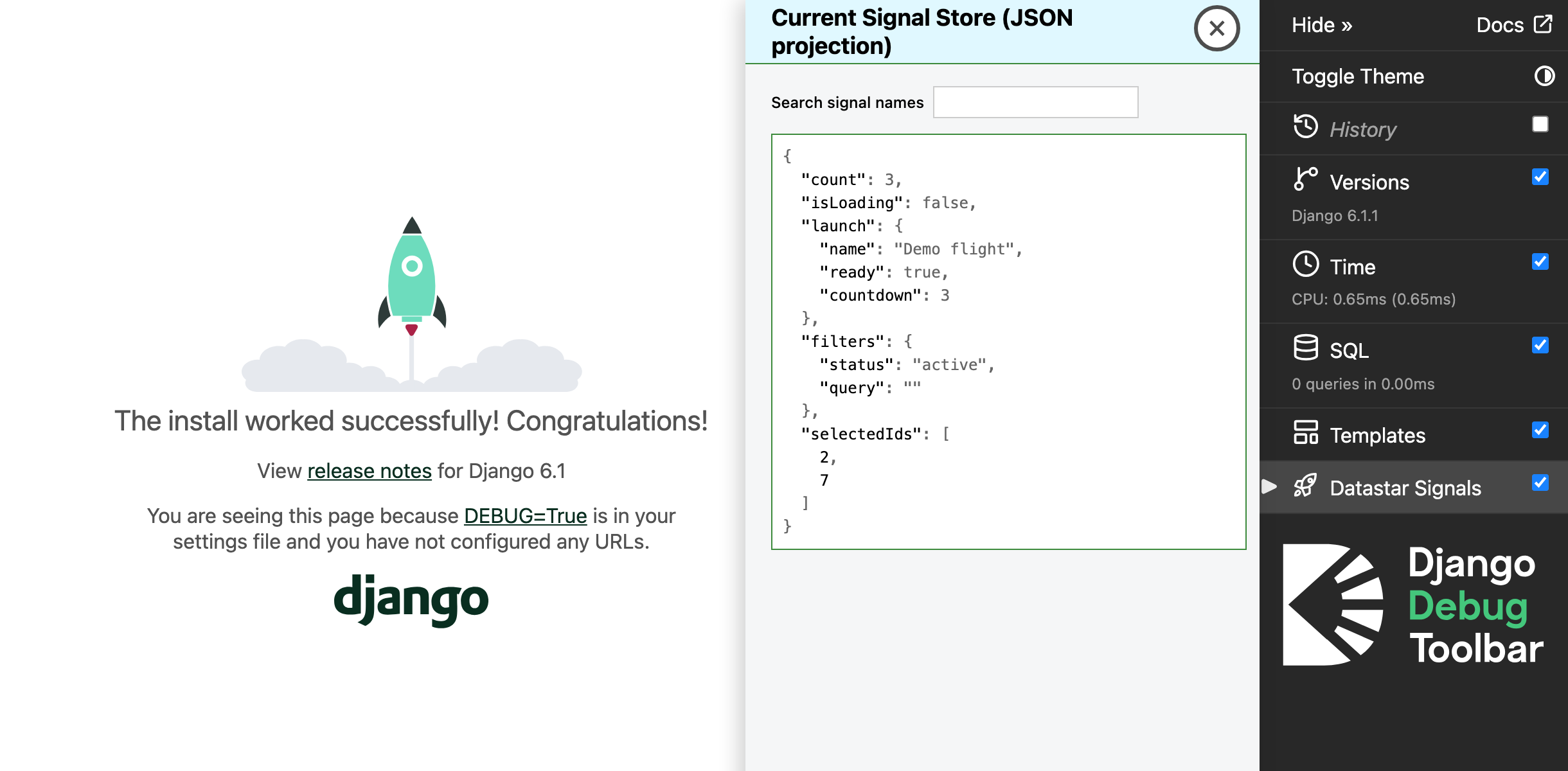
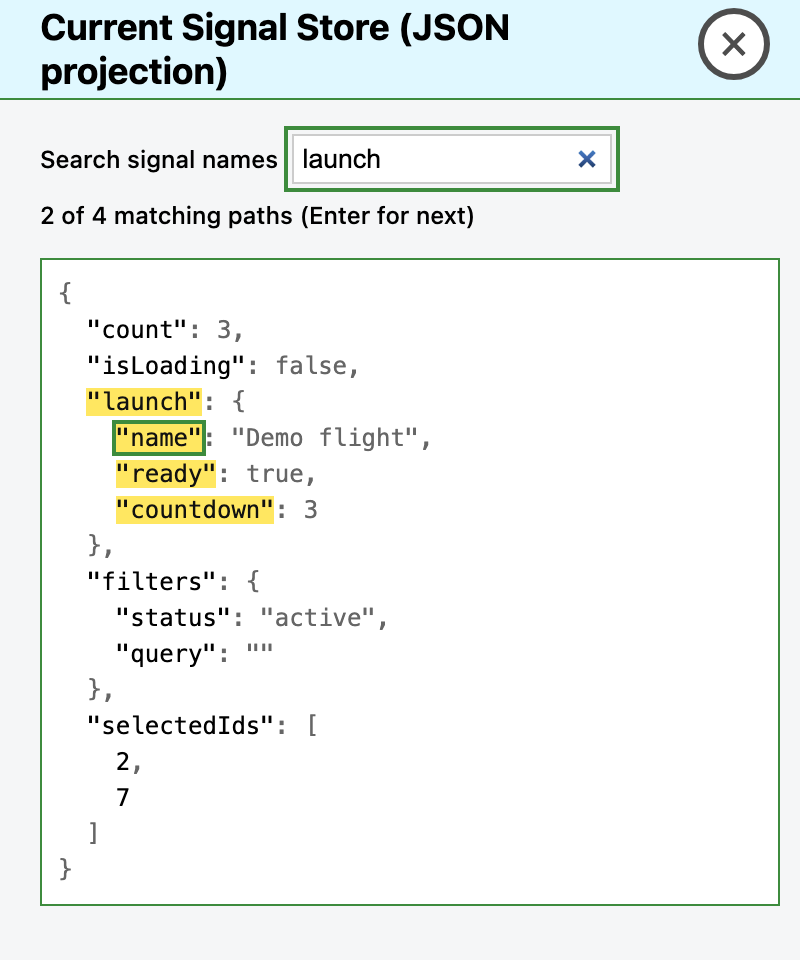
Search highlights matching signal names and paths without hiding other values.
Core idea
This plugin displays Datastar signals from the page DOM. The template includes a search field. A script creates a hidden collector element in the document body for Datastar.
The collector shows the current signals as JSON. Datastar reads data-json-signals__terse and writes JSON to the collector text. The panel reads this text and does not keep a history.
For example, the collector holds {"count":2} when count is 2. When count changes to 3, a MutationObserver calls render() and the panel shows the new value. A panel that opens later reads the current JSON from the collector.
Install in a Django project
Use a local development environment with Python 3.10+, Django 5.2+, and Django Debug Toolbar 8.0.0+.
Install version 0.1.0 from PyPI after its release:
python -m pip install django-debug-toolbar-datastar==0.1.0
Before publication, build and install the wheel from this checkout:
python -m pip install build
python -m build
python -m pip install dist/django_debug_toolbar_datastar-0.1.0-py3-none-any.whl
Keep your existing apps, including django.contrib.staticfiles and debug_toolbar. Add django_datastar_toolbar to INSTALLED_APPS:
INSTALLED_APPS = [
    # Keep the other apps from your project here.
    "django.contrib.staticfiles",
    "debug_toolbar",
    "django_datastar_toolbar",
]
Add "django_datastar_toolbar.panels.DatastarStorePanel" to your existing complete ordered DEBUG_TOOLBAR_PANELS list. This setting replaces the toolbar defaults. Keep every other panel that you want to use.
For a short test only, you can use the History panel and the Datastar panel. This list removes the other default panels. Copy the complete panel list for your installed toolbar version if you want to keep them.
DEBUG_TOOLBAR_PANELS = [
    "debug_toolbar.panels.history.HistoryPanel",
    "django_datastar_toolbar.panels.DatastarStorePanel",
]
Installing the package does not activate the toolbar or the panel. If your project does not use Django Debug Toolbar yet, follow its installation guide. Add its middleware and URLs to your project. Set DEBUG=True for local development, allow your local IP in INTERNAL_IPS, and enable the app-directory template loader (APP_DIRS=True). The page must load the official full Datastar bundle. The core bundle alone does not include the built-in data-json-signals attribute.
Run Django checks and find the add-on script:
python manage.py check
python manage.py findstatic django_datastar_toolbar/js/datastar_store.js
Start your project and open a page that uses Datastar. Select Datastar Signals in the toolbar, then change a sample signal and check the JSON display. The package does not ship or inject any Datastar bundle or Inspector assets.
Use sample data only. This panel does not hide sensitive values, and its raw JSON projection remains in the page DOM.
AI-assisted development
Large language models (LLMs) helped create parts of this project's code and documentation. The author reviewed and edited all LLM-assisted content.
Run tests
Run the Python panel tests:
python -m pytest tests/python/test_panel.py
Run the JavaScript tests in headless Chromium. Use Node.js 22.12 or newer in the 22 series, or use Node.js 24:
npm ci
npx playwright install chromium
npm test
The npm test suite tests the DOM without Django or Datastar.
The full browser tests start Django and load the pinned full Datastar bundle.
Run them with the Python environment that has this package installed:
TEST_PYTHON=python npm run test:e2e
1 maintainer

Metadata
1 maintainer
Release files for django-debug-toolbar-datastar 0.1.0
For a detailed explanation of source distributions (sdists) and built distributions (wheels), please see the package formats documentation.
Source distribution (sdist)
| File | Size | Uploaded | |
|---|---|---|---|
| django_debug_toolbar_datastar-0.1.0.tar.gz | 8.7 kB | Details |
Built distribution (wheel)
| File | Interpreter | ABI | Platform | Reset |
|---|---|---|---|---|
| django_debug_toolbar_datastar-0.1.0-py3-none-any.whl | Python 3 | none | any | Details |
Total release size: 20.5 kB
Release files / django_debug_toolbar_datastar-0.1.0.tar.gz
| Download URL | django_debug_toolbar_datastar-0.1.0.tar.gz |
|---|---|
| Size | 8.7 kB |
| Tags | Source |
|
SHA-256 checksum How to use checksums |
3d8ebc1d0eecea95f800aa59df3a7586ede54d147e20e4707707bd0418422ae8
|
|
BLAKE2b-256 checksum How to use checksums |
0b9a4c55c45671b296d74bcc3c0bb73d791092c28a0f69ab53ecf7b7daf7061a
|
| Upload date | |
|
Uploaded using Trusted Publishing? What is trusted publishing? |
No |
| Uploaded via |
twine/7.0.0 CPython/3.13.5
|
Release files / django_debug_toolbar_datastar-0.1.0-py3-none-any.whl
| Download URL | django_debug_toolbar_datastar-0.1.0-py3-none-any.whl |
|---|---|
| Size | 11.8 kB |
| Tags | Python 3 |
|
SHA-256 checksum How to use checksums |
9fd821f9a6de077c876af2e3034c480662d609c6567abbfb71e38fd8f66e9716
|
|
BLAKE2b-256 checksum How to use checksums |
43391d42b9ae1aa5de22faaf0c57a5e147991ce82337da0cea713e3b3e0bd07b
|
| Upload date | |
|
Uploaded using Trusted Publishing? What is trusted publishing? |
No |
| Uploaded via |
twine/7.0.0 CPython/3.13.5
|













