
django-ec-calendar






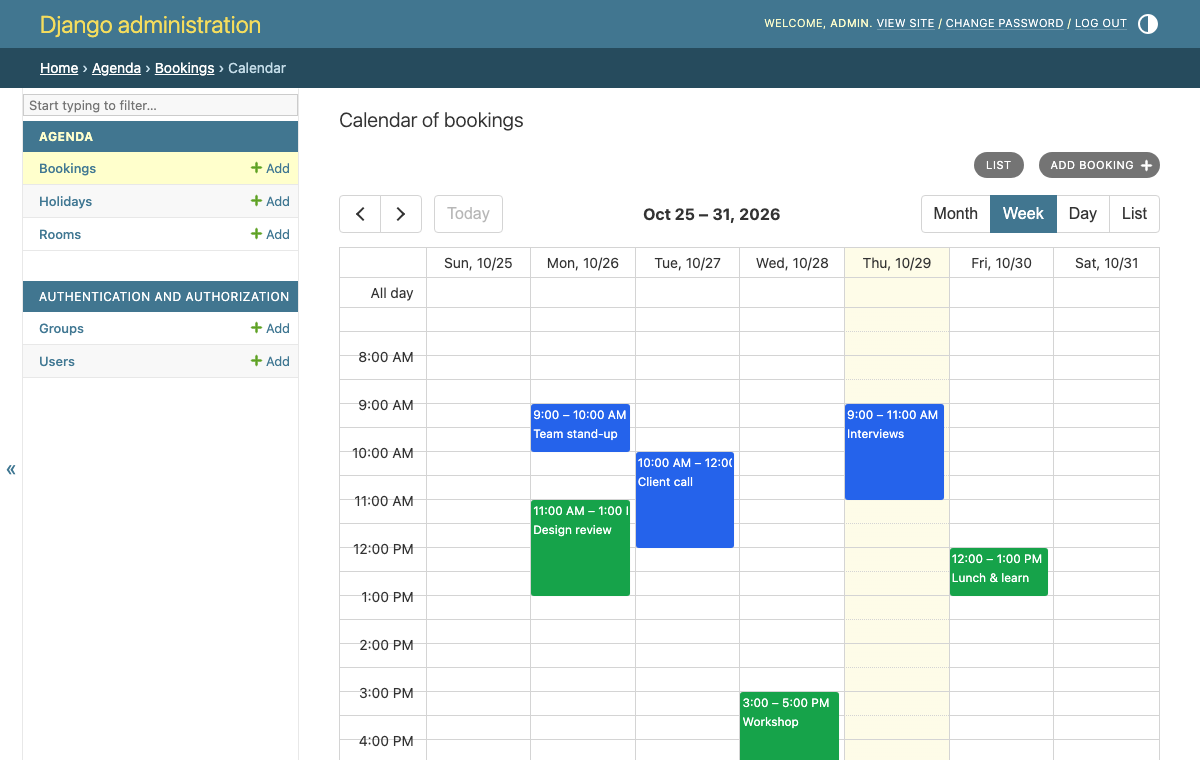
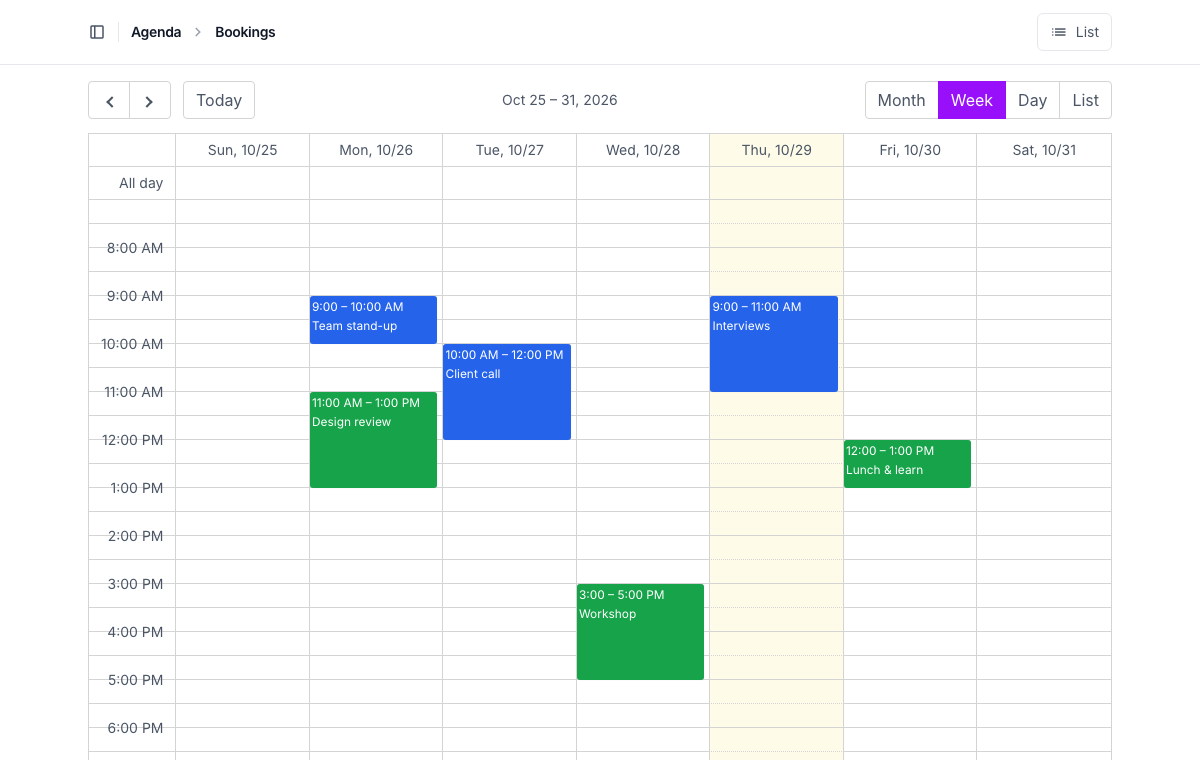
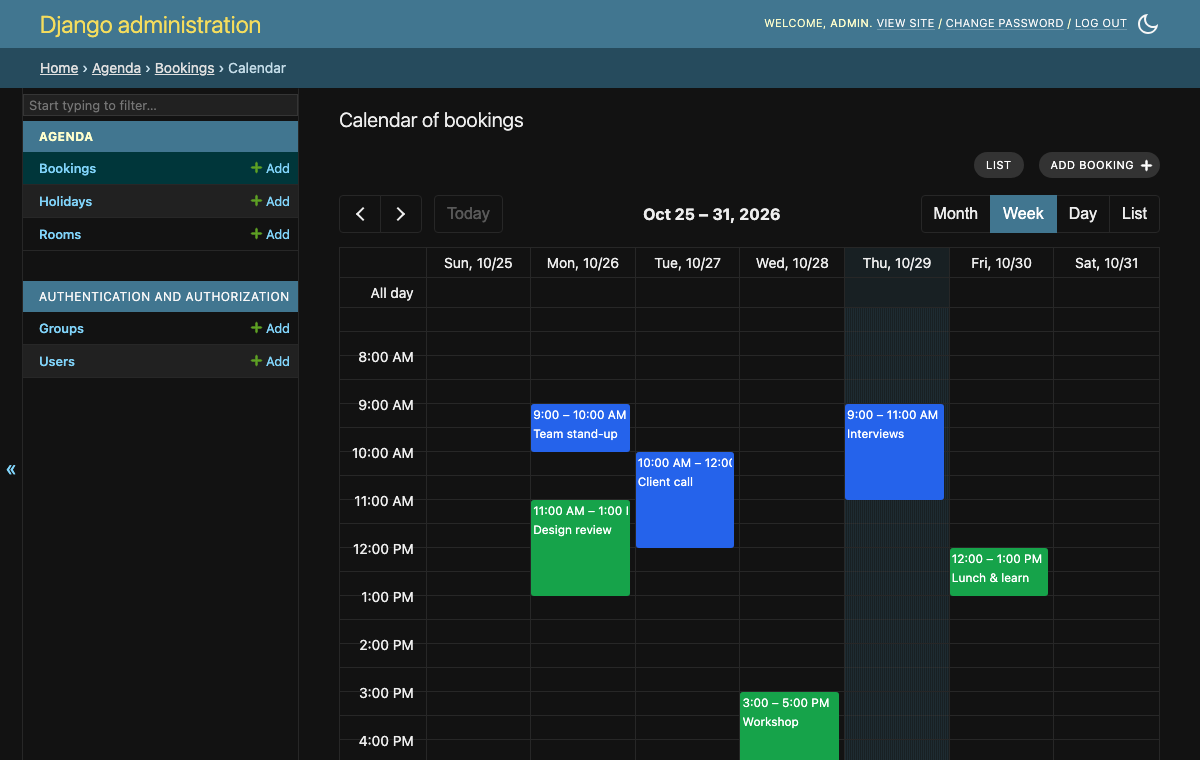
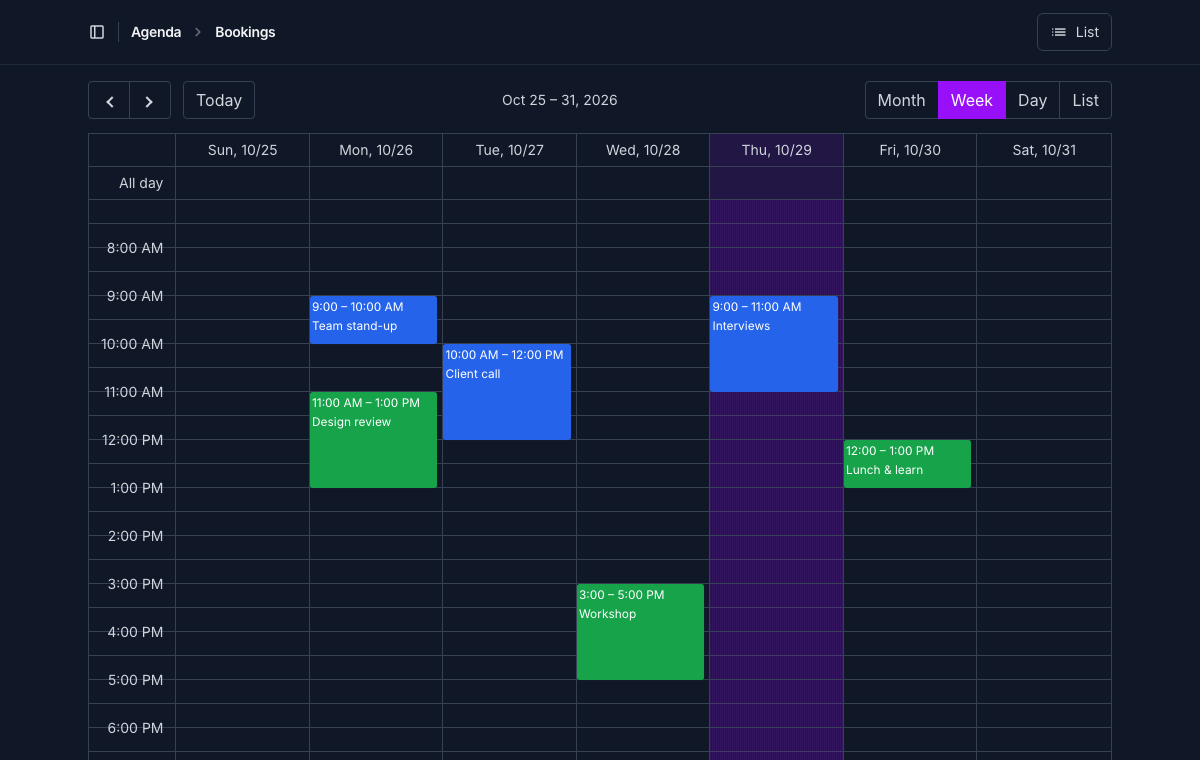
A calendar for the Django admin and your own pages, with EventCalendar (by vkurko, MIT): a changelist's objects by date — opened with a click, added by selecting the dates, moved and resized by dragging — in Django's admin and in django-unfold, light and dark.
Install
uv add django-ec-calendar
# or
pip install django-ec-calendar
Add it to INSTALLED_APPS (so Django finds its templates, and
django.contrib.staticfiles its JS and CSS — EventCalendar included, no
CDN):
INSTALLED_APPS = [
    ...,
    "django_ec_calendar",
]
In the admin
from django.contrib import admin
from django_ec_calendar import CalendarAdminMixin


@admin.register(Booking)
class BookingAdmin(CalendarAdminMixin, admin.ModelAdmin):
    list_filter = ("room",)
    search_fields = ("title",)
    calendar_start_field = "start"
    calendar_end_field = "end"  # optional
    calendar_color_field = "color"  # optional: a CSS color, a field or property
    calendar_view = "timeGridWeek"  # optional ("dayGridMonth")
    calendar_options = {"slotMinTime": "07:00"}  # optional: any of EventCalendar's
The changelist gets a "Calendar" link, next to "Add":
- What it shows is
get_calendar_queryset(request): what the changelist would (itsget_queryset(), filters and search). Override it, callingsuper(), to restrict the calendar only. One query per range the calendar shows. - Its filters and search: the changelist's, around it
(
calendar_filters = False: not). Filtering by a resource shows only its column. - A click on an event opens its change page (read-only, for those who may only view it); after a save, back to the calendar, where it was.
- Selecting dates (or clicking one) opens the add page with them, and
the column's resource, for those who may add (
calendar_selectable = False: not). A click starts at its slot's start (9:20 in half-hour slots: 9:00). - Dragging is off by default: a slip of the mouse would change an
appointment. With
calendar_editable = True, dragging an event, or its end, saves its dates (and its resource), asking first (calendar_confirm_move = False: not), for those who may change it. The move is checked by the model (full_clean()of what it changes, and itsclean()), saved throughsave_model()and logged as the admin's changes are; what can't be saved goes back, saying why. - Where it was: its view and date are in the page's URL (
ec-view,ec-date), so the back button, a save, the filters and a shared link open it there (calendar_url_state = False: not). - Its views:
calendar_views— by default month, week, day and list (dayGridMonth,timeGridWeek,timeGridDay,listMonth; any of EventCalendar's, the resources' and timelines' included, all translated). - Today is tinted, but not in a day's view (
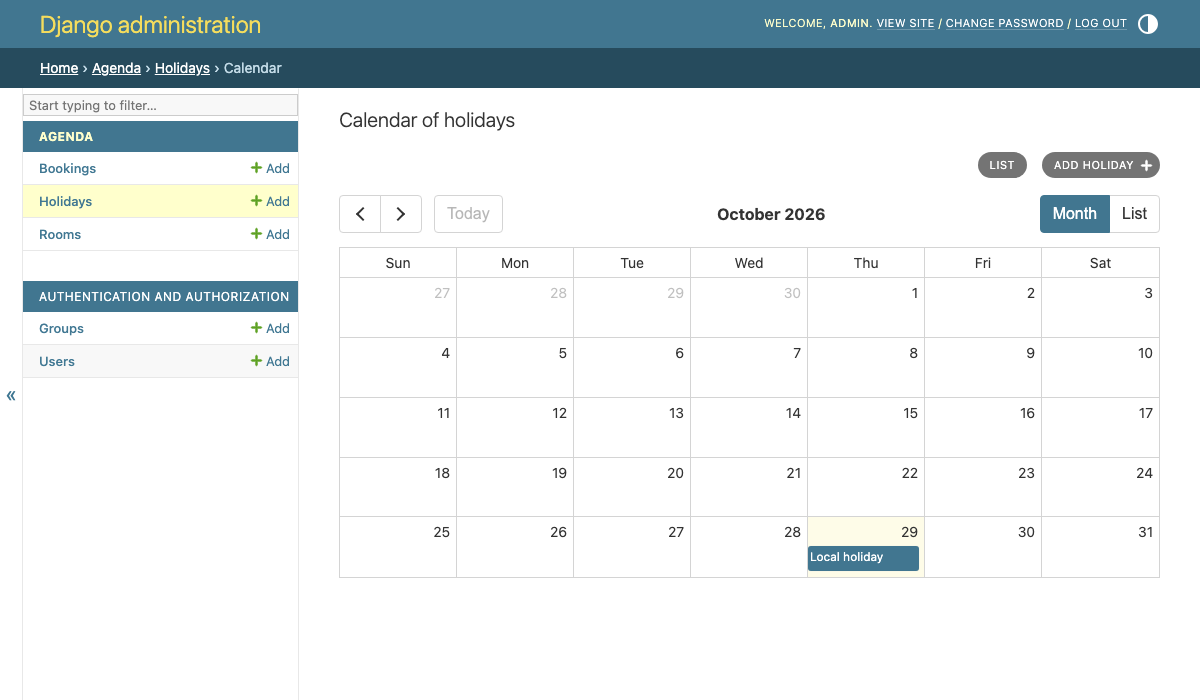
calendar_highlight_today = False: never).
In the menu
The calendar's URL is admin:<app>_<model>_calendar. In Unfold's sidebar,
calendar_navigation() gives a model's list and its calendar, each marked
active on its own page (Unfold would mark the list active on both):
from django_ec_calendar.unfold import calendar_navigation

UNFOLD = {
    "SIDEBAR": {
        "navigation": [
            {
                "title": "Agenda",
                "items": calendar_navigation(
                    "agenda.Appointment", calendar_title="Appointments' calendar"
                ),
            },
        ],
    },
}
calendar_item() and changelist_item() are each of them alone (with
title, icon and site); both are only for those who may view or
change the model's objects.
Its fields
| Option | |
|---|---|
calendar_start_field |
A DateTimeField (events at a time) or a DateField (all-day events). Required. |
calendar_end_field |
Where it ends (none: it lasts no time, or its day; it can't be resized). |
calendar_duration_field |
How long it lasts, instead of an end: minutes (an integer field) or a DurationField. Resizing changes it. Events that start up to calendar_max_duration (a day) before the calendar's range are looked for. |
calendar_all_day_field |
A BooleanField: true, an all-day event of a DateTimeField. |
calendar_title_field |
Its title (none: str(obj)). |
calendar_color_field |
Its color, a CSS color (none: the admin's). |
calendar_detail_fields |
More lines of text under its title: fields, methods or properties of the model, or the admin's methods, as in list_display (("room", "get_status_display")). Text only, never HTML. |
calendar_resource_field |
Its resource: a ForeignKey, a ManyToManyField (in several) or a field with choices. See below. |
get_calendar_event(request, obj) makes the whole event (any of
EventCalendar's event
properties), calling super().
Resources
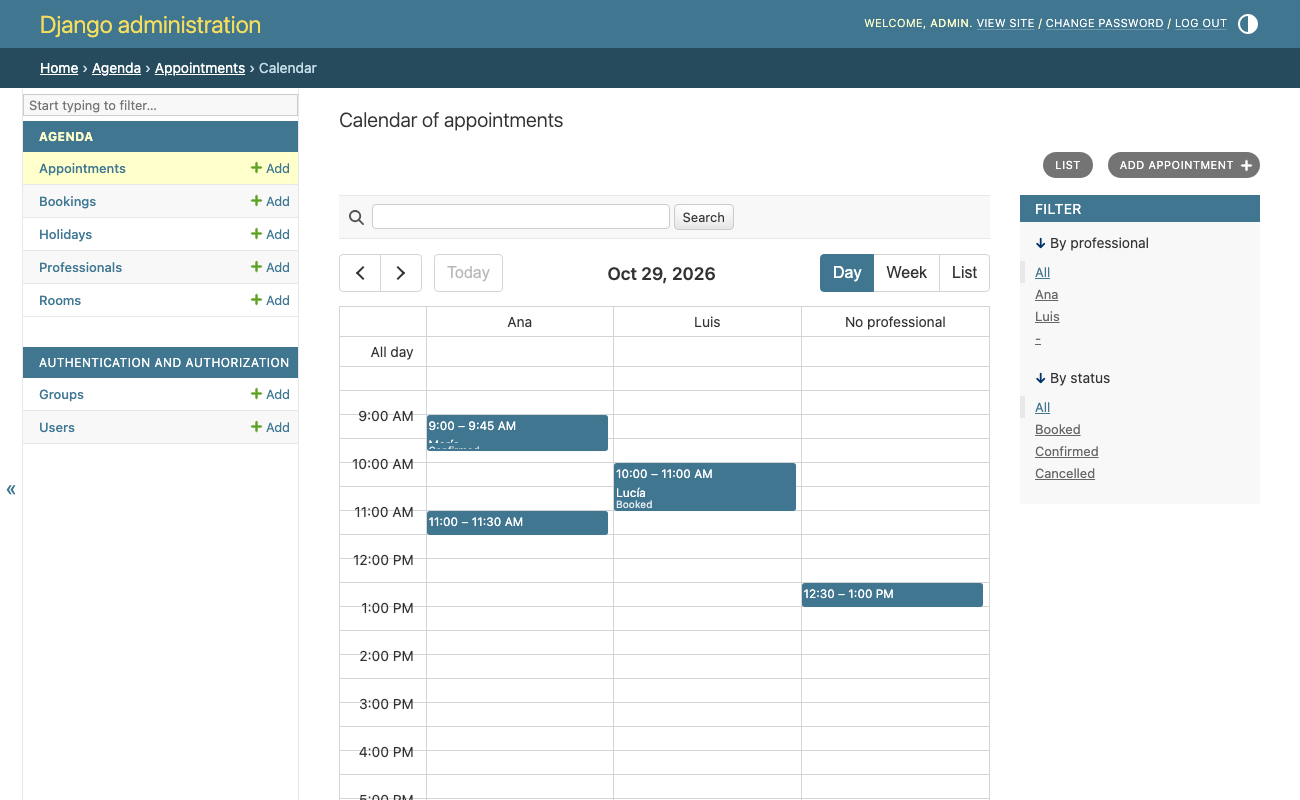
With calendar_resource_field, the resource views (resourceTimeGridDay,
resourceTimeGridWeek, resourceTimelineDay… in calendar_views) have a
column, or a row, per resource:
@admin.register(Appointment)
class AppointmentAdmin(CalendarAdminMixin, admin.ModelAdmin):
    list_filter = ("professional", "status")
    calendar_start_field = "start"
    calendar_duration_field = "minutes"
    calendar_resource_field = "professional"
    calendar_detail_fields = ("get_status_display",)
    calendar_view = "resourceTimeGridDay"
    calendar_views = ("resourceTimeGridDay", "resourceTimeGridWeek", "listWeek")
    calendar_editable = True

    def get_calendar_queryset(self, request):
        # The calendar only: not the cancelled ones.
        return super().get_calendar_queryset(request).exclude(status="cancelled")
- The resources are the objects a foreign key or a many-to-many field
may point to (its
limit_choices_to), or a field's choices; and, when an event may have none (a nullable or blank field), one more for those: "No professional" (calendar_resource_empty_label). Overrideget_calendar_resources(request)for others ({id, title}, any of EventCalendar's). - Each event is in its own (
resourceIds; with many-to-many, in each). - Adding in a column fills its resource (
?professional=3). - Dragging to another column changes its resource too, checked as the
rest; with many-to-many, from the one it was dragged from to the other
(
calendar_resource_editable = False: its resource can't change).
Days
A DateField's end is the last day (EventCalendar's is the day after: it's
converted both ways).
Time zones
Times show as the wall-clock time of Django's current time zone, and are saved so, whatever the browser's: an event at 10:00 in Madrid shows at 10:00 to someone in New York too. "Today" and the time now are the site's.
Unfold, dark
With Unfold, in its colors, and next to its buttons. In both, the calendar follows the page's theme, light or dark (the admin's theme switch, Unfold's), else the system's.
On your pages
A view with the events, as the calendar asks for them:
from django_ec_calendar import EventFeedView


class BookingEvents(EventFeedView):
    queryset = Booking.objects.select_related("room")  # or model, get_queryset()
    calendar_start_field = "start"
    calendar_end_field = "end"
    calendar_color_field = "color"
urlpatterns = [path("events/", BookingEvents.as_view(), name="booking-events")]
Each event leads to the object's get_absolute_url() (override
get_calendar_event_url(obj)). Who may see them is the view's own
business: LoginRequiredMixin, get_queryset()… The fields above work
here too; with calendar_resource_field, ?resources=1 answers its
resources.
And the calendar, in a template:
{% load ec_calendar %}
<head>
  ...
  {% ec_calendar_media %}
</head>
<body>
  {% url "booking-events" as events %}
  {% ec_calendar events view="timeGridWeek" views="dayGridMonth timeGridWeek listWeek" slotMinTime="07:00" %}
</body>
views are separated by spaces (empty: none to switch to);
resources=True fetches the resources from the same view; url_state=False
leaves the page's URL alone, and highlight_today=False never tints today.
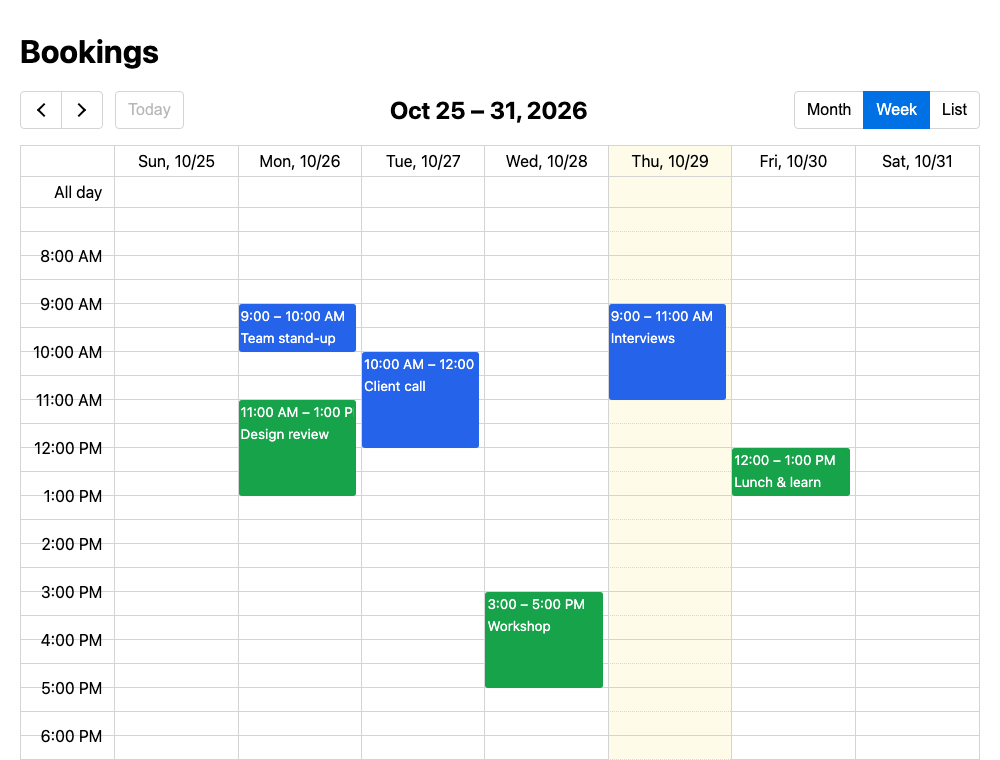
Any other keyword is one of EventCalendar's options. On a page it's
read-only.
Its events, for doing otherwise
Before it does what it does, the calendar fires an event on its element,
which bubbles and can be cancelled — preventDefault(), and it isn't done
— with the dates as the server reads them:
| Event | detail |
Otherwise |
|---|---|---|
django-ec-calendar:event-click |
event (EventCalendar's), url, jsEvent |
Opens url. |
django-ec-calendar:date-click |
start, allDay, resource, jsEvent |
Opens the add page. |
django-ec-calendar:select |
start, end, allDay, resource, jsEvent |
Opens the add page. |
django-ec-calendar:event-change |
event, saved, error |
(After a move; not cancellable.) |
document.addEventListener("django-ec-calendar:event-click", (event) => {
    event.preventDefault();
    openDialog(event.detail.url);  // A dialog, instead of a page.
});
They fire without an add page too (on your pages, selectable: true in the
options for selections).
The script makes every [data-django-ec-calendar] on the page;
window.djangoEcCalendar.setup() makes those added later, and
window.djangoEcCalendar.go is where a click leads (a single-page app's
router, instead of a page load).
Content Security Policy
It works under a strict policy (script-src 'self'; style-src 'self', no
'unsafe-inline'): each calendar's configuration is a JSON data block
(json_script, which script-src doesn't run), read by the package's own
script, and EventCalendar sets its elements' styles through the CSSOM
(which style-src doesn't restrict).
Translations
Ships a Spanish (es) translation; the days' and months' names come from
the browser, in the request's language, and the first day of the week from
Django's FIRST_DAY_OF_WEEK.
EventCalendar
EventCalendar 5.17.1's standalone
build is included as it's published
(static/django_ec_calendar/vendor/event-calendar/, with its MIT
license). Its options are documented in
its README.
Supported versions
Django 4.2 – 6.1, Python 3.10+.
Development
See CONTRIBUTING.md for setup, running the example project, and the test/lint/type-check commands.
1 maintainer

Metadata
1 maintainer
Release files for django-ec-calendar 0.1.1
For a detailed explanation of source distributions (sdists) and built distributions (wheels), please see the package formats documentation.
Source distribution (sdist)
| File | Size | Uploaded | Provenance | Actions |
|---|---|---|---|---|
| django_ec_calendar-0.1.1.tar.gz | 672.2 kB | With provenance | Details for django_ec_calendar-0.1.1.tar.gz |
Built distribution (wheel)
| File | Interpreter | ABI | Platform | Actions Reset |
|---|---|---|---|---|
| django_ec_calendar-0.1.1-py3-none-any.whl | Python 3 | none | any | Details for django_ec_calendar-0.1.1-py3-none-any.whl |
Total release size: 756.3 kB
Release files / django_ec_calendar-0.1.1.tar.gz
| Download URL | django_ec_calendar-0.1.1.tar.gz |
|---|---|
| Size | 672.2 kB |
| Tags | Source |
|
SHA-256 checksum How to use checksums |
e4f61f4d3b1aa86ef4657faf5d8a52adf68c15dc15c6637c408f4ffaf994efb7
|
|
BLAKE2b-256 checksum How to use checksums |
dd137254cddb37e14eb54f6d6eaea32bd7d22311a68a7b29db5cc793a42931ef
|
| Upload date | |
|
Uploaded using Trusted Publishing? What is trusted publishing? |
Yes |
| Uploaded via |
twine/7.0.0 CPython/3.13.16
|
Provenance
Provenance describes where a file came from. On PyPI, provenance is shared via attestations, which provide a verifiable record of the build or publishing details. View details, limitations and caveats.


PyPI Publish Attestation
PyPI verified that this artifact, at this checksum, originated from the publisher listed below.
Signed by GitHub Actions, verified by PyPI on Oct 29, 2026.
Transparency logRelease files / django_ec_calendar-0.1.1-py3-none-any.whl
| Download URL | django_ec_calendar-0.1.1-py3-none-any.whl |
|---|---|
| Size | 84.1 kB |
| Tags | Python 3 |
|
SHA-256 checksum How to use checksums |
ca1052e9b07e3f3db564435372c44bbb8c82be81a36ebdec83f9c29ebd79d892
|
|
BLAKE2b-256 checksum How to use checksums |
94b71f77c7e0d3b676c78e0fb81fcbdfd837f759bcbeb5ffb49ce87aed413226
|
| Upload date | |
|
Uploaded using Trusted Publishing? What is trusted publishing? |
Yes |
| Uploaded via |
twine/7.0.0 CPython/3.13.16
|
Provenance
Provenance describes where a file came from. On PyPI, provenance is shared via attestations, which provide a verifiable record of the build or publishing details. View details, limitations and caveats.
PyPI Publish Attestation
PyPI verified that this artifact, at this checksum, originated from the publisher listed below.
Signed by GitHub Actions, verified by PyPI on Oct 29, 2026.
Transparency logSecurity for django-ec-calendar 0.1.1
Provenance
Provenance describes where a file came from. On PyPI, provenance is shared via attestations, which provide a verifiable record of the build or publishing details. View details, limitations and caveats.
Full provenance
All 2 files in this release have been uploaded with provenance metadata.
Attestation for django_ec_calendar-0.1.1.tar.gz
PyPI Publish Attestation
PyPI verified that this artifact, at this checksum, originated from the publisher listed below.
Signed by GitHub Actions, verified by PyPI on Oct 29, 2026.
Transparency logA note on package security
PyPI is a repository for distributing packages, not a service for auditing them. While third-party security researchers and our staff do their best to detect and remove malicious packages, PyPI cannot guarantee the quality, security or suitability of any given package.
To learn more about protecting yourself from malicious actors, visit our package security documentation.














