
A simple Django app to conduct Web-based survey

Project description
Django Form Survey
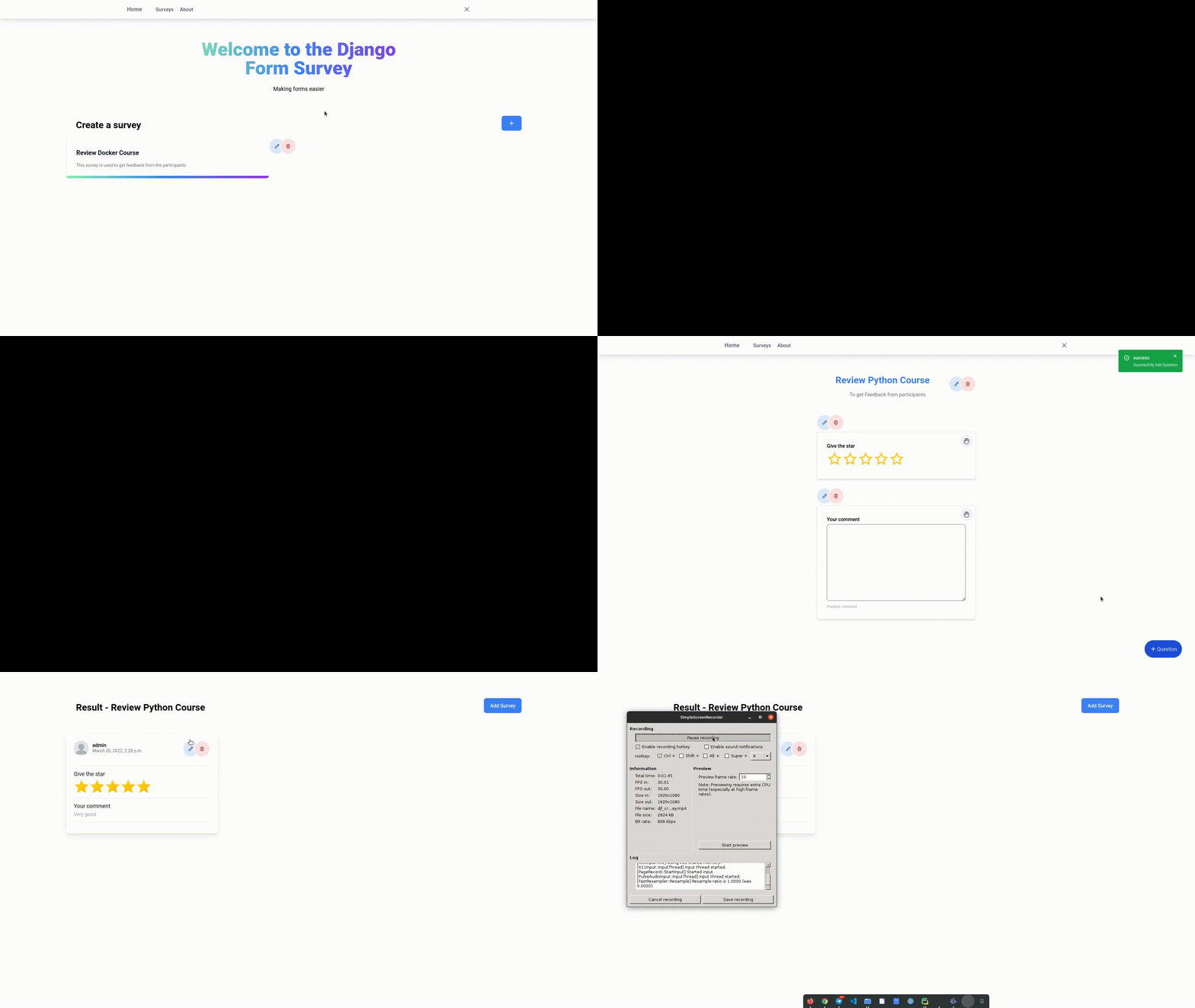
Django form survey is an application Django to easier create form survey and easy integrated for your project.
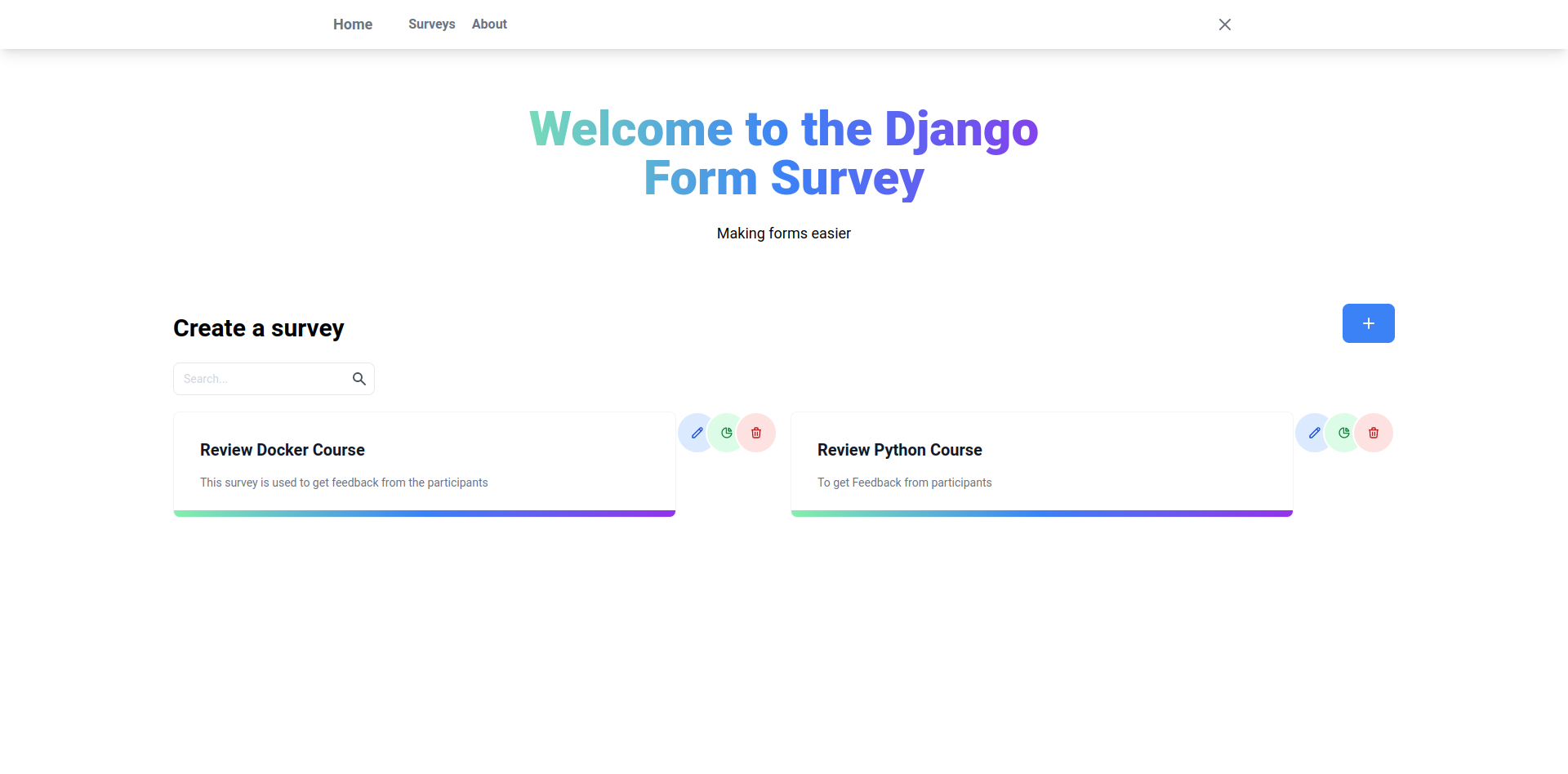
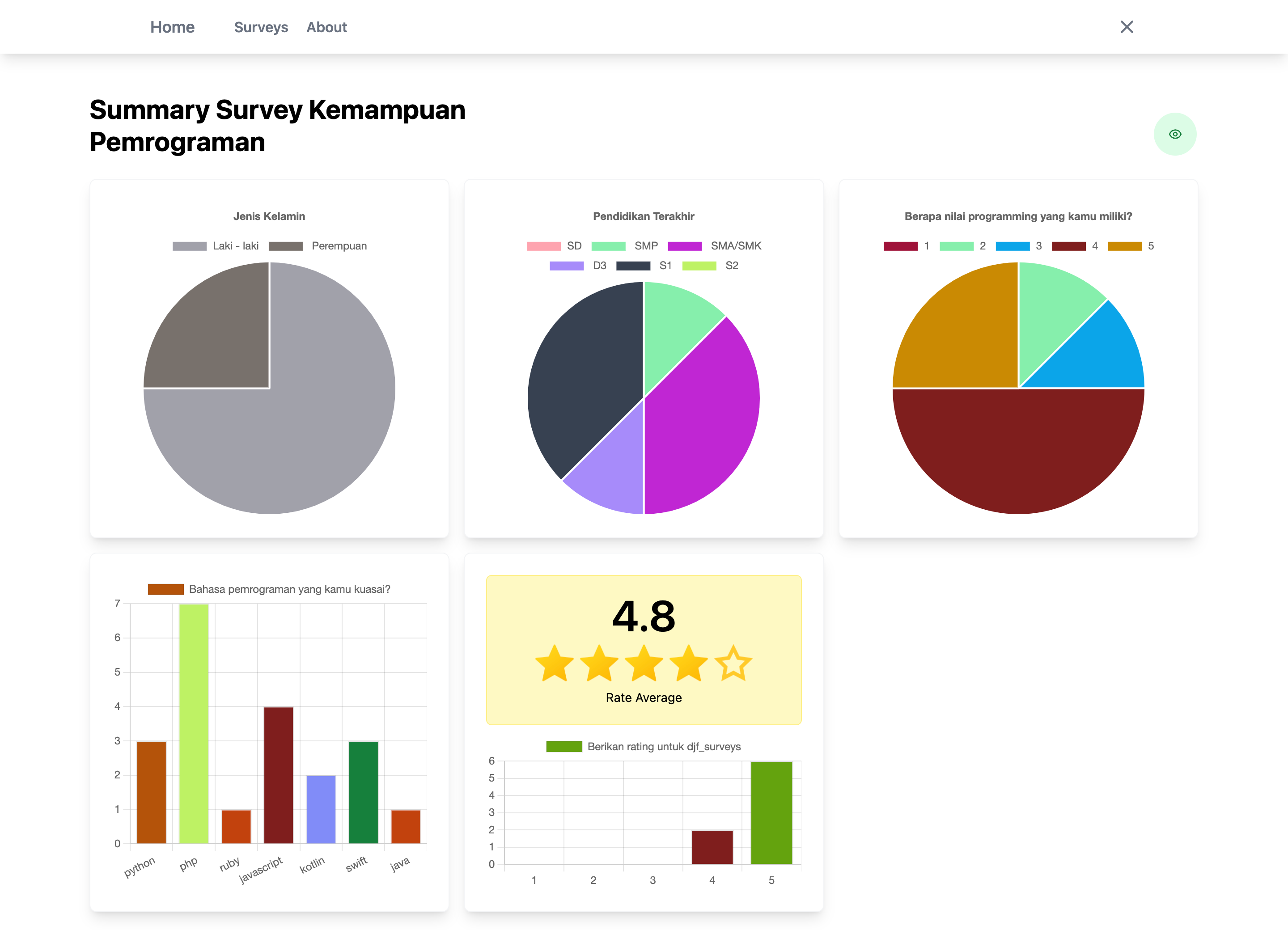
Table of content
- Installation
- Features
- Configuration
Installation
-
Install django-form-surveys using:
pip install django-form-surveys -
Add
djf_surveysto yourINSTALLED_APPSsetting like thisINSTALLED_APPS = [ ... 'djf_surveys', ] -
Add context processor
'djf_surveys.context_processors.surveys_context''context_processors': [ .... 'djf_surveys.context_processors.surveys_context' ], -
Run
python manage.py migrateto create the djf_surveys models. -
Run
python manage.py collectstaticto collect file static djf_surveys into project. -
Include url
djf_surveysin your root url.... urlpatterns = [ path('admin/', admin.site.urls), ..... path('surveys/', include('djf_surveys.urls')) ] -
Access
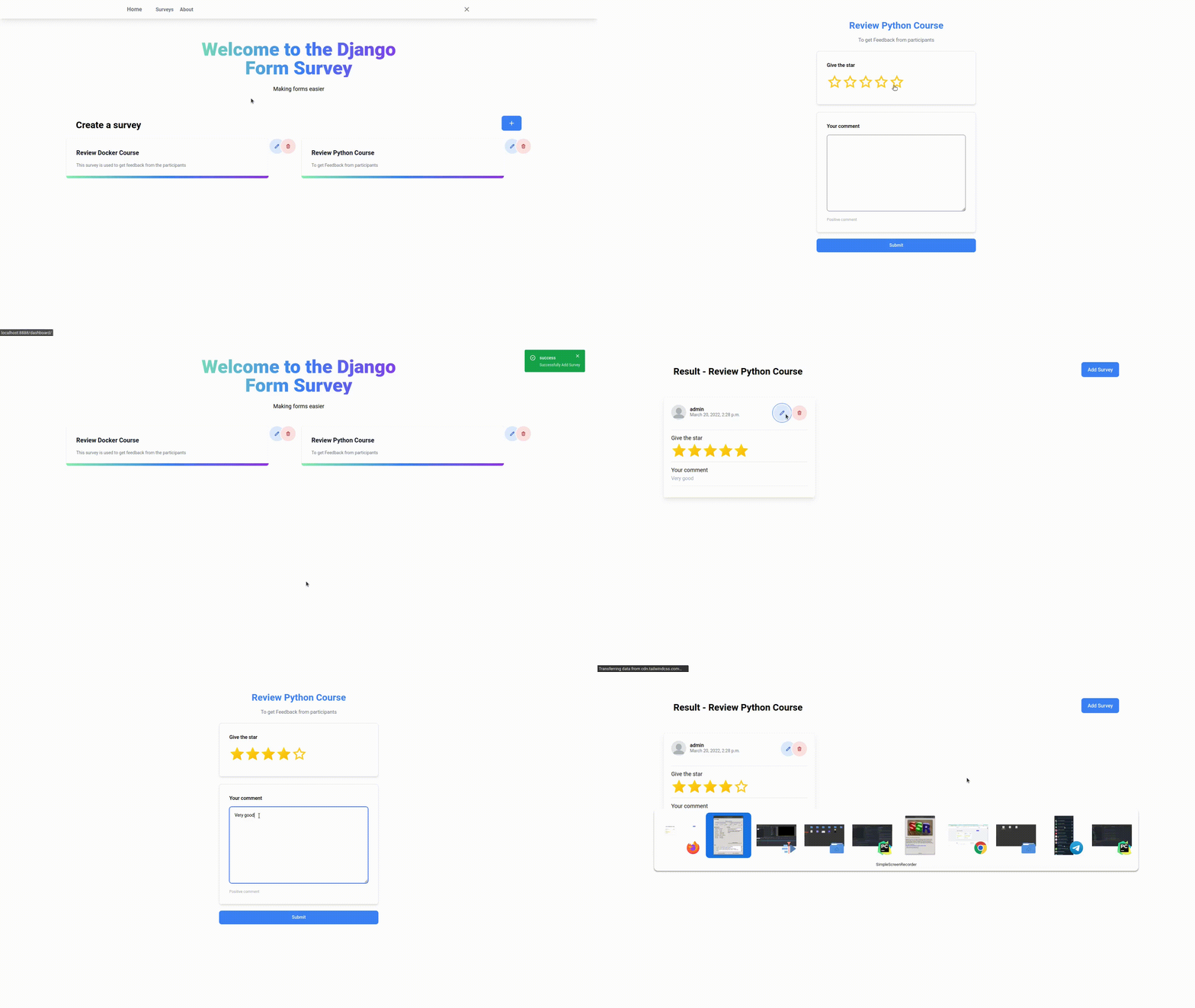
http://127.0.0.1:8000/surveys/dashboard/to enter admin page to create a survey. -
Access
http://127.0.0.1:8000/surveys/get list of survey -
Access
http://127.0.0.1:8000/surveys/{id}get form of survey
Features
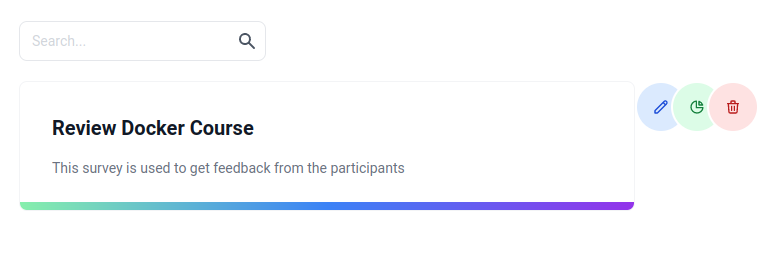
- Manage a survey: You must as superuser to manage survey
- You can
create, edit, delete, search and show all available survey. - To manage survey you can access
http://localhost:8000/surveys/dashboard/.
- You can
- Option config survey:
editable: this option allows the user to edit the answerdeletable: this option allows the user to delete the answerduplicate entry: this option allows users to submit more than onceprivate reponse: this option makes the answer list only visible to admincan anonymous user: This option allows users without authentication to submit
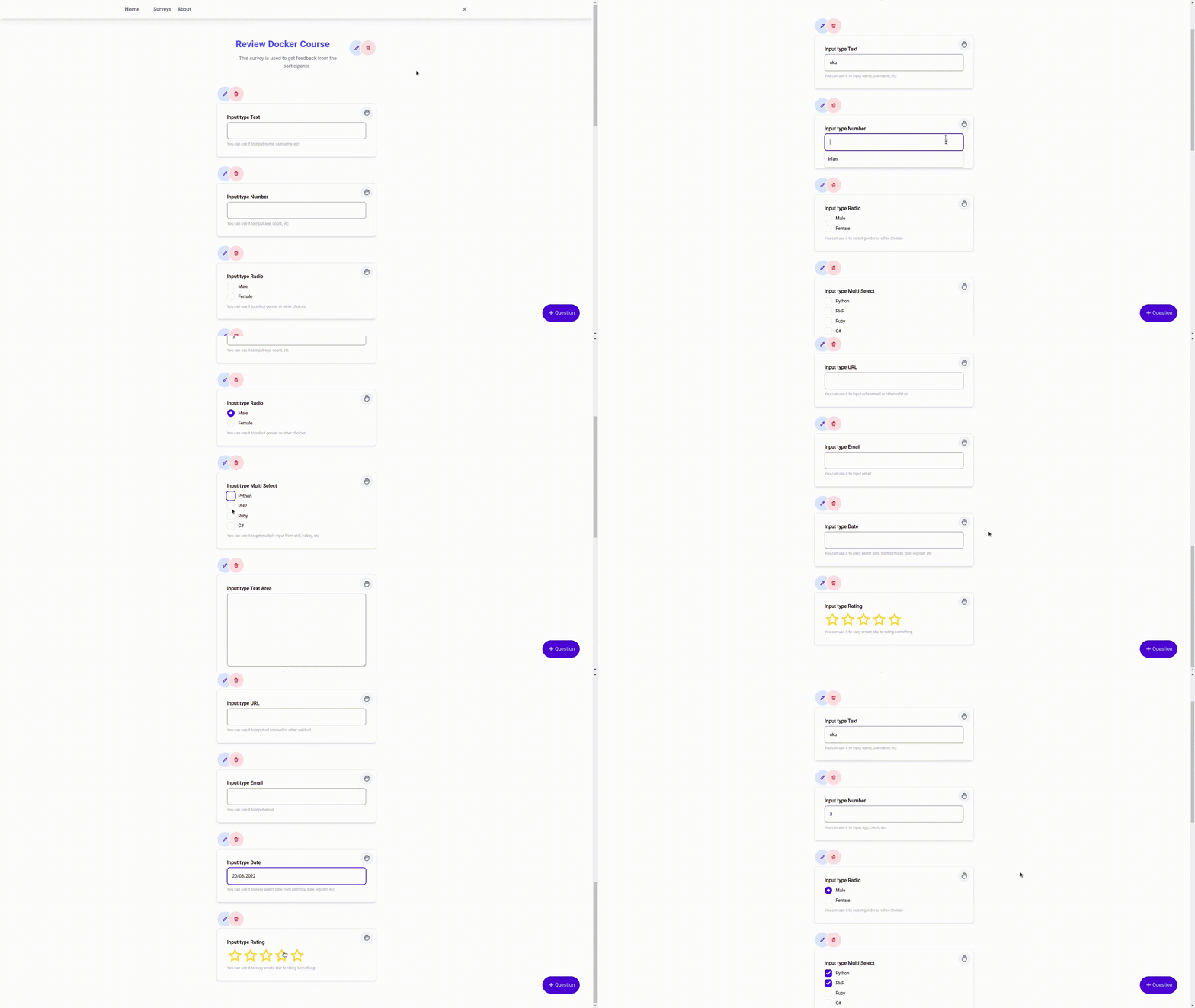
- Support many question type (type field): Available field types include:
- Text
- Number
- Radio
- Select
- Multi Select
- Text Area
- URL
- Date
- Rating
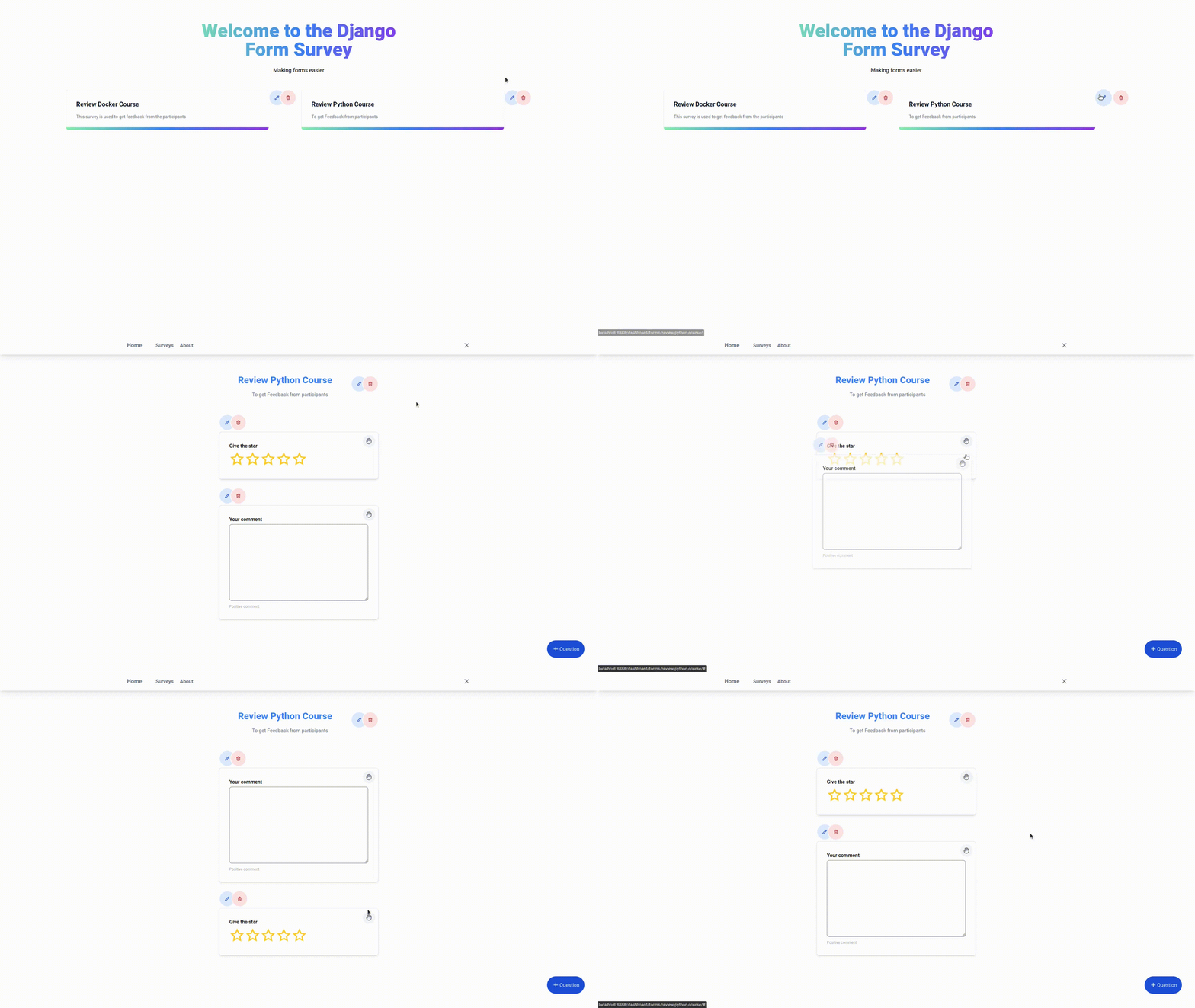
- Easy sorting question: You can drag and drop to sort question
- Change master template: look section
Configuration - Duplicate entry: look section
Configuration - Download respondent report
- Summary: You can see the survey summary in a charts. Summary just calculate type field "radio, select, multi_select, rating"
Configuration
There are several configurations that you can write on settings.py
SURVEY_MASTER_TEMPLATE,default='surveys/master.html', ->str: This configuration to change master template using your template. You can set with your template path. ExampleSURVEY_MASTER_TEMPLATE = 'mywebsite/master.html'NB: This config will be work if on your template use block content
{% block content %}to include or render content of context from view and your master template must be including or using Tailwind CSS.SURVEY_USER_PHOTO_PROFILE,default='', ->str: This configuration is used to add a profile photo object that is related to the User model. Example:SURVEY_USER_PHOTO_PROFILE = 'self.user.profile.photo.url'SURVEY_FIELD_VALIDATORS, ->dict: This configuration to override max_length of type filedemail, url, text# default value of SURVEY_FIELD_VALIDATORS SURVEY_FIELD_VALIDATORS = { 'max_length': { 'email': 150, 'text': 250, 'url': 250 } }
# example declare in settings.py
SURVEY_FIELD_VALIDATORS = {
    'max_length': {
        'email': 110,
    }
}
SURVEY_PAGINATION_NUMBER, ->dict: This configuration to override number of paginationsurvey_listandanswer_list# example override in settings.py # default value 12 SURVEY_PAGINATION_NUMBER = { 'answer_list': 3, 'survey_list': 2 }
Thanks!
For Contributor
- clone project
- symlink app to
demoln -s [path_project_djf_survey] [path_demo_djf_survey]
- create
envdevelopment - active
env - enter directory
demo - now, you can access all command
manage.py
Release history Release notifications | RSS feed


Download files
Download the file for your platform. If you're not sure which to choose, learn more about installing packages.
Source Distribution
Built Distribution
Filter files by name, interpreter, ABI, and platform.
If you're not sure about the file name format, learn more about wheel file names.
Copy a direct link to the current filters
File details
Details for the file django-form-surveys-1.8.2.tar.gz.
File metadata
- Download URL: django-form-surveys-1.8.2.tar.gz
- Upload date:
- Size: 1.6 MB
- Tags: Source
- Uploaded using Trusted Publishing? No
- Uploaded via: twine/4.0.1 CPython/3.10.6
File hashes
| Algorithm | Hash digest | |
|---|---|---|
| SHA256 |
c801dee86f7a04c8871b33e9acb88fb3f08d97035b644bb1df11da541cf2bd7f
|
|
| MD5 |
8a8bc6dcd80834c29c7b1697ab2f5525
|
|
| BLAKE2b-256 |
cb979fa9a46693ce702e967f4a184edf1c5f5a3d49f8dd2751f716fd4b65ff9b
|
File details
Details for the file django_form_surveys-1.8.2-py3-none-any.whl.
File metadata
- Download URL: django_form_surveys-1.8.2-py3-none-any.whl
- Upload date:
- Size: 1.6 MB
- Tags: Python 3
- Uploaded using Trusted Publishing? No
- Uploaded via: twine/4.0.1 CPython/3.10.6
File hashes
| Algorithm | Hash digest | |
|---|---|---|
| SHA256 |
f862ff61a09ac6faf7344f8af22576492accbfab1a2cceb7110884acfe45876e
|
|
| MD5 |
ab07b2d87a04811582f0fc8c6ef61fbf
|
|
| BLAKE2b-256 |
32df5d630c5bb287385a3c242ac83a3ae1a233971a11add26ee19d9c401efcc9
|






