
A Django app to view your Joplin notes online.

Project description
joplin-vieweb
A simple web viewer for Joplin app
View on github
Purpose
I'm going to use Joplin as a notes application (instead of OneNote).
It's a long time I wanted for something like Joplin: opensource, not coupled to a web giant, and without illimited storage: storage has a price, we should pay for it.
This quick dev is to provide an online view of my Joplin notes.
It's running on a "Django server", running beside a configured & running Joplin terminal app.
A screenshot
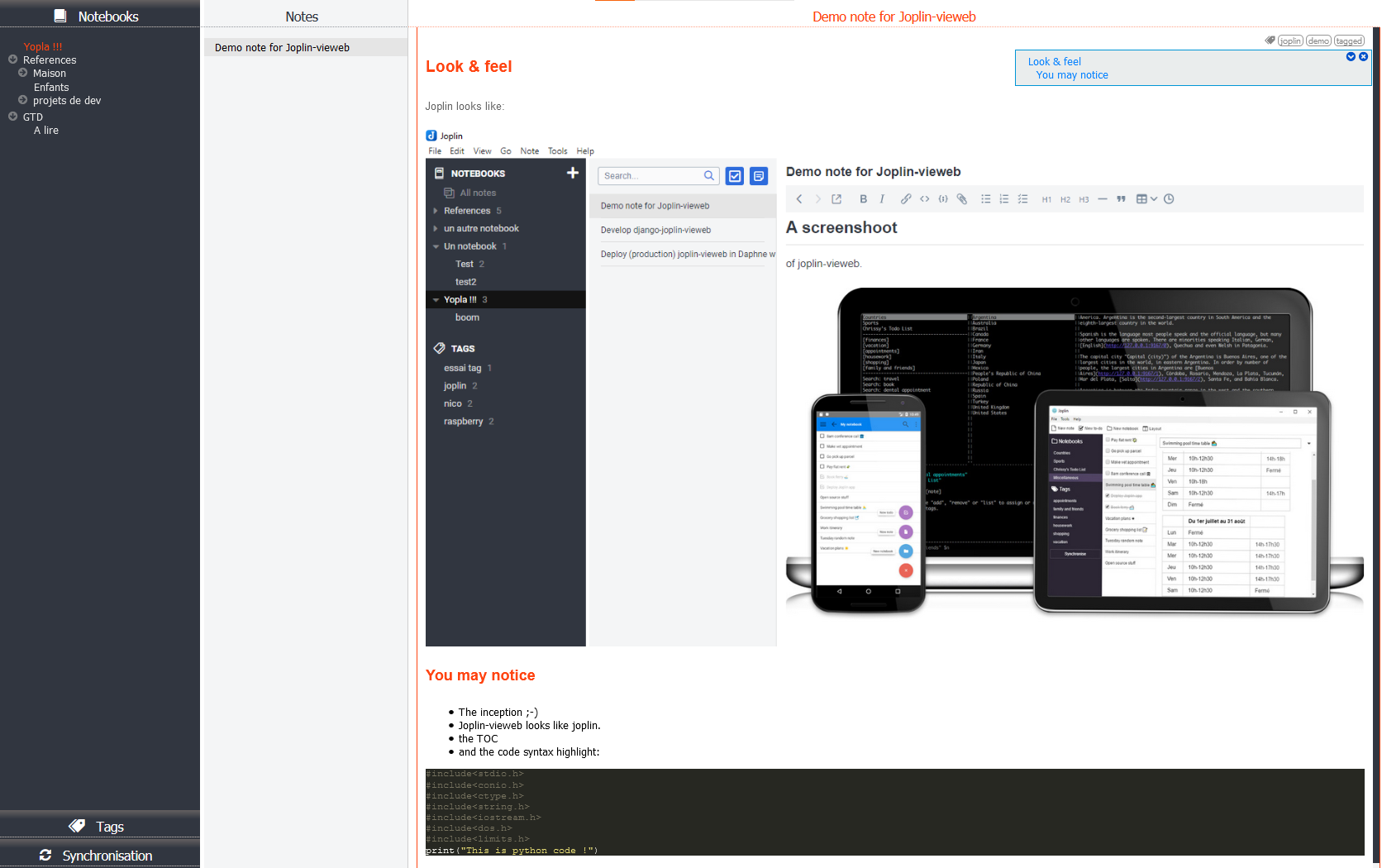
Features and not(-yet?) features
Yes it does ❤
- Protect joplin-vieweb access by login
- Display notebooks, and notes
- images
- attachments
- code syntax highlight
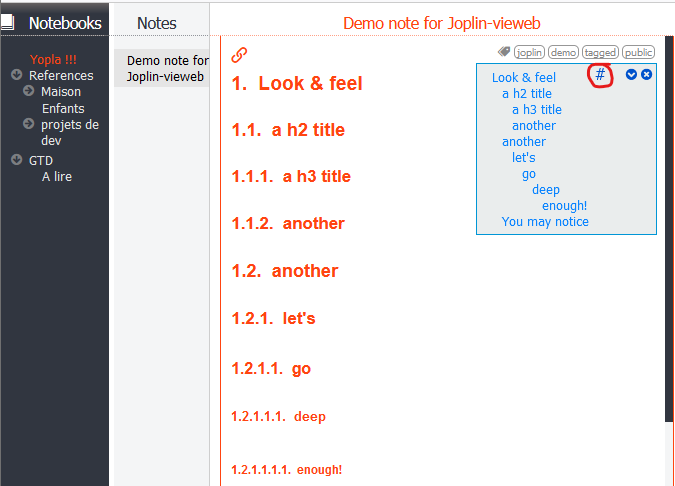
- Add a table of content if note contains headers
- Display tags, and notes linked.
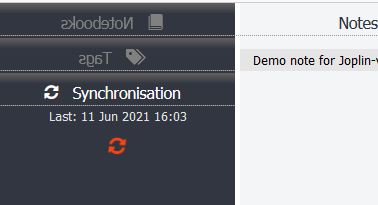
- Joplin sync:
- Background periodic joplin sync
- Manual trigged sync, with notebooks and tag refresh
- Public link if note has public tag
- Option to number (or not) header in notes:
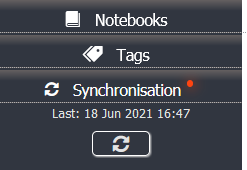
- Tag edition: add / remove / create tags in notes:
Once tags edited, a little reminder not to forget to synchronize Joplin:
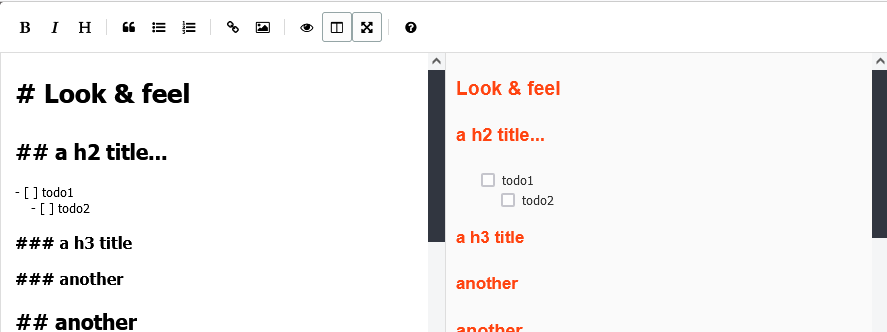
- Checkbox list changes can be saved to notes. See this release note.
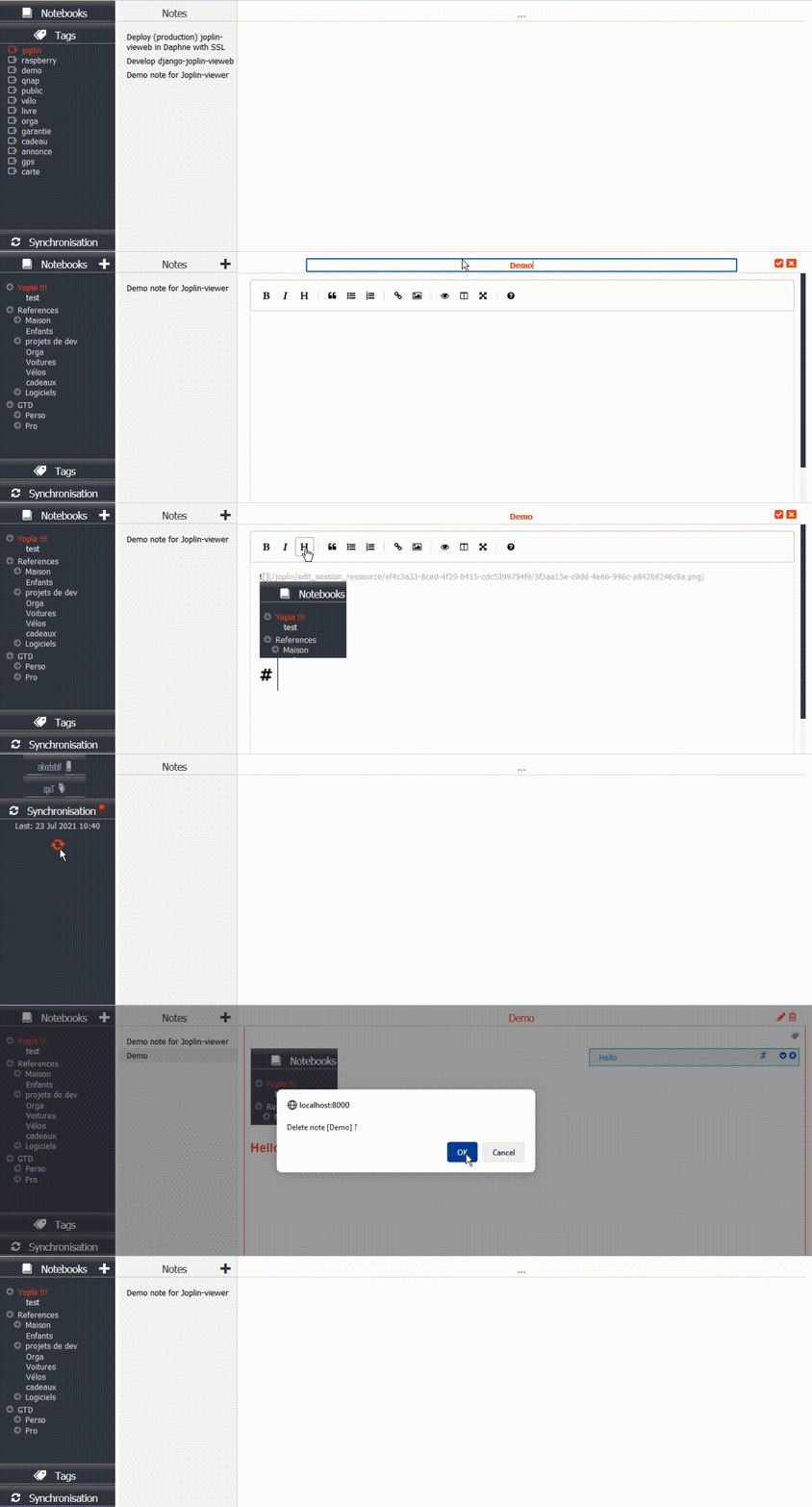
- Note edition / deletion, with support of image paste, and image / attachment drag&drop.


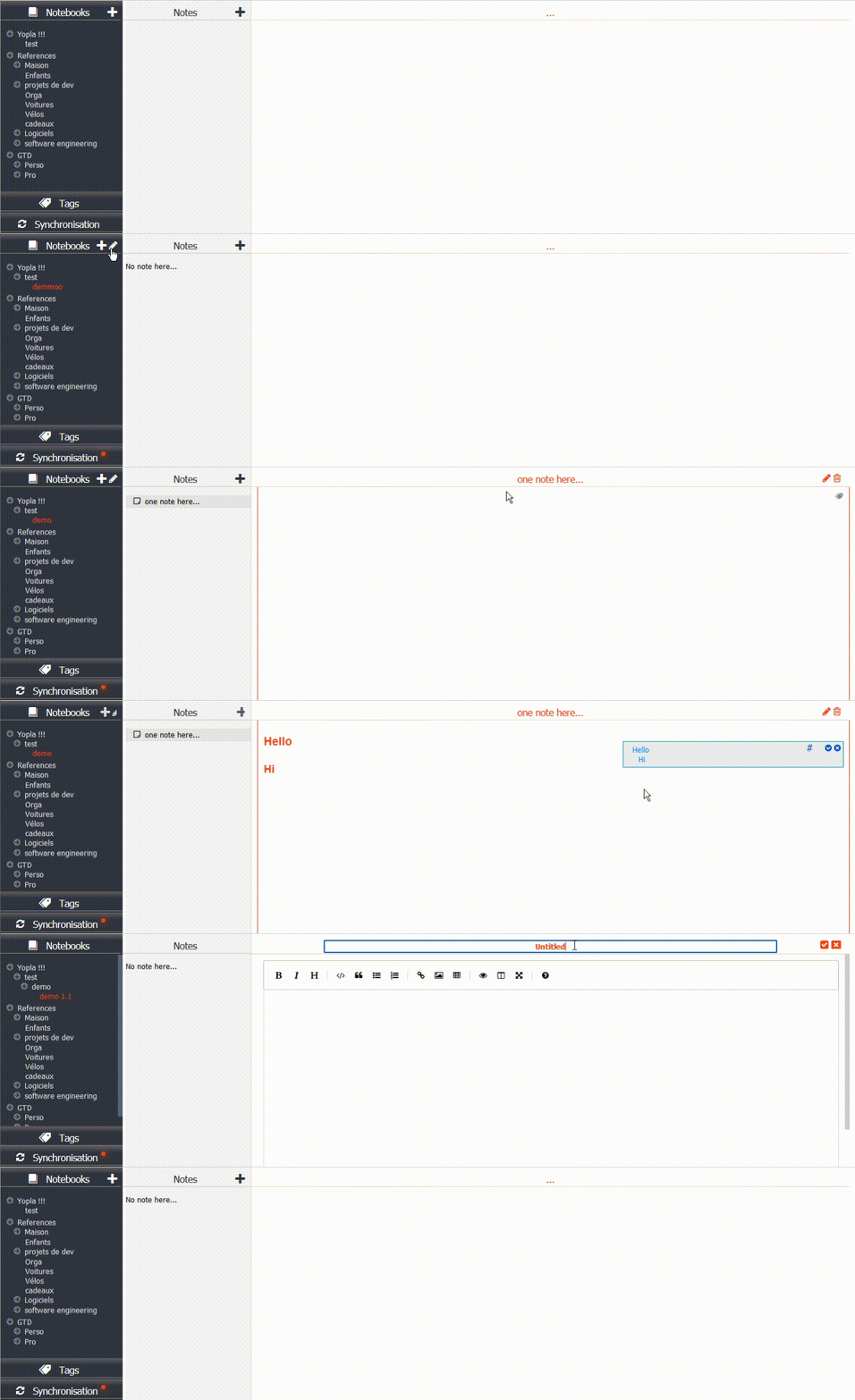
- Note creation
- Notebook edition: create / rename / delete
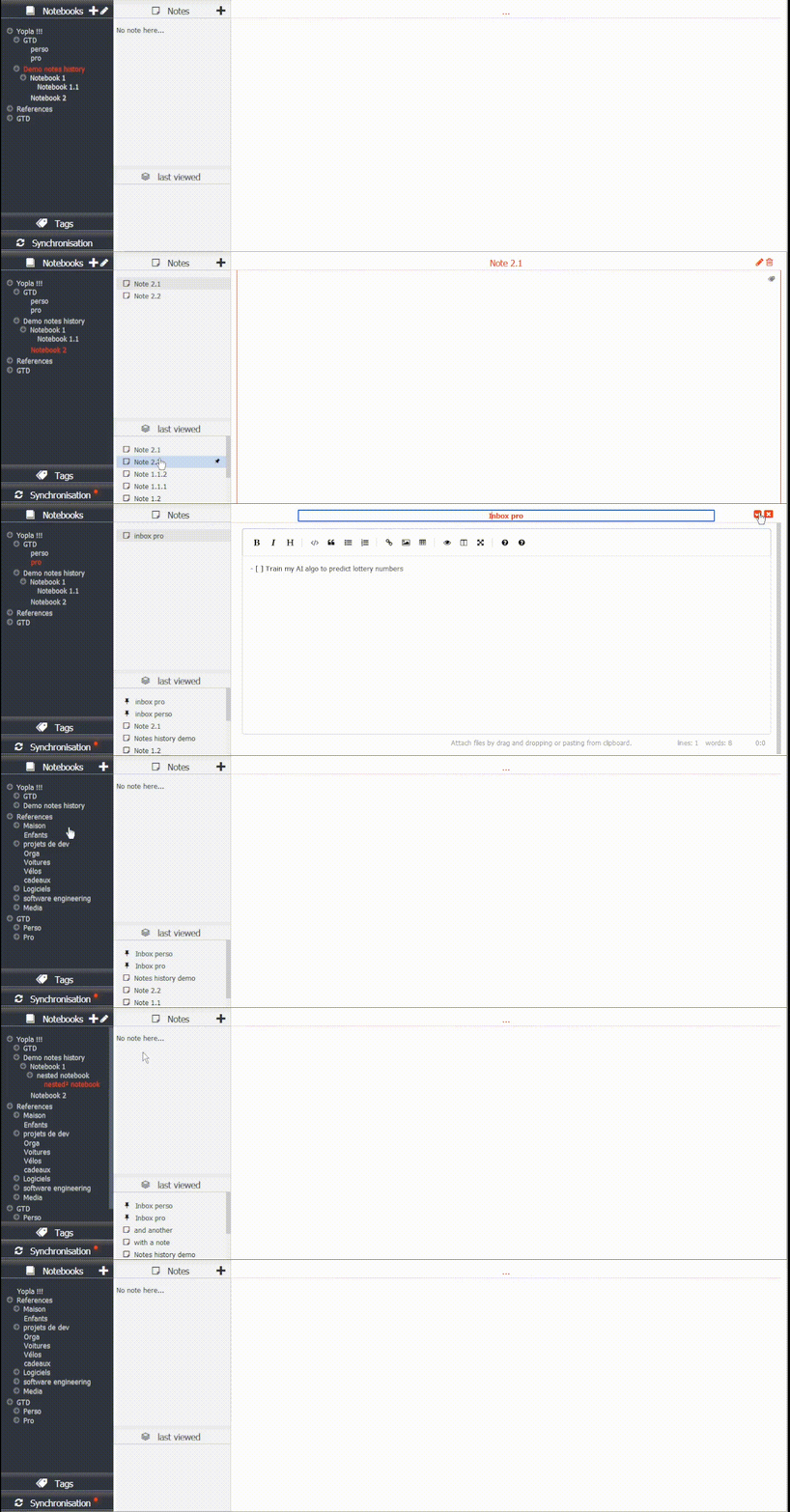
- Notes history: list of the latest notes consulted, to be able to open them quickly, or pin them:
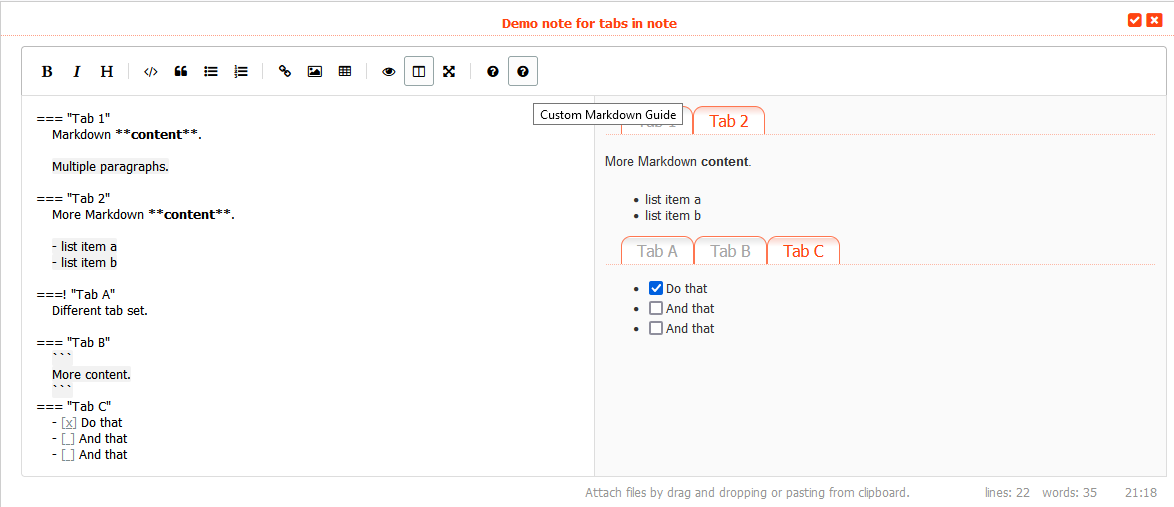
- Tabs in notes (not displayed in joplin applications). Syntax here.
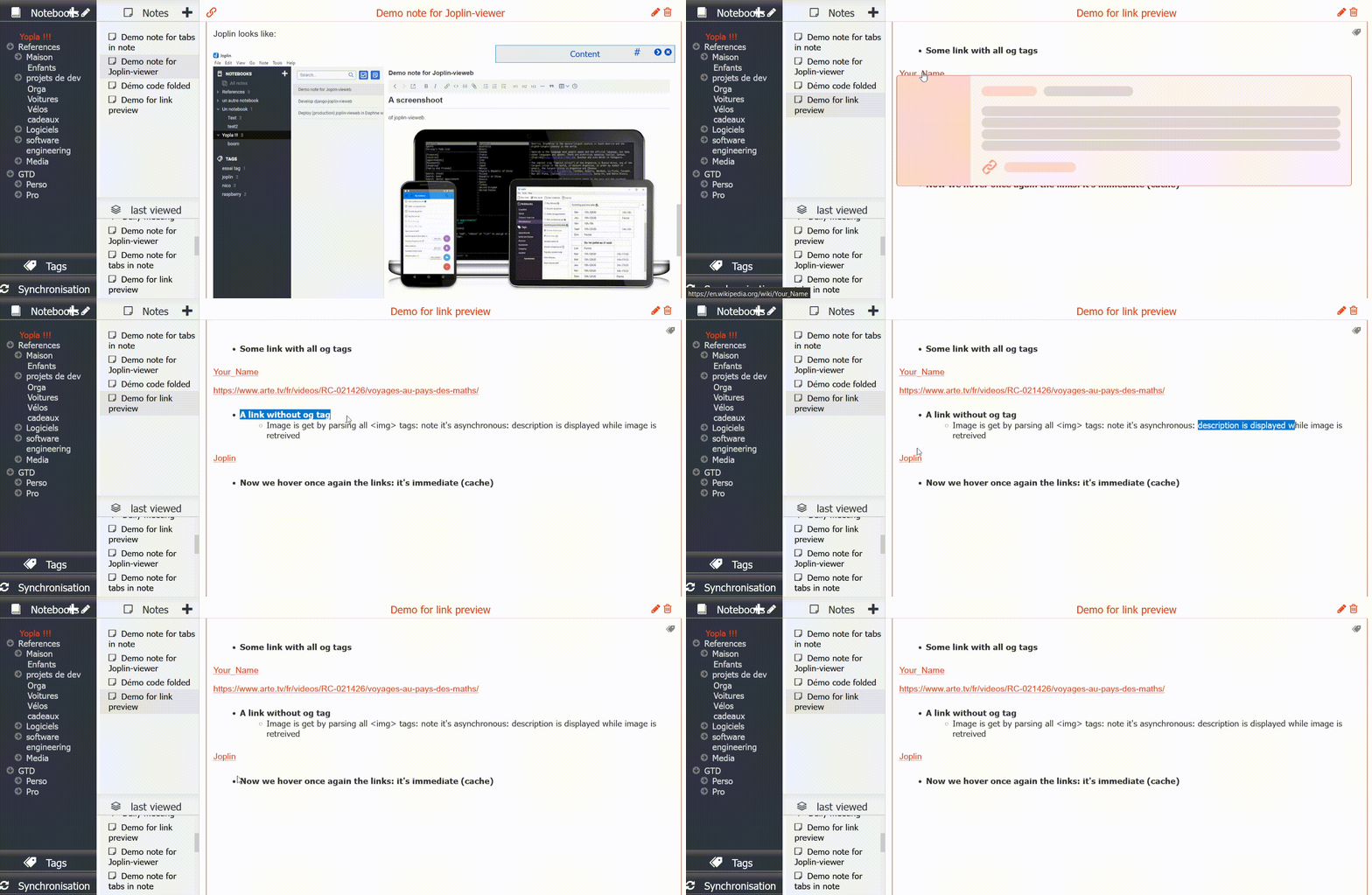
- Hyperlink preview in notes, on mouse hover:
No it doesn't (yet?) 💔
- Sort notebooks nor notes
- Move note or notebook from one notebook to another.
- No specific handling for todos.
- Search for notes or tags
Installation, configuration
-
Install Joplin terminal.
Configure it and start it. -
Install joplin-vieweb with
pip install django-joplin-vieweb -
Create a django project and configure it:
-
Add "joplin_vieweb" to your INSTALLED_APPS settings.py like this:
INSTALLED_APPS = [
    ...
    'joplin_vieweb',
    ...
]
-
Add some variable in your project settings.py:
# Joplin variables JOPLIN_SERVER_URL="http://127.0.0.1" JOPLIN_SERVER_PORT=41184 JOPLIN_SERVER_TOKEN="1234567890987654321" JOPLIN_RESSOURCES_PATH="/home/pi/.config/joplin/resources/" JOPLIN_LOGIN_REQUIRED=True # set to True only if you require a logged user for accessing the notes JOPLIN_SYNC_PERIOD_S=86400 # once a day JOPLIN_SYNC_INFO_FILE="/home/pi/.config/joplin/joplin_vieweb_sync_info" JOPLIN_NOTES_HISTORY_DEPTH = 10 -
If you set JOPLIN_LOGIN_REQUIRED=True
python manage.py migratepython manage.py createsuperuser- Add the 'accounts/' path in urls.py (see next point)
-
Include the joplin_vieweb URLconf in your project urls.py like this:
path('joplin/', include('joplin_vieweb.urls')), path('accounts/', include('django.contrib.auth.urls')), # only if JOPLIN_LOGIN_REQUIRED=True -
Start the development server and visit http://127.0.0.1:8000/joplin
More advanced guides
Why not joplin-web?
I tried for some hours to make it run. The master branch was easy to setup, but work is still in progress.
And the full featured "vuejs" branch: I just didn't succeed to set it up (neither with node nor with docker).... probably a matter of versions with my raspberry distribution.
➡ I decided to do my simple own product, for my simple need: view my notes online.
Thanks for joplin-api that helped me !
For dev: how to setup a dev server around this "package"
Execute script setup_dev_env.sh
Then: check joplin ressource path in dev_server/dev_server/settings.py (STATICFILES_DIRS), and ALLOWED_HOSTS.
If you choose JOPLIN_LOGIN_REQUIRED=True, then: :add
urlpatterns = [
    ...
    path('accounts/', include('django.contrib.auth.urls')),
]
Then:
. venv/bin/activate
cd dev_server
python manage.py migrate
python manage.py createsuperuser
python manage.py runserver 0:8000
Thanks to azure for free domain name

Release history Release notifications | RSS feed


Download files
Download the file for your platform. If you're not sure which to choose, learn more about installing packages.
Source Distribution
Built Distribution
Filter files by name, interpreter, ABI, and platform.
If you're not sure about the file name format, learn more about wheel file names.
Copy a direct link to the current filters
File details
Details for the file django-joplin_vieweb-0.117.0.tar.gz.
File metadata
- Download URL: django-joplin_vieweb-0.117.0.tar.gz
- Upload date:
- Size: 366.8 kB
- Tags: Source
- Uploaded using Trusted Publishing? No
- Uploaded via: twine/3.4.1 importlib_metadata/4.0.1 pkginfo/1.7.0 requests/2.27.1 requests-toolbelt/0.9.1 tqdm/4.61.0 CPython/3.9.10
File hashes
| Algorithm | Hash digest | |
|---|---|---|
| SHA256 |
32953d018b68137a5f48555e42aad4b4c27895fa1434a79ce115edeba4404f05
|
|
| MD5 |
ffe502226f5084bed349d031fdfcc4bb
|
|
| BLAKE2b-256 |
d379604b5f516eed490f0063017b7fe391ae041dd72b494a7198fab099eda328
|
File details
Details for the file django_joplin_vieweb-0.117.0-py3-none-any.whl.
File metadata
- Download URL: django_joplin_vieweb-0.117.0-py3-none-any.whl
- Upload date:
- Size: 395.4 kB
- Tags: Python 3
- Uploaded using Trusted Publishing? No
- Uploaded via: twine/3.4.1 importlib_metadata/4.0.1 pkginfo/1.7.0 requests/2.27.1 requests-toolbelt/0.9.1 tqdm/4.61.0 CPython/3.9.10
File hashes
| Algorithm | Hash digest | |
|---|---|---|
| SHA256 |
82a3acf16960eb6d56c329bcc2831210812a8eaec93412cc8fa36850bc43f18b
|
|
| MD5 |
395157fcf5d66978854cef7da0ce02d1
|
|
| BLAKE2b-256 |
9eee82109f42cfc85f46605f88d1c8db684a34d34a85816c1b4e3603d2f904e5
|






