
Django Mail Auth




Django Mail Auth is a lightweight authentication backend for Django, that does not require users to remember passwords.
Django Mail Auth features:
- custom user model support
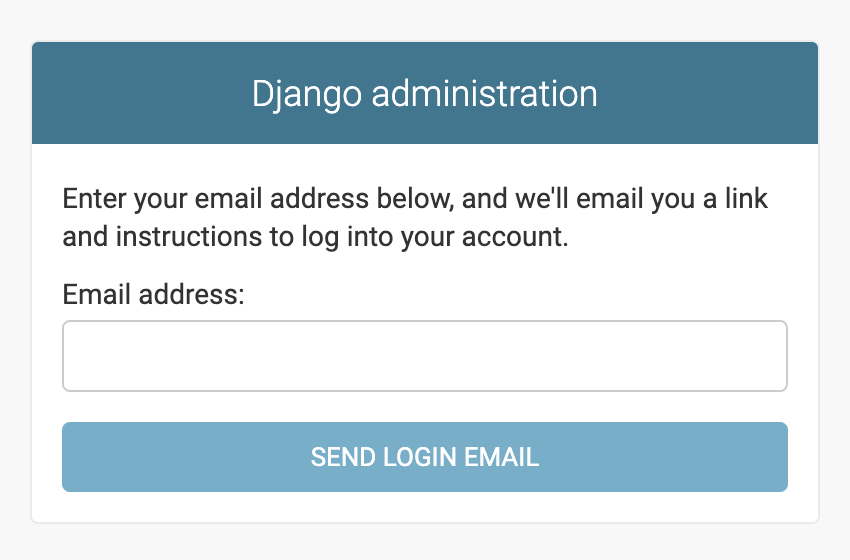
- drop in Django admin support
- drop in Django User replacement
- drop in Wagtail login replacement
- extendable SMS support
This project was inspired by:
- Is it time for password-less login? by Ben Brown
- LOGIN WITHOUT PASSWORD MOST SECURE | WAIT.. WHAT? by Joris Snoek
- django-nopassword by Rolf Erik Lekang
Sponsors

Installation
Run this command to install django-mail-auth:
python3 -m pip install django-mail-auth[postgres,wagtail]
Use the [wagtail] extra to make sure you get a supported version of wagtail, if you use that.
If you want to use the PostgreSQL CIText extension for optimized case-insensitive search, use the [postgres] extra to install the necessary django-citext. You also need to make sure postgresql itself supports the CIText extension, for instance by installing a package like postgresql-contrib or compiling it with the extension included.
Setup
First add mailauth to you installed apps:
INSTALLED_APPS = [
    # Django's builtin apps…
    "mailauth",
    "mailauth.contrib.admin",  # optional
    "mailauth.contrib.user",  # optional
    # optional, must be included before "wagtail.admin"
    "mailauth.contrib.wagtail",
    # other apps…
]
mailauth.contrib.admin is optional and will replace the admin's login
with token based authentication too.
mailauth.contrib.user is optional and provides a new Django User
model. The new User model needs to be enabled via the AUTH_USER_MODEL
setting:
# This setting should be either "EmailUser" or
# any custom subclass of "AbstractEmailUser"
AUTH_USER_MODEL = "mailauth_user.EmailUser"

# optional, Wagtail only
WAGTAILUSERS_PASSWORD_ENABLED = False
Next you will need to add the new authentication backend:
AUTHENTICATION_BACKENDS = (
    # default, but now optional
    # This should be removed if you use mailauth.contrib.user or any other
    # custom user model that does not have a username/password
    "django.contrib.auth.backends.ModelBackend",
    # The new access token based authentication backend
    "mailauth.backends.MailAuthBackend",
)
Django's ModelBackend is only needed, if you still want to support
password based authentication. If you don't, simply remove it from the
list.
Last but not least, go to your URL root configuration urls.py and add
the following:
from django.urls import path


urlpatterns = [
    path("accounts/", include("mailauth.urls")),
    # optional, must be before "wagtail.admin.urls"
    path("", include("mailauth.contrib.wagtail.urls")),
]
That's it!


Release files for django-mail-auth 3.6.1
For a detailed explanation of source distributions (sdists) and built distributions (wheels), please see the package formats documentation.
Source distribution (sdist)
| File | Size | Uploaded | Provenance | Actions |
|---|---|---|---|---|
| django_mail_auth-3.6.1.tar.gz | 18.0 kB | With provenance | Details for django_mail_auth-3.6.1.tar.gz |
Built distribution (wheel)
| File | Interpreter | ABI | Platform | Actions Reset |
|---|---|---|---|---|
| django_mail_auth-3.6.1-py3-none-any.whl | Python 3 | none | any | Details for django_mail_auth-3.6.1-py3-none-any.whl |
Total release size: 44.9 kB
Release files / django_mail_auth-3.6.1.tar.gz
| Download URL | django_mail_auth-3.6.1.tar.gz |
|---|---|
| Size | 18.0 kB |
| Tags | Source |
|
SHA-256 checksum How to use checksums |
96efd596228294c7346ec27fbff57f524957e51ffa4d606874d0737c06e0201d
|
|
BLAKE2b-256 checksum How to use checksums |
2a30e01cb1e8833722b457a6808c6e90fed89f4cb050e2e8596279a2e0038c20
|
| Upload date | |
|
Uploaded using Trusted Publishing? What is trusted publishing? |
Yes |
| Uploaded via |
twine/7.0.0 CPython/3.13.16
|
Provenance
Provenance describes where a file came from. On PyPI, provenance is shared via attestations, which provide a verifiable record of the build or publishing details. View details, limitations and caveats.


PyPI Publish Attestation
PyPI verified that this artifact, at this checksum, originated from the publisher listed below.
Signed by GitHub Actions, verified by PyPI on Oct 28, 2026.
Transparency logRelease files / django_mail_auth-3.6.1-py3-none-any.whl
| Download URL | django_mail_auth-3.6.1-py3-none-any.whl |
|---|---|
| Size | 26.9 kB |
| Tags | Python 3 |
|
SHA-256 checksum How to use checksums |
67d018acf0faed12d13b036c9d148c82e971e7ed2a4e14ac9e531895d383a574
|
|
BLAKE2b-256 checksum How to use checksums |
f859f90d9ef219a5d09366d3509f450f6a2f489d6e69e4430e45107d32cf1f89
|
| Upload date | |
|
Uploaded using Trusted Publishing? What is trusted publishing? |
Yes |
| Uploaded via |
twine/7.0.0 CPython/3.13.16
|
Provenance
Provenance describes where a file came from. On PyPI, provenance is shared via attestations, which provide a verifiable record of the build or publishing details. View details, limitations and caveats.
PyPI Publish Attestation
PyPI verified that this artifact, at this checksum, originated from the publisher listed below.
Signed by GitHub Actions, verified by PyPI on Oct 28, 2026.
Transparency logSecurity for django-mail-auth 3.6.1
Provenance
Provenance describes where a file came from. On PyPI, provenance is shared via attestations, which provide a verifiable record of the build or publishing details. View details, limitations and caveats.
Full provenance
All 2 files in this release have been uploaded with provenance metadata.
Attestation for django_mail_auth-3.6.1.tar.gz
PyPI Publish Attestation
PyPI verified that this artifact, at this checksum, originated from the publisher listed below.
Signed by GitHub Actions, verified by PyPI on Oct 28, 2026.
Transparency logA note on package security
PyPI is a repository for distributing packages, not a service for auditing them. While third-party security researchers and our staff do their best to detect and remove malicious packages, PyPI cannot guarantee the quality, security or suitability of any given package.
To learn more about protecting yourself from malicious actors, visit our package security documentation.














