
Django app to implement two factor authentication with bootstrap modals

Project description

django-modal-2fa
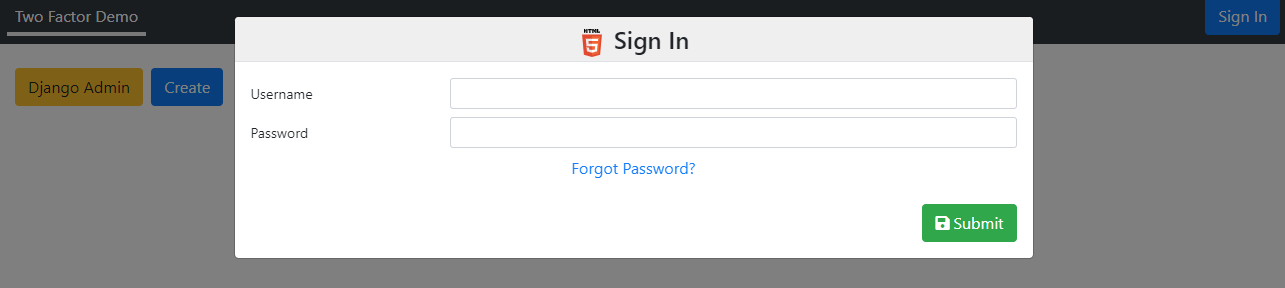
Drop-in two-factor authentication for Django, presented through Bootstrap modals (via django-nested-modals). It replaces the default admin login and adds TOTP, WebAuthn, trusted devices, brute-force lockout, email invites, and optional "Sign in with Microsoft".
- TOTP – authenticator apps (Google Authenticator, Authy, etc.) with an on-screen QR code
- WebAuthn / FIDO2 – Windows Hello, Face ID / Touch ID, YubiKeys and other passkeys
- Trusted devices – an optional cookie to skip 2FA on a named device (the key rotates on each use, so a copied cookie stops working)
- Lockout – throttle repeated failures by username and by IP (proxy-aware)
- Microsoft / Entra sign-in – optional single-tenant SSO, off unless configured
- User onboarding – email invitations to set a password, plus a forgotten-password reset flow
- Customisable – restyle every modal and override behaviour from one class
Requirements
- Python ≥ 3.8
- Django ≥ 4.2
- Installed automatically:
django-nested-modals,django-otp,qrcode,webauthn
Installation
pip install django-modal-2fa
For the optional Microsoft sign-in, install the extra (pulls in msal):
pip install "django-modal-2fa[microsoft]"
Settings
from modal_2fa.settings_helper import modal_2fa_apps_admin

INSTALLED_APPS += [
    *modal_2fa_apps_admin,      # adds django_otp + plugins, modal_2fa, and the 2FA admin
]

OTP_TOTP_ISSUER = 'My App'                                   # label shown in authenticator apps
AUTHENTICATION_BACKENDS = ['modal_2fa.auth.CookieBackend']
LOGIN_URL = '/auth/login/'
LOGOUT_REDIRECT_URL = '/auth/login/'

WEBAUTHN_RP_ID = 'example.com'    # your domain; use 'localhost' for development
WEBAUTHN_RP_NAME = 'My App'       # optional; shown by the authenticator
Remove
'django.contrib.admin'fromINSTALLED_APPS.modal_2fa_apps_adminswaps in a 2FA-protected admin site in its place. (If you don't use the Django admin, usemodal_2fa_appsinstead, which omits the admin replacement.)
WebAuthn requires a secure context, so register/authenticate over HTTPS in
production (localhost is exempt for development).
URLs
from modal_2fa.utils import get_custom_auth

urlpatterns += [
    path('', include(get_custom_auth().paths(include_admin=True))),
]
All routes mount under auth/ with the auth namespace — reverse them as
'auth:login', 'auth:auth_2fa', 'auth:user_devices', etc. Pass
include_admin=False to leave out the bundled user-admin and security-admin
modals.
Authentication flow
- The user submits credentials to
ModalLoginView, verified byCookieBackend. - If a valid trusted-device cookie is present → log in directly.
- Else if the user has no TOTP device and 2FA is optional for them → log in directly.
- Otherwise the username is parked in the session and the 2FA modal opens.
Modal2FAverifies a TOTP code or a WebAuthn credential, then completes login.- The user may optionally name and trust the device to skip 2FA next time.
Lockout settings (optional)
Repeated failures are throttled per username and per IP. Defaults shown:
| Setting | Default | Meaning |
|---|---|---|
AUTHENTICATION_USER_FAILED_ATTEMPTS |
10 |
Failures before a username is locked |
AUTHENTICATION_IP_FAILED_ATTEMPTS |
20 |
Failures before an IP is locked |
AUTHENTICATION_LOCKOUT_SECONDS |
30 |
Lockout duration once the threshold is hit |
Clear expired rows periodically with the bundled command:
python manage.py clear_failed_logins
Behind a reverse proxy
IP-based lockout needs the real client IP. Behind a proxy, Django's REMOTE_ADDR
is the proxy's address, so set the number of trusted proxy hops and the client IP
is read (spoof-safely) from X-Forwarded-For:
AUTHENTICATION_TRUSTED_PROXY_COUNT = 1   # single edge proxy, e.g. Traefik / nginx
# AUTHENTICATION_TRUSTED_PROXY_COUNT = 2 # a CDN/LB in front of the proxy, e.g. Cloudflare → Traefik
Default is 0 (no proxy — REMOTE_ADDR is used and X-Forwarded-For is ignored,
since it would otherwise be client-spoofable). BEHIND_REVERSE_PROXY = True is
accepted as a legacy alias for a count of 1.
Security admin (superusers)
With include_admin=True, a Security Admin modal is added at
auth:security_admin_modal and linked from the user dropdown for superusers only.
It gives an in-app alternative to the clear_failed_logins command and the Django
admin for two operational tasks:
- Failed login attempts — lists every
FailedLoginAttempt(by username and by IP) with its attempt count and lock status; currently-locked rows are highlighted. Clear removes a row, which both lifts the lockout and resets the counter — use it to free a legitimate user who has locked themselves out. - Active sessions — lists signed-in users decoded from their sessions, with the authentication method and expiry. Sign out deletes the session, ending it immediately — useful for revoking a session you believe is compromised.
Access is gated on is_superuser. The active-sessions list reads server-side
session rows, so it requires the database session backend (Django's default); with
a cache-only SESSION_ENGINE the list will be empty.
Optional: Sign in with Microsoft / Entra
Add the routes and login button automatically by configuring an Entra (Azure AD)
app registration. The feature stays dormant until all three values are present,
and msal is only imported when used.
MS_CLIENT_ID = '...'          # Application (client) ID
MS_TENANT_ID = '...'          # Directory (tenant) ID — single-tenant gate
MS_CLIENT_SECRET = '...'      # a client secret value — keep this out of source control
# MS_REDIRECT_URI = 'https://example.com/auth/microsoft/redirect'  # optional; built from the request if omitted
Sign-in is restricted to the configured tenant; by default only tenant members
are admitted (B2B guests are turned away). A Microsoft sign-in counts as the second
factor only when the ID token proves recent MFA (amr + fresh auth_time);
otherwise the user still completes the normal TOTP/WebAuthn step. All of this is
overridable — see MicrosoftCustomiseMixin (microsoft_allowed, microsoft_user,
microsoft_satisfies_2fa, …).
Customisation
Point AUTHENTICATION_CUSTOMISATION at a subclass of CustomiseAuth:
# settings.py
AUTHENTICATION_CUSTOMISATION = 'myapp.auth.MyCustomise'

# myapp/auth.py
from modal_2fa.customise import CustomiseAuth

class MyCustomise(CustomiseAuth):

    @staticmethod
    def user_2fa_optional(user):
        return not user.is_staff          # force 2FA for staff

    @staticmethod
    def allowed_remember(user):
        return True                       # offer "remember this device"?

    @staticmethod
    def max_cookies(user):
        return 2                          # trusted devices per user

    @staticmethod
    def customise_view(view):
        view.size = 'md'                  # restyle any auth modal
Common hooks: user_2fa_optional, allowed_remember, max_cookies,
customise_view, override_views (swap any URL→view mapping), and the email
template attributes for invitations and password resets.
Adding the user menu
Inject the signed-in-user dropdown (2FA management, authorised devices, logout) into any view's menu:
from modal_2fa.menus import add_auth_menu

def setup_menu(self):
    super().setup_menu()
    add_auth_menu(self)
Development
A Dockerised demo project lives in django_examples/:
docker-compose up                                              # Django on :8010 + Redis + Celery
docker-compose exec django_2fa python manage.py migrate
docker-compose exec django_2fa python manage.py test
For HTTPS (needed to exercise WebAuthn locally), uncomment the runserver_plus
line in docker-compose.yaml and supply cert.pem / key.pem.
License
MIT — see LICENSE.


Download files
Download the file for your platform. If you're not sure which to choose, learn more about installing packages.
Source Distribution
Built Distribution
Filter files by name, interpreter, ABI, and platform.
If you're not sure about the file name format, learn more about wheel file names.
Copy a direct link to the current filters
File details
Details for the file django_modal_2fa-0.0.6.tar.gz.
File metadata
- Download URL: django_modal_2fa-0.0.6.tar.gz
- Upload date:
- Size: 35.3 kB
- Tags: Source
- Uploaded using Trusted Publishing? No
- Uploaded via: twine/6.0.1 CPython/3.13.0
File hashes
| Algorithm | Hash digest | |
|---|---|---|
| SHA256 |
7b2cdcc79628cd18c209c78acb86350cb0a722d4d24a73dab6a2c44a2c9c1f69
|
|
| MD5 |
f7da3b96bdb43ee2704a85a55af251b5
|
|
| BLAKE2b-256 |
6ef93aabbf9fbf33227aee27b5d2bd8a0b5e7c9f8c1fae3a8c9bb7913890ff1a
|
File details
Details for the file django_modal_2fa-0.0.6-py3-none-any.whl.
File metadata
- Download URL: django_modal_2fa-0.0.6-py3-none-any.whl
- Upload date:
- Size: 41.8 kB
- Tags: Python 3
- Uploaded using Trusted Publishing? No
- Uploaded via: twine/6.0.1 CPython/3.13.0
File hashes
| Algorithm | Hash digest | |
|---|---|---|
| SHA256 |
4db754dea91c185472055203254227dbc91f7d9e681a799483b280f0e7938a7c
|
|
| MD5 |
5cfa46b8b699008e6a23a8e370abea5f
|
|
| BLAKE2b-256 |
32ad2ef7643e50156da26afecba753fff3bec7c2039f9e4e61678053997c3c34
|






