
Django Orderable
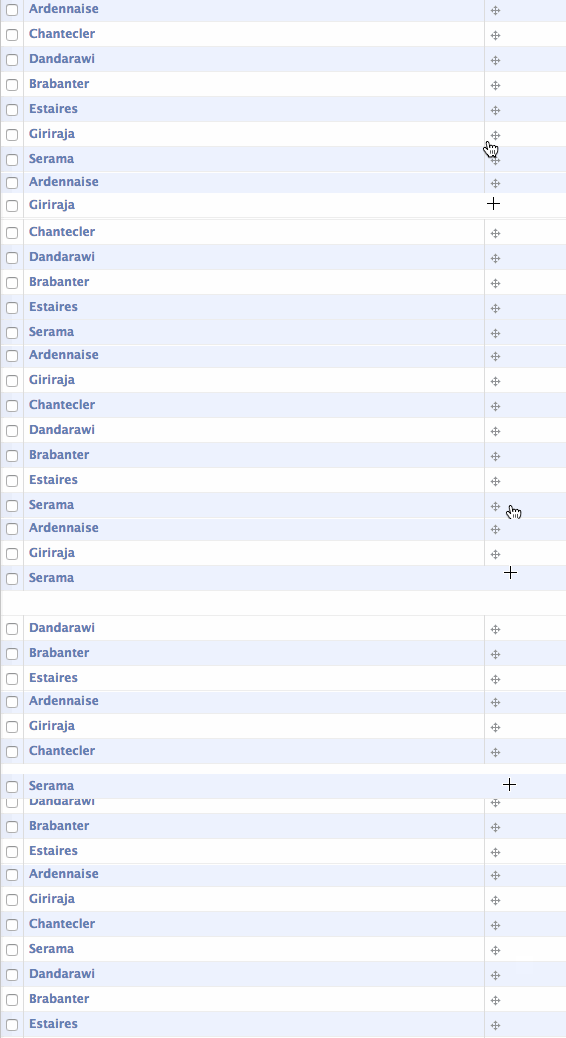
Add manual sort order to Django objects via an abstract base class and admin classes. Project includes:
- Abstract base Model
- Admin class
- Inline admin class
- Admin templates
Demo
Installation
Grab from the PyPI:
pip install django-orderable
Add to your INSTALLED_APPS:
...
'orderable',
...
Subclass the Orderable class:
from orderable.models import Orderable


class Book(Orderable):
    ...
Subclass the appropriate Orderable admin classes:
from orderable.admin import OrderableAdmin, OrderableTabularInline


class SomeInlineClass(OrderableTabularInline):
    ...

class SomeAdminClass(OrderableAdmin):
    list_display = ('__unicode__', 'sort_order_display')
    ...
jQuery and jQuery UI are used in the Admin for the draggable UI. You may override the versions with your own (rather than using Google's CDN):
class SomeAdminClass(OrderableAdmin):
    class Media:
        extend = False
        js = (
            'path/to/jquery.js',
            'path/to/jquery.ui.js',
        )
Notes
class Meta
If your subclass of Orderable defines class Meta then make sure it subclasses Orderable.Meta one so the model is sorted by sort_order. ie:
class MyOrderable(Orderable):
    class Meta(Orderable.Meta):
        ...
Custom Managers
Similarly, if your model has a custom manager, subclass orderable.managers.OrderableManager instead of django.db.models.Manager.
Transactions
Saving orderable models invokes a fair number of database queries, and in order to avoid race conditions should be run in a transaction.
Adding Orderable to Existing Models
You will need to populate the required sort_order field. Typically this is
done by adding the field in one migration with a default of 0, then creating
a data migration to set the value to that of its primary key:
for obj in orm['appname.Model'].objects.all():
    obj.sort_order = obj.pk
    obj.save()
Multiple Models using Orderable
When multiple models inherit from Orderable the next() and previous()
methods will look for the next/previous model with a sort order. However you'll
likely want to have the various sort orders determined by a foreign key or some
other predicate. The easiest way (currently) is to override the method in
question.


Release files for django-orderable 6.1.0
For a detailed explanation of source distributions (sdists) and built distributions (wheels), please see the package formats documentation.
Source distribution (sdist)
| File | Size | Uploaded | Provenance | Actions |
|---|---|---|---|---|
| django-orderable-6.1.0.tar.gz | 12.1 kB | Without provenance | Details for django-orderable-6.1.0.tar.gz |
Built distribution (wheel)
| File | Interpreter | ABI | Platform | Actions Reset |
|---|---|---|---|---|
| django_orderable-6.1.0-py2.py3-none-any.whl | Python 3, Python 2 | none | any | Details for django_orderable-6.1.0-py2.py3-none-any.whl |
Total release size: 28.8 kB
Release files / django-orderable-6.1.0.tar.gz
| Download URL | django-orderable-6.1.0.tar.gz |
|---|---|
| Size | 12.1 kB |
| Tags | Source |
|
SHA-256 checksum How to use checksums |
f032343396755521d9c5e6ef71ddce287f8b4e8989d58547364fdbf0f5545473
|
|
BLAKE2b-256 checksum How to use checksums |
efc7e36f85e0b02f2ef5356b60ec7ea9a781e014fbe817527ff16d3d86544e49
|
| Upload date | |
|
Uploaded using Trusted Publishing? What is trusted publishing? |
No |
| Uploaded via |
twine/3.1.1 pkginfo/1.5.0.1 requests/2.24.0 setuptools/40.8.0 requests-toolbelt/0.9.1 tqdm/4.46.1 CPython/3.7.3
|
Release files / django_orderable-6.1.0-py2.py3-none-any.whl
| Download URL | django_orderable-6.1.0-py2.py3-none-any.whl |
|---|---|
| Size | 16.6 kB |
| Tags | Python 2 Python 3 |
|
SHA-256 checksum How to use checksums |
fde04c49bd1d4f6efa7dfe3c70679bae9a2c66a3399d56b779849f49197ec227
|
|
BLAKE2b-256 checksum How to use checksums |
376b4078959f9880054d768935710d6646e234644d9c8ef7324a743b9192340a
|
| Upload date | |
|
Uploaded using Trusted Publishing? What is trusted publishing? |
No |
| Uploaded via |
twine/3.1.1 pkginfo/1.5.0.1 requests/2.24.0 setuptools/40.8.0 requests-toolbelt/0.9.1 tqdm/4.46.1 CPython/3.7.3
|
Security for django-orderable 6.1.0
Provenance
Provenance describes where a file came from. On PyPI, provenance is shared via attestations, which provide a verifiable record of the build or publishing details. View details, limitations and caveats.
No provenance found
None of the files in this release were uploaded with provenance metadata.
A note on package security
PyPI is a repository for distributing packages, not a service for auditing them. While third-party security researchers and our staff do their best to detect and remove malicious packages, PyPI cannot guarantee the quality, security or suitability of any given package.
To learn more about protecting yourself from malicious actors, visit our package security documentation.














