
Django Permalinker
django_permalinker is a Django application that provides an easy way to create, manage, and redirect permanent links (or permalinks). With customizable permalink ID generation, this app ensures that you have unique and efficient IDs to serve your redirecting needs.
Features
- Customizable Permalink ID Generation: Adjust ID length, character set (uppercase, lowercase, digits), and more through Django settings.
- Admin Interface: Manage links via Django's admin panel.
- 404 Handling: Automatically raise 404 errors for invalid or missing links.
- Automatic Redirection: Automatically redirect users to the destination URL based on the unique ID.
Requirements
- Python: 3.10+
- Django: 4+
Installation
- Install the package:
pip install django-permalinker
- Add
django_permalinkerto yourINSTALLED_APPSinsettings.py:
INSTALLED_APPS = [
    # Other apps
    'django_permalinker',
]
- Include the
django_permalinkerURLs in your project’surls.py:
from django.urls import path, include

urlpatterns = [
    # Other paths
    path("link/", include("django_permalinker.urls")),
]
- Run migrations to create the necessary database tables:
python manage.py migrate
- Start the Django development server:
python manage.py runserver
Configuration
Customize the behavior of permalink ID generation in your Django project’s settings.py file:
- PERMALINKER_ID_LENGTH: Defines the length of the generated ID (default: 5).
- PERMALINKER_ID_INCLUDE_UPPERCASE: If set to
True, uppercase letters will be included in the ID (default:True). - PERMALINKER_ID_INCLUDE_DIGITS: If set to
True, digits will be included in the ID (default:True).
Example:
# settings.py

PERMALINKER_ID_LENGTH = 8  # Custom ID length
PERMALINKER_ID_INCLUDE_UPPERCASE = False  # Only lowercase letters
PERMALINKER_ID_INCLUDE_DIGITS = True  # Include digits
Usage
Creating and Managing Links
- Access the Django Admin interface at
http://localhost:8000/admin/. - Navigate to the Permalinker section and manage your links:
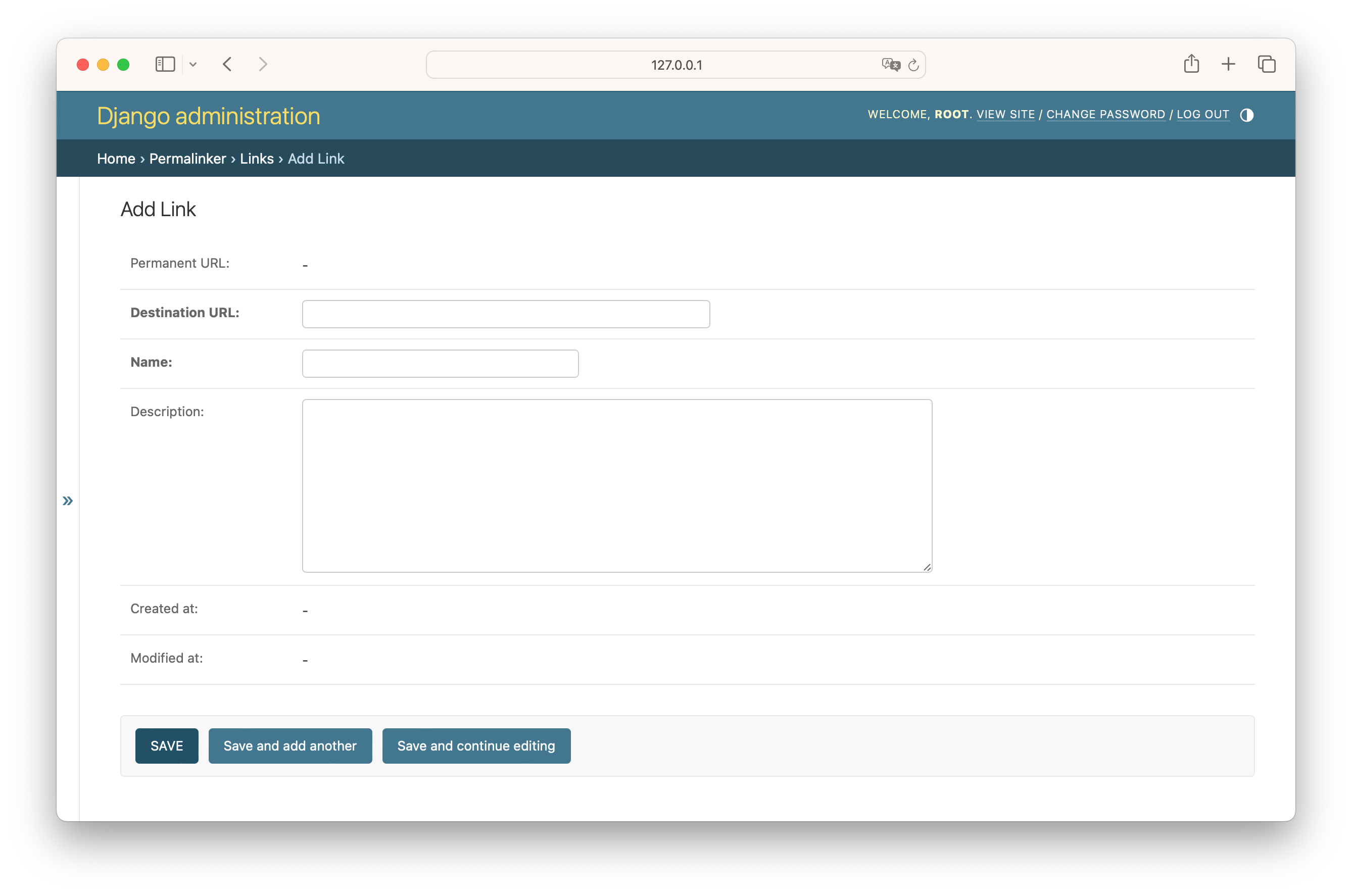
- Add New Link: Create a new link with a destination URL, name, and description.
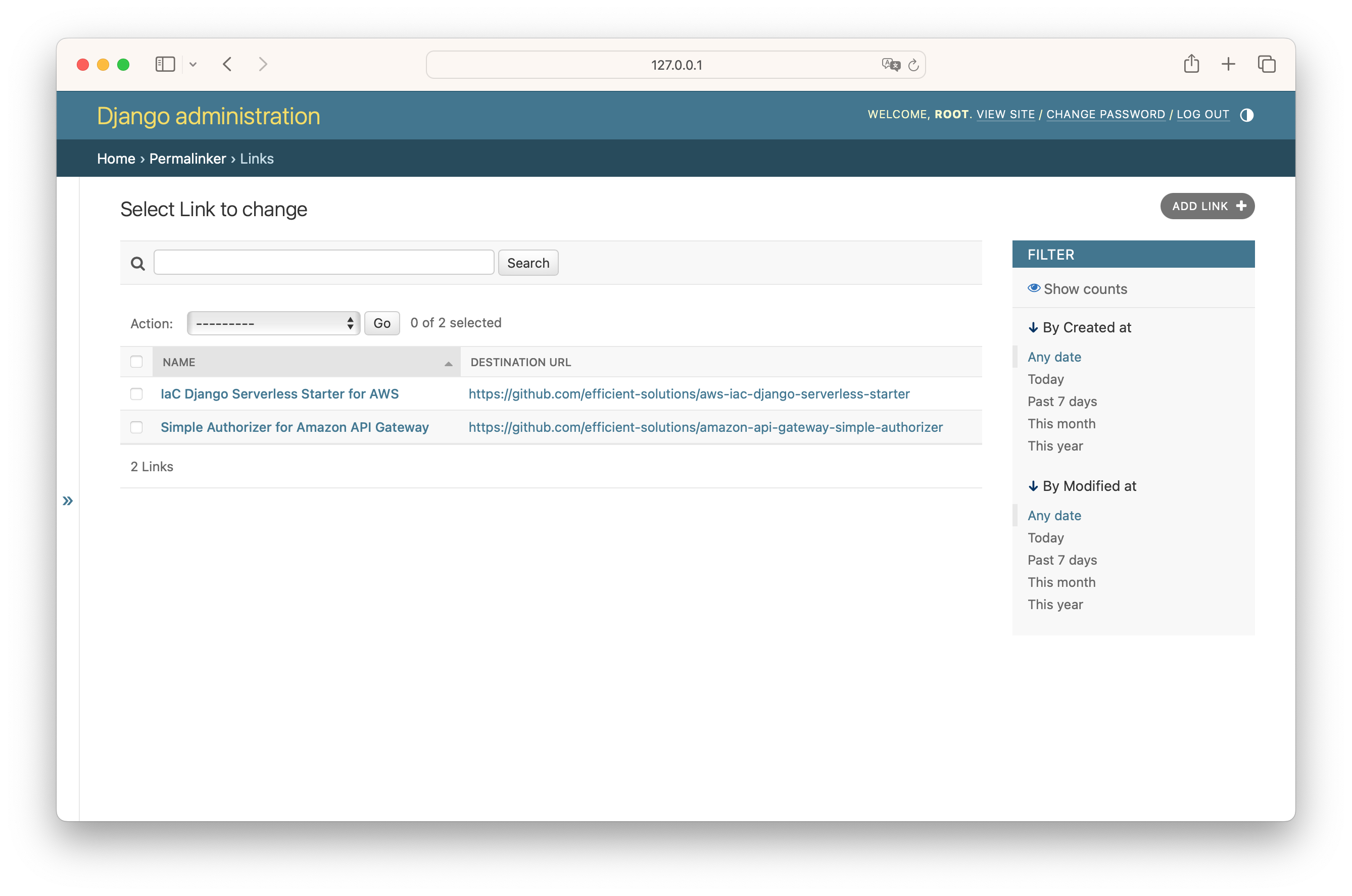
- List Links: View all the existing links.
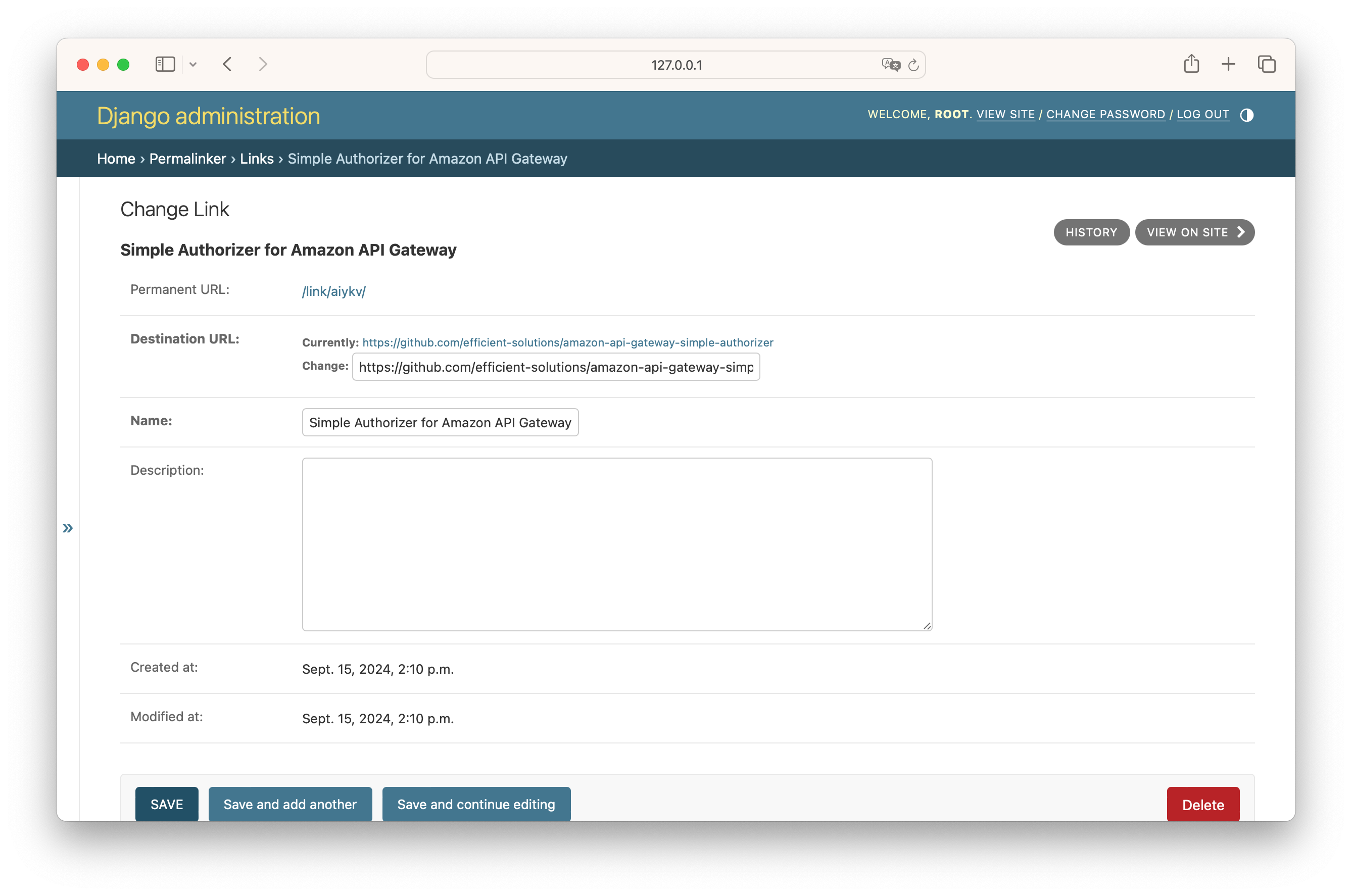
- Edit Existing Links: Update or delete existing links.
Redirecting
Once a link is created, you can access the link's permanent URL by visiting:
http://localhost:8000/link/<link_id>/
Django will handle the redirection to the destination URL automatically.
Example
-
Create a new link in the admin panel:
- Name:
Example link - Destination URL:
https://example.com
- Name:
-
Access the permanent link:
http://localhost:8000/link/abc123/
You will be redirected to https://example.com.
Screenshots
1. Admin: List Links View
View all the existing links in the Django admin.
2. Admin: Add New Link View
Create a new link by providing a name, destination URL, and description.
3. Admin: Edit Existing Link View
Edit an existing link’s details or delete it.
License
This project is licensed under the MIT License - see the LICENSE file for details.
1 maintainer

Metadata
1 maintainer
Release files for django-permalinker 0.1.1
For a detailed explanation of source distributions (sdists) and built distributions (wheels), please see the package formats documentation.
Source distribution (sdist)
| File | Size | Uploaded | |
|---|---|---|---|
| django-permalinker-0.1.1.tar.gz | 1.6 MB | Details |
Built distribution (wheel)
| File | Interpreter | ABI | Platform | Reset |
|---|---|---|---|---|
| django_permalinker-0.1.1-py3-none-any.whl | Python 3 | none | any | Details |
Total release size: 1.6 MB
Release files / django-permalinker-0.1.1.tar.gz
| Download URL | django-permalinker-0.1.1.tar.gz |
|---|---|
| Size | 1.6 MB |
| Tags | Source |
|
SHA-256 checksum How to use checksums |
bf16e16db09f1e76eb129e20dd20b11ef31755f69b1b392f3ba16e39fa618a18
|
|
BLAKE2b-256 checksum How to use checksums |
11c953f912736acd3cd0d9d1b363a66d55e555c64b293282be6e0d1e6441688f
|
| Upload date | |
|
Uploaded using Trusted Publishing? What is trusted publishing? |
No |
| Uploaded via |
twine/5.1.1 CPython/3.12.1
|
Release files / django_permalinker-0.1.1-py3-none-any.whl
| Download URL | django_permalinker-0.1.1-py3-none-any.whl |
|---|---|
| Size | 11.4 kB |
| Tags | Python 3 |
|
SHA-256 checksum How to use checksums |
1321409f1ab60f7c1212585cae5b8a5a3be3cd3436a255ea04343a835d273f99
|
|
BLAKE2b-256 checksum How to use checksums |
d2e1c8185245db0388d32c3ad27093cb059964d8cdd0b53e5eaa03894020a4c7
|
| Upload date | |
|
Uploaded using Trusted Publishing? What is trusted publishing? |
No |
| Uploaded via |
twine/5.1.1 CPython/3.12.1
|













