
Django Permission Tracer
🔍 See which permissions protect each API, and find out why a request was denied.
Django REST Framework permissions are spread across permission_classes, @action(...) overrides,
get_permissions() methods, composed expressions like IsAuthenticated | IsOwner, and global
defaults. Permission Tracer resolves all of that for you, both statically (for every endpoint and
HTTP method) and at runtime (for each request).
Features
- 🎯 Endpoint → permissions, per HTTP method and viewset action, including
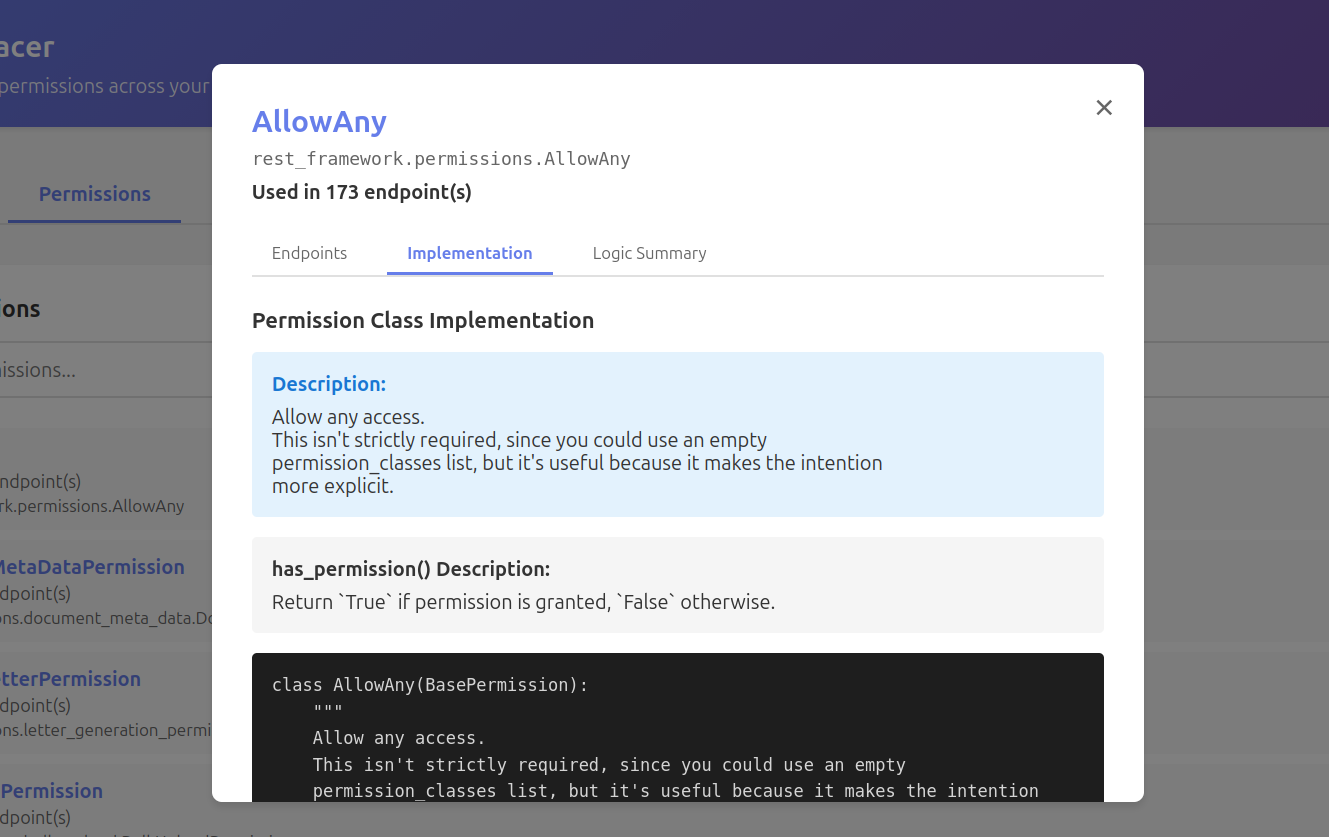
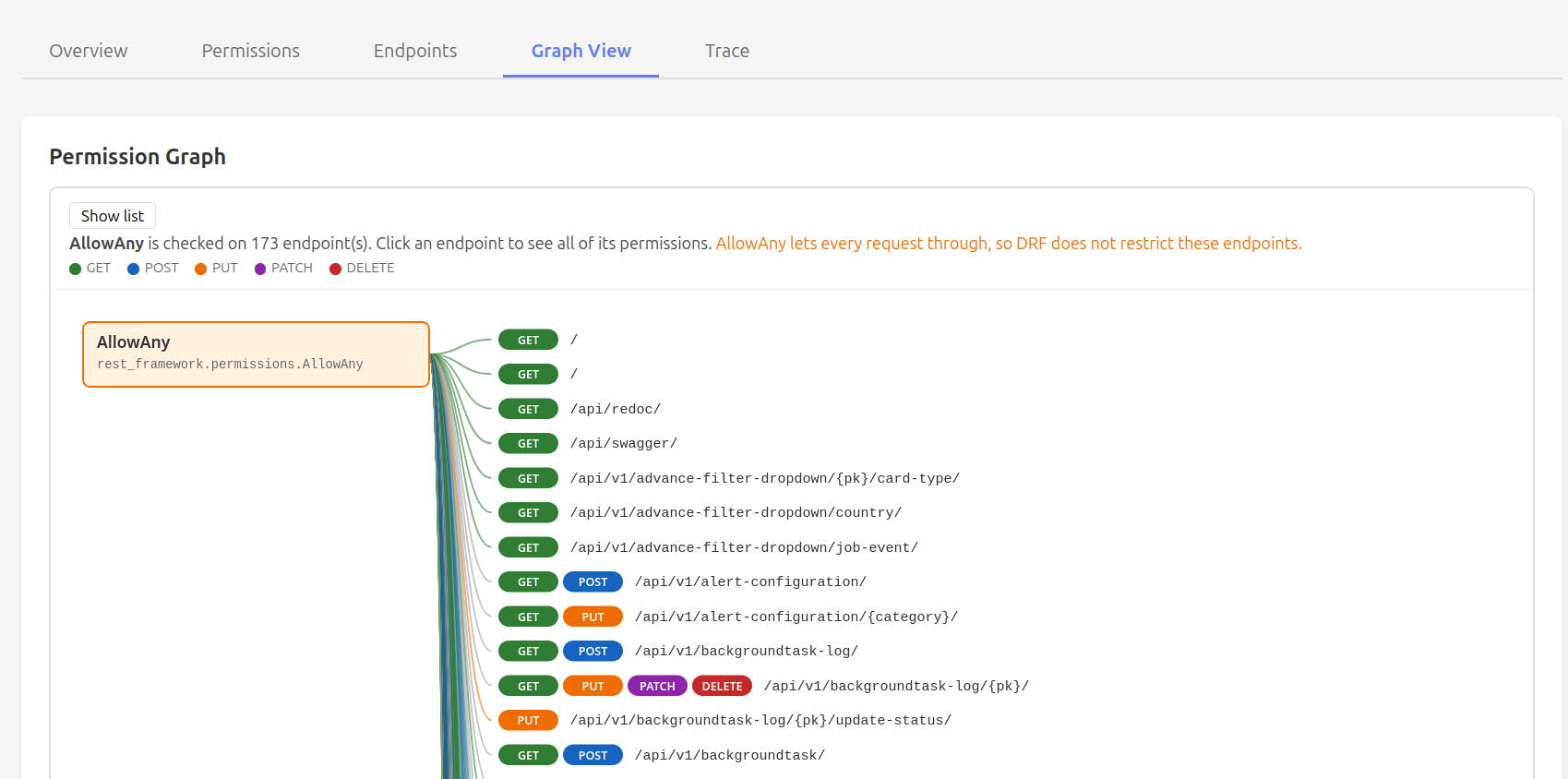
@actionoverrides,get_permissions()overrides and composed permissions (&,|,~) - 🔄 Permission → endpoints reverse lookup
- 🐛 "Why was I denied?": for each request, every permission's result, which one denied it, and for
composed permissions which operand failed. Covers both
has_permissionandhas_object_permission - 🚪 Anonymous-access audit: flags endpoints an unauthenticated user can reach; use it in CI with
--fail-on-unprotected - 📝 Permission matrix export as Markdown or CSV, for docs, PRs and security reviews
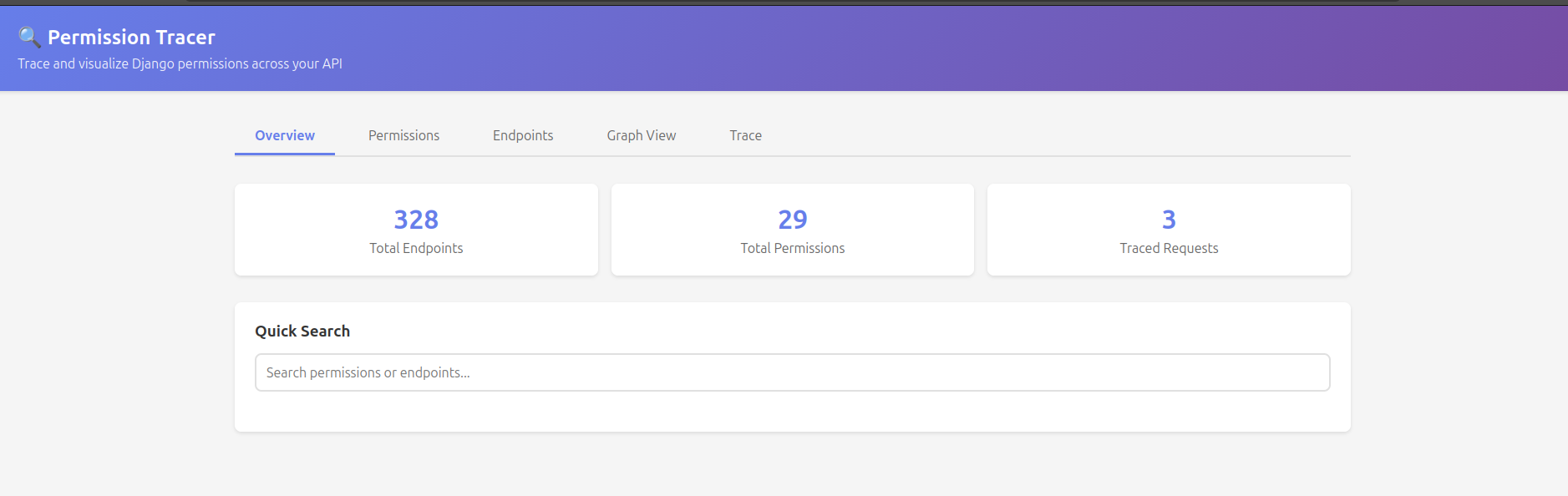
- 📊 Web dashboard with search and a graph view
Screenshot
Quickstart
pip install "django-permission-tracer[drf]"
# settings.py
INSTALLED_APPS = [
    # ...
    "permission_tracer",
]

MIDDLEWARE = [
    # ...
    "permission_tracer.middleware.PermissionTracerMiddleware",
]
# urls.py
urlpatterns = [
    # ...
    path("_permission-tracer/", include("permission_tracer.urls")),
]
Run the dev server (DEBUG = True), log in as a staff user (for example through /admin/) and
open http://localhost:8000/_permission-tracer/. You can mount it at any prefix you like.
Safe by default: the tracer is only enabled when
DEBUG = True, and the dashboard and API are restricted to active staff users. It shows your permission classes' source code and recent requests, so keep it that way in any shared environment.To change who can open it, set
ACCESS_CHECK. For local development, this lets anyone in whileDEBUG = True:PERMISSION_TRACER = {"ACCESS_CHECK": "permission_tracer.conf.allow_in_debug"}See Configuration for all options.
Usage
Debug a denied request
Make the request, then open the Traces tab (or GET <prefix>/api/trace/?denied=1). Each trace shows:
- the view, viewset action and user (and which authenticator authenticated them)
- every permission check, at view level and object level, and whether it passed
- the permission that denied the request, with DRF's error message
- for composed permissions, which operand failed, e.g.
✗ OR → ✗ IsAuthenticated, ✗ IsOwner
Permission report and matrix
python manage.py permission_tracer_analyze                     # readable report
python manage.py permission_tracer_analyze --format markdown   # matrix for docs / PR descriptions
python manage.py permission_tracer_analyze --format csv --output permissions.csv
python manage.py permission_tracer_analyze --format json
Example Markdown output:
| Method | Path | Action | Permissions | Anonymous |
|---|---|---|---|---|
| GET | /api/articles/ |
list | IsAuthenticated | IsOwner |
no |
| GET | /api/articles/public/ |
public | AllowAny |
yes |
| POST | /api/articles/{pk}/publish/ |
publish | IsAdminUser |
no |
"Anonymous" is worked out by calling each permission with an unauthenticated request: yes, no,
or ? if a permission raised an error.
Fail CI when an endpoint is accidentally public
python manage.py permission_tracer_analyze --format markdown \
    --fail-on-unprotected \
    --allow /api/ \
    --allow '/api/auth/*' \
    --allow 'GET /api/articles/*'
The command exits non-zero and lists every endpoint method that anonymous users can reach, except
those matching an --allow pattern (a glob, optionally prefixed with an HTTP method).
Configuration
All settings are optional:
PERMISSION_TRACER = {
    # None (default) follows settings.DEBUG. Set True to force it on, e.g. on a staging server.
    "ENABLED": None,
    # Who may open the dashboard/API: a callable or dotted path taking the request.
    # Default: active staff users. 'permission_tracer.conf.allow_in_debug' lets anyone in when DEBUG=True.
    "ACCESS_CHECK": "permission_tracer.conf.staff_only",
    # 'memory': per-process (fine for runserver). 'cache': uses Django's cache, shared across workers.
    "STORAGE_BACKEND": "memory",
    "MAX_TRACES": 100,
    "TRACE_TIMEOUT": 3600,  # seconds, 'cache' backend only
    "EXCLUDE_PATHS": [
        "/admin/",
        "/static/",
        "/media/",
    ],  # the tracer's own URLs are always excluded
}
Projects with token or JWT authentication middleware
If your project authenticates in a middleware that rejects any request without a token, opening
the dashboard in a browser returns that middleware's error (for example 401 Authentication failed, access token is required). A browser tab can't send your API's token headers.
Wrap that middleware with tracer_exempt. The wrapped version lets the tracer's own URLs
through while the tracer is enabled, and behaves exactly as before for every other request:
# myproject/middleware.py
from permission_tracer.middleware import tracer_exempt

from myproject.auth import JWTAuthMiddleware

TracerExemptJWTAuthMiddleware = tracer_exempt(JWTAuthMiddleware)
# settings.py: swap it in, same position in MIDDLEWARE
MIDDLEWARE = [
    # "myproject.auth.JWTAuthMiddleware",
    "myproject.middleware.TracerExemptJWTAuthMiddleware",
    # ...
]
These projects usually have no Django session login either, so the default staff-only
ACCESS_CHECK can't recognize anyone. For local development, use:
PERMISSION_TRACER = {"ACCESS_CHECK": "permission_tracer.conf.allow_in_debug"}
Without the dashboard, python manage.py permission_tracer_analyze gives you the same
endpoint and permission report on the command line, and needs no browser access at all.
How it works
- Static analysis walks your URLconf. For every DRF route it builds the view the same way DRF's
router would (same
initkwargsand action map) and callsget_permissions()once per HTTP method. The result is what DRF would actually use, not just what thepermission_classesattribute says. Django class-based views reportLoginRequiredMixin/PermissionRequiredMixin/UserPassesTestMixin. Plain function views without DRF aren't covered. - Runtime tracing wraps
APIView.check_permissionsandAPIView.check_object_permissionsonce at startup. Each request's trace lives in acontextvars.ContextVar, so it is safe under threaded and async servers. Outside a traced request the wrappers just call DRF's original methods. Views that overridecheck_permissionsthemselves are not traced.
Development
pip install -e ".[drf]" pytest pytest-django
pytest
See CONTRIBUTING.md for guidelines.
License
MIT License - see LICENSE file for details.
1 maintainer

Metadata
1 maintainer
Release files for django-permission-tracer 0.1.0
For a detailed explanation of source distributions (sdists) and built distributions (wheels), please see the package formats documentation.
Source distribution (sdist)
| File | Size | Uploaded | |
|---|---|---|---|
| django_permission_tracer-0.1.0.tar.gz | 42.2 kB | Details |
Built distribution (wheel)
| File | Interpreter | ABI | Platform | Reset |
|---|---|---|---|---|
| django_permission_tracer-0.1.0-py3-none-any.whl | Python 3 | none | any | Details |
Total release size: 80.7 kB
Release files / django_permission_tracer-0.1.0.tar.gz
| Download URL | django_permission_tracer-0.1.0.tar.gz |
|---|---|
| Size | 42.2 kB |
| Tags | Source |
|
SHA-256 checksum How to use checksums |
bdd7fdeeb50f13b45e5d73953087b98eb4ae585aed8f91c1ee2f1997e74c9eb6
|
|
BLAKE2b-256 checksum How to use checksums |
bce91acda5fef89d15e72a69306d10e4df8253b6cdc27e4b703151328f2eeaa2
|
| Upload date | |
|
Uploaded using Trusted Publishing? What is trusted publishing? |
No |
| Uploaded via |
twine/7.0.0 CPython/3.13.14
|
Release files / django_permission_tracer-0.1.0-py3-none-any.whl
| Download URL | django_permission_tracer-0.1.0-py3-none-any.whl |
|---|---|
| Size | 38.5 kB |
| Tags | Python 3 |
|
SHA-256 checksum How to use checksums |
0d4964698a9e1e666c033ec3efc88622b9b78532c856e8fceefbb9c9afa29fe0
|
|
BLAKE2b-256 checksum How to use checksums |
35e919fdc3f549ff93fe40d227b2dbb9464b7f49c0d4226da4226302f869e1fc
|
| Upload date | |
|
Uploaded using Trusted Publishing? What is trusted publishing? |
No |
| Uploaded via |
twine/7.0.0 CPython/3.13.14
|














