
Django Redis Admin
Browse every key on your Redis servers from the Django admin you already have.








Documentation · PyPI · Source · Issues
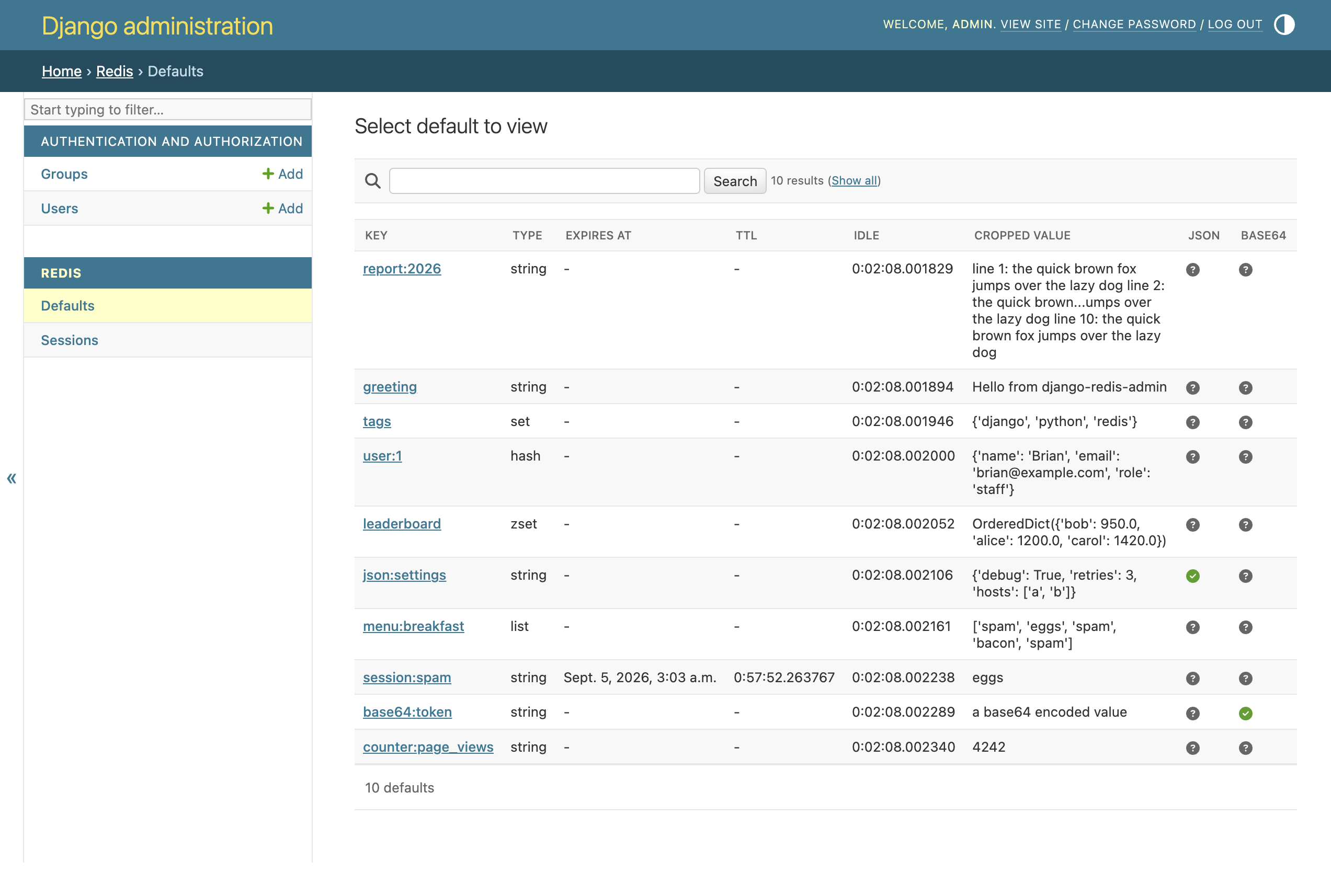
You have a Redis server next to your Django project and a question about it:
which keys are in there, what do they hold, and when do they expire? Answering
that from redis-cli means remembering SCAN, TYPE, PTTL and a decoder
for whatever your code stored. django-redis-admin puts the same answers in
the Django admin as a searchable, paginated list with one page per key.
The trick underneath is small. A fake queryset talks to Redis with SCAN and a
pipeline of TYPE, PTTL and OBJECT IDLETIME, and the ModelAdmin never
notices it isn't looking at a database table. Because Redis only stores bytes,
the admin can decode JSON and base64 values for you, selected by a regular
expression on the key.
Highlights
- Every server, every key type. Strings, lists, sets, hashes and sorted sets from plain servers, master and replica pairs, or Redis Sentinel.
- Search and pagination that map onto
SCAN.exact,startswith,endswithandcontainslookups on the key become glob patterns. - Decoding by key pattern. JSON and base64 values are decoded before they are shown, and the list flags which keys matched.
- Exclusions for keys that aren't yours. Hide pickled
constance:values or session stores by prefix, regular expression or exact key. - Read-only by design. Add, change and delete are refused at the endpoint, so a staff account with the view permission can look but never touch.
- Typed and tested. Ships
py.typed, passes mypy, basedpyright and pyrefly in strict mode, and runs at 100% line and branch coverage on Python 3.10 to 3.14 and PyPy with Django 4.2 to 6.1.
Quick start
Install the package:
pip install django-redis-admin
Add it to INSTALLED_APPS in your Django settings:
INSTALLED_APPS = [
    ...,
    'django.contrib.admin',
    'redis_admin',
]
That's the whole setup for a Redis on localhost:6379. Start your server, log
in to /admin/ and a Redis section appears with one entry per configured
server. For other hosts, ports or databases add a REDIS_SERVERS setting:
REDIS_SERVERS = {
    'cache': {'host': 'redis.internal', 'port': 6379, 'db': 1},
    'sessions': {'host': 'redis.internal', 'port': 6379, 'db': 2},
}
Each entry becomes its own admin page, named after the key. The configuration reference covers master and replica pairs, Sentinel, decoding and exclusions.
A short tour
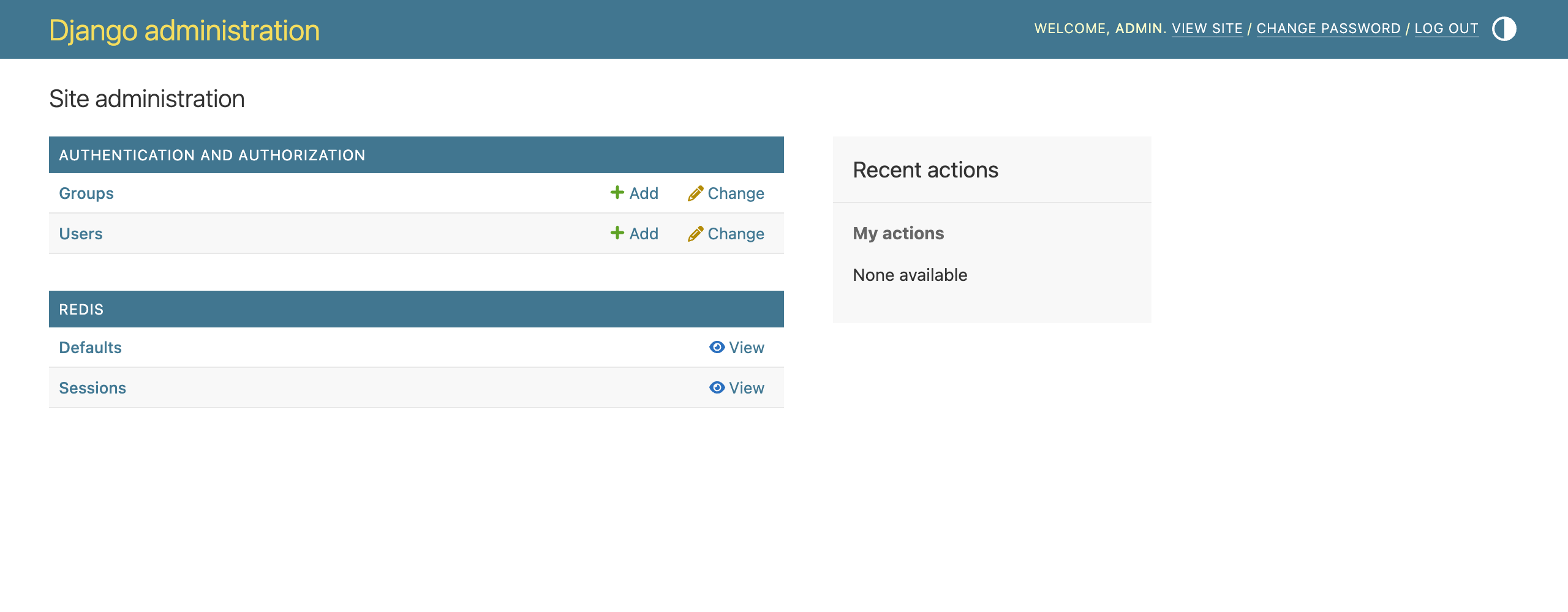
The admin index lists each server under Redis with a View link. There is no Add, because the admin refuses writes:
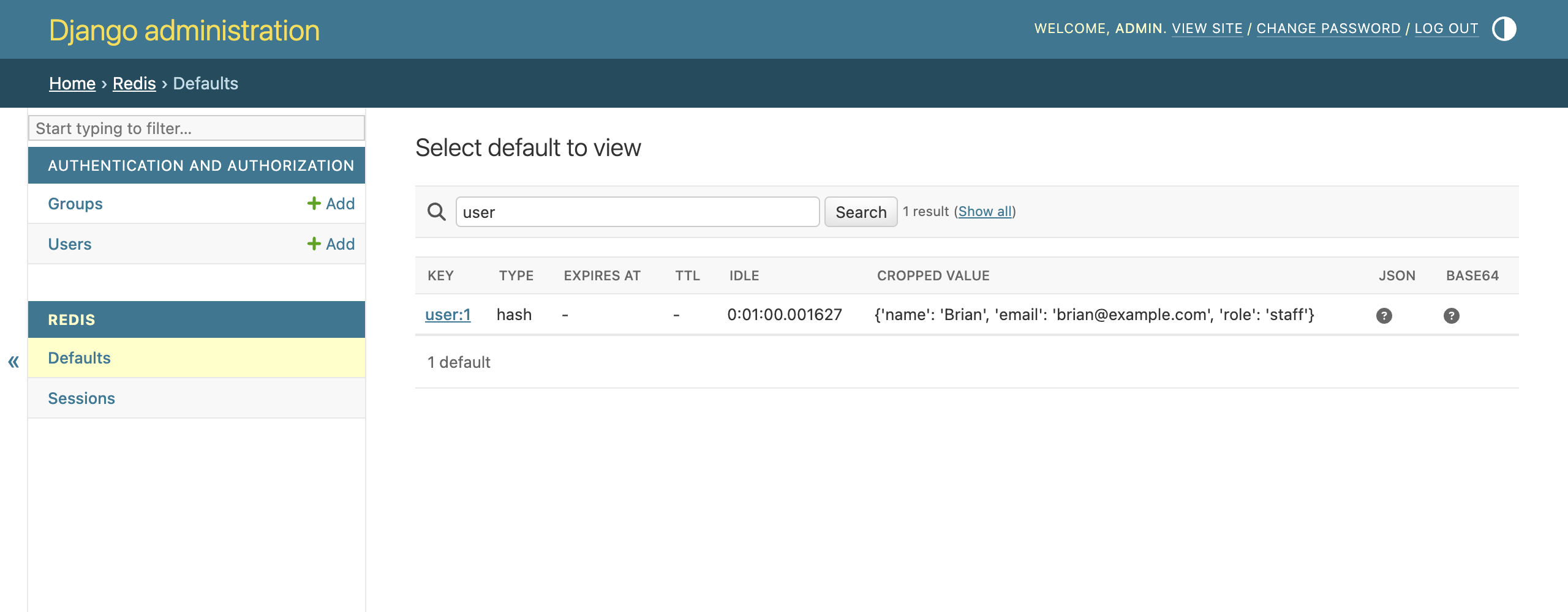
The search box filters on the key. A search for user becomes a *user*
SCAN pattern on the server:
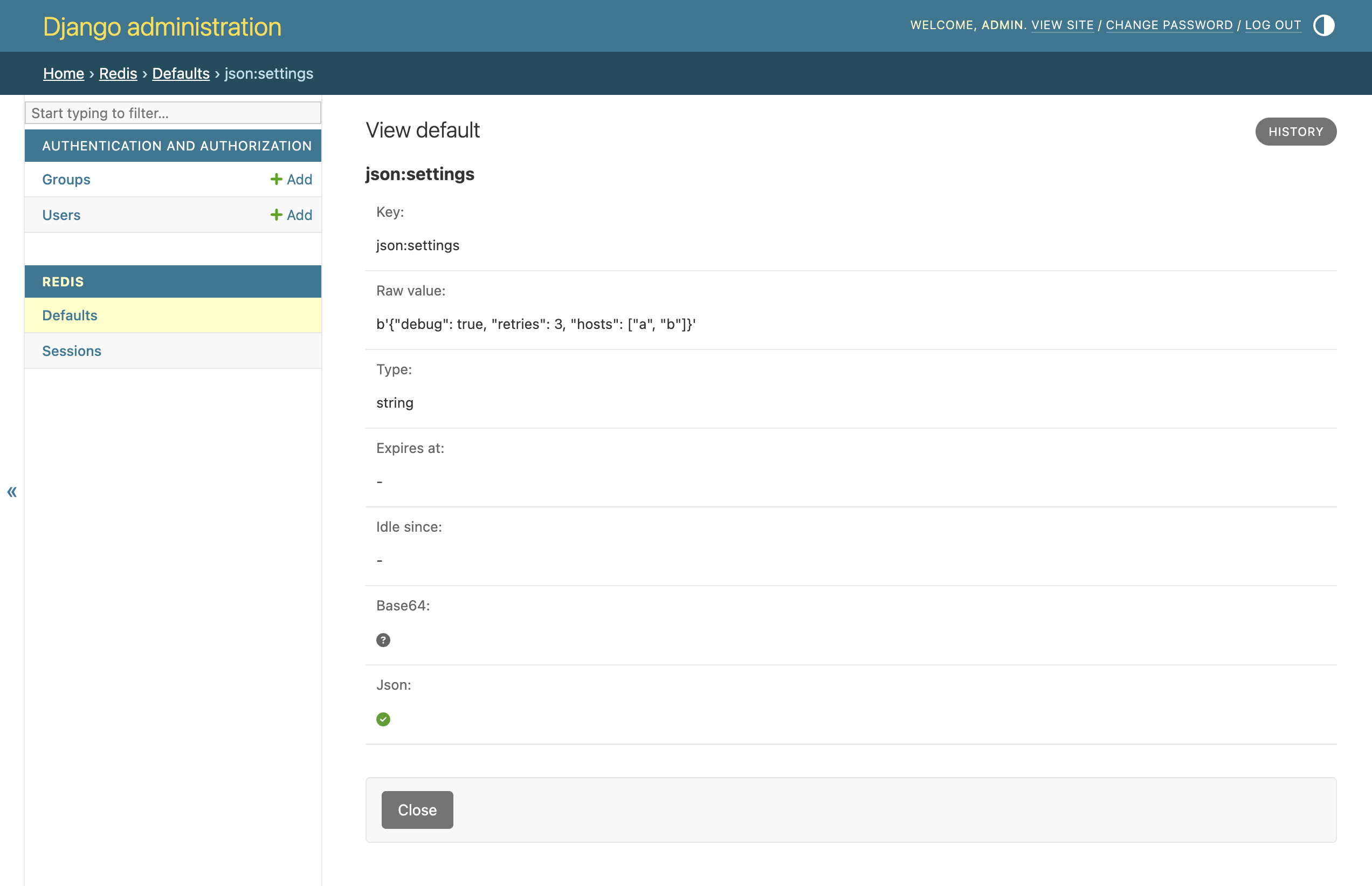
Opening a key shows the raw bytes next to the decoded value, the expiry, the idle time and whether JSON or base64 decoding applied. The only button is Close:
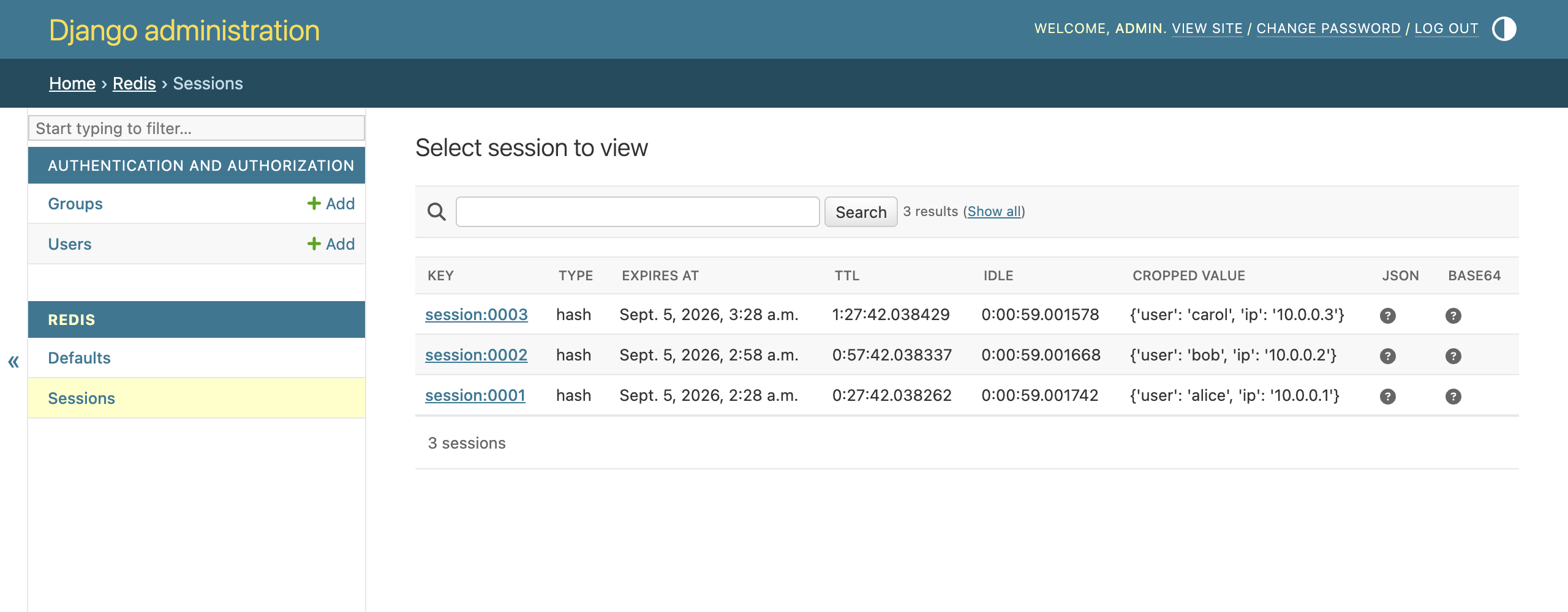
A second server gets its own page. Here a sessions database shows hashes
with their remaining time to live:
Configuration
Everything is optional. The most used settings, with their defaults:
# One admin page per entry. Keys are passed to redis.Redis(), except for
# `master`, `slave`, `service_name`, `meta` and the exclude_* options.
REDIS_SERVERS = {'default': {}}

# Regular expressions matched against the key. Matching values are decoded.
REDIS_JSON_KEY_RE = '^$'
REDIS_BASE64_KEY_RE = '^$'

# Keys to leave out of the admin, for example pickled data from other apps.
REDIS_EXCLUDE_KEY_PREFIXES = ()
REDIS_EXCLUDE_KEY_RE = None
REDIS_EXCLUDE_KEYS = ()

# Values longer than this are cropped in the list view.
REDIS_REPR_CROP_SIZE = 150

# Socket timeout for every connection, in seconds.
REDIS_SOCKET_TIMEOUT = 0.3
Master and replica pairs, Sentinel, per-server exclusions and a custom JSON module are described in the configuration reference.
[!NOTE] The admin uses
SCANwith a count matched to the page size, so a page never walks the whole keyspace. The total shown at the bottom comes fromINFO keyspace, which is why it can differ from a filtered search count.
Try the demo
The repository ships a demo project that seeds a local Redis with one key of every type, including JSON, base64, expiring and excluded examples:
git clone https://github.com/wolph/django-redis-admin.git
cd django-redis-admin
uv sync
uv run python -m test_redis_admin.demo
Log in at http://127.0.0.1:8080/admin/ with admin / admin. The demo needs
a Redis on 127.0.0.1:6379, or set REDIS_HOST and REDIS_PORT to point it
somewhere else. Every screenshot on this page comes from that demo.
Development
uv sync                # package, tests, docs and all checkers
uv run lefthook install
uv run pytest          # tests with the 100% coverage gate
uvx --with tox-uv tox -p auto   # the full matrix CI runs
tox -m check runs ruff, the three type checkers, codespell, and the
linters for TOML, YAML, Markdown and the GitHub workflows. tox -m compat
runs the pinned Django 4.2, 5.2, 6.0 and 6.1 environments and tox -m package builds both distributions and runs the tests from the sdist. CI
runs every one of these as its own job, and a pushed vX.Y.Z tag creates
the GitHub release and publishes to PyPI. The
development guide
has the details.
Roadmap
The admin is read-only on purpose: showing a value is safe, saving one back without knowing its encoding is not. Editing and deleting keys, bitmaps and HyperLogLogs are the open items. Contributions are welcome through GitHub issues.
Licence
BSD 3-Clause. See LICENSE.
2 maintainers


Release files for django-redis-admin 0.4.0
For a detailed explanation of source distributions (sdists) and built distributions (wheels), please see the package formats documentation.
Source distribution (sdist)
| File | Size | Uploaded | |
|---|---|---|---|
| django_redis_admin-0.4.0.tar.gz | 30.7 kB | Details |
Built distribution (wheel)
| File | Interpreter | ABI | Platform | Reset |
|---|---|---|---|---|
| django_redis_admin-0.4.0-py3-none-any.whl | Python 3 | none | any | Details |
Total release size: 46.5 kB
Release files / django_redis_admin-0.4.0.tar.gz
| Download URL | django_redis_admin-0.4.0.tar.gz |
|---|---|
| Size | 30.7 kB |
| Tags | Source |
|
SHA-256 checksum How to use checksums |
7f021833c9a7275de576b5efe55954271c1627bdc6fd410e5340c820c33e06ee
|
|
BLAKE2b-256 checksum How to use checksums |
10a4c9d3a42c3dec0ea147f760125c6574f753f8afd7e918e714c652984e23d1
|
| Upload date | |
|
Uploaded using Trusted Publishing? What is trusted publishing? |
Yes |
| Uploaded via |
twine/7.0.0 CPython/3.13.14
|
Provenance
Provenance describes where a file came from. On PyPI, provenance is shared via attestations, which provide a verifiable record of the build or publishing details. View details, limitations and caveats.


PyPI Publish Attestation
PyPI verified that this artifact, at this checksum, originated from the publisher listed below.
Signed by GitHub Actions, verified by PyPI on Sep 7, 2026.
Transparency logRelease files / django_redis_admin-0.4.0-py3-none-any.whl
| Download URL | django_redis_admin-0.4.0-py3-none-any.whl |
|---|---|
| Size | 15.8 kB |
| Tags | Python 3 |
|
SHA-256 checksum How to use checksums |
5e771f546a16e7a473e1680d45ad0af04f1f2bc40d205509719f2147b3b924d4
|
|
BLAKE2b-256 checksum How to use checksums |
33d70f794ca947bb923d95fc11cafea7c3d9da281d2c5ebcbe04d0407c2ea298
|
| Upload date | |
|
Uploaded using Trusted Publishing? What is trusted publishing? |
Yes |
| Uploaded via |
twine/7.0.0 CPython/3.13.14
|
Provenance
Provenance describes where a file came from. On PyPI, provenance is shared via attestations, which provide a verifiable record of the build or publishing details. View details, limitations and caveats.
PyPI Publish Attestation
PyPI verified that this artifact, at this checksum, originated from the publisher listed below.
Signed by GitHub Actions, verified by PyPI on Sep 7, 2026.
Transparency log













