
This release is a pre-release and may not be stable for production use.
Django Showroom
A Django-native Storybook JS alternative for building design systems. Develop, document, and test atomic UI components in isolation – with multi-framework rendering, shared story contracts, and side-by-side comparison.
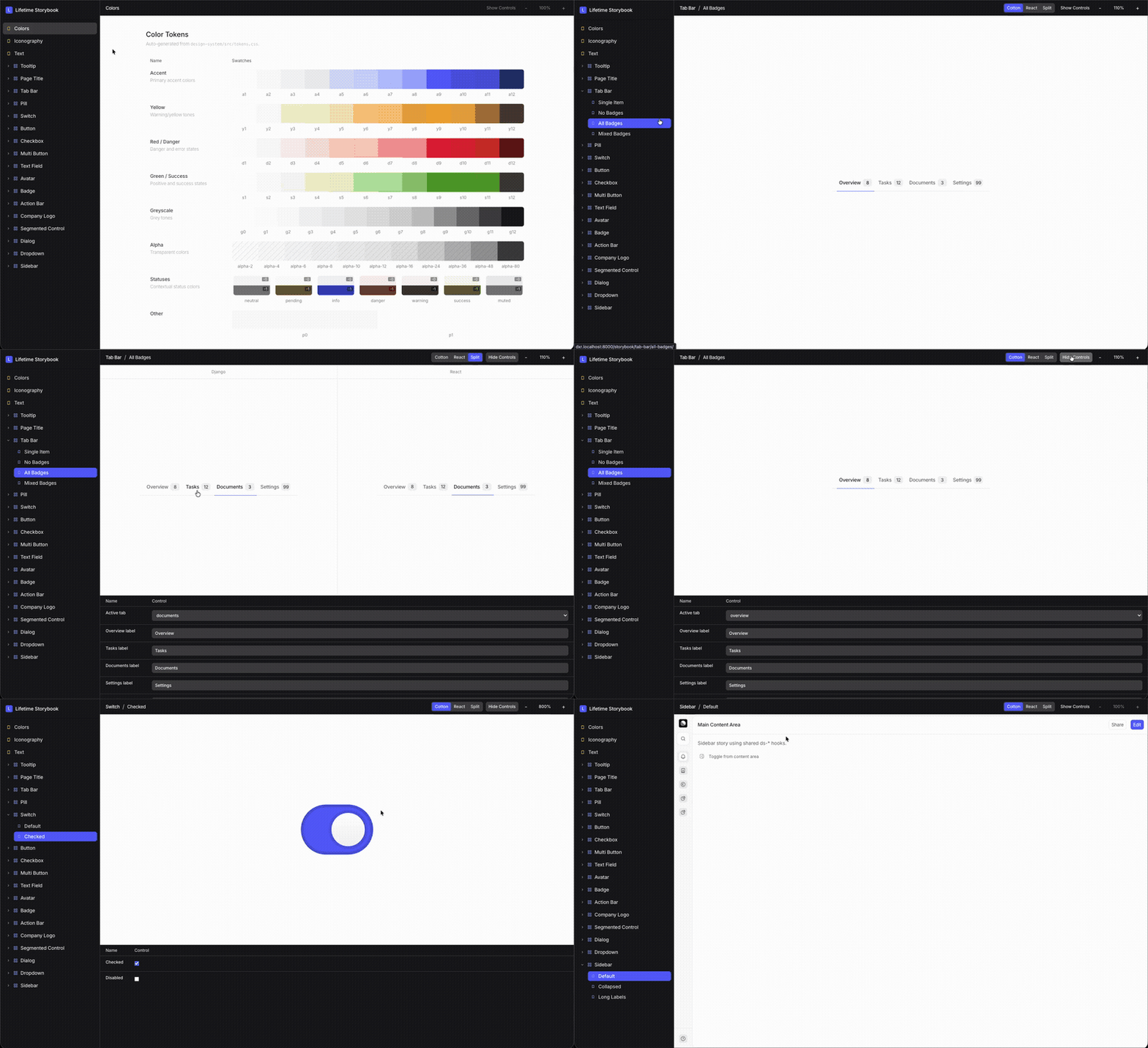
Why this project
Most teams with Django + frontend islands struggle with two recurring issues:
- Story drift across rendering frameworks.
- Styling drift across implementations.
This architecture solves both by making contracts and styling framework-agnostic first, then implementing thin adapters.
Installation
pip install django-showroom
Then add it to your Django project:
# settings.py
INSTALLED_APPS = [
    ...
    "django_cotton",
    "showroom",
]
# urls.py
from django.urls import include, path

urlpatterns = [
    path("showroom/", include("showroom.urls")),
]
You'll also need Node.js (>=20) for the build step:
npm install
npm run build
Then start your Django dev server and open /showroom/.
How it differs from Storybook.js
| Django Showroom | storybook-django (Torchbox) | |
|---|---|---|
| Architecture | Django-native – single server | Storybook.js wrapper – requires Django + Node servers |
| Story format | JSON contracts (component.json, stories.json) |
JavaScript CSF (Component Story Format) |
| Multi-framework | Cotton, React, Alpine, HTML, vanilla JS – simultaneously | Django templates only (rendered via API) |
| Split view | Built-in side-by-side framework comparison | Not available |
| Design tokens | Built-in recipe engine for variants and CSS tokens | External (BYO) |
| Focus | Atomic design system components | Template previews |
Adding components
Create a new directory under components/cotton/ds/your_component/ with:
your_component/
├── component.json            # Metadata (slug, label, adapter paths)
├── stories.json              # Story definitions with defaults
├── stories/
│   ├── controls.json         # Control field definitions
│   ├── default.html          # Django/Cotton story template
│   └── react.preview.ts      # React story renderer (optional)
└── index.html                # Cotton component template
Then run npm run build to validate and regenerate the registry.
Example components
The repo ships with 3 example components demonstrating a complexity gradient:
- Button – simple, static component with variant/size controls
- Badge – medium complexity with data-attribute-driven styling
- Text Field – complex form input with label, icons, error states
Each component includes a component.json contract, stories, controls, a Cotton template, and a React preview – showing how one story definition renders identically across frameworks.
Development setup
python3 -m venv .venv
source .venv/bin/activate
pip3 install -e ".[dev]"
npm install
npm run build
python3 manage.py runserver
Open: http://127.0.0.1:8000/showroom/
Docs
Full documentation is on GitHub.
License
1 maintainer

Metadata
1 maintainer
Release files for django-showroom 0.1.0a2
For a detailed explanation of source distributions (sdists) and built distributions (wheels), please see the package formats documentation.
Source distribution (sdist)
| File | Size | Uploaded | |
|---|---|---|---|
| django_showroom-0.1.0a2.tar.gz | 28.6 kB | Details |
Built distribution (wheel)
| File | Interpreter | ABI | Platform | Reset |
|---|---|---|---|---|
| django_showroom-0.1.0a2-py3-none-any.whl | Python 3 | none | any | Details |
Total release size: 61.5 kB
Release files / django_showroom-0.1.0a2.tar.gz
| Download URL | django_showroom-0.1.0a2.tar.gz |
|---|---|
| Size | 28.6 kB |
| Tags | Source |
|
SHA-256 checksum How to use checksums |
4aa9a7b416ad36828ce9758b2044f0c127e917155dd313f7a6a02ec4e9403ab5
|
|
BLAKE2b-256 checksum How to use checksums |
b46a42ce61024642d6dca0929262038b88662ae2b159762d20e155ca6a028aca
|
| Upload date | |
|
Uploaded using Trusted Publishing? What is trusted publishing? |
No |
| Uploaded via |
twine/6.2.0 CPython/3.11.9
|
Release files / django_showroom-0.1.0a2-py3-none-any.whl
| Download URL | django_showroom-0.1.0a2-py3-none-any.whl |
|---|---|
| Size | 32.9 kB |
| Tags | Python 3 |
|
SHA-256 checksum How to use checksums |
3f0c5145dee7122e5bfb2a32a7e1f33322ad46cc1a39edc7d4233f134d869129
|
|
BLAKE2b-256 checksum How to use checksums |
6f1ee4dfa6adab212d6a1d9f03dfb50c44515ce5b79ea86b8a4dee78c411ce36
|
| Upload date | |
|
Uploaded using Trusted Publishing? What is trusted publishing? |
No |
| Uploaded via |
twine/6.2.0 CPython/3.11.9
|














