
No project description provided
Verified details
These details have been verified by PyPIProject links
GitHub Statistics
Maintainers

Project description
Django SmartBase Admin
A modern, modular, and developer-friendly admin interface for Django.
Built to speed up development of internal tools and admin panels — beautifully and efficiently.
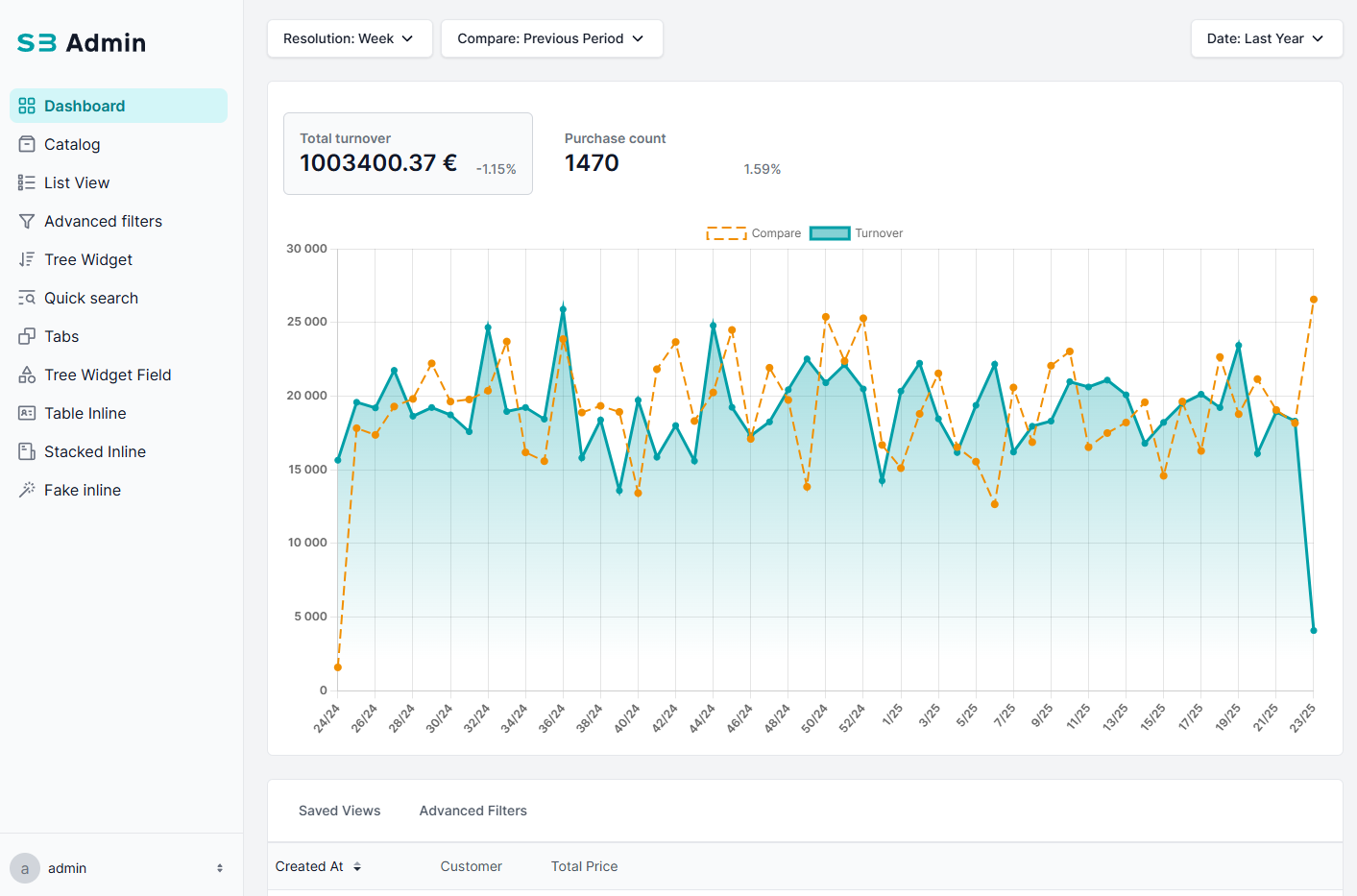
✨ Features
- Fast integration with any Django project
- Improved performance of Django List Admin using
SBAdminField, databaseannotate()andvalues()to avoid direct object access - Simple configuration of menu structure, dashboard components, and permissions per user role
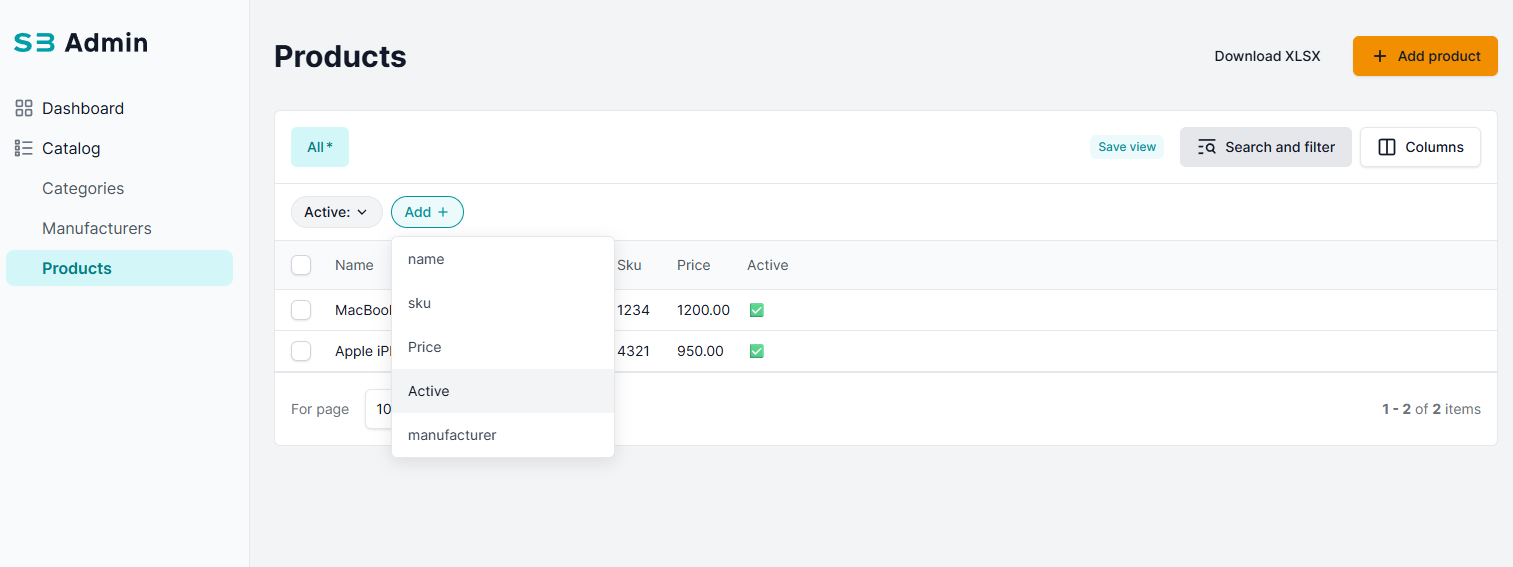
- Enhanced Django List Admin filters: autocomplete support for related fields and filtering across all model fields
- Ability for users to save and reuse custom filters in Django List Admin
- Improved Django Detail Admin with autocomplete for relational fields
- Support for "FakeInlines" – define inline-like blocks without requiring a direct model relationship
- Easy extension of list and detail views with custom actions and corresponding views
- Beautiful modern UI (Tailwind CSS)
- Responsive & mobile-friendly
- End-user ready for building SaaS or similar projects with global queryset configuration
📚 Full Documentation (in progress)
🌐 Live Demo
Want to see it in action?
👉 Check out the live demo
Login credentials:
- Admin role:
admin / admin - Editor role:
editor / editor
⚡ Quick Start
1. Install Smartbase Admin
Begin by installing the Smartbase Admin package using pip:
pip install django-smartbase-admin
Ensure that django-smartbase-admin and its dependencies are included in your Django settings. Open your settings.py file and add the following to INSTALLED_APPS:
INSTALLED_APPS = [
    # other apps
    "django_smartbase_admin",
    "easy_thumbnails",
    "widget_tweaks",
]
2. Add Admin URL Configuration
In your project’s urls.py, register the Smartbase Admin site by importing sb_admin_site and adding the path:
from django_smartbase_admin.admin.site import sb_admin_site

urlpatterns = [
    path("sb-admin/", sb_admin_site.urls),
    # other paths
]
This makes the Smartbase Admin interface accessible at /sb-admin/
3. Define the SmartBase Admin Configuration
In your project, for example in config package create a file called sbadmin_config.py with the following content:
from django_smartbase_admin.engine.configuration import SBAdminConfigurationBase, SBAdminRoleConfiguration
from django_smartbase_admin.views.dashboard_view import SBAdminDashboardView
from django_smartbase_admin.engine.menu_item import SBAdminMenuItem

config = SBAdminRoleConfiguration(
    default_view=SBAdminMenuItem(view_id="dashboard"),
    menu_items=[
        SBAdminMenuItem(view_id="dashboard", icon="All-application"),
    ],
    registered_views=[
        SBAdminDashboardView(widgets=[], title="Dashboard"),
    ],
)

class SBAdminConfiguration(SBAdminConfigurationBase):
    def get_configuration_for_roles(self, user_roles):
        return config
4. Reference the Configuration in settings.py
SB_ADMIN_CONFIGURATION = "config.sbadmin_config.SBAdminConfiguration"
5. Add Locale Middleware
Add the following middleware to support internationalization:
MIDDLEWARE = [
    # Other middleware...
    'django.middleware.locale.LocaleMiddleware',
]
🤝 Need Help with Development?
We at SmartBase are experts in Django and custom software.
Whether you're building a new platform or modernizing an internal tool — 💡 We can help you design, build, and scale it.
📬 Let’s talk — We’d love to work with you.
Project details
Verified details
These details have been verified by PyPIProject links
GitHub Statistics
Maintainers
Release history Release notifications | RSS feed


Download files
Download the file for your platform. If you're not sure which to choose, learn more about installing packages.
Source Distribution
Built Distribution
Filter files by name, interpreter, ABI, and platform.
If you're not sure about the file name format, learn more about wheel file names.
Copy a direct link to the current filters
File details
Details for the file django_smartbase_admin-1.0.6b2.tar.gz.
File metadata
- Download URL: django_smartbase_admin-1.0.6b2.tar.gz
- Upload date:
- Size: 3.0 MB
- Tags: Source
- Uploaded using Trusted Publishing? Yes
- Uploaded via: twine/6.1.0 CPython/3.12.9
File hashes
| Algorithm | Hash digest | |
|---|---|---|
| SHA256 |
dd51f3c328d7ab68e240372793d29e6c643f2821273d30235aa6ae1028693b3e
|
|
| MD5 |
2ae6a76fb42a80cb8eff954997d56203
|
|
| BLAKE2b-256 |
1e1f5881beaa6389493029bba738ebb347329babdb1fcceacc3e3bf199a40b64
|
Provenance
The following attestation bundles were made for django_smartbase_admin-1.0.6b2.tar.gz:
Publisher:
workflow.yml on SmartBase-SK/django-smartbase-admin
-
Statement:
-
Statement type:
https://in-toto.io/Statement/v1 -
Predicate type:
https://docs.pypi.org/attestations/publish/v1 -
Subject name:
django_smartbase_admin-1.0.6b2.tar.gz -
Subject digest:
dd51f3c328d7ab68e240372793d29e6c643f2821273d30235aa6ae1028693b3e - Sigstore transparency entry: 265264616
- Sigstore integration time:
-
Permalink:
SmartBase-SK/django-smartbase-admin@a2d839996ba9a8d7db94f0c68c1d361da311e71d -
Branch / Tag:
refs/tags/1.0.6b2 - Owner: https://github.com/SmartBase-SK
-
Access:
public
-
Token Issuer:
https://token.actions.githubusercontent.com -
Runner Environment:
github-hosted -
Publication workflow:
workflow.yml@a2d839996ba9a8d7db94f0c68c1d361da311e71d -
Trigger Event:
push
-
Statement type:
File details
Details for the file django_smartbase_admin-1.0.6b2-py3-none-any.whl.
File metadata
- Download URL: django_smartbase_admin-1.0.6b2-py3-none-any.whl
- Upload date:
- Size: 3.2 MB
- Tags: Python 3
- Uploaded using Trusted Publishing? Yes
- Uploaded via: twine/6.1.0 CPython/3.12.9
File hashes
| Algorithm | Hash digest | |
|---|---|---|
| SHA256 |
7357784330fd2634aab7cee237420aad1369b5efa59eea091c4c127cfa958c83
|
|
| MD5 |
b678171bce3c47ee9dfc535023aaef6f
|
|
| BLAKE2b-256 |
7db430fa7026af09d22ee7df979fcf27a2492ca56fdaffd533d0e920653c2777
|
Provenance
The following attestation bundles were made for django_smartbase_admin-1.0.6b2-py3-none-any.whl:
Publisher:
workflow.yml on SmartBase-SK/django-smartbase-admin
-
Statement:
-
Statement type:
https://in-toto.io/Statement/v1 -
Predicate type:
https://docs.pypi.org/attestations/publish/v1 -
Subject name:
django_smartbase_admin-1.0.6b2-py3-none-any.whl -
Subject digest:
7357784330fd2634aab7cee237420aad1369b5efa59eea091c4c127cfa958c83 - Sigstore transparency entry: 265264621
- Sigstore integration time:
-
Permalink:
SmartBase-SK/django-smartbase-admin@a2d839996ba9a8d7db94f0c68c1d361da311e71d -
Branch / Tag:
refs/tags/1.0.6b2 - Owner: https://github.com/SmartBase-SK
-
Access:
public
-
Token Issuer:
https://token.actions.githubusercontent.com -
Runner Environment:
github-hosted -
Publication workflow:
workflow.yml@a2d839996ba9a8d7db94f0c68c1d361da311e71d -
Trigger Event:
push
-
Statement type:






