
DjangoCMS Catalog of Books

Project description
Catalog of Books
The program is designed to manage eBooks for free download. However, it is also possible to link to bookstore sales pages.
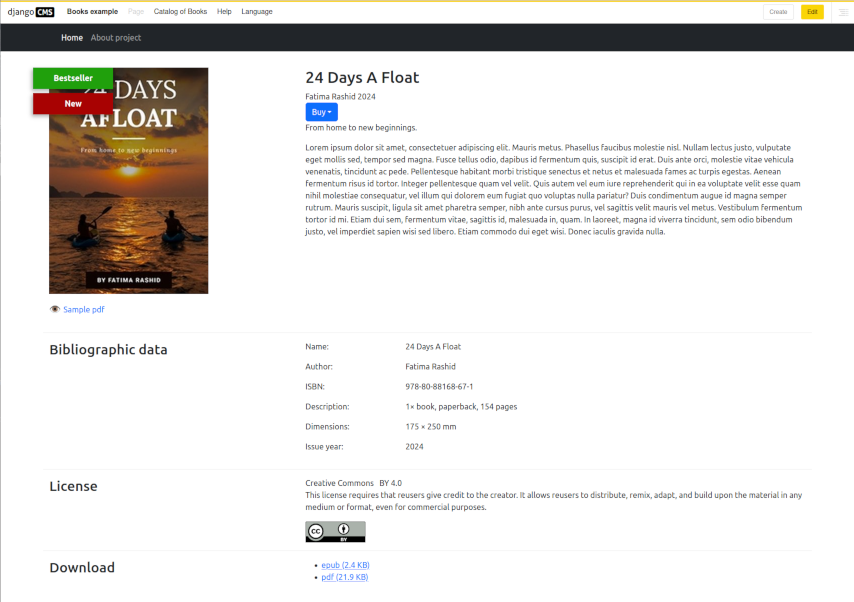
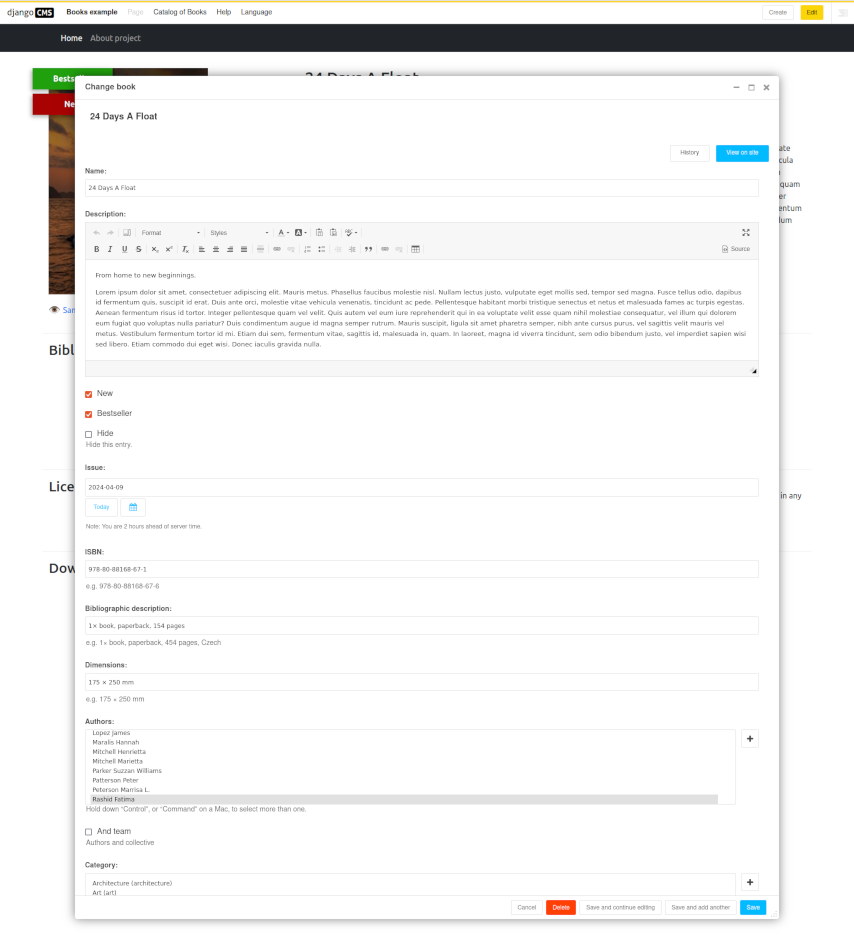
The program is built on the Django CMS framework. Many different items can be set in the book administration. From the book title and author's name, to ISBN, license, preview and sample book.
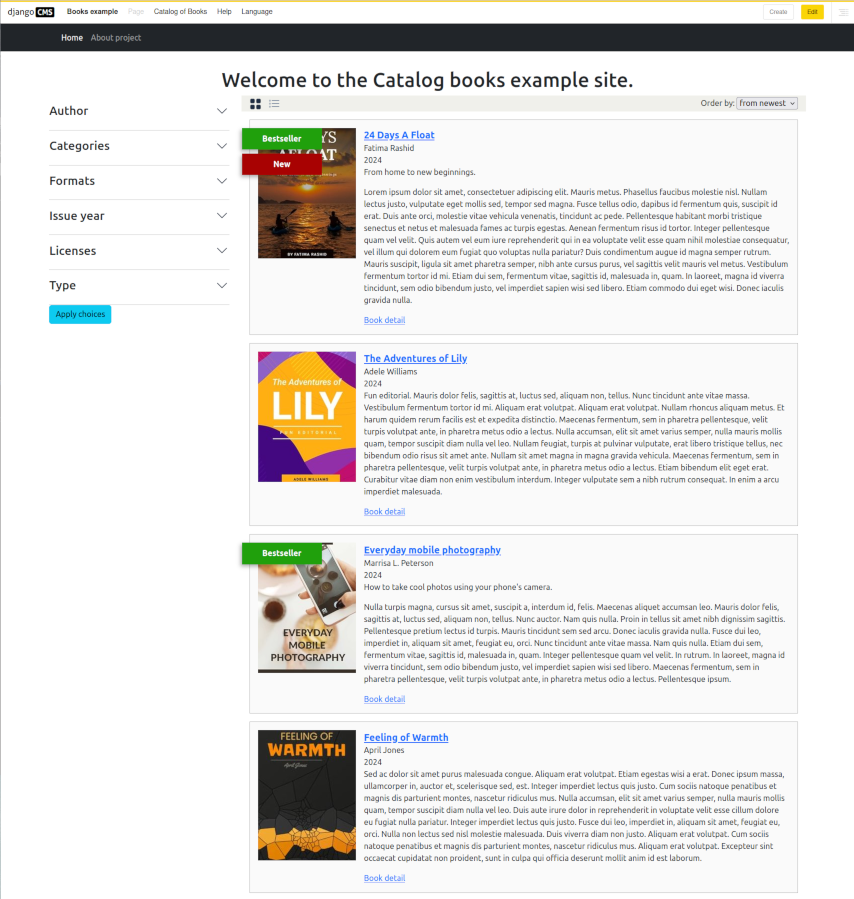
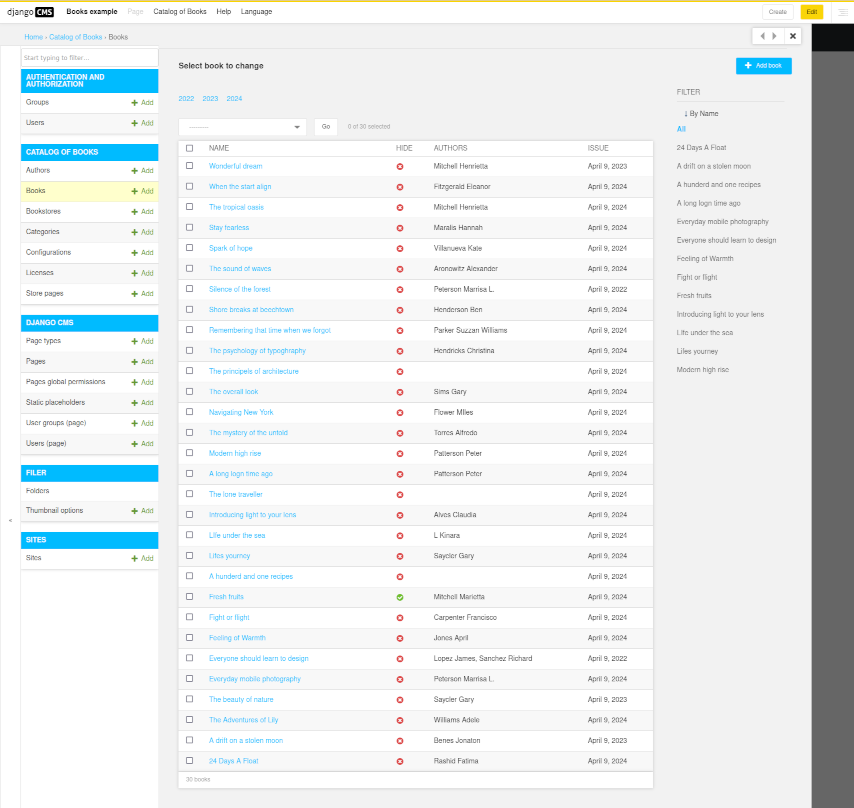
The program itself does not contain any cascading styles or javascript code. CSS styles and js are in the example attached to the program. See the following screenshots.
List as tiles
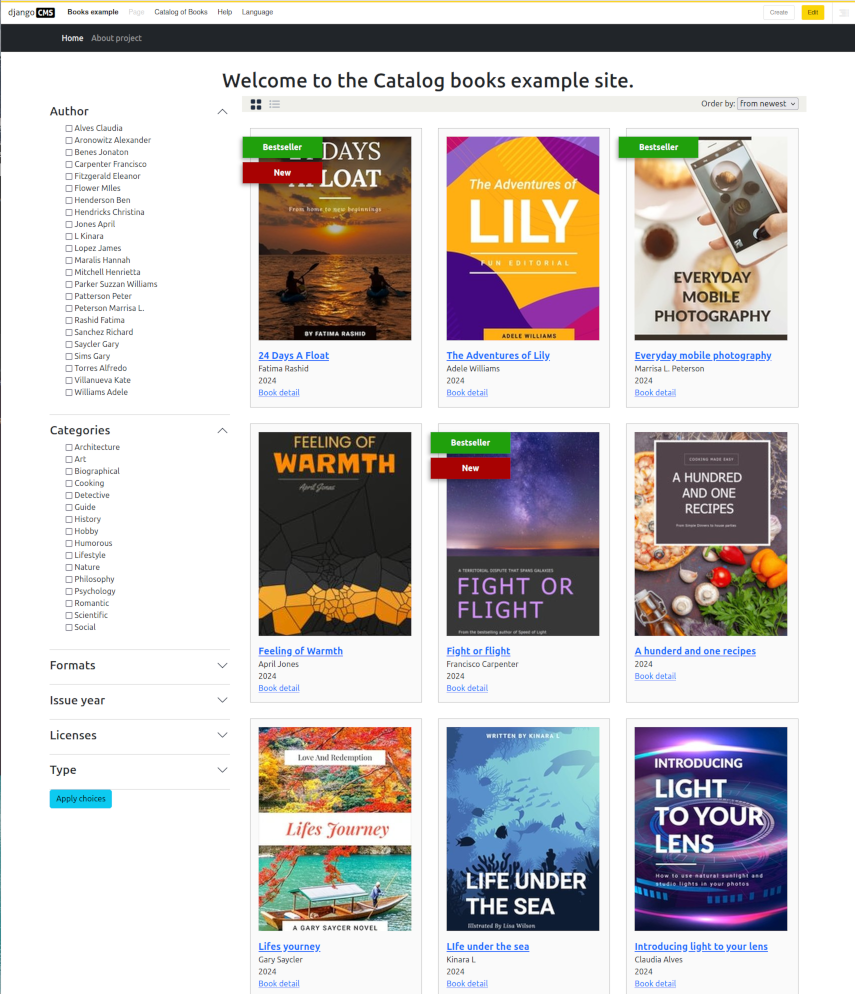
List of books
Detail of the book
Book editing
List of books in the administration
Install
Install the package from pypi.org.
pip install djangocms-catalog-books
Add into INSTALLED_APPS in your site settings.py:
INSTALLED_APPS = [
    ...
    'aldryn_apphooks_config',
    'catalog_books',
]
Site example
Along with the program, an example is stored in the repository that you can run in the docker.
Download the example:
curl https://gitlab.nic.cz/djangocms-apps/djangocms-catalog-books/-/archive/main/djangocms-catalog-books-main.zip?path=example --output example.zip
Extract the archive and go to the folder:
unzip example.zip
cd djangocms-catalog-books-main-example/example/
Build the image:
docker build -t books .
Run the site:
docker run --rm -d -p 8000:8000 --name books_example books
Open the site in your browser: http://localhost:8000/. You'll see what's in the screenshots.
Login to the administration: http://localhost:8000/admin with username admin and password password.
Stop the site:
docker stop books_example
License
GPLv3+


Download files
Download the file for your platform. If you're not sure which to choose, learn more about installing packages.
Source Distribution
Built Distribution
Filter files by name, interpreter, ABI, and platform.
If you're not sure about the file name format, learn more about wheel file names.
Copy a direct link to the current filters
File details
Details for the file djangocms_catalog_books-2.0.1.tar.gz.
File metadata
- Download URL: djangocms_catalog_books-2.0.1.tar.gz
- Upload date:
- Size: 34.9 kB
- Tags: Source
- Uploaded using Trusted Publishing? No
- Uploaded via: twine/6.0.1 CPython/3.12.3
File hashes
| Algorithm | Hash digest | |
|---|---|---|
| SHA256 |
26e70a7e3312a5c4e1532071197c89c0bed8131ad9852f82573e83ec539810c7
|
|
| MD5 |
bf219b92dcafcd8f618246f1e1cd49d4
|
|
| BLAKE2b-256 |
84ffc890d6429550122d83cdd3b56c482ddc0f06a30f3053914da8a912cc6fa1
|
File details
Details for the file djangocms_catalog_books-2.0.1-py3-none-any.whl.
File metadata
- Download URL: djangocms_catalog_books-2.0.1-py3-none-any.whl
- Upload date:
- Size: 52.0 kB
- Tags: Python 3
- Uploaded using Trusted Publishing? No
- Uploaded via: twine/6.0.1 CPython/3.12.3
File hashes
| Algorithm | Hash digest | |
|---|---|---|
| SHA256 |
b9192f482cd21fe70faa7de8e5f26a3446beba31aacc191a9e07046169bd0ca9
|
|
| MD5 |
e95db9f527b0f5ed2fede106982800f5
|
|
| BLAKE2b-256 |
1cb70a2cce671e6d86bd10545584ca6e7c86e078c8d5c504f712881b051cd117
|






