
djangocms-youtube





YouTube embed plugin for your django-cms powered site with options for custom video thumbnails, analytics, SEO and more.
Quickstart
Install djangocms-youtube:
pip install djangocms-youtube
Add djangocms_youtube to INSTALLED_APPS:
INSTALLED_APPS = (
    ...
    'djangocms_youtube',
    ...
)
Sync database (requires south>=1.0.1 if you are using Django 1.6.x):
python manage.py migrate
Plugin requires Server API key to be able to use the YouTube Data API:
DJANGOCMS_YOUTUBE_API_KEY = '<youtube_data_api_server_key>'
You can register an app via https://developers.google.com/youtube/registering_an_application
Features
Reduce Page Load Time
When you embed any YouTube video on your website using standard IFRAME tags, you’ll be surprised to know how much extra weight that YouTube video will add to your page. The resources (CSS, images and JavaScript) will download even if the visitor on your website has chosen not to watch the embedded YouTube video.
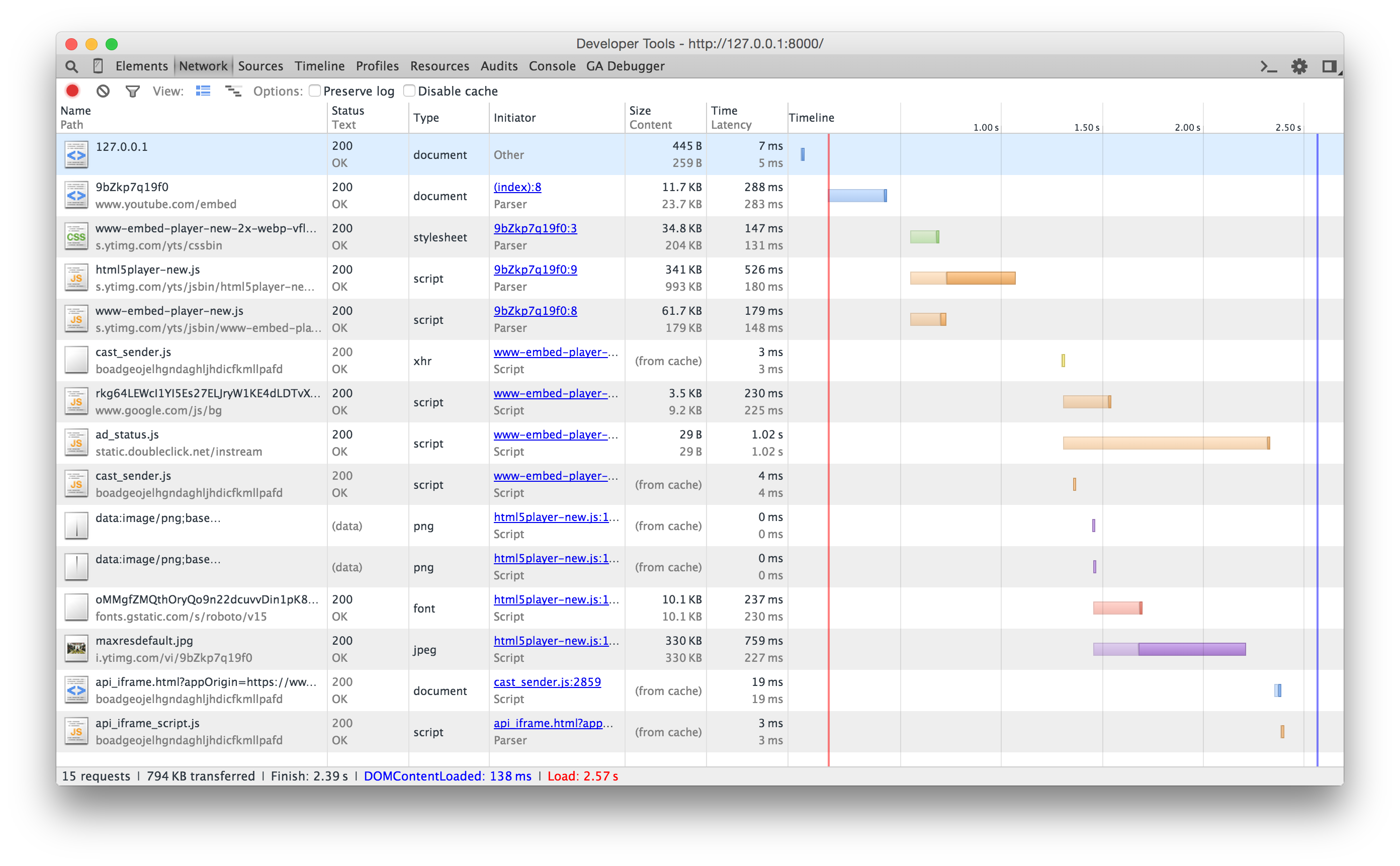
djangocms-youtube uses a clever workaround to reduce the time it takes to initially load the YouTube video player. Instead of embedding the full Youtube video player, it displays just the thumbnail images of the video and a “play” icon is placed over the video so that it looks like a video player.

When the user hits the play button, the video thumbnail is replaced with the standard YouTube video player. The extra resources are thus loaded only when the user has decided to play the embedded video and not otherwise.
Note: Mobile devices require two taps to play the video. Tap the image once to remove it and display the video player. Then, tap the play button to begin the video.
High Resolution Thumbnail
Fetches the highest resolution thumbnail available from YouTube for a given video with options for custom video thumbnails using django-filer.
{
  "default": {
    "url": "https://i.ytimg.com/vi/9bZkp7q19f0/default.jpg",
    "width": 120,
    "height": 90
  },
  "high": {
    "url": "https://i.ytimg.com/vi/9bZkp7q19f0/hqdefault.jpg",
    "width": 480,
    "height": 360
  },
  "medium": {
    "url": "https://i.ytimg.com/vi/9bZkp7q19f0/mqdefault.jpg",
    "width": 320,
    "height": 180
  },
  "maxres": {
    "url": "https://i.ytimg.com/vi/9bZkp7q19f0/maxresdefault.jpg",
    "width": 1280,
    "height": 720
  },
  "standard": {
    "url": "https://i.ytimg.com/vi/9bZkp7q19f0/sddefault.jpg",
    "width": 640,
    "height": 480
  }
}
Schema.org Integration
Full support for schema.org videoObject markup.
<div class="video-wrapper" itemprop="video" itemscope="" itemtype="http://schema.org/VideoObject">
    <meta itemprop="name" content="PSY - GANGNAM STYLE (강남스타일) M/V">
    <meta itemprop="duration" content="PT4M13S">
    <meta itemprop="thumbnailUrl" content="https://i.ytimg.com/vi/9bZkp7q19f0/maxresdefault.jpg">
    <meta itemprop="embedURL" content="https://www.youtube.com/embed/9bZkp7q19f0">
    <meta itemprop="uploadDate" content="2012-07-15T07:46:32.000Z">
    <meta itemprop="height" content="480">
    <meta itemprop="width" content="853">
    <meta itemprop="description" content="...">
</div>
See https://developers.google.com/webmasters/videosearch/schema
Video Endscreen
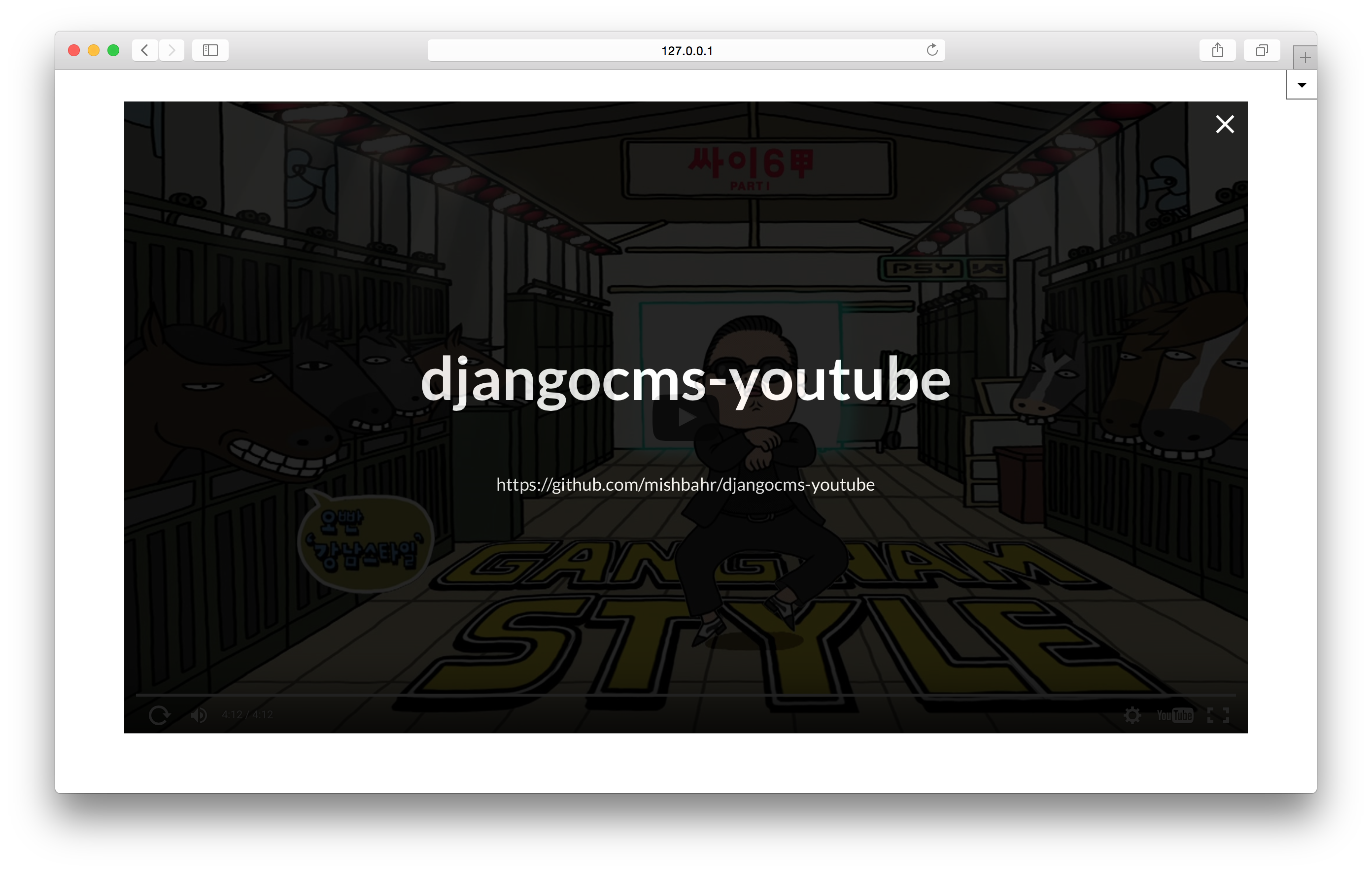
Plugin can have child plugins (i.e other plugins placed inside this plugin), rendered as an overlay, when the video finishes. You can disable this functionality by overriding DJANGOCMS_YOUTUBE_ALLOW_CHILDREN in your settings.py file
Google Analytics

Automatically publishes the metrics listed below to your Google Analytics account.
+ Play
+ 10% watched
+ 25% watched
+ 50% watched
+ 75% watched
+ 90% watched
+ Watch to end
Make sure you have installed the Google Analytics tracking scripts.
See https://developers.google.com/analytics/devguides/collection/analyticsjs/
Video Sitemap
Generate a sitemap for your YouTube videos.
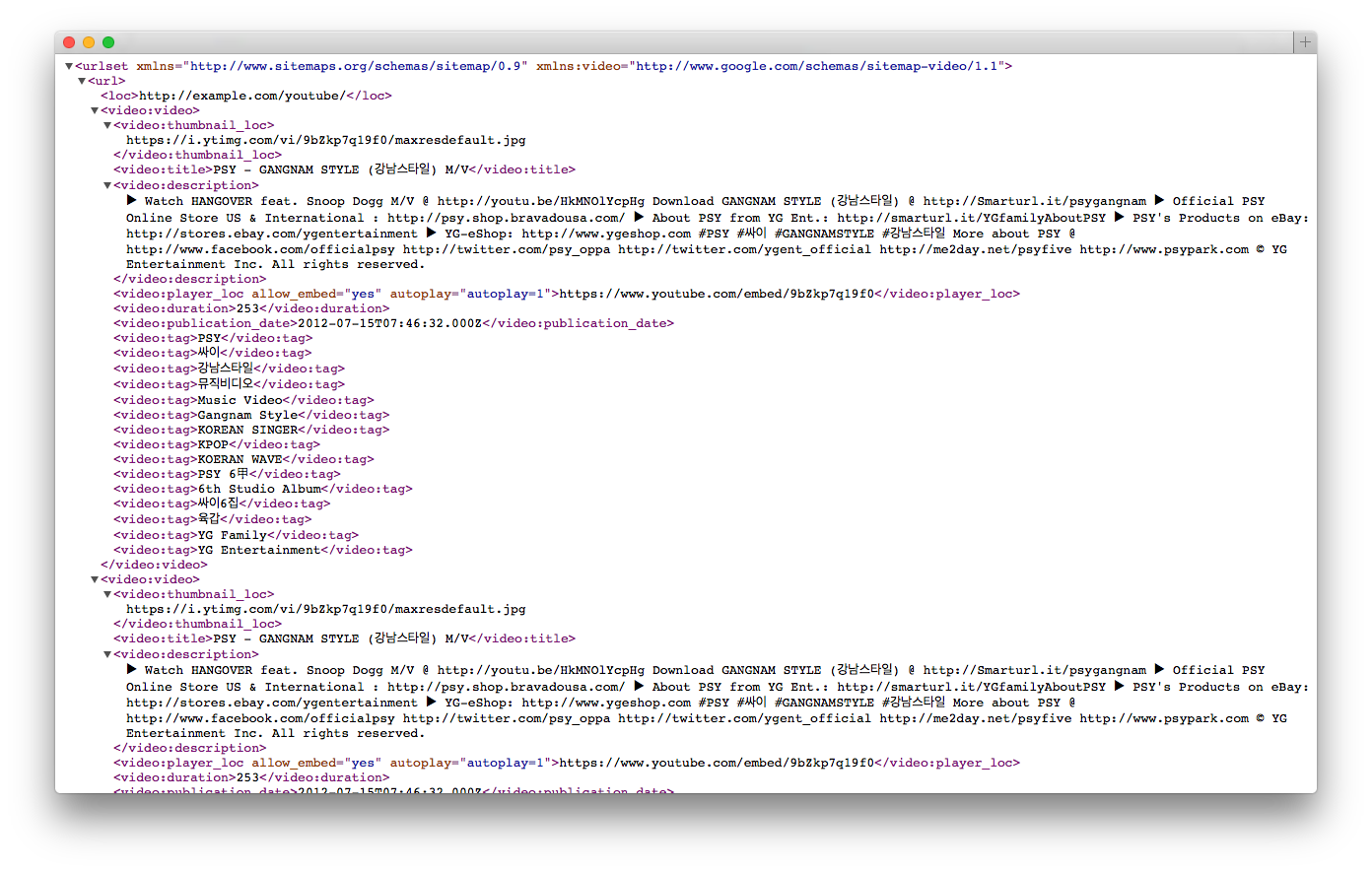
Video Sitemap Configuration
Import CMSVideoSitemap from djangocms_youtube.video_sitemap to the top of your main urls.py
from djangocms_youtube.video_sitemap import CMSVideoSitemapAdd djangocms_youtube.views.video_sitemap view to your urlpatterns.
from djangocms_youtube.views import video_sitemap

video_sitemaps = {
    'cmspages': CMSVideoSitemap,
}

urlpatterns = patterns(
    '',
    url(r'^videos/sitemap\.xml$', video_sitemap, {'sitemaps': video_sitemaps},
        name='djangocms_youtube.views.video_sitemap'),
)
Placeholders outside the CMS Pages
A simple example for aldryn-newsblog
from djangocms_youtube.video_sitemap import VideoSitemap
from aldryn_newsblog.models import Article
class NewsblogVideoSitemap(VideoSitemap):
model = Article
def get_queryset(self):
queryset = super(NewsblogVideoSitemap, self).get_queryset()
language = self.get_language()
queryset = queryset.translated(language)
return queryset.published()
def location(self, item):
return item.get_absolute_url(self.get_language())You may also like…
djangocms-disqus - https://github.com/mishbahr/djangocms-disqus
djangocms-fbcomments - https://github.com/mishbahr/djangocms-fbcomments
djangocms-forms — https://github.com/mishbahr/djangocms-forms
djangocms-gmaps — https://github.com/mishbahr/djangocms-gmaps
djangocms-instagram — https://github.com/mishbahr/djangocms-instagram
djangocms-responsive-wrapper — https://github.com/mishbahr/djangocms-responsive-wrapper
djangocms-twitter2 https://github.com/mishbahr/djangocms-twitter2
1 maintainer

Metadata
1 maintainer
Release files for djangocms-youtube 0.2.1
For a detailed explanation of source distributions (sdists) and built distributions (wheels), please see the package formats documentation.
Source distribution (sdist)
| File | Size | Uploaded | |
|---|---|---|---|
| djangocms-youtube-0.2.1.tar.gz | 146.3 kB | Details |
Built distribution (wheel)
| File | Interpreter | ABI | Platform | Reset |
|---|---|---|---|---|
| djangocms_youtube-0.2.1-py2.py3-none-any.whl | Python 3, Python 2 | none | any | Details |
Total release size: 300.0 kB
Release files / djangocms-youtube-0.2.1.tar.gz
| Download URL | djangocms-youtube-0.2.1.tar.gz |
|---|---|
| Size | 146.3 kB |
| Tags | Source |
|
SHA-256 checksum How to use checksums |
0df8bdf8b5f88a13fd06bc9956bafaa708622c10aa6a2da3b3f03560a67e662c
|
|
BLAKE2b-256 checksum How to use checksums |
6ffdd94685e5876d817df87de4d88b1a0d70dc5c56a3efd8ddc884e6d0de17b8
|
| Upload date | |
|
Uploaded using Trusted Publishing? What is trusted publishing? |
No |
Release files / djangocms_youtube-0.2.1-py2.py3-none-any.whl
| Download URL | djangocms_youtube-0.2.1-py2.py3-none-any.whl |
|---|---|
| Size | 153.7 kB |
| Tags | Python 2 Python 3 |
|
SHA-256 checksum How to use checksums |
a4f8b90d0374abe879882bb5666a6c9462fd33c11f0c0fa7b731d33b45ecf063
|
|
BLAKE2b-256 checksum How to use checksums |
ec406b04c26cfd5e76eb49434b3edbe2e280749dfbdb2a00e79cc76453a16a9e
|
| Upload date | |
|
Uploaded using Trusted Publishing? What is trusted publishing? |
No |














