
portal
A clojure tool to navigate through your data.






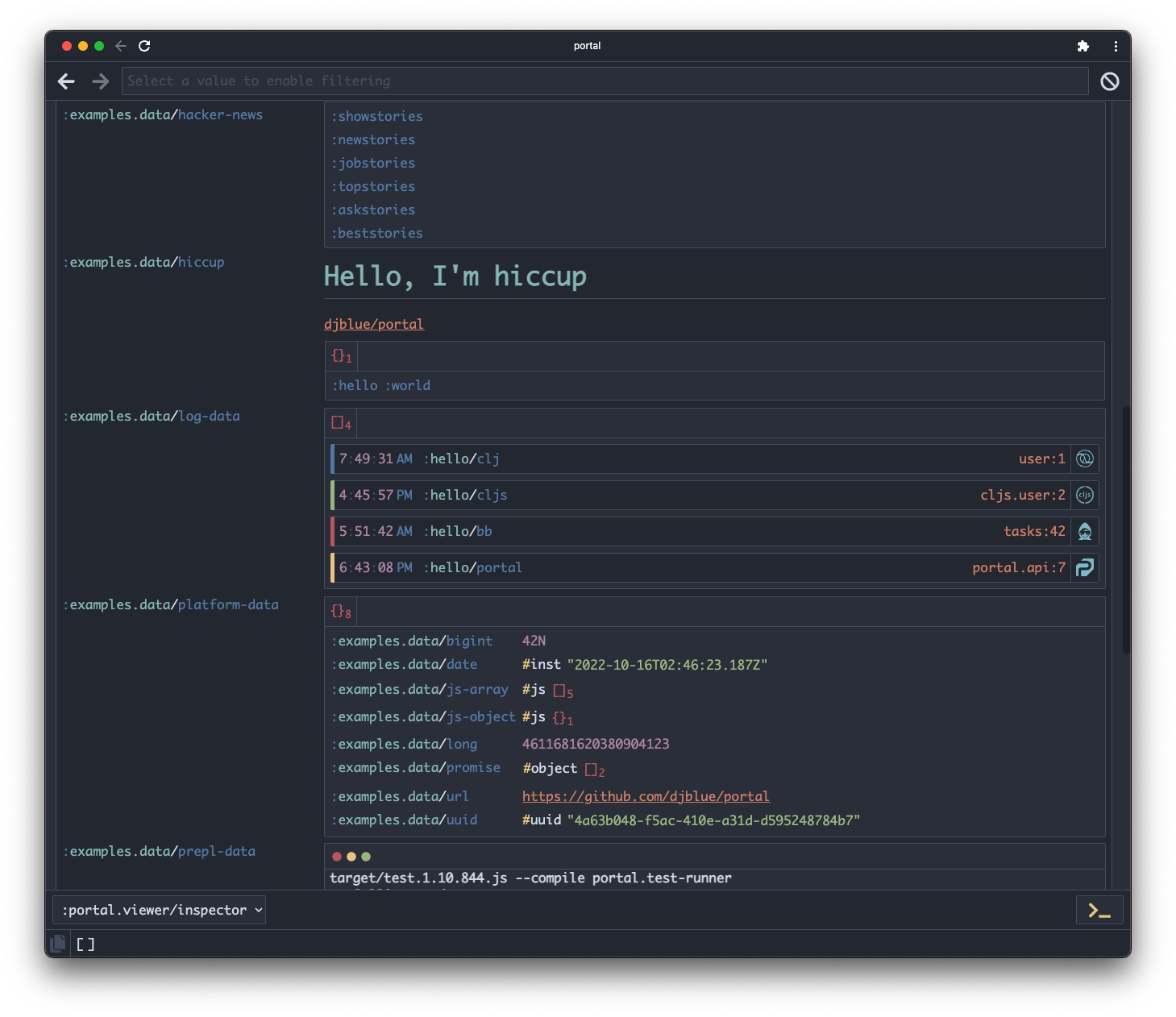
The portal UI can be used to inspect values of various shapes and sizes. The UX will probably evolve over time and user feedback is welcome!
For an in-depth explanation of the UI, you can jump to the UI docs.
Demo
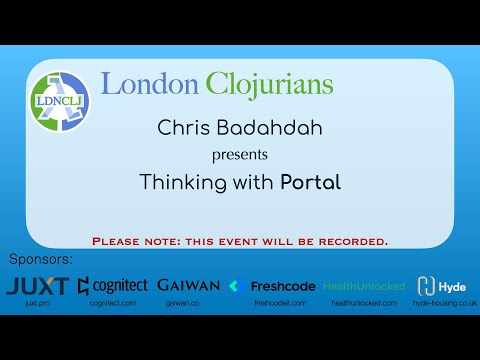
To get an overview of the Portal UI and workflow, checkout the following recording of a live demo I gave for London Clojurians.
More video presentations on Portal can be found here.
Usage
To start a repl with portal, run the clojure >= 1.10.0 cli with:
clj -Sdeps '{:deps {djblue/portal {:mvn/version "0.68.1"}}}'
or for a web clojurescript >= 1.10.773 repl, do:
clj -Sdeps '{:deps {djblue/portal {:mvn/version "0.68.1"}
                    org.clojure/clojurescript {:mvn/version "1.10.844"}}}' \
    -m cljs.main
or for a node clojurescript >= 1.10.773 repl, do:
clj -Sdeps '{:deps {djblue/portal {:mvn/version "0.68.1"}
                    org.clojure/clojurescript {:mvn/version "1.10.844"}}}' \
    -m cljs.main -re node
or for a babashka >=0.2.4 repl, do:
bb -Sdeps '{:deps {djblue/portal {:mvn/version "0.68.1"}}}'
or for a lein project.clj, add:
{:profiles {:dev {:dependencies [[djblue/portal "0.68.1"]]}}}
or as a global profile, add to ~/.lein/profiles.clj:
{:portal {:dependencies [[djblue/portal "0.68.1"]]}}
or for Clojure CLR, checkout this example project,
or for examples on how to integrate portal into an existing project, look through the examples directory.
API
Try the portal api with the following commands:
;; for node and jvm
(require '[portal.api :as p])

;; for web
;; NOTE: you might need to enable popups for the portal ui to work in the
;; browser.
(require '[portal.web :as p])


(def p (p/open)) ; Open a new inspector

;; or with an extension installed, do:
(def p (p/open {:launcher :vs-code}))  ; jvm / node only
(def p (p/open {:launcher :intellij})) ; jvm / node only

(add-tap #'p/submit) ; Add portal as a tap> target

(tap> :hello) ; Start tapping out values

(p/clear) ; Clear all values

(tap> :world) ; Tap out more values

(prn @p) ; bring selected value back into repl

(remove-tap #'p/submit) ; Remove portal from tap> targetset

(p/close) ; Close the inspector when done

(p/docs) ; View docs locally via Portal - jvm / node only
Options
Options for portal.api/open:
| Option | Description | Default | Spec |
|---|---|---|---|
:window-title |
Custom window title for UI | "portal" | string? |
:theme |
Default theme for UI | :portal.colors/nord | |
:value |
Root value of UI | (atom (list)) | |
:app |
Launch UI in Chrome app window | true | boolean? |
:launcher |
Launch UI using this editor | #{:vs-code :intellij :emacs} | |
:editor |
Enable editor commands, but use separate UI | #{:vs-code :intellij :emacs} | |
:port |
Http server port for UI | 0 | int? |
:host |
Http server host for UI | "localhost" | string? |
For more documentation, take a look through the docs.
1 maintainer

Metadata
1 maintainer
Release files for djblue.portal 0.68.1
For a detailed explanation of source distributions (sdists) and built distributions (wheels), please see the package formats documentation.
Source distribution (sdist)
| File | Size | Uploaded | |
|---|---|---|---|
| djblue_portal-0.68.1.tar.gz | 2.0 MB | Details |
Built distribution (wheel)
| File | Interpreter | ABI | Platform | Reset |
|---|---|---|---|---|
| djblue_portal-0.68.1-py3-none-any.whl | Python 3 | none | any | Details |
Total release size: 4.1 MB
Release files / djblue_portal-0.68.1.tar.gz
| Download URL | djblue_portal-0.68.1.tar.gz |
|---|---|
| Size | 2.0 MB |
| Tags | Source |
|
SHA-256 checksum How to use checksums |
f2a8335e9e322baba452be7e73bb6aba9b5a4b6ad8f0ec3ae6e142e3e5151229
|
|
BLAKE2b-256 checksum How to use checksums |
a5617884897b6a0099e16163b803fe64c04cb5b0792b3f0cfa6fe2e5fd6cae3f
|
| Upload date | |
|
Uploaded using Trusted Publishing? What is trusted publishing? |
No |
| Uploaded via |
poetry/2.1.3 CPython/3.13.15 Linux/6.17.0-1022-azure
|
Release files / djblue_portal-0.68.1-py3-none-any.whl
| Download URL | djblue_portal-0.68.1-py3-none-any.whl |
|---|---|
| Size | 2.1 MB |
| Tags | Python 3 |
|
SHA-256 checksum How to use checksums |
5c796cc8a5308e939cd9f2abe906eb8c9640f0363d32c4605da0eafc12ba0b3a
|
|
BLAKE2b-256 checksum How to use checksums |
f3f58eed797a3463f4962f0a7640f895c7a4e5a1a499c8311cf7c476fef63821
|
| Upload date | |
|
Uploaded using Trusted Publishing? What is trusted publishing? |
No |
| Uploaded via |
poetry/2.1.3 CPython/3.13.15 Linux/6.17.0-1022-azure
|














