
djc-heroicons





HeroIcons.com icons for django-components.
pip install djc-heroicons
Overview
djc-heroicons adds an Icon component that renders an <svg> element with the icons from HeroIcons.com. This icon is accessible in Django templates as {% component "icon" %}.
Use the name kwarg to specify the icon name:
<div>
  Items:
  <ul>
    <li>
      {% component "icon" name="academic-cap" / %}
    </li>
  </ul>
</div>
By default the component renders the "outline" variant. To render the "solid" variant of the icon, set kwarg variant to "solid":
{% component "icon" name="academic-cap" variant="solid" / %}
Common changes like color, size, or stroke width can all be set directly on the component:
{% component "icon"
   name="academic-cap"
   size=48
   color="red"
   stroke_width=1.2
/ %}
If you need to pass attributes to the <svg> element, you can use the attrs kwarg, which accepts a dictionary:
{% component "icon"
   name="academic-cap"
   attrs:id="my-svg"
   attrs:class="p-4 mb-3"
   attrs:data-id="test-123"
/ %}
See all available input for Icon component in API reference.
Usage in Python
All of the above is possible also from within Python, by importing Icon:
from djc_heroicons import Icon

content = Icon.render(
    kwargs={
        "name": "academic-cap",
        "variant": "solid",
        "size": 48,
        "attrs": {
            "id": "my-svg",
            "class": "p-4 mb-3",
        },
    },
)
Installation
-
Install the package:
pip install djc-heroicons
-
Add the package to
INSTALLED_APPSof your Django project:INSTALLED_APPS = [ ... "django_components", "djc_heroicons", ... ]
Settings
You can configure the behavior of the djc-heroicons library
by setting a DJC_HEROICONS variable in your Django settings file.
DJC_HEROICONS can be either a plain dictionary, or a instance of HeroIconSettings. The latter helps with intellisense and type hints:
DJC_HEROICONS = {
   "registry": custom_registry,
}

# or

from djc_heroicons import HeroIconsSettings

DJC_HEROICONS = HeroIconsSettings(
   registry=custom_registry,
)
registry
ComponentRegistry | str | None = None
The django-components' ComponentRegistry to which the icon component should be registered.
If None, the icon is registered into the default registry.
custom_registry = ComponentRegistry()

DJC_HEROICONS = HeroIconsSettings(
   registry=custom_registry,
)
component_name
str | None = "icon"
The name under which the Icon component will be available from within Django templates.
If None, the component is registered with the name "icon".
{% component "icon" name="academic-cap" / %}
Example:
If you set this to "heroicons":
DJC_HEROICONS = HeroIconsSettings(
   component_name="heroicons",
)
You will use the component like this:
{% component "heroicons" name="academic-cap" / %}
API reference
Icon / {% component "icon" %}
The Icon component accepts following kwargs:
name
str - required
The icon name from HeroIcons.com, e.g. arrow-left-circle.
variant
"outline" | "solid" = "outline"
The icon variant - "outline" or "solid". Defaults to "outline".
size
int = 24
The icon size in pixels. Defaults to 24.
color
str = "currentColor"
The icon color. Defaults to "currentColor".
- If the icon is
"outline", this sets the stroke color. - If the icon is
"solid", this sets the fill color.
stroke_width
float = 1.5
The icon stroke width. Applies only to the "outline" variant. Defaults to 1.5.
viewbox
str = "0 0 24 24"
The icon SVG's viewbox. Defaults to "0 0 24 24".
attrs
Dict | None = None
Optional dictionary to pass HTML attributes to the icon's SVG element.
HeroIconsSettings
NamedTuple for adding intellisense and type hinting to the settings. See Settings.
IconName
Type alias that holds all the valid icon names, e.g.
Literal["arrow-left-circle", "arrow-down", ...]
Use this for type validation and intellisense.
Example:
In the example below, the "icon" key of menu is typed, so Mypy or other linters pick it up as an error:
from typing import List, TypedDict

from djc_heroicons import IconName

class MenuItem(TypedDict):
    name: str
    icon: IconName

menu: List[MenuItem]: = [
   {"name": "Home", "icon": "home"},
   {"name": "Settings", "icon": "cog-6-tooth"},
   {"name": "Account", "icon": "user-circe"},  <-- Typo!
]
VariantName
Type alias that holds all the valid icon variants, e.g.
Literal["outline", "solid"]
Use this for type validation and intellisense.
Example:
In the example below, the "variant" key of menu is typed, so Mypy or other linters pick it up as an error:
from typing import List, TypedDict

from djc_heroicons import IconName, VariantName

class MenuItem(TypedDict):
    name: str
    icon_variant: VariantName
    icon: IconName

menu: List[MenuItem]: = [
   {"name": "Home", "icon_variant": "outline", "icon": "home"},
   {"name": "Settings", "icon_variant": "solid", "icon": "cog-6-tooth"},
   {"name": "Account", "icon_variant": "outlien", "icon": "user-circe"},  <-- Typos!
]
Release notes
Read the Release Notes to see the latest features and fixes.
Icons
Outline
 academic-cap
 adjustments-horizontal
 adjustments-vertical
 archive-box-arrow-down
 archive-box-x-mark
 archive-box
 arrow-down-circle
 arrow-down-left
 arrow-down-on-square-stack
 arrow-down-on-square
 arrow-down-right
 arrow-down-tray
 arrow-down
 arrow-left-circle
 arrow-left-end-on-rectangle
 arrow-left-start-on-rectangle
 arrow-left
 arrow-long-down
 arrow-long-left
 arrow-long-right
 arrow-long-up
 arrow-path-rounded-square
 arrow-path
 arrow-right-circle
 arrow-right-end-on-rectangle
 arrow-right-start-on-rectangle
 arrow-right
 arrow-top-right-on-square
 arrow-trending-down
 arrow-trending-up
 arrow-turn-down-left
 arrow-turn-down-right
 arrow-turn-left-down
 arrow-turn-left-up
 arrow-turn-right-down
 arrow-turn-right-up
 arrow-turn-up-left
 arrow-turn-up-right
 arrow-up-circle
 arrow-up-left
 arrow-up-on-square-stack
 arrow-up-on-square
 arrow-up-right
 arrow-up-tray
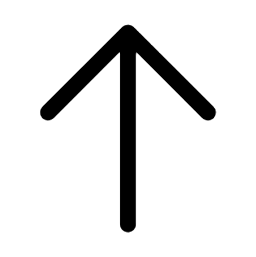 arrow-up
 arrow-uturn-down
 arrow-uturn-left
 arrow-uturn-right
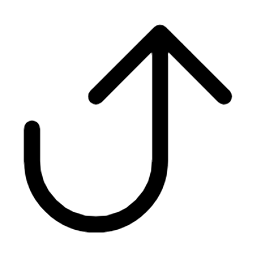 arrow-uturn-up
 arrows-pointing-in
 arrows-pointing-out
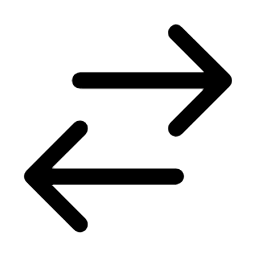 arrows-right-left
 arrows-up-down
 at-symbol
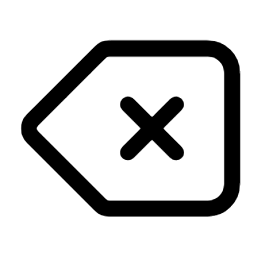 backspace
 backward
 banknotes
 bars-2
 bars-3-bottom-left
 bars-3-bottom-right
 bars-3-center-left
 bars-3
 bars-4
 bars-arrow-down
 bars-arrow-up
 battery-0
 battery-100
 battery-50
 beaker
 bell-alert
 bell-slash
 bell-snooze
 bell
bell
 bold
bold
 bolt-slash
 bolt
bolt
 book-open
 bookmark-slash
 bookmark-square
 bookmark
 briefcase
 bug-ant
 building-library
 building-office-2
 building-office
 building-storefront
 cake
cake
 calculator
 calendar-date-range
 calendar-days
 calendar
 camera
 chart-bar-square
 chart-bar
 chart-pie
 chat-bubble-bottom-center-text
 chat-bubble-bottom-center
 chat-bubble-left-ellipsis
 chat-bubble-left-right
 chat-bubble-left
 chat-bubble-oval-left-ellipsis
 chat-bubble-oval-left
 check-badge
 check-circle
 check
check
 chevron-double-down
 chevron-double-left
 chevron-double-right
 chevron-double-up
 chevron-down
 chevron-left
 chevron-right
 chevron-up-down
 chevron-up
 circle-stack
 clipboard-document-check
 clipboard-document-list
 clipboard-document
 clipboard
 clock
clock
 cloud-arrow-down
 cloud-arrow-up
 cloud
cloud
 code-bracket-square
 code-bracket
 cog-6-tooth
 cog-8-tooth
 cog
cog
 command-line
 computer-desktop
 cpu-chip
 credit-card
 cube-transparent
 cube
cube
 currency-bangladeshi
 currency-dollar
 currency-euro
 currency-pound
 currency-rupee
 currency-yen
 cursor-arrow-rays
 cursor-arrow-ripple
 device-phone-mobile
 device-tablet
 divide
 document-arrow-down
 document-arrow-up
 document-chart-bar
 document-check
 document-currency-bangladeshi
 document-currency-dollar
 document-currency-euro
 document-currency-pound
 document-currency-rupee
 document-currency-yen
 document-duplicate
 document-magnifying-glass
 document-minus
 document-plus
 document-text
 document
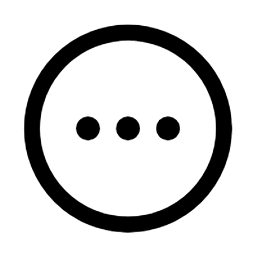 ellipsis-horizontal-circle
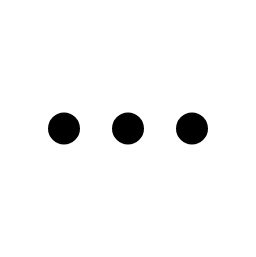 ellipsis-horizontal
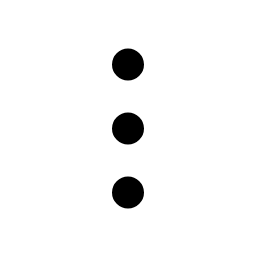 ellipsis-vertical
 envelope-open
 envelope
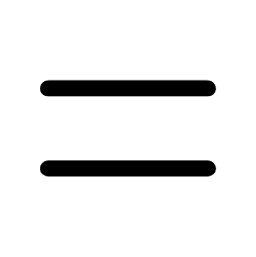 equals
 exclamation-circle
 exclamation-triangle
 eye-dropper
 eye-slash
 eye
eye
 face-frown
 face-smile
 film
film
 finger-print
 fire
fire
 flag
flag
 folder-arrow-down
 folder-minus
 folder-open
 folder-plus
 folder
 forward
 funnel
 gif
gif
 gift-top
 gift
gift
 globe-alt
 globe-americas
 globe-asia-australia
 globe-europe-africa
 h1
h1
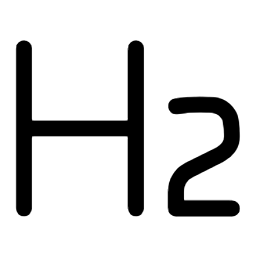 h2
h2
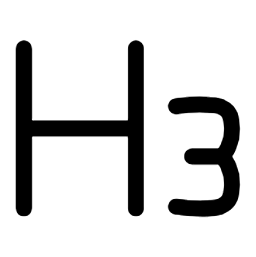 h3
h3
 hand-raised
 hand-thumb-down
 hand-thumb-up
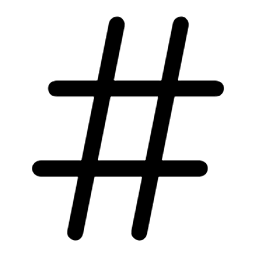 hashtag
 heart
heart
 home-modern
 home
home
 identification
 inbox-arrow-down
 inbox-stack
 inbox
inbox
 information-circle
 italic
 key
key
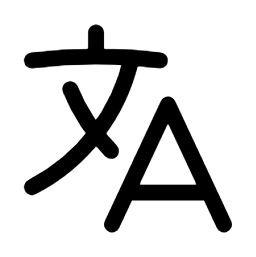 language
 lifebuoy
 light-bulb
 link-slash
 link
link
 list-bullet
 lock-closed
 lock-open
 magnifying-glass-circle
 magnifying-glass-minus
 magnifying-glass-plus
 magnifying-glass
 map-pin
 map
map
 megaphone
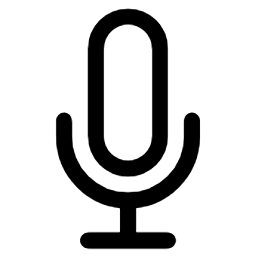 microphone
 minus-circle
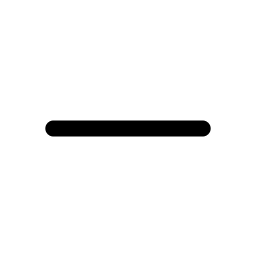 minus
minus
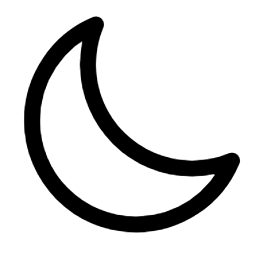 moon
moon
 musical-note
 newspaper
 no-symbol
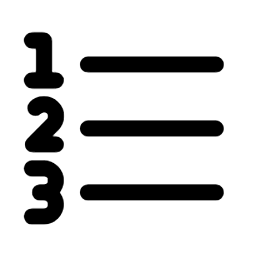 numbered-list
 paint-brush
 paper-airplane
 paper-clip
 pause-circle
 pause
pause
 pencil-square
 pencil
 percent-badge
 phone-arrow-down-left
 phone-arrow-up-right
 phone-x-mark
 phone
phone
 photo
photo
 play-circle
 play-pause
 play
play
 plus-circle
 plus
plus
 power
power
 presentation-chart-bar
 presentation-chart-line
 printer
 puzzle-piece
 qr-code
 question-mark-circle
 queue-list
 radio
radio
 receipt-percent
 receipt-refund
 rectangle-group
 rectangle-stack
 rocket-launch
 rss
rss
 scale
scale
 scissors
 server-stack
 server
 share
share
 shield-check
 shield-exclamation
 shopping-bag
 shopping-cart
 signal-slash
 signal
 slash
slash
 sparkles
 speaker-wave
 speaker-x-mark
 square-2-stack
 square-3-stack-3d
 squares-2x2
 squares-plus
 star
star
 stop-circle
 stop
stop
 strikethrough
 sun
sun
 swatch
 table-cells
 tag
tag
 ticket
 trash
trash
 trophy
 truck
truck
 tv
tv
 underline
 user-circle
 user-group
 user-minus
 user-plus
 user
user
 users
users
 variable
 video-camera-slash
 video-camera
 view-columns
 viewfinder-circle
 wallet
 wifi
wifi
 window
 wrench-screwdriver
 wrench
 x-circle
 x-mark
Solid
 academic-cap
 adjustments-horizontal
 adjustments-vertical
 archive-box-arrow-down
 archive-box-x-mark
 archive-box
 arrow-down-circle
 arrow-down-left
 arrow-down-on-square-stack
 arrow-down-on-square
 arrow-down-right
 arrow-down-tray
 arrow-down
 arrow-left-circle
 arrow-left-end-on-rectangle
 arrow-left-start-on-rectangle
 arrow-left
 arrow-long-down
 arrow-long-left
 arrow-long-right
 arrow-long-up
 arrow-path-rounded-square
 arrow-path
 arrow-right-circle
 arrow-right-end-on-rectangle
 arrow-right-start-on-rectangle
 arrow-right
 arrow-top-right-on-square
 arrow-trending-down
 arrow-trending-up
 arrow-turn-down-left
 arrow-turn-down-right
 arrow-turn-left-down
 arrow-turn-left-up
 arrow-turn-right-down
 arrow-turn-right-up
 arrow-turn-up-left
 arrow-turn-up-right
 arrow-up-circle
 arrow-up-left
 arrow-up-on-square-stack
 arrow-up-on-square
 arrow-up-right
 arrow-up-tray
 arrow-up
 arrow-uturn-down
 arrow-uturn-left
 arrow-uturn-right
 arrow-uturn-up
 arrows-pointing-in
 arrows-pointing-out
 arrows-right-left
 arrows-up-down
 at-symbol
 backspace
 backward
 banknotes
 bars-2
 bars-3-bottom-left
 bars-3-bottom-right
 bars-3-center-left
 bars-3
 bars-4
 bars-arrow-down
 bars-arrow-up
 battery-0
 battery-100
 battery-50
 beaker
 bell-alert
 bell-slash
 bell-snooze
 bell
bell
 bold
bold
 bolt-slash
 bolt
bolt
 book-open
 bookmark-slash
 bookmark-square
 bookmark
 briefcase
 bug-ant
 building-library
 building-office-2
 building-office
 building-storefront
 cake
cake
 calculator
 calendar-date-range
 calendar-days
 calendar
 camera
 chart-bar-square
 chart-bar
 chart-pie
 chat-bubble-bottom-center-text
 chat-bubble-bottom-center
 chat-bubble-left-ellipsis
 chat-bubble-left-right
 chat-bubble-left
 chat-bubble-oval-left-ellipsis
 chat-bubble-oval-left
 check-badge
 check-circle
 check
check
 chevron-double-down
 chevron-double-left
 chevron-double-right
 chevron-double-up
 chevron-down
 chevron-left
 chevron-right
 chevron-up-down
 chevron-up
 circle-stack
 clipboard-document-check
 clipboard-document-list
 clipboard-document
 clipboard
 clock
clock
 cloud-arrow-down
 cloud-arrow-up
 cloud
cloud
 code-bracket-square
 code-bracket
 cog-6-tooth
 cog-8-tooth
 cog
cog
 command-line
 computer-desktop
 cpu-chip
 credit-card
 cube-transparent
 cube
cube
 currency-bangladeshi
 currency-dollar
 currency-euro
 currency-pound
 currency-rupee
 currency-yen
 cursor-arrow-rays
 cursor-arrow-ripple
 device-phone-mobile
 device-tablet
 divide
 document-arrow-down
 document-arrow-up
 document-chart-bar
 document-check
 document-currency-bangladeshi
 document-currency-dollar
 document-currency-euro
 document-currency-pound
 document-currency-rupee
 document-currency-yen
 document-duplicate
 document-magnifying-glass
 document-minus
 document-plus
 document-text
 document
 ellipsis-horizontal-circle
 ellipsis-horizontal
 ellipsis-vertical
 envelope-open
 envelope
 equals
 exclamation-circle
 exclamation-triangle
 eye-dropper
 eye-slash
 eye
eye
 face-frown
 face-smile
 film
film
 finger-print
 fire
fire
 flag
flag
 folder-arrow-down
 folder-minus
 folder-open
 folder-plus
 folder
 forward
 funnel
 gif
gif
 gift-top
 gift
gift
 globe-alt
 globe-americas
 globe-asia-australia
 globe-europe-africa
 h1
h1
 h2
h2
 h3
h3
 hand-raised
 hand-thumb-down
 hand-thumb-up
 hashtag
 heart
heart
 home-modern
 home
home
 identification
 inbox-arrow-down
 inbox-stack
 inbox
inbox
 information-circle
 italic
 key
key
 language
 lifebuoy
 light-bulb
 link-slash
 link
link
 list-bullet
 lock-closed
 lock-open
 magnifying-glass-circle
 magnifying-glass-minus
 magnifying-glass-plus
 magnifying-glass
 map-pin
 map
map
 megaphone
 microphone
 minus-circle
 minus
minus
 moon
moon
 musical-note
 newspaper
 no-symbol
 numbered-list
 paint-brush
 paper-airplane
 paper-clip
 pause-circle
 pause
pause
 pencil-square
 pencil
 percent-badge
 phone-arrow-down-left
 phone-arrow-up-right
 phone-x-mark
 phone
phone
 photo
photo
 play-circle
 play-pause
 play
play
 plus-circle
 plus
plus
 power
power
 presentation-chart-bar
 presentation-chart-line
 printer
 puzzle-piece
 qr-code
 question-mark-circle
 queue-list
 radio
radio
 receipt-percent
 receipt-refund
 rectangle-group
 rectangle-stack
 rocket-launch
 rss
rss
 scale
scale
 scissors
 server-stack
 server
 share
share
 shield-check
 shield-exclamation
 shopping-bag
 shopping-cart
 signal-slash
 signal
 slash
slash
 sparkles
 speaker-wave
 speaker-x-mark
 square-2-stack
 square-3-stack-3d
 squares-2x2
 squares-plus
 star
star
 stop-circle
 stop
stop
 strikethrough
 sun
sun
 swatch
 table-cells
 tag
tag
 ticket
 trash
trash
 trophy
 truck
truck
 tv
tv
 underline
 user-circle
 user-group
 user-minus
 user-plus
 user
user
 users
users
 variable
 video-camera-slash
 video-camera
 view-columns
 viewfinder-circle
 wallet
 wifi
wifi
 window
 wrench-screwdriver
 wrench
 x-circle
 x-mark
Development
Tests
To run tests, use:
tox
Updating icons
To download the icons from HeroIcons.com, run:
python scripts/download_icons.py
This will save them to src/djc_heroicons/icons.py.
Next, to update the list of icons in the README, run:
python scripts/gen_icon_docs.py
1 maintainer

Metadata
1 maintainer
Release files for djc-heroicons 1.1.0
For a detailed explanation of source distributions (sdists) and built distributions (wheels), please see the package formats documentation.
Source distribution (sdist)
| File | Size | Uploaded | Provenance | |
|---|---|---|---|---|
| djc_heroicons-1.1.0.tar.gz | 101.4 kB | Without provenance | Details |
Built distribution (wheel)
| File | Interpreter | ABI | Platform | Reset |
|---|---|---|---|---|
| djc_heroicons-1.1.0-py3-none-any.whl | Python 3 | none | any | Details |
Total release size: 185.6 kB
Release files / djc_heroicons-1.1.0.tar.gz
| Download URL | djc_heroicons-1.1.0.tar.gz |
|---|---|
| Size | 101.4 kB |
| Tags | Source |
|
SHA-256 checksum How to use checksums |
ca61440a44096719ff4bfb97c5ae46e0809f110bfd770debaea4cc64e4ab7b18
|
|
BLAKE2b-256 checksum How to use checksums |
582baf1eb59f1db555bdec315b32b86c369d20c54a2bfb9a16bbbbbf1540bdd4
|
| Upload date | |
|
Uploaded using Trusted Publishing? What is trusted publishing? |
No |
| Uploaded via |
twine/6.1.0 CPython/3.12.9
|
Release files / djc_heroicons-1.1.0-py3-none-any.whl
| Download URL | djc_heroicons-1.1.0-py3-none-any.whl |
|---|---|
| Size | 84.2 kB |
| Tags | Python 3 |
|
SHA-256 checksum How to use checksums |
ac5a7dd2fa0cb6e46eb657f67322a87c9f9774a69d2c24da3c7d05766379c31b
|
|
BLAKE2b-256 checksum How to use checksums |
cfcfb7e68ae609351adc7628909d5d6a943cec9e77c07e6d03c78b187b6825aa
|
| Upload date | |
|
Uploaded using Trusted Publishing? What is trusted publishing? |
No |
| Uploaded via |
twine/6.1.0 CPython/3.12.9
|
Security for djc-heroicons 1.1.0
Provenance
Provenance describes where a file came from. On PyPI, provenance is shared via attestations, which provide a verifiable record of the build or publishing details. View details, limitations and caveats.
No provenance found
None of the files in this release were uploaded with provenance metadata.
A note on package security
PyPI is a repository for distributing packages, not a service for auditing them. While third-party security researchers and our staff do their best to detect and remove malicious packages, PyPI cannot guarantee the quality, security or suitability of any given package.














