
DJI Drone Metadata Embedder




A free tool that puts your DJI drone footage on the map — literally. It reads the telemetry DJI records with every flight (GPS position, altitude, camera settings) and turns it into interactive maps, standard GPS files, and location metadata embedded in the videos themselves.
New to command-line tools? Start with Get started below — it's a handful of copy-paste commands. For a guided tour see docs/user_guide.md, and if anything fails, docs/troubleshooting.md has the fixes.
What can it do?
- See every flight on one map — point
dji-embed flightmapat a folder of footage and get a single interactive map with each flight as its own coloured track. - Fly it back in 3D — add
--3dand the flights are drawn over real terrain instead of a flat map. Each one rises as a translucent curtain from the ground to the drone, so a 30 m hover and a 300 m transit stop looking alike from above, and View from here moves the camera to the drone's recorded position and gimbal direction. Press play and it rides the whole flight. - Camera's gaze — watch the camera's ground footprint sweep the terrain as the flight plays, then click any spot to see which seconds of recording covered it.
- Crossfade to the footage — blend the terrain reconstruction into your real video frame for the second you're looking at, and see whether the telemetry lines up.
- Flight records —
dji-embed flightmap -f recordwrites a printable logbook with airspace facts (FAA / ED-269) and honestly-labelled heights, and--airspaceoverlays the same zones on the interactive maps — as translucent ceiling-height volumes in the 3D view. Covered so far: the US, UK, Ireland, Switzerland, Luxembourg, Denmark, Sweden, Finland, Estonia, Slovenia, Belgium, Latvia, Spain and Germany; everywhere else the record states the gap honestly. - See where every photo was taken —
dji-embed photomappins a whole folder of stills on one clustered map, thumbnails included; 360° panoramas get their own marker color and toggle, and open in an interactive viewer. - Map a whole mixed folder in one go —
dji-embed mapputs photo pins, 360° panorama pins, and every flight's track on a single HTML map, no options to learn. - Choose each panorama's opening view —
dji-embed panoeditis a drag-and-save editor for the GPano initial-view tags, honored by the photo map and Google Photos;photomap --pano-view-thumbsturns the saved views into square popup thumbnails. - Make videos searchable by location —
dji-embed embedwrites the GPS data into the video files so Windows Photos, Google Photos, and similar apps can find them by place. No re-encoding, no quality loss, and the full telemetry is preserved as a subtitle track for overlays in video editors. - Export flight tracks — GPX for Google Earth, CSV for spreadsheets, GeoJSON/KML for GIS tools, CoT for ATAK/TAK (see docs/geospatial.md and docs/fmv-interop.md).
- Verify footage — see what metadata files already carry
(
dji-embed check), and cross-check shadows in the footage against the astronomical sun (dji-embed verify-sun). - Keep locations private when sharing —
--redactdrops or coarsens GPS data to ~100 m in any output.
Works on Windows, macOS, and Linux; whole folders are processed in one go,
with a progress bar. .DAT flight logs can be merged in where available.
The desktop app runs on Windows and macOS; the command line runs anywhere.
Get started
The desktop app needs nothing else — the Windows installer bundles FFmpeg
and ExifTool, and the macOS app gets them from Homebrew. For the
pip/pipx command-line route you'll need Python 3.10+ and FFmpeg
(ExifTool is optional, but unlocks the photo map and a few other features).
Windows
Download the installer (dji-metadata-embedder-setup-<version>.exe) from the
latest release
and run it — you get the DJI Metadata Embedder desktop app in the Start
menu plus the full dji-embed command line in any terminal, with FFmpeg and
ExifTool bundled. No admin rights needed.
The app gives you all of it without a terminal — drop a folder, pick a mode, and the finished map opens right in the app:
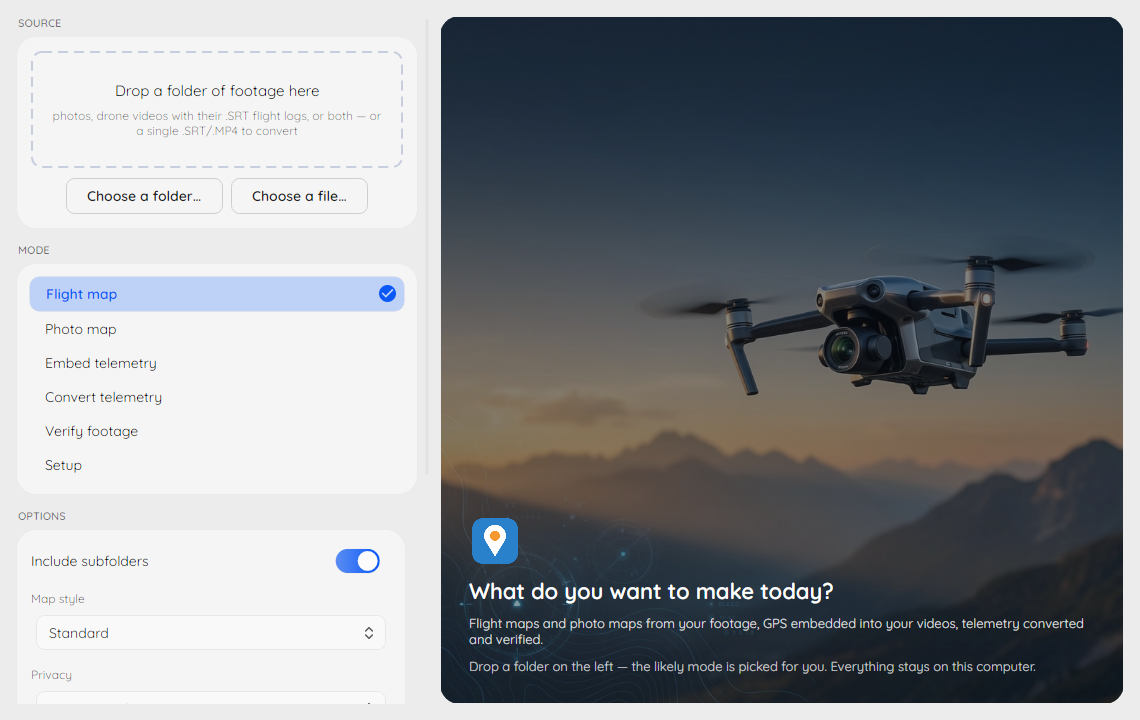
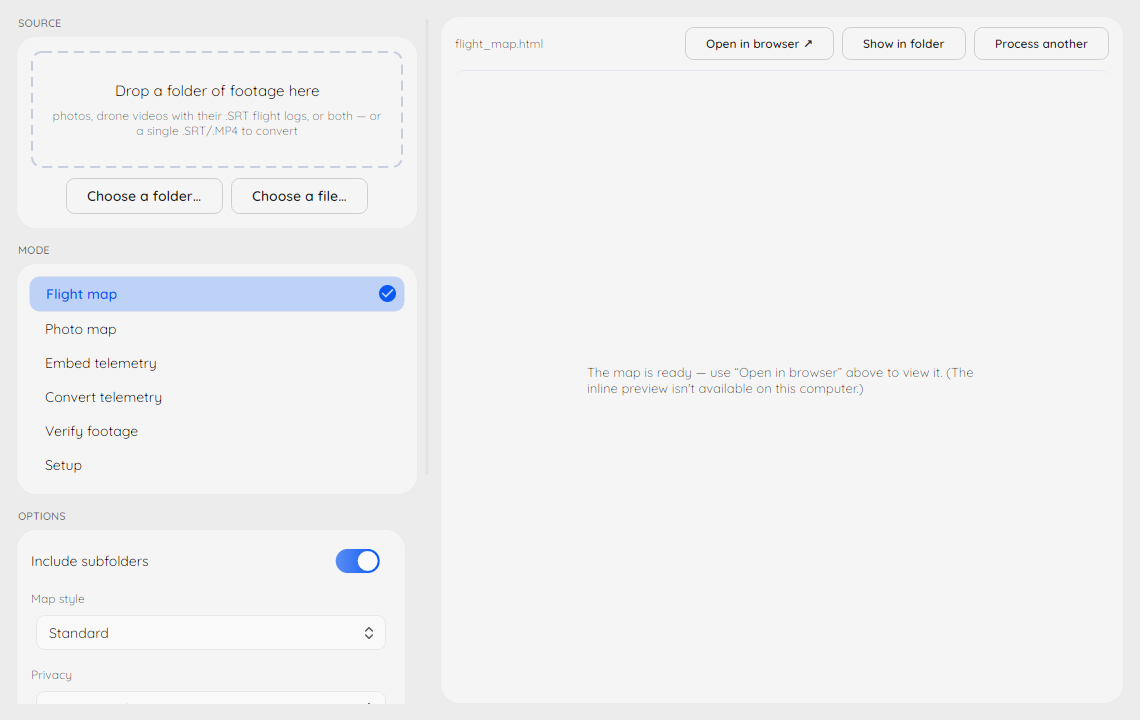
More in the desktop app guide.
Prefer a script? Open PowerShell and paste:
iwr -useb https://raw.githubusercontent.com/CallMarcus/dji-drone-metadata-embedder/master/tools/bootstrap.ps1 | iex
Other ways to install on Windows
-
Direct download: grab the ready-to-run dji-embed.exe from the GitHub Releases page.
-
Windows Package Manager:
winget install CallMarcus.DJIMetadataEmbedder
Already installed? Upgrade with
winget upgrade CallMarcus.DJIMetadataEmbedder. winget installs the portabledji-embed.exeonly — install FFmpeg and ExifTool separately (winget install Gyan.FFmpeg OliverBetz.ExifTool), or use the bootstrap script above, which bundles them. -
Python package:
pip install dji-drone-metadata-embedder
If the command
pythonis not recognized on Windows, usepyinstead.
Verify your download (optional)
Windows binaries and the installer are Authenticode code-signed from v1.23.0 onwards — right-click the file → Properties → Digital Signatures and you should see "Open Source Developer, Marcus Westermark" (issued by Certum).
Every release also ships SHA256SUMS files alongside the binaries, and
release builds (v1.23.0 onwards) carry build provenance attestations
— a Sigstore-signed proof that the file you downloaded was produced by this
repository's public build workflow. With the GitHub CLI:
gh attestation verify dji-metadata-embedder-setup-<version>.exe -R CallMarcus/dji-drone-metadata-embedder
The same works for dji-embed.exe, dji-embed-macos-arm64.zip and the
macOS DMG. PyPI
wheels are attested separately by
PyPI's Trusted Publishing — see the
"provenance" details on each file at
pypi.org.
macOS
Download the signed, notarized DMG
(dji-metadata-embedder-<version>-macos-arm64.dmg) from the
latest release,
open it, and drag DJI Metadata Embedder to Applications — it's the same
desktop app shown above, with the full dji-embed CLI inside the bundle.
Install FFmpeg and ExifTool with brew install ffmpeg exiftool and the
Setup screen in the app will confirm it found them.
The app is for Apple Silicon Macs (M1 or later) on macOS 14 Sonoma or newer. It's the newest arrival here — if anything looks off on your Mac, an issue is very welcome.
Other ways to install on macOS (Intel Macs, CLI only)
-
pipx (any Mac, Intel included):
brew install ffmpeg exiftool pipx
pipx install dji-drone-metadata-embedder
Homebrew's Python refuses a bare
pip install(externally managed);pipxgives the CLI its own isolated environment and putsdji-embedon your PATH. -
Standalone CLI binary (Apple Silicon): grab dji-embed-macos-arm64.zip from the same release page, unzip, and run
./dji-embed. Signed and notarized, but a bare binary can't carry a stapled ticket, so the first run needs a network connection for Gatekeeper's online check.
Linux
sudo apt update && sudo apt install ffmpeg exiftool   # Debian/Ubuntu
pip install dji-drone-metadata-embedder
Docker and building from source
docker run --rm -v "$PWD":/data callmarcus/dji-embed -i *.MP4
- Build from source with
uv sync --extra dev(orpip install -e .) - Use the provided
Dockerfilefor custom images - Review CI scripts under
.github/workflows
Your first map
dji-embed doctor                        # 1. confirm everything is installed
dji-embed flightmap /path/to/footage    # 2. all flights in a folder -> flightmap.html
dji-embed photomap /path/to/photos      # 3. all photos in a folder  -> photomap.html
Open the resulting .html file in any browser — done. The maps embed your
data but load the background map tiles from the internet, so they need a
connection to render.
No terminal at all? On Windows, drag your footage folder onto
dji-embed.exe — it maps every flight log (and geotagged photos) in the
folder, including subfolders, and opens the result in your browser. The same
works in a terminal by passing just a folder: dji-embed /path/to/footage.
Prefer clicking over typing? On Windows, install the desktop app
(see above) — folder in, map or telemetry out, no terminal. For viewing
maps there's also dji-embed photomap <folder> --serve.
Privacy note: maps and exports reveal where you fly. Share them deliberately, or add
--redact fuzzto coarsen every position to ~100 m.
Which command do I need?
| I want to… | Run |
|---|---|
| See all my flights on one map | dji-embed flightmap /path/to/footage |
| See my photos on a map | dji-embed photomap /path/to/photos |
| Map a mixed folder (photos + flights) | dji-embed map /path/to/folder |
| See official drone zones along my flights | dji-embed flightmap /path/to/footage --airspace |
| Map one flight in detail | dji-embed convert html DJI_0001.SRT |
| Make videos searchable by location | dji-embed embed /path/to/footage |
| Get a GPX track for Google Earth | dji-embed convert gpx DJI_0001.SRT |
| See what metadata a file already has | dji-embed check DJI_0001.MP4 |
| Check my setup | dji-embed doctor |
More scenarios: docs/decision-table.md and end-to-end examples in docs/recipes.md.
Supported DJI Models
Fully Tested & Documented (with sample fixtures):
- DJI Mini 3/4 Pro - Square bracket format
[latitude: xx.xxx] [longitude: xx.xxx] - DJI Mini 5 Pro - HTML-style bracket format with decimal aperture (
[fnum: 1.8]) - DJI Air 3 - HTML-style format with extended telemetry data
- DJI Air 3S - HTML-style bracket format with decimal
focal_lenand HLG color mode ([color_md: hlg]); MP4 also carries embeddeddjmd/dbgidata streams - DJI Mavic 4 Pro - HTML-style bracket format with a tint on the colour-temperature token (
[ct: 5562, tint: 0]); MP4 and.LRFcarry embeddeddjmd/dbgidata streams incl. gimbal angles - DJI Avata 360 - HTML-style bracket format with stabilization (
pp_*) fields; footage ships as.OSV(360 video) +.LRFproxy - DJI Neo 2 - HTML-style bracket format with stabilization (
pp_*) fields; MP4 also carries embeddeddjmd/dbgidata streams - DJI Avata 2 - Legacy GPS format
GPS(lat,lon,alt)with BAROMETER data - DJI Mavic 3 Enterprise - Extended format with RTK precision data
- DJI Matrice 300 (legacy-with-unit) -
GPS(lat,lon,alt M)withBAROMETER:colon notation - DJI Phantom 4 RTK / P4P (compact single-line) -
F/N, SS N, ISO N, EV N, GPS (lat, lon, alt), HOME (...), D, H, H.S, V.S, F.PRY, G.PRY
Community Supported:
- DJI Air 2S, Mavic 3, and other models using similar SRT formats
- See troubleshooting guide for model-specific issues
Don't see your model? We're happy to add support in exchange for sample SRT files we can parse the telemetry format from. Open an issue and attach one or two raw .SRT files from your drone (a short clip is plenty), and we'll add a parser for it. See the Contributing Guide for details.
Sidecar-less models (Air 3S, Mini 5 Pro, …): telemetry is read straight from
the MP4's embedded djmd/dbgi track via ExifTool — no .SRT needed —
for dji-embed convert <fmt> FILE.MP4 and dji-embed verify-sun FILE.MP4.
Requires a recent ExifTool (Air 3S ≥ 13.39, Mini 5 Pro ≥ 13.52, Mavic 4 Pro
≥ 13.59); see
docs/MP4_TIMED_METADATA.md.
Parrot Anafi (non-DJI): the Anafi family embeds per-frame telemetry in the
MP4 (a mett track of type com.parrot.videometadata3), and dji-embed reads
it the same way: convert, verify-sun, check, flightmap and map accept
the clips, with altitude, height above ground and camera heading/pitch.
Verified on an Anafi 4K (firmware 1.8.2); the Anafi USA and Thermal share the
format but are unverified. Video only: no .SRT, no embed, no camera
columns. Verified with ExifTool 12.76 and 13.59. See
docs/MP4_TIMED_METADATA.md.
Intended use & scope
This is a tool for transparency and accountability. Drone telemetry is dual-use, and this project deliberately focuses on the open side of that: verifying and documenting footage, georeferencing it for mapping, and making it interoperable with open GIS workflows. The uses we build for include open-source verification and journalism, human-rights and conflict documentation, search-and-rescue and disaster response, humanitarian damage assessment, environmental monitoring, agriculture, and infrastructure inspection.
Feature and documentation decisions favor provenance, verification, georeferencing, and standards interoperability. We do not build targeting or other offensive capabilities.
Command reference
Everything below is also available at the terminal via
dji-embed COMMAND --help. Scripting or building a frontend? photomap,
flightmap, embed, and check accept --progress jsonl — one JSON
event per line on stdout, documented in
docs/PROGRESS_JSONL.md.
dji-embed [OPTIONS] COMMAND [ARGS]...

Commands:
  embed      Embed telemetry from SRT files into MP4 videos
  validate   Validate SRT/MP4 pairs and report drift
  convert    Convert SRT telemetry to GPX, CSV, GeoJSON, KML, HTML, or CoT
  flightmap  Map every flight in a folder (SRT logs or telemetry videos) on one map
  map        One map of everything in a folder: photos, panoramas, and flights
  photomap   Map GPS-tagged still photos to an HTML/KML/GeoJSON map
  check      Check media files for embedded metadata
  doctor     Show system information and verify dependencies
  ui         Launch the legacy local web UI (deprecated)
  verify-sun Summarise the sun's position over a clip for shadow cross-checking

Global Options:
  --version   Show the version and exit
  -h, --help  Show this message and exit
dji-embed embed - Process Videos
Embed telemetry from SRT files into the matching MP4 videos. Processing shows
a progress bar for each file; results go to a processed subdirectory (see
Output).
dji-embed embed /path/to/drone/footage                      # basic usage
dji-embed embed "D:\DroneFootage\Flight1" -o "D:\Processed" # custom output directory
dji-embed embed "D:\DroneFootage\Flight1" --exiftool        # also write EXIF GPS tags
All options
dji-embed embed [OPTIONS] DIRECTORY

Arguments:
  DIRECTORY          Directory containing MP4 and SRT files

Options:
  -o, --output DIRECTORY     Output directory (ignored if --overwrite)
  --overwrite                Overwrite original video files in place
                             (destination = input folder)
  --exiftool                 Also use ExifTool for GPS metadata
  --dat PATH                 DAT flight log to merge
  --dat-auto                 Auto-detect DAT logs matching videos
  --audio-sidecar            Auto-detect a same-basename .m4a audio sidecar
                             (e.g. DJI Neo 2) and mux it in (no re-encode)
  --redact [none|drop|fuzz]  Redact GPS coordinates (default: none)
  --container [mp4|mkv]      Output container; 'mkv' preserves DJI djmd/dbgi
                             data streams (default: mp4)
  --extract-home             Extract the drone's HOME / launch point into the
                             JSON sidecar. **The HOME point is the operator's
                             launch location** — it is off by default, never
                             written to the MP4, and always honours `--redact`
                             (`drop` removes it, `fuzz` coarsens to ~100 m).
  --progress [jsonl]         Emit machine-readable progress events on stdout,
                             one JSON object per line (docs/PROGRESS_JSONL.md)
  -v, --verbose              Verbose output
  -q, --quiet                Suppress progress output
dji-embed validate - Check SRT/MP4 Sync
Validate SRT/MP4 pairs and generate a drift analysis report — useful when subtitles seem out of step with the video.
dji-embed validate /path/to/footage
All options
dji-embed validate [OPTIONS] DIRECTORY

Options:
  --drift-threshold FLOAT  Drift threshold in seconds for warnings
  --format [text|json]     Output format for drift report
  -v, --verbose            Verbose output
  -q, --quiet              Suppress info output
dji-embed convert - Export Telemetry
Convert SRT telemetry to GPX, CSV, GeoJSON, KML, CoT, or a standalone HTML map. On sidecar-less models (Air 3S, Mini 5 Pro, …) the input can be the MP4 itself.
dji-embed convert gpx DJI_0001.SRT               # GPS track for Google Earth
dji-embed convert csv DJI_0001.SRT -o telemetry.csv
dji-embed convert gpx /path/to/srt/files --batch # whole directory in one go
dji-embed convert html DJI_0001.SRT              # single-flight map -> DJI_0001.html
dji-embed convert html DJI_0042.MP4              # sidecar-less models: telemetry from the MP4
GPX/CoT timestamps are written in UTC. DJI SRT times are local with no timezone, so the offset is auto-detected from the file's modification time. Override it when the mtime is unreliable (e.g. copied files):
dji-embed convert gpx DJI_0001.SRT --tz-offset +05:30
All options
dji-embed convert [OPTIONS] {gpx|csv|geojson|kml|html|cot} INPUT

Arguments:
  {gpx|csv|geojson|kml|html|cot} Output format
  INPUT                      SRT file or directory to convert

Options:
  -o, --output PATH          Output file path
  -b, --batch                Batch process directory
  --tz-offset OFFSET         UTC offset for GPX/CoT timestamps, e.g. '+05:30' or
                             '-8' ('auto' detects from file mtime; default: auto)
  --redact [none|drop|fuzz]  GPS redaction (default: none), applied to the track
                             in every format: drop removes the track (or blanks
                             the GPS+sun columns in csv, rows kept); fuzz
                             coarsens to ~100 m. HOME marker redacted the same way
  --interval FLOAT           cot only: seconds between sampled points (default: 1.0)
  --cot-type CODE            cot only: CoT type/affiliation code (default: a-n-A)
  --footprint                geojson/kml only: add camera footprint polygons
                             (requires --redact none)
  --footprint-interval FLOAT geojson/kml only: seconds between footprints (default: 2.0)
  --model NAME               footprint FOV-table entry, e.g. air3, mini4pro
  --extract-home             Opt-in: extract the HOME / launch point (operator
                             location) into gpx/csv/geojson output. Off by
                             default; subject to --redact
  -v, --verbose              Verbose output
  -q, --quiet                Suppress info output
CoT (Cursor-on-Target) — for ATAK/TAK; see docs/fmv-interop.md:
dji-embed convert cot DJI_0001.SRT                       # -> DJI_0001.cot.xml
dji-embed convert cot DJI_0001.SRT --interval 2 --cot-type a-u-A
Camera footprints — overlay per-interval ground-coverage polygons in
GeoJSON/KML for down-looking footage (suppressed under --redact; see
docs/geospatial.md):
dji-embed convert geojson DJI_0001.SRT --footprint --model air3
dji-embed convert kml DJI_0001.SRT --footprint --footprint-interval 5
dji-embed flightmap - Combined Flight Map
Map every flight in a folder of DJI .SRT logs and telemetry-carrying videos
on one combined map. .SRT sidecars are read directly; a video with no
.SRT beside it is probed for an embedded telemetry track and, when it
carries one, read via ExifTool. A video that already has an .SRT is never
opened by the scan, so a folder of paired SRT/MP4 clips stays fast. Each
flight becomes its own coloured track with a popup (start time, duration,
altitude range, GPS points) and a layer toggle; the KML imports into Google
Earth and Google My Maps as one line per flight. SRT files without GPS
telemetry (e.g. ordinary subtitles) are skipped and counted in a summary;
-v lists them.
dji-embed flightmap /path/to/footage                        # -> footage/flightmap.html
dji-embed flightmap /path/to/footage -f all                 # -> footage/flightmap.{html,kml,geojson}
dji-embed flightmap /path/to/footage -r --title "Road trip" # recurse + custom title
Prefer one map per clip? dji-embed convert html /path/to/footage --batch
writes a separate .html next to each video.
All options
dji-embed flightmap [OPTIONS] DIRECTORY

Arguments:
  DIRECTORY                       Directory containing .SRT flight logs

Options:
  -o, --output FILE               Output file; used as the base name when
                                  --format all
  -f, --format [html|kml|geojson|all]
                                  Map output format (default: html)
  -r, --recursive                 Scan subdirectories too
  --title TEXT                    Map title (default: directory name)
  --redact [none|fuzz]            GPS redaction: fuzz coarsens every flight to
                                  ~100 m before writing (default: none)
  --join-gap SECONDS              Chain size-split recordings (DJI starts a new
                                  file at the 4 GB limit) into one flight when
                                  the next file's telemetry starts within
                                  SECONDS and resumes where the previous file
                                  ended. 0 disables joining (default: 15.0)
  --tz-offset OFFSET              UTC offset of the SRT timestamps, e.g.
                                  '+05:30' or '-8'. 'auto' detects it from each
                                  file's mtime; pass it explicitly when the
                                  files were copied through zip/cloud transfers
                                  that rewrote the mtimes (default: auto)
  --progress [jsonl]              Emit machine-readable progress events on
                                  stdout, one JSON object per line
                                  (docs/PROGRESS_JSONL.md)
  -v, --verbose                   Verbose output
  -q, --quiet                     Suppress info output
Notes:
- With
-r, flights are labelled by their path relative toDIRECTORY(session1/DJI_0001), so per-session folders that reuse DJI's restarting file numbering stay distinct. - Long recordings that DJI split at the 4 GB file limit are stitched back
into one flight when the next file's telemetry continues (in time and
position) where the previous one ended — measured on the SRT's own
timestamps, so it survives copied files with rewritten mtimes. The popup
lists the joined files; tune or disable with
--join-gap. - The 3D map's camera footprints are estimates unless the SRT logs gimbal
angles.
--gimbal-from-videoreads them from the MP4's own telemetry (Air 3/3S, Mavic 3/4 Pro, Mini 4 Pro; needs ExifTool, opens every video), and--flight-log CSVmerges them from a decoded flight record for drones that log none. - Tracks are thinned to ~1 GPS point per second for the map (DJI logs ~30
per second) — visually identical but far smaller files; use
dji-embed converton a single flight when you need every sample. - Popup start times are converted to UTC using each file's mtime. On archives
whose mtimes were rewritten (zip/cloud transfers) the tool warns once and
falls back to the mtime; pass
--tz-offsetwith your recording timezone to get correct absolute times. Joining itself is unaffected either way. - Leaflet and the OpenStreetMap basemap tiles load from the internet; the
flight data itself is embedded, so the HTML file is portable but needs a
connection to render. A flight map publishes where you fly — share it
deliberately, or use
--redact fuzz. --3drenders the flights over real 3D terrain (MapLibre + Mapterhorn/ Copernicus, keyless) as a separateflightmap-3d.html, instead of the flat basemap. The 3D map adds altitude curtains, a cockpit view, playback, the camera's ground footprint, and — with--link-originals— a crossfade between the terrain and your footage. Each is documented in docs/geospatial.md; note that--redact fuzzwithholds the footprint and the crossfade, because coarsened coordinates cannot honestly say which ground was filmed.
dji-embed map - One Map Of Everything
The simple mode: point it at a mixed folder and get a single HTML map of the geotagged photos, 360° panoramas, and DJI flight tracks inside. It always scans subfolders, chains recordings split at the 4 GB limit back into single flights, and needs no decisions — photos and sidecar-less videos require ExifTool; SRT flight tracks don't.
dji-embed map /path/to/folder                 # -> folder/map.html
dji-embed map /path/to/folder --serve         # local server + 360° viewer
dji-embed map /path/to/folder --redact fuzz   # coarsen all GPS to ~100 m
dji-embed map /path/to/folder --3d            # -> folder/map-3d.html, over terrain
Photos cluster and toggle exactly like photomap; flights draw and play
back exactly like flightmap, and --3d gives the whole folder the 3D
terrain view. Reach for those two commands when you need KML/GeoJSON
output, popup control, linked originals, basemap styles, or airspace.
dji-embed photomap - Map Still Photos
Map GPS-tagged still photos (JPG/JPEG/DNG) as an HTML, KML, or GeoJSON map.
Requires ExifTool (dji-embed doctor checks it). Photos without GPS data are
skipped and counted in a summary; -v lists the skipped filenames. On the
HTML map, regular photos are blue markers and 360° panoramas orange ones,
with a checkbox to show/hide each type when a folder mixes both.
dji-embed photomap /path/to/photos                                    # -> photos/photomap.html
dji-embed photomap /path/to/photos -f all                             # -> photos/photomap.{html,kml,geojson}
dji-embed photomap /path/to/photos -r --title "Churches of Finland"   # recurse + custom title
dji-embed photomap /path/to/photos --link-originals                   # popups open the original photos
dji-embed photomap /path/to/photos --link-originals --link-base ../DCIM   # originals live elsewhere
dji-embed photomap /path/to/photos --redact fuzz                      # ~100 m coarsened pins
dji-embed photomap /path/to/photos --popup-fields none                # popups show thumbnails only
dji-embed photomap /path/to/photos --serve                            # serve + open browser (360° viewer works)
All options
dji-embed photomap [OPTIONS] DIRECTORY

Arguments:
  DIRECTORY                       Directory containing JPG/JPEG/DNG photos

Options:
  -o, --output FILE               Output file; used as the base name when
                                  --format all
  -f, --format [html|kml|geojson|all]
                                  Map output format (default: html)
  -r, --recursive                 Scan subdirectories too
  --title TEXT                    Map title (default: directory name)
  --link-originals                HTML popups link the thumbnail/filename to
                                  the original photo file
  --link-base PREFIX              Folder or URL prefix for --link-originals
                                  hrefs, for when the originals do not sit
                                  beside the HTML
  --popup-fields LIST             Limit what HTML popups show: 'none' or a
                                  comma list of name, timestamp, camera,
                                  altitude (default: all of them)
  --redact [none|fuzz]            Coarsen every photo location to ~100 m
                                  before writing (default: none)
  --serve                         Serve the map on 127.0.0.1 and open the
                                  browser (implies --link-originals; not
                                  combinable with --progress jsonl)
  --progress [jsonl]              Emit machine-readable progress events on
                                  stdout, one JSON object per line
                                  (docs/PROGRESS_JSONL.md)
  -v, --verbose                   Verbose output
  -q, --quiet                     Suppress info output
Notes:
- With
-r, pins are labelled by their path relative toDIRECTORY, so per-session folders that reuse DJI's restartingDJI_0001.JPGnames stay distinct on the map. - Popup previews use the small EXIF thumbnail, falling back to a size-capped embedded preview for DNGs that carry no thumbnail.
- A Hover previews toggle in the map's top-right corner (off by default, mouse devices only, remembered by the browser) shows each pin's thumbnail and filename in a tooltip, so a map can be skimmed without clicking every pin (HTML output).
- Photos with no EXIF altitude are clamped to the ground in KML (Google Earth) instead of being buried at 0 m below terrain.
--link-originalsmakes each popup's thumbnail and filename a click-through to the full-resolution original (HTML output only). The links are plain relative hrefs, so they resolve while the HTML sits next to the photos and break if the map is moved or emailed without them — the popup always names the file regardless. Use--link-basewhen the originals live elsewhere (a relative folder like../DCIM, or an absolute URL). Browsers download rather than display DNG files; JPGs open in a new tab.- 360° panoramas (DJI, Insta360, Google Camera, …) are detected during the
same scan; clicking one opens an embedded interactive viewer instead of a
flat, distorted JPEG when the map is served with
--serve(or opened over HTTP with--link-originals) — browsers block the viewer on maps opened straight from disk. --redact fuzzcoarsens every pin to ~100 m before the map is written — use it for maps you plan to share. Combined with--link-originals, the linked originals still carry exact GPS in their EXIF, so share those deliberately too.- Leaflet and the OpenStreetMap basemap tiles load from the internet; the photo thumbnails themselves are embedded, so the HTML file is portable but needs a connection to render. A photo map publishes your shooting locations — share it deliberately.
dji-embed check - Check Existing Metadata
Check whether videos or photos already contain GPS or altitude information.
dji-embed check DJI_0001.MP4
dji-embed check /path/to/footage
check uses ffprobe for QuickTime tags and exiftool for EXIF data
when available. Pass --verbose for debug output or --quiet to only
show warnings and errors. --progress jsonl switches stdout to
machine-readable events (see docs/PROGRESS_JSONL.md).
dji-embed verify-sun - Sun-Position Cross-Check
Summarise the sun's azimuth/elevation over a clip so analysts can compare
shadow direction and length in the footage against the astronomical sun.
Accepts an .SRT sidecar or, on sidecar-less models, the MP4 itself.
CSV export (dji-embed convert csv) gains matching datetime_utc /
sun_azimuth / sun_elevation columns.
dji-embed verify-sun DJI_0001.SRT
dji-embed verify-sun DJI_0042.MP4 --format json
All options
dji-embed verify-sun [OPTIONS] SRT

Options:
  --tz-offset OFFSET    UTC offset for the SRT timestamps, e.g. '+05:30' or
                        '-8'. 'auto' detects it from the SRT file mtime
                        (default: auto)
  --format [text|json]  Output format (default: text)
  -v, --verbose         Verbose output
  -q, --quiet           Suppress info output
dji-embed doctor - System Diagnostics
Show system information and verify all dependencies.
dji-embed doctor
dji-embed doctor --install exiftool downloads a pinned, checksum-verified
ExifTool into your user directory — useful where system packages are too old
for MP4 timed metadata (most Linux distros).
Opt-in update check. Normal commands never touch the network. doctor
is the only command that may go online for version info, and it asks first:
the first interactive run prompts once (Check online for newer versions (PyPI + ExifTool)? [y/N], default No) and remembers your answer. When
enabled, doctor compares your dji-embed against PyPI and your ExifTool
against the bundled pin, and prints an upgrade command matched to how you
installed (winget/EXE, pipx, or the exact python -m pip for your
interpreter). Network failures degrade silently to the offline report.
dji-embed doctor --online     # enable for this run and remember it
dji-embed doctor --offline    # disable for this run and remember it
Set DJIEMBED_NO_UPDATE_CHECK=1 to hard-disable the check regardless of the
remembered choice. Non-interactive runs (no terminal, or CI set) never
prompt and never check. The ExifTool-vs-pin comparison needs no network and
is always shown when your ExifTool is older than the pinned release.
Output
The embed command creates a processed subdirectory containing:
*_metadata.MP4- Video files with embedded metadata and telemetry subtitles*_telemetry.json- Flight summary with GPS data, altitude, and camera settings
Example JSON output:
{
  "filename": "DJI_0158.MP4",
  "first_gps": [59.302335, 18.203059],
  "average_gps": [59.302336, 18.203058],
  "max_altitude": 132.86,
  "max_relative_altitude": 1.5,
  "flight_duration": "00:00:00 - 00:00:32",
  "num_gps_points": 967,
  "camera_settings": {
    "iso": "2700",
    "shutter": "1/30.0",
    "fnum": "170"
  },
  "location": "Stockholm, Sweden"
}
How It Works
- SRT Parsing: Extracts telemetry data from DJI SRT subtitle files
- Metadata Embedding: Uses FFmpeg to:
- Add SRT as subtitle track (preserves all telemetry)
- Embed GPS coordinates in video metadata
- Add altitude and other metadata tags
- No Re-encoding: Uses stream copy for fast processing without quality loss
- Summary Generation: Creates JSON files with flight statistics
The tool recognises multiple DJI SRT dialects, from the bracketed
[latitude: 59.302335] [longitude: 18.203059] style of recent models to the
legacy GPS(59.302335,18.203059,132.860) form — the full catalogue lives in
docs/SRT_FORMATS.md.
Troubleshooting
See docs/troubleshooting.md for comprehensive troubleshooting.
Check tool versions
Display the application, FFmpeg and ExifTool versions:
dji-embed --version
Quick Fixes
"Python was not found"
Use py instead of python:
dji-embed doctor
"ffmpeg is not recognized"
Ensure FFmpeg is in your PATH. Test with:
ffmpeg -version
Note: ffmpeg uses a single dash. Using ffmpeg --version will result in Unrecognized option '--version'.
"Command not found: dji-embed"
If the command isn't found after installation:
python -m pip install --user dji-drone-metadata-embedder
# or
pipx install dji-drone-metadata-embedder
No GPS data in JSON output
- Check that your SRT files contain GPS coordinates:
dji-embed check /path/to/your/files
- Open an SRT file in a text editor to verify the format
- Run diagnostics to check for parsing issues:
dji-embed doctor
Processing fails with "No matching MP4/SRT pairs"
Ensure your files follow the naming convention:
- Video:
DJI_0001.MP4 - Subtitle:
DJI_0001.SRT
Permission errors on Windows
Run PowerShell as Administrator or use the bootstrap installer:
iwr -useb https://raw.githubusercontent.com/CallMarcus/dji-drone-metadata-embedder/master/tools/bootstrap.ps1 | iex
Getting help from an AI assistant
Using Claude, ChatGPT, Copilot, or another AI tool? Upload
HELP.md to it first — it primes the assistant with accurate,
current facts about this tool so you can ask questions in your own words
("how do I map my photos?") and get answers that match how it actually works.
Contributing
Contributions are welcome! Please feel free to submit issues or pull requests.
Working with an AI coding agent? Point it at AGENTS.md — the
conventions, test gates, and invariants contributions must follow.
Commit Message Format
This project uses Conventional Commits for automatic changelog generation:
feat(cli): add new validate command
fix(parser): handle malformed SRT timestamps
docs: update troubleshooting guide
See docs/CHANGELOG_AUTOMATION.md for detailed guidelines.
Adding Support for New Models
If your DJI model uses a different SRT format, we're happy to add support in exchange for sample SRT files we can parse the telemetry format from:
- Open an issue and attach one or two raw
.SRTfiles from your drone (a short clip is plenty) — we'll add a parser for it - Or submit a PR with regex patterns for the new format
Release
See docs/RELEASE.md for instructions on publishing a new version. There are also plans to grow this CLI tool into a Windows application with a graphical interface — see the Development Roadmap.
License
MIT License - see LICENSE file for details
Acknowledgments
- Thanks to the DJI drone community for format documentation
- DJI Stockholm (Grev Turegatan) for flying and sharing the Mavic 4 Pro sample footage that confirmed the format and located its gimbal telemetry
- FFmpeg and ExifTool teams for their excellent tools
Related Projects
- exiftool - Read/write metadata in media files
- ffmpeg - Media processing framework
- gpx.py - GPX file parser (for further processing)
Disclaimer
This tool is not affiliated with or endorsed by DJI. Use at your own risk.
1 maintainer

Metadata
1 maintainer
Release files for dji-drone-metadata-embedder 2.18.0
For a detailed explanation of source distributions (sdists) and built distributions (wheels), please see the package formats documentation.
Source distribution (sdist)
| File | Size | Uploaded | Provenance | |
|---|---|---|---|---|
| dji_drone_metadata_embedder-2.18.0.tar.gz | 295.8 kB | With provenance | Details |
Built distribution (wheel)
| File | Interpreter | ABI | Platform | Reset |
|---|---|---|---|---|
| dji_drone_metadata_embedder-2.18.0-py3-none-any.whl | Python 3 | none | any | Details |
Total release size: 626.4 kB
Release files / dji_drone_metadata_embedder-2.18.0.tar.gz
| Download URL | dji_drone_metadata_embedder-2.18.0.tar.gz |
|---|---|
| Size | 295.8 kB |
| Tags | Source |
|
SHA-256 checksum How to use checksums |
35d041454213af8755286ff3f7c5aa983b6942ad97a2a62d50eef309b3fd2e7b
|
|
BLAKE2b-256 checksum How to use checksums |
b105d465b77cb4e8d7d8afa8502792a55d86c79919d3f3edf8c5e8aed27d7835
|
| Upload date | |
|
Uploaded using Trusted Publishing? What is trusted publishing? |
Yes |
| Uploaded via |
twine/7.0.0 CPython/3.13.14
|
Provenance
Provenance describes where a file came from. On PyPI, provenance is shared via attestations, which provide a verifiable record of the build or publishing details. View details, limitations and caveats.


PyPI Publish Attestation
PyPI verified that this artifact, at this checksum, originated from the publisher listed below.
Signed by GitHub Actions, verified by PyPI on Oct 2, 2026.
Transparency logRelease files / dji_drone_metadata_embedder-2.18.0-py3-none-any.whl
| Download URL | dji_drone_metadata_embedder-2.18.0-py3-none-any.whl |
|---|---|
| Size | 330.5 kB |
| Tags | Python 3 |
|
SHA-256 checksum How to use checksums |
6cb4a9282e0bfb939682afce943217acef3b8ca9f3048f44005d55093834a665
|
|
BLAKE2b-256 checksum How to use checksums |
a61d2fd622d157fa3fb204cbd3b037be17f22622726180ade7d92af70d0cc1f6
|
| Upload date | |
|
Uploaded using Trusted Publishing? What is trusted publishing? |
Yes |
| Uploaded via |
twine/7.0.0 CPython/3.13.14
|
Provenance
Provenance describes where a file came from. On PyPI, provenance is shared via attestations, which provide a verifiable record of the build or publishing details. View details, limitations and caveats.
PyPI Publish Attestation
PyPI verified that this artifact, at this checksum, originated from the publisher listed below.
Signed by GitHub Actions, verified by PyPI on Oct 2, 2026.
Transparency logSecurity for dji-drone-metadata-embedder 2.18.0
Provenance
Provenance describes where a file came from. On PyPI, provenance is shared via attestations, which provide a verifiable record of the build or publishing details. View details, limitations and caveats.
Full provenance
All 2 files in this release have been uploaded with provenance metadata.
Attestation for dji_drone_metadata_embedder-2.18.0.tar.gz
PyPI Publish Attestation
PyPI verified that this artifact, at this checksum, originated from the publisher listed below.
Signed by GitHub Actions, verified by PyPI on Oct 2, 2026.
Transparency logA note on package security
PyPI is a repository for distributing packages, not a service for auditing them. While third-party security researchers and our staff do their best to detect and remove malicious packages, PyPI cannot guarantee the quality, security or suitability of any given package.














