
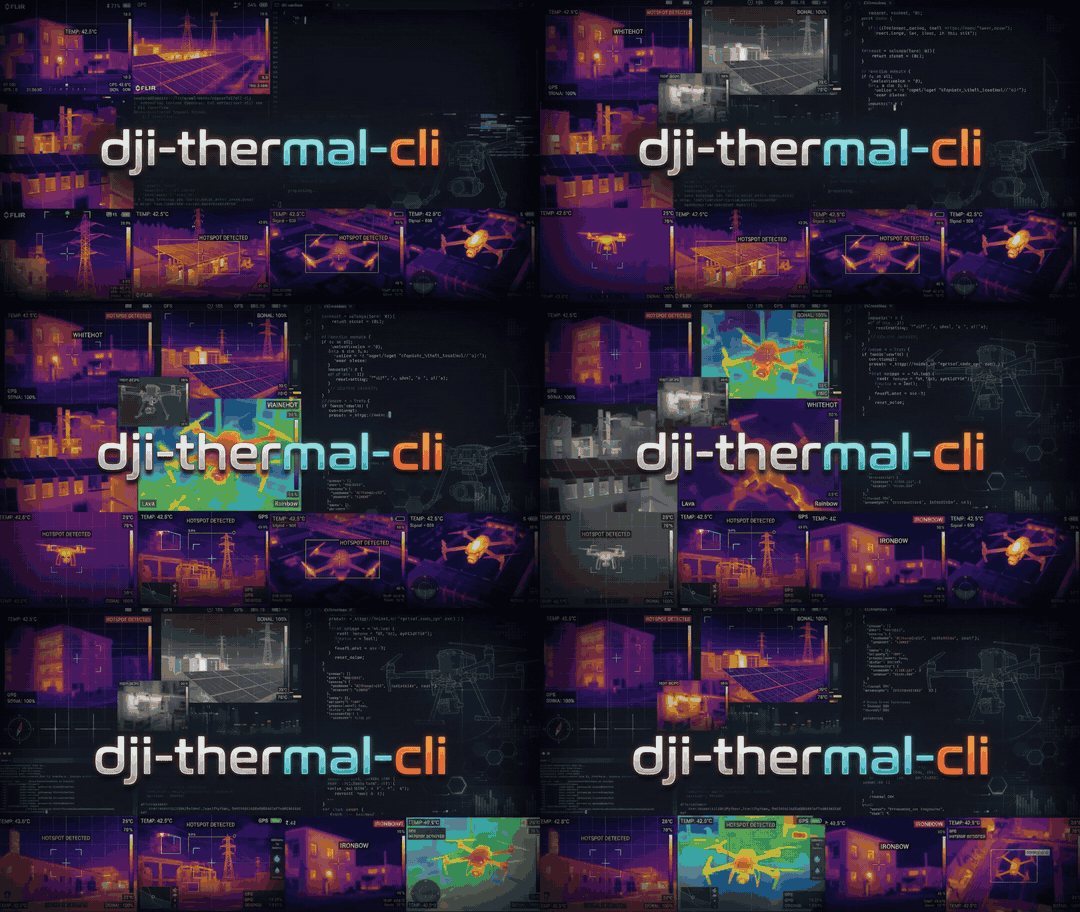
dji-thermal-cli
Batch-process DJI R-JPEG thermal images into temperature images (float32 TIFF or OpenEXR, 16-bit TIFF or PNG), raw sensor frames, and 16-bit grayscale or pseudo-color views.
Temperatures and pseudo-color images come from a pure-Python port of the DJI Thermal SDK
v1.8. Its results are bit-for-bit identical to the SDK's dirp_measure_ex and dirp_process,
and it needs neither the SDK nor any native library.
This does not rewrite the original R-JPEG: DJI bakes its environmental parameters into a binary APP4 block at capture time that isn't writable by the SDK. Every command below only reads originals and/or writes new derivative files.
Install
pip install dji-thermal-cli
or as a stand-alone command with uv tool install dji-thermal-cli or
pipx install dji-thermal-cli. It needs Python 3.12 or newer; numpy and Pillow are its only
dependencies. Neither the DJI Thermal SDK nor any native library is needed. It runs on
Linux, Windows and macOS, and gives the same results on each.
From a clone, for development: uv sync, then uv run dji-thermal-cli ....
Using the output with WebODM / ODX
Each *_temp_c.tiff (the default temp_c output) is a Deflate-compressed single-band float32 TIFF in degrees Celsius, at the
sensor's true resolution (640x512 for most cameras, 1280x1024 for the H30T). It carries the
source R-JPEG's EXIF (including GPS and the Exif sub-IFD), its DJI XMP, and
Camera:BandName="LWIR", which is what ODM/ODX read to georeference each frame and to
recognise it as thermal. Upload the TIFFs as your images and leave --radiometric-calibration
off: the values are already temperatures.
The per-frame TIFFs are not GeoTIFFs; the GeoTIFF is the orthophoto ODX builds. Pixels the SDK cannot give a temperature come out at its floor of about -273 C.
check --webodm plans the whole task for a dataset:
dji-thermal-cli check --input-dir /path/to/flight --webodm
- Frames: nadir frames for an orthophoto (
--max-pitch, since obliques mix viewing angles and sky into it), and none without a position. - Coverage: how many nadir frames see each ground point, from every frame's footprint, and the equivalent front and side overlap. Fewer than 9 frames per point (about 67 %) is flagged, because small, low-texture thermal images need a lot of overlap to match.
- The
processcommand that prepares the images:-o temp_c:tiff, one value for any measurement parameter that differs between files, and--normalize. - ODM task options with the reason for each:
radiometric-calibration none,orthophoto-resolutionfrom the ground sample distance,gps-accuracyfrom the RTK accuracy; and, depending on the site,feature-quality,min-num-features,fast-orthophoto,skip-3dmodel. With--format jsonthey come as data and as ODM arguments.
process --normalize makes the per-frame outputs consistent with each other, which matters
because WebODM blends overlapping frames itself. Every frame is measured with the flight's
median embedded ambient and reflected temperature (unless you give them), and each frame's
offset against its overlapping neighbours (camera drift between shutter recalibrations) is
removed from the temperature outputs. The offsets come from the frames' overlaps, found as the
mosaic finds them (--mosaic-max-pitch, --mosaic-align); frames it can't place get none.
Each output records its offset as dtc:NormalizationOffsetC. process --max-pitch DEG keeps
only frames looking at least that steeply down.
Outputs
Choose what to write with --output PRODUCT[:FORMAT] (-o), repeated or comma-separated.
The default is temp_c:tiff,pseudo:png. Each output is named <stem>_<product>.<format>,
where tif and tiff are both accepted and the extension is written as you typed it.
| Product | Pixels | Formats (first = default) |
|---|---|---|
temp_c |
float32 temperature, °C (no data: -273.15) | tiff, exr |
temp_f |
float32 temperature, °F (no data: -459.67) | tiff, exr |
temp_k |
float32 temperature, K (no data: 0) | tiff, exr |
temp_ck |
uint16 temperature in centi-kelvin, K×100: 0.01 K steps up to 382.2 °C (no data: 0) | tiff, png |
temp_dc |
int16 temperature in tenths of a °C: the SDK's dirp_measure output |
tiff |
raw |
uint16 raw sensor counts, uncalibrated (dirp_get_original_raw) |
tiff, png |
gray16 |
uint16 view: --range-min..--range-max, or each image's own range, stretched to 0..65535 |
png, tiff |
pseudo |
8-bit RGB pseudo-color (--palette, --range-min/--range-max) |
png, tiff |
dji-thermal-cli process --input-dir mission --output-dir out -o temp_c:exr,temp_ck:png,gray16
--palette picks the colours of pseudo images and of the mosaic preview, by number or
by name: --palette 3 and --palette hotiron are the same. Without it, each file keeps the
palette it was saved with. These are the DJI SDK's own colour tables:
| # | Name | Looks like |
|---|---|---|
| 0 | whitehot |
grayscale, hot = white |
| 1 | fulgurite |
black, red, yellow, white |
| 2 | ironred |
DJI's ironbow: dark blue, purple, orange, yellow-white |
| 3 | hotiron |
black, green, red |
| 4 | medical |
multi-colour, for small temperature differences |
| 5 | arctic |
blues for cold, gold for hot |
| 6 | rainbow1 |
full spectrum |
| 7 | rainbow2 |
full spectrum, a different ramp |
| 8 | tint |
grayscale with hot areas tinted red |
| 9 | blackhot |
grayscale, hot = black |
TIFF and EXR outputs are compressed losslessly by default: Deflate for TIFF (with the
horizontal predictor on 16-bit integers), ZIP for EXR. That makes them 2-4x smaller.
--compression none writes them uncompressed, for tools that can't read compressed files.
PNG is always compressed.
Every TIFF and PNG carries the source EXIF (GPS included) and XMP. The single-band thermal
products also carry Camera:BandName="LWIR". PNGs record their unit (units), and a
gray16 PNG records the range it was stretched over (range_min_c and range_max_c), as
text chunks. EXR files are a single float channel Y with a units attribute. gray16 is
for viewing only: use temp_c, temp_f, temp_k, temp_ck or temp_dc for measurement.
Temperature units
The SDK works in degrees Celsius only. The CLI converts at both ends and leaves the SDK's own behaviour untouched:
- Inputs:
--input-unit C|F|K(default C) sets the unit of--reflected-temp,--ambient-temp,--range-minand--range-max. They are converted to Celsius in double precision before the SDK sees them, so--input-unit K --reflected-temp 293.15and--input-unit F --reflected-temp 68measure exactly like--reflected-temp 20. Values below absolute zero are rejected. - Outputs:
temp_cis the SDK's own float32 Celsius.temp_fandtemp_kconvert it in double precision and round once, so each value is the float32 nearest the exact conversion. The SDK's no-data floor maps to absolute zero in each unit.temp_ck(uint16 centi-kelvin) andtemp_dc(the SDK's int16 tenths of a degree C) are unchanged. Ask for any mix, e.g.-o temp_c,temp_f,temp_k:exr. - Mosaic:
--mosaic-unit C,F,K(default C) writes onemosaic_temp_<unit>.tif(and.json) per unit. The report's seam and offset figures stay in °C, labelled_c. list --unit C|F|Kshows every temperature (parameters, colour bar, statistics) in that unit.
Mosaic
--mosaic stitches a flight's nadir thermal frames into one georeferenced image:
dji-thermal-cli process --input-dir /path/to/flight --output-dir out --mosaic
It writes three files to the output directory:
mosaic_temp_c.tif: a GeoTIFF in the flight's UTM zone (WGS84) with three float32 bands. NaN marks ground no frame covers.- temperature in °C (
--mosaic-unit ForKformosaic_temp_f.tif/mosaic_temp_k.tif); - the frame each pixel came from;
- the off-nadir angle at which that frame saw it.
- temperature in °C (
mosaic_temp_c.json: the grid, a seam and misalignment report, and a table of every frame (also embedded in the GeoTIFF). Each frame's entry holds its file name, capture time, RTK position and accuracy, gimbal and aircraft attitude, rangefinder reading, height above the ground plane, and the measurement parameters used (with where its distance came from).mosaic_preview.png: a quick look in the files' own palette (or--palette), with one colour scale for the whole mosaic:--range-min/--range-max, or else the 2nd to 98th percentile of its temperatures. Uncovered areas are transparent.
Per-frame files are written as well only for the --output options you give.
How it works:
- Placement (direct georeferencing): each frame is placed from its own metadata: RTK position, gimbal attitude, and a pinhole lens. The lens's focal length in pixels is the EXIF focal length divided by the sensor's pixel pitch from DJI's specs (12 µm for every supported camera but the XT S, 17 µm). For other cameras it falls back to the EXIF 35 mm-equivalent focal length, which is rounded to a whole millimetre. Its rays are intersected with a horizontal ground plane at the median rangefinder target altitude (or the take-off altitude).
- Alignment (on by default;
--no-mosaic-alignturns it off):- The frames' placement is corrected from their overlaps. Image offsets between overlapping frames are measured block by block, by phase correlation of their thermal edges.
- A robust least-squares fit then solves for one camera boresight for the whole flight (the angle between where the gimbal says the camera points and where it does) and a small shift and rotation per frame.
- Each correction is held near zero by the RTK and attitude data.
- Blocks whose offsets disagree, usually parallax from roofs and trees, are down-weighted.
- The fitted corrections are in the per-frame table, and the boresight and before/after offsets are in the report.
- Frame temperature offsets (
--mosaic-normalize, off by default):- Uncooled thermal cameras drift between their periodic shutter recalibrations: a frame's readings creep up, then snap back at each recalibration.
- DJI's distance correction also stretches temperatures about each frame's embedded ambient temperature, which jitters from frame to frame.
- The report always gives each frame's offset against its overlapping neighbours.
--mosaic-normalizemeasures every frame with the flight's median ambient and reflected temperature (unless you set them), then removes the offsets. This changes the measured values.
- One frame per pixel: each mosaic pixel takes the temperature of the single frame that saw that spot most directly, by nearest-neighbour sampling, so every value is one of the SDK's own measurements. Overlapping frames are never averaged.
- Excluded frames: frames whose gimbal pitch is above
--mosaic-max-pitch(default -80°), i.e. oblique shots, are left out. - Pixel size:
--mosaic-gsdsets it; the default is the frames' ground sample distance.
Accuracy on a 21 m M4T flight over a house (42 nadir frames):
| Median offset between overlapping frames | 90th percentile | Seam temperature difference (median) | |
|---|---|---|---|
| Placement only | 38 cm | 71 cm | 0.44 °C |
| With alignment | 8 cm | 48 cm | 0.36 °C |
With alignment and --mosaic-normalize |
8 cm | 48 cm | 0.30 °C |
Taking the focal length from the pixel pitch (1000 px) rather than the rounded 35 mm equivalent (985 px) improved the unfitted placement (39 → 38 cm median, 77 → 71 cm p90) and the large offsets left after alignment (p90 54 → 48 cm, worst 133 → 99 cm); the median after alignment moved from 6.5 to 7.5 cm, within this one flight's roof parallax.
Offsets between frames are measured on bilinear renderings. Nearest-neighbour renderings carry a staircase pattern tied to each frame's pixel grid, which biases the matching by several centimetres. Two things were tried and left out:
- Lens distortion: not measurable from the overlaps.
- Oblique frames as extra tie points: made held-out misalignment worse, because their stretched, parallax-heavy views of the ground disagree with the nadir frames.
On that flight, the frame offsets followed a recalibration sawtooth, from -0.8 to +2.2 °C. Removing them takes the median temperature difference between overlapping frames from 0.31 to 0.24 °C.
What remains is mostly parallax. The ground plane can't represent objects above it, so a roof about 6 m high still steps at the seams. Lens distortion isn't modelled. Removing the parallax needs a surface model (level 3). Alignment adds about a minute for 42 frames.
The frames must carry DJI XMP position and attitude (e.g. the M4T); the older cameras' samples don't.
Supported cameras
| Camera | R-JPEG format |
|---|---|
| Zenmuse H20N, M3T, M30T, M3TD, H30T, M4T, Mavic 2 Enterprise Advanced | iirp |
| M30T (some captures) | girp |
| Zenmuse H20T, Zenmuse XT S | dirp |
| M3TD, M4T (newer firmware) | hirp |
- Accuracy: for every format, temperatures (float and the SDK's integer tenths), the raw
sensor frame, pseudo-color images (every palette, brightness, color bar and isotherm
setting, including the isotherm a
hirpcapture saved with the temperature alarm on starts with), accepted parameter ranges and refusals match the SDK exactly. The whole dirp API is available from Python (dji_thermal_cli.tsdk). The test suite checks this against DJI's own sample images, at their embedded parameters and at random ones. - Parameters: the port applies the same per-camera rules as the SDK. On iirp files from before the v0300 header (everything except the H30T and M4T), the SDK ignores the ambient temperature you pass and uses the reflected temperature in its place. The H20T and XT S keep distance in whole metres and start from fixed defaults (5 m, 70 %, emissivity 1.0, 23 C) rather than the values stored in the file.
- ND filter: the infrared density-filter correction the SDK applies to captures taken through the H30T's ND filter is applied as well.
- Refusals: parameters the SDK refuses are refused here too, with the reason (for example, the H20T and XT S rebuild a color LUT whenever the parameters change and refuse some unusual combinations, such as very low emissivity with a hot reflected temperature). The file is reported as skipped and the rest of the batch goes on.
- Not covered: other R-JPEG formats, which are reported as unsupported, and a few color settings where the SDK itself reads memory it never initialised, so its output isn't defined (they need a color bar or isotherm far outside the frame's temperatures). For those the temperature TIFF is still written and the PNG is skipped with a note.
Built-in tables
The SDK's constant tables are built in (tsdk/tables.py): the ones DJI computes from a
formula (fixed-point exp/log/square-root tables, the BT.601 colour matrix, the table axes) are
generated from that formula, short tuning constants are written out, and the measured
calibration data and colour palettes are stored in tsdk/data/dji_tsdk_v18.npz. The test
suite checks every table byte for byte against the SDK v1.8's own.
Usage
Describe every thermal image in a dataset without writing anything:
dji-thermal-cli list --input-dir /path/to/mission
dji-thermal-cli list --input-dir /path/to/mission --format json --unit F
dji-thermal-cli list --input-dir /path/to/mission --format csv --exif all > dataset.csv
Files are found by their content, not their extension: a thermal image named .bin is
listed, a text file named .jpg is ignored, and ordinary JPEGs (e.g. the _V visual
images) are counted and skipped. Each file is described in groups:
| Group | Contents |
|---|---|
file |
path, name, size, warnings |
camera |
make, model, firmware, camera and drone serials, resolution, focal length (mm, 35 mm, pixels), capture time and UTC exposure time |
thermal |
SDK plugin and R-JPEG version, the embedded measurement parameters and their valid ranges, palette, colour bar, ND filter |
temperature |
min, max, mean, median and standard deviation of the measured image, with the file's own parameters (--no-stats skips the measurement) |
geospatial |
latitude, longitude, absolute and relative altitude, GPS/RTK status and accuracy, laser rangefinder reading and target |
attitude |
gimbal and aircraft yaw, pitch and roll |
exif |
with --exif all: every EXIF tag (IFD0, Exif, GPS, Interop) and XMP property, raw |
--format table (default) prints one summary line per file; json nests the groups; csv
writes one row per file with dotted column names (attitude.gimbal_pitch). Temperatures are
in --unit C|F|K, at the float32 precision the SDK measures in. A field the file doesn't
record is empty (null), and so is a parameter the camera doesn't have (the XT S and H20T
have no ambient temperature).
Check a dataset before processing it (nothing is written):
dji-thermal-cli check --input-dir /path/to/mission
dji-thermal-cli check --input-dir /path/to/mission --format json --unit F
Every file is identified by content and fully decoded, then compared with the rest of the dataset. Each finding names the files and the option that addresses it:
- Errors (exit status 1): files named like images that aren't JPEGs, unreadable or damaged files (including files cut short), DJI thermal formats this tool can't measure, and byte-for-byte duplicates.
- Warnings (exit status 1 with
--strict): measurement parameters that differ between files (emissivity, humidity, embedded distance), embedded ambient/reflected temperatures that drift (--mosaic-normalize), images whose minimum, maximum or mean temperature stands out (noting when they're oblique frames, e.g. with sky in view), mosaic frames with an unusual gimbal pitch or altitude, missing position or attitude, invalid rangefinder readings, mixed cameras, mixed GPS fix types or poor RTK accuracy, and damaged previews. - Notes: ordinary JPEGs mixed in, oblique frames a mosaic leaves out
(
--mosaic-max-pitch), and an embedded distance that disagrees with the rangefinder.
Outliers are values more than 3.5 robust standard deviations (from the median absolute
deviation) from the dataset's median and also far enough apart to matter (5 °C for image
temperatures, 5° of pitch, 3 m of altitude or rangefinder distance). The table lists the
first five files of each finding (--all-files for all); JSON has everything.
Produce derivatives. Any of --distance/--humidity/--emissivity/ --reflected-temp/--ambient-temp you omit keeps that file's own embedded
value -- pass only the ones you want to change for the whole batch:
dji-thermal-cli process \
    --input-dir /path/to/mission \
    --output-dir /path/to/derivatives \
    --emissivity 0.95 --reflected-temp 68 --input-unit F \
    --range-min 59 --range-max 113
Dataset-wide adjustments
Two adjustments act on top of the SDK's measurement, for every file of a run:
- Gimbal override:
--gimbal-pitch DEG(and--gimbal-yaw,--gimbal-roll) replaces the recorded angle when you know it's wrong. It places the frames in the mosaic (and decides--mosaic-max-pitch), and it replacesdrone-dji:Gimbal*Degreein every output's XMP. The recorded angle is kept asdtc:OriginalGimbal*Degree. - Out-of-range replacement, per pixel:
--replace-above TEMP --replace-above-value VALUEgives every pixel measuring above TEMP the value VALUE, ornodata; likewise--replace-below/--replace-below-value. Temperatures are in--input-unit. It applies totemp_c,temp_f,temp_k,temp_ck,gray16and the mosaic, where anodatapixel leaves that spot to the next-best frame.temp_dc,rawandpseudoare the SDK's own output and stay unchanged; rendering is left to your workflow.
dji-thermal-cli process --input-dir mission --output-dir out --input-unit F \
    --replace-above 105 --replace-above-value 100 --gimbal-pitch -90
Every TIFF and PNG output records what was done in its XMP under the dtc: namespace
(urn:dji-thermal-cli:xmp:1.0): the measurement parameters actually used and where the
distance came from, any gimbal override with the original angle, and the replacement
thresholds, values and pixel counts. EXR and PNG outputs also carry the adjustments as text
attributes, and the mosaic report lists them under adjustments.
Object distance is the exception to "keep the embedded value". Cameras with a laser
rangefinder (e.g. the M4T) record the measured distance to the target in their DJI XMP
(LRFStatus, LRFTargetDistance), while the R-JPEG's embedded distance is often just the
5 m default. When a file has a valid reading (status Normal), that distance is used,
clamped to the range the camera accepts (with a note when clamped). This is
--distance lrf, the default; --distance embedded keeps each file's embedded distance,
and --distance 12.5 sets one distance (metres) for every file.
The run summary says where each file's distance came from, and list shows the
rangefinder reading in its lrf_m column.
Files are processed in parallel by a pool of worker processes (--jobs N, default
min(CPU count, 8); --jobs 1 runs them one at a time in the same process). Files that
can't be converted are listed as [skip, <reason>] and the rest of the batch continues.
Run dji-thermal-cli process --help / ... list --help for the full
flag list.
Sharing without location
process --strip-location writes outputs that can be shared, e.g. online, without revealing
where or with which aircraft they were taken:
dji-thermal-cli process --input-dir flight/ --output-dir share/ --strip-location --mosaic
- Removed from every output's metadata: the EXIF GPS block, DJI's position, altitude, RTK and rangefinder-target fields, any other GPS property in the XMP, and the drone, camera and body serial numbers.
- Kept: capture time, camera model, gimbal and flight attitude, the rangefinder distance,
the measurement parameters, and the
dtc:record, which notesLocationRemoved="True". - The mosaic is still placed using the GPS, then written as a plain TIFF without its
georeference. Its JSON sidecar gives each frame's position in metres from the mosaic's
top-left corner (
x_m,y_m) instead of coordinates.
ODM and WebODM need the GPS to place frames, so give them ordinary outputs and make a
separate --strip-location copy for sharing. Source files are never modified.
Python API
Everything the command line does is also a Python API, for programs that use it in-process instead of running the command:
import dji_thermal_cli as dtc

report = dtc.check("flight/")                       # errors and anomalies
for finding in report.findings:
    print(finding.severity, finding.message, finding.suggestion)

rows = dtc.list_dataset("flight/", unit="F").rows   # every file's groups, as dicts

settings = dtc.Settings(unit="F", emissivity=0.95, reflected_temp=68,
                        replace_above=105, replace_above_value=100)
m = dtc.measure("flight/DJI_0001_T.JPG", settings, unit="K")
m.temperature                                       # float32 kelvin array, nothing written

dtc.process("flight/", "out/", settings, outputs=["temp_c:tiff", "temp_f:exr"])
dtc.make_mosaic("flight/", "out/", settings, dtc.MosaicOptions(normalize=True, units=("C", "K")))
- Settings holds what the
processoptions set: measurement parameters,unit(the unit of every temperature in it), colour range and palette, gimbal override, replacement andstrip_location. It validates itself and raisesSettingsErrornaming the field. - Functions:
scan,classify,describe,list_dataset,check,measure,process,make_mosaic. Each returns a result object (ListResult,CheckResult,Measurement,ProcessReport,MosaicReport). - Errors: a missing path raises
FileNotFoundError, a mosaic that can't be built raisesMosaicError, anddescribeof a non-thermal file raisesFileProblem. Within a dataset a bad file never raises: it is reported in the result and the rest carries on. - Progress: pass
progress=callbackto receive anEventper file as the work happens. - Parallelism:
jobsas on the command line (1runs in the calling process). - The API never prints or exits. The command line is a thin layer over it and writes byte-identical files.
Tests
uv run pytest
uv run ruff check src tests scripts
The suite runs with nothing configured. Sample images, a flight's images and the native DJI
Thermal SDK are each optional (environment variables DJI_THERMAL_SAMPLES_DIR,
DJI_THERMAL_FLIGHT_DIR and DJI_THERMAL_SDK_DIR) and add the tests that need them; with
the SDK, the port is compared bit for bit with DJI's own libraries (Linux x64). Without them
those tests are skipped, the built-in tables are still checked against the SDK's recorded
SHA-256 digests, and, with the sample images, the port is checked against digests of every
result that was compared with the SDK. The tool itself never loads the SDK's libraries. See
CONTRIBUTING.md.
License
GNU Affero General Public License v3.0 (AGPL-3.0-only), the same license as
WebODM and ODX. See LICENSE, and LICENSES/ for the third-party notices.
This tool is an independent reimplementation of the DJI Thermal SDK's measurement and
image-processing algorithms, verified against the SDK's outputs. No DJI code or binaries are
included.
tsdk/data/dji_tsdk_v18.npz holds the SDK v1.8's calibration tables and colour palettes. The
powf implementation in tsdk/powf32.py follows ARM optimized-routines (MIT OR Apache-2.0
WITH LLVM-exception). The test suite loads the DJI SDK binaries from your own SDK copy, under
DJI's own EULA; tests/native_sdk.py transcribes struct layouts from DJI's MIT-licensed
dirp_api.h and carries its notice.
1 maintainer

Metadata
1 maintainer
Release files for dji-thermal-cli 1.1.0
For a detailed explanation of source distributions (sdists) and built distributions (wheels), please see the package formats documentation.
Source distribution (sdist)
| File | Size | Uploaded | |
|---|---|---|---|
| dji_thermal_cli-1.1.0.tar.gz | 275.2 kB | Details |
Built distribution (wheel)
| File | Interpreter | ABI | Platform | Reset |
|---|---|---|---|---|
| dji_thermal_cli-1.1.0-py3-none-any.whl | Python 3 | none | any | Details |
Total release size: 558.6 kB
Release files / dji_thermal_cli-1.1.0.tar.gz
| Download URL | dji_thermal_cli-1.1.0.tar.gz |
|---|---|
| Size | 275.2 kB |
| Tags | Source |
|
SHA-256 checksum How to use checksums |
80a50bc254615ee5c4420fd6a89c384934d1b787571b53c64dcb4603d7be238a
|
|
BLAKE2b-256 checksum How to use checksums |
6b99e03a2b55f5af1511bc9881879e8559b2ee640090d339f8911a0ebd6a13dd
|
| Upload date | |
|
Uploaded using Trusted Publishing? What is trusted publishing? |
Yes |
| Uploaded via |
twine/7.0.0 CPython/3.13.14
|
Provenance
Provenance describes where a file came from. On PyPI, provenance is shared via attestations, which provide a verifiable record of the build or publishing details. View details, limitations and caveats.


PyPI Publish Attestation
PyPI verified that this artifact, at this checksum, originated from the publisher listed below.
Signed by GitHub Actions, verified by PyPI on Oct 18, 2026.
Transparency logRelease files / dji_thermal_cli-1.1.0-py3-none-any.whl
| Download URL | dji_thermal_cli-1.1.0-py3-none-any.whl |
|---|---|
| Size | 283.4 kB |
| Tags | Python 3 |
|
SHA-256 checksum How to use checksums |
80726f340032a86498c8dd12322eae6bc46167a6bf5c3cc7b33cacb27261ec72
|
|
BLAKE2b-256 checksum How to use checksums |
8003d483fc4937e854b9fc9142ce50f2c6fff1a8b57f692f88480cfa66e06a15
|
| Upload date | |
|
Uploaded using Trusted Publishing? What is trusted publishing? |
Yes |
| Uploaded via |
twine/7.0.0 CPython/3.13.14
|
Provenance
Provenance describes where a file came from. On PyPI, provenance is shared via attestations, which provide a verifiable record of the build or publishing details. View details, limitations and caveats.
PyPI Publish Attestation
PyPI verified that this artifact, at this checksum, originated from the publisher listed below.
Signed by GitHub Actions, verified by PyPI on Oct 18, 2026.
Transparency log













