
djing admin panel

Project description
description: Django Admin Panel inspired by Laravel Nova.
Introduction

Djing is a powerful and elegant Django admin panel inspired by Laravel Nova. It brings the flexibility, functionality, and modern aesthetics of Laravel Nova to Django developers, making it a breeze to manage your Django projects. With support for actions, filters, metrics, lenses, and custom components, Djing aims to simplify and enhance your administrative workflows.
Features
- Actions: Perform bulk operations on resources with ease.
- Filters: Customize the data displayed in your views using advanced filters.
- Metrics & Cards: Gain insights into your data with dynamic, customizable metrics and cards.
- Lenses: Create focused views to analyze specific subsets of your data.
- Resources: Manage your models and resources effortlessly.
- Custom Fields: Add personalized fields to meet your application's unique needs.
- Custom Cards: Extend the interface with custom-designed cards.
- Beautiful UI: Enjoy a clean, modern, and responsive user interface.
Screenshots
Below is an example of the Djing admin panel interface:
Login |
Resources |
Resource Detail |
|---|---|---|
Create Resource |
Update Resource |
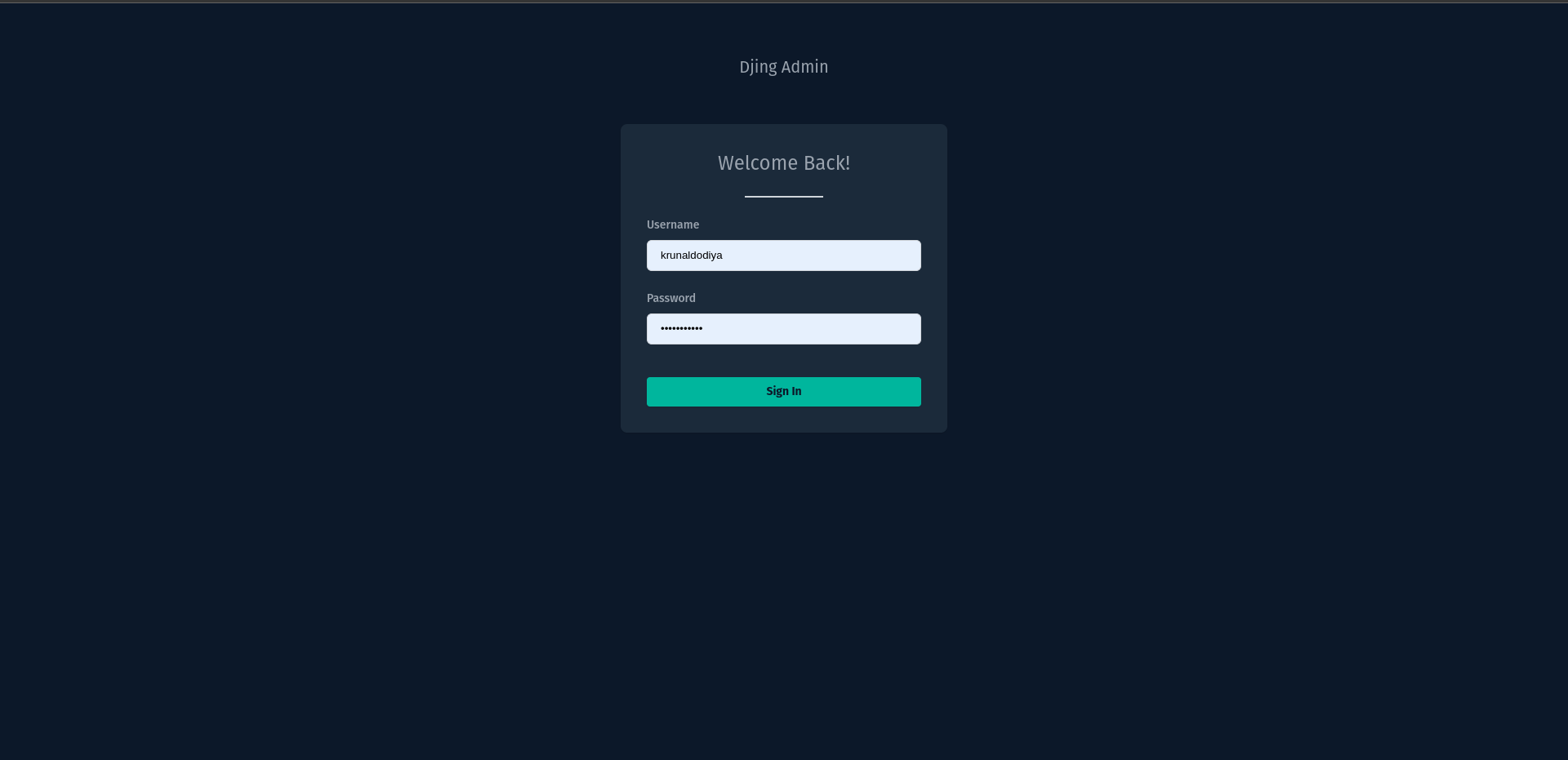
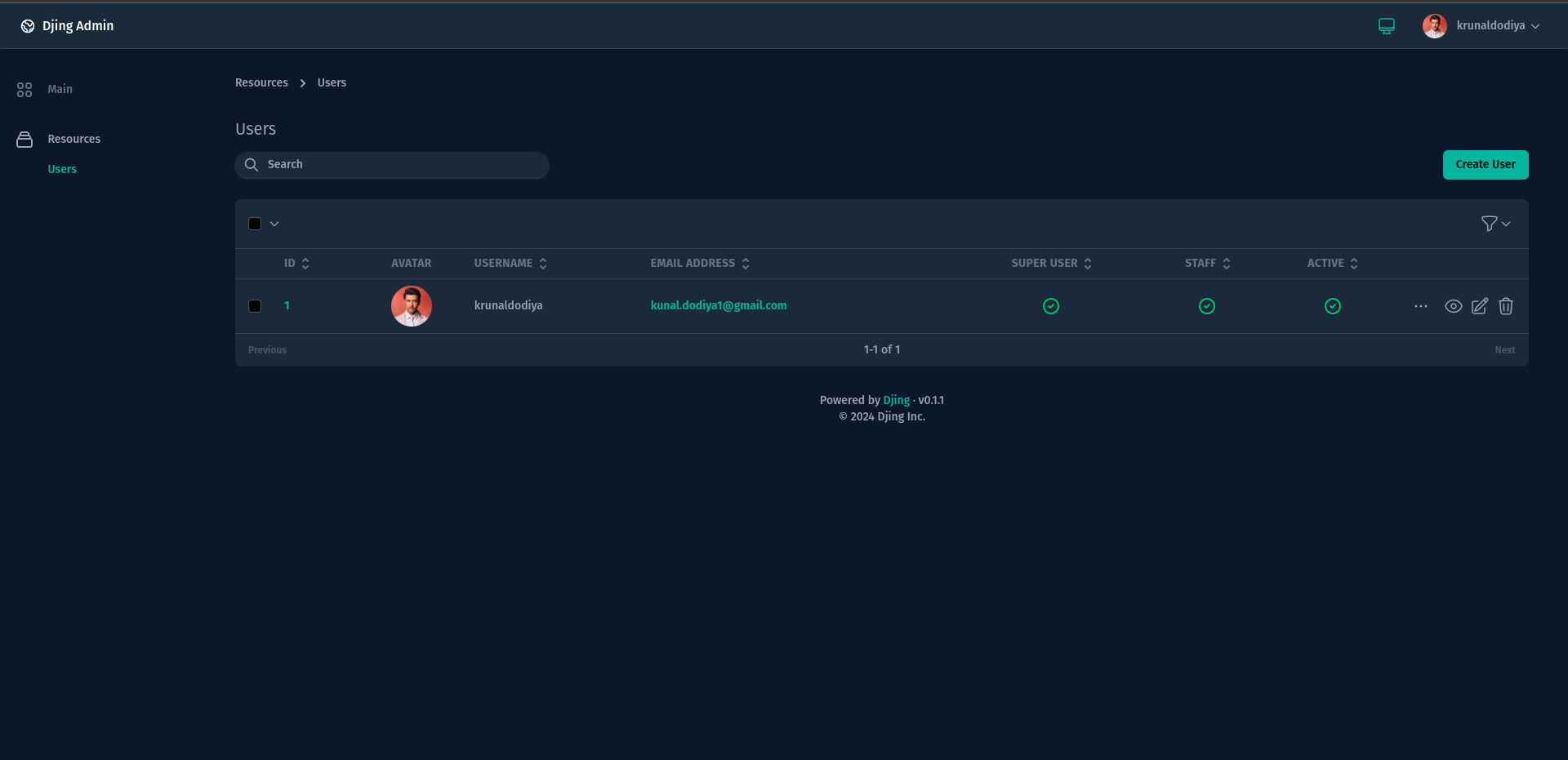
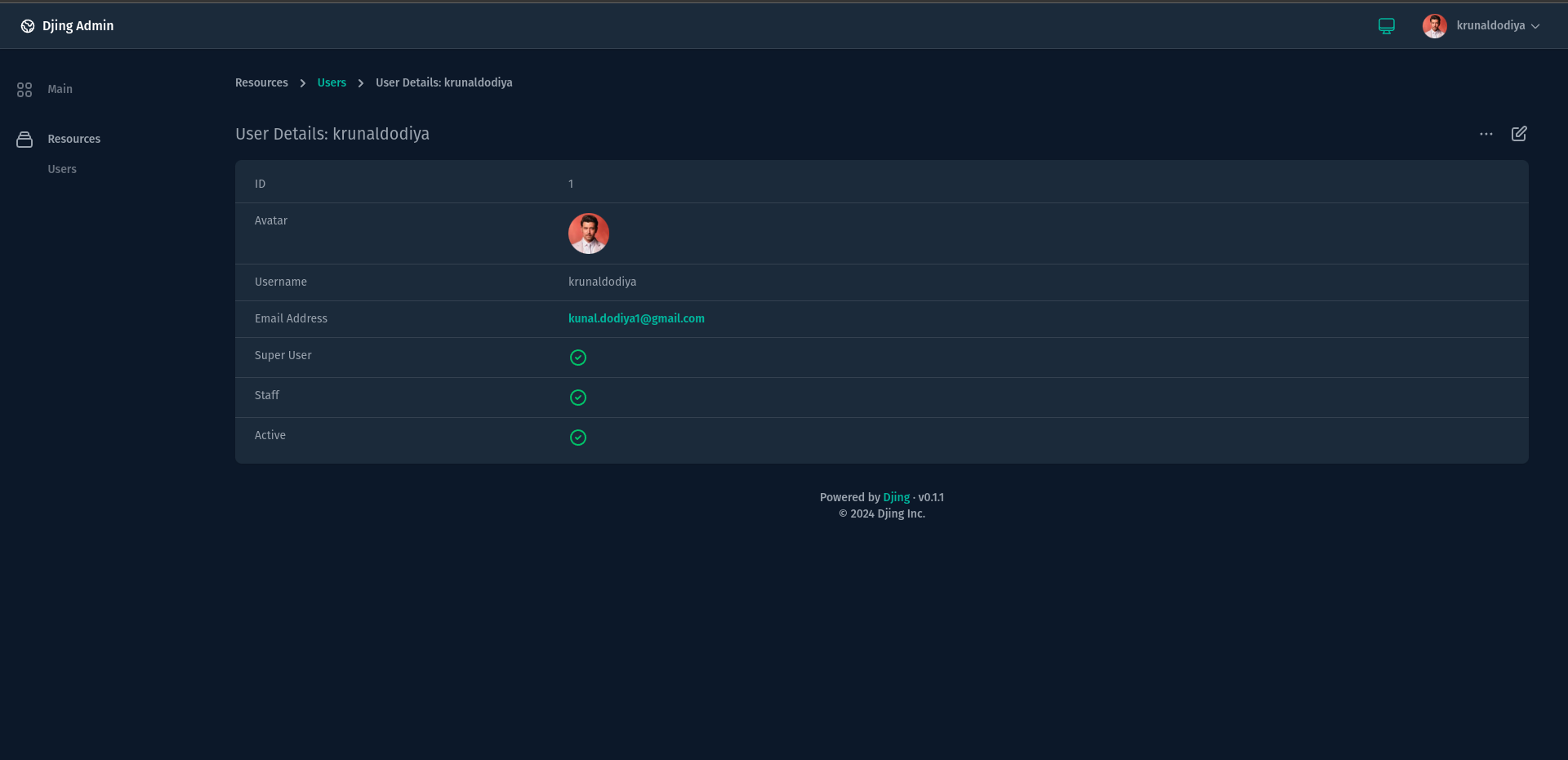
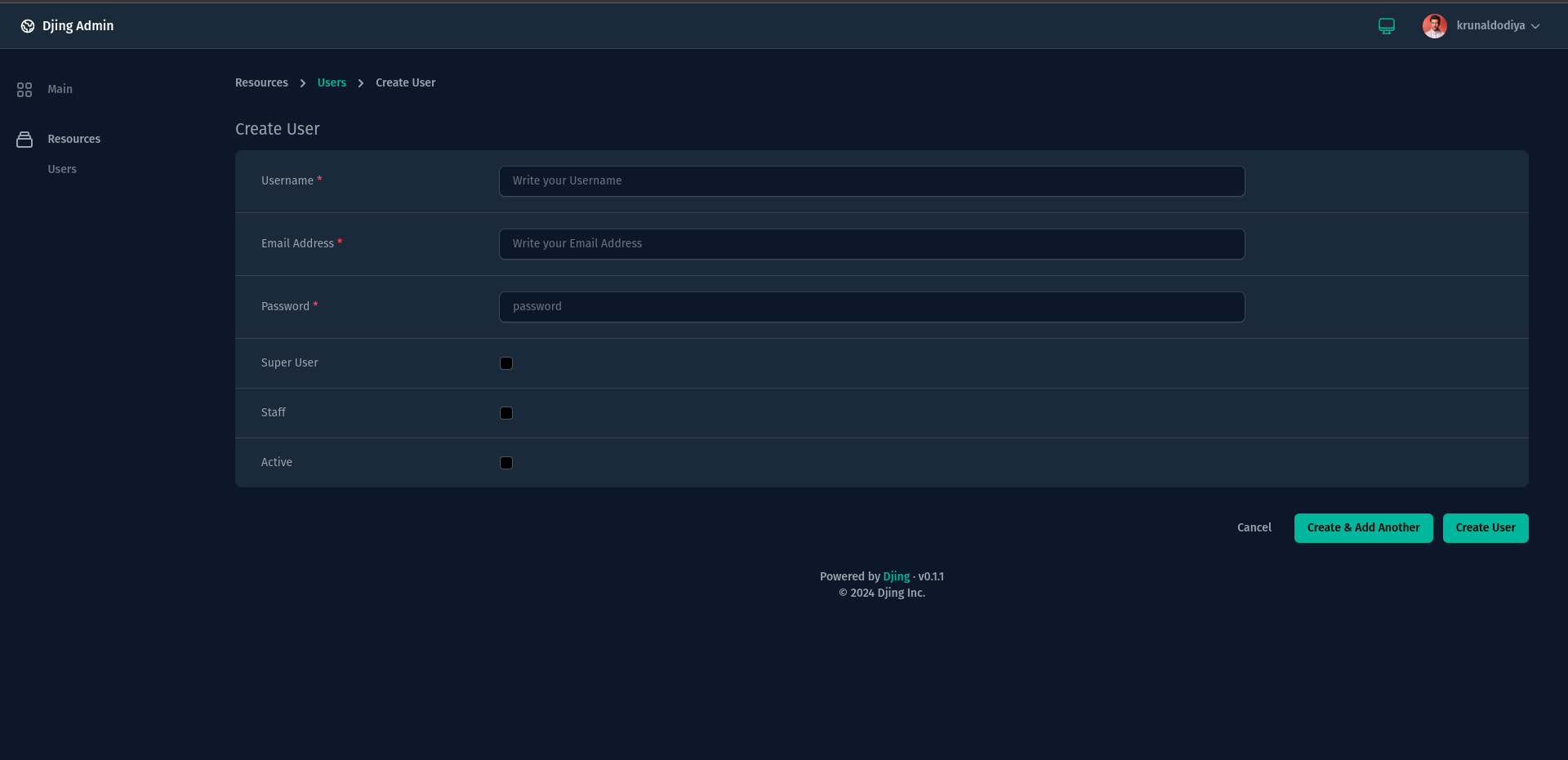
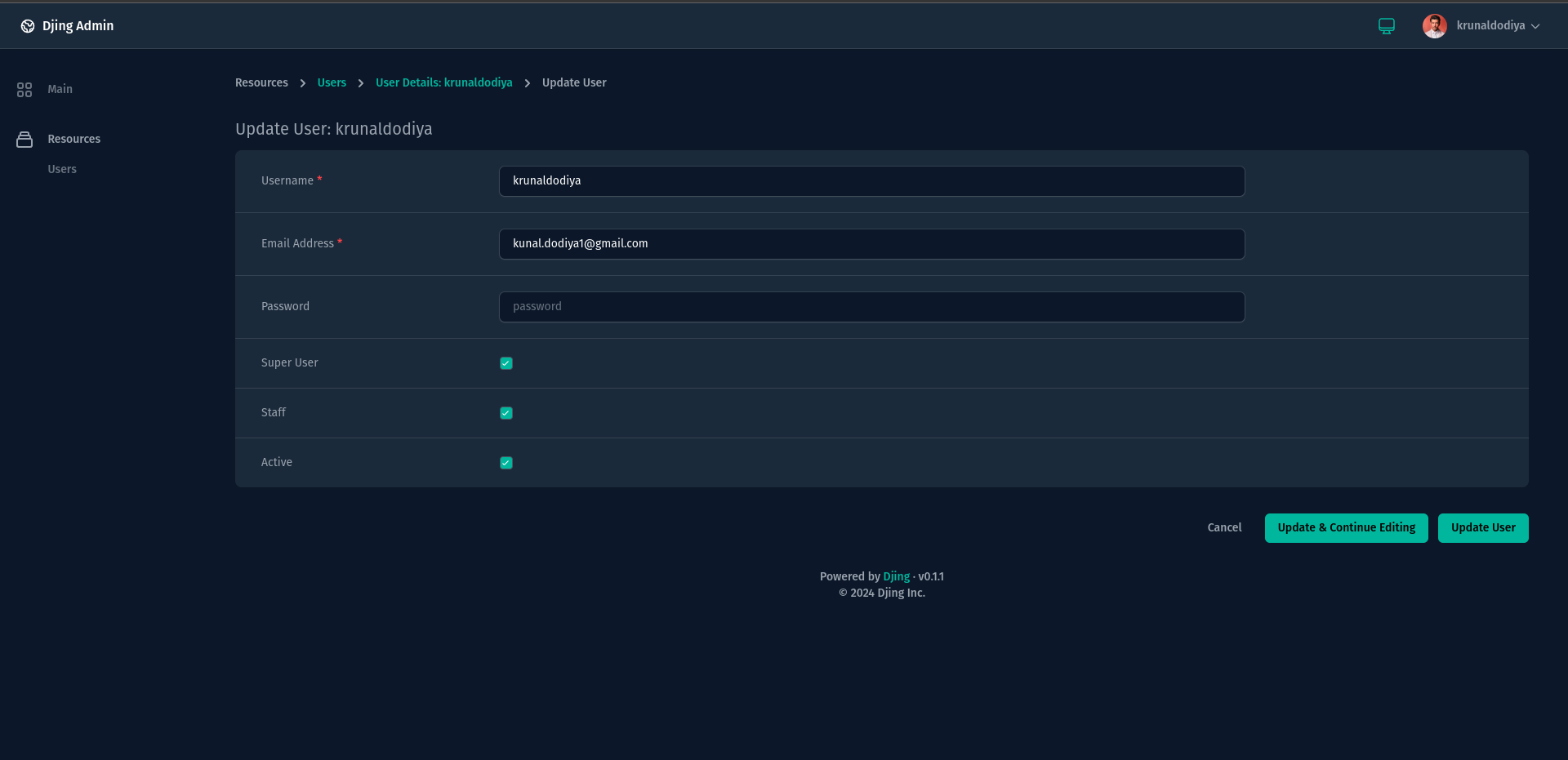
The above screenshot showcases the clean and modern UI of the Djing admin panel.
Installation
To install Djing, use pip:
pip install djing
Add djing to your INSTALLED_APPS in your Django project:
INSTALLED_APPS = [
    ...,
    'djing',
]
Make sure to set the STATIC_ROOT & STATIC_URL in your settings.py file before collecting static files:
STATIC_URL = "/static/"
STATIC_ROOT = BASE_DIR / "static"
after then you can collect static files
python manage.py collectstatic
Optionally, when uploading files / images, you need to add STORAGES, MEDIA_ROOT & MEDIA_URL in your settings.py.
STORAGES = {
    "default": {
        "BACKEND": "django.core.files.storage.FileSystemStorage",
        "OPTIONS": {
            "location": BASE_DIR / "media",  # Replace with your media directory path
        },
    },
    "staticfiles": {
        "BACKEND": "whitenoise.storage.CompressedManifestStaticFilesStorage",
    },
}

MEDIA_URL = "/media/"
MEDIA_ROOT = BASE_DIR / "media"
After adding djing application to settings.py, you can now access djing CLI using, it provides a set of commands to help you work efficiently:
commander list
above command will list all available CLI commands for djing application:
PyJinx Framework 0.2.4

Usage:
    Commands [options] [arguments]

Options:
    -h, --help                 Display help for the given command. When no command is given display help for the list command
    -q, --quiet                Do not output any message
    -v, --version              Display this application version

Available Commands:
        list                       List all commands
    djing
        djing:install              Install assets
        djing:resource             Create a new resource class
        djing:dashboard            Create a new dashboard class
        djing:action               Create a new action class
        djing:filter               Create a new filter class
        djing:lens                 Create a new lens class
        djing:value                Create a new metric (single value) class
        djing:progress             Create a new metric (progress) class
        djing:partition            Create a new metric (partition) class
        djing:table                Create a new metric (table) class
        djing:field                Create a new custom field
        djing:card                 Create a new custom card
        djing:rule                 Create a new validation rule
        djing:policy               Create a new authorization policy
Finally, you need to install djing application using installation command:
python manage.py djing:install
Ensure that the django_project_name is set in the .env file. If not specified, it defaults to myproject:
DJANGO_PROJECT_NAME=<your-project-name>
DJING_LICENSE_KEY=<your-license-key>
Customization
Djing is highly extensible. You can create your own cards, fields, and components to match your project's specific requirements. Refer to the documentation for details on creating custom components.
Documentation
Comprehensive documentation is available at Djing Documentation to help you get started and explore advanced features.
Contribution
Contributions are welcome! Please fork the repository and submit a pull request with your improvements. For major changes, open an issue to discuss your ideas first.
License
Djing is open-source software licensed under the MIT license only for development purposes.
For production use, a valid license key is required. To obtain a production license, visit the Djing Licensing Page.
Support
For questions, issues, or feature requests, please create an issue on the GitHub repository.
Author
- Krunal Dodiya
- Email: kunal.dodiya1@gmail.com


Download files
Download the file for your platform. If you're not sure which to choose, learn more about installing packages.
Source Distribution
Built Distribution
Filter files by name, interpreter, ABI, and platform.
If you're not sure about the file name format, learn more about wheel file names.
Copy a direct link to the current filters
File details
Details for the file djing-0.9.3.tar.gz.
File metadata
- Download URL: djing-0.9.3.tar.gz
- Upload date:
- Size: 1.0 MB
- Tags: Source
- Uploaded using Trusted Publishing? No
- Uploaded via: poetry/1.8.5 CPython/3.10.12 Linux/6.9.3-76060903-generic
File hashes
| Algorithm | Hash digest | |
|---|---|---|
| SHA256 |
2f4f41514fb261dbfa398951a5aadc59fbeddf2e23dc5a0cde8dd484f8a290cb
|
|
| MD5 |
ca7c49771f180c3d2519dfe202301881
|
|
| BLAKE2b-256 |
ba886ecdfb29e83d4029913faa79970c57a8f9f31a12b81d7a6f5aa3a6dbb0c1
|
File details
Details for the file djing-0.9.3-py3-none-any.whl.
File metadata
- Download URL: djing-0.9.3-py3-none-any.whl
- Upload date:
- Size: 1.1 MB
- Tags: Python 3
- Uploaded using Trusted Publishing? No
- Uploaded via: poetry/1.8.5 CPython/3.10.12 Linux/6.9.3-76060903-generic
File hashes
| Algorithm | Hash digest | |
|---|---|---|
| SHA256 |
eacfe6121cb0da0a2513fb129805ac07500c8da71938e83483fb877ed33c25a5
|
|
| MD5 |
50a3ada7291cbc3903c40a9ba0fc7f71
|
|
| BLAKE2b-256 |
84c06bf68e6124cfa6d4fbb7091944cbd83ec8b53316cf851457778f2f89ae4f
|






