
DJNext Admin
Headless Django Admin API that exposes REST from your existing admin registry, with an optional Next.js frontend. No separate registration—your admin.py is the source of truth.
- PyPI: djnext-admin
- Source: github.com/zohaib3249/djnext_admin
Screenshots
| Dashboard | List / detail |
|---|---|
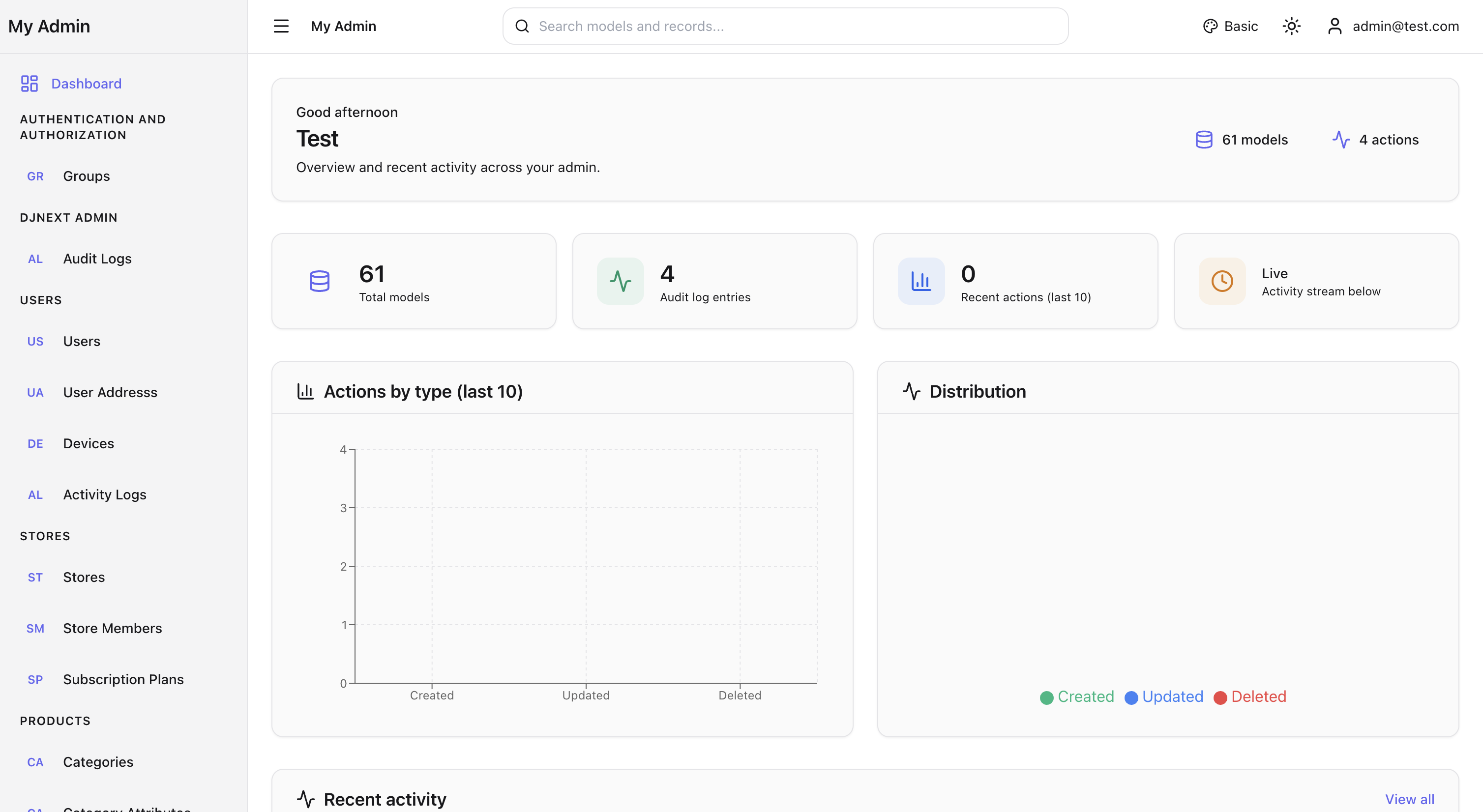 |
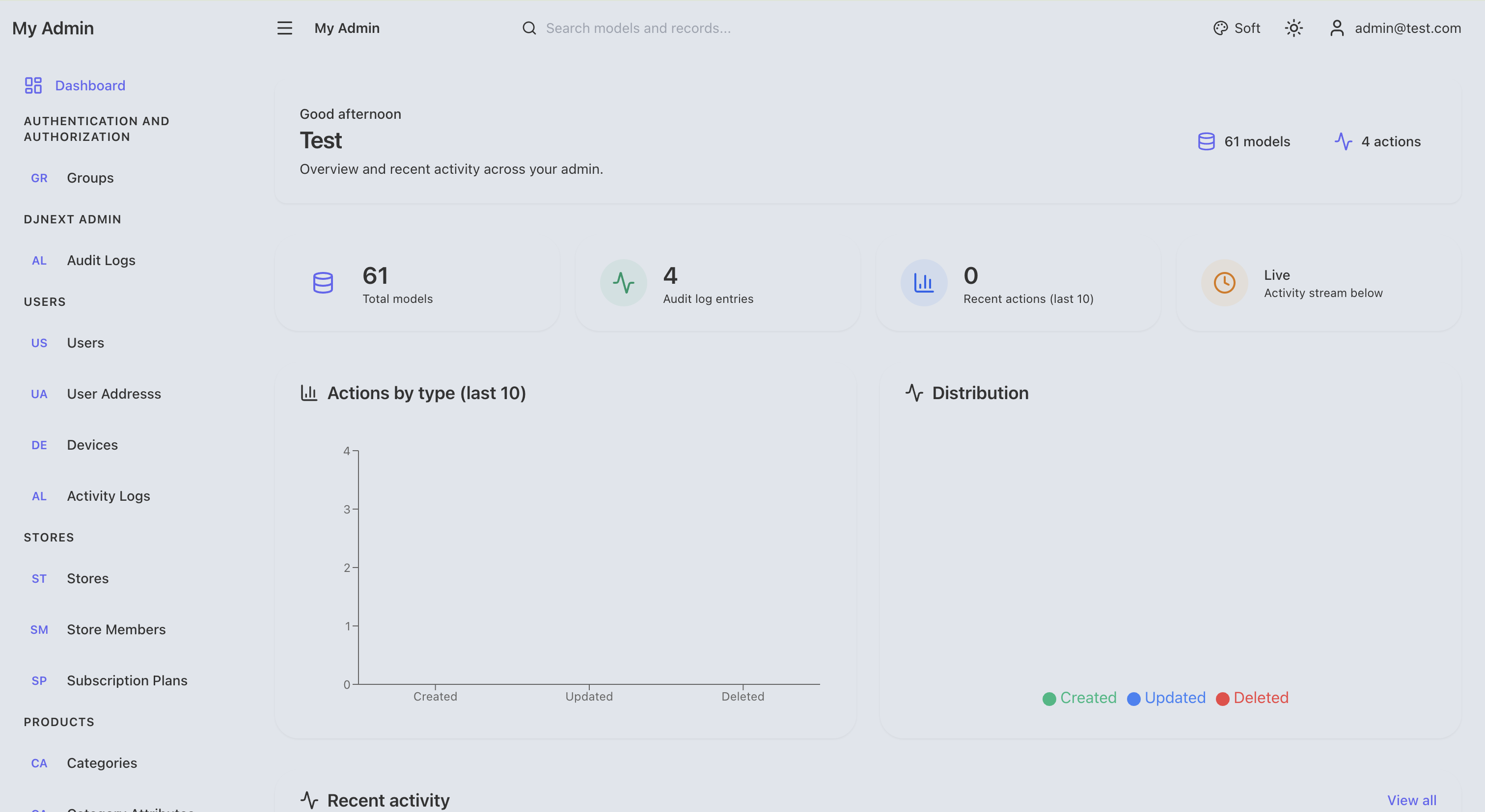 |
| Global search | Logs |
|---|---|
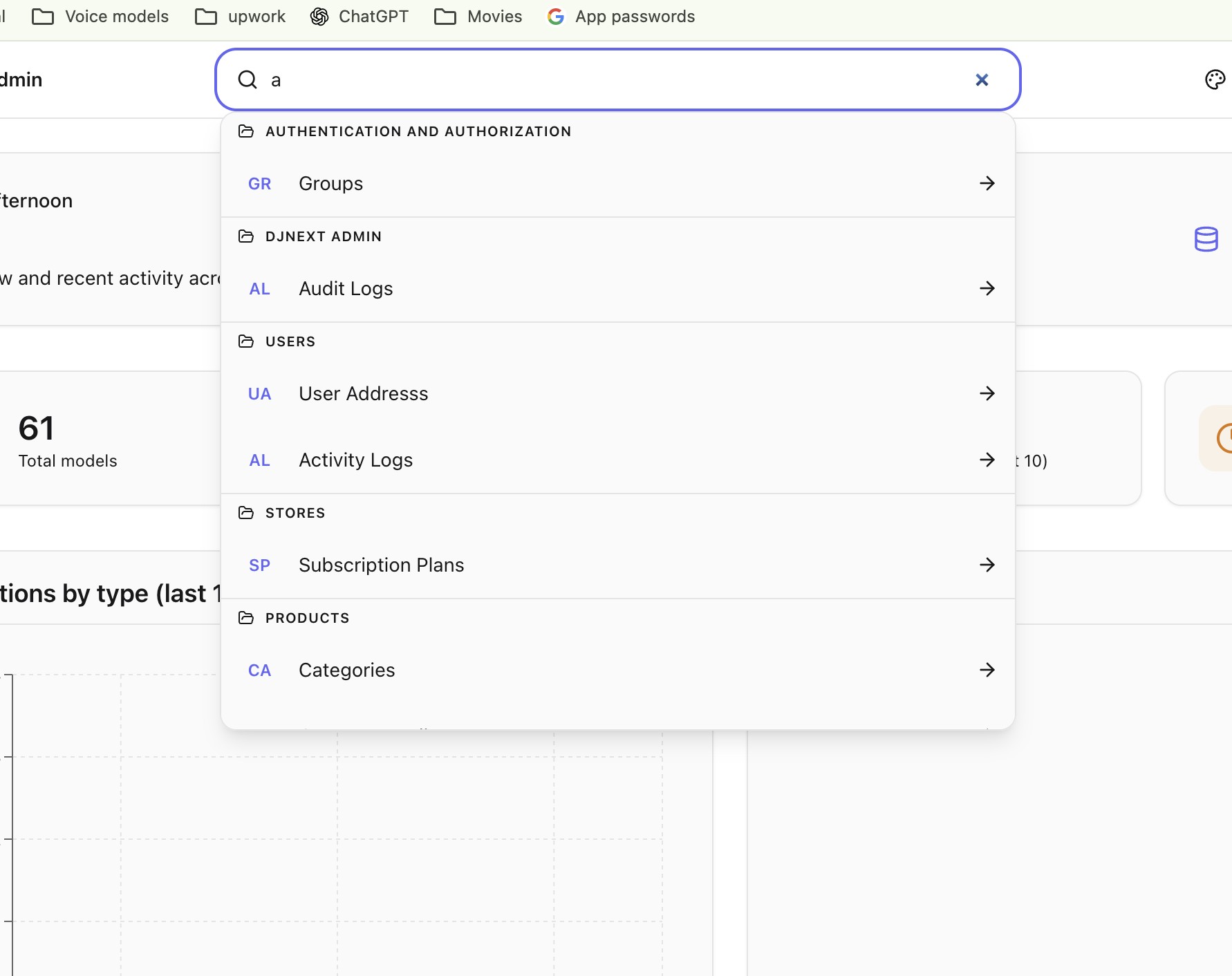 |
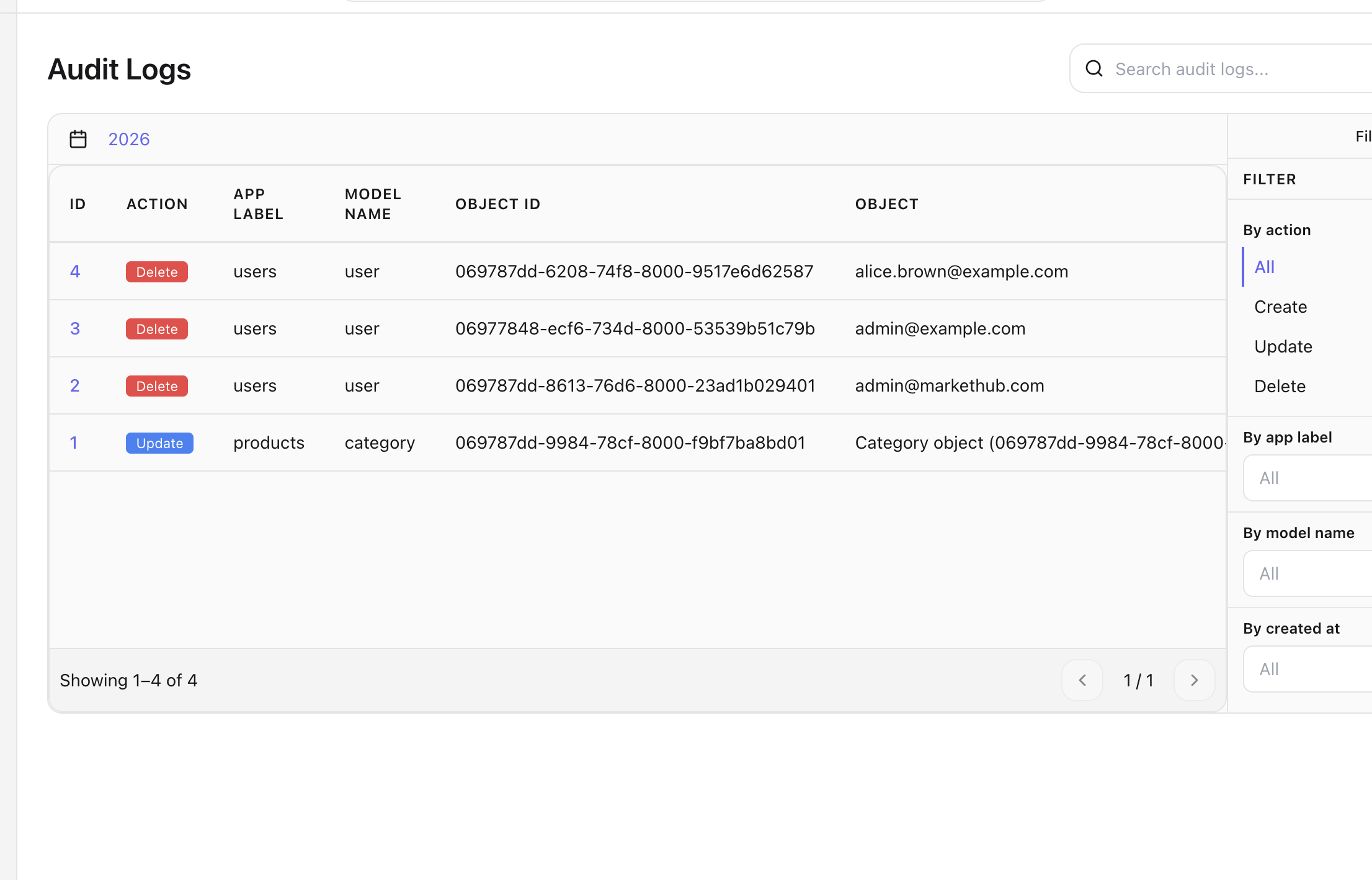 |
Intro
DJNext Admin reads your Django admin site registry and provides:
- REST APIs for list, create, detail, and update for every registered model
- Schema and auth endpoints (JWT)
- Optional SPA (Next.js) served by Django under any mount path
You add one URL include; the app handles API and UI routing. The frontend is built once and packaged so pip install djnext-admin gives you both the Python package and the static assets (after the project runs the post-build step in CI or locally).
Examples
Minimal setup in your project urls.py:
from django.urls import path, include

urlpatterns = [
    path('admin/', include('djnext_admin.urls')),  # or path('djnext/', ...)
]
You get:
/admin/— Admin SPA/admin/api/— REST API (schema, auth, CRUD)/admin/_next/...— Static assets
Django settings:
INSTALLED_APPS = [
    # ...
    'rest_framework',
    'rest_framework_simplejwt',
    'djnext_admin',
]

DJNEXT_ADMIN = {
    'SITE_NAME': 'My Admin',
    'LAYOUT': 'glassmorphism',  # basic | glassmorphism | aurora | neumorphism | minimal
}
Wire JWT (in project settings):
REST_FRAMEWORK = {
    'DEFAULT_AUTHENTICATION_CLASSES': [
        'rest_framework_simplejwt.authentication.JWTAuthentication',
    ],
}
Usage
Install
pip install djnext-admin
Build from source and install into your project
From the djnext_admin source directory, use the generic build script. You must set VENV to your Django project’s virtualenv (the one where you want djnext-admin installed).
# Required: path to the virtualenv of the Django project you’re installing into
VENV=/path/to/your/project/.venv ./scripts/build-and-install.sh
The script will:
- Build the frontend (
npm ci,npm run buildinfrontend/) - Run the post-build step (Jinja template + static files,
[[...path]]→_catchall_) - Build the wheel (
python -m build) - Uninstall any existing
djnext-adminfrom that venv, then install the new wheel - Run
manage.py checkin the target project
Optional:
TARGET_PROJECT=/path/to/django/root— Django project root (directory withmanage.py). Default: parent ofVENV(e.g. ifVENVis/home/me/myproject/.venv, target is/home/me/myproject).SKIP_FRONTEND=1— Reuse existingfrontend/outand skip npm build and post-build (only build the wheel and install).
Examples:
VENV=/home/me/myproject/.venv ./scripts/build-and-install.sh
VENV=/home/me/.venv TARGET_PROJECT=/home/me/myproject ./scripts/build-and-install.sh
SKIP_FRONTEND=1 VENV=/home/me/myproject/.venv ./scripts/build-and-install.sh
The packaged wheel includes templates and static files produced by the post-build step. PyPI/CI runs the same steps so the published package is ready to serve.
Mount path
Use any path in include('djnext_admin.urls'). The frontend gets the base path from Django at runtime (window.__DJNEXT_BASE_PATH), so no env var is needed for routing.
Default settings
All options go under DJNEXT_ADMIN in your Django settings. Override only what you need; defaults are below.
Site
| Key | Default | Notes |
|---|---|---|
SITE_NAME |
None |
Fallback: Django admin site_header / site_title, else 'Admin' |
SITE_VERSION |
'1.0.0' |
Shown in UI |
Auth
| Key | Default | Notes |
|---|---|---|
REQUIRE_AUTHENTICATION |
True |
Require login for API |
REQUIRE_STAFF |
True |
Require staff for API |
ACCESS_TOKEN_LIFETIME |
None |
JWT access lifetime; None = use SIMPLE_JWT default (e.g. 5 min). Wire in project SIMPLE_JWT if set |
REFRESH_TOKEN_LIFETIME |
None |
JWT refresh lifetime; None = use SIMPLE_JWT default (e.g. 1 day) |
Permissions
| Key | Default | Notes |
|---|---|---|
USE_DJANGO_PERMISSIONS |
True |
Use Django model/admin permissions |
SUPERUSER_FULL_ACCESS |
True |
Superusers bypass permission checks |
Pagination
| Key | Default | Notes |
|---|---|---|
PAGE_SIZE |
25 |
Default list page size |
MAX_PAGE_SIZE |
100 |
Max page_size query param |
PAGE_SIZE_QUERY_PARAM |
'page_size' |
Query param name |
Features
| Key | Default | Notes |
|---|---|---|
ENABLE_BULK_ACTIONS |
True |
Bulk actions in list view |
ENABLE_EXPORT |
True |
Export in list view |
ENABLE_SEARCH |
True |
Search in list view |
ENABLE_FILTERS |
True |
Sidebar filters |
ENABLE_ORDERING |
True |
Sortable columns |
Cache
| Key | Default | Notes |
|---|---|---|
SCHEMA_CACHE_TIMEOUT |
300 |
Schema cache TTL (seconds) |
Models
| Key | Default | Notes |
|---|---|---|
EXCLUDE_APPS |
['contenttypes', 'sessions'] |
App labels to hide from API |
EXCLUDE_MODELS |
[] |
(app_label, model_name) to hide |
INCLUDE_ONLY_MODELS |
None |
If set, only these (app_label, model_name) are exposed |
Custom assets
| Key | Default | Notes |
|---|---|---|
CUSTOM_CSS |
[] |
List of static paths (e.g. ['djnext_admin/custom.css']) |
CUSTOM_JS |
[] |
List of static paths |
Layout
| Key | Default | Notes |
|---|---|---|
LAYOUT |
'basic' |
One of: basic, glassmorphism, aurora, neumorphism, minimal |
LAYOUT_ALLOW_SWITCH |
False |
Let users change layout in UI |
LAYOUT_OPTIONS |
all five above | Layouts offered when switching |
Theme
| Key | Default | Notes |
|---|---|---|
THEME_MODE |
'dark' |
One of: dark, light, system |
THEME_PRIMARY_COLOR |
None |
CSS color for primary |
THEME_ACCENT_COLOR |
None |
CSS color for accent |
API / frontend
| Key | Default | Notes |
|---|---|---|
FRONTEND_BASE_PATH |
'' |
URL prefix for frontend (e.g. '/admin'). Empty = derived from mount |
API_ORIGIN |
'' |
Origin for API calls (e.g. 'http://localhost:8000'). Empty = request origin |
API_PATH |
'' |
Path prefix for API. Empty = derived from mount (e.g. /admin/api/) |
Custom views and object tools: use djnext_custom_views and djnext_object_tools on your ModelAdmin (see FEATURES.md in the repo).
Contributing
- Fork github.com/zohaib3249/djnext_admin.
- Clone, create a branch, make changes.
- Before testing, build and install into a Django project venv:
VENV=/path/to/your/project/.venv ./scripts/build-and-install.sh(see “Build from source” above). - Open a pull request.
Report bugs and feature requests in the GitHub issue tracker.
1 maintainer

Metadata
1 maintainer
Release files for djnext-admin 1.0.0
For a detailed explanation of source distributions (sdists) and built distributions (wheels), please see the package formats documentation.
Source distribution (sdist)
| File | Size | Uploaded | Provenance | |
|---|---|---|---|---|
| djnext_admin-1.0.0.tar.gz | 645.6 kB | Without provenance | Details |
Built distribution (wheel)
| File | Interpreter | ABI | Platform | Reset |
|---|---|---|---|---|
| djnext_admin-1.0.0-py3-none-any.whl | Python 3 | none | any | Details |
Total release size: 1.3 MB
Release files / djnext_admin-1.0.0.tar.gz
| Download URL | djnext_admin-1.0.0.tar.gz |
|---|---|
| Size | 645.6 kB |
| Tags | Source |
|
SHA-256 checksum How to use checksums |
aaffccb95dc1c936a0fc9ad875e52abfef55883c7fbcd1aba1f269f64bd39c6c
|
|
BLAKE2b-256 checksum How to use checksums |
48fd6aa7d816a85e9bff13c210069418ac00655ef8463914602e720a05308cd5
|
| Upload date | |
|
Uploaded using Trusted Publishing? What is trusted publishing? |
No |
| Uploaded via |
twine/6.1.0 CPython/3.13.7
|
Release files / djnext_admin-1.0.0-py3-none-any.whl
| Download URL | djnext_admin-1.0.0-py3-none-any.whl |
|---|---|
| Size | 662.3 kB |
| Tags | Python 3 |
|
SHA-256 checksum How to use checksums |
c7209dea77d68f54781771d287482e4d967c9580a85bbab3d819060b4d047b6e
|
|
BLAKE2b-256 checksum How to use checksums |
d5799a8ae70e6bf1b05a3e90fa21fbc9ae283d4fe33a0fa308544d528ab5da11
|
| Upload date | |
|
Uploaded using Trusted Publishing? What is trusted publishing? |
No |
| Uploaded via |
twine/6.1.0 CPython/3.13.7
|
Security for djnext-admin 1.0.0
Provenance
Provenance describes where a file came from. On PyPI, provenance is shared via attestations, which provide a verifiable record of the build or publishing details. View details, limitations and caveats.
No provenance found
None of the files in this release were uploaded with provenance metadata.
A note on package security
PyPI is a repository for distributing packages, not a service for auditing them. While third-party security researchers and our staff do their best to detect and remove malicious packages, PyPI cannot guarantee the quality, security or suitability of any given package.
To learn more about protecting yourself from malicious actors, visit our package security documentation.













