


Todo
- Lectures (videos, subtitles, slides)
- Readings
- Quizs
- Jupyter notebooks
Install
Python 3.x is required. It is recommended to install this tool in a virtual environment.
$ pip install -U dl_coursera
$ dl_coursera --version
How-to
-
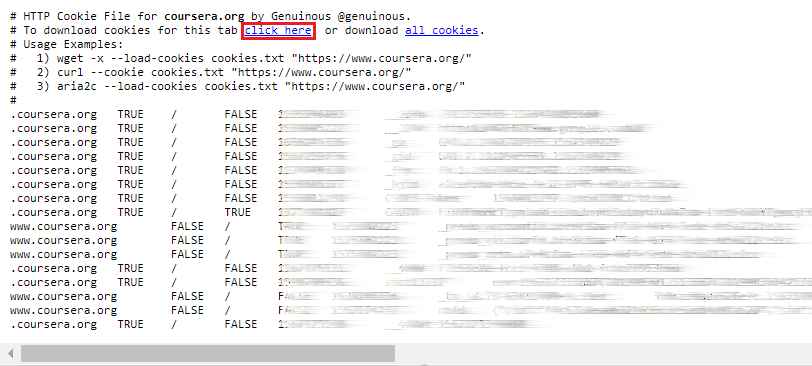
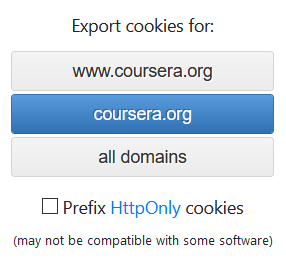
Get the cookies.txt file
Sign in to Coursera, then use a browser extension to export cookies as cookies.txt. The cookies.txt will expire in about two weeks, so you don't need to do this so frequently.
For Chrome, you can use the cookies.txt extension.
For Firefox, you can use the Export Cookies extension.
-
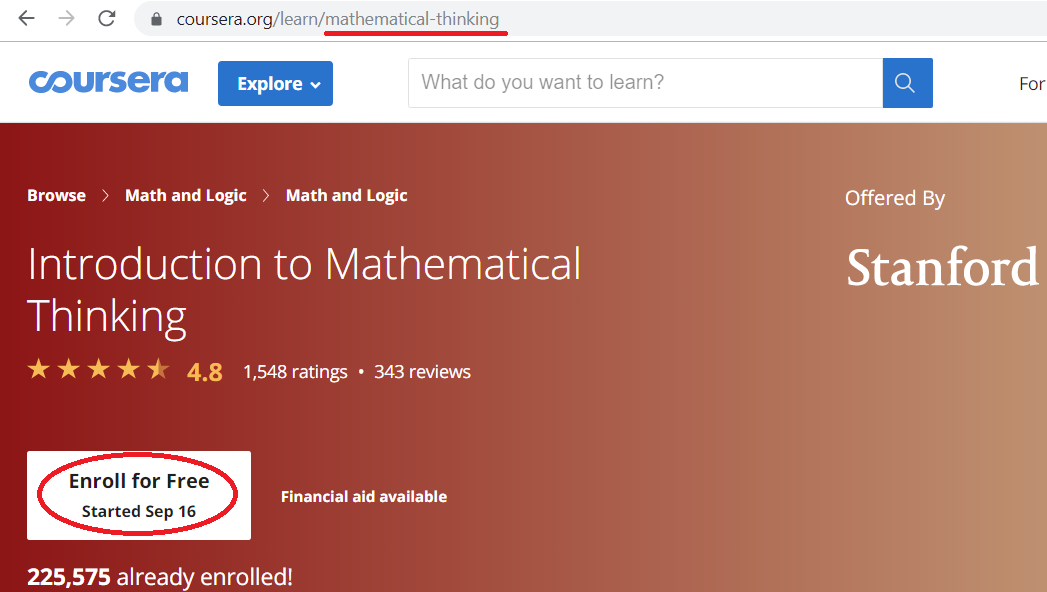
Enroll
Navigate to homepage of the course/specialization you'd like to download, you can see its slug at the address bar. Enroll it.
-
Download
$ dl_coursera --help
usage: dl_coursera_run.py [-h] [--version] [--cookies COOKIES] --slug SLUG
                          [--isSpec] [--n-worker {1,2,3,4,5}]
                          [--outdir OUTDIR] --how
                          {builtin,curl,aria2,aria2-rpc,uget,dummy}
                          [--generate-input-file]
                          [--aria2-rpc-url ARIA2_RPC_URL]
                          [--aria2-rpc-secret ARIA2_RPC_SECRET]

A simple, fast, and reliable Coursera crawling & downloading tool

optional arguments:
  -h, --help            show this help message and exit
  --version             show program's version number and exit
  --cookies COOKIES     path of the `cookies.txt`
  --slug SLUG           slug of a course or a specializtion (with @--isSpec)
  --isSpec              indicate that @--slug is slug of a specialization
  --n-worker {1,2,3,4,5}
                        the number of threads used to crawl webpages. Default:
                        3
  --outdir OUTDIR       the directory to save files to. Default: `.'
  --how {builtin,curl,aria2,aria2-rpc,uget,dummy}
                        how to download files. builtin (NOT recommonded): use
                        the builtin downloader. curl: invoke `curl` or
                        generate an "input file" for it (with @--generate-
                        input-file). aria2: invoke `aria2c` or generate an
                        "input file" for it (with @--generate-input-file).
                        aria2-rpc (HIGHLY recommonded): add downloading tasks
                        to aria2 through its XML-RPC interface. uget
                        (recommonded): add downloading tasks to the uGet
                        Download Manager
  --generate-input-file
                        when @--how is curl/aria2, indicate that to generate
                        an "input file" for that tool, rather than to invoke
                        it
  --aria2-rpc-url ARIA2_RPC_URL
                        url of the aria2 XML-RPC interface. Default:
                        `http://localhost:6800/rpc'
  --aria2-rpc-secret ARIA2_RPC_SECRET
                        authorization token of the aria2 XML-RPC interface

If the command succeeds, you shall see `Done :-)`. If some UNEXPECTED errors
occur, try decreasing the value of @--n-worker and/or removing the directory
@--outdir. For more information, visit `https://github.com/feng-lei/dl_coursera`.
# download the course, of which slug is "mathematical-thinking" # saving files to the directory "mt" # using the "built-in" downloader $ dl_coursera --cookies path/to/cookies.txt --slug mathematical-thinking --outdir mt --how builtin# download the specialization, of which slug is "algorithms" # saving files to the directory "alg" # using the "built-in" downloader $ dl_coursera --cookies path/to/cookies.txt --slug algorithms --isSpec --outdir alg --how builtin
Examples
using the "built-in" downloader
$ dl_coursera --cookies path/to/cookies.txt --slug mathematical-thinking --outdir mt --how builtin
using the "curl" downloader
# make sure curl (https://curl.haxx.se/download.html) is installed and in PATH
$ curl --version
The "curl" downloader can be used in two different ways: invoking curl, or generating an input file for curl.
invoke curl
$ dl_coursera --cookies path/to/cookies.txt --slug mathematical-thinking --outdir mt --how curl
generate an input file for curl
$ dl_coursera --cookies path/to/cookies.txt --slug mathematical-thinking --outdir mt --how curl --generate-input-file
$ curl --config mt/mathematical-thinking.download.curl_input_file.txt
using the "aria2" downloader
# make sure aria2 (https://aria2.github.io) is installed and in PATH
$ aria2c --version
The "aria2" downloader can be used in two different ways: invoking aria2c, or generating an input file for aria2c.
invoke aria2c
$ dl_coursera --cookies path/to/cookies.txt --slug mathematical-thinking --outdir mt --how aria2
generate an input file for aria2c
$ dl_coursera --cookies path/to/cookies.txt --slug mathematical-thinking --outdir mt --how aria2 --generate-input-file
$ aria2c --input-file mt/mathematical-thinking.download.aria2_input_file.txt
Using the "aria2-rpc" downloader
# make sure aria2 (https://aria2.github.io) is installed and in PATH
$ aria2c --version
# start aria2 with its XML-RPC interface enabled
$ aria2c --enable-rpc
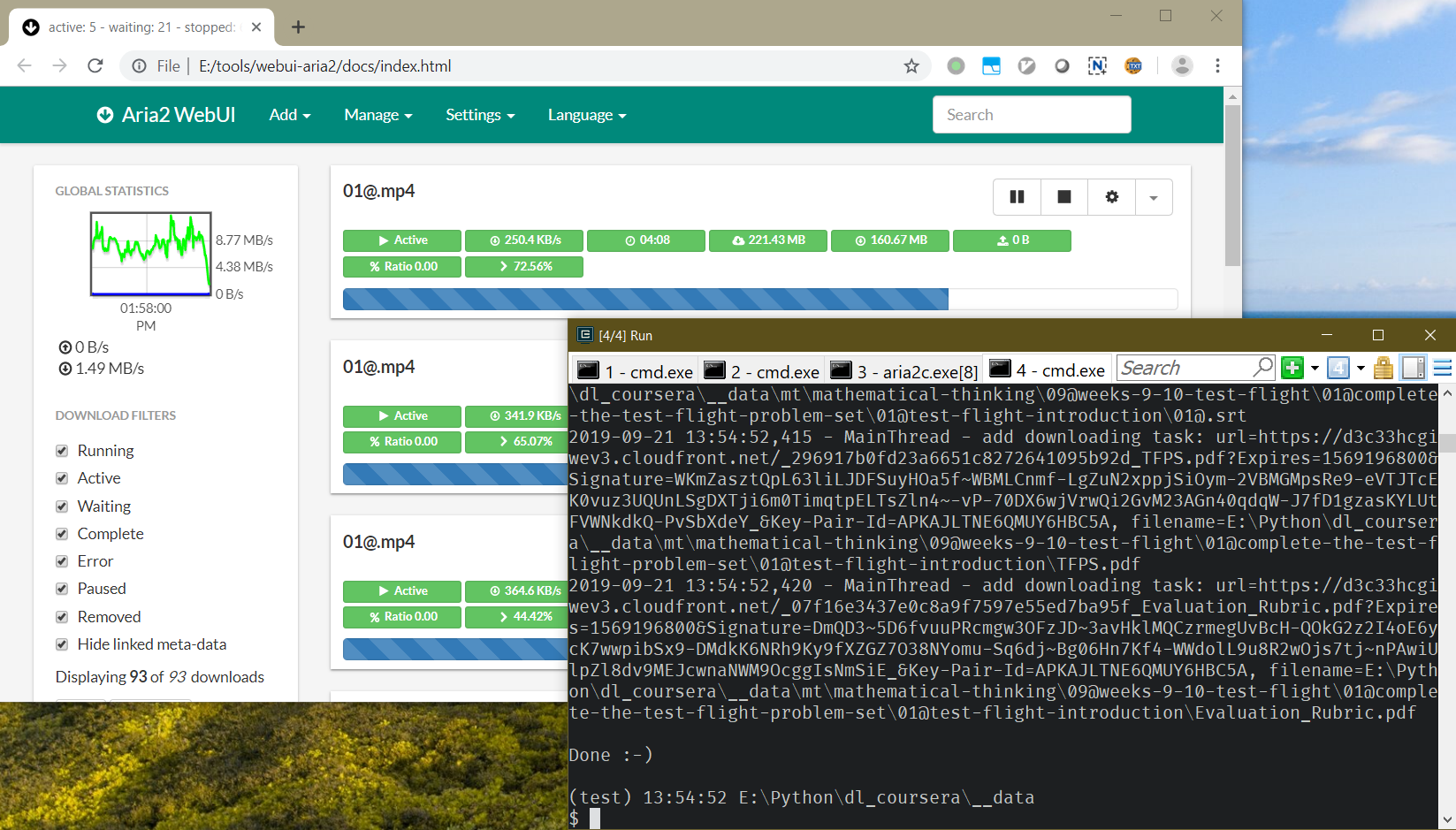
$ dl_coursera --cookies path/to/cookies.txt --slug mathematical-thinking --outdir mt --how aria2-rpc
Using an aria2 GUI like webui-aria2 is highly recommended.
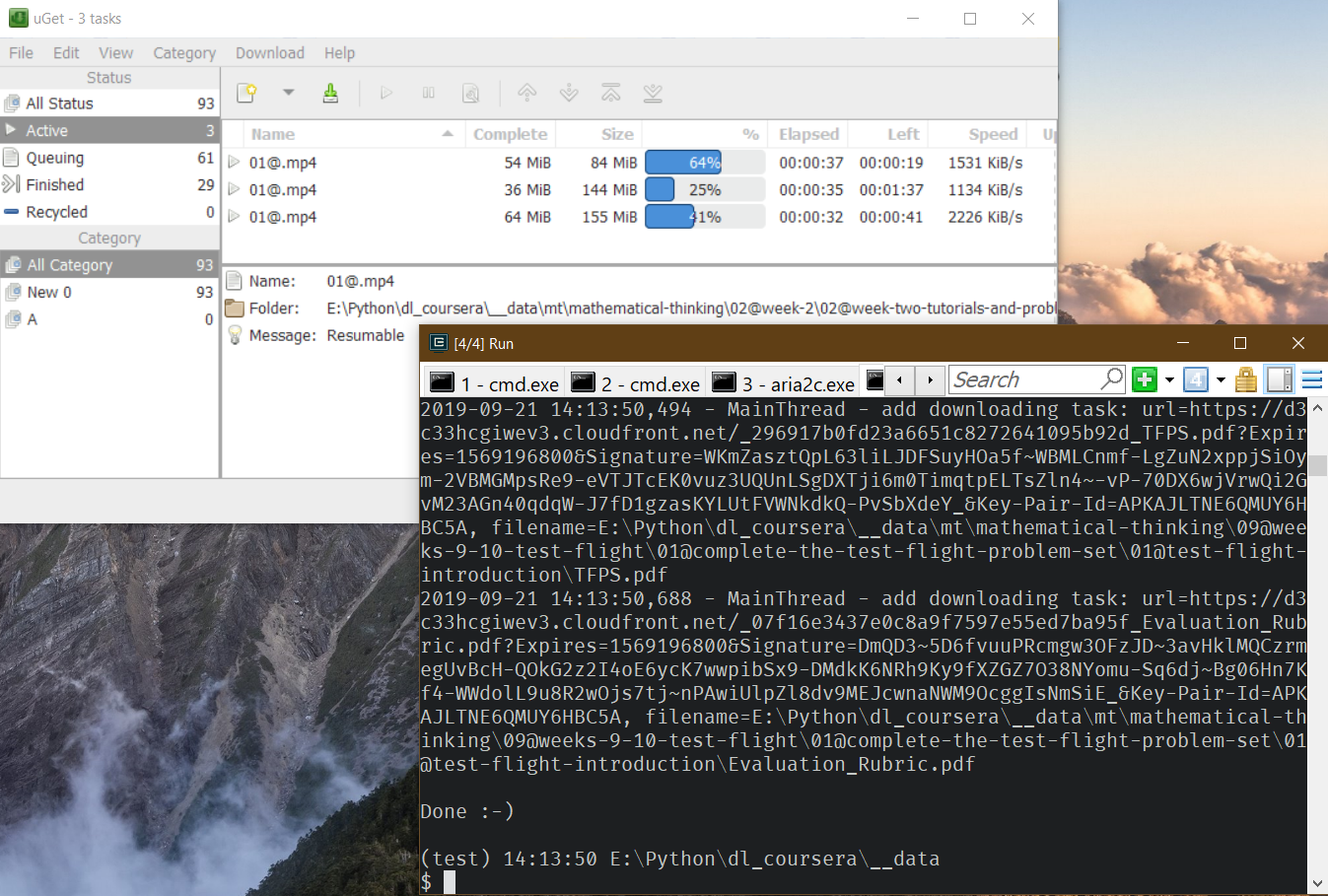
Using the "uget" downloader
# make sure uGet (https://sourceforge.net/projects/urlget/files/) is installed and in PATH

## on Windows
$ uget --version | more

## on Linux
$ uget-gtk --version
# start uGet

## on Windows
$ uget

## on Linux
$ uget-gtk &
$ dl_coursera --cookies path/to/cookies.txt --slug mathematical-thinking --outdir mt --how uget
1 maintainer

Metadata
1 maintainer
Release files for dl-coursera 0.1.2
For a detailed explanation of source distributions (sdists) and built distributions (wheels), please see the package formats documentation.
Source distribution (sdist)
| File | Size | Uploaded | |
|---|---|---|---|
| dl_coursera-0.1.2.tar.gz | 20.2 kB | Details |
Built distribution (wheel)
| File | Interpreter | ABI | Platform | Reset |
|---|---|---|---|---|
| dl_coursera-0.1.2-py3-none-any.whl | Python 3 | none | any | Details |
Total release size: 1.5 MB
Release files / dl_coursera-0.1.2.tar.gz
| Download URL | dl_coursera-0.1.2.tar.gz |
|---|---|
| Size | 20.2 kB |
| Tags | Source |
|
SHA-256 checksum How to use checksums |
9920ede32b5d7d7923e46d0788626bc1ee38262c7a40118b6da6ec93e67dddd3
|
|
BLAKE2b-256 checksum How to use checksums |
dd578fe037f40ab462d238f3d2f711f4e9f00a70095a2ba008aa01236d9dca09
|
| Upload date | |
|
Uploaded using Trusted Publishing? What is trusted publishing? |
No |
| Uploaded via |
twine/1.15.0 pkginfo/1.5.0.1 requests/2.22.0 setuptools/41.2.0 requests-toolbelt/0.9.1 tqdm/4.36.1 CPython/3.6.2
|
Release files / dl_coursera-0.1.2-py3-none-any.whl
| Download URL | dl_coursera-0.1.2-py3-none-any.whl |
|---|---|
| Size | 1.5 MB |
| Tags | Python 3 |
|
SHA-256 checksum How to use checksums |
ba0456095f392fcf394bee26c74b745c8c7e6929be967cd8e081c0ac90bd2ebb
|
|
BLAKE2b-256 checksum How to use checksums |
862ccc5855766bb5359f182714f7f4c7bc9b9a35852f02136a4afdada6e93504
|
| Upload date | |
|
Uploaded using Trusted Publishing? What is trusted publishing? |
No |
| Uploaded via |
twine/1.15.0 pkginfo/1.5.0.1 requests/2.22.0 setuptools/41.2.0 requests-toolbelt/0.9.1 tqdm/4.36.1 CPython/3.6.2
|














