
Imaging software that automates the segmentation and analysis of DNA molecules in electron microscopy images (CLI + GUI).

Project description
DNA2Graph

DNA2Graph is an open-source image analysis tool for automated segmentation and classification of DNA molecules in electron microscopy images obtained by rotary shadowing.
It provides both an intuitive graphical user interface for local use and a command-line interface for scalable execution on HPC systems.
For documentation, tutorials, and sample outputs, visit the project website.

Features
- Automated segmentation of DNA molecules in electron microscopy images.
- Two segmentation approaches:
- a standard, non-learning-based segmentation pipeline;
- a CNN-based segmentation pipeline (BETA).
- Post-processing algorithms designed to enforce biologically plausible segmentations.
- Classification of segmented molecules as:
- non-linear molecules, including branched or cyclic structures such as replication forks, Holliday junctions, bubbles, or t-loops;
- linear molecules;
- boundary molecules, located near image borders and likely incomplete.
- Export of Fiji/ImageJ-compatible ROIs for segmented molecules and bounding boxes.
- CSV export of molecule length measurements, including total molecule length and linear subregion measurements.
- Export of spatial graph representations that encode molecular topology and spatial organization for downstream analysis.
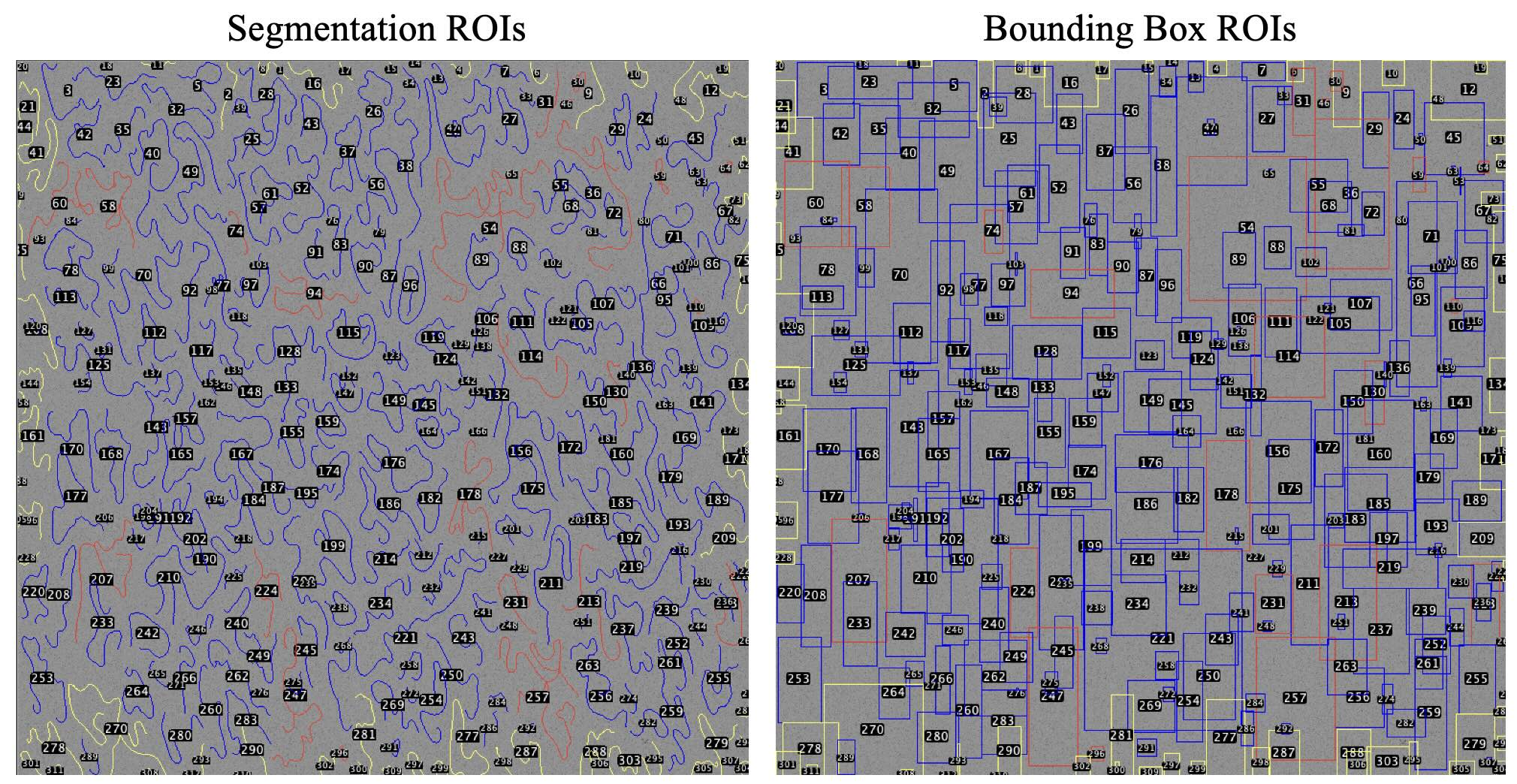
Segmentation ROIs (left) and Bounding Box ROIs (right) generated by DNA2Graph and loaded in Fiji. DNA2Graph automatically assigns each molecule to one of three groups: non-linear (red), linear (blue), or boundary (yellow).
Installation
DNA2Graph is distributed through PyPI:
pip install dna2graph
This installs both the graphical interface and the command-line interface.
To update DNA2Graph:
pip install --upgrade dna2graph
Usage
Graphical Interface
Launch the GUI with:
dna2graph
Command-Line Interface
Display the available CLI commands and options with:
dna2graph-cli --help
Performance
DNA2Graph can process large stitched electron microscopy images on a personal computer without requiring a GPU. A 20,000 x 20,000 grayscale image can be processed in approximately 1-8 minutes on an Apple M1 machine with 8 GB of RAM. For a fixed image size, runtime scales with the number of molecules present in the image.
Support
For help with DNA2Graph, contact the project maintainer at federico.chinello@studbocconi.it or open an issue on GitHub.
Citation
F. Chinello, E. Zanella, M. Giannattasio, F. M. Buffa, and Y. Doksani.
DNA2Graph [Computer software]. Zenodo, 2026.
https://doi.org/10.5281/zenodo.20413553
Release history Release notifications | RSS feed

Download files
Download the file for your platform. If you're not sure which to choose, learn more about installing packages.
Source Distribution
Built Distribution
Filter files by name, interpreter, ABI, and platform.
If you're not sure about the file name format, learn more about wheel file names.
Copy a direct link to the current filters
File details
Details for the file dna2graph-1.0.1.tar.gz.
File metadata
- Download URL: dna2graph-1.0.1.tar.gz
- Upload date:
- Size: 175.4 kB
- Tags: Source
- Uploaded using Trusted Publishing? No
- Uploaded via: twine/6.2.0 CPython/3.12.9
File hashes
| Algorithm | Hash digest | |
|---|---|---|
| SHA256 |
f896fe32c65ace78d730a202c56859ffbca286e5d36b96cb38841efd60e45f0d
|
|
| MD5 |
b360119f2db2c38c11804df732bea6bf
|
|
| BLAKE2b-256 |
84e0d3749fdfd182a67b3c93e39168acdd5559faf432ee8b74be829d294bd7a8
|
File details
Details for the file dna2graph-1.0.1-py3-none-any.whl.
File metadata
- Download URL: dna2graph-1.0.1-py3-none-any.whl
- Upload date:
- Size: 180.2 kB
- Tags: Python 3
- Uploaded using Trusted Publishing? No
- Uploaded via: twine/6.2.0 CPython/3.12.9
File hashes
| Algorithm | Hash digest | |
|---|---|---|
| SHA256 |
aec06dfe9d9a5f95d429f96dd9ee0f47e784312b74b2151448e940736752ae98
|
|
| MD5 |
ffba369de7d1daba200d290530c1e742
|
|
| BLAKE2b-256 |
e7297e161a6c550ad5093a98a0440e5ac81e2f8bfe057d8fbf8823852d280b7a
|






