
Extract structured Markdown, tables, figures, and equations from scientific PDFs with proper reading order.

Project description
DocBerry



Extract structured Markdown, tables, figures, and equations from scientific PDFs with proper reading order.
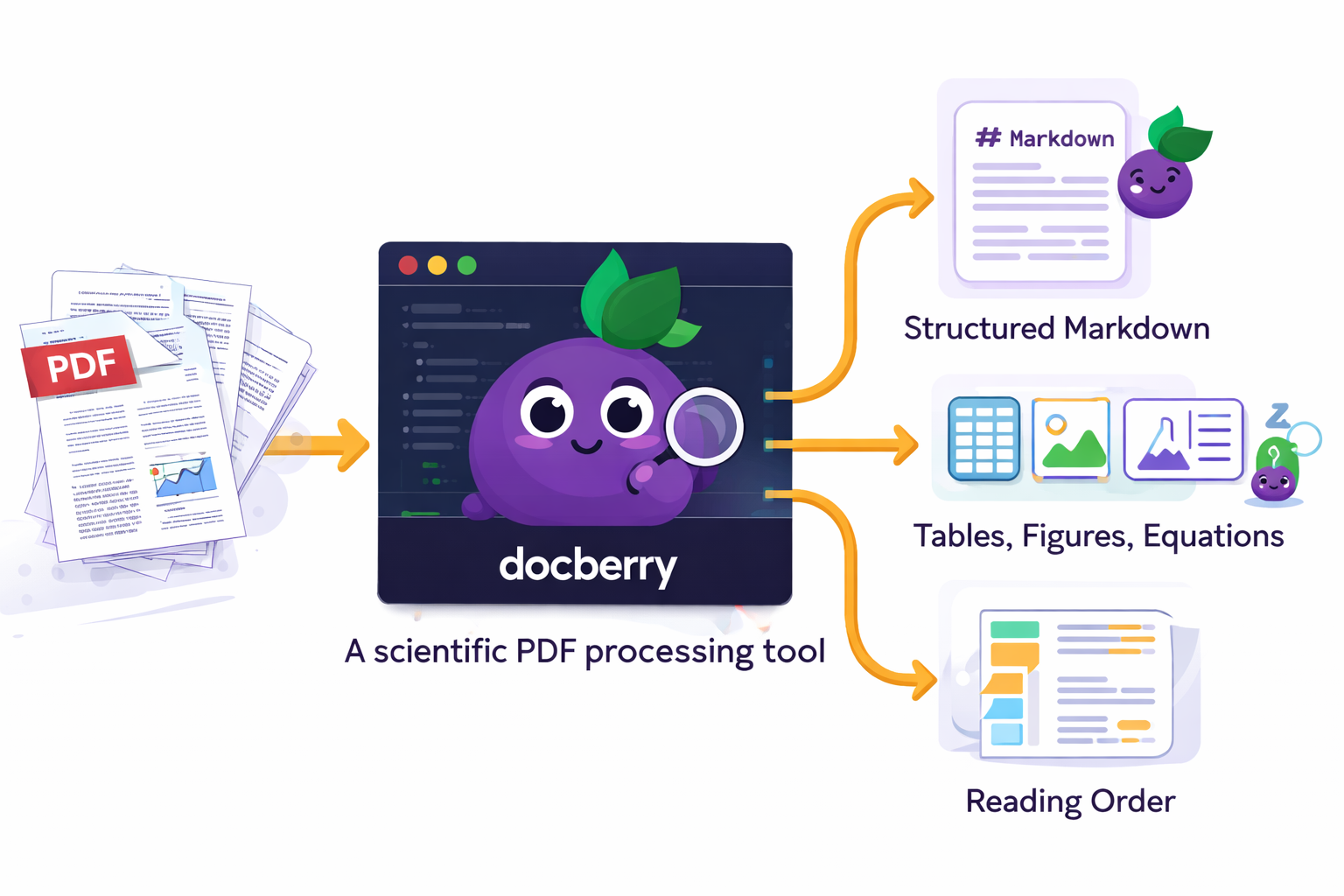
DocBerry wraps Docling with a reading-order segmentation layer for two-column academic papers, multi-format asset extraction (PNG/PDF/SVG), and pluggable equation LaTeX enrichment backends.
Features
- Reading-order segmentation — Detects full-width headers, two-column body text, and full-width figures/tables, then reorders them into natural reading order.
- Structured Markdown output — Tables replaced with image hyperlinks, equations with LaTeX blocks and image references.
- Asset extraction — Tables (PNG + CSV), figures (PNG + PDF + SVG), equations (PNG + PDF + SVG + LaTeX
.txt). - Equation enrichment — Choose from 4 backends: none, pix2tex (fast), Qwen3.5-0.8B VLM, or Docling CodeFormulaV2.
- Auto-segment + convert — One-shot pipeline that segments then converts.
Installation
Requires Python >= 3.10.
# Core (segmentation + conversion + asset extraction)
pip install docberry

# With lightweight equation LaTeX OCR (pix2tex)
pip install 'docberry[pix2tex]'

# With Qwen3.5-0.8B VLM equation enrichment
pip install 'docberry[qwen]'

# With debug overlays (opencv)
pip install 'docberry[debug]'

# Everything
pip install 'docberry[all]'
Pre-download model weights
Models auto-download on first use. To pre-download:
# Core Docling models only
docberry download-models

# All models (Docling + pix2tex + Qwen)
docberry download-models --all

# Specific extras
docberry download-models --pix2tex
docberry download-models --qwen
Quick Start
Python API
from docberry import segment_pdf, convert_document

# Step 1 (optional): segment a two-column PDF into reading order
segment_pdf("paper.pdf", "paper_segmented.pdf")

# Step 2: convert to Markdown with asset extraction
result = convert_document(
    "paper_segmented.pdf",
    output_dir="output/",
    extract_assets=True,
    equation_enrichment="pix2tex",
)
print(result.markdown_path)   # output/paper_segmented.md
print(result.tables)          # number of tables extracted
print(result.figures)         # number of figures extracted
print(result.equations)       # number of equations extracted
print(result.elapsed_seconds) # total processing time

# One-shot: segment + convert in a single call
result = convert_document(
    "paper.pdf",
    output_dir="output/",
    extract_assets=True,
    auto_segment=True,
    equation_enrichment="pix2tex",
)
CLI
# Full pipeline (segment + convert)
docberry convert paper.pdf -o output/ --extract-assets --auto-segment

# With equation enrichment
docberry convert paper.pdf -o output/ --extract-assets --equation-enrichment pix2tex

# Convert only (no segmentation)
docberry convert paper.pdf -o output/ --extract-assets

# Segment only
docberry segment paper.pdf -o paper_segmented.pdf

# Segment with debug overlays
docberry segment paper.pdf -o paper_segmented.pdf --debug-dir overlays/
CLI Reference
docberry convert
Convert a document to Markdown/JSON with optional asset extraction.
| Flag | Default | Description |
|---|---|---|
source (positional) |
— | Path to a local file or URL |
--output-dir, -o |
<stem>_output/ |
Output directory |
--format |
markdown |
Output format: markdown or json |
--extract-assets |
off | Extract tables, figures, equations |
--layout-model |
heron |
heron, egret-medium, egret-large, egret-xlarge |
--pipeline |
standard |
standard or vlm |
--equation-enrichment |
none |
none, pix2tex, qwen, docling |
--auto-segment |
off | Segment PDF for reading order first |
docberry segment
Segment a two-column PDF into reading-order pages.
| Flag | Default | Description |
|---|---|---|
input (positional) |
— | Input PDF path |
--output, -o |
segmented_output.pdf |
Output segmented PDF path |
--pages |
all | Page spec, 0-based (e.g. 0,2-4) |
--debug-dir |
— | Directory for debug overlay images |
Layout tuning flags: --line-merge-gap, --band-merge-gap, --block-padding, --segment-padding, --min-text-height, --line-split-gap-x, --num-bins, --single-coverage-threshold, --min-side-coverage, --min-center-gap-ratio, --min-band-height-ratio, --caption-merge-gap, --hrule-coverage.
docberry download-models
Pre-download model weights.
| Flag | Description |
|---|---|
--all |
Download all models (Docling + pix2tex + Qwen) |
--pix2tex |
Download pix2tex weights only |
--qwen |
Download Qwen3.5-0.8B weights only |
Python API Reference
segment_pdf(input_pdf, output_pdf, page_spec, debug_dir, config)
Segment a PDF into reading-order pages.
| Parameter | Type | Default | Description |
|---|---|---|---|
input_pdf |
str |
— | Path to source PDF |
output_pdf |
str |
"segmented_output.pdf" |
Output path |
page_spec |
str | None |
None |
Page range, e.g. "0,2-4" |
debug_dir |
str | None |
None |
Debug overlay directory |
config |
LayoutConfig | None |
None |
Tuning parameters |
Returns: list[Segment]
convert_document(source, output_dir, ...)
Convert a document to Markdown/JSON with optional asset extraction.
| Parameter | Type | Default | Description |
|---|---|---|---|
source |
str |
— | File path or URL |
output_dir |
str | None |
auto | Output directory |
output_format |
str |
"markdown" |
"markdown" or "json" |
extract_assets |
bool |
True |
Extract tables/figures/equations |
layout_model |
str |
"heron" |
Layout model name |
pipeline |
str |
"standard" |
"standard" or "vlm" |
equation_enrichment |
str |
"none" |
"none", "pix2tex", "qwen", "docling" |
auto_segment |
bool |
False |
Run segmentation first |
Returns: ConversionResult with .markdown_path, .tables, .figures, .equations, .elapsed_seconds
Equation Enrichment Comparison
| Method | Speed | Quality | Model Size | Extra Deps |
|---|---|---|---|---|
none |
— | No LaTeX (images only) | — | — |
pix2tex |
Fast (~1s/eq) | Good for simple equations | ~100 MB | pix2tex |
qwen |
Medium (~3s/eq) | Good, handles complex notation | ~1.6 GB | torch, transformers |
docling |
Slow (~5s/eq) | High (CodeFormulaV2 VLM) | ~2 GB | Built into Docling |
Output Structure
output/
  paper.md                    # Structured Markdown
  tables/
    table-1.png / .pdf / .svg
    table-1.csv
    table-1_caption.txt
  figures/
    figure-1.png / .pdf / .svg
    figure-1_caption.txt
  equations/
    equation-1.png / .pdf / .svg
    equation-1_latex.txt
Acknowledgments
- Docling — Core document conversion engine
- pix2tex — Lightweight LaTeX OCR
- Qwen — Vision-language model for equation extraction
- PyMuPDF — PDF processing for layout segmentation
License
MIT — see LICENSE.
Project details
Release history Release notifications | RSS feed


Download files
Download the file for your platform. If you're not sure which to choose, learn more about installing packages.
Source Distribution
Built Distribution
Filter files by name, interpreter, ABI, and platform.
If you're not sure about the file name format, learn more about wheel file names.
Copy a direct link to the current filters
File details
Details for the file docberry-0.1.1.tar.gz.
File metadata
- Download URL: docberry-0.1.1.tar.gz
- Upload date:
- Size: 27.7 kB
- Tags: Source
- Uploaded using Trusted Publishing? No
- Uploaded via: twine/6.2.0 CPython/3.11.14
File hashes
| Algorithm | Hash digest | |
|---|---|---|
| SHA256 |
f4a6bcf9cafbfb18f8a3b0e2b4a6a3a27cf84e7577d19127185ef6413c5437f2
|
|
| MD5 |
17aa70d429bd47929575dd88bdbe7df3
|
|
| BLAKE2b-256 |
3fc55031f231f63830765e88427313fd4df03b3cfc10268347a1897a95e716b1
|
File details
Details for the file docberry-0.1.1-py3-none-any.whl.
File metadata
- Download URL: docberry-0.1.1-py3-none-any.whl
- Upload date:
- Size: 26.8 kB
- Tags: Python 3
- Uploaded using Trusted Publishing? No
- Uploaded via: twine/6.2.0 CPython/3.11.14
File hashes
| Algorithm | Hash digest | |
|---|---|---|
| SHA256 |
9b37d67d4fd67d737eb9e4172a35b247526620dc0beb22d0599c3b9b1e8146f3
|
|
| MD5 |
a27fc54c3af603de3c4a1c65f183b47d
|
|
| BLAKE2b-256 |
31e431e8c327076320386c062a302dbb3a7e80131d8504456ff4c9cbccdbfcc0
|






