
🛡️ DocGuard
English · Português (BR) · Español
The enforcement layer for Spec-Driven Development. Validate. Score. Enforce. Ship documentation that AI agents can actually use.









✨ See what DocGuard catches in 30 seconds — no install, no setup:
npx docguard-cli demoRuns against a baked-in sample project with intentional drift and shows you the findings + a clear path to fixing them.

Table of Contents
- What is DocGuard?
- Why DocGuard?
- Quick Start
- Spec Kit Integration
- Usage
- Validators
- Reading a finding
- Templates
- AI Agent Support
- Slash Commands
- Examples
- Testing
- Enterprise Adoption
- CI/CD Integration
- What's New
- File Structure
- Configuration
- Research Credits
What is DocGuard?
DocGuard enforces Canonical-Driven Development (CDD) — a methodology where documentation is the source of truth, not an afterthought. AI writes the docs, DocGuard validates them.
| Traditional Development | Canonical-Driven Development |
|---|---|
| Code first, docs maybe | Docs first, code conforms |
| Docs rot silently | Drift is tracked and enforced |
| Docs are optional | Docs are required and validated |
| One AI agent, one context | Any agent, shared context via canonical docs |
DocGuard is an official GitHub Spec Kit community extension. It validates the artifacts that Spec Kit creates, ensuring your specs stay high-quality throughout the development lifecycle.
🧭 How it works (9-page brief) (PDF) · 📖 Philosophy · 📋 CDD Standard · ⚖️ Comparisons · 🔬 Validation · 🗺️ Roadmap
Architecture
graph TD
    CLI["CLI Entry<br/>docguard.mjs"] --> Commands["Commands (25)"]
    Commands --> guard["guard"]
    Commands --> generate["generate"]
    Commands --> score["score"]
    Commands --> diagnose["diagnose"]
    Commands --> setup["setup wizard"]
    Commands --> other["diff · init · fix · trace · impact · sync · reconcile · retire · specs<br/>explain · memory · upgrade · agents · hooks · badge · ci · watch"]

    guard --> Validators["Validators (32)"]
    generate --> Scanners["Scanners (4)<br/>routes · schemas · doc-tools · speckit"]
    score --> Scoring["Weighted Scoring<br/>8 categories"]
    diagnose --> Validators
    diagnose --> AIPrompts["AI-Ready<br/>Fix Prompts"]

    Validators --> Output["Output"]
    Scanners --> Output
    Scoring --> Output
    Output --> Terminal["Terminal"]
    Output --> JSON["JSON"]
    Output --> Badge["Badge"]

    style CLI fill:#2d5016,color:#fff
    style Validators fill:#1a3a5c,color:#fff
    style Scanners fill:#1a3a5c,color:#fff
    style Output fill:#5c3a1a,color:#fff
Distribution: Node.js core (npm) · Python wrapper (PyPI) · GitHub Action (
action.yml) · Spec Kit Extension (ZIP)
Why DocGuard?
DocGuard checks declared documentation facts against repository evidence and gives agents structured repair tasks. Deterministic checks cover supported facts, references, and generated sections. Human-authored requirements and architectural decisions retain their authority when implementation diverges.
A guard result describes the checks performed. The CDD grade measures structural maturity. Exact declarations in .docguard-evidence.json can verify selected statements against current local evidence; every other statement remains unverified. Coverage and unresolved claims remain visible, so teams can choose an appropriate enforcement policy.
Research motivates evaluation of this approach. A 2026 study found that repository context files did not generally improve task success and increased inference cost in its evaluated settings. It also found agents generally followed the instructions. These results support testing concise, relevant context and measuring actual task outcomes; they do not establish DocGuard's effectiveness. Evaluating AGENTS.md, revised June 2026.
The current roadmap prioritizes accurate detection, reproducible evidence, document lifecycle management, and contributor-supplied regression cases. Released plans and superseded specifications are removed from active AI context and remain recoverable from Git.
⚡ Quick Start
Package naming: this repo is
raccioly/docguard; the published package isdocguard-clion both npm and PyPI; the installed command isdocguard. Same project — the-clisuffix is just the registry name. The package runs no install scripts, sonpm i -g docguard-cli --ignore-scriptsis equivalent.
Node.js (npm)
# No install needed — run directly
npx docguard-cli diagnose

# Or install globally
npm i -g docguard-cli
docguard diagnose
Python (PyPI)
pip install docguard-cli
docguard diagnose
Note: The Python package is a thin wrapper that delegates to
npx. Node.js 18+ is required on the system.
Docker (MCP server)
The MCP server ships as a container image on GHCR — no Node.js install required. Public image, so no authentication is needed to pull it:
# Run the MCP server against the current directory
docker run -i --rm -v "$PWD":/workspace ghcr.io/raccioly/docguard:latest
The entrypoint is the stdio MCP transport: stdout is the JSON-RPC channel, so don't pipe anything else into it. Mount the project you want inspected at /workspace; tools inspect it by default, and a projectDir in a tool call must be /workspace or a directory inside it (add --root <dir> after the image name to serve another mounted tree).
Pin a version rather than tracking latest in CI:
docker run -i --rm -v "$PWD":/workspace ghcr.io/raccioly/docguard:0.34.9
The server is read-only — it never writes to the mounted project.
More ways to integrate
- pre-commit — changed-only guard on every commit:
repos:
  - repo: https://github.com/raccioly/docguard
    rev: v0.29.0
    hooks: [{ id: docguard-guard }]   # docguard-guard-full for pre-push
- MCP (Claude, Cursor, any MCP client) —
claude mcp add docguard -- npx -y docguard-cli mcp; read-only tools to check docs (guard, score, diagnose, …) and to navigate them one bounded section at a time — the full list is in docs/ai-integration.md. Registry manifest ships in-repo (server.json, Smithery-ready). - GitLab CI — component staged at
templates/ci/gitlab-component.yml(guard/score/ci job with a SARIF artifact). - Homebrew —
brew install raccioly/tap/docguard. The release workflow renders the formula template inpackaging/homebrew/from the published npm tarball and pushes it to the tap.
Core Workflow
# 1. Initialize docs for your project
npx docguard-cli init

# 2. Or reverse-engineer docs from existing code
npx docguard-cli generate

# 3. AI diagnoses issues and generates fix prompts
npx docguard-cli diagnose

# 4. Validate — use as CI gate
npx docguard-cli guard

# 5. Check maturity score
npx docguard-cli score
The AI Loop
diagnose  →  AI reads prompts  →  AI fixes docs  →  guard verifies
   ↑                                                       ↓
   └───────────────── issues found? ←──────────────────────┘
diagnose is the primary command. It runs all validators, maps every failure to an AI-actionable fix prompt, and outputs a remediation plan. Your AI agent runs it, fixes the docs, and runs guard to verify.
Mechanical vs. agent fixes
DocGuard splits drift into two kinds and is explicit about which is which:
| Kind | Example | How it's fixed |
|---|---|---|
| Mechanical (deterministic) | An endpoint documented in API-REFERENCE.md that the OpenAPI spec confirms is gone |
docguard fix --write deletes the row + detail block itself — no AI |
| Agent (needs judgment) | Rewriting an X-Ray prose section as CloudWatch; writing a new endpoint's request/response | Routed to an AI agent via diagnose / fix --doc prompts |
docguard fix --write only touches docs marked <!-- docguard:generated true --> (override with --force), is idempotent, and prints exactly what changed. It never rewrites prose — that stays with the agent.
Continuous documentation workflow
guard ──▶ fix --write (mechanical, auto) ──▶ guard ──▶ diagnose (agent prompts for the rest)
- CI / pre-commit:
docguard hooks --type pre-commit --auto-fixinstalls a hook that applies mechanical fixes, re-stages the docs, then runsguard; anything left is surfaced as agent prompts. - Agent-driven:
docguard diagnose --autoscaffolds missing docs and applies mechanical fixes, then emits prompts for the content rewrites that remain. - JSON for automation:
guard/diagnose --format jsoninclude amechanicalFixesarray and tag each issuemechanicalvsagent, so an agent can apply or delegate precisely.
🌱 Spec Kit Integration
DocGuard is a community extension for GitHub's Spec Kit framework. While Spec Kit focuses on creating specifications (via AI slash commands like /speckit.specify and /speckit.plan), DocGuard focuses on validating their quality.
How They Work Together
┌─────────────────┐          ┌──────────────────┐
│    Spec Kit      │          │    DocGuard       │
│                  │          │                   │
│  /speckit.specify│ ──────→  │  docguard guard   │
│  Creates specs   │          │  Validates specs  │
│  (AI-driven)     │          │  (automated)      │
└─────────────────┘          └──────────────────┘
| Phase | Tool | What happens |
|---|---|---|
| 1. Initialize | specify init |
Creates .specify/ directory and templates |
| 2. Write specs | /speckit.specify |
AI creates spec.md with FR-IDs, user stories |
| 3. Validate | docguard guard |
Checks spec quality (mandatory sections, FR/SC IDs) |
| 4. Plan | /speckit.plan |
AI creates plan.md with technical context |
| 5. Validate | docguard guard |
Checks plan quality (sections, structure) |
| 6. Tasks | /speckit.tasks |
AI creates tasks.md with phased breakdown |
| 7. Validate | docguard guard |
Checks task quality (phases, T-IDs) |
| 8. Implement | /speckit.implement |
AI writes code |
| 9. Enforce | docguard guard |
Final quality gate — CI/CD |
What DocGuard Validates in Spec Kit Projects
- spec.md — Mandatory sections (User Scenarios, Requirements, Success Criteria), FR-xxx IDs, SC-xxx IDs
- plan.md — Summary, Technical Context, Project Structure sections
- tasks.md — Phased task breakdown (Phase 1, 2, 3+), T-xxx task IDs
- constitution.md — Detected at
.specify/memory/constitution.mdor project root - Requirement traceability — FR, SC, NFR, US, AC, UC, SYS, ARCH, MOD, T IDs
Installing as a Spec Kit Extension
docguard init does this for you: when the specify CLI (Spec Kit ≥ 0.11.2, the floor the
extension declares) is on your PATH, it initializes Spec Kit for the coding agent the repository
already uses, then registers the DocGuard extension shipped inside the installed package. Nothing
is downloaded for the registration. If a project's registered extension is from another DocGuard
release, init re-registers it when the versions differ (keeping its priority), and
docguard upgrade --apply does the same. init says the workflow hooks are active only after each mandatory hook
(speckit.docguard.brief before specify, speckit.docguard.preflight before tasks,
speckit.docguard.guard after implement) resolves to a command file your agent can run; otherwise
it names the missing one. Spec Kit registers no extension commands for its generic integration,
so for generic DocGuard writes them next to Spec Kit's own commands (.agent/commands/ by
default). Every failure is printed with Spec Kit's own error and the command to run by hand. Only
init and upgrade --apply touch Spec Kit; other commands print a one-line hint at most.
DocGuard's own skills go where your agent reads them: .claude/skills/ for Claude Code (or the
skills directory of another skills-based integration), .agent/ for the generic integration or
an agent DocGuard cannot place. A commands-only integration such as Gemini gets Spec Kit's
speckit.docguard.* commands and no extra copies. The command and skill files run docguard from
your PATH when it is installed, and otherwise npx --yes docguard-cli@<version>, pinned to the
release they shipped with; they never fetch @latest.
Suggestions DocGuard prints (Next: …, Fix: …) name a slash command only when its file exists
for your agent, in its form (/speckit-docguard-guard in Claude Code, /speckit.docguard.guard
for generic); otherwise they print the CLI command.
To register it yourself, from the catalog or a local checkout:
specify extension add docguard
specify extension add ./node_modules/docguard-cli/extensions/spec-kit-docguard --dev
This registers the speckit.docguard.* commands listed in
extension.yml (invoked as
/speckit-docguard-guard and so on in skills-based agents such as Claude Code) and the
workflow hooks that run them.
Usage
DocGuard ships 25 commands (the "Daily 5" + 20 situational tools, including lifecycle reconciliation, doc dependency review, agent-rule resolution, retirement and spec tracking, the zero-install demo, the mcp server, and the ci pipeline gate). Six additional one-shot scaffolders are accessed via docguard init --with <name>. Legacy command forms remain compatible until v1.0 and print their replacements.
The Daily 5 — what you'll reach for 95% of the time:
| Command | What It Does |
|---|---|
init |
Bootstrap a project (--wizard for interactive · --with <name> for scaffolders) |
guard |
Validate against canonical docs — 32 validators |
diff |
Show gaps between docs and code (--since <ref> for impact mode) |
sync |
Refresh code-truth doc sections, including the module-graph and entity-diagram mermaid diagrams drawn from code — keeps memory always up to date |
score |
Structural CDD maturity score (0-100; not a guard verdict; --diff for delta between refs) |
Tools (situational, but day-to-day useful):
| Command | Purpose |
|---|---|
demo |
Zero-install showcase — runs guard against a baked-in drifting fixture (npx docguard-cli demo) |
diagnose |
AI orchestrator — guard → emit fix prompts in one command |
fix |
Generate AI fix instructions for specific docs (--doc <name> --format prompt) |
fix --write |
Apply deterministic fixes (no AI — version bumps, counts, anchors, sections) |
fix --history |
Audit log of every mechanical fix applied (from .docguard/fixed.json) |
generate |
Reverse-engineer docs from existing codebase (--plan for AI scan) — includes auto-generated Mermaid ER diagrams from your detected schemas (Prisma/Drizzle/TypeORM/Sequelize/Django/Rails) in DATA-MODEL.md. --spec <area> writes an as-built Spec Kit spec for one code area: one requirement candidate per route, exported symbol, env var or entity found there (the agent writes every statement), registered as origin: as_built; guard then reports new or vanished facts (SPR007) |
agent |
One-shot agent task graph, or a bounded current-evidence packet for one task (--task <text>, --format json) |
explain <warning|CODE> |
Paste any warning — or a finding code like SEC001 — to get the validator's docstring, fix path, and how to suppress |
verify --evidence |
Evaluate strict statement-to-source declarations for typed JSON values, bounded collection counts, saved oasdiff JSON, and saved Buf JSON Lines. Results distinguish scoped verification, contradiction, stale inputs, inconclusive evidence, and unsupported formats. |
verify --semantic |
Extract documented numbers/limits/enums (retention days, rate limits, GSI/role counts, status enums) as a task list for an agent to check against code — the semantic-drift class regex/AST can't see |
verify --instructions |
Audit AGENTS.md/CLAUDE.md themselves for drift: duplicate rules, never-vs-always contradictions, stale file pointers, unknown commands — plus clustered rule pairs as agent judgment tasks |
feedback |
Review any finding or a synthetic false-positive/false-negative/unsupported fixture; verify its opposite control, reduce it deterministically, search open and closed duplicates, and optionally emit a test-only contribution. Nothing is submitted automatically. |
retire |
Find completed or superseded planning material (--plan/--check; --fail-on-warning gates advisory candidates) and explicitly remove clean tracked documentation from active AI context. .docguard-archive.json records recovery metadata and retired requirement identities, and --retention-ref proves the source revision remains reachable. This is separate from the Spec Kit Archive extension, which consolidates feature documents. |
reconcile |
Build a read-only code↔spec review graph since a Git ref. Classifies mechanical facts, approved intent, decisions, unrelated changes, and unsupported evidence; --write applies only mechanical generated-section refreshes. |
review |
Doc sections whose covered code changed since their last review (--accept <doc>#<id> --reason, --prune, --suggest) |
rules |
Which agent instruction files each harness (Codex, Claude Code, Cursor, Copilot, OpenHands) loads for a path, why, and how many bytes (--for <path>, --harness) |
specs |
Maintain the versioned spec registry, preflight new specs, and apply evidence-gated completion transactions with bounded outcomes and active-context regeneration. Verified living specs can record later reviewed maintenance without reopening or duplicating the specification. specs require is the spec-first gate: a change to governed paths must name its spec or declare Spec-Exempt: <kind> — <reason>. |
specs --check / specs --write |
Validate or refresh .docguard-specs.json, the byte-stable index of immutable spec IDs, reviewed lifecycle/lineage/scope, artifact digests, task state, explicitly scoped test evidence, and archive tombstones. Refreshes preserve the reviewed block. |
specs preflight [--path <spec>] |
Before specification, print current spec lifecycle and evidence. Before planning, check the generated draft for structural blockers and report semantic overlap as review-only evidence. |
specs approve --id <spec-id> |
Record a person's approval of a spec in the registry, and with --delivery its planned, in_progress or implemented state. Plans by default; --write records it. Verification stays with specs complete. |
mcp |
MCP server — exposes checking (guard, score, explain, verify, report, diagnose) and exact doc navigation (docs for a file, document outline, one section, task context) as native tools for Claude, Cursor, and any MCP client; docguard_guard returns each fact once unless called with detail: "full". Stdio: claude mcp add docguard -- npx docguard-cli mcp. Team-shared HTTP: docguard mcp --transport http --port 8585 (loopback by default; non-loopback binds require --api-key) |
report |
Compliance-evidence bundle for audits — combined readiness, guard verdict, structural maturity, ALCOA+ attributes, and fix history, stamped with git commit and a tamper-evident sha256 integrity hash (--format json, --out <file>). Evidence, not a gate: always exits 0 |
ci |
Pipeline gate: guard + structural maturity in one command with READY/ATTENTION/BLOCKED assessment — never scaffolds or touches source; its only write is its own .docguard/history.jsonl (opt out: --no-history). --threshold <n> fails below a score, --fail-on-warning for strict mode, --format json for parsers |
score --trend |
Score trajectory from recorded ci runs — sparkline, delta, and the last 10 runs with commit stamps |
memory |
Per-domain accuracy headline (endpoints / entities / env / tech) |
memory --diff |
Drill into which specific claims don't match code |
memory --pack |
Write .docguard/context-pack.md — compact, code-truth-stamped session-start context for AI agents |
score --diff |
Drill into which checks pulled each category down |
trace / trace --reverse <file> |
Requirements traceability — forward AND reverse |
trace --features |
Per-feature spec-adherence scores (requirement coverage, task completion, task evidence, artifacts) — worst-first with fix hints |
upgrade [--apply] [--pr] |
Check npm for a newer CLI (the one command that contacts a registry) + migrate .docguard.json schema; --pr opens a PR. When the installed release is over 14 days old, guard's text output, the MCP server and the context pack suggest running docguard upgrade; nothing upgrades on its own (DOCGUARD_NO_UPDATE_HINT=1 silences the note) |
watch |
Live mode: re-run guard on file changes |
init --with <name> scaffolders — picked at init time:
| Scaffolder | What It Generates |
|---|---|
agents |
AGENTS.md, CLAUDE.md, .cursor/rules/, .github/copilot-instructions.md |
hooks |
Git pre-commit / pre-push hooks |
ci |
GitHub Actions / pipeline YAML |
badge |
Shields.io score badges for README |
llms |
llms.txt (AI-friendly summary) |
publish |
External doc-site config (Mintlify) — experimental |
Run them solo (docguard init --with hooks) or stacked (docguard init --with agents,hooks,badge,ci).
To declare an exact fact, copy templates/evidence-manifest.json to
.docguard-evidence.json, point its literal Markdown template at one unique
statement, and bind that value to a supported local source. Run
docguard verify --evidence --format json before enabling the guard in CI.
External compatibility declarations consume saved oasdiff or Buf output and
require current SHA-256 identities for every declared repository input.
Deprecation aliases — setup · agents · hooks · badge · llms · publish · impact remain compatible until v1.0 with a yellow stderr warning. audit → guard is permanent and silent; ci is a current first-class pipeline command.
CLI Flags
| Flag | Description | Commands |
|---|---|---|
--dir <path> |
Project directory (default: .); explicit selection suppresses ancestor-root guidance |
All |
--verbose |
Show detailed output | All |
--quiet / -q |
Suppress banner — for hooks, CI loops, scripts | All |
--format json |
Machine-readable output (clean JSON, no ANSI bleed) | guard, score, diff, trace, diagnose, memory, impact, explain, verify, reconcile, retire, specs |
--format sarif |
SARIF 2.1.0 output — findings as rules/results for GitHub Code Scanning and SARIF dashboards | guard |
--format junit |
JUnit XML output — one testcase per validator, for GitLab CI (artifacts:reports:junit), Jenkins, Azure DevOps, CircleCI |
guard |
--update-baseline |
Adopt DocGuard on a legacy repo without a red day one: freeze today's findings into a committed .docguard.baseline.json; guard/ci then gate only NEW drift. Suppression is always visible ("N pre-existing finding(s) suppressed"), and --no-baseline shows the full picture |
guard |
--full |
Generate llms-full.txt (full doc bodies inlined) instead of the llms.txt link index |
llms |
--compact |
With --format json: each fact once, the form the MCP guard tool returns by default |
guard |
--pack |
Write .docguard/context-pack.md — agent session-start context |
memory |
--symbols |
With --pack: add a symbol map (most central files and their exported names, within memory.symbolMap.maxBytes); opt-in until the v2 benchmark decides |
memory |
--sync |
Regenerate the agent-file family (CLAUDE.md, Copilot, Cursor, …) from AGENTS.md; hash-marked, never touches hand-written files without --force |
agents |
--check |
CI gate for the synced agent-file family — exit 2 when a variant is stale | agents |
--force |
Overwrite existing files (creates .bak backups) |
generate, agents, init |
--force-redo |
Bypass ping-pong suppression in .docguard/fixed.json |
fix --write |
--profile <name> |
Starter / standard / enterprise | init |
--no-spec-kit |
Skip Spec Kit: no specify call and no .specify/; DocGuard's own agent skills still install |
init |
--spec-kit |
With --profile starter, initialize Spec Kit too (starter skips it by default) |
init |
--changed-only [--since <ref>] |
Pre-commit lite mode: the fast validators (including covered-doc dependencies) on changed files only | guard |
--timings |
Per-validator wall-time profile (slowest first) | guard |
--show-failing |
Show warnings/errors even when status is PASS | guard |
--pin |
Record running CLI version into .docguard.json (reproducibility) |
guard |
--diff |
Per-category drill-down | score, memory |
--check-only |
Exit 1 if behind (for CI) | upgrade |
--apply |
Actually run the migration | upgrade |
--pr |
Open a PR with the migration | upgrade |
--reverse <file> |
Reverse traceability (code → docs) | trace |
--no-indirect |
Skip the reverse-import-graph analysis (docs about modules that import a changed file) | impact, diff --since |
--prs |
Open-PR doc-conflict analysis — two PRs impacting the same canonical doc = merge-order risk (needs the gh CLI) |
impact |
--transport http --port --host --api-key --path |
Serve MCP over Streamable HTTP instead of stdio (team-shared server; loopback-only unless an api-key is set) | mcp |
--root <dir> |
Serve another directory tree: tool calls may pass a projectDir inside it (repeatable). Without it, projectDir must stay inside the served directory |
mcp |
--history |
Show fix audit log | fix |
When run from a nested package without --dir, DocGuard checks only that
selected directory. If a bounded ancestor scan finds a .docguard.json or an
npm/pnpm workspace declaration that owns the package, stderr shows an exact
repository-scope rerun command. DocGuard never changes scope automatically. JSON,
SARIF, and JUnit stdout remain valid; machine runs receive one typed
docguard.repository-root-guidance JSON diagnostic on stderr. A local config,
an explicit --dir, an unmatched workspace, or a nested Git boundary suppresses
the suggestion.
Example Output
$ npx docguard-cli generate

🔮 DocGuard Generate — my-project
   Scanning codebase to generate canonical documentation...

  Detected Stack:
    language: TypeScript ^5.0
    framework: Next.js ^14.0
    database: PostgreSQL
    orm: Drizzle 0.33
    testing: Vitest
    hosting: AWS Amplify

  ✅ ARCHITECTURE.md (4 components, 6 tech)
  ✅ DATA-MODEL.md (12 entities detected)
  ✅ ENVIRONMENT.md (18 env vars detected)
  ✅ TEST-SPEC.md (45 tests, 8/10 services mapped)
  ✅ SECURITY.md (auth: NextAuth.js)
  ✅ REQUIREMENTS.md (spec-kit aligned)
  ✅ AGENTS.md
  ✅ CHANGELOG.md
  ✅ DRIFT-LOG.md

  Generated: 9  Skipped: 0
🔍 Validators
DocGuard runs 32 automated validators on every guard check. Source-facing validators are language-aware where their evidence model applies; repository and document validators operate independently of source language.
Counting note:
guardprints 30 result rows, not 29.Structureemits a second check result (Doc Sections) under the same validator key, so rows are checks, not validators. The published number is the count of shippedcli/validators/*.mjsmodules and is enforced by tests — don't derive it by counting output rows.
| # | Validator | What It Checks | Default |
|---|---|---|---|
| 1 | Structure | Required CDD files exist; each AGENTS.md chain fits the agent's load limit (32 KiB default, per-chain allowances for existing debt) |
✅ On |
| 2 | Doc Sections | Canonical docs have required sections (or N/A markers) | ✅ On |
| 3 | Docs-Sync | Routes/services referenced in docs + OpenAPI cross-check | ✅ On |
| 4 | Drift-Comments | // DRIFT: comments logged in DRIFT-LOG.md (skips test files by default) |
✅ On |
| 5 | Changelog | CHANGELOG.md has [Unreleased] section | ✅ On |
| 6 | Test-Spec | Tests exist per TEST-SPEC.md rules | ✅ On |
| 7 | Environment | Env vars documented, .env.example exists |
✅ On |
| 8 | Security | No hardcoded secrets in source code | ✅ On |
| 9 | Architecture | Imports follow layer boundaries (honors config.ignore) |
✅ On |
| 10 | Freshness | Docs not stale relative to code changes (rename-aware via git log --follow) |
✅ On |
| 11 | Traceability | Requirement IDs (FR, SC, NFR, US, AC, T) trace to tests | ✅ On |
| 12 | Docs-Diff | Code artifacts match documented entities | ✅ On |
| 13 | API-Surface | API-REFERENCE.md endpoints match real routes (OpenAPI cross-check) | ✅ On |
| 14 | Metadata-Sync | Version refs consistent across docs | ✅ On |
| 15 | Docs-Coverage | Code features referenced in documentation | ✅ On |
| 16 | Doc-Quality | Writing quality (readability, passive voice, atomicity, IEEE 830) | ✅ On |
| 17 | TODO-Tracking | Untracked TODOs/FIXMEs and skipped tests (skips test files by default) | ✅ On |
| 18 | Schema-Sync | Database models documented in DATA-MODEL.md | ✅ On |
| 19 | Spec-Kit | Spec quality validation (FR-IDs, mandatory sections, phased tasks, unique spec numbers) | ✅ On |
| 20 | Document-Lifecycle | Exact terminal states, advisory completion signals, incomplete coverage, and manifest/working-tree inconsistencies | ✅ On |
| 21 | Spec-Registry | Immutable spec identities, byte-stable evidence projection, reviewed lifecycle preservation, and archive/storage consistency | ✅ On |
| 22 | Evidence | Exact declared Markdown statements match current typed JSON, bounded collections, or saved compatibility reports; unsupported and missing evidence stays visible | ✅ On |
| 23 | Cross-Reference | Internal markdown links + anchors resolve (with "did you mean?" hints); Obsidian wikilinks validated when the repo uses them as file links (.obsidian present or a target resolves) |
✅ On |
| 24 | Generated-Staleness | source=code sections match scanner output; status: draft doc age |
✅ On |
| 25 | Canonical-Sync | DocGuard's own README count claims match code-truth (DocGuard repo only — N/A elsewhere) | ✅ On |
| 26 | Metrics-Consistency | Hardcoded numbers match actual counts, including runtime-dependency claims against package.json (the Spec Kit constitution is read too) |
✅ On |
| 27 | Surface-Sync | Item-level enumerable drift — names in doc tables/lists (commands, checks, etc.) match code-truth (opt-in via surfaceSync.surfaces; N/A unless configured) |
✅ On |
| 28 | Diff-Suspicion | Change-driven: a doc/agent-instruction file that references code changed since the ref AND shares removed domain symbols is flagged for review (arXiv 2010.01625, F1 74.7) | ✅ On |
| 29 | Reference-Existence | Two-revision check: a backticked code symbol present when the doc was last updated but gone at HEAD is flagged as outdated (arXiv 2212.01479) | ✅ On |
| 30 | API-Doc-Smells | Bloated (≥300 words) / Lazy (≤6 prose words) API documentation units, keyed on signature-headed sections (F1 0.90/0.95) | ✅ On |
| 31 | Doc-Dependency | A doc section that declares covers= is reported when a covered symbol's code changes semantically since its last docguard review --accept (formatting, comments and line moves do not count); opt-in by declaration |
✅ On |
| 32 | Path-Scoped-Rules | Agent instruction files per harness (nested AGENTS.md/CLAUDE.md, Claude Code rules and skills, Cursor .mdc, Copilot .instructions.md, OpenHands skills): scope globs that match no tracked file, pointers to missing paths (including routing tables), instructions loaded for one path over the byte budget, and scopes a harness cannot read |
✅ On |
| 33 | Doc-Ownership | With an ownership map in .docguard.json: source directories no doc section owns, two equally specific owners, patterns that match nothing, entries naming missing docs; also lints a committed .devin/wiki.json against Devin's limits and for paths that are gone |
✅ On |
Per-validator controls (in .docguard.json):
{
  "validators": {
    "test-spec": false,                 // disable (kebab-case OR camelCase both accepted)
    "freshness": true
  },
  "severity": {
    "todoTracking": "high",             // warnings fail CI
    "freshness": "low"                  // warnings ignored for exit code
  },
  "findingSeverity": {
    "TRC004": "low",                    // only this finding becomes informational
    "SEC001": "high"                    // this exact code always blocks
  }
}
Exact findingSeverity entries take precedence over validator severity. Guard
JSON, SARIF, and JUnit retain the detector's intrinsic severity and add the
effective severity plus the policy source. Intrinsic errors stay blocking unless
their exact stable code is explicitly configured.
🎚️ Reading a Finding
A finding used to answer one question — "how worried should you be?" — with one
confidence field, which meant the field was doing three incompatible jobs at
once. DocGuard now separates them. These axes are independent: a blocking
error can be an escalation, and a high-confidence finding can still be one a
human must judge.
| Field | The question it answers | Values |
|---|---|---|
severity / effectiveSeverity |
Does CI block? | error, warn, info |
disposition |
Who decides — the tool or you? | act, escalate |
confidence |
How sure is the detector of its observation? | high, low |
evidence.status |
Has the reviewed corpus ever measured this code? | measured, not-measured |
parserTier |
Which analyzer produced it? | js-ast, py-ast, regex-fallback, fallback-language, mixed, not-applicable |
act — DocGuard asserts a defect and names the correction. Safe to apply,
including through docguard fix or an agent.
escalate — DocGuard observed a signal; the judgement is yours. Freshness
FRS002 ("13 code commits since the document was reviewed") is the canonical
case: the count comes from git log, so it is exact and confidence: high —
and it establishes only that a review is due, never that the document is
wrong. Editing a document until an escalation stops printing destroys the signal
and fixes nothing. A judged-and-left escalation is a correct outcome.
evidence.status tells you what a confidence label is worth. measured
quotes the reviewed precision corpus with n and a Wilson lower bound;
not-measured means the label is a maintainer's prior and nothing more. Most
codes are unmeasured — that does not make their findings wrong, only unverified,
and docguard feedback samples them for exactly that reason.
parserTier tells you what the detector could see. js-ast and py-ast
mean a syntax tree. regex-fallback means the language has one (JS/TS, Python)
but it was unavailable for that file. fallback-language means DocGuard has no
parser for the language at all — Go, Java, Kotlin, Ruby, Rust, PHP, C# — so
routes and env reads there are matched by pattern. Either way the absence of
a finding there is weak evidence, and the owning validator reports
applicability: partial with a reason that names the language and the file
count. Environment variables are matched by pattern in every supported
language; a source language with no env patterns (Swift, Scala, …) makes the
Environment check partial rather than a silent pass.
Every channel appears on every finding in guard --format json, in SARIF
result.properties, and per-issue in diagnose --format json (which also emits
a dispositionCounts summary). guard, diagnose, ci and report all print
the act/escalate split beside the verdict; report adds a column per channel to
its findings table. Run docguard explain <CODE> for one code's evidence.
📄 Templates
DocGuard ships 18 professional templates with metadata, badges, and revision history:
| Template | Type | Purpose |
|---|---|---|
| ARCHITECTURE.md | Canonical | System design, components, layer boundaries |
| DATA-MODEL.md | Canonical | Schemas, entities, relationships |
| SECURITY.md | Canonical | Auth, permissions, secrets management |
| TEST-SPEC.md | Canonical | Test strategy, coverage requirements |
| ENVIRONMENT.md | Canonical | Environment variables, deployment config |
| REQUIREMENTS.md | Canonical | Spec-kit aligned FR/SC IDs, user stories |
| DEPLOYMENT.md | Canonical | Infrastructure, CI/CD, DNS |
| ADR.md | Canonical | Architecture Decision Records |
| ROADMAP.md | Canonical | Project phases, feature tracking |
| KNOWN-GOTCHAS.md | Implementation | Symptom → gotcha → fix entries |
| TROUBLESHOOTING.md | Implementation | Error diagnosis guides |
| RUNBOOKS.md | Implementation | Operational procedures |
| VENDOR-BUGS.md | Implementation | Third-party issue tracker |
| CURRENT-STATE.md | Implementation | Deployment status, tech debt |
| AGENTS.md | Agent | AI agent behavior rules |
| CHANGELOG.md | Tracking | Change log |
| DRIFT-LOG.md | Tracking | Deviation tracking |
| llms.txt | Generated | AI-friendly project summary (llmstxt.org) |
🤖 AI Agent Support
One-click MCP install


- Claude Code:
claude mcp add docguard -- npx docguard-cli mcp - Claude Desktop: download
docguard-v<version>.mcpbfrom the latest release and drag it into Settings → Extensions — you'll be asked which project folder to analyze. No npm, no JSON editing. - Anything MCP: DocGuard is a verified namespace on the official MCP registry (
io.github.raccioly/docguard).
DocGuard works with every major AI coding agent. All canonical docs are plain markdown — no vendor lock-in.
| Agent | Compatibility | Auto-Generate Config |
|---|---|---|
| Google Antigravity | ✅ | docguard agents --agent antigravity |
| Claude Code | ✅ | docguard agents --agent claude |
| GitHub Copilot | ✅ | docguard agents --agent copilot |
| Cursor | ✅ | docguard agents --agent cursor |
| Windsurf | ✅ | docguard agents --agent windsurf |
| Cline | ✅ | docguard agents --agent cline |
| Google Gemini CLI | ✅ | docguard agents --agent gemini |
| Kiro (AWS) | ✅ | — |
Always-on nudge hook (Claude Code)
docguard hooks --claude # install (remove: docguard hooks --claude --remove)
Registers a PostToolUse hook in the project's .claude/settings.json. After the
agent edits a canonical doc it is nudged to run docguard guard --changed-only;
after it edits a code file the docs reference, it is nudged toward docguard impact.
Merge-safe (only DocGuard's own entry is ever added/removed), throttled to one nudge
per file per 30 minutes, and the hook runtime can never break a session (errors are
silent by contract). Explicit opt-in — init never installs it for you.
⚡ Slash Commands
DocGuard provides AI agent slash commands for integrated workflows. Installed automatically via docguard init or specify extension add docguard:
| Command | What It Does |
|---|---|
/docguard.init |
Initialize Canonical-Driven Development in a new or existing project |
/docguard.guard |
Run quality validation — check all 32 validators |
/docguard.review |
Analyze doc quality and suggest improvements |
/docguard.fix |
Generate targeted fix prompts for specific issues |
/docguard.update |
Update canonical docs after code changes — detect drift and sync documentation |
These commands are installed into your AI agent's command directory:
.github/commands/     → GitHub Copilot
.cursor/rules/        → Cursor
.gemini/commands/     → Google Gemini
.claude/commands/     → Claude Code
.agents/workflows/    → Antigravity
🧠 AI Skills (Enterprise)
Beyond slash commands, DocGuard provides 4 enterprise-grade AI skills — deep behavior protocols that tell AI agents not just what to run, but how to think, validate, and iterate. Skills are modeled after Spec Kit's skill architecture.
| Skill | Lines | What It Does |
|---|---|---|
docguard-guard |
155 | 6-step quality gate with severity triage (CRITICAL→LOW), structured reporting, remediation |
docguard-fix |
195 | 7-step research workflow with per-document codebase research and 3-iteration validation loops |
docguard-review |
170 | Read-only semantic cross-document analysis with 6 analysis passes and quality scoring |
docguard-score |
165 | CDD maturity assessment with ROI-based improvement roadmap and grade progression |
Workflow Hooks
DocGuard integrates into the spec-kit workflow as an automated quality gate:
| Hook | When | Behavior |
|---|---|---|
after_implement |
After /speckit.implement |
Mandatory — always runs DocGuard guard |
before_tasks |
Before /speckit.tasks |
Optional — reviews doc consistency |
after_tasks |
After /speckit.tasks |
Optional — shows CDD maturity score |
Orchestration Scripts
For advanced users and CI/CD pipelines, DocGuard includes bash scripts with --json output:
| Script | Purpose |
|---|---|
docguard-check-docs.sh |
Discover project docs, return JSON inventory with metadata |
docguard-suggest-fix.sh |
Run guard, parse results, output prioritized fixes |
docguard-init-doc.sh |
Initialize canonical doc with metadata header |
📁 Examples
Three real-world projects to see DocGuard in action:
| Example | Scenario | What You'll See |
|---|---|---|
| 01-express-api | Node.js API with zero docs | Cold-start: generate → instant coverage |
| 02-python-flask | Python app with drifted docs | Drift detection: catch when docs lie |
| 03-spec-kit-project | Full CDD + Spec Kit | Gold standard: what maturity looks like |
See examples/README.md for step-by-step instructions.
🧪 Testing
Test Suite
npm test # 2,920 tests (node:test, zero test dependencies)
Covers all 25 commands, every validator, project type detection, compliance profiles, JSON/SARIF/JUnit output, the packed npm tarball, and downstream field reports replayed as regression cases. Static test-case declarations are a lower bound of that number: Metrics-Consistency flags this line if it ever falls below what the test files declare.
CI Matrix
| Node.js | OS | Status |
|---|---|---|
| 18 | ubuntu-latest | ✅ |
| 20 | ubuntu-latest | ✅ |
| 22 | ubuntu-latest | ✅ |
| 24 | ubuntu-latest | ✅ |
Self-Validation (Dogfooding)
DocGuard runs its own guard, score, diff, diagnose, and badge commands against itself in CI — ensuring the tool passes its own checks.
🏢 Enterprise Adoption
Everything runs local or in your CI — no SaaS, no data leaving your infra. The pieces that matter at company scale:
| Need | DocGuard answer |
|---|---|
| Adopt on a legacy repo without a red pipeline on day one | guard --update-baseline freezes existing findings into a committed .docguard.baseline.json; only NEW drift gates from then on (suppression always visible) |
| Audit trail for compliance reviews | docguard report — commit-stamped evidence bundle (guard verdict, findings by code, CDD score, ALCOA+ data-integrity attributes, fix history) with a tamper-evident sha256 integrity hash |
| Every CI system, not just GitHub | guard --format sarif (GitHub Code Scanning) · --format junit (GitLab, Jenkins, Azure DevOps, CircleCI) · --format json (anything else) |
| Trajectory, not snapshots | docguard ci records every run to .docguard/history.jsonl; score --trend shows the sparkline + delta |
| AI agents on the team | MCP server (stdio or team-shared HTTP) exposes guard, score, verify, report, doc navigation and task context as read-only tools; agents --sync keeps the whole agent-file family drift-proof |
| Data-integrity framing auditors know | ALCOA+ scoring (FDA 21 CFR Part 11 / EMA Annex 11 vocabulary) built into score and report |
⚙️ CI/CD Integration
Full recipes: see
docs-canonical/CI-RECIPES.mdfor guard, auto-fix (commits mechanical fixes back to PRs), nightly sync, score-on-PR, and pre-commit configs.
GitHub Actions — Guard (most common)
name: DocGuard Guard
on: [pull_request, push]
permissions: { pull-requests: write }   # for the sticky PR comment (optional)
jobs:
  docguard:
    runs-on: ubuntu-latest
    steps:
      - uses: actions/checkout@v4
        with: { fetch-depth: 0 }
      - uses: raccioly/docguard@v0.43.0
        with:
          command: guard
The action installs the docguard-cli version it was released with, so pinning
the action pins the CLI too. Set docguard-version: latest (or an exact
x.y.z) to override.
On pull requests, guard mode also gives inline PR feedback (both default on):
| Input | Default | Description |
|---|---|---|
annotations |
true |
Inline ::error/::warning annotations on the PR diff, one per guard finding (capped at 50; a final notice reports how many were elided) |
pr-comment |
true |
Sticky PR comment with the guard verdict, top findings (by code), and which canonical docs the PR's changed files impact (diff --since origin/<base>). Needs permissions: pull-requests: write; degrades to a log warning without it |
Both run even when guard fails — that's when the feedback matters. Prefer native
code-scanning integration? docguard guard --format sarif uploads straight to
GitHub Code Scanning via github/codeql-action/upload-sarif.
GitHub Actions — Auto-Fix (commits mechanical fixes back)
name: DocGuard Auto-Fix
on: { pull_request: { types: [opened, synchronize, reopened] } }
permissions: { contents: write, pull-requests: write }
jobs:
  autofix:
    runs-on: ubuntu-latest
    if: github.event.pull_request.head.repo.full_name == github.repository
    steps:
      - uses: actions/checkout@v4
        with:
          ref: ${{ github.event.pull_request.head.ref }}
          token: ${{ secrets.GITHUB_TOKEN }}
          fetch-depth: 0
      - uses: raccioly/docguard@v0.43.0
        with: { command: fix, auto-commit: 'true', comment-on-pr: 'true' }
Pre-commit Hook
npx docguard-cli hooks --type pre-commit
Workflow starters (copy directly)
Two ready-to-use templates ship with the Spec Kit extension and as standalone files:
extensions/spec-kit-docguard/templates/github-workflows/docguard-guard.yml— mandatory CI gateextensions/spec-kit-docguard/templates/github-workflows/docguard-autofix.yml— PR auto-fix
✨ What's New
Highlights from recent releases:
- Calibrated finding channels —
disposition,evidence.statusandparserTiernow sit besideseverityandconfidenceon every finding, so "does CI block", "who decides", "how sure is the detector", "has this code ever been measured" and "which analyzer saw it" stop being one overloaded field. See Reading a Finding. - Adoption baseline —
guard --update-baselinefreezes a legacy repo's existing findings into a committed.docguard.baseline.json; guard/ci then gate only NEW drift, with suppression always visible. Adopt today, burn down at your own pace. docguard report— commit-stamped compliance-evidence bundle (guard verdict, findings by code, CDD score, ALCOA+ attributes, fix history) with a tamper-evident sha256 integrity hash. Also exposed as thedocguard_reportMCP tool.- Score history +
score --trend—docguard cirecords every run to.docguard/history.jsonl; the trend view shows the sparkline and delta over time. - Three machine formats for guard —
--format json,--format sarif(GitHub Code Scanning), and--format junit(GitLab, Jenkins, Azure DevOps, CircleCI). - MCP server, stdio + team HTTP — guard, score, verify, report, doc navigation and task
context as read-only agent tools:
claude mcp add docguard -- npx docguard-cli mcp. - Agent-file family sync —
agents --synctreats AGENTS.md as canonical and regenerates CLAUDE.md /.cursor/rules/ Copilot / Gemini variants with drift-proof source-hash markers. verify --evidence,verify --semantic, andverify --instructions— check exact local evidence declarations first, extract remaining numbers/limits/enums as agent tasks, and audit agent-instruction files for contradictions and stale pointers.docguard agent— one-shot ordered task graph with pre-filled code-truth, collapsing ~10 agent round-trips into one call.docguard agent --task <text>— opt-in task context from approved current specs and canonical docs, with hashed excerpts, source/test pointers, strict budgets, and honest abstention. The frozen 27-run evaluation preserved every tested behavior and cut median steps by 50% and latency by 17% versus the context pack, while using 80% more uncached input tokens.
See CHANGELOG.md for the full history.
📁 File Structure
your-project/
├── .specify/                        # Spec Kit (if using specify init)
│   ├── specs/
│   │   └── 001-feature/
│   │       ├── spec.md              # Requirements (FR-IDs, user stories)
│   │       ├── plan.md              # Implementation plan
│   │       └── tasks.md             # Task breakdown
│   ├── memory/
│   │   └── constitution.md          # Project principles
│   └── templates/
│
├── docs-canonical/                  # CDD canonical docs (the "blueprint")
│   ├── ARCHITECTURE.md              # System design, components
│   ├── DATA-MODEL.md                # Database schemas
│   ├── SECURITY.md                  # Auth, permissions, secrets
│   ├── TEST-SPEC.md                 # Required tests, coverage
│   ├── ENVIRONMENT.md               # Environment variables
│   └── REQUIREMENTS.md              # Spec-kit aligned FR/SC IDs
│
├── docs-implementation/             # Current state (optional)
│   ├── KNOWN-GOTCHAS.md
│   ├── TROUBLESHOOTING.md
│   ├── RUNBOOKS.md
│   └── CURRENT-STATE.md
│
├── AGENTS.md                        # AI agent behavior rules
├── CHANGELOG.md                     # Change tracking
├── DRIFT-LOG.md                     # Documented deviations
├── llms.txt                         # AI-friendly summary
└── .docguard.json                   # DocGuard configuration
⚙️ Configuration
Create .docguard.json in your project root (auto-generated by docguard init):
{
  "projectName": "my-project",
  "version": "0.4",
  "profile": "standard",
  "projectType": "webapp",
  "validators": {
    "structure": true,
    "docsSync": true,
    "drift": true,
    "changelog": true,
    "testSpec": true,
    "security": true,
    "environment": true,
    "docQuality": true,
    "specKit": true
  }
}
See Configuration Guide for all options.
🔬 Research Credits
DocGuard's quality evaluation and documentation generation patterns are informed by peer-reviewed research from the University of Arizona and the Joint Interoperability Test Command (JITC), U.S. Department of Defense:
- AITPG — AI-driven Test Plan Generator using Multi-Agent Debate and RAG (Lopez et al., IEEE TSE 2026)
- TRACE — Telecom Root Cause Analysis through Calibrated Explainability (Lopez et al., IEEE TMLCN 2026)
Lead researcher: Martin Manuel Lopez · ORCID 0009-0002-7652-2385
See CONTRIBUTING.md for full citations.
What the labels measure. DocGuard borrows TRACE's HIGH/MEDIUM/LOW vocabulary as deterministic strata (a validator's check pass-ratio). Detector precision is the quantity DocGuard actually measures: on a labelled, deliberately balanced benchmark corpus, published with sample sizes and Wilson 95% bounds in benchmarks/baseline.json (contract: schemas/docguard-benchmark-baseline.schema.json). Every number there carries a caveat explaining that benchmark precision on a balanced corpus differs from the base rate of stale claims in your repository. See VALIDATION.md.
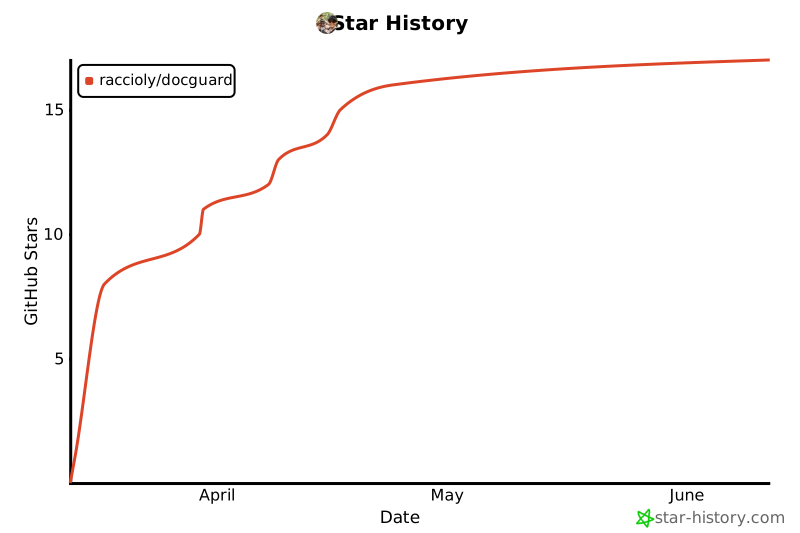
⭐ Star History
🔒 Privacy & Supply Chain
DocGuard is local-first: no telemetry, no analytics, no phone-home — the full (short) policy is in PRIVACY.md. npm releases are published with provenance attestation, so you can verify each tarball was built by GitHub Actions from this repository.
📄 License
MIT — Free to use, modify, and distribute.
Made with ❤️ by Ricardo Accioly
1 maintainer

Metadata
1 maintainer
Release files for docguard-cli 0.43.0
For a detailed explanation of source distributions (sdists) and built distributions (wheels), please see the package formats documentation.
Source distribution (sdist)
| File | Size | Uploaded | |
|---|---|---|---|
| docguard_cli-0.43.0.tar.gz | 4.3 MB | Details |
Built distribution (wheel)
| File | Interpreter | ABI | Platform | Reset |
|---|---|---|---|---|
| docguard_cli-0.43.0-py3-none-any.whl | Python 3 | none | any | Details |
Total release size: 4.3 MB
Release files / docguard_cli-0.43.0.tar.gz
| Download URL | docguard_cli-0.43.0.tar.gz |
|---|---|
| Size | 4.3 MB |
| Tags | Source |
|
SHA-256 checksum How to use checksums |
ab9927da223a8a40ce9682992d120be1f181ebc64d5ba4d7e0f2aaf6bb44faed
|
|
BLAKE2b-256 checksum How to use checksums |
3dce81f64e01f0b8040f237d438994e67cfc39bf6a196793d3a4db2a8b361f44
|
| Upload date | |
|
Uploaded using Trusted Publishing? What is trusted publishing? |
Yes |
| Uploaded via |
twine/7.0.0 CPython/3.13.14
|
Provenance
Provenance describes where a file came from. On PyPI, provenance is shared via attestations, which provide a verifiable record of the build or publishing details. View details, limitations and caveats.


PyPI Publish Attestation
PyPI verified that this artifact, at this checksum, originated from the publisher listed below.
Signed by GitHub Actions, verified by PyPI on Oct 1, 2026.
Transparency logRelease files / docguard_cli-0.43.0-py3-none-any.whl
| Download URL | docguard_cli-0.43.0-py3-none-any.whl |
|---|---|
| Size | 26.1 kB |
| Tags | Python 3 |
|
SHA-256 checksum How to use checksums |
faea189f25d50e69c36693bed1aeca50a00e9e4478e61193d86ce56b00237306
|
|
BLAKE2b-256 checksum How to use checksums |
1323a4f878cf514be429854f4d7646595ab9fb9215ab270e53538b63c0c42359
|
| Upload date | |
|
Uploaded using Trusted Publishing? What is trusted publishing? |
Yes |
| Uploaded via |
twine/7.0.0 CPython/3.13.14
|
Provenance
Provenance describes where a file came from. On PyPI, provenance is shared via attestations, which provide a verifiable record of the build or publishing details. View details, limitations and caveats.
PyPI Publish Attestation
PyPI verified that this artifact, at this checksum, originated from the publisher listed below.
Signed by GitHub Actions, verified by PyPI on Oct 1, 2026.
Transparency log













