
A console user interface for docker

Project description
Docker TUI
Yet another console user interface for docker, inspired by k9s, and based on Textual.
Features
Global Navigation
-
Quick search and navigation
Jump to any view or resource in the application using keyboard-based navigation. -
Type-to-select lists
All lists support incremental type-to-select (similar to file browsers), allowing quick navigation by typing an item’s name.
Containers
-
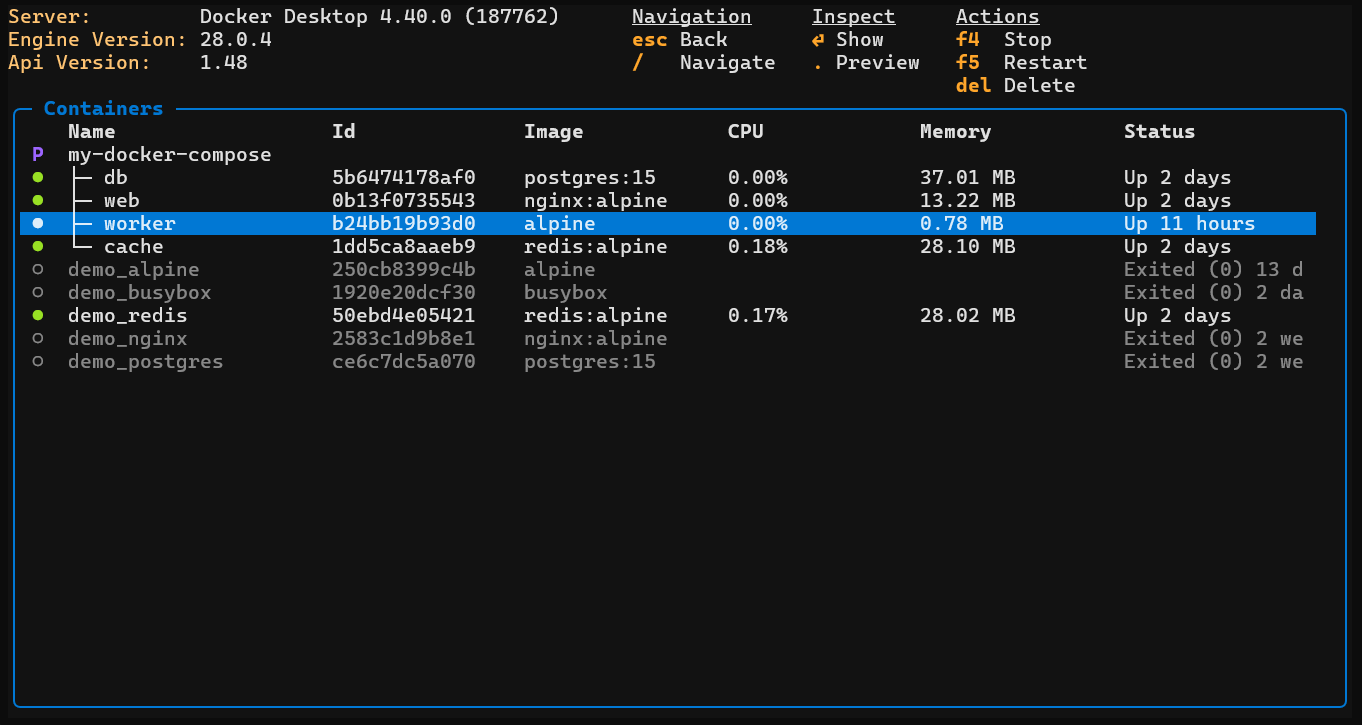
Container list view
Displays containers grouped by project, showing relevant information such as status, image, CPU usage, and memory usage. -
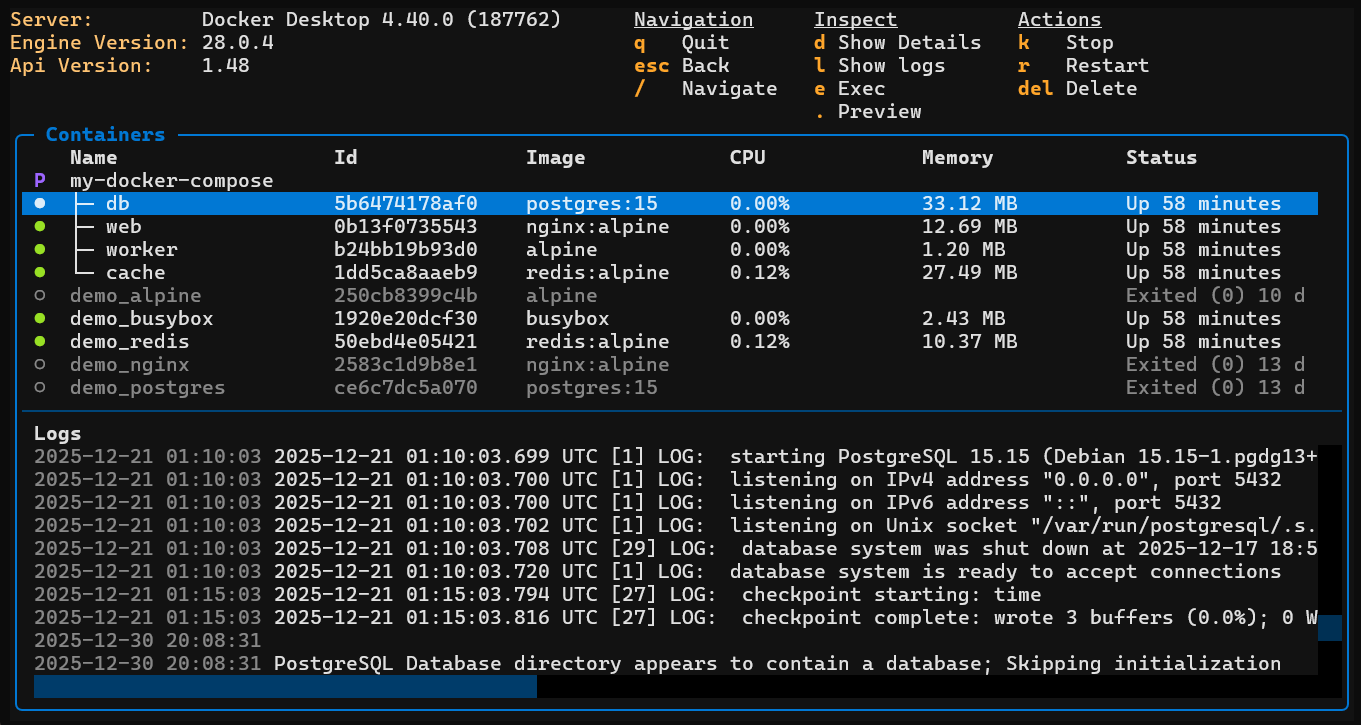
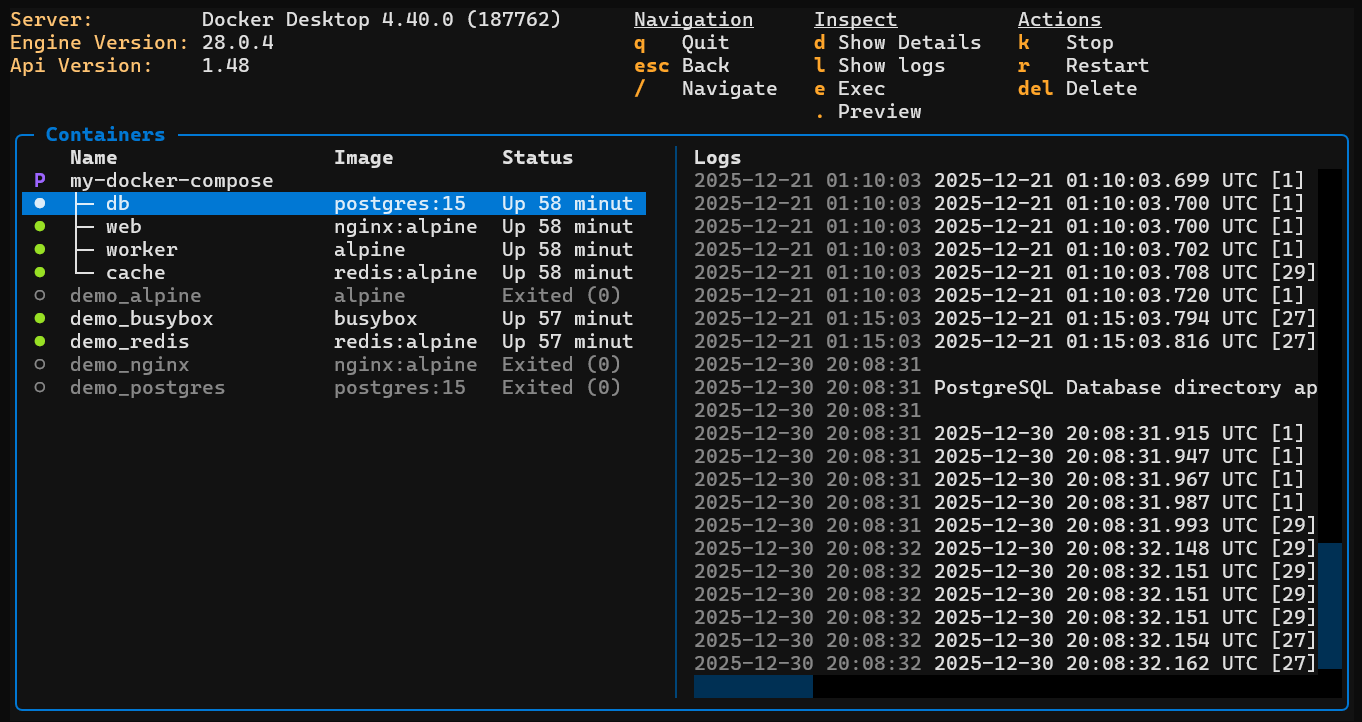
Container logs view
Displays logs at the project level, allowing multiple container logs to be viewed simultaneously. -
Container files view
Presents a filesystem view similar to ls, showing added, modified, and deleted files, with clear indication of mounted volumes. -
Container details and stats view
Combines container configuration details with runtime statistics, including CPU and memory usage. -
Execute commands (exec)
Run commands or open an interactive shell inside a running container. -
Lifecycle actions
Stop, restart, or delete containers directly from the interface.
Images
-
Image list view
Lists all local Docker images along with relevant metadata. -
Image deletion
Remove unused or unwanted images. -
Image pull wizard
Pull images using a guided, interactive workflow for selecting repositories and tags.
2-Steps to get it running
Install:
pip install docker-tui
Run:
dtui


Download files
Download the file for your platform. If you're not sure which to choose, learn more about installing packages.
Source Distribution
Built Distribution
Filter files by name, interpreter, ABI, and platform.
If you're not sure about the file name format, learn more about wheel file names.
Copy a direct link to the current filters
File details
Details for the file docker_tui-0.1.6.tar.gz.
File metadata
- Download URL: docker_tui-0.1.6.tar.gz
- Upload date:
- Size: 254.9 kB
- Tags: Source
- Uploaded using Trusted Publishing? No
- Uploaded via: twine/6.1.0 CPython/3.13.7
File hashes
| Algorithm | Hash digest | |
|---|---|---|
| SHA256 |
9b0cd4e90ec698bcf1ad0402f82dbfd8ceae10766b7b2f9bba325e80b4e46d6f
|
|
| MD5 |
35800b4f95fedfed1629addf57ad45d7
|
|
| BLAKE2b-256 |
b7be5eaf9b1515c1f4dc6a26d127ef078539421bd50ea3ffedd2702127f019b8
|
File details
Details for the file docker_tui-0.1.6-py3-none-any.whl.
File metadata
- Download URL: docker_tui-0.1.6-py3-none-any.whl
- Upload date:
- Size: 39.1 kB
- Tags: Python 3
- Uploaded using Trusted Publishing? No
- Uploaded via: twine/6.1.0 CPython/3.13.7
File hashes
| Algorithm | Hash digest | |
|---|---|---|
| SHA256 |
1ff125f0cd068bdb623c118b2e586e6b18a1592291cc085b41b0092964a0e2de
|
|
| MD5 |
b5b289e24c5680adb2519ee8ef747ab8
|
|
| BLAKE2b-256 |
2615e8e875ea93debc2dfd749b58d7c5d7d30ce6be568fcdc05cd0bd2869633d
|






