
Docker Manager CLI
Manage Docker interactively from the terminal. You can create and delete images, containers, networks and volumes. You can also create a yaml configuration file with which you can create one or more images, containers, networks and volumes.
Changelog
1.1.0
- Containers
- Improved log option
1.0.1
- Containers
- New refresh option
- New log option
- Images
- New refresh option
1.0.0 Initial version
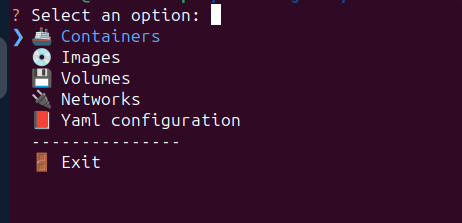
Main menu
From the main menu you can access Containers, Images, Volumes and Networks. You can also create all this from a yaml file.
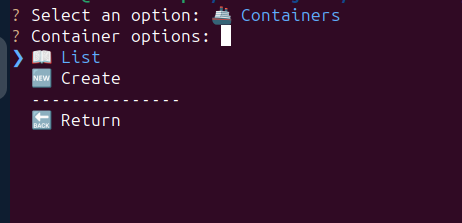
Containers
From the menu you will be able to list or create containers
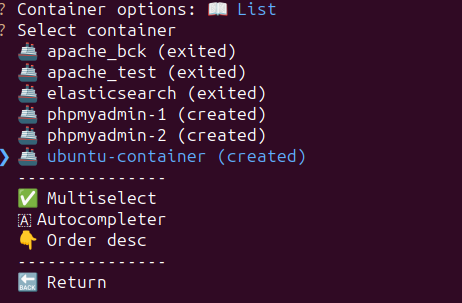
Containers list
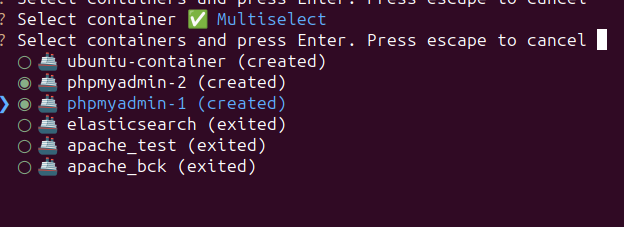
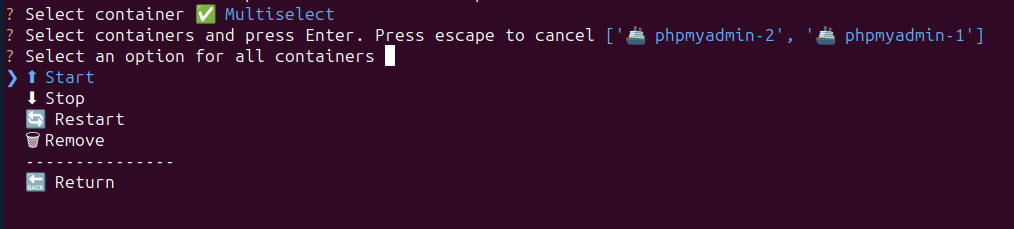
It will show all containers, and their status, in ascending order. The order can be changed in descending order. You can enable the auto-completion option, which will filter the containers as you type. Another option is to select multiple containers, for example, to delete them.
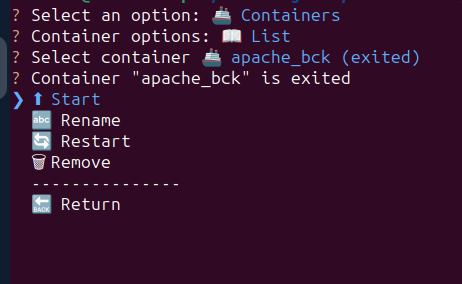
Container options:
Descending order:
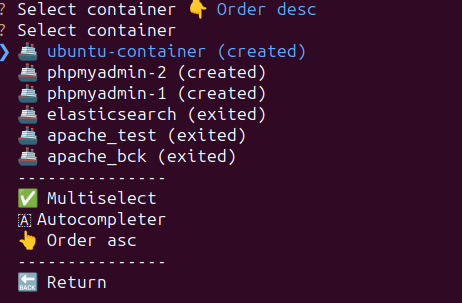
Autocomplete:

Multiselect:
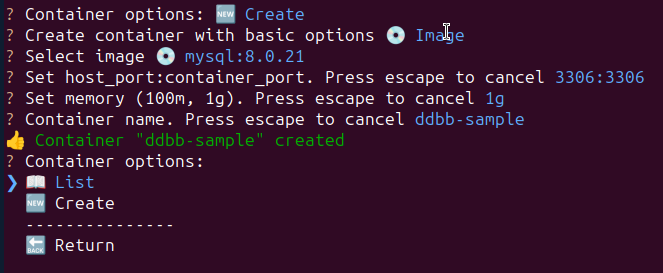
Container creation
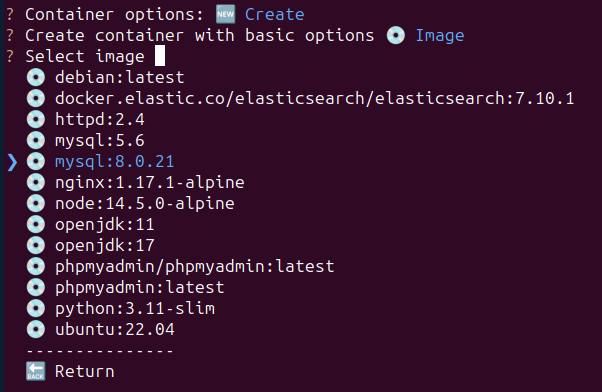
A container can be created from an existing image, or through a yaml file. First, select the image
Images
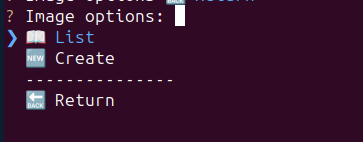
From the menu you will be able to list or create images
Images list
Like the containers, the list of images can be sorted in ascending and descending order, enable auto-completion and select multiple images
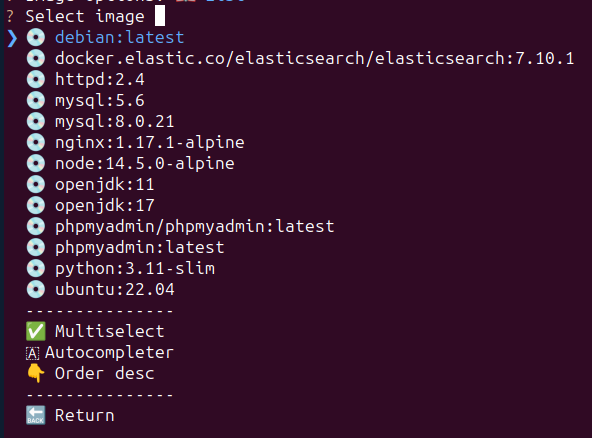
Image creation
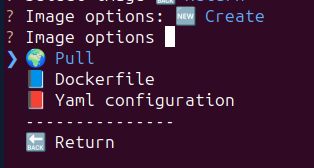
An image can be created by pull, Dockerfile or yaml file
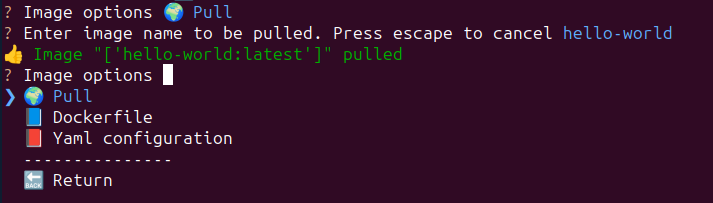
Pull
Pull the image
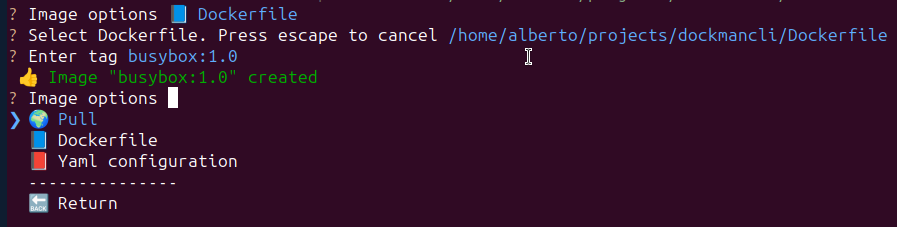
Dockerfile
Select a Dockerfile from your computer
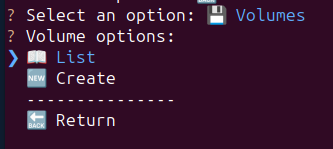
Volumes
From the menu you will be able to list or create volumes
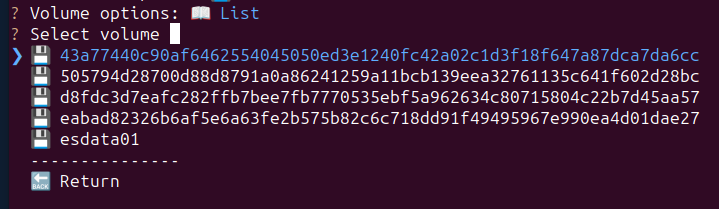
Volumes list
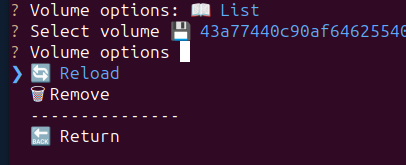
It will show the list of volumes
Volume options:
Volume creation
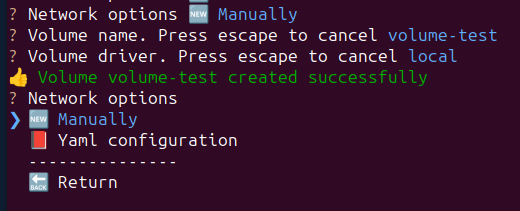
A volume can be created manually or yaml file
Manually
Enter name and driver to create the volume
Networks
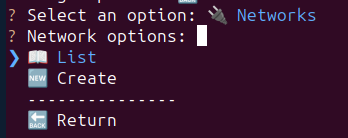
From the menu you will be able to list or create networks
Networks list
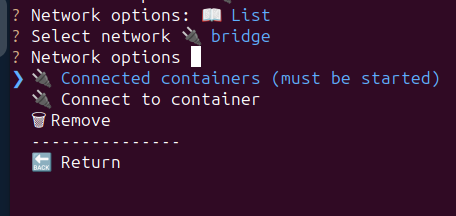
Networks can be sorted in ascending and descending order, enable auto-completion and select multiple networks
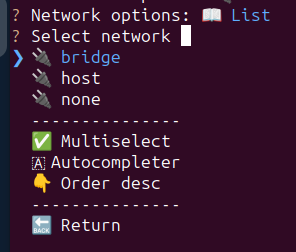
Network options:
Network creation
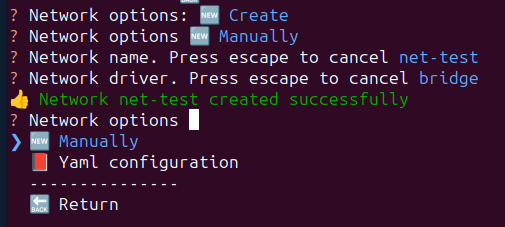
A network can be created manually or yaml file
Manually
Enter name and driver to create the network
Yaml
A yaml file can be used to create containers, images, networks and volumes from the main menu, or from each of the options (containers, images, networks and volumes). An example of a file is:
images:
  - image:
      path: /path/to/dockerfile/
      dockerfile: Dockerfile
      tag: image-test:1.0.0
      nocache: True
      forcerm: True
      pull: True

  - image:
      path: /path/to/another/dockerfile/
      dockerfile: Dockerfile-python
      tag: python-image-test:1.0.0
      nocache: True
      forcerm: True
      pull: True
#      container_limits:
#        memory: 1073741824

containers:
  - container:
      image: container-test:1.0.0
      name: image-test:1.0.0
      ports:
        # container:host
        80: 8080
      mem_limit: 100m
      network: net-test
      restart_policy:
        Name: always

networks:
  - network:
      name: net-test
      driver: bridge
  - network:
      name: net-test2
      driver: bridge
  - network:
      name: net-test3
      driver: bridge

volumes:
  - volume:
      name: volumeTest
      driver: local
urllib3 warning
If you receive a warning like this:
NotOpenSSLWarning: urllib3 v2 only supports OpenSSL 1.1.1+, currently the 'ssl' module is compiled with 'LibreSSL 2.8.3'. See: https://github.com/urllib3/urllib3/issues/3020
You should install OpenSSL 1.1.1 or higher. More info here
1 maintainer

Metadata
1 maintainer
Release files for dockmancli 1.1.0
For a detailed explanation of source distributions (sdists) and built distributions (wheels), please see the package formats documentation.
Source distribution (sdist)
| File | Size | Uploaded | |
|---|---|---|---|
| dockmancli-1.1.0.tar.gz | 27.6 kB | Details |
Built distribution (wheel)
| File | Interpreter | ABI | Platform | Reset |
|---|---|---|---|---|
| dockmancli-1.1.0-py3-none-any.whl | Python 3 | none | any | Details |
Total release size: 60.0 kB
Release files / dockmancli-1.1.0.tar.gz
| Download URL | dockmancli-1.1.0.tar.gz |
|---|---|
| Size | 27.6 kB |
| Tags | Source |
|
SHA-256 checksum How to use checksums |
83f18580e8999e7de030631b884d13a940146259be1a6cb1fc7c80f332d1984d
|
|
BLAKE2b-256 checksum How to use checksums |
2ba29b79f84a27550af41a428edb7c603566b133b41889df1fea00e408910a98
|
| Upload date | |
|
Uploaded using Trusted Publishing? What is trusted publishing? |
No |
| Uploaded via |
twine/5.1.0 CPython/3.9.19
|
Release files / dockmancli-1.1.0-py3-none-any.whl
| Download URL | dockmancli-1.1.0-py3-none-any.whl |
|---|---|
| Size | 32.4 kB |
| Tags | Python 3 |
|
SHA-256 checksum How to use checksums |
0553c33cc8321690f161cdb20e23df76834b782d43321ba0a40a6d475aeac337
|
|
BLAKE2b-256 checksum How to use checksums |
6725cb8b8eae87c5602a3b6163dd9c1a4ade0263d4f3194fbd6ffff4ece3d48d
|
| Upload date | |
|
Uploaded using Trusted Publishing? What is trusted publishing? |
No |
| Uploaded via |
twine/5.1.0 CPython/3.9.19
|














