
Onnx Text Recognition (OnnxTR) OCR plugin for docling

Project description
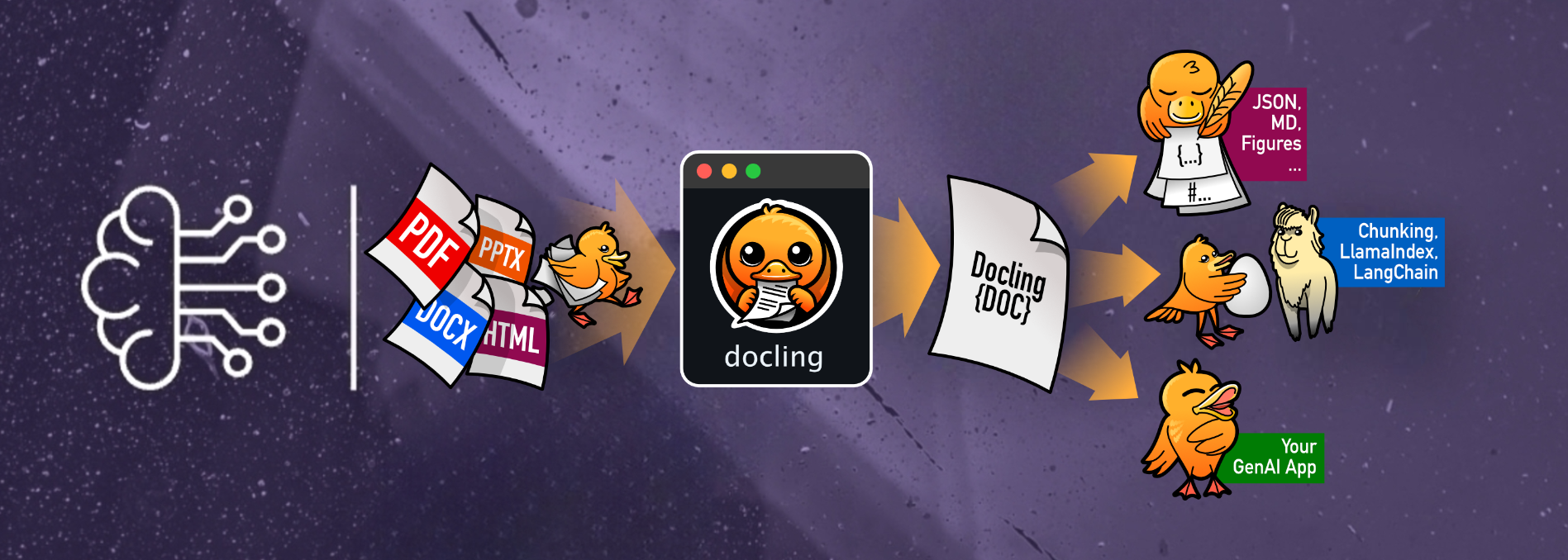







The docling-OCR-OnnxTR repository provides a plugin that integrates the OnnxTR OCR engine into the Docling framework, enhancing document processing capabilities with efficient and accurate text recognition.
Key Features:
-
Seamless Integration: Easily incorporate OnnxTR's OCR functionalities into your Docling workflows for improved document parsing and analysis.
-
Optimized Performance: Leverages OnnxTR's lightweight architecture to deliver faster inference times and reduced resource consumption compared to traditional OCR engines.
-
Flexible Deployment: Supports various hardware configurations, including CPU, GPU, and OpenVINO, allowing you to choose the best setup for your needs.
Installation:
To install the plugin, use one of the following commands based on your hardware:
For GPU support please take a look at: ONNX Runtime.
- Prerequisites: CUDA & cuDNN needs to be installed before Version table.
# For CPU
pip install "docling-ocr-onnxtr[cpu]"
# For Nvidia GPU
pip install "docling-ocr-onnxtr[gpu]"
# For Intel GPU / Integrated Graphics
pip install "docling-ocr-onnxtr[openvino]"

# Headless mode (no GUI)
# For CPU
pip install "docling-ocr-onnxtr[cpu-headless]"
# For Nvidia GPU
pip install "docling-ocr-onnxtr[gpu-headless]"
# For Intel GPU / Integrated Graphics
pip install "docling-ocr-onnxtr[openvino-headless]"
By integrating OnnxTR with Docling, users can achieve more efficient and accurate OCR results, enhancing the overall document processing experience.
Usage
from docling.datamodel.pipeline_options import PdfPipelineOptions
from docling.document_converter import (
    ConversionResult,
    DocumentConverter,
    InputFormat,
    PdfFormatOption,
)
from docling_ocr_onnxtr import OnnxtrOcrOptions


def main():
    # Source document to convert
    source = "https://arxiv.org/pdf/2408.09869v4"

    # Available detection & recognition models can be found at
    # https://github.com/felixdittrich92/OnnxTR

    # Or you choose a model from Hugging Face Hub
    # Collection: https://huggingface.co/collections/Felix92/onnxtr-66bf213a9f88f7346c90e842

    ocr_options = OnnxtrOcrOptions(
        # Text detection model
        det_arch="db_mobilenet_v3_large",
        # Text recognition model - from Hugging Face Hub
        reco_arch="Felix92/onnxtr-parseq-multilingual-v1",
        # This can be set to `True` to auto-correct the orientation of the pages
        auto_correct_orientation=False,
    )

    pipeline_options = PdfPipelineOptions(
        ocr_options=ocr_options,
    )
    pipeline_options.allow_external_plugins = True  # <-- enabled the external plugins

    # Convert the document
    converter = DocumentConverter(
        format_options={
            InputFormat.PDF: PdfFormatOption(
                pipeline_options=pipeline_options,
            ),
        },
    )

    conversion_result: ConversionResult = converter.convert(source=source)
    doc = conversion_result.document
    md = doc.export_to_markdown()
    print(md)


if __name__ == "__main__":
    main()
Configuration
The configuration of the OCR engine is done via the OnnxtrOcrOptions class. The following options are available:
lang: List of languages to use for OCR. Default is["en", "fr"].confidence_score: Word confidence threshold for the recognition model. Default is0.5.objectness_score: Detection model objectness score threshold. Default is0.3.det_arch: Detection model architecture. Default is"fast_base".reco_arch: Recognition model architecture. Default is"crnn_vgg16_bn".reco_bs: Batch size for the recognition model. Default is512.auto_correct_orientation: Whether to auto-correct the orientation of the pages. Default isFalse.preserve_aspect_ratio: Whether to preserve the aspect ratio of the images. Default isTrue.symmetric_pad: Whether to use symmetric padding. Default isTrue.paragraph_break: Paragraph break threshold. Default is0.035.load_in_8_bit: Whether to load the model in 8-bit. Default isFalse. (Not supported for Hugging Face loaded models yet)providers: List of providers to use for the Onnxruntime. Default isNonewhich means auto-select.session_options: Session options for the Onnxruntime. Default isNonewhich means default OnnxTR session options.
Available Hugging Face models can be found at Hugging Face.
Further information:
Please take a look at OnnxTR.
Contributing
Contributions are welcome!
Before opening a pull request, please ensure that your code passes the tests and adheres to the project's coding standards.
You can run the tests and checks using:
make style
make quality
make test
License
Distributed under the Apache 2.0 License. See LICENSE for more information.


Download files
Download the file for your platform. If you're not sure which to choose, learn more about installing packages.
Source Distribution
Built Distribution
Filter files by name, interpreter, ABI, and platform.
If you're not sure about the file name format, learn more about wheel file names.
Copy a direct link to the current filters
File details
Details for the file docling_ocr_onnxtr-0.1.3.tar.gz.
File metadata
- Download URL: docling_ocr_onnxtr-0.1.3.tar.gz
- Upload date:
- Size: 22.2 kB
- Tags: Source
- Uploaded using Trusted Publishing? No
- Uploaded via: twine/6.1.0 CPython/3.10.18
File hashes
| Algorithm | Hash digest | |
|---|---|---|
| SHA256 |
8bd28fe50ab7106657dbff5ec82024843d8513db9bdbe3b8fef523bb89ee1563
|
|
| MD5 |
90a50c95bd701e9b7a37c6962e16cf2b
|
|
| BLAKE2b-256 |
223fbb92343f968151f9a9ec0438b367ee421a3fed341b3454d662055018bb2d
|
File details
Details for the file docling_ocr_onnxtr-0.1.3-py3-none-any.whl.
File metadata
- Download URL: docling_ocr_onnxtr-0.1.3-py3-none-any.whl
- Upload date:
- Size: 17.5 kB
- Tags: Python 3
- Uploaded using Trusted Publishing? No
- Uploaded via: twine/6.1.0 CPython/3.10.18
File hashes
| Algorithm | Hash digest | |
|---|---|---|
| SHA256 |
907395823661b313f58fe2e1961e914954450abd948922c65656ec85298d5018
|
|
| MD5 |
1e04cce39e5aeb0fa8b326adaf202e1f
|
|
| BLAKE2b-256 |
f995fc26e13d85899a089f329e65ce923d110cc199e63a93a0ea7ebe1ae9f3cd
|






