
ParseDoc





Document → AI → Markdown. A local-first CLI that converts documents into clean, structured, AI-ready Markdown.
ParseDoc turns PDFs, Word docs, PowerPoint decks, HTML pages, plain text, and images into well-structured Markdown. Libraries extract the raw facts, an optional AI model understands the structure, and a deterministic renderer produces the final output. It works fully offline (local rule-based structuring) and can optionally use an AI provider for smarter structuring.
Demo
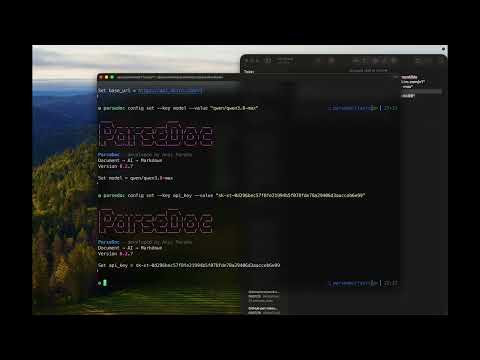
Watch the demo on YouTube: https://youtu.be/Cz8ORg6Fs1Y
Screenshots


Features
- Local-first: conversion works with no AI provider configured (deterministic fallback).
- Multi-format input: PDF, DOCX, PPTX, HTML, TXT/MD, and images (PNG/JPG) via OCR.
- AI structuring (optional):
local,ai, orhybridmodes. - Pluggable AI providers: OpenAI-compatible (vLLM/LM Studio/OpenRouter), OpenAI, Google Gemini, Ollama (native), and LM Studio.
- Document fidelity: preserves headings, bold/italic/underline, hyperlinks, nested lists, and keeps tables in their original position.
- Image extraction:
parsedoc imagepulls embedded images from a DOCX or PDF into a folder in your working directory (or a path you choose). - OCR: Tesseract-backed text extraction for scanned PDFs and images.
- Multiple output formats:
markdown(default),json,html,text.
Installation
pip install docpilot-ai
The PyPI package is named
docpilot-ai; the import name and CLI command are bothparsedoc.
Full setup, configuration, and provider instructions are in setup.md.
Quick start
# Convert a single document
parsedoc convert input.docx -o output.md --mode hybrid

# Convert a whole folder (creates ./batch_out in the current directory)
parsedoc batch . -p "*.docx"

# Inspect a document's structure
parsedoc inspect input.pdf --format summary

# Extract all images embedded in a DOCX or PDF into <filename>_assets/ (in the cwd)
parsedoc image input.docx
parsedoc image input.pdf

# Extract images into a specific folder
parsedoc image input.docx -o ./my_images

# Show configuration
parsedoc config list

# Reset to fully local mode (disables AI - useful when your API key expires)
parsedoc reset

# Banner + version
parsedoc version
Modes
| Mode | Behavior |
|---|---|
local |
Pure rule-based structuring. No network calls. Fast and private. |
ai |
Structures content using the configured AI provider. |
hybrid |
Uses AI when available, falls back to local structuring on failure. |
Supported input formats
| Format | Extensions |
|---|---|
.pdf |
|
| Word | .docx |
| PowerPoint | .pptx |
| HTML | .html, .htm |
| Text / Markdown | .txt, .md, .markdown |
| Images | .png, .jpg, .jpeg (OCR) |
Configuring your API
ParseDoc supports several AI providers. Configure via parsedoc config, environment variables, or the TOML file. Examples:
# OpenAI-compatible (e.g. xkiro)
parsedoc config set --key ai_provider --value openai-compatible
parsedoc config set --key base_url --value "https://api.xkiro.com/v1"
parsedoc config set --key model --value "stealth/ox-alpha-free"
parsedoc config set --key api_key --value "sk-xt-..."

# LM Studio (local, defaults to http://localhost:1234/v1)
parsedoc config set --key ai_provider --value lm-studio
parsedoc config set --key model --value local-model

# Ollama (local)
parsedoc config set --key ai_provider --value ollama
parsedoc config set --key model --value qwen3
See setup.md for the complete list of providers (openai-compatible, openai, gemini, ollama, lm-studio), all config keys, environment-variable overrides, and troubleshooting.
Using ParseDoc as a library
from parsedoc.core.config import Config
from parsedoc.core.pipeline import Pipeline

config = Config().load_from_file()
pipeline = Pipeline(config)

markdown = pipeline.process(
    "report.docx",
    output_format="markdown",
    mode="hybrid",
    extract_images=True,
    output_path="report.md",
)
Contributing
Contributions are welcome! See CONTRIBUTING.md for the development setup, how to add new parsers/AI providers, and the roadmap for future integrations such as the MCP SDK (exposing ParseDoc as a tool for LLM agents).
License
MIT — see LICENSE.
1 maintainer

Download files
Download the file for your platform. If you're not sure which to choose, learn more about installing packages.
Source Distribution
Built Distribution
Filter files by name, interpreter, ABI, and platform.
If you're not sure about the file name format, learn more about wheel file names.
Copy a direct link to the current filters
File details
Details for the file docpilot_ai-0.2.12.tar.gz.
File metadata
- Download URL: docpilot_ai-0.2.12.tar.gz
- Upload date:
- Size: 5.4 MB
- Tags: Source
- Uploaded using Trusted Publishing? No
- Uploaded via:
twine/7.0.0 CPython/3.10.0
File hashes
| Algorithm | Hash digest | |
|---|---|---|
| SHA256 |
ab6ec1c90c9f2bc8e41185f61e504328f986a4d9e354f37774366d0bc70fd8f9
|
|
| MD5 |
553d3be7dd620f42bd716d3b77ae6702
|
|
| BLAKE2b-256 |
d696bdb5f3495596b5340e4b8e3f8aff341c36e71f9662f7b6ffdc461fa6a514
|
File details
Details for the file docpilot_ai-0.2.12-py3-none-any.whl.
File metadata
- Download URL: docpilot_ai-0.2.12-py3-none-any.whl
- Upload date:
- Size: 5.4 MB
- Tags: Python 3
- Uploaded using Trusted Publishing? No
- Uploaded via:
twine/7.0.0 CPython/3.10.0
File hashes
| Algorithm | Hash digest | |
|---|---|---|
| SHA256 |
ba2c5cdc6a9b1a6726a32f2ea4484ca52699f06a0fddbc2903ed66b4cf73ddba
|
|
| MD5 |
4bff324c3e79ae9c102a852a92f05183
|
|
| BLAKE2b-256 |
affef7bcf26c7c3fc417fc292272571728451424df6392edb8755063dd07d463
|







