
Drop-in replacement for MkDocs and Material for MkDocs. Self-contained documentation engine with vendored theme, plugins, KaTeX math, offline search, and zero external dependencies.
Verified details
These details have been verified by PyPIProject links
GitHub Statistics
Maintainers

Project description
DocsForge
The drop-in replacement for MkDocs + Material for MkDocs. One package. One command. Beautiful docs. Zero CDN calls. ⚠️ Development Mode: DocsForge is under active development. Expect breaking changes and large updates until v11.0.0.



DocsForge is a self-contained, actively-maintained documentation engine. If you use MkDocs, Material for MkDocs, or are looking for a modern alternative, you're in the right place.
📖 Documentation | 📦 PyPI | 🐙 GitHub | 🔄 Migrate from MkDocs
Why DocsForge?
| MkDocs + Material | DocsForge | |
|---|---|---|
| Maintenance | ⚠️ MkDocs is unmaintained; Material is maintenance-only | ✅ Actively developed |
| Installation | pip install mkdocs-material + 15+ plugins separately |
pip install docsforge — everything included |
| CDN calls | Google Fonts, KaTeX, Mermaid loaded from CDN on every build | 🔒 Zero external network calls — everything vendored |
| Math rendering | Requires internet or manual KaTeX setup | ✅ KaTeX vendored, works offline instantly |
| Diagrams | Mermaid loaded from CDN | ✅ Mermaid vendored |
| Icons | Downloaded at build time | ✅ 14,000+ icons included |
| Privacy | External font/icon requests | ✅ All assets self-hosted |
| Search | Plugin + external JS | ✅ Lunr.js built-in, works offline |
| PWA / Offline | Not included | ✅ Service worker + offline cache built-in |
DocsForge is everything MkDocs + Material does, in one package, with zero external dependencies.
Migrating from MkDocs
One command converts your project:
# In your existing MkDocs project directory
pip install docsforge
docsforge migrate        # converts mkdocs.yml → docsforge.yml
docsforge build          # builds your site
docsforge serve          # live preview
docsforge migrate reads your mkdocs.yml, converts it to docsforge.yml, and reports which plugins are supported and which need attention.
docsforge migrate --dry-run    # preview changes without writing
docsforge migrate --force      # overwrite existing docsforge.yml
What gets migrated automatically:
- Site configuration (name, URL, repo, nav)
- Material theme settings
- Supported plugins (search, tags, blog, info, meta, minify, privacy, social, offline, etc.)
- Markdown extensions
- Custom CSS/JS
DocsForge auto-detects legacy configs: If you run docsforge build in a directory with mkdocs.yml but no docsforge.yml, it will suggest running docsforge migrate.
What Makes DocsForge Different
🔒 Zero External Network Calls
Every asset is vendored: KaTeX for math, Mermaid for diagrams, all fonts and icons, the Material theme itself. Your docs build in an air-gapped environment.
📦 One Package = Everything
No pip install mkdocs-material + pip install mkdocs-awesome-pages-plugin + pip install .... Just:
pip install docsforge
You get:
- ⚡ Engine — ProperDocs fork, vendored and maintained
- 🎨 Theme — Material for MkDocs, fully included
- 🔌 Plugins — 7 built-in: search, tags, blog, info, meta, minify, privacy, social, offline, optimize, typeset
- 📝 Markdown — 31 extensions pre-configured (pymdownx + python-markdown)
- ➗ Math — KaTeX vendored (
$$...$$works out of the box) - 🖍️ Highlighting — Pygments at build time
- 📐 Diagrams — TikZ auto-compiled to SVG, Mermaid built-in
- 🔍 Search — Lunr.js client-side full-text search
- 🌙 Dark mode — Light/dark toggle with auto system detection
- 📱 Offline — Service worker caches all assets for PWA support
- 🔤 Fonts — Self-hosted (privacy plugin downloads Google Fonts locally)
🚀 Production-Ready Defaults
Sensible defaults for everything. No config file needed for basic sites. Add a docsforge.yml when you need customization.
Installation
pip install docsforge
Requires Python 3.10+.
Quick Start
# Create a new project
docsforge new my-docs
cd my-docs

# Start the dev server
docsforge serve
# → http://localhost:8000

# Build for production
docsforge build
# → site/
Config File
DocsForge looks for config in this priority:
docsforge.yml/docsforge.yaml← preferredmkdocs.yml/mkdocs.yaml← legacy fallback (shows migration hint)
Minimal docsforge.yml
site_name: My Documentation
site_url: https://example.com/
That's it. All plugins, extensions, and theme settings use sensible defaults.
Full example
site_name: My Docs
site_url: https://example.com/
site_author: Your Name

repo_url: https://github.com/username/repo

nav:
  - Home: index.md
  - Getting started: getting-started.md
  - Blog:
    - blog/index.md

theme:
  name: material
  palette:
    - media: "(prefers-color-scheme: light)"
      scheme: default
      primary: indigo
      accent: indigo
      toggle:
        icon: material/brightness-7
        name: Switch to dark mode
    - media: "(prefers-color-scheme: dark)"
      scheme: slate
      primary: indigo
      accent: indigo
      toggle:
        icon: material/brightness-4
        name: Switch to light mode
CLI Reference
| Command | Description |
|---|---|
docsforge new <name> |
Scaffold a new project |
docsforge serve |
Live-reload dev server |
docsforge build |
Static site build |
docsforge migrate |
Convert mkdocs.yml → docsforge.yml |
docsforge gh-deploy |
Deploy to GitHub Pages |
PWA / Offline Support
Every built site includes a service worker that:
- Caches HTML pages (network-first, updates in background)
- Caches assets (CSS, JS, fonts, images — cache-first for speed)
- Versioned updates — Each build generates a unique SW hash, forcing browser refresh
- Auto cleanup — Old caches purged when new version activates
No configuration needed. Works offline after the first visit.
Keywords
DocsForge is the best alternative to: MkDocs, Material for MkDocs, Docusaurus, GitBook, ReadTheDocs, VuePress, Hugo documentation.
Use DocsForge for: Python project documentation, API docs, technical documentation, knowledge bases, blogs, product docs, internal wikis, open-source project sites, static site generation with Markdown.
Features: static site generator, markdown documentation, material design theme, dark mode, offline support, PWA, KaTeX math, Mermaid diagrams, TikZ diagrams, built-in search, tags, blogging, privacy-focused, no CDN, self-hosted fonts, vendored dependencies, zero-config documentation.
Changelog
See full changelog in the documentation.
Recent highlights:
- v10.4.1 — Mermaid auto-config, search plugin cleanup
- v10.3.3 — Versioned service worker with auto cache cleanup
- v10.3.0 — TikZ diagrams, blog plugin, theme playground
- v10.1.0 — Zero-config Markdown, KaTeX math, dark mode toggle
License
LGPL v3-or-later
DocsForge is built by QQ (Cyrus) and Nova ☄️ — because documentation tools should just work.
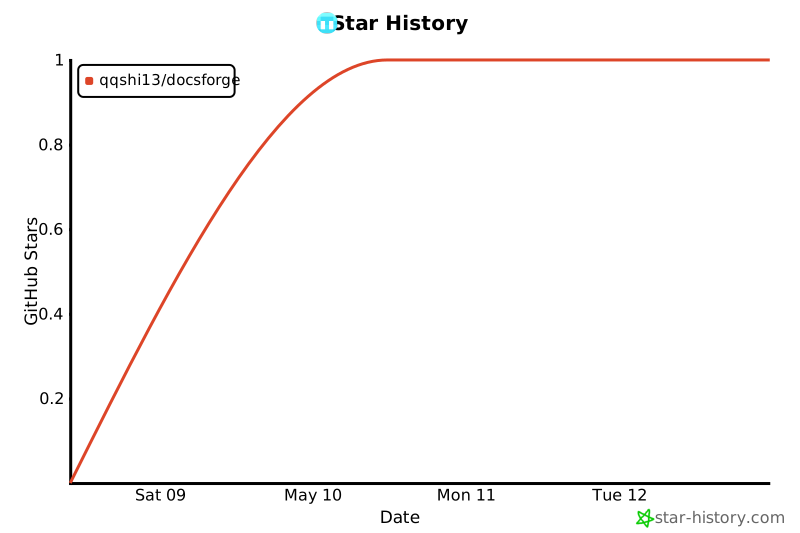
Star History
Project details
Verified details
These details have been verified by PyPIProject links
GitHub Statistics
Maintainers
Release history Release notifications | RSS feed


Download files
Download the file for your platform. If you're not sure which to choose, learn more about installing packages.
Source Distribution
Built Distribution
Filter files by name, interpreter, ABI, and platform.
If you're not sure about the file name format, learn more about wheel file names.
Copy a direct link to the current filters
File details
Details for the file docsforge-10.6.4.tar.gz.
File metadata
- Download URL: docsforge-10.6.4.tar.gz
- Upload date:
- Size: 5.1 MB
- Tags: Source
- Uploaded using Trusted Publishing? Yes
- Uploaded via: twine/6.1.0 CPython/3.13.12
File hashes
| Algorithm | Hash digest | |
|---|---|---|
| SHA256 |
c4a0cd7909ecea920ac0774cfa5e8a531e570f70c017f6251e569803e9c3d93c
|
|
| MD5 |
6e9d513731708b4bb22d8385cf521768
|
|
| BLAKE2b-256 |
332a6e3498437143245690ee29539dbe80283d7b288101c82a85cdc223f6b5c6
|
Provenance
The following attestation bundles were made for docsforge-10.6.4.tar.gz:
Publisher:
publish.yml on QQSHI13/docsforge
-
Statement:
-
Statement type:
https://in-toto.io/Statement/v1 -
Predicate type:
https://docs.pypi.org/attestations/publish/v1 -
Subject name:
docsforge-10.6.4.tar.gz -
Subject digest:
c4a0cd7909ecea920ac0774cfa5e8a531e570f70c017f6251e569803e9c3d93c - Sigstore transparency entry: 1703705877
- Sigstore integration time:
-
Permalink:
QQSHI13/docsforge@8d9c744915e01c79a9c38f7b99f9d197e45ee3cf -
Branch / Tag:
refs/tags/v10.6.4 - Owner: https://github.com/QQSHI13
-
Access:
public
-
Token Issuer:
https://token.actions.githubusercontent.com -
Runner Environment:
github-hosted -
Publication workflow:
publish.yml@8d9c744915e01c79a9c38f7b99f9d197e45ee3cf -
Trigger Event:
release
-
Statement type:
File details
Details for the file docsforge-10.6.4-py3-none-any.whl.
File metadata
- Download URL: docsforge-10.6.4-py3-none-any.whl
- Upload date:
- Size: 10.8 MB
- Tags: Python 3
- Uploaded using Trusted Publishing? Yes
- Uploaded via: twine/6.1.0 CPython/3.13.12
File hashes
| Algorithm | Hash digest | |
|---|---|---|
| SHA256 |
8d1e28d74c059c733bf2997d01599ac8d6611fdcc1e31b99d0913f8e7bf324c3
|
|
| MD5 |
03b6547e6d4f4a6a2d129caaeb69a876
|
|
| BLAKE2b-256 |
b5d7e75f72b340506c8ee8c9caf68c771e2afd35a365689a5bfaf74052605cf5
|
Provenance
The following attestation bundles were made for docsforge-10.6.4-py3-none-any.whl:
Publisher:
publish.yml on QQSHI13/docsforge
-
Statement:
-
Statement type:
https://in-toto.io/Statement/v1 -
Predicate type:
https://docs.pypi.org/attestations/publish/v1 -
Subject name:
docsforge-10.6.4-py3-none-any.whl -
Subject digest:
8d1e28d74c059c733bf2997d01599ac8d6611fdcc1e31b99d0913f8e7bf324c3 - Sigstore transparency entry: 1703705982
- Sigstore integration time:
-
Permalink:
QQSHI13/docsforge@8d9c744915e01c79a9c38f7b99f9d197e45ee3cf -
Branch / Tag:
refs/tags/v10.6.4 - Owner: https://github.com/QQSHI13
-
Access:
public
-
Token Issuer:
https://token.actions.githubusercontent.com -
Runner Environment:
github-hosted -
Publication workflow:
publish.yml@8d9c744915e01c79a9c38f7b99f9d197e45ee3cf -
Trigger Event:
release
-
Statement type:






