
🧾 docu-lite 
⚡ Ultra-light Zero-dependency HTML outline generator for Python.
- 📖 Browse classes and functions with collapsible docstrings in a tidy, readable format
- 📘 Specify your own stylesheet(s) or rely on the default (will be generated on run)
- 🎈 No dependencies, short script
- ⚙️ Integrate into your GitHub Workflow to have automatically up-to-date outline(s) in your repo
- 🛠️ Includes a text list of classes and functions useful for creating a delta view of API changes (e.g. using GitHub's compare)
- 👀 Example live output:
- 👀 Example live output (documentation mode):
Screenshots
| User-facing | Browsable outline | Text file (e.g. for API delta) |
|---|---|---|
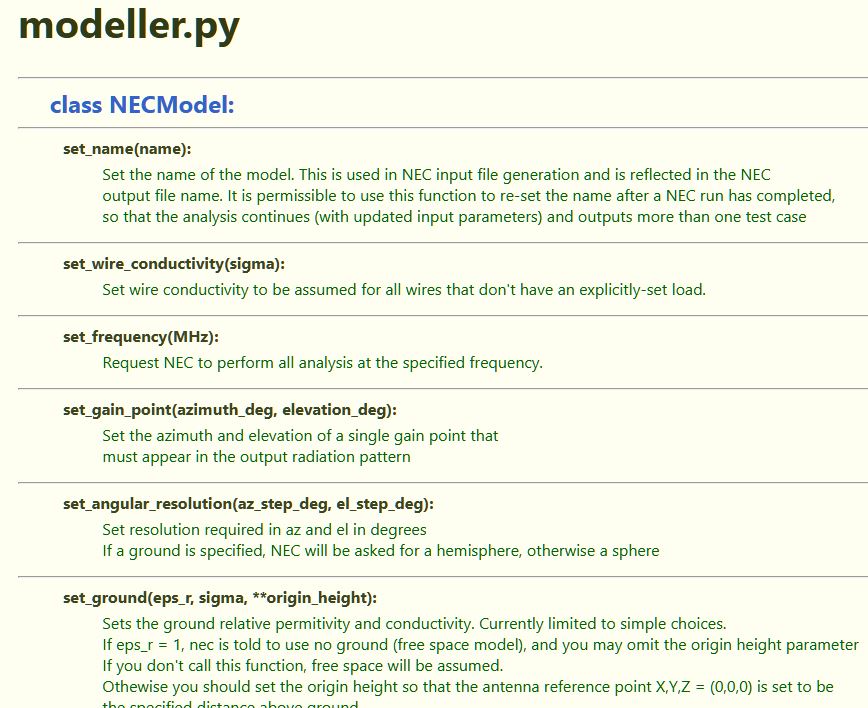 |
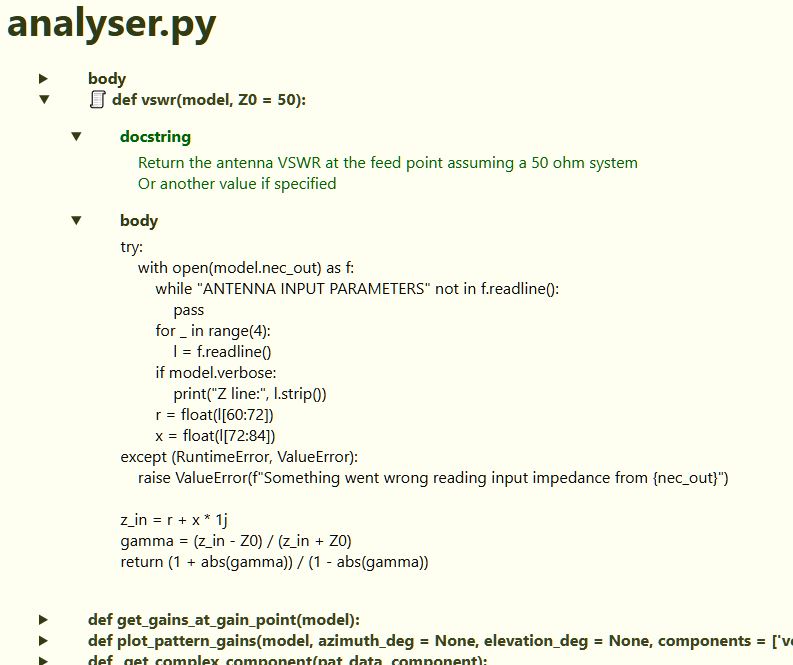 |
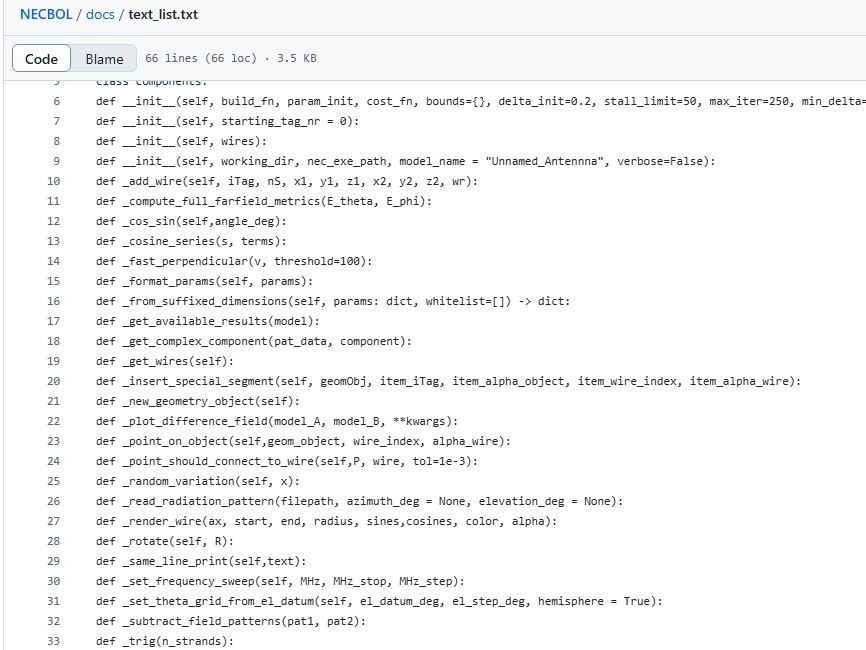 |
🛠 Installation
Install using pip: open a command window and type
pip install docu-lite
💡 Usage
Either edit and run docu-lite.py in an IDE, or run from the command line:
docu-lite                         # uses or creates docu-lite.ini
docu-lite --config alt.ini        # uses alt.ini, errors if missing
Docu-lite will create a docu-lite.ini file if one doesn't exist.
⚙️ Edit the docu-lite.ini file to control how docu-lite runs:
- pattern specifies where to look for input
- html specifies the name of the output html file
- css specifies the name of the input style sheet, which will be referenced from the output html file
- text_file specifies the name of the text results file (text_file =) prevents text file creation
- documentation_mode produces a less detailed output styled for use as or editing into documentation.
- ignores code blocks starting with _ (e.g. def _name)
- hides 'self' in function argument lists
- provides inner content only for docstrings, not code
- style sheet dedicated to this mode can be specified in the ini file
- ignore_docstrings_with can be followed by = word to ignore docstrings containing the word (e.g. License, useful to stop license blocks appearing in the output)
📝 If the specified css file is not found, docu-lite will generate one and reference it in the html
⚠️ Known Issues
- Doesn't cleanly handle all variations of docstring layout. In particular, the single line docstring causes the body below the docstring to appear below it.
- Doesn't cleanly handle function definitions that span several lines (only first line is shown)
1 maintainer

Metadata
1 maintainer
Release files for docu-lite 1.5.1
For a detailed explanation of source distributions (sdists) and built distributions (wheels), please see the package formats documentation.
Source distribution (sdist)
| File | Size | Uploaded | Provenance | Actions |
|---|---|---|---|---|
| docu_lite-1.5.1.tar.gz | 7.8 kB | Without provenance | Details for docu_lite-1.5.1.tar.gz |
Built distribution (wheel)
| File | Interpreter | ABI | Platform | Actions Reset |
|---|---|---|---|---|
| docu_lite-1.5.1-py3-none-any.whl | Python 3 | none | any | Details for docu_lite-1.5.1-py3-none-any.whl |
Total release size: 15.9 kB
Release files / docu_lite-1.5.1.tar.gz
| Download URL | docu_lite-1.5.1.tar.gz |
|---|---|
| Size | 7.8 kB |
| Tags | Source |
|
SHA-256 checksum How to use checksums |
a846ae30513a470667abc5762beaefbbfd9f479a149f0f3c0823c3ba31905efd
|
|
BLAKE2b-256 checksum How to use checksums |
20146f410af76cd2d3fe1bc5ebbb98bab2b5c43c65d5e484fae8d52f63a72acd
|
| Upload date | |
|
Uploaded using Trusted Publishing? What is trusted publishing? |
No |
| Uploaded via |
twine/6.1.0 CPython/3.12.2
|
Release files / docu_lite-1.5.1-py3-none-any.whl
| Download URL | docu_lite-1.5.1-py3-none-any.whl |
|---|---|
| Size | 8.1 kB |
| Tags | Python 3 |
|
SHA-256 checksum How to use checksums |
180643d9b4d539f0505c8d48b4ba1c36d12a3c38c50da1a6bb7f0f59e3894fa6
|
|
BLAKE2b-256 checksum How to use checksums |
1982bf64b4dd965da28636c140a35f9b658e161503da76922ef3e73e1bb616b2
|
| Upload date | |
|
Uploaded using Trusted Publishing? What is trusted publishing? |
No |
| Uploaded via |
twine/6.1.0 CPython/3.12.2
|
Security for docu-lite 1.5.1
Provenance
Provenance describes where a file came from. On PyPI, provenance is shared via attestations, which provide a verifiable record of the build or publishing details. View details, limitations and caveats.
No provenance found
None of the files in this release were uploaded with provenance metadata.
A note on package security
PyPI is a repository for distributing packages, not a service for auditing them. While third-party security researchers and our staff do their best to detect and remove malicious packages, PyPI cannot guarantee the quality, security or suitability of any given package.
To learn more about protecting yourself from malicious actors, visit our package security documentation.














