
title: Scientific Document Insights Q/A emoji: 📝 colorFrom: yellow colorTo: pink sdk: streamlit sdk_version: 1.37.1 app_file: streamlit_app.py pinned: false license: apache-2.0 app_port: 8501
DocumentIQA: Scientific Document Insights Q/A
Work in progress :construction_worker:
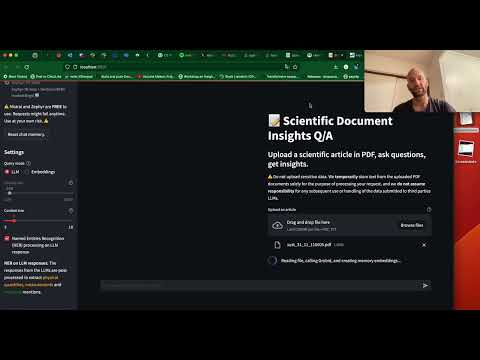
https://lfoppiano-document-qa.hf.space/
NOTE: The LLM API is kindly provided by Modal.com which offers 30$/month for computing. When these are done, the app will stop answering. 😅
Introduction
Question/Answering on scientific documents using LLMs. The tool can be customized to use different types of LLM APIs. The streamlit application demonstrates the implementation of a RAG (Retrieval Augmented Generation) on scientific documents. Different from most of the projects, we focus on scientific articles and extract text from a structured document. We target only the full text using Grobid which provides cleaner results than the raw PDF2Text converter (which is comparable with most of the other solutions).
Additionally, this frontend provides the visualisation of named entities on LLM responses to extract physical quantities, measurements (with grobid-quantities) and materials mentions (with grobid-superconductors).
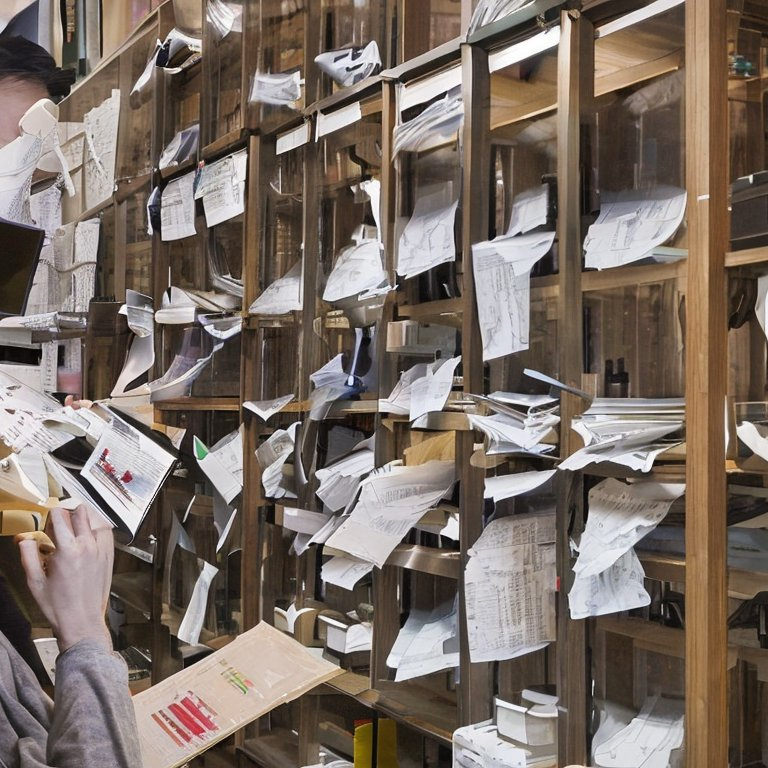
(The image on the right was generated with https://huggingface.co/spaces/stabilityai/stable-diffusion)
Getting started
- Upload a scientific article as a PDF document. You will see a spinner or loading indicator while the processing is in progress.
- Once the spinner disappears, you can proceed to ask your questions

Documentation
For full technical documentation of the document-qa-engine library docs/README.md.
To deploy the LLM and embedding endpoints on Modal.com, see document_qa/deployment/README.md.
Embedding selection
In the latest version, there is the possibility to select both embedding functions and LLMs. There are some limitations, OpenAI embeddings cannot be used with open source models, and vice-versa.
Context size
Allow to change the number of blocks from the original document that are considered for responding. The default size of each block is 250 tokens (which can be changed before uploading the first document). With default settings, each question uses around 1000 tokens.
NOTE: if the chat answers something like "the information is not provided in the given context", changing the context size will likely help.
Chunks size
When uploaded, each document is split into blocks of a determined size (250 tokens by default). This setting allows users to modify the size of such blocks. Smaller blocks will result in a smaller context, yielding more precise sections of the document. Larger blocks will result in a larger context less constrained around the question.
Query mode
Indicates whether sending a question to the LLM (Language Model) or the vector storage.
- LLM (default) enables question/answering related to the document content.
- Embeddings: the response will consist of the raw text from the document related to the question (based on the embeddings). This mode helps to test why sometimes the answers are not satisfying or incomplete.
- Question coefficient (experimental): provide a coefficient that indicates how the question has been far or closed to the retrieved context
NER (Named Entities Recognition)
This feature is specifically crafted for people working with scientific documents in materials science. It enables to run NER on the response from the LLM, to identify materials mentions and properties (quantities, measurements). This feature leverages both grobid-quantities and grobid-superconductors external services.
Troubleshooting
Error: streamlit: Your system has an unsupported version of sqlite3. Chroma requires sqlite3 >= 3.35.0.
Here is the solution on Linux.
For more information, see the details on the Chroma website.
Disclaimer on Data, Security, and Privacy ⚠️
Please read carefully:
- Avoid uploading sensitive data. We temporarily store text from the uploaded PDF documents only for processing your request, and we disclaim any responsibility for subsequent use or handling of the submitted data by third-party LLMs.
- The public demo serves open models (Phi-4-mini-instruct, Qwen3) self-hosted on Modal.com under a limited monthly compute budget, so there is no guarantee that all requests will go through. Use at your own risk.
- We do not assume responsibility for how the data is utilized by the LLM end-points API.
Development notes
To release a new version:
bump-my-version bump patchgit push --tags
To use docker:
-
docker run
lfoppiano/document-insights-qa:{latest_version} -
docker run
lfoppiano/document-insights-qa:latest-developfor the latest development version
To install the library with Pypi:
pip install document-qa-engine
Acknowledgement
The project was initiated at the National Institute for Materials Science (NIMS) in Japan. Currently, the development is possible thanks to ScienciLAB. This project was contributed by Guillaume Lambard and the Lambard-ML-Team, Pedro Ortiz Suarez, and Tomoya Mato. Thanks also to Patrice Lopez, the author of Grobid.
1 maintainer

Metadata
1 maintainer
Release files for document-qa-engine 0.6.0
For a detailed explanation of source distributions (sdists) and built distributions (wheels), please see the package formats documentation.
Source distribution (sdist)
| File | Size | Uploaded | |
|---|---|---|---|
| document_qa_engine-0.6.0.tar.gz | 561.3 kB | Details |
Built distribution (wheel)
| File | Interpreter | ABI | Platform | Reset |
|---|---|---|---|---|
| document_qa_engine-0.6.0-py3-none-any.whl | Python 3 | none | any | Details |
Total release size: 601.3 kB
Release files / document_qa_engine-0.6.0.tar.gz
| Download URL | document_qa_engine-0.6.0.tar.gz |
|---|---|
| Size | 561.3 kB |
| Tags | Source |
|
SHA-256 checksum How to use checksums |
3d4a6223a9ca0fb82fd809af3fb82f7fdee3f4450a7ecafe8303401edf41863c
|
|
BLAKE2b-256 checksum How to use checksums |
04b4887dc0557879e4c938a89b5a0dfe775aee31c4a5363d22edccbe64411211
|
| Upload date | |
|
Uploaded using Trusted Publishing? What is trusted publishing? |
No |
| Uploaded via |
twine/6.2.0 CPython/3.12.3
|
Release files / document_qa_engine-0.6.0-py3-none-any.whl
| Download URL | document_qa_engine-0.6.0-py3-none-any.whl |
|---|---|
| Size | 40.1 kB |
| Tags | Python 3 |
|
SHA-256 checksum How to use checksums |
40271195be66a2a299be05ddd751976f7533284427c1ef69865b045138f022b8
|
|
BLAKE2b-256 checksum How to use checksums |
25b0866726733bb259e4c3f24f715326d14a67b569cabccf5dc1c1dc522821f2
|
| Upload date | |
|
Uploaded using Trusted Publishing? What is trusted publishing? |
No |
| Uploaded via |
twine/6.2.0 CPython/3.12.3
|














