
docx-color-cli




Accept tracked changes in Word documents and turn inserted text into permanent font colors.
docx-color-cli converts a tracked DOCX into a new DOCX with insertions in red,
unchanged text in black, and deleted content removed. It works directly with
OOXML and keeps supported document structures and editable fields intact.
The project is under active development. Content fidelity takes priority over formatting and performance. Supported revisions are accepted; unsupported or ambiguous structures cause an error before the output is published. Compatibility with every Word document and identical rendering in Microsoft Word are not guaranteed.
Installation
Requires Python 3.11+. CI tests Python 3.11, 3.12 and 3.13 on Linux, macOS and
Windows. The only runtime dependency is lxml; Microsoft Word is not required.
Recommended: run directly with uv:
uvx docx-color-cli input.docx output.docx
Alternatively, install the command in an isolated tool environment:
uv tool install docx-color-cli
docx-color input.docx output.docx
docx-color --help
docx-color --version
The docx-color-cli command is an alias for docx-color, allowing the package-name
uvx invocation above. Both commands use the same implementation.
With pip, use a Python 3.11+ virtual environment:
python -m pip install docx-color-cli
To install an unreleased checkout, run uv tool install . in the repository.
GitHub repository · PyPI package · Release procedure
Quick start
docx-color manuscript.docx manuscript_colored.docx
| Content in the original document | Output |
|---|---|
| Inserted text | Retained in red (FF0000) |
| Unchanged text | Retained in black (000000) |
| Deleted text | Removed |
| Replaced text | Old text removed; replacement retained in red |
| Supported moved text | Source removed; destination retained in red |
Supported revisions are accepted, leaving no unhandled revision markers in the published output. Existing text colors are intentionally replaced by these colors.
Omit the output path to create <input_stem>_colored.docx beside the input:
docx-color manuscript.docx
Write conversion statistics to a JSON report:
docx-color manuscript.docx manuscript_colored.docx --report report.json
Choose different insertion and unchanged-text colors:
docx-color manuscript.docx manuscript_colored.docx --inserted-color 0000FF --unchanged-color 000000
The equivalent short options are -ic and -uc:
docx-color manuscript.docx manuscript_colored.docx -ic 0000FF -uc 000000
Example:
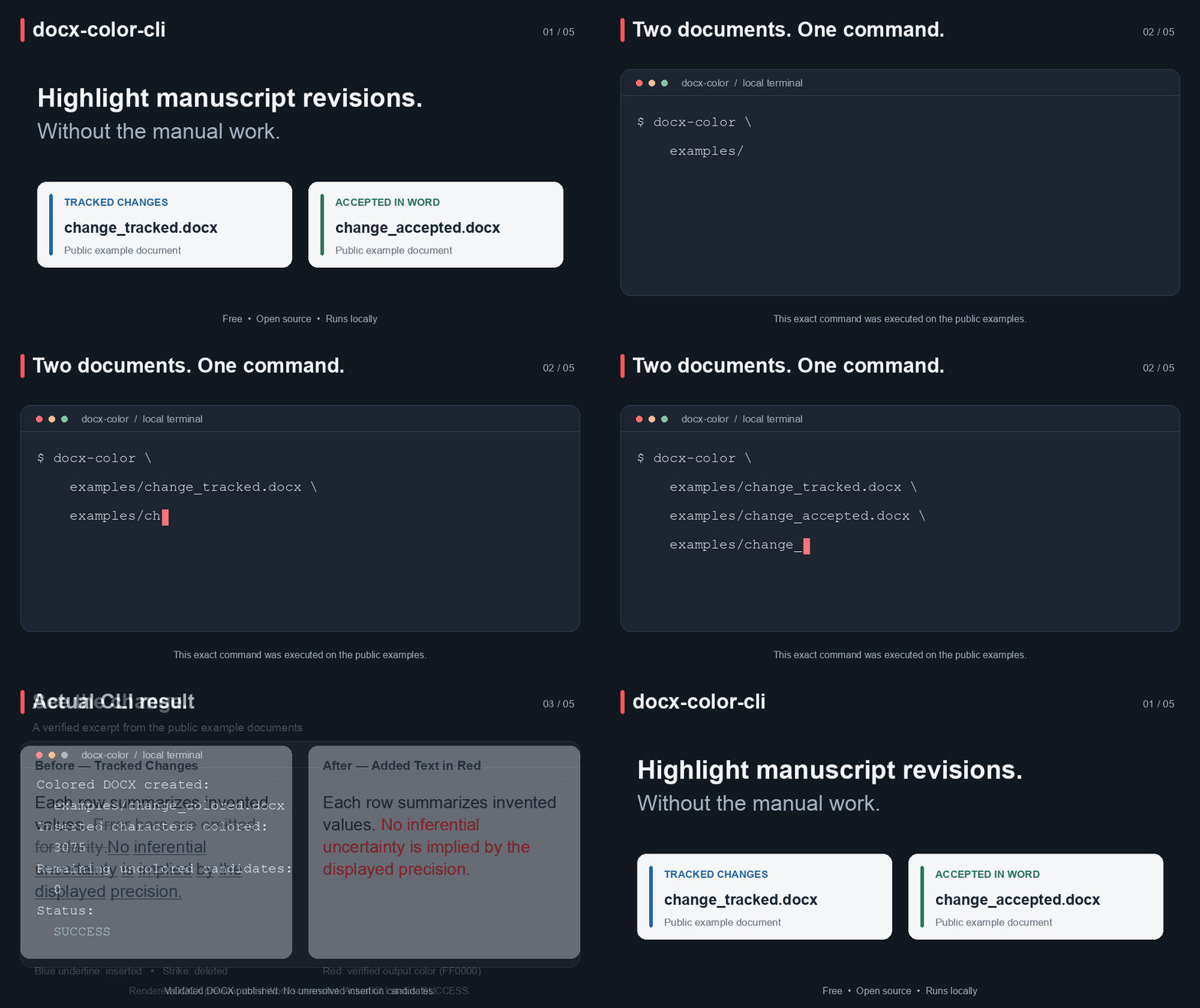
Try the included, four-page synthetic manuscript (approximately 1,450 words after acceptance).
Download the tracked input and converted output, or run from the checkout:
Four fictional authors contribute 124 revision markers: 73 insertions and 51 deletions across the title, summary, results, discussion, Methods and table. The converted document preserves two equations and editable citation/hyperlink fields.
uv run docx-color examples/tracked.docx examples/colored.docx
To compare against a separate DOCX manually saved after Accept All Changes in Microsoft Word, enable reference validation:
docx-color manuscript.docx manuscript_colored.docx --reference accepted_in_word.docx
Any comparison failure prevents publication and preserves an existing output.
Comparison checks logical text, structure, editable fields, equations and linked
resources, ignoring font colors and equivalent run splitting. By default,
--reference uses bounded semantic comparison: it also recognizes bookmark ID
renumbering (names and ranges must match), view zoom, drawing edit identifiers, and
supported editable HTTP(S) hyperlink field/element representations, including a
single trailing \h visit-history switch. Applied equivalences are reported on
stderr and in the JSON report's reference_validation record, along with the mode
and checked parts. Normalization affects comparison only, never the saved DOCX.
Text, meaningful whitespace, structure, field results, link targets, images and font signatures remain checked. Unknown field switches and other unrecognized differences still fail. For conservative representation comparison, use:
docx-color manuscript.docx manuscript_colored.docx --reference accepted_in_word.docx --reference-mode strict
There is no automatic fallback between modes. Neither mode verifies the reference's provenance or identical page layout. No Word automation is used.
Check without publishing
docx-color manuscript.docx --check
Check mode runs the same conversion, retention, package-integrity and optional
--reference checks using disposable temporary storage. It leaves the input and
existing outputs untouched and removes the temporary DOCX. Exit code 0 means the
input passed the supported conversion checks; invalid or unsupported input exits
nonzero. This is not a Word rendering or complete schema check. --check cannot
be combined with an output path or --report.
Unsupported revisions are always rejected; there is no permissive mode.
Command-line reference
docx-color [-h] [--version] [--inserted-color RGB] [--unchanged-color RGB] [--report REPORT]
           [--reference REFERENCE] [--reference-mode {semantic,strict}] [--check] input [output]
| Argument | Description | Default |
|---|---|---|
input |
Source DOCX containing tracked changes | Required |
output |
Destination DOCX | <input_stem>_colored.docx |
-ic, --inserted-color |
Color for inserted text, as six hexadecimal digits without # |
FF0000 |
-uc, --unchanged-color |
Color for unchanged text, in the same format | 000000 |
--reference |
Word-accepted DOCX; mismatches block output publication | No external comparison |
--reference-mode |
semantic or strict; requires --reference |
semantic |
--report |
Path for a JSON conversion-statistics report | No report file |
--check |
Validate input and conversion support without publishing output | Disabled |
-h, --help |
Show command help | — |
--version |
Show the installed package version | — |
Successful conversion prints the output path and statistics. Errors return a nonzero exit status. The JSON report contains operation counts, not a certification of equivalence with Microsoft Word.
Supported documents and revisions
- Text insertions, deletions and replacements, including split runs and nested insertion/deletion revisions.
- Supported paragraph-mark insertions and deletions, including adjacent paragraph merges with different properties. The final surviving paragraph mark determines the merged paragraph's properties.
- Paired inline, whole-paragraph and cross-paragraph moves within the same document part, subject to structural boundary checks.
- Text and supported structural changes in tables: cell insertions, cell deletions consistent with the explicit final grid, explicit vertical merge-state changes, and row edits with valid surviving merge ownership. Row/cell insertion marks do not recolor unchanged text without a text-level insertion revision.
- Mathematical run revisions, including supported mixed-stream splitting and inherited properties, nested revisions, inserted equation controls and fully deleted equation objects. Partially retained objects are never discarded merely because their control is marked deleted.
- Supported formatting revisions, retaining current properties and removing
historical snapshots, including
tblPrExChange. - Shared Strict/Transitional OOXML revision vocabulary, preserving each XML part's namespace dialect; no general Strict-to-Transitional format conversion.
- Revisions within independently processable AlternateContent alternatives, keeping both Choice and Fallback; complete custom XML/content-control markup ranges.
The converter preserves supported hyperlinks, bookmarks, images, OMML equations, content controls, headers, footers, footnotes and endnotes. Word fields, cross-references and Zotero citation/bibliography fields remain editable rather than being flattened into plain text. Fields are preserved, not recalculated. Literal REF/PAGEREF/NOTEREF and internal hyperlink dependencies are checked for newly missing or ambiguous bookmark targets. Existing broken references are preserved, not repaired. Dynamic or conditional reference changes that cannot be resolved safely are rejected.
Images proven unused after revision acceptance are cleaned up without recompressing retained images. Equation containers made empty by accepted deletions and comments that lose their final active reference are cleaned up with dependency checks.
Limitations
The converter targets the final content shown in Word's No Markup view. That view is not equivalent to simply removing revision tags, and complete Word compatibility has not been established.
The following cases are currently rejected or unsupported:
- Unknown revision types, mixed namespace dialects within a part, and unsupported extension semantics.
- Unpaired moves, moves nested inside other moves, cross-cell/part moves, and ranges sharing moved content. Moves nested inside ordinary insertions/deletions are supported.
- Deleting section boundaries, merging across cells/tables, and unsupported terminal paragraph-mark deletions. Merging into a paragraph that retains its section boundary is supported.
- Cell deletions requiring inferred horizontal span/grid repair; vertical merge edits requiring ownership transfer or reconciliation of live continuation content.
- Partial/overlapping custom XML tag ranges, custom XML move ranges, cross-branch fields/ranges, conflicting math properties and equation-control deletions with retained or unrecognized arguments.
- Comment cleanup with unresolved dependencies, including surviving threaded replies.
Internal checks cover ZIP/XML integrity, relationships, field boundaries, supported math argument cardinalities, table grids, revision removal and retention invariants. They are not a complete OOXML schema validator or a rendering engine.
The independent comparator is also available as
docx_color_cli.validation.validate_docx(output, reference). Its optional
semantic=True comparison recognizes a small, tested set of representation
alternatives and reports each normalization. This independent API keeps its strict
default; the conversion APIs and CLI select semantic=True by default.
The private academic sample's body passes bounded semantic comparison, while full
comparison still detects font-signature differences. These remain deliberately
unignored. This is evidence for the tested sample, not a guarantee for all documents.
Python API and diagnostics
docx_color_cli.cli exposes modify(root, stats, original, added),
convert(source, target, *, black, red, reference, reference_mode="semantic") and
convert_output(source, target, *, black, red, reference, reference_mode="semantic"), retaining their existing
color defaults. They no longer accept a strict parameter. check(source, *, black, red, reference, reference_mode="semantic") runs the same checks without publication.
Expected conversion failures raise ConversionError from docx_color_cli.errors
(a ValueError subclass). Diagnostics expose part, revision_type, element,
xpath, line and cause_type when available; unavailable fields are None.
UnsupportedRevisionError identifies unsupported revisions or associated structures.
PublicationError also exposes destination and output_published, so callers
can distinguish a failed DOCX publication from a later report failure. Wrapped
errors retain their original exception as __cause__. CLI errors go to stderr
with a nonzero exit code and no ordinary traceback.
File safety
The input document is preserved. Input, output, reference and report paths must identify different files; checks include resolved paths, symbolic links and existing hard links.
Output is written to a temporary file beside the destination and checked before atomic replacement. Conversion or validation failure preserves an existing output. Successful conversion replaces an existing destination file.
The optional report is staged before publication and published after the validated DOCX. If DOCX publication fails, an existing output and report remain unchanged, and no success message is printed. These are separate atomic operations: if report publication fails after the DOCX is published, the CLI exits nonzero and explicitly states that the DOCX was saved but the report failed. The previous report, if any, remains unchanged. Temporary files are cleaned up.
License
Licensed under the MIT License.
1 maintainer

Metadata
1 maintainer
Release files for docx-color-cli 1.0.1
For a detailed explanation of source distributions (sdists) and built distributions (wheels), please see the package formats documentation.
Source distribution (sdist)
| File | Size | Uploaded | |
|---|---|---|---|
| docx_color_cli-1.0.1.tar.gz | 150.1 kB | Details |
Built distribution (wheel)
| File | Interpreter | ABI | Platform | Reset |
|---|---|---|---|---|
| docx_color_cli-1.0.1-py3-none-any.whl | Python 3 | none | any | Details |
Total release size: 196.8 kB
Release files / docx_color_cli-1.0.1.tar.gz
| Download URL | docx_color_cli-1.0.1.tar.gz |
|---|---|
| Size | 150.1 kB |
| Tags | Source |
|
SHA-256 checksum How to use checksums |
4288629a704e305f27694001d487d0141633707f5e27df14ac66c5c5e40b5ec7
|
|
BLAKE2b-256 checksum How to use checksums |
c03e451ced5917bbb4a7b2281f16f0ebbd1ddce88a27c74c1050264855380776
|
| Upload date | |
|
Uploaded using Trusted Publishing? What is trusted publishing? |
Yes |
| Uploaded via |
twine/7.0.0 CPython/3.13.14
|
Provenance
Provenance describes where a file came from. On PyPI, provenance is shared via attestations, which provide a verifiable record of the build or publishing details. View details, limitations and caveats.


PyPI Publish Attestation
PyPI verified that this artifact, at this checksum, originated from the publisher listed below.
Signed by GitHub Actions, verified by PyPI on Oct 14, 2026.
Transparency logRelease files / docx_color_cli-1.0.1-py3-none-any.whl
| Download URL | docx_color_cli-1.0.1-py3-none-any.whl |
|---|---|
| Size | 46.7 kB |
| Tags | Python 3 |
|
SHA-256 checksum How to use checksums |
cdb4ca6cc729ad9dc7d77bf841dab751c36fc70003513937fed4359f03527066
|
|
BLAKE2b-256 checksum How to use checksums |
b239a330333e8e3208aecc1d27bdabc0b89fe4f231f4934c0a3c95fae3a31846
|
| Upload date | |
|
Uploaded using Trusted Publishing? What is trusted publishing? |
Yes |
| Uploaded via |
twine/7.0.0 CPython/3.13.14
|
Provenance
Provenance describes where a file came from. On PyPI, provenance is shared via attestations, which provide a verifiable record of the build or publishing details. View details, limitations and caveats.
PyPI Publish Attestation
PyPI verified that this artifact, at this checksum, originated from the publisher listed below.
Signed by GitHub Actions, verified by PyPI on Oct 14, 2026.
Transparency log













