
Your single pane of glass for real-time analytics into MySQL/MariaDB & ProxySQL

Project description
Dolphie
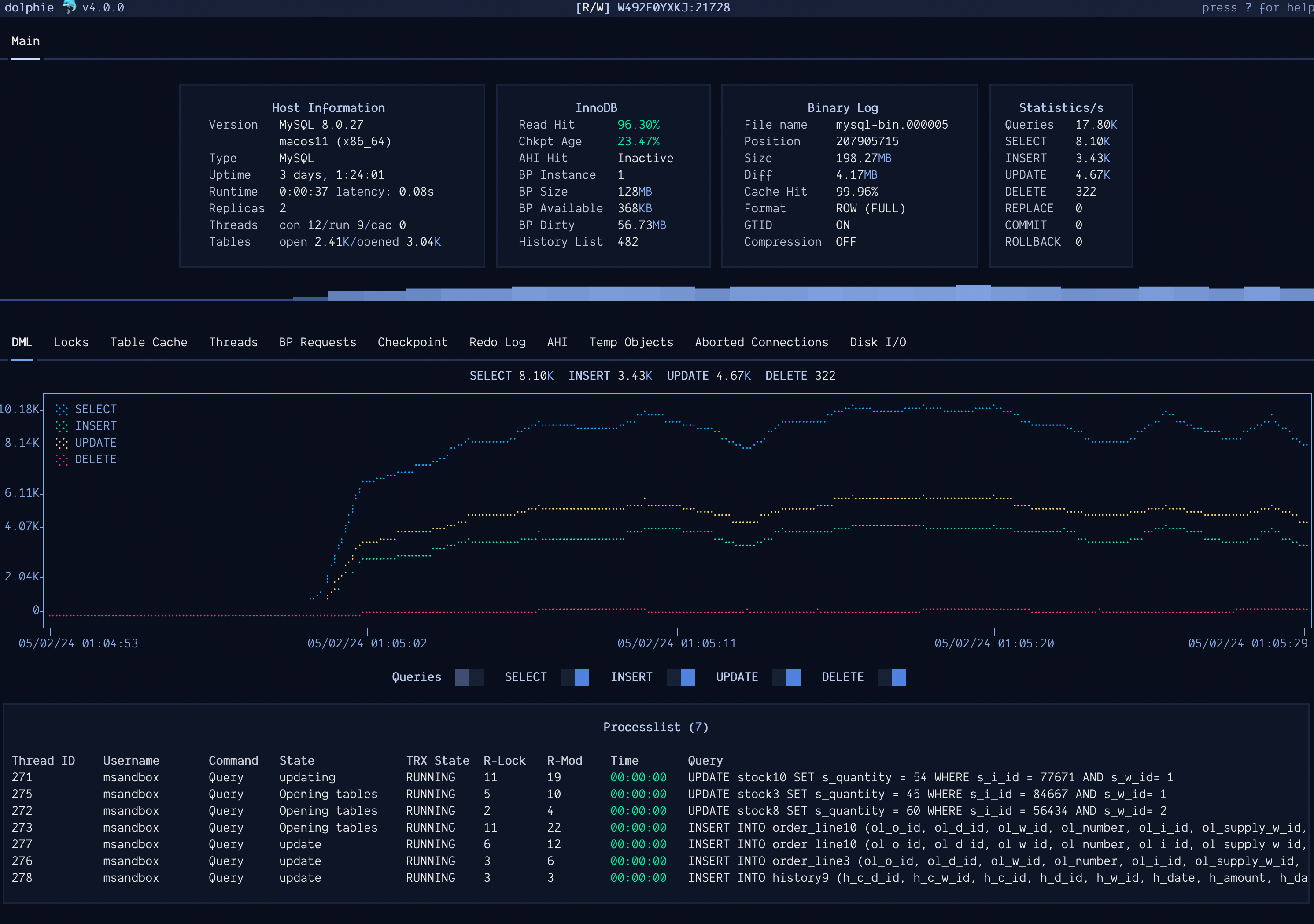
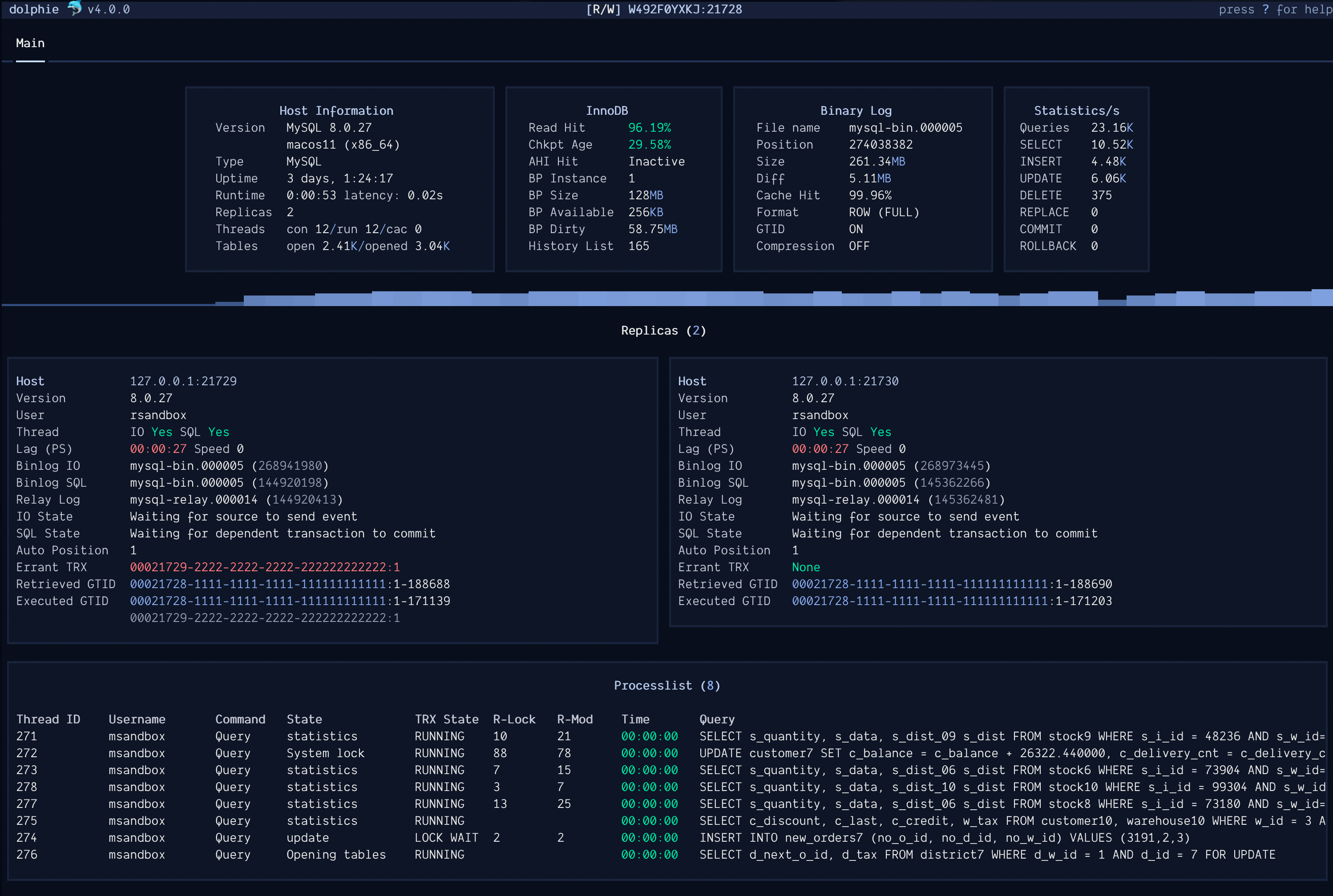
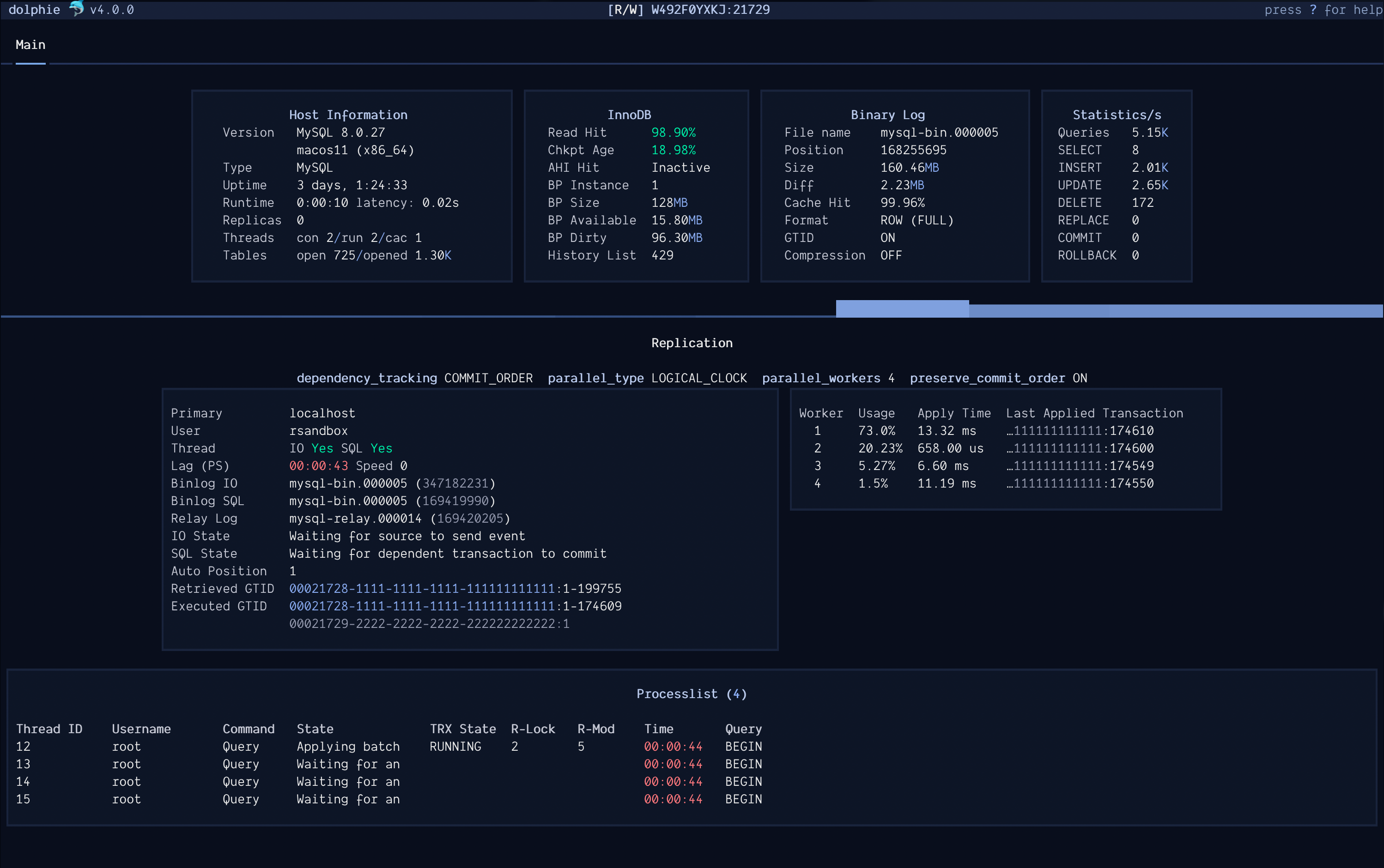
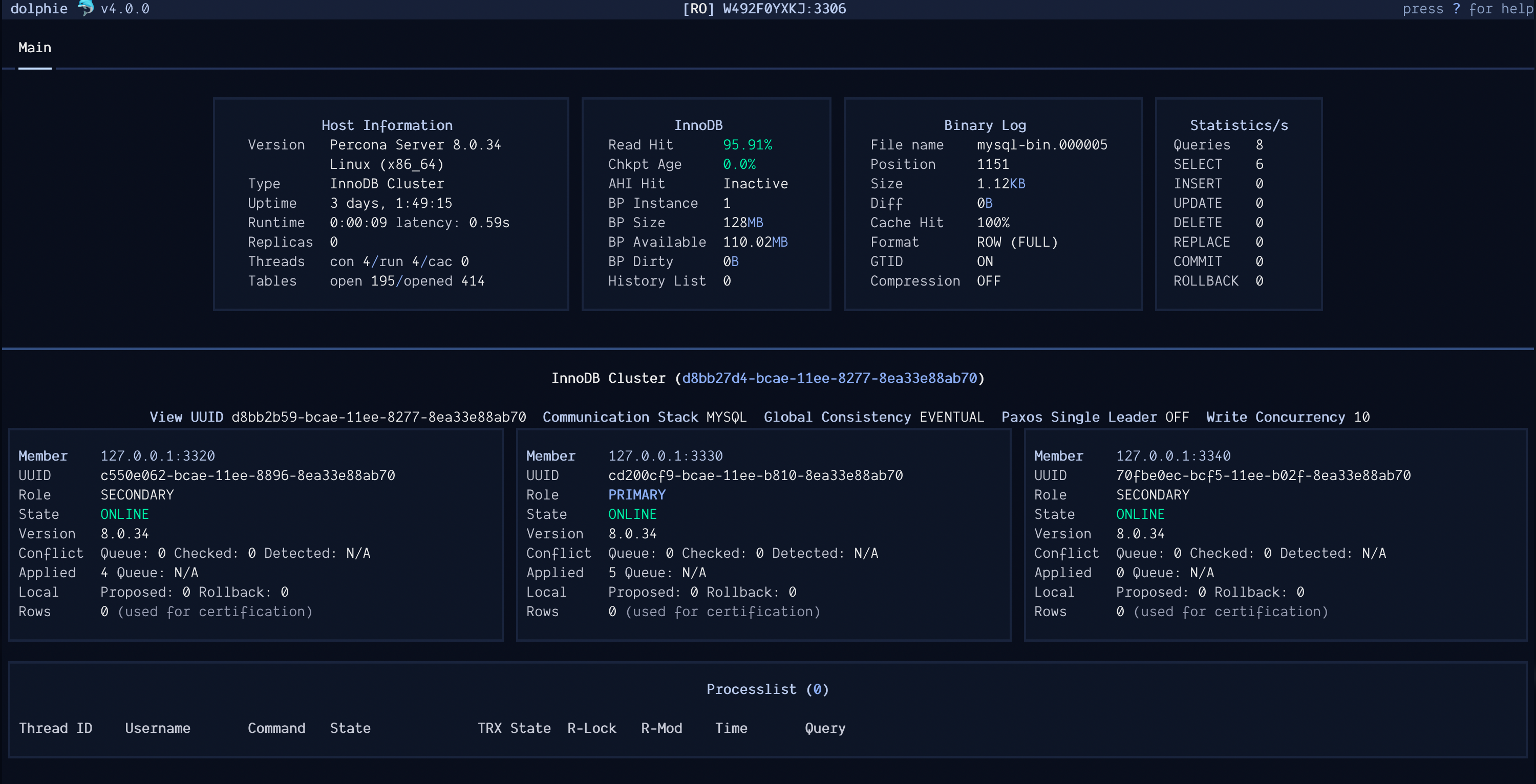
Your single pane of glass for real-time analytics into MySQL/MariaDB & ProxySQL





Installation
Requires Python 3.8+
Using PyPi
$ pip install dolphie
Using Poetry
$ curl -sSL https://install.python-poetry.org | python3 -

$ poetry install
Using Homebrew
If you are a Homebrew user, you can install dolphie via
$ brew install dolphie
Using Docker
$ docker pull ghcr.io/charles-001/dolphie:latest
$ docker run -dit --name dolphie ghcr.io/charles-001/dolphie:latest
$ docker exec -it dolphie dolphie -h host.docker.internal -u root --ask-pass
Usage
positional arguments:
  uri                   Use a URI string for credentials (mysql/proxysql) - format: mysql://user:password@host:port (port is optional with default 3306, or 6032 for ProxySQL)

options:
  --help                show this help message and exit
  --host-setup          Start Dolphie by showing the Host Setup modal instead of automatically connecting
  -u , --user           Username
  -p , --password       Password
  -h , --host           Hostname/IP address
  -P , --port           Port (Socket has precedence)
  -S , --socket         Socket file
  --config-file         Dolphie's config file to use. Options are read from these files in the given order: /etc/dolphie.cnf, ~/.dolphie.cnf
  --mycnf-file          MySQL/MariaDB config file path to use. This should use [client] section [default: ~/.my.cnf]
  -f , --host-cache-file
                        Resolve IPs to hostnames when your DNS is unable to. Each IP/hostname pair should be on its own line using format ip=hostname [default: ~/dolphie_host_cache]
  -q , --host-setup-file
                        Specify location of file that stores the available hosts to use in host setup modal [default: ~/dolphie_hosts]
  -l , --login-path     Specify login path to use with mysql_config_editor's file ~/.mylogin.cnf for encrypted login credentials. Supersedes config file [default: client]
  -r , --refresh_interval
                        How much time to wait in seconds between each refresh [default: 1]
  -H , --heartbeat-table
                        (MySQL only) If your hosts use pt-heartbeat, specify table in format db.table to use the timestamp it has for replication lag instead of Seconds_Behind_Master from SHOW REPLICA STATUS
  --ssl-mode            Desired security state of the connection to the host. Supports: REQUIRED/VERIFY_CA/VERIFY_IDENTITY [default: OFF]
  --ssl-ca              Path to the file that contains a CA (certificate authority)
  --ssl-cert            Path to the file that contains a certificate
  --ssl-key             Path to the file that contains a private key for the certificate
  --panels              What panels to display on startup separated by a comma. Supports:  dashboard,processlist,graphs,replication,metadata_locks,ddl,proxysql_hostgroup_summary,proxysql_mysql_query_rules,proxysql_command_stats [default: dashboard,processlist]
  --graph-marker        What marker to use for graphs (available options: https://tinyurl.com/dolphie-markers) [default: braille]
  --pypi-repository     What PyPi repository to use when checking for a new version. If not specified, it will use Dolphie's PyPi repository
  --hostgroup           This is used for creating tabs and connecting to them for hosts you specify in Dolphie's config file under a hostgroup section. As an example, you'll have a section called [cluster1] then below it you will list each host on a new line in the format key=host (keys have no meaning). Hosts support optional port (default is whatever port parameter is) in the format host:port. You can also name the tabs by suffixing ~tab_name to the host (i.e. 1=host~tab_name)
  --show-trxs-only      (MySQL only) Start with only showing threads that have an active transaction
  --additional-columns  Start with additional columns in Processlist panel
  --debug-options       Display options that are set and what they're set by (command-line, dolphie config, etc) then exit
  -V, --version         Display version and exit

MySQL/MariaDB my.cnf file supports these options under [client] section:
	host
	user
	password
	port
	socket
	ssl_mode REQUIRED/VERIFY_CA/VERIFY_IDENTITY
	ssl_ca
	ssl_cert
	ssl_key

Login path file supports these options:
	host
	user
	password
	port
	socket

Environment variables support these options:
	DOLPHIE_USER
	DOLPHIE_PASSWORD
	DOLPHIE_HOST
	DOLPHIE_PORT
	DOLPHIE_SOCKET

Dolphie's config supports these options under [dolphie] section:
	(bool) host_setup
	(str) user
	(str) password
	(str) host
	(int) port
	(str) socket
	(str) ssl_mode
	(str) ssl_ca
	(str) ssl_cert
	(str) ssl_key
	(str) mycnf_file
	(str) login_path
	(str) host_cache_file
	(str) host_setup_file
	(int) refresh_interval
	(str) heartbeat_table
	(str) startup_panels
	(str) graph_marker
	(str) pypi_repository
	(str) hostgroup
	(bool) show_trxs_only
	(bool) show_additional_query_columns
Supported ProxySQL versions
- ProxySQL 2.6+ (could work on previous versions but not tested)
Note: Use admin user instead of stats user so you can use all features
Supported MariaDB versions
- MariaDB 5.5/10.0/11.0+
- RDS MariaDB
Supported MySQL versions
- MySQL/Percona Server 5.6/5.7/8.0+/8.4+
- RDS MySQL & Aurora + Azure
MySQL Grants required
Least privilege
- PROCESS (only if you switch to using processlist via
Pcommand) - SELECT to
performance_schema+pt-heartbeat table(if used) - REPLICATION CLIENT/REPLICATION SLAVE
- BACKUP_ADMIN (MySQL 8 only)
Recommended
- PROCESS (only if you switch to using processlist via
Pcommand) - Global SELECT access (good for explaining queries, listing all databases, etc)
- REPLICATION CLIENT/REPLICATION SLAVE
- SUPER (required if you want to kill queries)
- BACKUP_ADMIN (MySQL 8 only)
Features
- Tabs docked at the top to seamlessly switch between connected hosts
- Hostgroups to make it easy for connecting to multiple hosts at once
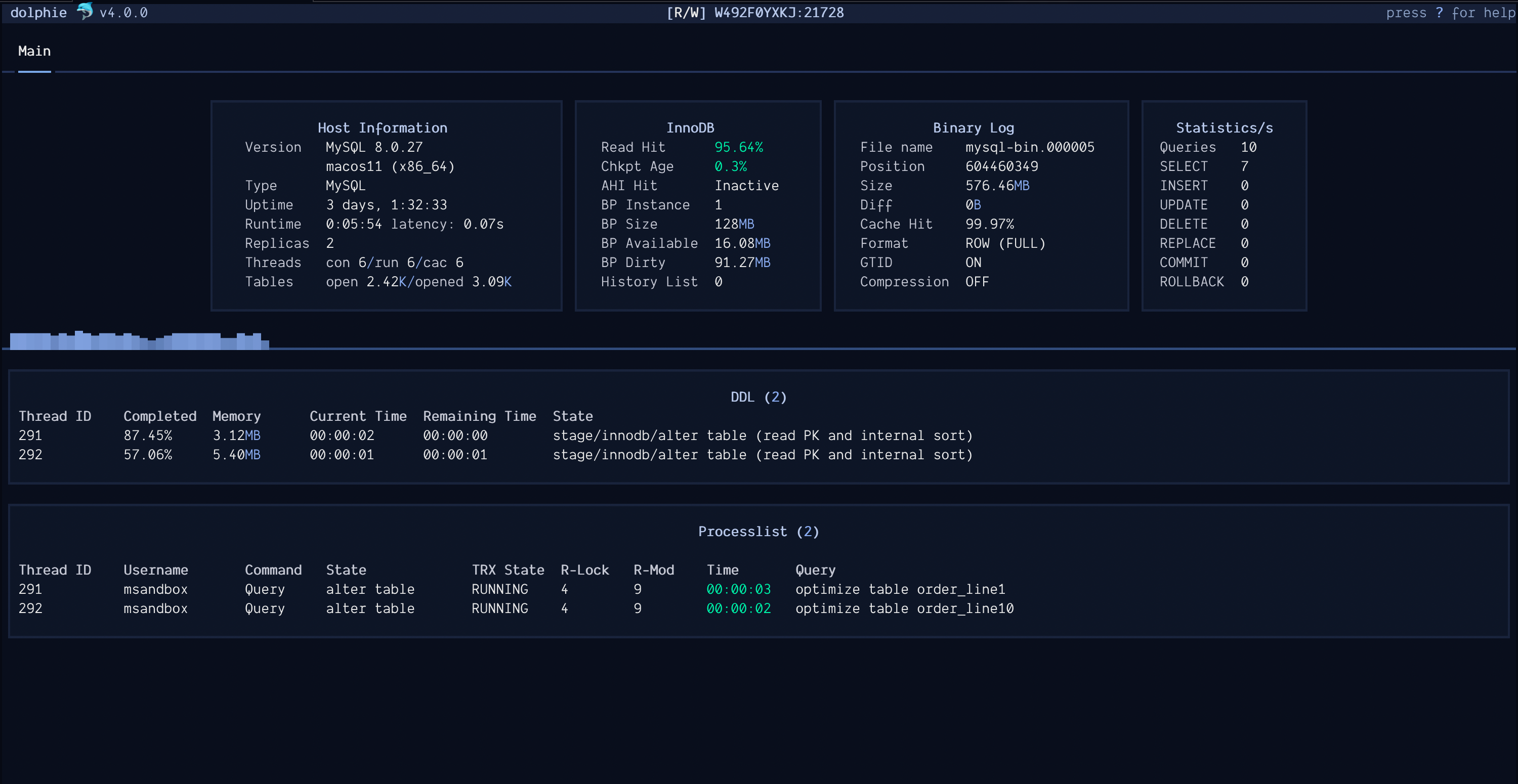
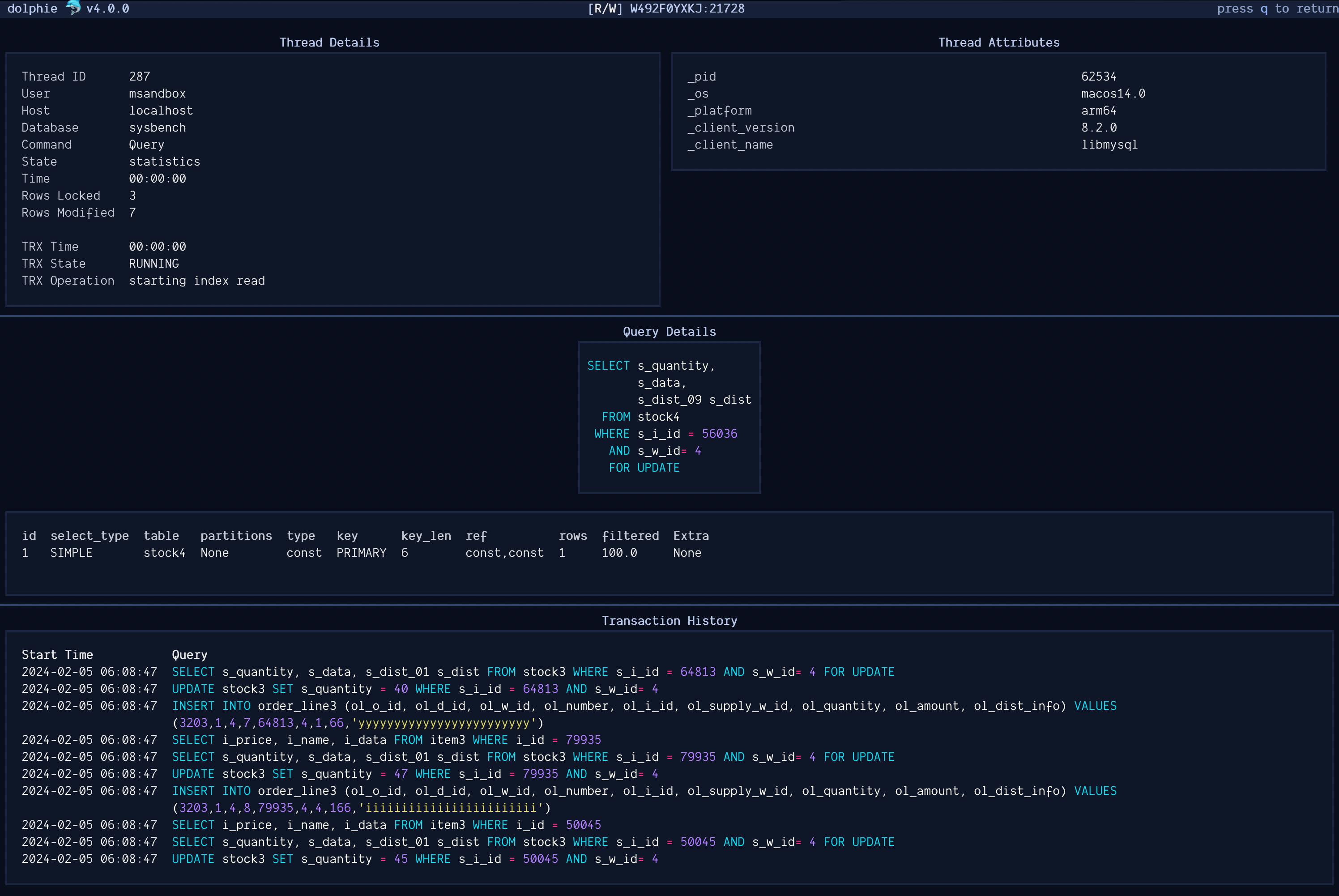
- Dolphie uses panels to present groups of data. They can all be turned on/off to have a view of your database server that you prefer
- Graphs for many metrics that can give you great insight into how your database is performing
- Sparkline to show queries per second in a live view
- 2 options for finding replica lag in this order of precedence:
pt-heartbeat table(specified by--heartbeat-table)SHOW SLAVE STATUS
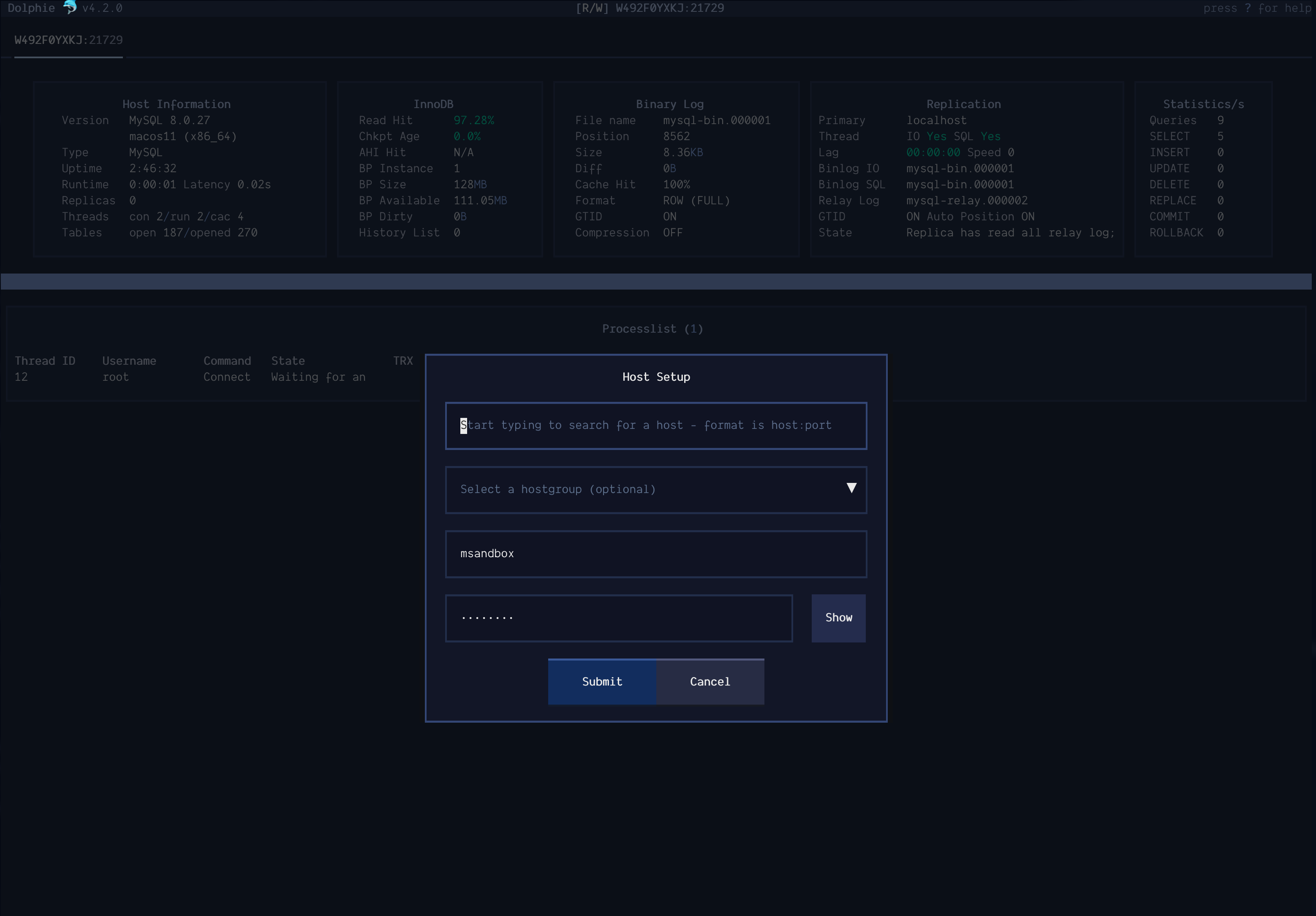
- Keeps a history of the servers you connect to that provides autocompletion for hostnames in the Host Setup modal
- Host cache file. This provides users a way to specify hostnames for IPs when their network's DNS can't resolve them. An example use case for this is when you connect to your work's VPN and DNS isn't available to resolve IPs. In my opinion, it's a lot easier to look at hostnames than IPs!
- Supports encrypted login credentials via
mysql_config_editor - Automatic conversion of large numbers & bytes to human-readable
- Notifies when new version is available
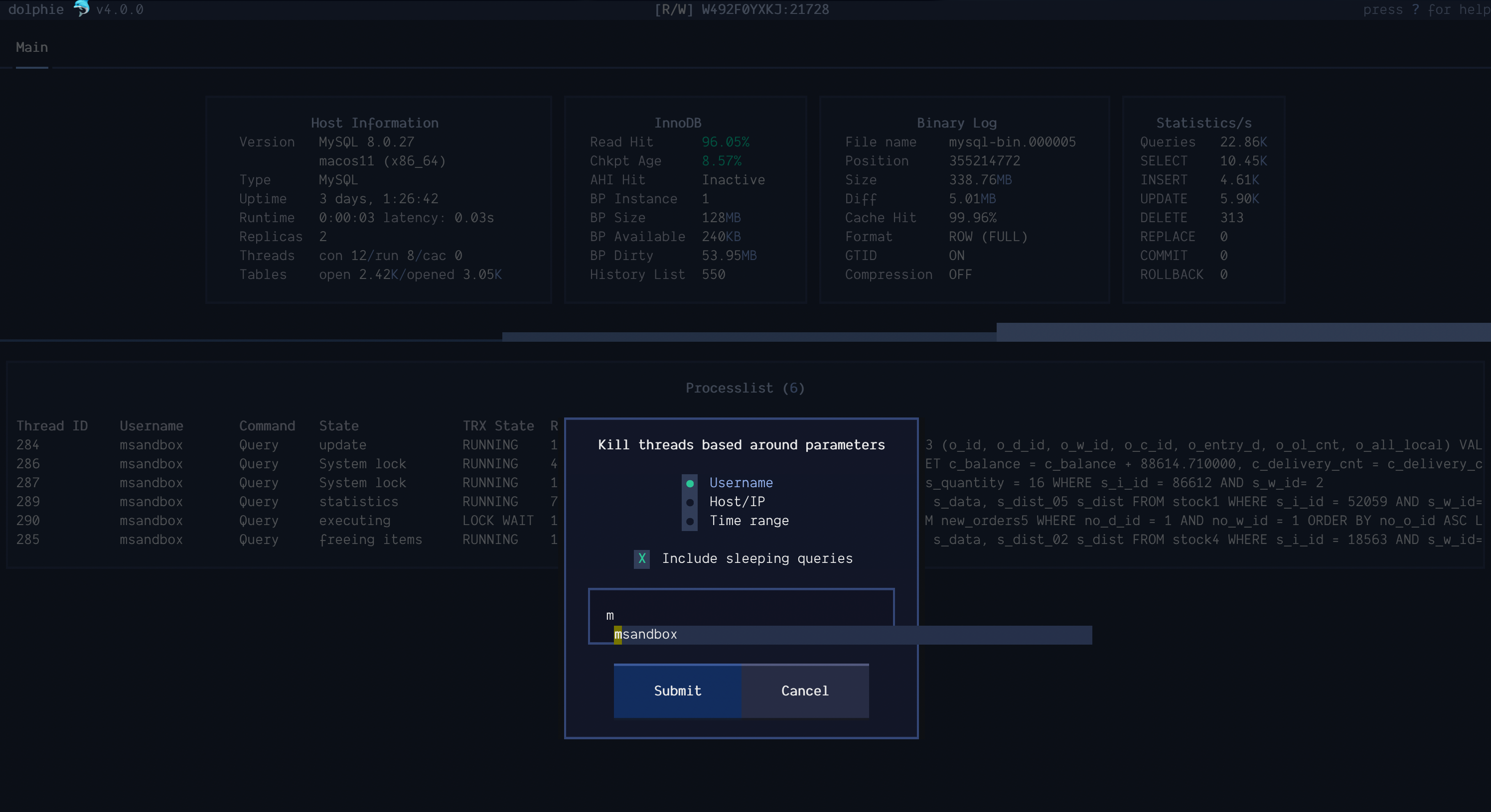
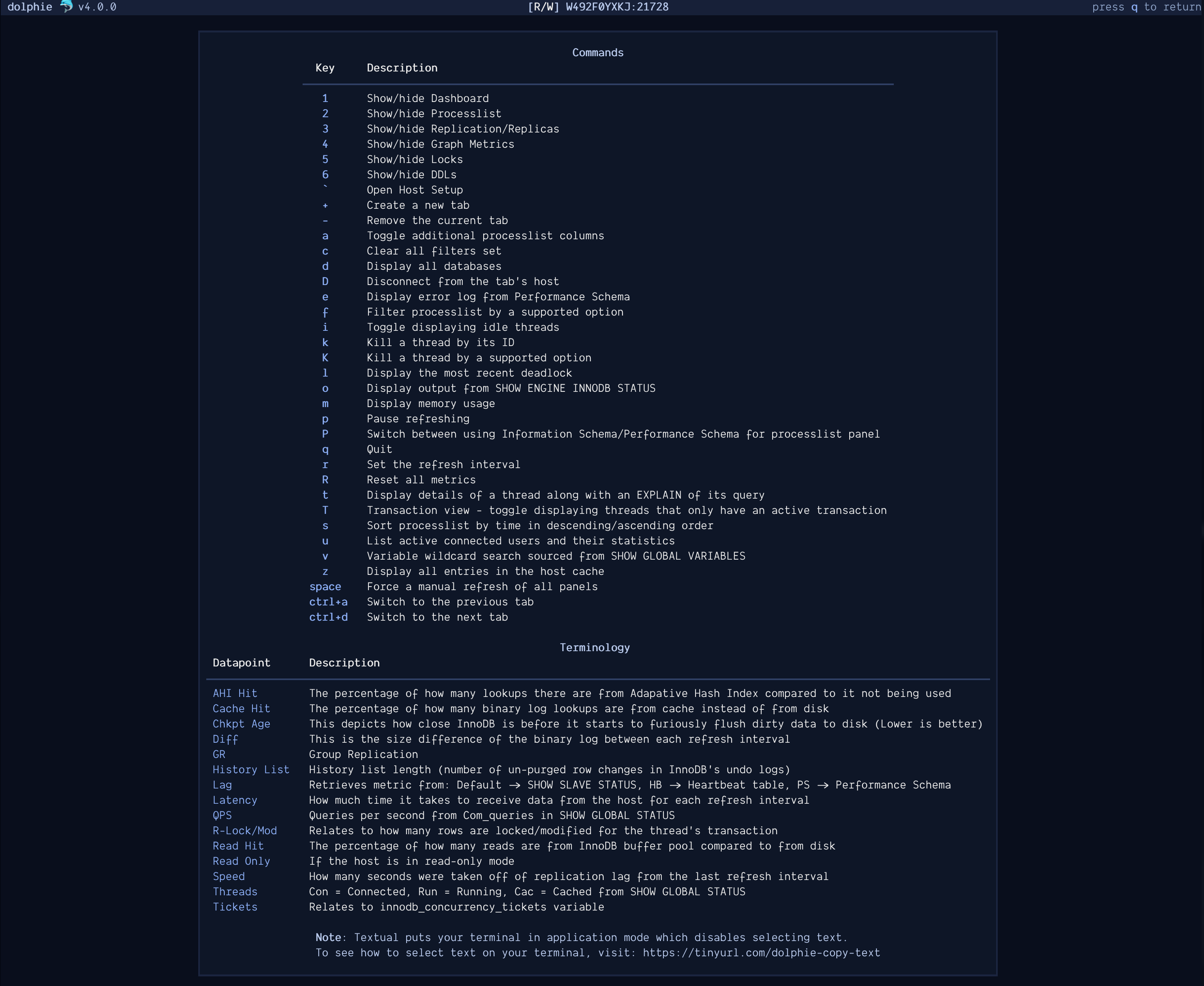
- Many commands at your fingertips with autocompletion for their input
Hostgroups
Hostgroups are a way to easily connect to multiple hosts at once. To set this up, you will create a section in Dolphie's config file with the name you want the hostgroup to be and list each host on a new line in the format key=host (keys have no meaning). Hosts support optional port (default is whatever port parameter is) in the format host:port. You can also name the tabs by suffixing ~tab_name to the host. Once ready, you will use the parameter hostgroup or Host Setup modal to see it in action!
Note: Colors can be used in the tab name by using the format [color]text[/color] (i.e. [red]production[/red]). You can also use emojis supported by Rich (can see them by running python -m rich.emoji) by using the format :emoji: (i.e. :ghost:). Rich supports the normal emoji shortcodes.
Example:
[cluster1]
1=host1
2=host2:3307
3=host3:3308~[red]production[/red] :ghost:
Things to note
Order of precedence for methods that pass options to Dolphie:
- Command-line
- Environment variables
- Dolphie's config (set by
--config-file) - ~/.mylogin.cnf (
mysql_config_editor) - ~/.my.cnf (set by
--mycnf-file)
Feedback
I welcome all questions, bug reports, and requests. If you enjoy Dolphie, please let me know! I'd love to hear from you :smiley:
Release history Release notifications | RSS feed


Download files
Download the file for your platform. If you're not sure which to choose, learn more about installing packages.
Source Distribution
Built Distribution
Filter files by name, interpreter, ABI, and platform.
If you're not sure about the file name format, learn more about wheel file names.
Copy a direct link to the current filters
File details
Details for the file dolphie-5.0.2.tar.gz.
File metadata
- Download URL: dolphie-5.0.2.tar.gz
- Upload date:
- Size: 93.1 kB
- Tags: Source
- Uploaded using Trusted Publishing? No
- Uploaded via: poetry/1.6.1 CPython/3.11.4 Darwin/23.4.0
File hashes
| Algorithm | Hash digest | |
|---|---|---|
| SHA256 |
d0cfc65e92ce16e2529672641d19a07a0aa90b7961bd6fd73a25bbcc4283ad42
|
|
| MD5 |
9d388855056515210a8977cc0486f37f
|
|
| BLAKE2b-256 |
65013880d52c622c3bdc0d003b7bca5cbb7608a918dcf4cb9354965f736e3190
|
File details
Details for the file dolphie-5.0.2-py3-none-any.whl.
File metadata
- Download URL: dolphie-5.0.2-py3-none-any.whl
- Upload date:
- Size: 105.1 kB
- Tags: Python 3
- Uploaded using Trusted Publishing? No
- Uploaded via: poetry/1.6.1 CPython/3.11.4 Darwin/23.4.0
File hashes
| Algorithm | Hash digest | |
|---|---|---|
| SHA256 |
6e59bfc544e21f4e10e1fe0e19818e4ae36d0d91811c3b56c750967600018dca
|
|
| MD5 |
b8a653b48ce6c1188b08c618ef249ecf
|
|
| BLAKE2b-256 |
bbe454f727d7131cb062c6a29ea24389e6c36c00666a674aa872ac4f963d5332
|






