
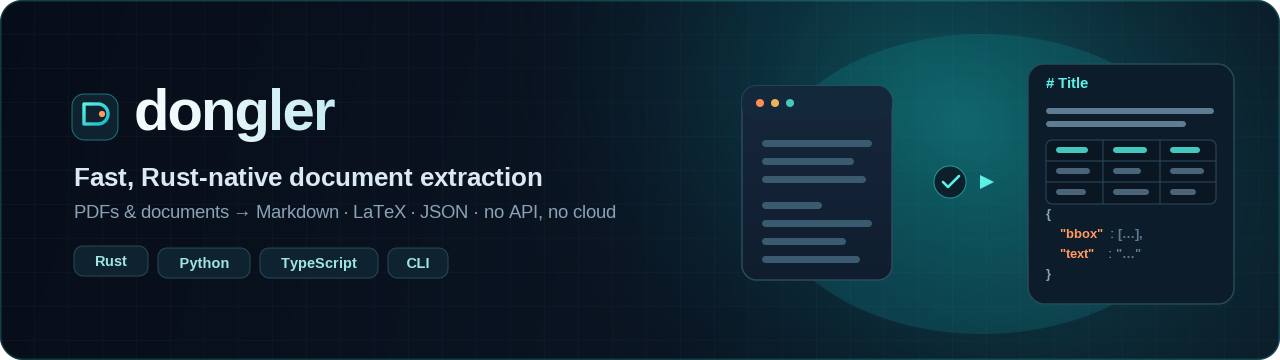
Dongler
Turn PDFs and documents into clean Markdown, LaTeX, or structured JSON.
Rust-native, runs locally, no hosted service · API key · LLM · or OCR for digitally born PDFs.







Documentation · Quick start · API reference · LLM context
Dongler is built around a path-first workflow: load a file, inspect the document object when you need to, then render the output format your pipeline wants. One Rust core powers the CLI, Python, TypeScript, and Rust APIs, so the extraction model is identical everywhere.
Install
cargo install dongler                  # CLI + Rust
pip install dongler                    # Python
npm install @cristianexer/dongler      # Node / TypeScript
For the Rust library, depend on dongler-core. The public dongler crate is the CLI package.
To run extraction in the browser or another WebAssembly host, build the
dongler-wasm crate (make build-wasm). It exposes the same engine over an
in-memory byte API, so files can be parsed client-side with no server. See
crates/dongler-wasm/README.md.
Parse a PDF
|
Python import dongler
doc = dongler.load("report.pdf")
markdown = doc.to_markdown()
latex = doc.to_latex()
data = doc.to_dict()
|
TypeScript import { load } from "@cristianexer/dongler";
const doc = load("report.pdf");
const markdown = doc.toMarkdown();
const latex = doc.toLatex();
const data = doc.toObject();
|
Rust use dongler_core::load_path;
let doc = load_path("report.pdf")?;
println!("{}", doc.to_markdown()?);
|
What you get
|
📄 Markdown · LaTeX · JSON
⚡ Native speed, local runtime
🧱 Structured document model
|
🧩 One API across stacks
📦 Pipeline-friendly batches
🔌 Beyond PDF
|
Why Dongler
Use Dongler when the job starts with a document path and the next step needs useful text quickly:
- Convert PDFs to Markdown for indexing, review, or RAG ingestion.
- Keep page/block/table/image metadata available through JSON.
- Run locally in scripts, services, queues, notebooks, and shell workflows.
- Use the same extraction model across Python, Node.js, Rust, and the CLI.
Supported inputs
Dongler focuses on digitally born PDFs and also supports native extraction for DOCX, XLSX, PPTX, ODT/ODS/ODP, HTML/XML, EML, JSON/JSONL, CSV/TSV, image metadata including TIFF, and plain text/Markdown/TeX. It also reads gzip-compressed text/JSON/XML/CSV corpus files, bare gzip source files, and zip/tar/tar.gz source packages. Legacy binary Office and Outlook containers are detected and return explicit planned-format errors until their engines land.
Batch processing
One result per file — a bad or unsupported document does not stop the batch.
import dongler

for result in dongler.load_many(["notes.txt", "invoice.pdf"]):
    if result["ok"]:
        print(result["document"].to_markdown())
    else:
        print(f"{result['path']}: {result['error']}")
CLI
dongler --version
dongler inspect invoice.pdf
dongler extract report.docx --format markdown
dongler extract book.xlsx   --format json
dongler extract notes.txt   --format latex
dongler convert report.pdf  --format markdown   # staged pipeline (triage + reading order)
PDF extraction through the CLI uses the same Rust-native engine as the Rust, Python, and TypeScript packages.
Hybrid ML table structure (experimental)
Builds compiled with the ml feature add an opt-in stage that recognizes table
structure with a local ONNX model (SLANet, MIT)
and snaps each cell's text from the PDF's own text layer — the model decides the grid, the text
layer decides the content, so values are never hallucinated. Weights download once to
~/.cache/dongler/models; if the stage fails it falls back to the deterministic table and records a
warning.
cargo install dongler --features ml
dongler convert report.pdf --ml --format markdown
Preview.
--mltable structure is plumbing-complete and hallucination-free by construction, but its accuracy is currently bounded by the geometric region detector that feeds it (a layout-detection model for clean table regions is the next milestone). The defaultload/extract/convertpath is unchanged and remains the path to rely on today.
Documentation
Benchmarks
Dongler sustains ~90 born-digital pages/second on a single host with no GPU, and on olmOCR-Bench (1,403 real PDFs, 7,019 unit checks) its table-structure pass rate improved +9.7% relative over the previous release on the identical harness. Full results, methodology, and before/after examples are on the benchmarks page.
Generated by scripts/run-benchmarks.py on 2026-05-28 19:56:50 BST. Local cache: 1894.9 MB. All discovered files per dataset. olmOCR-Bench re-measured 2026-06-11 after the table-extraction work; the full table regenerates on the next release run.
Coverage is parse / bbox / anchors. Ground-truth accuracy is token-F1, olmOCR unit-check pass rate, or full-image IoU; n/a means no local target signal. Detailed task names, discovery counts, native scores, and notes are recorded in eval/out/benchmarks/latest.json.
| Dataset | Status | Local data | Docs eval | Coverage | Pages/sec | GT accuracy |
|---|---|---|---|---|---|---|
| DocLayNet | missing | 0.0 MB | 0 | n/a / n/a / n/a | n/a | n/a |
| PubLayNet | missing | 0.0 MB | 0 | n/a / n/a / n/a | n/a | n/a |
| DocBank | ok | 735.6 MB | 200 | 100.0% / 100.0% / 100.0% | 81.94 | 89.5% |
| PubTabNet | missing | 0.0 MB | 0 | n/a / n/a / n/a | n/a | n/a |
| PubTables-1M | missing | 0.0 MB | 0 | n/a / n/a / n/a | n/a | n/a |
| TableBank | ok | 1.6 MB | 10 | 100.0% / 100.0% / 100.0% | 193.45 | 100.0% |
| FUNSD | ok | 42.6 MB | 200 | 100.0% / 48.9% / 100.0% | 96.09 | 100.0% |
| SROIE | ok | 627.3 MB | 1264 | 100.0% / 92.7% / 100.0% | 231.85 | 100.0% |
| RVL-CDIP | missing | 0.0 MB | 0 | n/a / n/a / n/a | n/a | n/a |
| READoc | ok | 39.9 MB | 959 | 100.0% / n/a / n/a | 96.86 | 100.0% |
| OmniDocBench | ok | 40.3 MB | 1 | 100.0% / 100.0% / 100.0% | 1030.96 | 88.5% |
| olmOCR-Bench | ok | 340.5 MB | 1403 | 100.0% / 100.0% / 100.0% | 21.15 | 22.7% |
| ckorzen benchmark | ok | 67.1 MB | 192 | 100.0% / 15.4% / 100.0% | 100.37 | 88.4% |
| S2ORC | missing | 0.0 MB | 0 | n/a / n/a / n/a | n/a | n/a |
| PMC OA | missing | 0.0 MB | 0 | n/a / n/a / n/a | n/a | n/a |
| arXiv source/PDF | missing | 0.0 MB | 0 | n/a / n/a / n/a | n/a | n/a |
Extraction-quality improvements
A controlled A/B of the current parser against the previous release baseline — run on the full olmOCR-Bench corpus (1403 real PDFs, 7019 unit checks, identical harness and release build) — isolates the gains from the recent text-spacing and table-structure work:
| Signal | Before | After |
|---|---|---|
| olmOCR table-structure checks passed | 59.7% | 65.5% (+9.7% relative) |
| olmOCR reading-order checks passed | 30.7% | 32.0% |
| Overall olmOCR checks passed | 1562 / 7019 | 1595 / 7019 |
| Throughput (born-digital) | ~90 pages/sec | ~90 pages/sec |
Born-digital word segmentation is fixed end to end (UNITEDSTATES → UNITED STATES,
Netincome → Net income, fi scal → fiscal), and multi-section financial statements now
extract as a single aligned table — in Markdown, LaTeX, and JSON — instead of a label column
followed by a detached block of numbers. See the
benchmarks page for the full breakdown.
License
Dongler is MIT licensed. Copyright (c) 2026 Daniel Fat. See LICENSE and NOTICE
for the full notice text.
1 maintainer

Metadata
1 maintainer
Release files for dongler 0.3.17
For a detailed explanation of source distributions (sdists) and built distributions (wheels), please see the package formats documentation.
Source distribution (sdist)
| File | Size | Uploaded | Provenance | Actions |
|---|---|---|---|---|
| dongler-0.3.17.tar.gz | 181.7 kB | With provenance | Details for dongler-0.3.17.tar.gz |
Built distribution (wheel)
| File | Interpreter | ABI | Platform | Actions Reset |
|---|---|---|---|---|
| dongler-0.3.17-cp39-abi3-manylinux_2_17_x86_64.manylinux2014_x86_64.whl | CPython 3.9 | abi3 | Linux glibc 2.17+ x86-64 | Details for dongler-0.3.17-cp39-abi3-manylinux_2_17_x86_64.manylinux2014_x86_64.whl |
Total release size: 1.3 MB
Release files / dongler-0.3.17.tar.gz
| Download URL | dongler-0.3.17.tar.gz |
|---|---|
| Size | 181.7 kB |
| Tags | Source |
|
SHA-256 checksum How to use checksums |
2a8a150777982f916f9b3945f0c96f7a02f8ad8b3a6d17b09d603e4b1aa05d4d
|
|
BLAKE2b-256 checksum How to use checksums |
e943087eb84d8f57aca352997cae85e290df175f259808d7f1a1c5a761e65e0e
|
| Upload date | |
|
Uploaded using Trusted Publishing? What is trusted publishing? |
Yes |
| Uploaded via |
twine/6.1.0 CPython/3.13.12
|
Provenance
Provenance describes where a file came from. On PyPI, provenance is shared via attestations, which provide a verifiable record of the build or publishing details. View details, limitations and caveats.


PyPI Publish Attestation
PyPI verified that this artifact, at this checksum, originated from the publisher listed below.
Signed by GitHub Actions, verified by PyPI on Jun 14, 2026.
Transparency logRelease files / dongler-0.3.17-cp39-abi3-manylinux_2_17_x86_64.manylinux2014_x86_64.whl
| Download URL | dongler-0.3.17-cp39-abi3-manylinux_2_17_x86_64.manylinux2014_x86_64.whl |
|---|---|
| Size | 1.1 MB |
| Tags | CPython 3.9 Linux glibc 2.17+ x86-64 abi3 |
|
SHA-256 checksum How to use checksums |
5470cdef20c6db946e962d4e6af1388f1c48ff9a4be53bf5f84596b09e780b2c
|
|
BLAKE2b-256 checksum How to use checksums |
899fc8fb58a27cf26ddf5cb997f242bc391b01435abf656110bc1c222e575278
|
| Upload date | |
|
Uploaded using Trusted Publishing? What is trusted publishing? |
Yes |
| Uploaded via |
twine/6.1.0 CPython/3.13.12
|
Provenance
Provenance describes where a file came from. On PyPI, provenance is shared via attestations, which provide a verifiable record of the build or publishing details. View details, limitations and caveats.
PyPI Publish Attestation
PyPI verified that this artifact, at this checksum, originated from the publisher listed below.
Signed by GitHub Actions, verified by PyPI on Jun 14, 2026.
Transparency logSecurity for dongler 0.3.17
Provenance
Provenance describes where a file came from. On PyPI, provenance is shared via attestations, which provide a verifiable record of the build or publishing details. View details, limitations and caveats.
Full provenance
Both files in this release have been uploaded with provenance metadata.
Attestation for dongler-0.3.17.tar.gz
PyPI Publish Attestation
PyPI verified that this artifact, at this checksum, originated from the publisher listed below.
Signed by GitHub Actions, verified by PyPI on Jun 14, 2026.
Transparency logA note on package security
PyPI is a repository for distributing packages, not a service for auditing them. While third-party security researchers and our staff do their best to detect and remove malicious packages, PyPI cannot guarantee the quality, security or suitability of any given package.
To learn more about protecting yourself from malicious actors, visit our package security documentation.














