
DOSMaster


Program Name: DOSMaster
Author: Youngjun Park (yjpark29@postech.ac.kr)
Inspired by: Jaeseon Kim (CNMD)
Tested by: Changhun Kim (CNMD), Suyun Chae (CNMD)
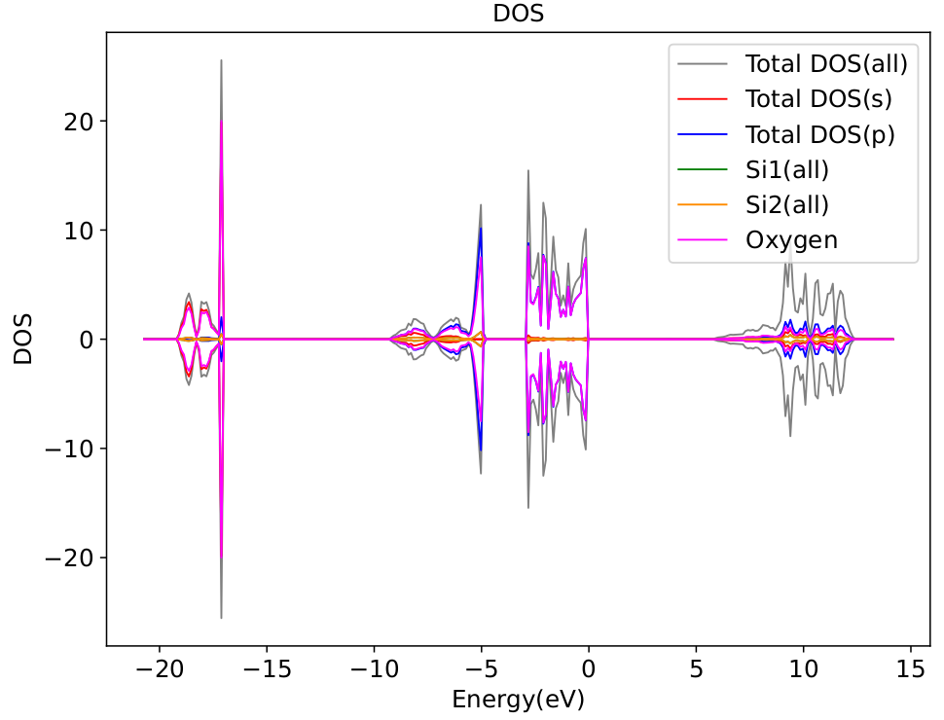
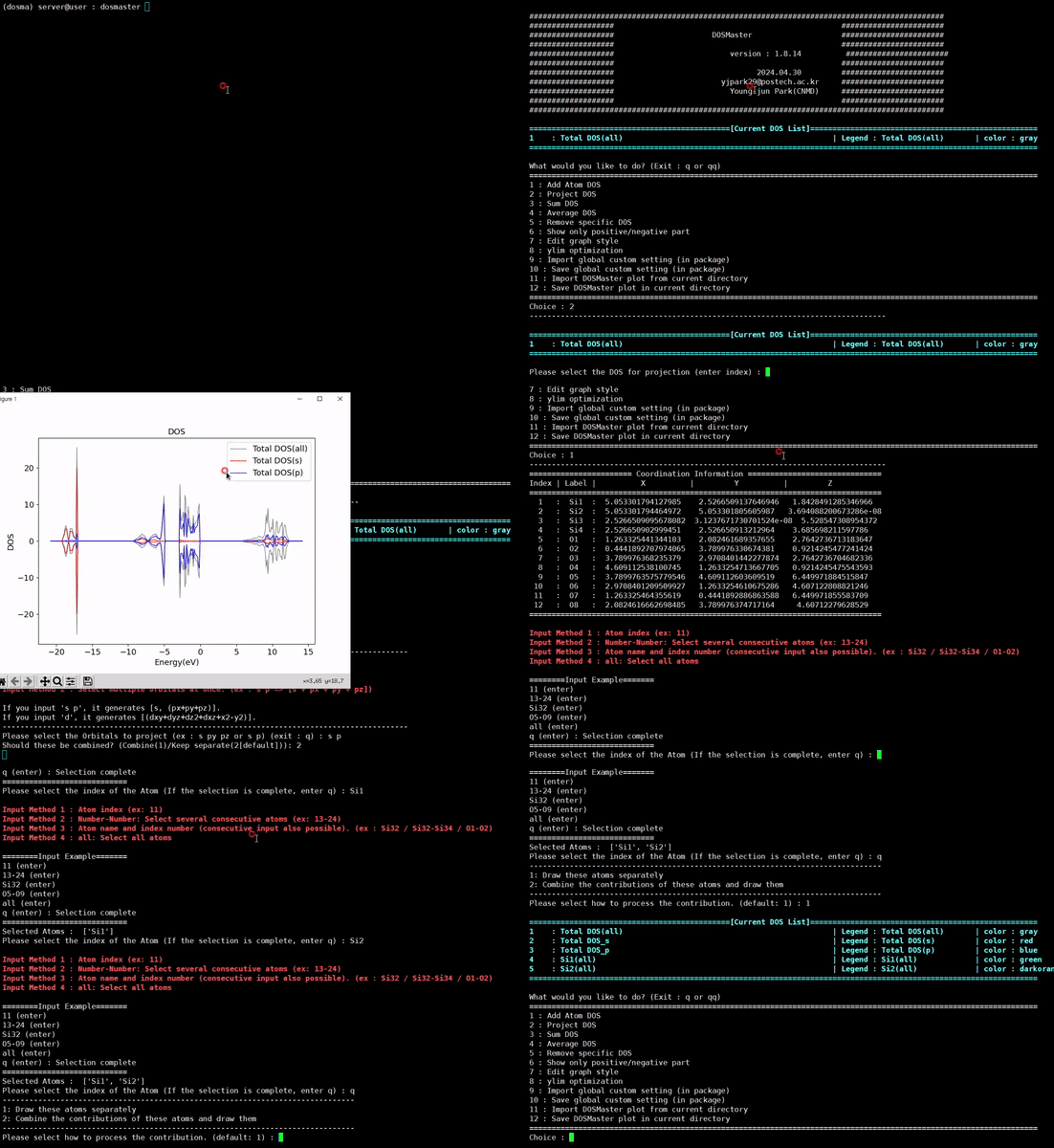
Description: A smart, highly customizable DOS plotting tool designed for terminal environments.
Version 1.8.3 and above will be publicly released to all CNMD members.
Release History
| Version | Changes |
|---|---|
| 1.1 | Improved loading speed on restart (by Jaeseon Kim) |
| 1.2 | Added final data file export feature |
| 1.3 | Bug fixes |
| 1.4.2 | Refactored for PyPI packaging |
| 1.7.13 | Full packaging; added DOS_Sum, Average_DOS, Axis_Optimization, and various performance improvements |
| 1.8.1 | Fixed label bugs; added settings save/load, DOS plot save/load, shift_x_axis, extended sequential number input, and legend display toggle |
| 1.8.3 | Added ISPIN = 1 calculation support; various bug fixes |
| 1.8.4 | License update |
| 1.8.5 | Fixed f-orbital error |
| 1.8.8 | Fixed ylim optimization error when saving plot in current directory |
| 1.8.10 | Fixed f-orbital sum error |
| 1.8.12 | Fixed import order error |
| 1.8.15 | Fixed graph_editor back feature (suggested by Hyeongbin Park, CNMD) |
| 1.8.16 | Added Gaussian smearing feature (contributed by Siyeong Park, CNMD) |
| 1.8.22 | Added package version check feature |
| 1.8.24 | Fixed PROCAR bug; code generator in development |
| 1.8.25 | README update |
| 1.9.3 | Add divide_by_n_of_atoms & save plot as .ipynb script |
| 1.9.5 | Add shading config in graph style & Change order of color |
Features
-
Add Atom DOS — Add the DOS of a desired atom to the plot.
-
DOS Projection — Project a specific DOS onto a desired orbital.
-
Sum DOS — Sum the contributions of selected DOS entries.
-
Divide DOS by Number of Atoms — Divide each DOS by the number of atoms that compose it, correctly handling DOS lines made of different numbers of atoms.
-
Average DOS — Average the contributions of selected DOS entries.
-
Remove DOS — Remove a specific DOS from the plot.
-
Plot only Positive/Negative Part — Display only the positive or negative region of the DOS plot.
-
Edit Graph Style — Customize the graph style to your preference.
Index Parameter Description 1 figuresizeOverall size of the figure (width × height) 2 axis_label_fontsizeFont size of the x/y axis labels 3 legend_fontsizeFont size of the legend text 4 ticks_fontsizeFont size of the axis tick labels 5 title_fontsizeFont size of the plot title 6 legend_displayToggle legend visibility on/off 7 legend_nameDefault legend label for each DOS entry 8 legend_name_userUser-defined custom legend labels 9 legend_locationPosition of the legend within the plot 10 bbox_to_anchorFine-tune legend position using anchor coordinates 11 line_widthLine width of the plotted DOS curves 12 xlimx-axis range (energy range) 13 ylimy-axis range (DOS intensity range) 14 positive_plotToggle display of the positive DOS region 15 negative_plotToggle display of the negative DOS region 16 save_filenameOutput filename when saving the plot 17 save_formatFile format for saving (e.g. png, pdf, svg) 18 save_dpiResolution (DPI) of the saved plot 19 dos_colorColor of each DOS curve 20 ylim_optimizationEnable automatic y-axis limit optimization 21 shift_x_axisShift the x-axis by a fixed energy offset 22 smearingApply Gaussian smearing to smooth the DOS curves 23 shadingFill the area between the x-axis and each DOS curve with a lighter tint of its color (default on) -
Axis Optimization — Automatically optimize the y-axis limits to fit the current DOS.
-
Import Global Custom Setting — Load your personal graph settings from the package folder.
-
Save Global Custom Setting — Save your personal graph settings to the package folder.
-
Import DOSMaster Plot — Load a previously saved DOSMaster plot from the current directory.
-
Save DOSMaster Plot — Save the current DOSMaster plot to the current directory.
-
Save Plot Script — Save the currently drawn DOS as CSV files and generate a Jupyter notebook (
.ipynb) that reproduces the exact plot.
Installation
Install via PyPI
- Installation
pip install dosmaster
- Run DOSMaster
dosmaster
Install from Source
- Copy the SSH key from your server:
cat ~/.ssh/id_rsa.pub - Go to your GitHub account → Settings → SSH and GPG Keys → New SSH Key, then paste the copied key.
- Clone the repository on your server:
git clone git@github.com:pyj6767/DOSMaster.git
- Requirements
pip install matplotlib numpy pandas ase colorama
- Set Permissions
chmod 775 dosmaster
- Run DOSMaster Navigate to the directory containing your DOS calculation results and run:
cd [your DOS calculation folder]
dosmaster
License
DOSMaster is released under the MIT License.
1 maintainer

Metadata
1 maintainer
Release files for dosmaster 1.9.5
For a detailed explanation of source distributions (sdists) and built distributions (wheels), please see the package formats documentation.
Source distribution (sdist)
| File | Size | Uploaded | Provenance | Actions |
|---|---|---|---|---|
| dosmaster-1.9.5.tar.gz | 31.4 kB | Without provenance | Details for dosmaster-1.9.5.tar.gz |
Built distribution (wheel)
| File | Interpreter | ABI | Platform | Actions Reset |
|---|---|---|---|---|
| dosmaster-1.9.5-py3-none-any.whl | Python 3 | none | any | Details for dosmaster-1.9.5-py3-none-any.whl |
Total release size: 73.5 kB
Release files / dosmaster-1.9.5.tar.gz
| Download URL | dosmaster-1.9.5.tar.gz |
|---|---|
| Size | 31.4 kB |
| Tags | Source |
|
SHA-256 checksum How to use checksums |
2c4f8b720132a76ae46f964baf29da13f4c4f580eab7b38af7be068ce6ba0f5a
|
|
BLAKE2b-256 checksum How to use checksums |
f9ae4c49e3c0e70bac44a991261e9cbb398f8fd02d38243348bc3d55345387c7
|
| Upload date | |
|
Uploaded using Trusted Publishing? What is trusted publishing? |
No |
| Uploaded via |
twine/4.0.2 CPython/3.7.13
|
Release files / dosmaster-1.9.5-py3-none-any.whl
| Download URL | dosmaster-1.9.5-py3-none-any.whl |
|---|---|
| Size | 42.1 kB |
| Tags | Python 3 |
|
SHA-256 checksum How to use checksums |
df5ed1c17ad7e3ef3286b3f65588bb36c01f4dd5ae3b636efc6a3499a57e879f
|
|
BLAKE2b-256 checksum How to use checksums |
ca7e77aa65c3d747e07b3feb16cb1484b92e4694ce4f0ed92586a5f393345ffe
|
| Upload date | |
|
Uploaded using Trusted Publishing? What is trusted publishing? |
No |
| Uploaded via |
twine/4.0.2 CPython/3.7.13
|
Security for dosmaster 1.9.5
Provenance
Provenance describes where a file came from. On PyPI, provenance is shared via attestations, which provide a verifiable record of the build or publishing details. View details, limitations and caveats.
No provenance found
None of the files in this release were uploaded with provenance metadata.
A note on package security
PyPI is a repository for distributing packages, not a service for auditing them. While third-party security researchers and our staff do their best to detect and remove malicious packages, PyPI cannot guarantee the quality, security or suitability of any given package.
To learn more about protecting yourself from malicious actors, visit our package security documentation.














