
Dotlas Python Package

Project description
Dotlas Python Client
The Dotlas REST API enables you to:
Integrate data & insights with your own web or mobile apps 📲
Consume information that supplements in-house data analysis and visualization 📊
Enhance the functionality of your tech stack 🖥
Leverage alternative data in your data pipeline 🏗


Website • API Documentation • Email • LinkedIn
Setup
Pip
To install Dotlas from PyPi run the following command:
$ pip install dotlas
Local
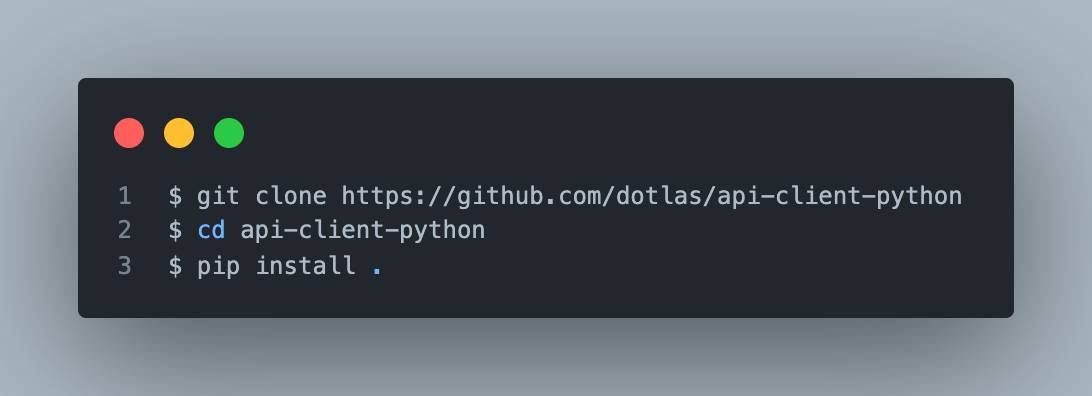
To setup dotlas from GitHub:
Usage
Basic Calls
import dotlas

dot = dotlas.App(api_key="<YOUR API KEY>")

cities = dot.list_cities()
houston_city_stats = dot.city_stats(city="Houston")

restaurants_near_empire_state_bldg = dot.nearby_competition(
    latitude=40.74861114520377,
    longitude=-73.98560002111566,
    city="New York",
    commercial_type="Restaurant",
)

esb_insights = restaurants_near_empire_state_bldg.response.insights
esb_data = restaurants_near_empire_state_bldg.response.data
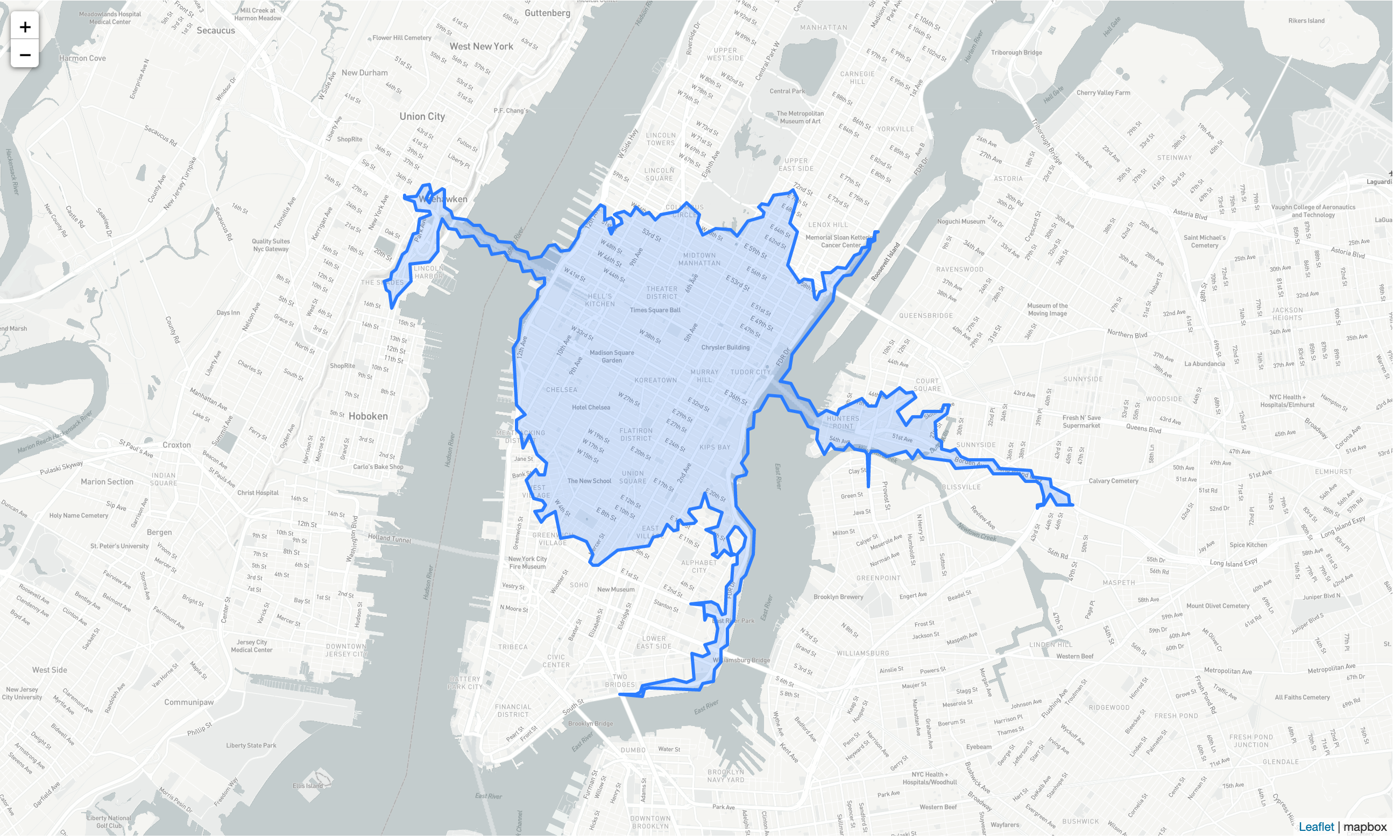
Mapping
pip install foliumif you don't have it already.MAPBOX_ACCESS_TOKENcan be obtained from mapbox.com
import folium
MAPBOX_MAP: str = "https://api.mapbox.com/styles/v1/mapbox/light-v10/tiles/{z}/{x}/{y}?access_token={MAPBOX_ACCESS_TOKEN}"


empire_state_building_profile = dot.sales_territory(
    latitude=40.74861114520377,
    longitude=-73.98560002111566,
    city="New York",
    time_minutes=10,
    mode_of_mobility="driving"
)

folMap: folium.Map = folium.Map(
    location=[
        empire_state_building_stats.request.latitude,
        empire_state_building_stats.request.longitude,
    ],
    tiles=MAPBOX_MAP,
    attr='mapbox',
    zoom_start=12
)

folium.GeoJson(
    empire_state_building_stats.response.geometry.dict()
).add_to(folMap)


Download files
Download the file for your platform. If you're not sure which to choose, learn more about installing packages.
Source Distribution
Built Distribution
Filter files by name, interpreter, ABI, and platform.
If you're not sure about the file name format, learn more about wheel file names.
Copy a direct link to the current filters
File details
Details for the file dotlas-1.0.4.tar.gz.
File metadata
- Download URL: dotlas-1.0.4.tar.gz
- Upload date:
- Size: 10.9 kB
- Tags: Source
- Uploaded using Trusted Publishing? No
- Uploaded via: twine/4.0.1 CPython/3.9.12
File hashes
| Algorithm | Hash digest | |
|---|---|---|
| SHA256 |
5c26c2ff3425e13e884d59156eaca1dbd2f93867cac2a388abafa82bf034c9d6
|
|
| MD5 |
dc05214477ed190ece2761d04a443c20
|
|
| BLAKE2b-256 |
59ac3613bc441f36be65f10ccd0fc6cb8f9bdfcf06ccece9997d0b36ac56d1e7
|
File details
Details for the file dotlas-1.0.4-py3-none-any.whl.
File metadata
- Download URL: dotlas-1.0.4-py3-none-any.whl
- Upload date:
- Size: 11.1 kB
- Tags: Python 3
- Uploaded using Trusted Publishing? No
- Uploaded via: twine/4.0.1 CPython/3.9.12
File hashes
| Algorithm | Hash digest | |
|---|---|---|
| SHA256 |
170eb05eb971b9e76fc007d0bab27f8ee66041e6aaa279245d44cdf98c0fcd51
|
|
| MD5 |
d32d8836c9d63ff7e4f65e338f6d1e8d
|
|
| BLAKE2b-256 |
895f7538ef06108052311893cb466c6815fe3ba052c826291050951baab4953c
|






